The Notebook Review forums were hosted by TechTarget, who shut down them down on January 31, 2022. This static read-only archive was pulled by NBR forum users between January 20 and January 31, 2022, in an effort to make sure that the valuable technical information that had been posted on the forums is preserved. For current discussions, many NBR forum users moved over to NotebookTalk.net after the shutdown.
Problems? See this thread at archive.org.
← Previous pageNext page →

    *** Official Clevo P870DM2/P870DM3 (Sager NP9873/NP9872) Owner's Lounge! - The Phoenix 2 is here! **

    Discussion in 'Sager/Clevo Reviews & Owners' Lounges' started by Spartan@HIDevolution, Aug 3, 2016.

  1. Papusan

    Papusan Jokebook's Sucks! Dont waste your $$$ on Filthy

    Reputations:
    42,710
    Messages:
    29,842
    Likes Received:
    59,625
    Trophy Points:
    931
    Yees, sir :)
     
    skyFox90 likes this.
  2. Meaker@Sager

    Meaker@Sager Company Representative

    Reputations:
    9,431
    Messages:
    58,189
    Likes Received:
    17,897
    Trophy Points:
    931
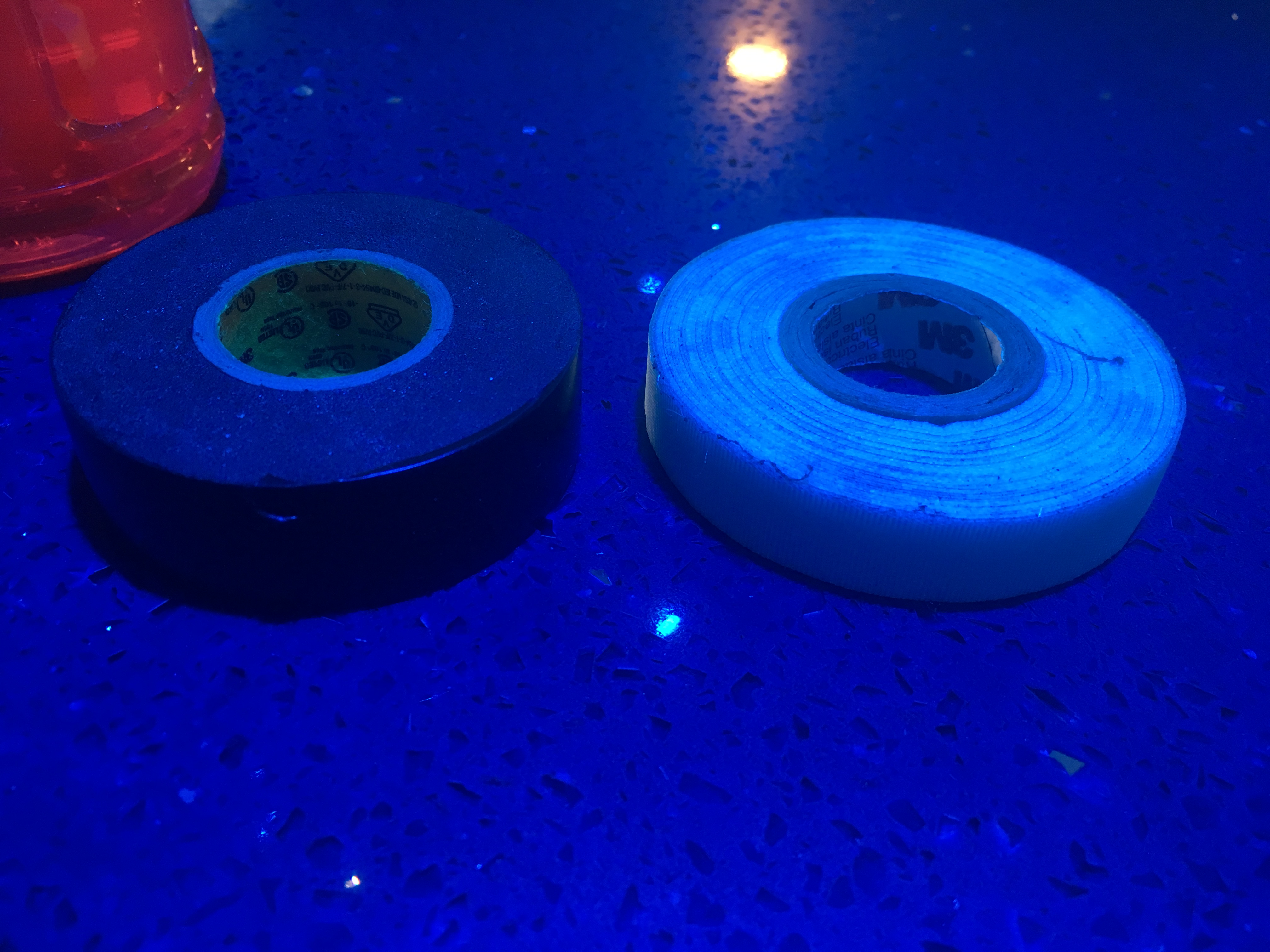
    Just make sure the final height of the tape is less than the core.
     
    skyFox90 likes this.
  3. skyFox90

    skyFox90 Notebook Consultant

    Reputations:
    42
    Messages:
    191
    Likes Received:
    147
    Trophy Points:
    56
    I gonna use the fiber glass tape, it is total resistent for very hot temperatures, its also more tiny almost 0.8 mm thin
     

    Attached Files:

  4. shizz

    shizz Notebook Enthusiast

    Reputations:
    5
    Messages:
    39
    Likes Received:
    14
    Trophy Points:
    16
    Hi,

    So I've got this question - seemingly, when in control center I got fan speed set to overclock, fans blow. However, when my machine is silent, e.g. set to anything different from Overclock, my CPU fan would not blow, even with CPU temps exceeding 90C, and causing throttling. So for now the only way to ensure my CPU works seems to be to set an aggressive policy for all three blowers, making for a noisy machine. How can I make my CPU work independently? e.g. when I play Dota 2, my 1070s can cope perfectly while keeping quiet, but this setting causes only the CPU to overheat due to fan neglect.
    Should I search for something in the Prema bios as a setting, or is there anything I can do from Windows?
     
  5. thegh0sts

    thegh0sts Notebook Nobel Laureate

    Reputations:
    949
    Messages:
    7,700
    Likes Received:
    2,819
    Trophy Points:
    331
    How does this heatsink not work with the DM1? it looks like it can fit.

    [​IMG]
     
  6. Papusan

    Papusan Jokebook's Sucks! Dont waste your $$$ on Filthy

    Reputations:
    42,710
    Messages:
    29,842
    Likes Received:
    59,625
    Trophy Points:
    931
    Probably because the master MMX slots is moved a bit.
     
  7. Meaker@Sager

    Meaker@Sager Company Representative

    Reputations:
    9,431
    Messages:
    58,189
    Likes Received:
    17,897
    Trophy Points:
    931
    And the core position is different and card shape which means it wont go the other way either.
     
  8. thegh0sts

    thegh0sts Notebook Nobel Laureate

    Reputations:
    949
    Messages:
    7,700
    Likes Received:
    2,819
    Trophy Points:
    331
    oh well. worst case i do a @Khenglish and swap out the 1070 core for a 1080 core LOL
     
  9. Meaker@Sager

    Meaker@Sager Company Representative

    Reputations:
    9,431
    Messages:
    58,189
    Likes Received:
    17,897
    Trophy Points:
    931
    Is there a BIOS you can use to unlock the whole core and still use normal GDDR5?
     
  10. skyFox90

    skyFox90 Notebook Consultant

    Reputations:
    42
    Messages:
    191
    Likes Received:
    147
    Trophy Points:
    56
    So guys, someone know if our monsters can be upgradable with the coffee lake cpu? I hope for it!
     
  11. Mr. Fox

    Mr. Fox BGA Filth-Hating Elitist

    Reputations:
    37,225
    Messages:
    39,333
    Likes Received:
    70,632
    Trophy Points:
    931
    Maybe so. I think it is unlikely. Plus, we really don't know for sure that CFL is actually going to be an upgrade. The way things seem to be going, CFL might be trash. It's hard to know if we should even hope for that possibility or not. Intel certainly royally botched up their latest batch of new CPUs with SKL-X and KBL-X. So far, those "special" new CPUs seem to be a joke and a downgrade by almost every measurement I have seen.

    We've got to be careful wishing for the unknown. After all, Intel are the imbeciles that thought making all mobile processors castrated BGA feces going forward would be a good idea. Clearly, they've got some very stupid people working near the top of their blue ivory tower. Taking anything on faith with these clowns is not advised, especially where mobile processors are concerned.
     
    Last edited: Jul 18, 2017
  12. Papusan

    Papusan Jokebook's Sucks! Dont waste your $$$ on Filthy

    Reputations:
    42,710
    Messages:
    29,842
    Likes Received:
    59,625
    Trophy Points:
    931
    If you believe Coffee lake will be compatible with Z170/270. Same as believing in Santa Claus coming down the chimney on Christmas Eve :D
     
    hmscott, temp00876 and ajc9988 like this.
  13. skyFox90

    skyFox90 Notebook Consultant

    Reputations:
    42
    Messages:
    191
    Likes Received:
    147
    Trophy Points:
    56
    However nobody know that for now.

    MrFox some update regarding the prema vbios?
     
    hmscott likes this.
  14. Khenglish

    Khenglish Notebook Deity

    Reputations:
    799
    Messages:
    1,127
    Likes Received:
    979
    Trophy Points:
    131
    I highly doubt it will work due to GDDR5 vs GDDR5X memory interface. I tried putting a 4890 core on 4850m and it was not compatible.

    I'd try it though if I somehow got the parts.
     
    ssj92, TBoneSan and Papusan like this.
  15. thegh0sts

    thegh0sts Notebook Nobel Laureate

    Reputations:
    949
    Messages:
    7,700
    Likes Received:
    2,819
    Trophy Points:
    331
    Fair enough. I wish the MSI 1080 wasn't all screwed up with the die placement....gosh it's annoying.
     
  16. Meaker@Sager

    Meaker@Sager Company Representative

    Reputations:
    9,431
    Messages:
    58,189
    Likes Received:
    17,897
    Trophy Points:
    931
    It was never going to be standard anyway so they shifted it to where they wanted it.
     
  17. Hd172

    Hd172 Notebook Consultant

    Reputations:
    56
    Messages:
    166
    Likes Received:
    169
    Trophy Points:
    56
    Finally got my big project done. The cerakote came out out pretty good. I tried my custom silver IHS on the 7700k. The company I had it made at overpolished it by hand so it didn't make good contact with the die. I found using pressure paper that even the Bitspower IHS's don't make the best contact. I also found that my heatsink wasn't very flat and I'm still using ic diamond. I may give it another shot later but kind of just want to use the beast. I also put new thermal pads on the GPU's. I used the guide for screen replacement on a p870dm1 and it was basically the same layout.

    https://imgur.com/a/ywLNb
     
    hmscott, ssj92 and bloodhawk like this.
  18. Meaker@Sager

    Meaker@Sager Company Representative

    Reputations:
    9,431
    Messages:
    58,189
    Likes Received:
    17,897
    Trophy Points:
    931
    Even the bitspower skylake IHS? Ouch.
     
    Papusan likes this.
  19. bloodhawk

    bloodhawk Derailer of threads.

    Reputations:
    2,967
    Messages:
    5,851
    Likes Received:
    8,565
    Trophy Points:
    681
    That paintjob looks sweet.
     
    ssj92 and Hd172 like this.
  20. Hd172

    Hd172 Notebook Consultant

    Reputations:
    56
    Messages:
    166
    Likes Received:
    169
    Trophy Points:
    56
    Yeah I tried both the skylake and kabylake versions
     
  21. bloodhawk

    bloodhawk Derailer of threads.

    Reputations:
    2,967
    Messages:
    5,851
    Likes Received:
    8,565
    Trophy Points:
    681
    Stupid question, but did you adjust the thermal pad thickness accordingly?

    And is your CPU heat sink bent towards the fin stack? (Like more inclined towards that side?)
     
  22. Hd172

    Hd172 Notebook Consultant

    Reputations:
    56
    Messages:
    166
    Likes Received:
    169
    Trophy Points:
    56
    I did adjust the thermal pad thickness. The heatsink seemed to have a bow in it making contact on two ends of the IHS but not the center
     
    hmscott likes this.
  23. Papusan

    Papusan Jokebook's Sucks! Dont waste your $$$ on Filthy

    Reputations:
    42,710
    Messages:
    29,842
    Likes Received:
    59,625
    Trophy Points:
    931
    See my post #13123 as well @Mr. Fox' Post #7202 prepping the IHS.
     
    Hd172 likes this.
  24. Meaker@Sager

    Meaker@Sager Company Representative

    Reputations:
    9,431
    Messages:
    58,189
    Likes Received:
    17,897
    Trophy Points:
    931
    The paste contact on mine seemed good, I might have to double check what the liquid metal looks like.
     
    Papusan likes this.
  25. Papusan

    Papusan Jokebook's Sucks! Dont waste your $$$ on Filthy

    Reputations:
    42,710
    Messages:
    29,842
    Likes Received:
    59,625
    Trophy Points:
    931
    If you refer to the my post above, it was not meant to give you more work :D
     
    Mr. Fox likes this.
  26. Hd172

    Hd172 Notebook Consultant

    Reputations:
    56
    Messages:
    166
    Likes Received:
    169
    Trophy Points:
    56
    Ah now I see. My contact pressure looked exactly like what Mr Fox's looked like. Ok I'll give it another chance but not for a little while. I have a spare chip to prep it on.
     
  27. Hd172

    Hd172 Notebook Consultant

    Reputations:
    56
    Messages:
    166
    Likes Received:
    169
    Trophy Points:
    56
    Anyone know when clevo took out the ability to change the color on the back lid?
     
  28. ssj92

    ssj92 Neutron Star

    Reputations:
    2,446
    Messages:
    4,446
    Likes Received:
    5,690
    Trophy Points:
    581
    I can still change it
     
  29. clayton006

    clayton006 Notebook Evangelist

    Reputations:
    106
    Messages:
    521
    Likes Received:
    305
    Trophy Points:
    76
    Speaking of this. I still cannot. I removed the clevo control center, rebooted, used the obsidian tool to install the latest one, rebooted. Still can't change the backlight of the lid with my Kaby Lake installed..... Frustrating
     
  30. ssj92

    ssj92 Neutron Star

    Reputations:
    2,446
    Messages:
    4,446
    Likes Received:
    5,690
    Trophy Points:
    581
    I'm on Kaby Lake as well (7700K). Both Windows 7 and Windows 10 working fine with CCC. I'm using version 5.0001.01 if that helps.

    [​IMG]
     
  31. Trashmonk

    Trashmonk Notebook Geek

    Reputations:
    55
    Messages:
    87
    Likes Received:
    92
    Trophy Points:
    26
    Hi all, so I haven't been gaming in the last month due to work and travel and I noticed last night that my gpu clock had dropped from the usual 1889-1911mhz to 1736-1780 Mhz when gaming. I have no gpu overclocking turned on at the moment. I tried firestrike thinking it might be the game, same drop. I used ddu to uninstall the drivers and installed an old version that I know worked well. Still a drop in clock speed. The temperatures are fine around 59-70c on full fans while gaming. Does any one have any ideas? I can't remember exactly how high my temps were previously so maybe they have gone up. Could it be worth repasting my 1080? Thanks!

    Sent from my Nexus 6P using Tapatalk
     
  32. Falkentyne

    Falkentyne Notebook Prophet

    Reputations:
    8,396
    Messages:
    5,992
    Likes Received:
    8,633
    Trophy Points:
    681
    What does GPU-Z limit reasons say? Are you hitting the power limit at 1736-1780 mhz? Doesn't seem like you're hitting the voltage reliability limit, but can't know from guessing. Need a Gpu-Z screenshot of the sensors. Also a hwinfo shot of the GPU area will help a lot as well, if you can get both.
     
  33. Meaker@Sager

    Meaker@Sager Company Representative

    Reputations:
    9,431
    Messages:
    58,189
    Likes Received:
    17,897
    Trophy Points:
    931
    What is the Nvidia driver power setting at?
     
  34. Hd172

    Hd172 Notebook Consultant

    Reputations:
    56
    Messages:
    166
    Likes Received:
    169
    Trophy Points:
    56
    Anyway I can get a copy of that version?
     
  35. Trashmonk

    Trashmonk Notebook Geek

    Reputations:
    55
    Messages:
    87
    Likes Received:
    92
    Trophy Points:
    26
    My Nvidia power setting is at maximum performance. I ran gpu-z will running timespy and I am getting both prefcap states, 1 (power) and 4 (voltage). I have a single gtx1080 and two power supplies, so I know power isn't the issue. I'm guessing it's the vbios which can't be helped until prema releases and custom one. The strange thing is, in the past my gpu would generally run at 1911mhz, except for very long gaming sessions and now it often drops by 150mhz.

    Sent from my Nexus 6P using Tapatalk
     
  36. ssj92

    ssj92 Neutron Star

    Reputations:
    2,446
    Messages:
    4,446
    Likes Received:
    5,690
    Trophy Points:
    581
  37. Meaker@Sager

    Meaker@Sager Company Representative

    Reputations:
    9,431
    Messages:
    58,189
    Likes Received:
    17,897
    Trophy Points:
    931
    Have you tried an older driver version? I have my cards hard modded so I would not have noticed any changes.
     
  38. Hd172

    Hd172 Notebook Consultant

    Reputations:
    56
    Messages:
    166
    Likes Received:
    169
    Trophy Points:
    56
  39. ssj92

    ssj92 Neutron Star

    Reputations:
    2,446
    Messages:
    4,446
    Likes Received:
    5,690
    Trophy Points:
    581
    Oh maybe they changed it recently. I don't have the installer file to the one I installed. Maybe someone else can upload it.
     
  40. Bill56

    Bill56 Notebook Guru

    Reputations:
    10
    Messages:
    64
    Likes Received:
    75
    Trophy Points:
    26
    what's your guys temps for pubg? i have the cpu at 4.3, cpu peaks at 100c, and gpus go to 90-95c
     
  41. hexum23

    hexum23 Notebook Evangelist

    Reputations:
    75
    Messages:
    307
    Likes Received:
    141
    Trophy Points:
    56
    Seems very high for both. This is a game I play at lowest setting except for view distance on ultra for competitive advantage. At first I did play at max settings but I don't think I got into the 90s for anything. I'll have to put settings back on max to see if I get close to your numbers.
     
  42. D2 Ultima

    D2 Ultima Livestreaming Master

    Reputations:
    4,335
    Messages:
    11,803
    Likes Received:
    9,751
    Trophy Points:
    931
    That's extremely high, especially if max fans.

    I get about 63c GPU and maybe in the 70s for CPU? I have the game locked to 124fps and it isn't maxed so it holds that more often than not, but even when I max it the temps aren't very high at all.
     
  43. Meaker@Sager

    Meaker@Sager Company Representative

    Reputations:
    9,431
    Messages:
    58,189
    Likes Received:
    17,897
    Trophy Points:
    931
    Yes that is running a bit high, it would be interesting to see your MSI afterburner GPU charts.
     
  44. Mr. Fox

    Mr. Fox BGA Filth-Hating Elitist

    Reputations:
    37,225
    Messages:
    39,333
    Likes Received:
    70,632
    Trophy Points:
    931
    Even though you tagged me, I missed this post. Thanks for this. Now I won't waste any money testing it. I'm liking the Phobya NanoGrease Extreme even better than Kryonaut now.
    Phobya_Temps.JPG
     
    bloodhawk and Papusan like this.
  45. bloodhawk

    bloodhawk Derailer of threads.

    Reputations:
    2,967
    Messages:
    5,851
    Likes Received:
    8,565
    Trophy Points:
    681
    Nice temps!!
    Also the forums sometimes bugs out on tags for me as well.
    If you want i can send you my tube of Copper stuff , if you want to test it out further. Pretty much sitting in a box here.
     
    Papusan likes this.
  46. Mr. Fox

    Mr. Fox BGA Filth-Hating Elitist

    Reputations:
    37,225
    Messages:
    39,333
    Likes Received:
    70,632
    Trophy Points:
    931
    Sure, if you want to snail mail it to me, would be glad to confirm it's not good. :)
     
    bloodhawk, Papusan and ajc9988 like this.
  47. bloodhawk

    bloodhawk Derailer of threads.

    Reputations:
    2,967
    Messages:
    5,851
    Likes Received:
    8,565
    Trophy Points:
    681
    Will drop it off the next time i head out to the Post office.
     
    Mr. Fox and Papusan like this.
  48. Meaker@Sager

    Meaker@Sager Company Representative

    Reputations:
    9,431
    Messages:
    58,189
    Likes Received:
    17,897
    Trophy Points:
    931
    I also noticed there is a fair amount of variation between CLU batches.
     
    Papusan likes this.
  49. Mr. Fox

    Mr. Fox BGA Filth-Hating Elitist

    Reputations:
    37,225
    Messages:
    39,333
    Likes Received:
    70,632
    Trophy Points:
    931
    Yes, I have stopped using it because of that. I only use Conductonaut now. CLU used to the be best, but I will not purchase it any more because it is not a consistent product. Sometimes it is too runny, and sometimes I get less than the full amount of product in the syringe. I once received a syringe that had almost no product at all. Coollaboratry replaced it for me at no cost, but it was very inconvenient.
     
    Papusan likes this.
  50. Meaker@Sager

    Meaker@Sager Company Representative

    Reputations:
    9,431
    Messages:
    58,189
    Likes Received:
    17,897
    Trophy Points:
    931
    It just came out as water in one of my tubes, the whole thing was useless.
     
    Papusan and Mr. Fox like this.
← Previous pageNext page →