Problems? See this thread at archive.org.
What's the final average GPU frequency during gameplay?
-
-
Around 1750 mhz when boost
-
Hello,
I have Sager-Clevo P870DM3. I bought in USA but now I use in Turkey. Turkey main voltage: 220V, I use plug converter but it doesnt change the voltage.
Tempererature are soo high and fans continuos work. Can I change adaptive voltage in BIOS? How can I fix it? Help me please.
Thank you. -
The power supplies we use are universal and the higher voltage will actually improve efficiency. The BIOS will only let you over volt, you can use intel XTU to reduce the voltage on the CPU. Fan noise will depend on workload and ambient temperatures.
otto_kahn likes this. -
So, if I plug the socket(220V) with the computer's plug-in converter(converter doesn't change the voltage!), Can I use it without problems?
This notebook previously used with 110V. It is currently being used with 220V. Is not it necessary to change the adaptive voltage on bios or settings?
Thank you. -
They all come with Full Range 100V - 240V, 50-60Hz, Auto Sensing, Auto Switching AC Adapter that you can use all over the world. All you will need is the plug adapter for the wall socket. You will need one that will accept a US three prong grounded plug. You can find good resources for these at http://www.google.com/search?q=worldwide+plug+adapter
-
Is this all I need? I bought 2 of them. It's not a problem, is it? in future?
-
As Donald said, all over the world
 People in the uk get the same brick as you and have it at 240v all day.
otto_kahn likes this.
People in the uk get the same brick as you and have it at 240v all day.
otto_kahn likes this. -
Thank you very much.
@Meaker@Sager @Donald@HIDevolutionDonald@Paladin44 likes this. -
It is I mentioned more efficient to have 240V input too, so your brick losses are lower and your power supply will run cooler as a result.
bennyg, Donald@Paladin44 and otto_kahn like this. -
You can also swap the first section of the cord (the kettle plug between the wall and the adapter) for your native version to drop the need for the travel adapter, but that's purely optional.
Using a higher voltage than a component can handle would have killed something almost immediately. The point of the power supply is not only to take that hit (hopefully in an internal fuse) instead of the expensive laptop, but also to filter imperfections in the input electrical power source such as the square wave signal from a cheap inverter (e.g. for a car 12V cigarette socket) that degrades sensitive componentsDonald@Paladin44 likes this. -
Well certainly double the voltage would cause the manic smoke to escape, usually you can get away with +/- 5% (maybe 10% on higher quality parts) and it does act as the first stage of filtering and protection. The input VRMs are the second stage of this.
-
how do i decrease the voltage and all , to decrease the temps , as i am getting 85-95c on diablo 3 lol , as well other games , sadly i have every game out on market sadly lol i also have issues on the conan one too
-
BIOS, Throttlestop or XTU.
Core offset voltage. Set it as large negative as you can without causing bluescreen crashes. Start with -100mV and decrease by 10mV at a time
-155mV reduces a full avx load on this cpu at 4.0ghz from about ~75W to ~55W -
All chips are different in what voltage/frequency they can handle.
-
I don't see an option to change the color of the lid light, and its stuck on green. I downloaded the control center from the hotkey driver on the sager site. any help is much appreciated. also the colors don't match the backlight color selected on that app
-
Its a little separate selection wheel that you bring up in the light setup area.
-
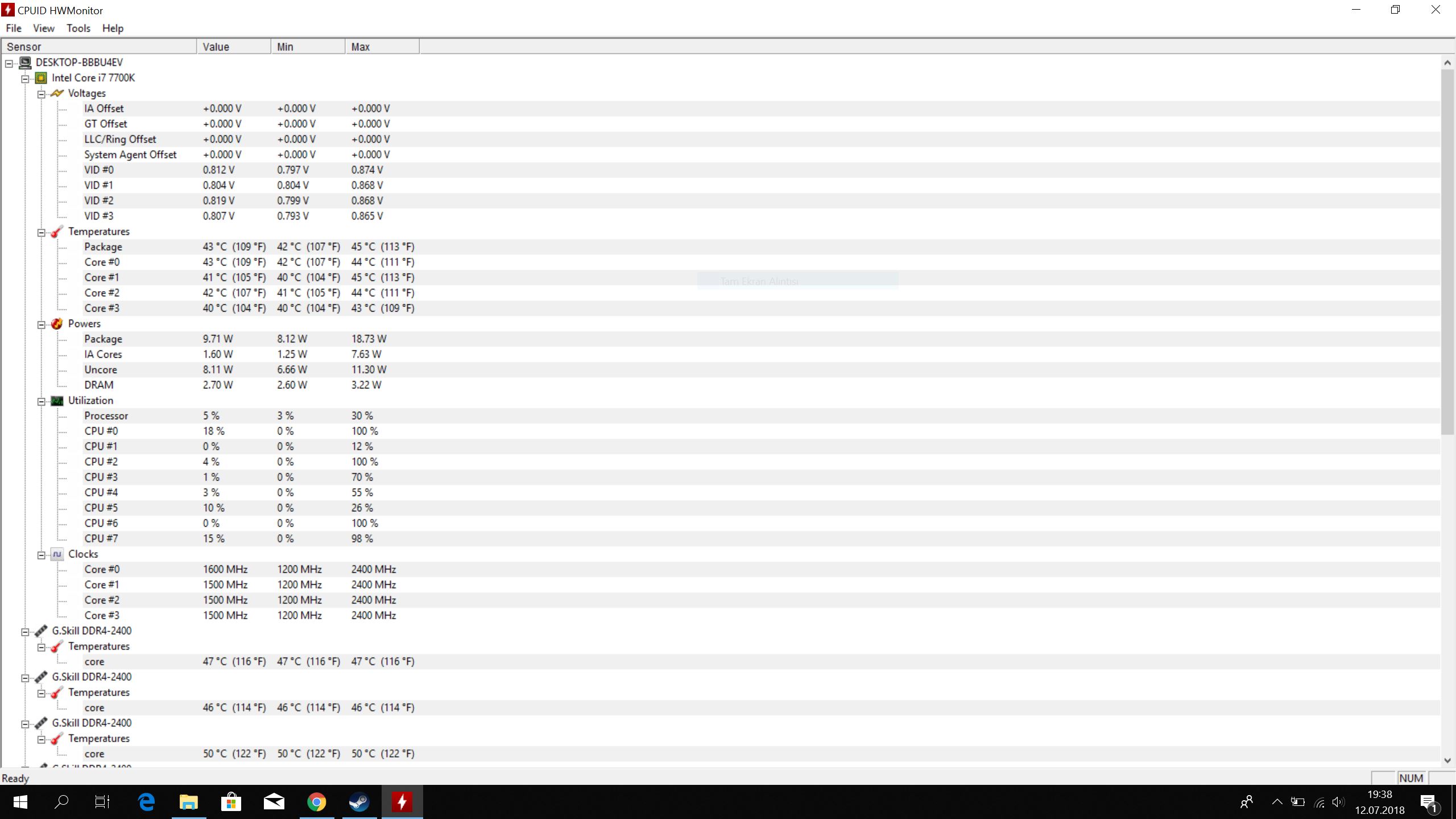
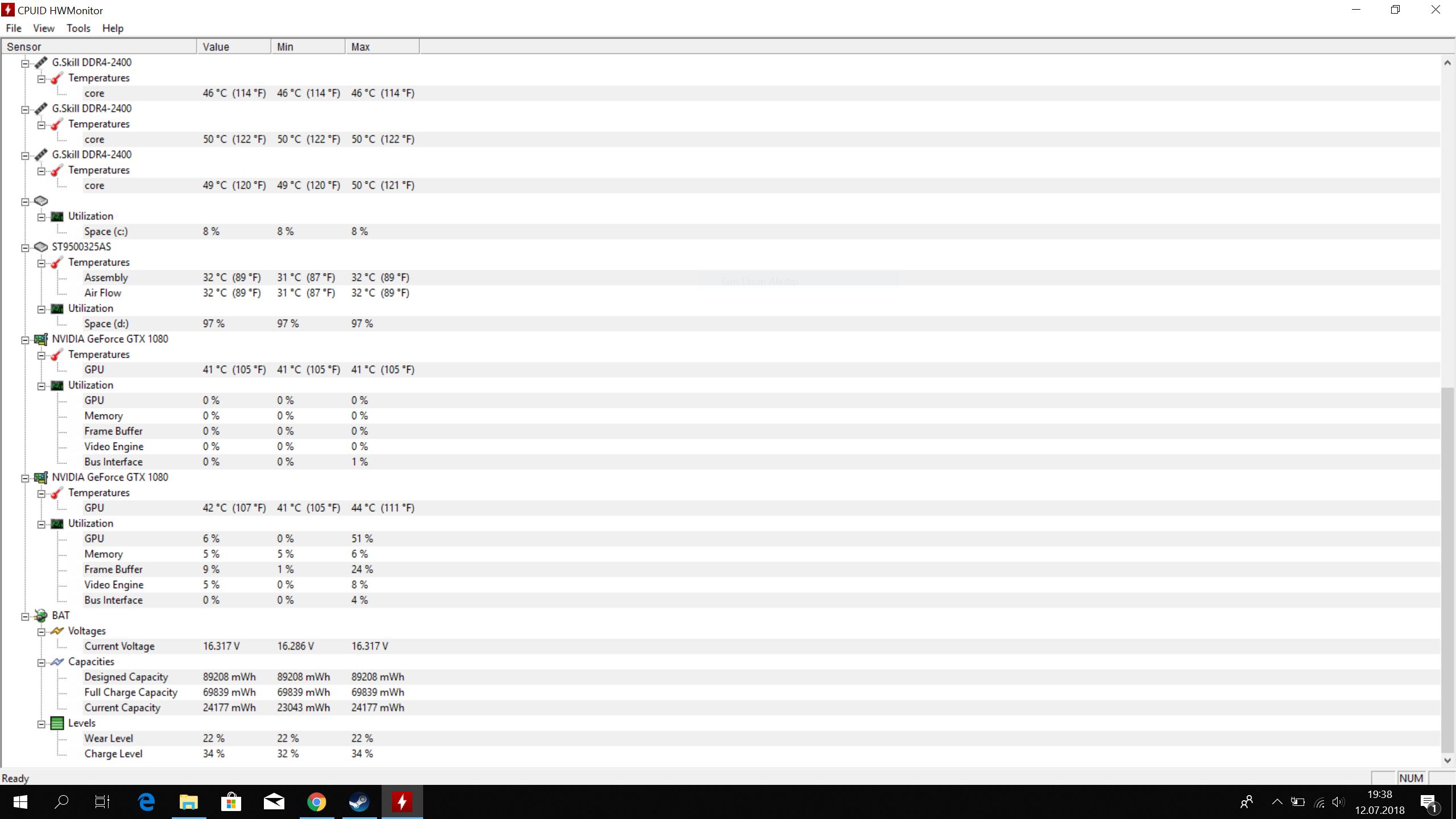
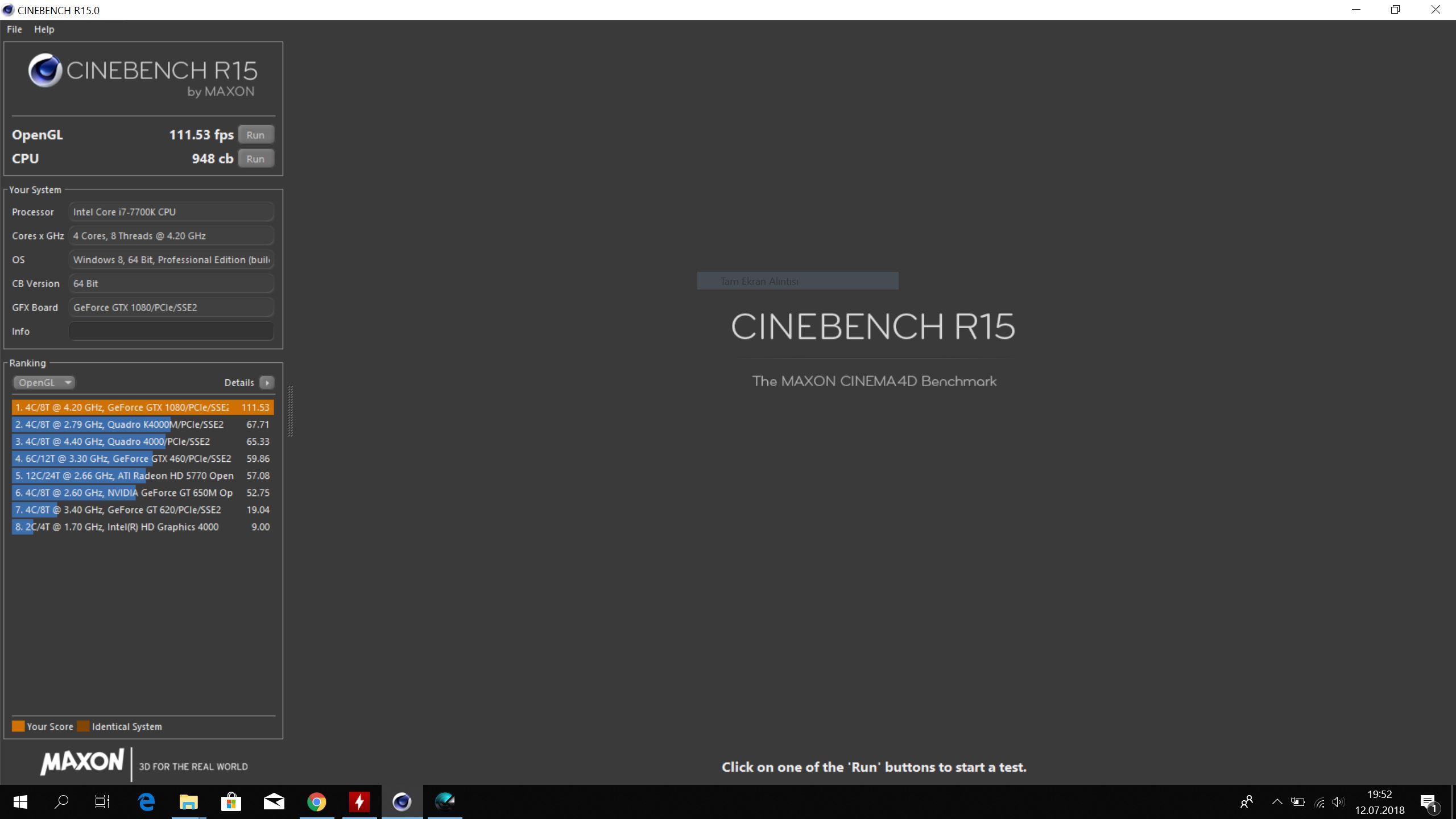
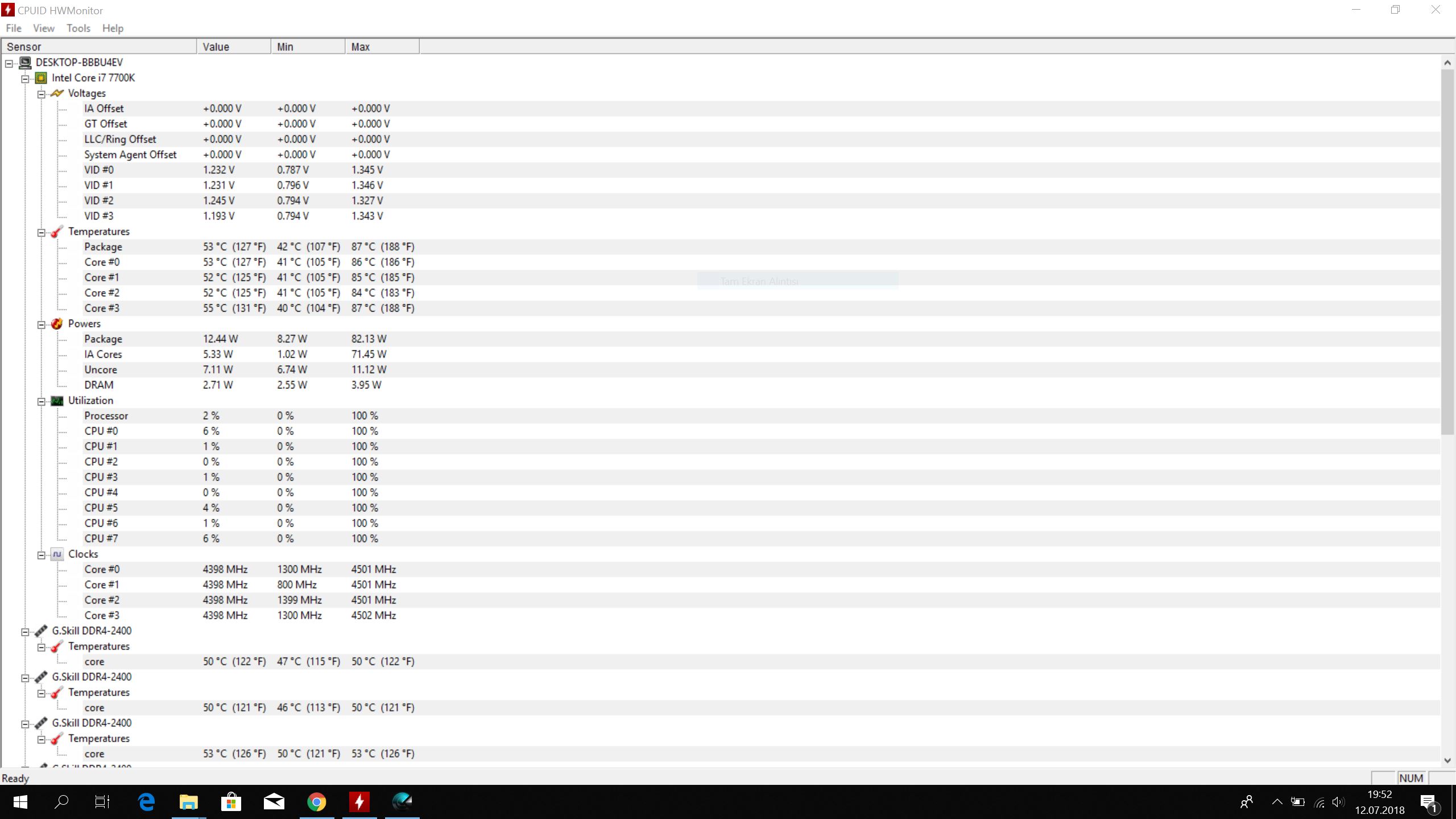
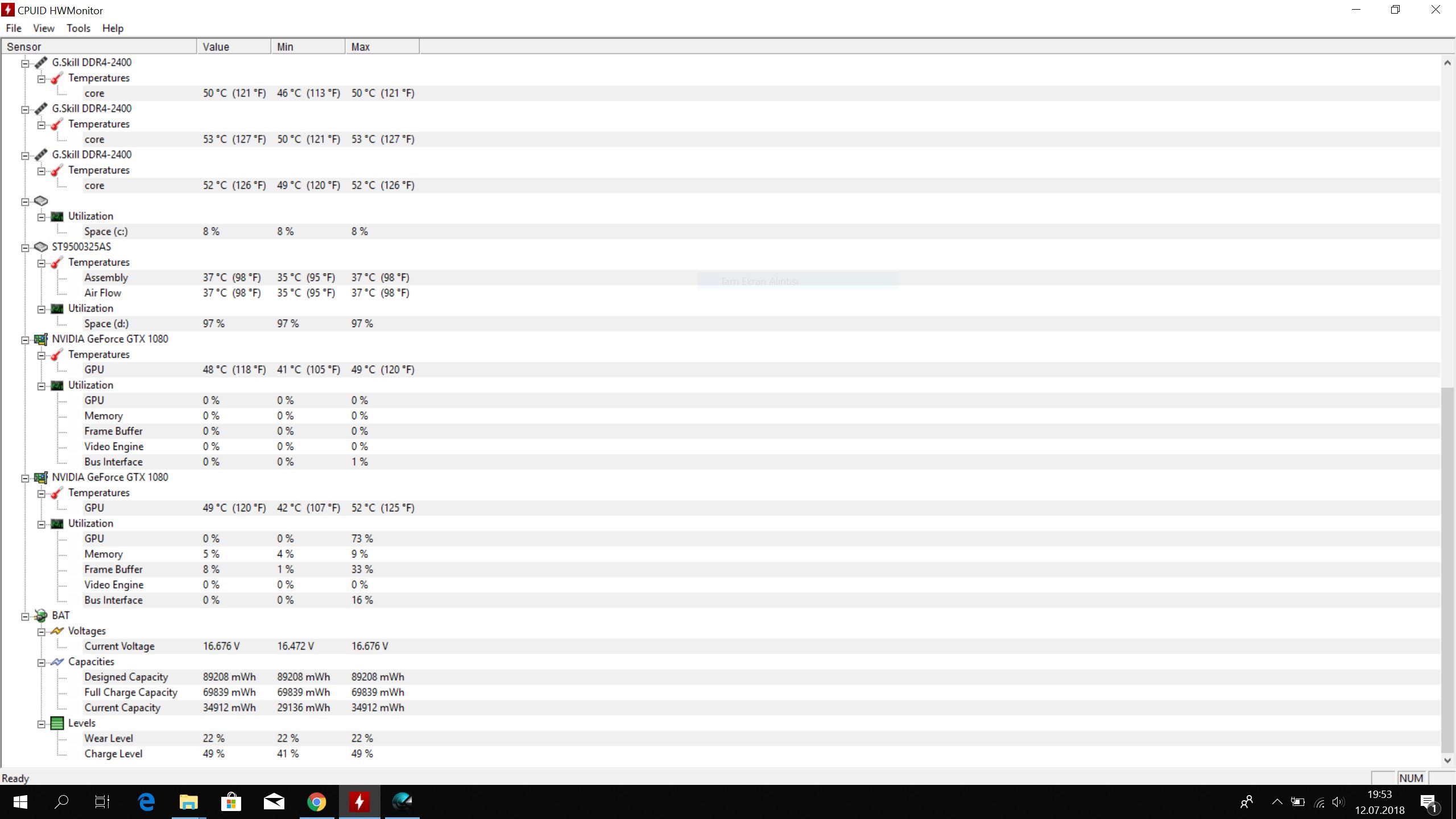
How are the temperatures?
@Meaker@Sager @Donald@HIDevolution and other helpful friends
%0 load -Door: 20degrees celsius---first 2 photo -
and this photo
Attached Files:
-
-
Only use the CCC version for this model and do not update it, ever. Ends in .101 for the DM2/3. Clevo do not use standard version control for this piece of s...oftware.
The lid light control is below where you control the 3 zones of keyboard, it looks like a P870 model lid. It's missing if you use a version of CCC for a different model -
where can I find that version? thanks
-
found it, had to click the asia link. thanks ill try it out
-
I tried that version but the option is still not there in flexikey
-
Also, when I first start the system the keyboard takes a minute to start working. is there a known fix for that?
-
Can you take a screenshot of your flexikey?
-
Hello friends,
please help me!
When testing Aida64:
CPU: 100 degree (max. 4,4GHz)
GPUs: 91 degree-90 degree
RAM:55-60 degree
Door:15 degree and air conditioner blows directly to laptop.
On the 8th minute, blue screen error occurred.
Please help me! -
Talk to your reseller.
-
Sager brand. I bought it from @Johnksss He used very little.
Can not you help me? Here, the mains voltage is 220V. I use with convert. Could it be related to that? -
Your brick is a universal input, if it's not stable stock you need to contact your support.
-
I have 2 original 330W adaptor. I use with this:
-
If you look on the brick it will say something like 110V-240V input, I assume you are within that?
-
Of course.
-
Ok, since you have no support from the looks of things (brave for someone without experience) I would strip down the machine, reassemble everything, give everything a clean/repaste, check thermal pads and re-test.
-
I was going to add the HWmonitor image, but the Windows crashes twice because it gets too hot.
-
I have thermal grizzly.
https://www.amazon.com/Thermal-Grizzly-Conductonaut-Grease-Paste/dp/B01A9KIGSI
Can I use it? CPU and 2XGPU. -
High temps don't usually cause crashes, more heavy throttling or system power offs.
That thermal paste needs to be applied VERY carefully and usually is only recommended for advanced users with precautions like barriers/insulation especially for first timers.otto_kahn likes this. -
This also has nothing to do with power from the wall....
He will need to repast because I stripped off the liquid metal. In no way shape or form am I shipping something with liquid metal on the heatsink where it could leak and cause damage. There is however LM between the heat spreader and the die.
As to the heat. He is trying to run the machine with factory power settings. He needs to lower the adaptive voltage for cache and voltage to something like -100 to -150 adaptive or 1.05 to maybe 1.115 or so static. And also lower the gpu voltage.
This is what it looked like right before the machine was dropped off.
![[IMG]](images/storyImages/4Z6Wjzu.png)
![[IMG]](images/storyImages/wgiKxZz.png)
![[IMG]](images/storyImages/R3v04Ak.png)
![[IMG]](images/storyImages/5tT6aMq.png)
![[IMG]](images/storyImages/PYzLxt3.png)
![[IMG]](images/storyImages/T2WucYZ.png) otto_kahn likes this.
otto_kahn likes this. -
I'll do the Turbo FIVR settings the same way, but range 1000mV right?
-
Did you read up on throttle stop first? To understand what it is your are changing and why you are doing it? The reason why I ask is because you are talking about two different things. 1000mv setting is for adaptive and to change how high it can go. It has nothing to do with static voltage.
-
@Johnksss
I made your settings the same. This time the laptop did not give a blue screen error.
When the processor temperature is idle 50 degree.
Aida64 test, Sometimes the maximum voltage is too high. How can I fix this? The graphics card temperature was still 90 degrees. How can I correct the voltage of the display card?
Thank you.
-
-
Intel XTU/throttlestop for the CPU and MSI afterburner (CTRL + F) to modify the clock curve for the 10xx series.
-
You're gonna have to do far better than that for an explanation.
Papusan likes this.
-
Can you tell me what to do step by step?
Where can I set the maximum voltage? -
Not if a user's willing to then look those terms up, that will bring up loads of guides.
-
I opened the back cover. I cleaned everything clean. I applied the liquid metal VERY VERY carefully. Then I did the AIDA64 test.
I need help.
@Meaker@Sager @Johnksss
Last edited: Jul 20, 2018 -
After applying liquid metal, what else can I do?
Please help me with the voltage.
*** Official Clevo P870DM2/P870DM3 (Sager NP9873/NP9872) Owner's Lounge! - The Phoenix 2 is here! **
Discussion in 'Sager/Clevo Reviews & Owners' Lounges' started by Spartan@HIDevolution, Aug 3, 2016.