 Problems? See this thread at archive.org.
Can anyone outline the power draw in Quiet and Entertainment modes?
The notebookcheck review on this thing has really put me off. 53.2 dB for The Witcher 3? Christ.
Was hoping the fatter chassis would make an actual difference to fan noise. Instead it's louder than a GX701.
Honestly, very disappointed. I know a lot of people don't care about fan noise but I most certainly do.
-
-
No idea what dB level they hit as I don't own a dB reader or know anyone who does. It is much quieter than the Aorus 15 X9, by comparison.
I believe the thicker chassis is intended for improved airflow, not decreased noise. While low noise may be a priority in a thin and light notebook, or a Max-Q equipped model, or a productivity oriented laptop; the PB7XEx-G is none of those things. It's a thicker, Max-P equipped gaming laptop. Low noise level is not an advertised feature and shouldn't be expected over performance.
All that said, there are 3 fan modes; Auto, Max, and Custom. You can also set a fan speed % offset (0%-80%). So there is a decent amount of fan control compared to other models.vegetaeater likes this. -
To be fair, I think the Aorus 15 X9 is the loudest laptop from the RTX generation. Correct me if you can think of one louder?
See, I'm coming from a MSI GT62VR with a i7-6700HQ and full 1070. This thing is absolutely whisper quiet and still pulls 18500 graphics score on Firestrike.
I'm just super surprised at how loud machines are this gen. I'd like to upgrade to 17" 144hz IPS display (ideally with G-sync) which is why I'm wondering what Entertainment and Quiet mode sound like on the Clevo (with some game fps figures). I'm fairly sure it's the CPU's causing all these problems.4W4K3 likes this. -
The Aorus shocked me. I thought it was going to fly off like a jet. Out of the box the 8750H needs max fan under any workload and easily hits 90C+. That honestly just seems to be the standard unless you pay a premium for a model that comes with "premium" thermal paste/LM. The generic paste is just not up to the job if you need to maintain boost and stress the GPU simultaneously.
However, the common fix of repaste, undervolt, and tweaking power scheme/fan profile should land you in the volume level you want. At least, I think so. I know what you mean about this generation being louder, I think I've just gotten older (more deaf haha) and found workarounds like the headphones. Definitely not an excuse, as sometimes you can't use headphones and you want to enjoy the speakers which are good.
If you can accept a loss in frames/performance by limiting the turbo boost and running close to 3.0GHz all core I think you can get the laptop to still utilize the full 2070 without having to run maximum fans.vegetaeater likes this. -
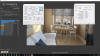
New score, utilizing a feature I had forgotten about that's so obvious I'm reluctant to post it. If you're familiar at all with the Task Manager...you can gain some points by being really detail oriented. Hopefully that is enough of a clue!
-
I had some earlier postings regarding the high CPU temperatures I experienced with my PB71EF-G and wanted to report back with some results after repasting. All readings are in Performance Mode, using a cooling pad, and fan speeds on max. I primarily played 20-30 minutes of Far Cry 5 to test as that seems to be the most demanding CPU game I have.
Out of the box my CPU core temps were between 97-100. Even with a modest undervolt I was still hitting 100 degree max. Performance was surprisingly good despite the temps, but I was concerned about longevity of my system.
I finally broke down and did a repaste with Thermal Grizzly Kryonaut, and without any undervolting am now seeing a peak of 91 on the CPU. Still pretty hot but I will happily take the 9 degree reduction, and I'm sure some undervolting will help push it down further.
Primarily I wanted to report back that 100 degree temps are NOT normal and should not be accepted. (Maybe that should be obvious, but it took a lot of self-convincing for me to mess with an expensive laptop--so maybe this will help expel doubt for others...)
Some other thoughts and notes to any fellow low-level enthusiasts/quasi-newbies:
-When running demanding games I always enable max fan speed (hold Fn and hit 1). Sure its loud but wear headphones. And you don't need to fiddle with fan speed profiles
-If I did it all again, I would not have paid for a reseller repaste. I would see how the stock thermals are then repaste myself if needed. I imagine the poor thermals were more so the paste job and not the paste used.
-The GPU never ran above low 70's before or after.
-The Intel Extreme Tuning Utility has a monitor tool that will plot core temp, frequency, and CPU usage for up to an hour. This is much more insightful than CPUID HWMonitor's max readings (although I used that too). This helped me see that the high temps were more than just random spikes.
One final question/thought: The spring-equipped screws that bolt down the heat sinks don't seem to press down all that tight. I wonder if there's a better substitute to achieve better contact and performance? -
I've thought this too especially when considering a proper LM application. Did you use thermal tape or something else for insulation around the processor dies? I'm extremely reluctant to LM a direct die setup like many BGA-laptops are. And quite honestly, my peak temps after gaming on Noctua NT-H1 (regular paste) are 84-85C. Same game even (FC5: New Dawn), playing 2-3 hours. I really thing because of the weak contact of the heatsink, and the inability to increase it due to space restrictions, a thermal paste will usually perform the same if not better than LM.
-
No, I'm pretty amateur so was mostly content trying to do a decent paste job. I too considered LM for a while, but I was already terrified of damaging my laptop, and also read threads about LM needing to be replaced periodically, causing pitting, etc... maybe that's overblown but it was enough for me to stay away.4W4K3 likes this.
-
Yes if you know how to read it a graph over time is much more insightful.
-
Has anybody had any issues with headphones not being detected when they are plugged in? I haven't used headphones much yet, but IIRC, it worked the first time for me (audio switched from speakers to headphones), but since then, the audio does not switch to the headphones without going into the Realtek Audio console and switching the "Connector Retasking" from headset to headphones, or vice versa. It doesn't matter which, it just needs to be switched, and then audio starts coming from the headphones.
Windows doen't show a separate audio output for the headphones, it remains as "Speakers (2- Realtek(R) Audio)" -
Headphones / Heatsets have always been janky in Windows imo.
Someone between my friends and I always seems to have some issue or another every time we all play a game. -
I just tried installing an updated driver, didn't work. Uninstalled it all, reinstalled the updated driver, and it seems to be working fine now. I wonder if there was a conflict with Windows Update vs pre-installed vendor driver or something. Weird.
-
The driver equivalent of turning it off and on

-
Does anyone knows any PB71EF-G/RF-G disassembly video? I've read some of the previous posts like Aquaorenji's and the subsequent answers but still can't figure out on how to get to the 18th screw. I took off all the the back screws and I tried to pry the keyboard, which the 18th screw is supposedly under but I can't actually take it off. All I can get off are the side sills/frame of the keyboard, but can't get the keyboard itself off. Honestly I'm thinking of just getting it to Best Buy and have them opened it up for me and just don't reinstall the 18th screw. Anyone knows if Best Buy insure their work? I mean if I want to break a tab or two off then I'm sure I can try it lol, the point of paying someone else (or rather corporate) do it for me is if something went wrong they're liable for it lol
-
I'm convinced (other than the color) the difference between PB70EF-G and PB71EF-G is that damn 18th screw that I have never seen.
I did not have to touch or remove the keyboard at all to disassemble mine. Removal of the bottom panel is accomplished through removal of only the bottom 17 screws. The lower lid pries off from the sides, and then lifts straight off.
Removal of the keyboard is accomplished through 2 screws from the bottom which are clearly marked with a 'keyboard' icon. After removal of the deeper screw, you punch the keyboard up about 0.5" with a small screwdriver or other poking device. The keyboard unsnaps from the front, and you gently lift the rest of the keyboard by hand until it is fully unsnapped.
That is exactly the process I used for removal.
Vids which may help:
Samchanchan11 likes this. -
I, too, didn't have the 18th screw but I think I see where it goes...
JEAMN--My headjack also doesn't detect correctly when I plug in earphones. No issue with a USB set. -
-
Where would one go about purchasing an extra battery for a PowerSpec 1720/PB70EF-G? There doesn't appear to be any batteries for it listed on the MicroCenter website and searching for PB50BAT-6 (the model # off the battery) leads only to a handful of shady looking websites.
4W4K3 likes this. -
Speak to a reseller, since they are not removable normally they are not sold as readily as before.
-
Some resellers are selling extra batteries alongside the PB51 and PB71, but I couldn't think of one off the top of my head. Maybe they are a good lead?
-
I'll contact MicroCenter directly. The battery is external/removable and secured with two screws.
Picture: https://imgur.com/ZL7oOX6Last edited: Jul 10, 2019 -
This is why we need standardized sizes. Let us know what they quote you for that, I've seen many different prices in different places. Does anyone know if keeping a spare is a good idea or if it will degrade or something?
-
Assuming MicroCenter sells the things at all I'll post a price after I talk to their service department.
Generally speaking - lithium ion polymer batteries will lose a bit of capacity as they age based on storage temperature and charge level. I'm more concerned about having a replacement handy if a cell should fail rather than worrying about the absolute capacity. If it came down to it, I'm handy enough with a dremel tool to cut the plastic case open and manually replace the cells myself - would just rather not have to. :-D -
... and looks like I'm going to be returning this thing.
It has restarted on me several times overnight and I initially thought it was just rebooting due to windows updates. Turns out it was actually BSOD/rebooting at idle due to TDR timeouts and this is at stock speeds/voltages. I'm going to give MicroCenter the opportunity to exchange for another new one but I'm not going to accept anything less than 100% stability at stock speeds/voltages. If that fails me - are there any recommended similar spec models (8750H/2070N) I should be looking at? -
Yeah, it should not be anything but stable at stock.
-
You have not tuned with ThrottleStop or Clevo Control Center to affect the video card right? I'd also be unhappy if its rebooting without notice. I've had my fair share of instability and reboots but it's all a result of overclocking/undervolting and user settings. Micro Center is usually very good with returns and exchanges, I wish you luck!
-
GPU boost settings are 0/0 and CPU is set to "performance mode" in control center.
I had initially fiddled with undervolting the CPU a bit using TS just to get an idea of how the utility worked and how it impacted clock rates under load but I hadn't actually bothered to persist the offsets to a profile. Once I realized I was dealing with actual BSOD events I double-checked to ensure there wasn't any possibility TS was loading offset on CPU/cache/etc. I also notice that the Intel wifi adapter seems to be periodically resetting itself which is problematic as well.
I really do like the form factor and performance of the 1720 - I'm really hoping I just have a flaky unit and that a replacement will solve these issues.
Edit: 4 BSOD while idle so far in 12 days of ownership and all TDR timeouts. Plus I also see event log entries indicating the trackpad hardware is also resetting itself. If I had any lingering doubt about this thing being defective it is gone.Last edited: Jul 12, 2019 -
Micro Center (to their credit) happily took the first laptop back and gave me a brand new replacement. I get the replacement home and get it set up and this one has square wave distortion coming out of the built-in speakers. I uninstalled/reinstalled the drivers with no change in behavior. :-/
So I guess I'll be returning this one too in the morning. Not sure at this point if I'm going to ask for a 3rd replacement or a refund. Am I really just unlucky here or should I be looking at other brands?
Edit: Service manager at the store did not want to accept the return saying he couldn't hear the distortion I was complaining about. I had to argue with him and use a spectrum analyzer on my phone while playing a frequency sweep video on youtube to demonstrate the distortion coming from the speakers. He then basically said "I'm not a music major so I don't know what you are showing me" and I said that's fine lets play the video on another laptop and I'll show you the difference to which he replied "different laptop brands have different sound characteristics". He only relented when I pointed out that the first laptop didn't have this problem. Let's just hope this 3rd one actually works as designed.
Edit2: And this one blue screened while idle last night. I guess there is something systemic with these laptops so I'm going to return for a refund.
Edit3: Customer service was sympathetic and issued me a refund without any hassle. So 2 out of 3 of my customer service experiences with Micro Center were pleasant.Last edited: Jul 14, 2019 -
Frustrated by how loud this thing's reported to be by notebookcheck.
Wish they'd tested it in entertainment mode with an undervolt for comparison.
People who want an RTX, thin bezel G-Sync machine are pretty much restricted to this, the Area 51m and the Zephyrus GX701.
The PB71 seems like the best compromise when it comes to size. -
A reviewer like that is never going to tweak voltages.
4W4K3 likes this. -
Which is a shame. It makes such a massive difference in what a laptop's like to own and use.
Those of us who prioritise quieter machines (while gaming) are flying blind for the most part. -
Yes it makes a difference but a reviewer is generally going to be of the view that their job is to rate the product as you get it as most wont be doing that.4W4K3 likes this.
-
I have never seen such a quiet laptop while not gaming...
-100mv undervolt to everything -
I mean, when not gaming, most manufacturers tend to have this down by now. "Silent" modes typically knock the CPU down to 'U' series chips though, which is crap for gaming.
Some, like Razer, offer good options for quiet (balanced) at 35W. In balanced mode, we're talking 43 dB in-game.
Now, I'm not saying that the PB71 doesn't do just as good a job. I know they have the option to run the CPU at 45W in 'Entertainment' mode, and I imagine this would have a negligible effect on actual in-game performance.... but I'd be super interested to know what effect this had on the fan noise! -
Well surely a quick test in the non "high-performance" modes makes sense at least?
You can search "fan noise" in basically every laptops owners thread on NBR and find people talking about it. -
Testing the modes would be more in depth and worth a look yes.
vegetaeater likes this. -
Hello to all
I've bought NP8377 (PB71RF-G) through Amazon, and I must say I'm really happy to have it.
I have two possibly software related problem:
1- While tinkering with the keyboard RGB, meaning trying to make use of it in games, I've uninstalled clevo control center, but it didn't help in any way. So I tried to install it back through driver installation and windows store but i couldn't get it work as it's used to be. There's no tray icon anymore, it doesn't actually change the performance mode and keyboard shortcuts are not working for the rgb keyboard right now etc. I have tried many things (uninstalling through revouninstaller, reinstalling, trying obsidian software, reinstalling CCC; various combinations of these, all without success)
2-As far as I understand, the headset jack is a 2in1 jack, having both mic and audio output in one jack, and it's supposed to work with compatible headsets but I couldn't make use of the microphone of my 3,5mm iphone headset. I only get audio output with no mic input. What am I doing wrong or are iphone headsets are incompatible?
Any help is appreciated.
Best, -
iPhone headsets can be a bit odd but what does the audio panel show?
-
When I plug in the headset there's no indication that I've plugged something but the sound is directed to the headset. As far as the sound settings are concerned everything is the same, if you mean the sound settings by the audio panel here is the SS:
![[IMG]](images/storyImages/Rhfiwxw.png)
![[IMG]](images/storyImages/nKZUZr2.png)
-
Could you borrow a pair of regular ones from someone to test?
-
Hey guys, is the 9th gen still using the AU0409D?
Bought a GL704GW on sale, but have been reading nothing but horror stories about the cooling / fan noise.
At least with the Clevo I know temps are decent before undervolt/repaste. Plus it has custom fan curve software you can purchase through Obsidian? -
@lappyluke
This seems to be the panels used in those laptops :
XMG PRO 17 | FHD 144Hz AUO B173HAN04.0 (H/W:0A) / 86,2%
XMG NEO 17 | FHD 144Hz BOE NV173FHM-N44 / 91,3%
SCHENKER COMPACT 17 (Early 2019) | FHD 144Hz BOE NV173FHM-N44 / 91,3%
SCHENKER COMPACT 17 (Mid 2019) | FHD 144Hz LG LP173WFG-SPB1 / 95,2%
The weird thing is that I have 5 compact 17 early 2019 and it is stated on the website here :
http://m.panelook.com/NV173FHM-N44_BOE_17.3_LCM_parameter_36366.html
That this panel is rated for 60Hz, But it's displaying 144Hz in windows. So I guess there is some sort of overdrive mode for this ? I dunno -
Anyone find keyboard skin and wrapping skin?
Sent from my SM-N960F using Tapatalk -
Keyboard is generally a bad idea as it hurts airflow.
-
Much appreciated. Looks like they've moved to the LG as well (like Alienware and Lenovo).
As for your BOE display... the Panelook information is completely wrong. You can see some info on the display here: http://m.panelook.comi/NV173FHM-N44_BOE_17.3_LCM_parameter_36366.html
It's apparently about a 9ms response time (according to Eluktronics), but it has PWM at anything under 100% brightness. Not that it'd be an issue for the vast majority of users. -
Anyone know about the make of this new 4K 120hz 17" panels Razer Blade Studio will be using?
-
Until the panel gets out there and tested there wont be many details.
-
Does anyone know the variable refresh range on the 17.3" NP8377 / PB71RG-G? I know it's 144hz, but how low does it go? Also from what I've found this is a TN panel, is that correct? I see a lot of other laptops (MSI and Asus) are claiming IPS-level 144hz 17.3" panels.
Thanks. I'm looking into buying a new 17.3 and I'm curious what everyone recommends now a days. -
This is what my RFG uses http://m.panelook.com/B173HAN04.0_AUO_17.3_LCM_overview_37192.html
I don't know if different resellers change the displays or leave it as is (assuming that's the default from Sager). The reseller I bought this from list it as TN panel, while on other reseller they're listed as IPS level so... ?ValkerieFire likes this. -
Should I repaste my CPU/GPU? It's weird, on idle all the cores have roughly the same temp, but under load core 2 always higher than the rest, while core 6 always the coolest (at times core 2 can be 10 degree hotter than core 6), the rest of the cores are roughly the same and their temps are between core 2 and core 6. It's been undervolted -.154v and at idle it gets around mid 30s-low 40s while under load (from latest short stress test) it reached between 78 degree (core 5 and 6) and 87 degree (core 2). Is this indicative of uneven pasting or is this normal. some cores just run hotter than others?
*** Official Clevo PB7xEx-G Owner's Lounge***
Discussion in 'Sager/Clevo Reviews & Owners' Lounges' started by sicily428, Jan 7, 2019.


