Problems? See this thread at archive.org.
Every chip is different, so you expected someone to sneak into your house and tune your machine rather than just steal it?
-
-
If you want to do that ill feed you cheeky beers and snacks meak! hhaahahah
Is there a more recent control center update? -
Last time I did that they paid me hourly to commute down and the work/going back, paid for tickets on the train and food while I was there
-
On Clevo's site it appears version 1.44 is the latest for the PB series. However, it had some issues with the CPU OC not working properly with my stock BIOS / EC version, so I'm using the release version 1.21 for my model (PB51RF-G).
The front-end components "Fn hotkeys and OSD" and similar apps still get updated, as they're installed from the Windows Store. If it's automatically updated, Hotkeys and keyboard lighting effects like Ripple will sometimes stop working until the hotkey "FnKey.exe" app is restarted.
I haven't noticed too many improvements from the front-end updates. The OSD for me still stops working after a while using fullscreen apps. OC settings still get overriden by the EC when doing things like unplugging the machine. However the original version that came with the 1.21 offline package did not have the ability to set the MUX switch mode in Windows, the latest updates do and it works. -
Did a quick bench put scores up a bit!
![[IMG]](images/storyImages/f69d0a780e59c2c380b5f33739a4f2fa.jpg)
Sent from my Phone using Tapatalk -
Never mind, bet myscore again https://www.3dmark.com/fs/21993751
-
resolved please ignore! just check those idles out man!
Attached Files:
Last edited: Mar 11, 2020 -
-
Pretty nice temps there
-
I've recently become a proud owner of a Clevo PB71EF-G. During the driver and update installation process I was also looking for BIOS updates just out of pure habit.
The laptop is working perfectly fine and I have no issues with it, but I'd still like to explore the BIOS update process for future references.
I'm not sure exactly where to start but this is what I've found so far. I've looked at http://repo.palkeo.com/clevo-mirror/, and my first question is, am I correct in assuming that I'm supposed to go here ( http://repo.palkeo.com/clevo-mirror/PB5xRC_RF_RD1(-G)/) for the correct updates for my device (the middle option on below screenshot)? Is there another website that's better than the one I linked?
![[IMG]](images/storyImages/clUvska.png)
My current BIOS version is 1.07.04 and EC is 1.07.05 (I think). If I'm not completely mistaken then the latest updates found on above link is the following:
BIOS: 1.07.11
EC: 1.07.12
The BIOS version seems to be going up to 1.07.15 but that and the subsequent ones down to 1.07.11 seems to not be downloadble.
I'm not quite sure what EC is, or if it needs updating or if I should regard it the same way I regard BIOS updates, in a "if it's working then let it be" type of way. Could someone verify my above assumptions and also maybe explain EC to me? If not, maybe point me to a source where I can read about it?
Much appreciated!
-
Your EC controls fans and general system monitoring. Please speak to your reseller to ensure you have the latest firmware.
iionas, Donald@Paladin44 and HenryCase like this. -
Thank you for the swift response. Funny thing is, I did speak to the reseller and they forwarded me to https://www.sagernotebook.com/drivers.php, searching for my model there only shows drivers. No BIOS/EC updates.
Again, thanks for the response and explanation of what EC is/does
-
Yes we don't list the BIOS/EC files as people would often download the wrong ones and brick their machine. So we operate a request system where our customers can ask for the latest file for their machine, we keep a list and provide them with the exact ones.
Donald@Paladin44 likes this. -
That makes a lot of sense
-
So really it's down to the reseller, we don't mind others pointing to our drivers.
-
Would I be able to acquire the latest BIOS/EC versions from you then, even though my product is not purchased from you?
I mean, even if this was possible and I would get what I need I will for sure not update anything right now, as I said earlier I do regard these as a dont-fix-if-not-broken type of thing.
I am also curious as to what the more recent BIOS/EC updates actually change. Would there be any change logs attached? -
2in1 Headphone Jack Problem: Distortion Sounds
Hey there. I'm having a problem where I get a constant distortion/fuzzy background noise when plugging in headphones to the laptop via the 2 in 1 headphone jack.
At first I thought the headphone is defect, but i tried it with different ones and apparently it's either the 2in1 jack itself or some other shenanigans.
A weird thing I noticed is: at the gaming headphones that I use is an extra volume knob. When I set it higher, the distortion gets louder.
I tried updating all the audio drivers and deinstalled the SoundBlaster program but no luck. Seems to be there from the beginning, just haven't used headphones with it until now. The first time I encounter such a problem with a laptop.
Any1 has a clue what that may cause and/or how to fix that? -
Does the noise ever change with usage of the system?
-
Hm no, i would say it stays the same, except getting louder/more pronounced with the extra volume knob set to maximum.
I think theres extra fuzzy noise when rotating the plug in the jack.
But with different usage of the system (browsing, gaming, music) its the same. -
Sounds like there might be a component issue with your audio circuit then, it will have active noise cancellation on it so if the drivers are all installed and it's still doing that then it's abnormal.
-
Hm.. any idea what I can do aboit it?
As the laptops really loud while gaming, a closed headphone is absolutely mandatory to hear anything of the game - and these buzzing sounds are quite distracting.
I'll try manually removing any audio drivers i may find and install the latest ones that i find on the internet.
Other than that?
EDIT: no effect on that. Another thing I noticed now is:
When I have it plugged in fully the buzzing sound is only on the left ear, but when I pull it out just a tiny bit (so it's not perfectly fully pushed in), the buzzing moves to the right AND in addition theres actually a "squeeking sound" unregularly on top of the buzzing/fuzzy sounds.Last edited: Apr 11, 2020 -
Speak to your reseller.
-
Spent a while checking all the website for new RTX Super laptops and stumbled upon XoticPC, and they have listed a new PB71. Looks great with specs, but it seems odd cause there is no release date and no pictures outside of one. Anyone have any insight into this? Price seems really low too.
https://xoticpc.com/collections/extreme-series-gaming-laptops/products/xotic-g71d-pb71df2-g -
The 2070 super is taking the spot of the old 2070 in terms of pricing.
-
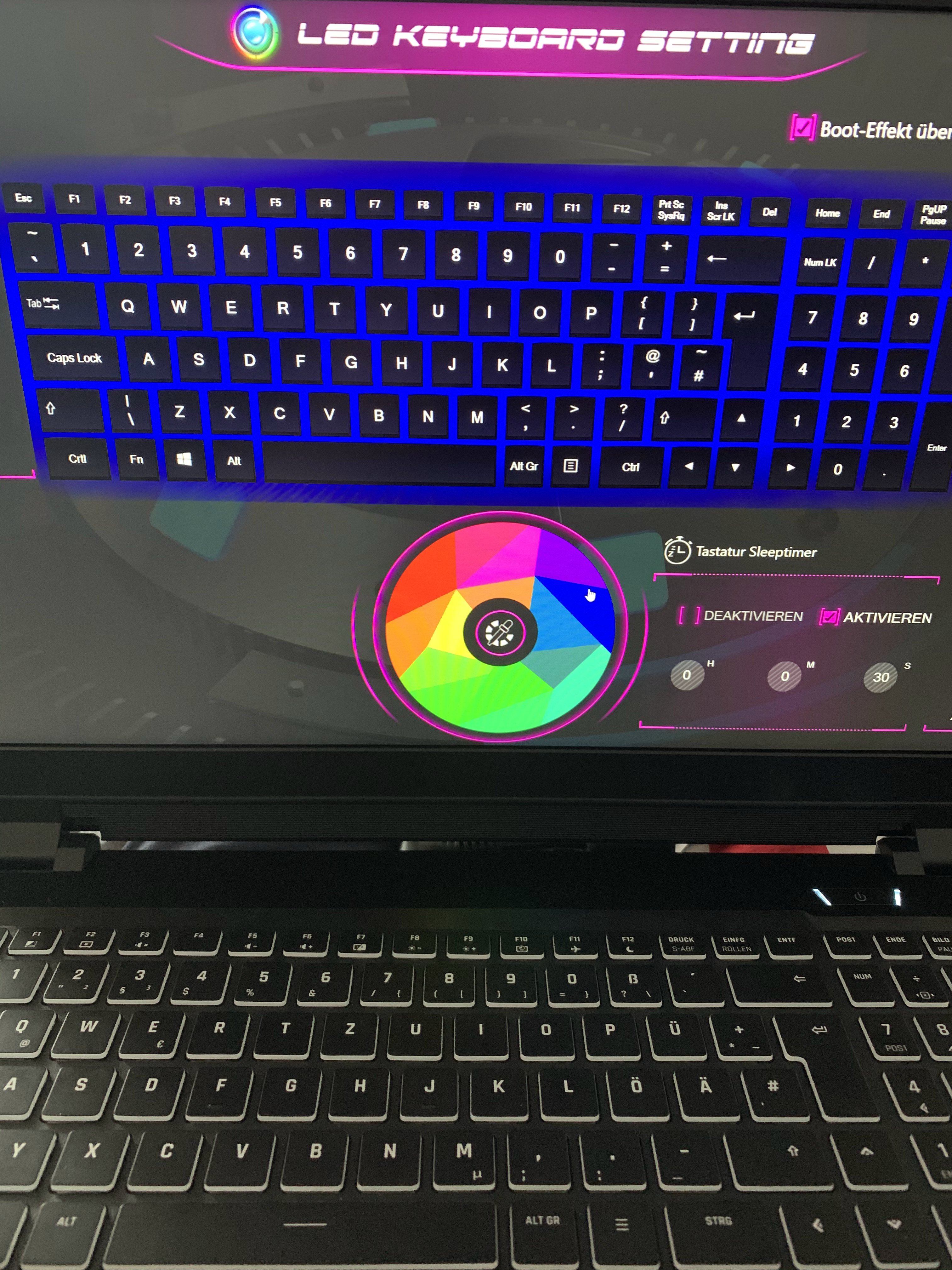
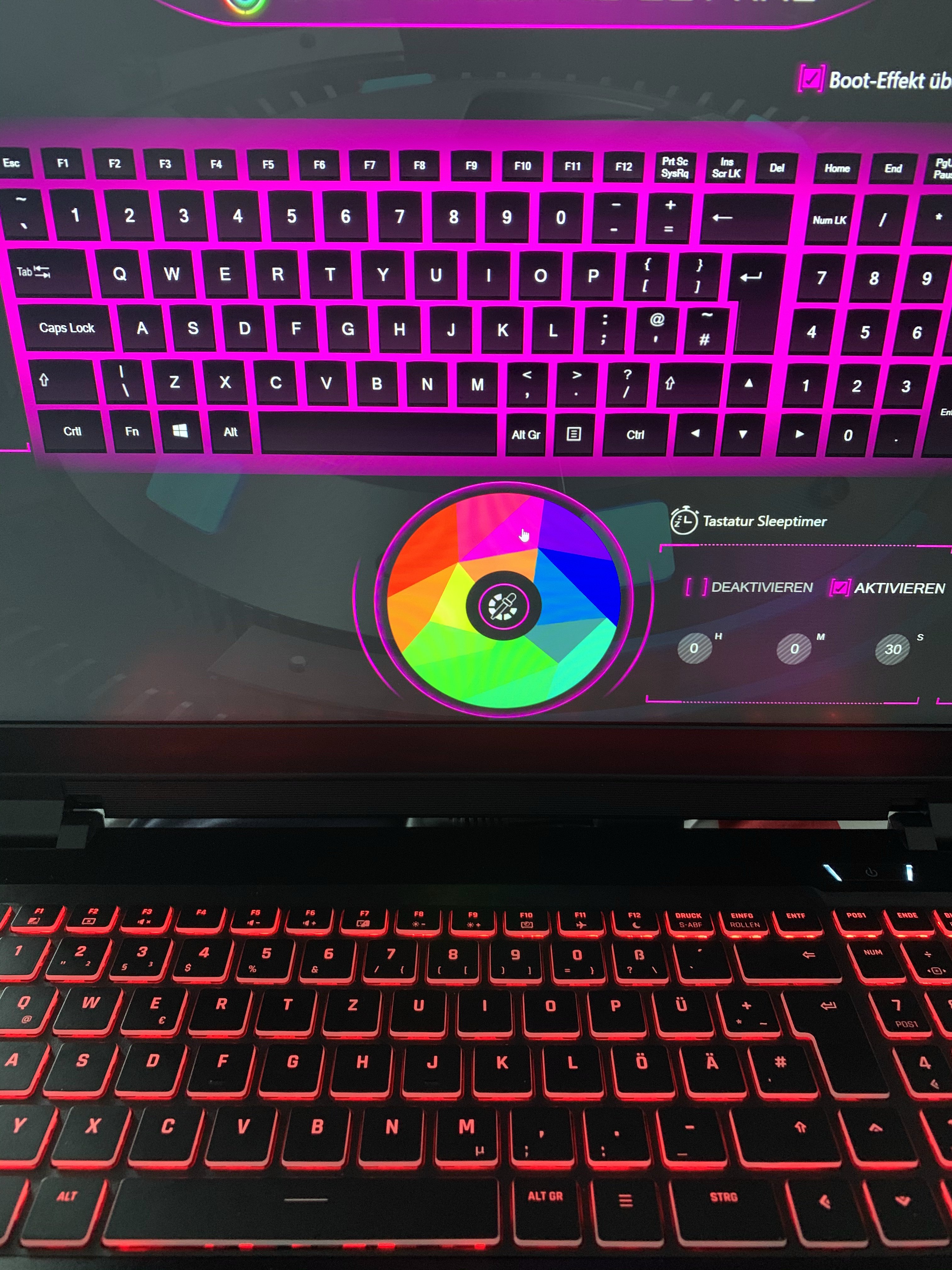
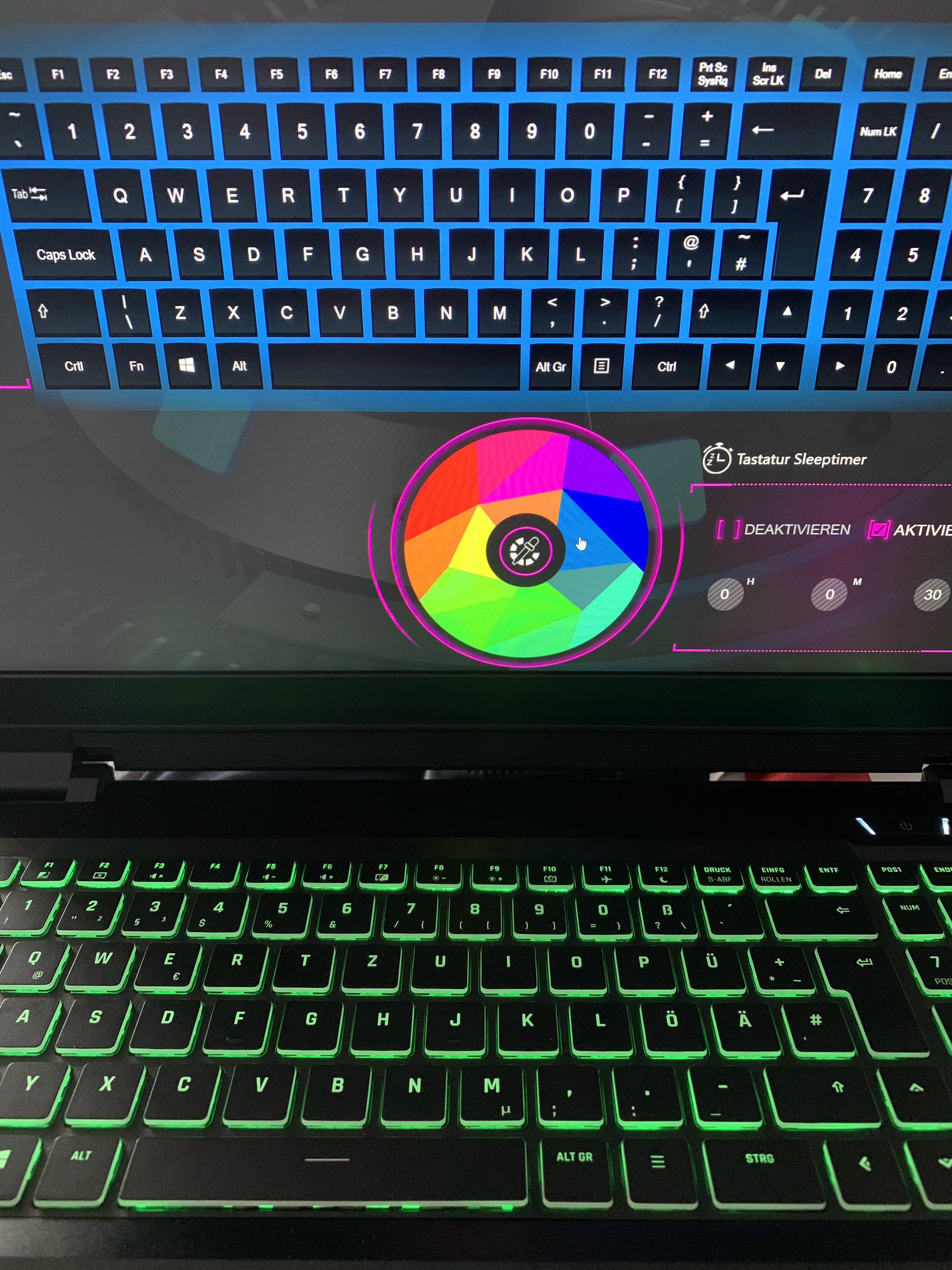
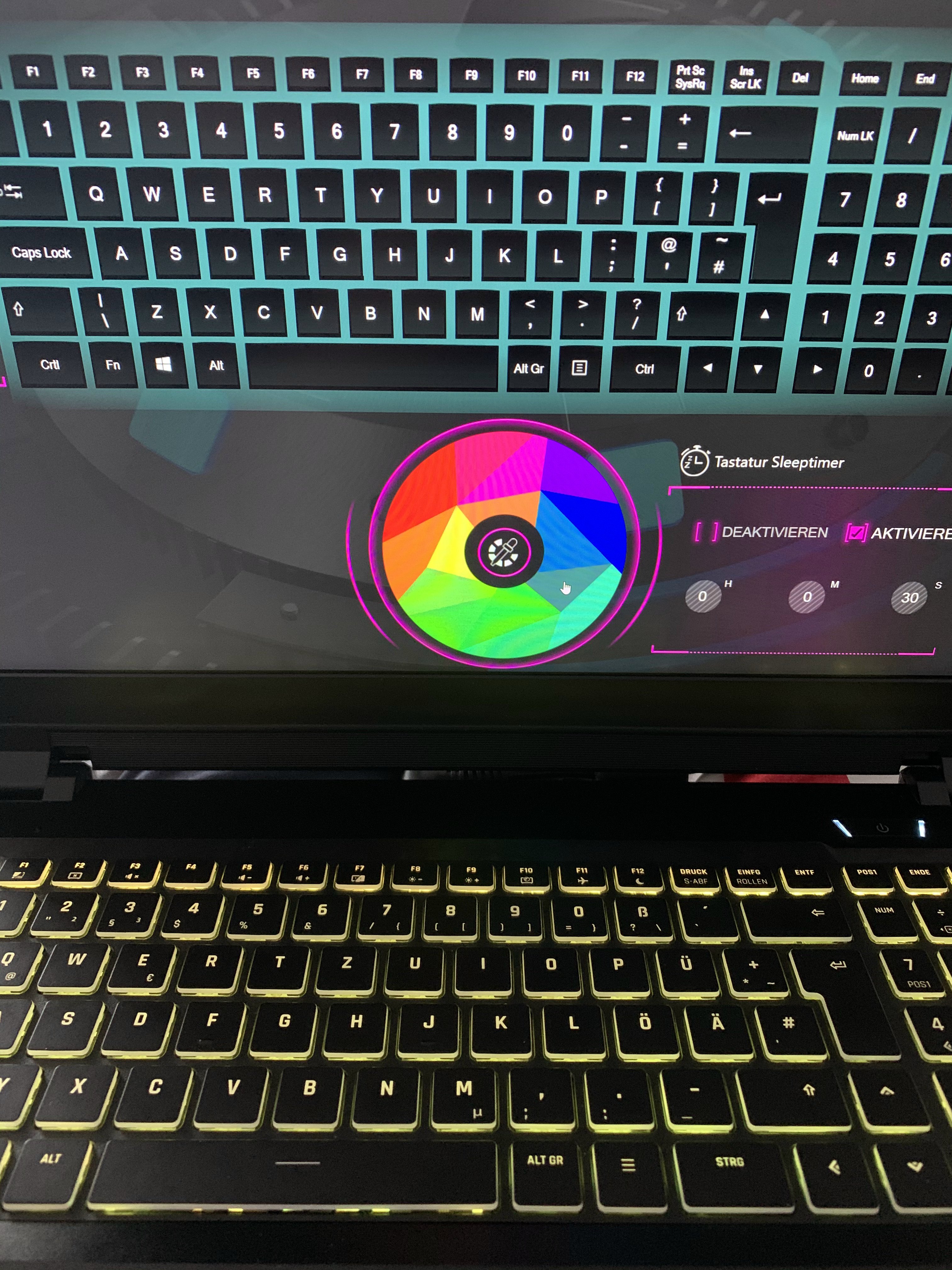
Hello. I have Clevo PB71EF and I think the keyboard is not working properly, I have never seen blue color (see pictures).
Is it okay? -
I've had the Sager version of the Clevo PB71RF-G for a year now and not had a single issue.
I started playing with ThrottleStop to undervolt and realized I can improve performance. With default settings, the CPU cannot run 6 cores at 4GHz for more than 28 seconds or so. My Cinebench score jumped significantly from ~2600 to ~3100 after setting Turboboost long to 65W and short to 90W. Temps stayed below 90C. Default long and short values are 45W and 78W.
Is anyone running their machine with Turboboost long and short powers over their defaults?
I ask the question thinking something on the motherboard might fail before the CPU. That possibility was presented in the ThrottleStop thread. -
I've tried doing it a few times but have never been able to get the values to stick.
-
I can run my PB51RF-G on maxed out boost times, but I've got the 9980HK skew. You may also want to see if you have a BIOS update available. My boost values didn't stick on the release BIOS version either (dropping down to 65W default regardless of what I set). Got it fixed soon after with an update.
The fact is, unless you're chasing benchmarks, it's not terribly useful to go much over 100W for an extended period. The cooling system just cannot pull the heat away from the chip fast enough.
For reference, my system tops out at around 150W before I'm thermally limited. That's with max fans and a cooling pad maxed out using an external power source. I suspect it's more an issue with the tiny Intel die surface area, as the cores will hit 99C but the air being blown out is only lukewarm.
Otherwise I run mine at 3.6ghz with -135mv undervolt all day. Even under an extended full 8-core load it doesn't go over 75C and power consumption is 65W. If I need to get something done a bit faster (e.g. code compile) then I also have a 4ghz all-core preset which draws about 100W but temps go up to 85C or so.
That being said, I do like that I currently have the top 3 spots for Firestrike physics score for the PB series
The only faster 9980HK rigs are using a full fat RTX2080 (huge rigs like the ROG G703 and ROG mothership). -
Are you using CC overclocking app or TS?
Have you tried LM yet? -
I'm using Throttlestop. However, I still have the CC overclocking app installed as the PL1/PL2 limits in TS don't seem to apply properly.
Nope. Currently using Thermal Grizzly Kryonaut paste.
Since this is my primary workstation and it travels a lot (spends a lot of time in/out of my bag), I don't want to risk a poor LM application or any leaking out and shorting.
I'll probably hold off on LM until I replace this rig (hopefully in late 2021/2022 when a Zen3 mobile + RTX 3000 machine arrives). I suspect I could probably hit 4.8ghz or higher all-core with LM, but I'm not sure if the VRM would keep up at that point. -
So basically you control only the undervolting with Throttlestop? Or what is your workflow for tuning the CPU? What settings do you change?
I'm not very happy with the CC as I'd like the profiles to be saved. But not installing CC, I won't have the keyboard, fan control, etc. And I've read that is not a good practice to have both TS and XTU (CC) installed?
I think there should be a way in the CC installation package to skip installing the Overclocking App, not installing XTU services. And having TS purely managing the CPU. I'll give a try it when I do a clean reinstall. -
I do all my overclocking/undervolting/underclocking/etc in TS. But adjustments to the power limits are done in Clevo CC. These are only relevant to Overclocking mind you (as undervolting/underclocking does not require increased power limits).
So my general workflow is:
- Make adjustments in TS.
- Use the TS quick-test benchmark. Monitor for power limits.
- If I hit the limit, adjust the PL1/PL2 limits up a little in Clevo CC
- Retest. Once I'm happy it can hit the clocks in TS benchmark, test with Cinebench etc.
Generally no, but given that CC is required for the keyboard lighting, fan controls and power profiles, it's unavoidable. Worth noting, that the XTU service does not need to be running from what I can tell. Once the PL is set, it's tied to the Performance Profile which is seemingly stored in CMOS.
So while I do have CC running for keyboard controls, XTU is not and I never start the CPU OC applet unless I need it in overclocking.
Theoretically this is possible. The various parts of Clevo CC are available in the Microsoft App Store and you can install whichever parts you wish.
Granted, I haven't done many OC runs in a while, so it's entirely possible that the issue where I needed ClevoCC/XTU to set power limits may actually be resolved.
To be honest, I'm waiting for the Obsidian tool to support the PB50 keyboards then I'll probably wipe ClevoCC out entirely as the Obsidian CC is just better in every way. -
Like Stooj mentioned, you can do that. Each section of the CC is modular and should be gotten from the Microsoft store instead of using the CC installer. Keyboard is it's own separate app, fan control, GPU overclock, etc. If you want go without CC I would suggest only installing the Fn Keys and Keyboard LED. Fn Keys will give you the HUD display for the Fn combos as well as the Num/Caps lock, etc, and also give you access to basic fan and power profile control via the taskbar icon. The Keyboard LED app speaks for itself, it's what you use to customize you're keyboard. Those are the only two I run, and all you really need if you're using TS and HWinfo as well.
-
so let me know if I've done something wrong here.
I overclocked my gpu with the OC scanner in MSI Afterburner. If I play a game just like that, I'm constantly getting power and voltage limit warnings. It doesn't really seem to mess with my game experience or thermals but I suppose it's something to avoid so I undervolt the gpu. I see that the highest clock for the rtx 2070 is 1400 and that translates to .767 volts so I flatten the curve from that point in Afterburner. No more power and voltage limit warning but I get no load limit a lot, in GTA V all the time. Am I doing something wrong here? -
This is normal. Mobile GPUs since Pascal bounce off the power/voltage limits all the time. This is because the maximum clock curve extends far beyond what the power limit practically allows under use.
Given the power limit is fixed, undervolting as you're doing now, is in fact the best thing for it. You'll also get much more predictable frame-times as the default fluctuating clocks can be nightmare fuel for keeping frametimes in check.
Worth noting, Memory OC is also worth doing since you can usually squeeze a decent bit of extra performance for very little power budget. -
So it's normal to encounter this no load limit then? I'll see it on constantly in something like GTA V with my settings dialed in. The Witcher, not really.
Is there a good way to test a memory OC. I've been using fire strike but the test/retest values are often significantly different from each other so it's hard to know -
also, is there an "optimal" position to flatten the curve at? I ask because of the following
Overclock + not undervolting at all = Fire Strike score of around 17800
Overclock + flattening the curve at 800mv = 17900 - 18200 (once and never got over 18100 again) 800 chosen because I saw it mentioned in the bob of all trades review of the computer with the same specs
Overclock + flattening the curve at .767mv, which is where the gpu is where 1400mhz (the rtx 2070's default boost clock) lies on the default curve = fire strike score of 17200 -
Where you get the highest performance if that's what you are after
-
Overclocking question here
No matter what I do, afterburner resets my memory clock (+500) back to zero at startup (even though it is set to run at that setting at start up) and even after I let it sit for awhile. LEft it on all night and came back to see the memory clock had reset?
I've uninstalled and reinstalled afterburner a bunch but the problem persists. Could the gpu overclocking feature on Clevo Control Center be getting in the way? I've noticed that the default setting on it is +100 core and 0 memory. I assumed that afterburner superseded it -
Yes it could be getting in the way.
-
So can I delete Clevo Control Center? Tbh I already tried this because I was thinking of replacing it with the Obsidian version instead (heard good things but would love to know more if anyone has used it) but after I deleted it it remained in the tray, nothing would happen when I would left click it though
What could explain afterburner reverting back to a 0 memory clock boost AFTER the computer has been on for a while? -
You can get driver crashes that flick the screen and set the clocks back to default.
-
Does anyone here have any experience with Obsidian Control Station and the other apps they have for Clevo? I just did a fresh install on a PB71 I got last year and I'm debating over whether to go with Obsidian or just reinstall Clevo Control Center. The only downsides I see are an extra fee for fan control and the lighting part of it not being able to handle per key rgb like I have. I'm wondering if I can simply install the Clevo keyboard app to keep that feature but use Obsidian Control Station for everything else.
thanks -
Wonder if you can upgrade or change the screen or would I lose g sync. To a 240hz or 300hz. Was Gonna use the same panel as zephyrus cause it has g sync same plug and pin
-
You could do but you will lose GSYNC. As far as I'm aware, there are no GSYNC 240Hz or 300Hz panels. And I'm told it's a whitelist so only certain panels actually allow GSYNC.
-
It has to be white listed in the specific machine as well so you would certainly loose G-sync.
-
Would I still get the 240hz or 300hz upgrade? Thanks very much for the help
-
Yes you should still be able to run it at 240 / 300 hz depending on what panel you get. As for whether you should, do you play games like CSGO, Overwatch or Rainbow Six Siege as your main type of games? If so, it may be worthwhile. If not, then a big nope.
Sent from my LM-V500N using Tapatalk -
Three very different questions hereHaving just done a fresh install of windows on my computer (PB71 RF-G), I've looked into getting updated drivers. I ran a windows driver search and now looking at some reseller pages for drivers, I don't really see anything that needs updating. Could windows have taken care of it all? I could also hook up a cd drive that came with my computer to install drivers but I'm assuming those are all kind of out of date as I got my computer last year.
Secondly, I was messing around with fire strike and after being stuck in the 17600s range forever, on the advice of a post in this forum I went to advanced power settings and set PCIe Link State Power Management to off when on AC Power (which is what I almost always have it on) and my score exploded to 18400+, putting me firmly in the top 10. Is there some downside to changing this setting?
Finally, after this fresh install, my computer seems to be going to sleep after some period of inactivity, I specifically have this setting turned off in Windows and in my Obsidian Control Station (which I replaced Clevo Control Center with). Any clue what could be causing this?Attached Files:
-
-
You can get drivers from vendors like Nvidia. Power consumption will go up a bit for PCI-E. Show your power options and double check you are editing the right profile.
-
I want to reflash bios for sager np8377 because keyboard backlight doesn't start when I boot up and only it works when windows start and load control center
Where I can fined suitable bios ?
Sent from my SM-N9750 using Tapatalk
*** Official Clevo PB7xEx-G Owner's Lounge***
Discussion in 'Sager/Clevo Reviews & Owners' Lounges' started by sicily428, Jan 7, 2019.