Problems? See this thread at archive.org.
Ah, I see. Only thing Windows Store downloaded for me was some junk Creative control panel. Which I uninstalled. Never looked for Clevo apps there.
-
-
Hey everyone, new guy here.
I’m about ready to bite the bullet and purchase the PB71RF-G from HIDevolution. Unfortunately there aren’t many reviews of the PB71EF-G, much less the far newer RF-G. I still have some questions and I’m hoping that you fine folk have some answers.
Does this chassis have the same issue with needing to lift the back of the laptop to prevent restriction of airflow as the PB51EF-G?
How well does it deal with temperatures? I know that gaming laptops tend to run hot, but just want to know how good the chassis is at dealing with that heat (I’ll be ordering the conductonaut/Fujipoly combo).
How’s the screen? Would it be a wise investment to spend on backlight bleed checking and/or color calibration?
Thanks. -
You don't need to lift the back, it just helps to. Stock paste/voltage, and laying flat, the temps are no worse then the competition, if not slightly better. The repaste and pads as well as undervolting will bring those temps down alot. Of course lifting the back helps alot as well, but so does it on virtually every laptop with fan intakes on the bottom.
I think the screen is nice, mine has very little light bleed and nice colors, but I got the 15", so I I don't know how similar the 15" and 17" panels are in terms of quality. Unless you're doing like professional content creation, color calibration isn't really necessary imo.LE878 likes this. -
The 17 inch panels are nice too.
-
Thank you both for replying
It’s been a few years since I played games on pc, but I imagine I won’t need more than 16gb of RAM? -
16gb is the sweet spot currently.
-
You don't need to raise the back but it will help to lower temps when fans are running at high speeds, since most of air comes from bottom area (I am surprised Clevo didn't provide more intake holes above the fans... there are a few small ones in keyboard but more would be better).
The temps are fine if you use good thermal paste and have good heatsink contact. I repasted my 15" PB51ef and my CPU does not thermally throttle in games even without undervolting. If HIDevolution will do a good repasting job - you also will not see thermal throttling.
Display is fine. It is IPS type so there will definitely be some light leaking at the edges, that's how all IPS type of displays are. If you want to pay extra for less backlight bleeding - that's up to you. The stock color temperature is not very accurate - the color temperature will be more "cool". I would not pay for color calibration, though - you may like the stock color temperature and you can always buy your own color calibrator on Amazon, calibrating is very easy (you just put sensor on display, select some options in calibration software and let it do its job) and you can use calibrator to calibrate displays for your other PCs or laptops ;-)LE878 likes this. -
Awesome, thanks for the info

How’s the keyboard? While the laptop will mostly be for gaming (let's say 85% gaming), I’ll still be doing some work on MS Word and Excel. Is it about the same as non-mechanical keyboards on other gaming laptops? -
Keyboard is ok. Personally I like MSI's keyboard more but it's just personal opinion.
-
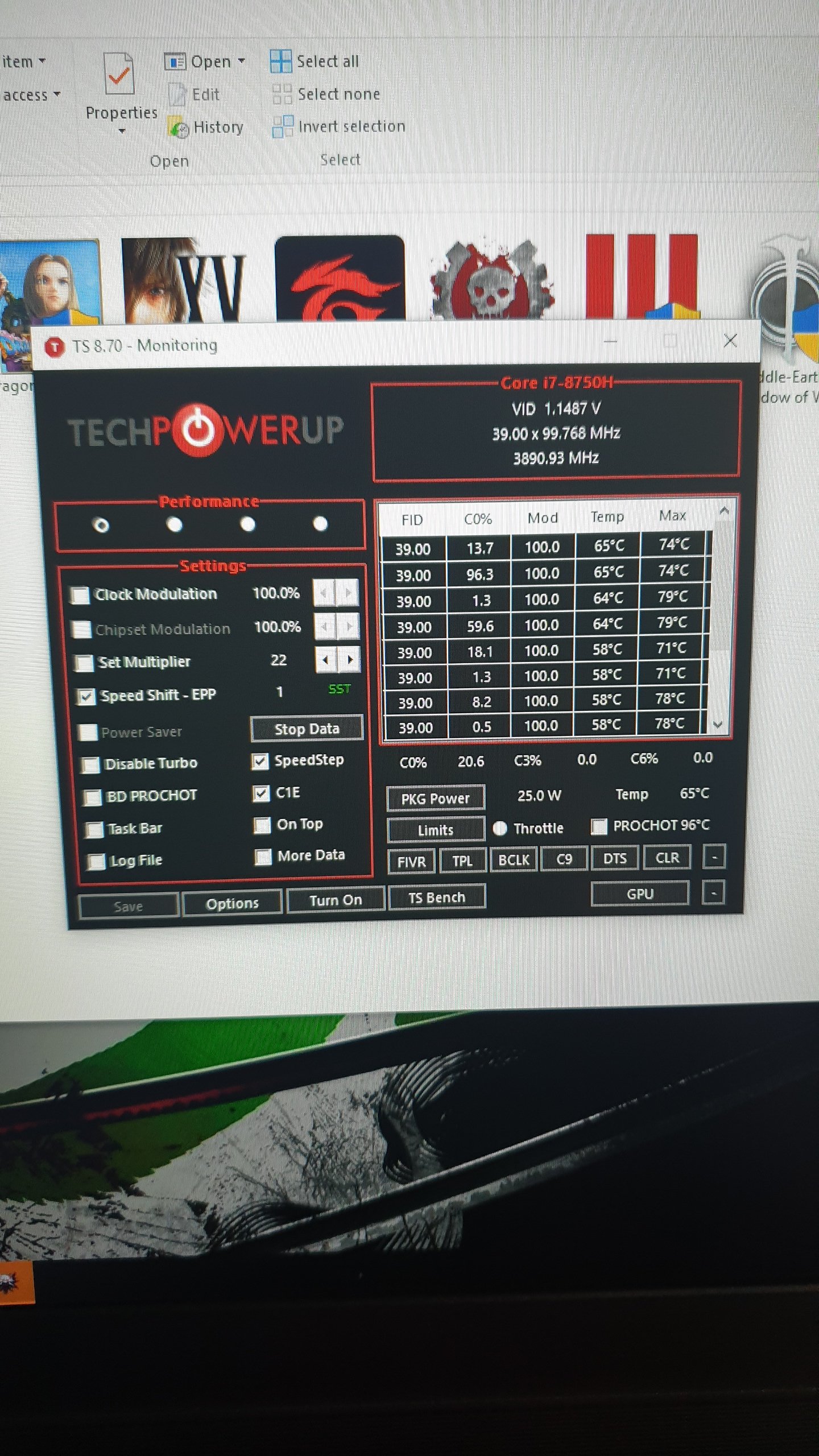
Fixed the tdp and core clocks by setting the speedshift in throttlestop to "1". Im now getting constant 3.9ghz while gaming and increased fps by 3 to 5 haha. However clockspeeds remain at turbo boost at 3.9ghz to 4.1 ghz even when idle. Is this ok to let it boost like this all the time?
However still getting the power limit throttling.Attached Files:
-
-
It will increase idle power consumption. It's a 45w chip so yes the power target is the limiting factor.
-
Got my laptop today. i7-9750H, 2070. I ordered it from XoticPC, their support's been good to me in the past. All the drivers needed were installed, updated a few things, everything seems fine. Survived stress tests, no notable problems with the panel, the CPU tops out at 70 C with a modest undervolt (-90, it can probably go further).
The benchmarks are disappointing. The Fire Strike score is 16506 and the graphics score is 18818 (Time Spy fails on both my old and the new laptop). Notebookcheck lists minimums of 15686 and 19236 for the 2070. So both are low.
The screen is dimmer than the Sager I'm typing this on (3 year old i7-6700HQ, 980M). The keyboard's different, but its just a matter of getting used to it. The fans seem to always run, just sitting here they're at 2k rpm. Set to quiet, this older Sager is almost silent - the new one is audible (really the Clevo settings don't seem to do much). Doesn't seem any louder than the old one under max load though. The power brick is smaller despite having a higher power rating. The SD card is in a weird place. Not bad, just odd. Speakers are vastly better than the old one, both louder and better range. -
Mine is almost silent at idle. I'll have to check what my graphics score were. I know I've got higher than that, but I feel like that could be within the margin of error in firestrike. Run it a few more times throughout the day, or did you and that's the highest you got?
I'd be interested to see how your 9750H performance is compared to the 8750H. -
-
That seems very low. Set your laptop to "Performance" in Clevo Control Center then run any CPU stress test and see the actual temp it tops out at when it is running at maximum power limit for first few seconds. Or the temps you will get when running a real game like Forza Horizon 4 in benchmark mode, in Ultra setting with uncapped FPS and Clevo Control Center set to Performance.
That is strange. When set to Quiet mode in Clevo Control Center the fans on my PB51ef run at about 1500 RPM (the GPU fan is around 1000 RPM) and basically silent. Are you sure your Clevo Control Center is installed properly? When you do changes in Power Modes in Clevo Control Center you should see power changes like these in HWiNFO program, these are CPU power limits for each Control Center setting.
This is for Quiet:
![[IMG]](images/storyImages/nDRYbbj.png)
This is for Entertainment:
![[IMG]](images/storyImages/5RrXgbX.png)
This is for Performance:
![[IMG]](images/storyImages/4rFBOVE.png)
-
That 10 extra watts on long time turbo goes a long way. Quiet turns it into a U series chip.
-
Also, I would not use NotebookCheck as reliable comparison source. They tested using older drivers, current ones are 430.53.
If you're curious, I ran Fire Strike with these drivers and got 16616 score. Graphics score was 19225, test 1 was 90fps and test 2 was 77fps. This is without any undervolting, just repasting and using Performance setting in Clevo Control Center. I use dual channel RAM, 2 8GB sticks of Crucial 2666Mhz. -
What I’m really hoping for is improved temperatures in the 9750 over the 8750. Has anyone done any testing regarding that?
-
Regarding fans, I erroneously relied upon the Sager website graphic depicting side intakes and rear exhaust.
No wonder my temps improved when I put it on a vented aluminum pad!!!
You later asked about the keys. They have a crisp but quiet mechanical feel with no sponginess.Last edited: May 4, 2019 -
Minor update. Sager solved my Creative audio problem.
-
Sager support had me uninstall and reinstall CC 3.0 from the usb driver stick which accompanied the machine. Solved the problems I was having with it.
-
Also, if you're curious about actual game results and want to compare your model in actual games, here are a few benchmarks I ran with 430.53 drivers.
Here's Division 2 in Ultra mode and DX12 (no changes to other settings):
![[IMG]](images/storyImages/Py9hscX.jpg)
Here is Metro Exodus, using "Benchmark.exe" file in the game folder and using "Extreme" mode in benchmark:
![[IMG]](images/storyImages/0z8Xz0v.png)
and this is Metro Exodus using "RTX" mode in benchmark:
![[IMG]](images/storyImages/hUmVdc0.png)
I don't have any other DX12 game to test with (and using BF5 is useless because there is no in-game benchmark).
Here's also Forza Horizon 4 for anyone interested (this game currently can be played for $1 if you sub for Xbox Game Pass, it can be played on PC), with stock settings but Frame Rate set to unlocked and Vsync set to disabled:
![[IMG]](images/storyImages/ohOa1eI.png)
And this is Shadow of the Tomb Raider, the demo that is free to download. All the options maxed out and enabled, including Ray Tracing Shadows and DLSS:
![[IMG]](images/storyImages/nVYNBB4.png) Last edited by a moderator: May 4, 2019
Last edited by a moderator: May 4, 2019 -
Just raising the back so the resistance is lower for the fans is all it needs.
Excellent
Xikar likes this. -
By the way, I say Sager but the outfit I got my old machine from and now this one calls itself Midern....maybe no difference?
They have been quite helpful and patient with my nubbishness.
=) -
Since now able to access modes other than Quiet, I have played BFV on Performance and Entertainment using Nvidia’s optimal game settings.
But before that got straightened out, while still only able to play in Quiet mode, I noticed a temp climb after installing the latest Nvidia driver whereas I was running at 80/85c before and 85/90c after, but keep in mind that this is not monitored, rather, during play I would alt tab to Control Center’s fan gui for a quick check. Not very scientific.
Anyhow, in Performance mode I was 90/95c (with a spike to 100 in after-round splash screen which was weird and scary) but Entertainment mode was consistently 80/90.
I am trying to figure out Afterburner and ThrottleStop (found a TS page on this site) so I can utilize some of the advice given here about lowering voltages, which is new to me.
I really appreciate all of the good advice and information sharing here! I am learning a lot!
By the way, do you think I am just imagining a temp difference after a card driver update?
Thanks! -
I just placed my order for the PB71RF-G. Thanks for your help everyone, I really appreciate it
Xikar likes this. -
Does anyone know of any UK stockists of the PB71RF-G? Trying to find an RTX laptop with G-Sync has been painful, aside from the really high end £2.5k+, which is out of my price range.
Although I can find availability in the US, UK/Europe seems no-where has it.
Also, does anyone know if the panel in this model is IPS or TN? -
But RF is the 9750h?
I think it is not out yet, is it? It should have a 144Hz IPS panel. -
The post above mine has just ordered one, so it must be available.
What's the response time on that panel 3ms in line with the Asus RoG models? -
Yes, the RF-G has the 9750h. Per the description, it’s a 144 Hz IPS 7ms panel. I can’t speak for overseas, but it’s available here in the US.
-
Novatech have the 8750h version of the 17". Heck, they even have the i9 8950H version
https://www.novatech.co.uk/laptop/gaming/ -
For anyone who has the PB71RF-G in hand, can you please let me know what BIOS options it comes with out of the box? Can you overclock at all (by core, or set P1/P2 TDP)? Does it support undervolting via adaptive mode? What sort of UEFI/CSM support does it have? Can you do non-UEFI CSM boot, or is it UEFI only?
Thanks! -
Where are you as some bios options can be optional from the factory.
-
If you order PB71RF-G (or any other current P series) from XMG and SCHENKER, you can expect the following BIOS options (on top of Clevo defaults):
-- Intel Tech --
Intel VT-d
Intel SGX
Intel Hyperthreading
Intel TurboBoost
Intel SpeedShift
Intel Management Engine
-- Components --
Webcam
Internal Microphone / HD Audio
Wifi / Bluetooth
-- Other --
Above 4GB MMIO BIOS Assignment
Fast Boot
SATA Port
m.2 SSD Port
-- CPU Voltage --
CPU Core Voltage Offset
CPU Cache Voltage Offset
Graphics Voltage Offset
Graphics Media Voltage Offset
In other words: we support Undervolting via BIOS but not Overclocking.
But if you run the "Performance" Profile in Control Center 3.0, the CPU TDP PL1/PL2 will be automatically raised to levels deemed save by Clevo - thus providing a kind of factory-overclocking.
Of course, our BIOS can also be flashed on Clevo models from other resellers - if you can endure seeing our logo during boot-up.
Cheers,
XMG|TomXikar likes this. -
65 watts long term turbo in performance mode iirc which is a healthy boost.
-
@XMG Will you be offering 3K or 4K panel options for the PB71RF-G soon or in the future? 775TM is simply too heavy. Thanks
-
Currently there are no such panels on the horizon for PB71.
The selection of 17.3" panels with "narrow bezel" are quite limited. The good old 4K panel named "AUO B173ZAN01.0" (as used in P670 and P775 series) does not fit in the PB71 chassis.
If you see any applicable panel from another laptop brand, please let us now.
If you're looking for 4K, check out the UHD/OLED panel in PB51RF. It will be in stock around May 17 in our SCHENKER COMPACT 15. May I repeat: OLED!
Cheers,
XMG|Tom -
I'm based in the USA, was looking at a few retailers, HID and Sager. Do the BIOS in these notebooks vary by country and retailer?
Thanks very much for this! Can you please confirm if there is a BIOS option for non-UEFI boot? Am hoping to install Windows 7 on this laptop if I get it. Do you guys write your own BIOS for these notebooks such that you have BIOS options which other retailers don't have?
Oh wow, OLED! I'd love a notebook with OLED. Will there be an option for a 1080p OLED screen too? Ideally in 144Hz. -
Any ideas what the OLED panel will cost as a diy?
-
In theory, Legacy Boot (non-UEFI aka CSM) from Clevo is possible, but is it worth it? Some internal LCD panels don't work properly with it and there might be other hitchs and kinks that might lead to support nightmares.
We have a Beta BIOS for N15xZU with Legacy Boot and tried to boot a bit of DOS software, but with little luck - there just aren't any drivers any more for modern software. So we have not really finished that effort.
All this hassle just to run Windows 7 which will not get any security updates anymore. Is it really worth? Even Linux Dual-Boot works totally fine with UEFI on our Laptops.
If there is a reasonable business case for Legacy/CSM, we can get special support - but it's currently not part of our Premium BIOS standard.
No 1080p OLED on the horizon for laptops, sorry.
The 4K OLED is only 60Hz but has amazingly low response times. I have seen it in action already. Loved it.
Not yet. Currently the model name is still under NDA, so it's difficult to look for spare part prices at this time. But it will come out eventually.
Cheers,
XMG|Tom -
I just can't stand Windows 10 because it takes away the end-user's ability to control OS updates. Even with the LTSC/LTSB flavours, you cannot stop automatic updates and do them a la carte like you could in Windows 7. With LTSB 1607, you could disable the Windows Update service and all the task scheduler tasks, and this would effectively stop updates and it works. However, with LTSC 1809, even if you disable the Windows Update service, and all the WU tasks in task scheduler, they are all turned back on at next reboot somehow (I have yet to discover how to disable this), so you cannot escape forced updates. And given that MS is now releasing even small security updates which break your system (like this one: https://www.notebookcheck.net/Windo...se-performance-in-certain-games.413820.0.html), I can't in good conscience use it. An OS should never update itself behind the scenes without direct user authorisation, it goes against everything about having total control of your system and OS, going back to the Unix days and mainframes.
Hence yes, for me, unfortunately I have to jump through huge and massive hoops in order to ensure I'm still running Windows 7.
That sounds cool, but even with OLED technology, wouldn't a 60Hz panel show a lot of tearing when gaming? Or does OLED do something special that even at 60Hz you can play games at high FPS (120+) or low (30) and you'll never see tearing? -
Win7/Legacy/CSM remarks granted, but pretty low priority for us right now. Hit me a PM when your purchase gets serious.
Tearing can be avoided by using VSync, Adaptive Sync (aka FreeSync) or G-SYNC.
Unfortunately, NVIDIA does not allow Adaptive Sync on internal panels and especially not through MSHybrid.
The panel does not support G-SYNC. Thus, your best way to avoid tearing would be to enable VSync, resulting in a small input lag trade-off.
At any rate, as far as I undersand it, OLED does not do anything special when it comes to screen refresh and tearing. The framebuffer is still read line-by-line.
So far I've only seen a short demo of this panel. We will get our stock next week and continue playing around with it.
Cheers,
XMG|Tom -
You could setup a little wsus server and have it on a domain.
-
There is a handy little app, which completely disables any windows update, windows defender, and all the ms bs. Been using it since w8.
https://winaero.com/comment.php?comment.news.1836
If that is your only reason for not upgrading... I recommend w10, times change.
Xikar likes this. -
I have an XP shrine in the backyard right next to Fluffy, rest her soul.
If I could find a way to extract Cortana, which seems an invasive species impervious to eradication, I would send it up the chimney as smoke. -
Have you tried setting a Data Limit under settings in Windows 10? That prevents it from automatically downloading updates without your approval.
-
https://www.engadget.com/2019/01/23/samsung-15-6-inch-4k-oled-display/
I presume this OLED panel? Great news if true! -
People will need to be aware of what OLED means.
-
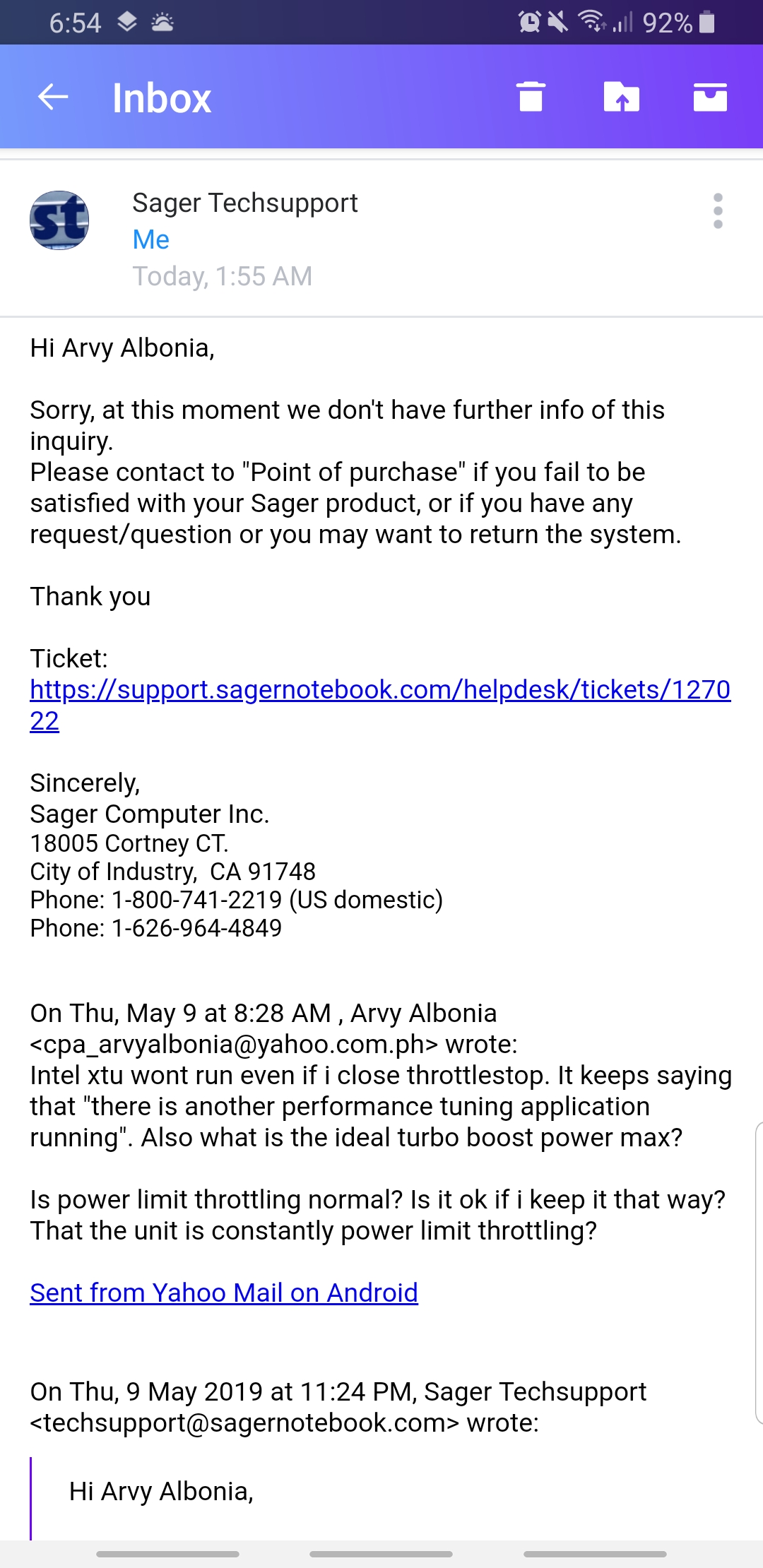
Am i the only one having the power limit throttling issue? Or is it a normal thing with these recent units and chips? Sager cant answer me anymore and is suggesting to get my unit rma'd.
Attached Files:
-
-
So on a fresh boot it wont open? What if you uninstall the clevo software? All machines have limits 65/45/15 depending on the ccc power plan for the CPU. What are you seeing?
*** Official Clevo PB7xEx-G Owner's Lounge***
Discussion in 'Sager/Clevo Reviews & Owners' Lounges' started by sicily428, Jan 7, 2019.