 Problems? See this thread at archive.org.
17 inch laptop?
Sent from my iPhone using Tapatalk Pro
-
15,6" The one from the thread.
-
what are the highest overclocks you can achieve steady boost in game play in a demanding game?
Can you get it in the high 1900's mhz range?
Also, which display did you get? And how do you like it?
Is your cpu delidded? -
Yes, it's a delidded 8700k. Overclocked to 4,7 on all cores on aida was reaching 90º, but gaming haven't tried it. With 3,7-4,3 CPU was never over 50% so no point to OC it. About GPU can stay below 85º modifying the curve on MSI afterburner and reached that, but only tried benchs also.
I got the IPS 60 Hz because I want it for other purposes than gaming too, and looks gorgeous, but can't be overclocked over 64 Hz. If you want it only for gaming probably the 120 Hz TN display will be probably a best option, but also will make CPU and GPU work a lot more, so the temps will raise significantly. -
If i use your bios, with a 8600K will i have more power head room for overclocking a gtx1080 to max potential? Like 15 or 20 watts extra headroom?
Seems like 8700k with gtx1080 would max out the laptops available power
And a 8600K woukd use a little less.
Very helpful i realky appreciate it. Im looking at ordering mine within a week. Which thermal gel did you get on your cpu, and or gpu? Im most likley going to go for the 8600K, and 120hz TN panel, im undecided about 4k panel. It would be nice. But i think it would show the gtx1080's limits.
Nice to hear about real world experience with the p751! Did you buy from Eurocom?
Is it worth adding Grizzly Kronaut thermal gel? This just seems out rageous for $ 134 bucks just to add it to my cpu, and gpu! Lol. Do they lap the ihs and contact plate? Or is the stuff that good?
Thats roughly a price difference from going 8600k to 8700K lol. With a nice performance boost. -
Alright, I downloaded throttlestop and Intel XTU but I'm having some problems. First, throttlestop didn't show me where I could mess with the voltages. Second, intel XTU let me change the clock speeds and voltages but it wouldn't apply them whenever it asks to restart. :/ It just resets back to default so I'm just at a loss at what I can do to reduce the heat output on my laptop.
-
The 8600K is limited by system firmware in this model to 95W and the 8700K to 118W, so it won't make a lot of sense to go for the lower-end chip.
Edit: The lower limit of the 8600K was due to the user using OCCT software. Both chips use the same limit.
PremaMod's don't have limits other than temperature, but it isn't available through your reseller of choice.
Your 25% off trade-in deal there sounds good so stick with it and the default BIOS then tweak as much as you can to keep it in check...just my 2c.Last edited: Feb 13, 2018 -
134 bucks for kryonaut *lol* just get a tube of that awesome paste via aftermarket and do the repasting urself. that, coupled with undervolting and good airflow will keep temps in check and maximize OC potential / minimize wattage at a given frequency

-
I have a 1070, if I haven't said that before, so must take in consideration those 25W extra the 1080 has.
I bought it from Obsidian, and would absolutely recommend it.
https://www.obsidian-pc.com/en/clevo-p751dm2-g-laptop.html#.WoKldlU1_cs
You can check there all the thermal work performed that I am enjoying now.
https://www.notebookcheck.net/How-t...ife-The-ThrottleStop-Guide-2017.213140.0.html
There's a guide there. Basically you gotta go to FIVR and lower offset voltage from CPU core and cache (same amount), click apply and run benchs to see if is stable. Takes time because you have to do it with small decrements, but it's worth.
My 8700k runs perfectly stable at -175 mV at stock. -
Who wants 135 bucks for a thermal paste, where does that come from?
-
few posts up:
i think hes still talking about eurocom.... -
Yea im not paying $134 bucks for thermal paste. I think they replace the mosfets with diamonds though.
Im only buying from there to get the 25% off for a working trade in.
I cannot find anyone else that will sell on me a $3,500 build for $2,550.
Or a $2,500 build for $1,875.
I already bought my $100 alienware that works to mail to them! : ) -
It's something that people have not got into yet. Replacing the MOSFETs with alternative chips
-
I'll take a look at it. At the moment, I've had pretty ok success with the OC utility that came on the driver disk that was provided with my clevo. I pegged the max clock speeds for 2 cores @ 4.2ghz, 4 cores at @ 4ghz, and 6 cores at 3.8ghz. My cpu temps went from 90C max to 77C max under load with 3dmark firestrike. 13C is pretty nice drop, maybe once I get the undervolt in and stable, I'll see better temps still. Now I need a way to undervolt my gpu. Its hitting 75C and I don't really like that. :s
-
What temperatures are any of you getting on the PCH? Mine idles at 70C and gets well into the 90s when my 1070 is under full stress with the fans at 100%.
-
Under load from Fire Strike, my board peaks at 68C, the CPU is peaking at 68~69C on three cores and 66~67C on the other three, GPU tops out at 73C. Fans are presumably hitting 100% usage at various points during the test. I don't have something to tell me fan speeds but I can tell from the sound they make. All the temps are from the most recent test I did and for some reason, the test isn't being validated because the nvidia drivers are messing with the anti-aliasing.
This is also with my -135.7mV undervolt. I thought that because I had Throttlestop closed out all the way that it hadn't been applied but I reran the test and I got identical temps with Throttlestop open. I haven't done a stability test yet but its looking fairly promising.
Last edited: Feb 13, 2018 -
Is your cpu delidded? These temps seem rather hot. Id want to run at least 4.3Ghz on all 6 cores. All the time during heavy loads.
The more i read this, the more i think a P775tm1 is a better option. Hmm
I need ultra performance. Even if its only from a 8600K. Im gonna delid it and let run 4.8Ghz during gameplay. Im hoping for 4.5 or 4.6ghz under heavy loads 24/7 -
No, its not delidded as far as I know.
-
You need a delid on that. Your temps will drop by about 15+ Celcius. Your entire laptop will draw less power due to less heat. And going over 4.2+ on all 6 cores will be easy as can be
You mine as well just use a 8700 non k. Just saying, ive considered ordering a 8700 non k my self, when i build and order mine.
My old RX480 on air would pull right at 180 watts at 1266mhz while running 85+C, i put it on water and overclocked it to 1425mhz and it only pulled just over 120watts of power. Running it below 1,400mhz and it would literally pull less than 98 watts.
Not that your going to water cool your laptop, But a delidded processor offers similar temperature improvements.
A new razor blade, and some liquid metal, and crazy glue.Last edited: Feb 13, 2018 -
Yeah, uhh, no. When you explain something and suggest using super glue and a razor blade to do something, it sounds way too sketch for someone to take you seriously. The laptop is a week old and has warranty. I'm not gonna try anything that'll possibly do physical harm to it. Besides, I already dropped my temps to 69~70C @ 4.2Ghz. My new laptop cooler and vac fan arrive tomorrow so I know my temps will get lower once I'm using them. I'll probably just buy a delidded i7 8700k from somewhere that sells them and sell my current i7 8700k or just have someone who knows what their doing delid it and apply something like Thermal Grizzly Conductonaut. As long as my laptop is still covered under warranty, I'll leave extreme solutions for a year from now.
-
How's your PCH temperature?
-
I thought I had already answered that. :s It peaks at 68C during Fire Strike.
-
I apologise. I must have misunderstood you.
Thank you. It looks like mine definitely has an issue, then.Last edited: Feb 14, 2018 -
75C is perfectly normal for the GPU. No issue with that at all.
-
I've had the computer just shut down a few times when trying to play War Thunder on max settings. Every time I experienced a shut down, the gpu hit 80C with in one or two minutes of gameplay.
-
that sounds like an imperfect thermal pad placement on the gpu. the thermal sensor is located inside the gpu core, but other components on the card are not being monitored. so if the mosfets, for example, are overheating, u could experience black screens / shutdowns without the gpu core being in any obvious thermal danger at 80C. ive had something similar happen to my 980M and fixed it via modification of thermal pad placement.
Sent from my Xiaomi Mi Max 2 (Oxygen) using Tapatalk -
Thermal cut off for the GPU will be above 90C, around 85C it will get aggressive and start bringing clocks down to go no higher so seeing above this is rare. 80C will not be directly at least the cause of shutting off.
-
I noticed that all the chips around the gpu chip had thermal pads, not the best thing to use but probably what works the best. Are there any thermal pads that'd likely work better than the ones already applied?
-
Anyone have one of these with i7 8700K and GTX 1080? Curious on how it handles temps with that config.
-
just check my signature
Sent from my Xiaomi Mi Max 2 (Oxygen) using Tapatalk -
The notebookcheck review uses that config from Eurocom. TDLR is that it handles Witcher 3 very well and doesn't throttle in games; but it throttles in their Prime95 and Furmark tests.
https://www.notebookcheck.net/Euroc...0-Clevo-P751TM1-G-Laptop-Review.281388.0.html
With proper lapping of heat spreader + LM paste job, one might speculate it could do a little better. But unified heat-sink makes it a non contender for Overclocking much. Hence the bad rap from Fox and Friends.alaskajoel, ssj92 and Papusan like this. -
I'm assuming that Eurocom model didn't have a delided CPU so maybe it's an actual viable set-up.
-
Unified heatsinks do not always mean a non starter, it's just got becomes super important.
-
Oh cool! Looks like the best performer was the Alphacool Eisschicht 14w/mK. Its kinda weird that the 14w one performs better than the 17w one though.
Also, what thickness would I need to buy to replace the ones in my laptop currently? I don't really have a way to measure a thickness that thin. :s -
If anybody needs tests about this model these are mine.
Maximum stable I got:
8700k 4,7 Ghz on all core -175mV, GTX 1070 Core clock +129 Memorry +699 (Firestrike ran between 1900Mhz and 2000MHz).
https://www.3dmark.com/3dm/25194655?
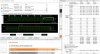
That's with maximum vents and coolind pad, and still a bit of throttling.
What I usually use (mostly Witcher 3 all below 63º):
4,3Ghz on all core -175mV, 1759Mhz 800mV Memory+504
https://www.3dmark.com/3dm/25194222?
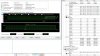
Automatic fans and no cooling pad.McNewskie, alaskajoel, raz8020 and 1 other person like this. -
1mm thickness is basically the universal one if you ask me. two options there: buy all pads in 1mm and then stack them up wherever necessary or also get 3/4mm pads (i recommend phobya ultra at those thicknesses).
the 14w/mk alphacool eisschicht (fujipoly) performs better due to its texture and lower hardness compared to the 17w/mk, thus ensuring better coverage and a tighter fit onto the surface to be cooled. be aware that the fujipoly pads are VERY expensive and brittle, thus cannot be reused very often, if at all. best compromise of performance and resuseability are provided by the arctic cooling pads. even though theyre "only" rated at 6w/mk they outperform more expensive ones like the thermal grizzly pads at 8w/mk and even come close to the fujipoly 11w/mk pads. plus, theyre reaaally cheap in comparison.
thats what im using btw, combination of arctic thermal pads and phobya ultra and very happy thus far
-
I have used both the phobya and thermal grizzly pads and they have done just fine even with extreme power mods.
-
every time I close the laptop lid and open it up from sleep mode, my wifi is disabled, and windows will not let me turn it back on, i have to reboot ...anyone know what gives?
-
Hello! I just got my p750tm-g today. Very excited about it and going through everything! I had a question though, how do you know if the prema bios was installed or bios unlocked? (Such as text on the bios page or different image). I received mine from HIDevolution, but going through the bios options, there wasn't much available.
Thanks! -
See if you find info in Mainboard tab in CPU-Z
-
https://imgur.com/a/l0ixM
Should it say in there? Here's all I get. -
I don't think the mod bios is finished yet. Ask your reseller. Where you bought your laptop.
-
Pretty sure PREMA has not released the 8700K bios yet. HIDevolution will update you once it is available. You can ask @Donald@HIDevolution if they have a rough ETAJustin Tullos and Papusan like this.
-
Thanks guys.
One other thing that I've searched but couldn't find any answer to here. While I don't normally game with a touchpad alone, I can't use the touchpad and keyboard together. Usually that can be fixed in a setting for Synaptics in the mouse settings. Unfortunately, that Synaptics menu is completely missing from there. I've tried reinstalling the driver, and checked on clevo's page for an update but still nothing. Anyone have this issue? I'm on Windows 10 pro, build 1709 (up to date).
Thanks! -
Charging $134 to place Kryonaut on the CPU and/or GPU instead of something else is ludicrous if that is the only thing included in the $134. Are you certain that it is not inclusive of a delid service and/or other benefits?
It needs to have thermal paste applied anyway, so there should be zero extra labor or effort involved in using Kryonaut on a new system during the initial build. The LGA systems ship without a CPU in the socket, so you cannot claim extra labor is required. You simply use Kryonaut instead of what would have been used in the first place. You use the same amount of product, and the cost difference should be less than the price of a McDonald's value menu fries (seriously). Absolutely not worth it at that price when you can buy the paste and do it yourself for free.Last edited: Feb 19, 2018Papusan likes this. -
The Prema BIOS has already been released for the EVOC High Performance Systems P870TM1 and EVOC High Performance Systems P870TM, and will be released for the EVOC High Performance Systems P775TM1 and EVOC High Performance Systems P750TM1 as soon as Intel provides the cure code for Sceptre and meltdown.
-
ASUS released a security fix for my desktop motherboard. I applied it and noticed a minor decline in CPU performance, so I flashed back the old code on purpose. It wasn't enough that most people would notice or care, but it was enough to keep me a few spots down on the leaderboard. So, the priority for me was to get back the ~1-2% CPU performance loss.
-
lol i actually did exactly the same on my machine only day before yesterday did i receive a windows update inclluding a patch to fix meltdown and noticed a decline in cpu performance in CB15 right away. so disabled the fix to keep the performance
Sent from my Xiaomi Mi Max 2 (Oxygen) using TapatalkLast edited: Feb 21, 2018 -
Is effectively disabling the security cheating? The joys of defining benchmarking.
I think it would be at least worth separating the scores if it were possible. -
nah i wouldnt say so. in that case, any windows tweaks (like disabling services, setting classic theme, etc) would be considered cheating. and basically every serious benchmarker out there has a "decrapped" windows version installed to get higher scores
*** Official Clevo Sager NP9155 / P750TM-G / P751TM-G Owner's Lounge! ***
Discussion in 'Sager/Clevo Reviews & Owners' Lounges' started by Spartan@HIDevolution, Oct 6, 2017.


