Problems? See this thread at archive.org.
While the lines were still there, I tried changing the pressure on the monitor, adjusting the connector, etc, but nothing had much effect on the lines. The strange thing is that they seemed to disappear on their own, though I'm guessing the connector or some part of the monitor was unintentionally adjusted somehow to fix the problem.
-
The Sandy Bridge CPUs were quite heat and power constrained (considering its 51W at 3ghz), as far as I know, few laptops can force an i7-2720qm to boost to full speed for long periods of time, have you increased the TDP cap? My i7-3610qm only draws about 35W according to TS at 3.1ghz so it can sustain that speed almost indefinitely.
-
I have a 3840QM actually. I have raised the TDP limit to 55 watts maybe it should be higher? Here is a video of what happens:
3840qm boost, W110ER - YouTube -
It's an option in my Mod BIOS, max value is 120 seconds.
-
That is what it's set to but it never goes above that. I was hoping to keep it there indefinitely. Guess that's not possible. Thanks man

-
Oooh ok then definitely raise the TDP limit. -
[Fixed]
PhysX question - decided to try BF4 Beta. Forgot to wipe old nVidia driver files and tried installing new ones to usually catastrophic results.
Unistalled corrupted drivers and PhysX using Advanced Uninstaller PRO 11 and cleaned the registry. Reinstalling drivers works, however PhysX wouldn't install. Newer version just says - failed to install. If I try to reinstall old PhysX drivers from the old drivers Installer it says - (A newer or same version of PhysX drivers is present) and doesn't install. If I try installing them directly from the .msi file it says Installation Terminated. This was going to be a quiet evening with my xbox and GTAV, but PC gaming habit ruined EVERYTHING. Any advice on how to fix PhysX without a fresh Windows Install?
Thanks!
Redundant EDIT: System Restore doesn't help either. Isn't the whole point of that thing is to restore Registry Entries and uninstalled programs...
EDIT 2: Fixed with System Restore, just had to turn off Anti-Virus. However I did not find a way to fix PhysX problem without reverting to backup. According to the Internets fresh Windows install is usually a best option. But is it even worth it?.. -
According to the Intel datasheet, the 3rd Generation, 45W Quad core mobile CPUs have a maximum long term limit of 60W and a maximum short term limit of 72W. The maximum time limit is 64 seconds. When first adjusting these values with ThrottleStop or in the bios, I would recommend not going beyond those maximum limits.
Another thing to keep in mind is that the turbo time limit for these CPUs is not an absolute value. A 64 second time limit does not guarantee that you get to run at 72 Watts for the full 64 seconds. The time limit is a time weighted average so the further you go beyond the rated TDP value, the less time you get to run at the short term power limit.
ha1o2surfer: Can you post a screen shot or better yet, upload another video. Turn off CPU-Z and include in your screen shot how you have ThrottleStop set up with the Turbo Power Limits window open, set to the above values. Use ThrottleStop 6.00 from my signature since it has a few more features to show what is causing the throttling.
I think it is possible for Individual manufacturers to over ride the above maximums but I am not sure how many of them are doing this yet.Prema and ha1o2surfer like this. -
On this model all changes have to be made in BIOS, but he can use TS to verify values...
-
Hi guys, I got the LP116WH4(SL)(N1) from laptopscreen.com, stuck it in my W110er and realised I forgot to ask for the extension cable whoops!
However when it booted and ran windows I have the same issue as a couple of other guys (Studie and Razyre), screen shows the image but it is almost polarised colours and looks like im running 16bit rather than 32bit colour?
Did anyone come up with and answer to the "whitelisting", im not entirely sure what it is, if someone could ELI5 it would help me a bit. -
Send it back, the SLN1 from laptopscreen.com don't work for anyone, they use a different firmware from the ones that work...
-
Ah rats! OK I must say they were very fast delivery to UK, good service, shame that the screen has firmware issues.
Thanks for your help Pema :thumbsup: -
Just exchange it for an SNL2 (with extension cable), the screen is just gorgeous.
-
Are you kidding? I JUST got the documentation for the SLN1 XD
You reckon they will even take it back now? I've had it for a few months.
EDIT:
No, they definitely won't.
30 day return policy. If they were in the UK I could claim my rights to a return, legally there is no date to which something cannot be returned by law, but they are an American/Canadian company so it doesn't apply. So that's £70 down the drain and hours wasted researching this. I really wish someone had told me firsthand that firmware could have been an issue. -
No one new before hand that this seller sold something non working, also this is not news but was obvious a month ago when the first people got it from them...on the other hand every SNL1 purchased in China worked just fine...
-
Well apparently I can actually exchange it. I'm really surprised. They will take the screen back which is good. I have to pay postage which does suck, but at least I won't lose everything.
So do I get the SLN2 from them or somewhere else? Is there anywhere else I can buy one from that someone can recommend? -
Their SNL2 is good from what we saw here. There was also a very reasonably priced ebay seller, I must have posted the link couple of pages back...
-
Yeah, laptopscreen.com should be fine for the SLN2. They also sell extension cables, and it was convenient to receive both together.
-
I am currently uploading a video now. Here is what I did, I used a couple different programs to show. I believe you are referring to the settings you posted such as setting a TDP Limit and such. I changed it from my original values of 55 for short and 55 for long term.
- First I loaded up Prime95 and did a Blend test
- I then loaded up my BOINC client and started all my tasks (my task was also using the nvidia GPU since I am a part of the GPUGRID project) That didn't seem to affect it at all.
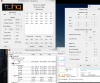
A couple things to note, ThrottleStop seemed to notice that something was tripping the TDP limit. I will post a picture of the TPL window which clearly shows a maximum long power limit of 45 watts which I clearly set higher in the BIOS.
EDIT: here is the video. http://www.youtube.com/watch?v=TEb6rF9kaTo
I'd like to try a few things such as restoring all the BIOS settings and settings the limits under those numbers you gave me to see if I find a number that is reasonable or a number that seems to keep it working for longer. I could also look at the settings from which this CPU came (A Lenovo W530) I believe that stayed fulled turbo while ThrottleStop was enabled. I have been playing around a lot with setting limits and time ranges for a couple weeks now. I just figured it wasn't possible at this point. -
The new TDP Throttle box in ThrottleStop 6.00 confirms that your CPU is throttling due to reaching the TDP turbo limit. The screen shot you posted shows that the Long Term Package Power Limit is set to 45 Watts. Can you adjust that in the bios up to 60 and the short term limit up to 72? Does ThrottleStop show these higher limits after you do this?
Edit: I read your post a little better. Did you go way beyond the above limits? Either your bios is not setting the CPU up correctly or going above those limits caused it to go back to the default values. The default long term limit is 45W and the default short term is usually set to 25% beyond this limit so
45W X 1.25 ~ 56W
If you can raise the TDP limit in the bios and keep your CPU cool, you should be able to run it at its full Intel rated speed indefinitely as long as you don't reach the temperature limit.
The other thing I noticed about your laptop is the PROCHOT - 9 setting. The Intel spec for your CPU is a throttling temperature of 105C. Your laptop was set in the bios to start thermal throttling at 9C less than this temperature so it will start thermal throttling at 96C. That might become a factor if you can set the TDP limit higher.
Thanks for the video. Seeing ThrottleStop in action helps me plan future improvements.
Edit: I also noticed that you have disabled hyper threading so your CPU can only process 4 threads instead of 8. I am assuming that you did that deliberately to reduce power consumption, keep the temps down and keep the speed up as high as possible.Prema and ha1o2surfer like this. -
GREAT NEWS!!! I Needed a light in the right direction from you! I found the combo that works!
Long Duration: 65Watts
Short Duration: 68 Watts
Long Duration Time Limit: 55 seconds (shows as 56 in ThrottleStop)
I'll explain this a little, if you set these values to anything different, sometimes it'll revert to default. If i set the Long Duration to 64 watts, ThrottleStop says it's 45 watts. If I set it to 72, ThrottleStop says it's something different.
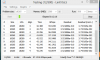
I ran a LinX benchmark and it goes all the way up to 60 Watts! And it settles around 55watts indefinitely. The cooling system in this little 11 inch BEAST is starting to show it's limits... But that's ok, my desk dock has big fans
FYI, I get 91gflops in LinX while my 3770k gets 87... not saying my little mobile CPU is more powerful but it's only one test.. still... makes me giggle.
I am uploading the video now. Yeah, I do disable HT because, for one as you stated, heat and power, but also it gets me better performance in my VM work and while I'm running BOINC projects.
EDIT: here is the video http://www.youtube.com/watch?v=IwfE473nopk
I used my phone to film because hypercam really kills performance and I wanted to see that 91gflops show up on Linx! Oh and if the GPU is being utilized whether it be just on or under 100% load, nothing changes...which is AMAZING. It doesn't really affect temps at all either.Prema likes this. -
Well they are now offering an exchange
I'm just going to confirm that it definitely isn't a pinout issue with this screen and then will think about getting this return sorted. -
Great to see that you were able to get your CPU running up to spec. I might have to go post your 2 videos in the ThrottleStop section because they do an excellent job of showcasing ThrottleStop's new monitoring features. When BDPROCHOT - 9 lights up in your second video, that confirms that you have reached the 96C thermal throttling temperature. The average multiplier starts to drop soon after that which also confirms that thermal throttling has started. When this is happening in your second video, the TDP Log box is not checked so the new turbo power limit you are using is no longer a limiting factor. Now if you can find a way to drop your temps, you can enable hyper threading and unleash the rest of this mobile beast.
Some time limits that the bios lets you select are not supported by the CPU so the CPU will use the closest value. If ThrottleStop shows 56 seconds, your CPU is set to 56 seconds. -
Do whatever you want. Sorry about the quality again for the second video, I might re-record that video with hypercam on lossless so it doesn't skew my LinX benchmark, also I can get a clearer video that way. I am going to rig up a fan in my freezer and see how far I can push it!! When I get the temps down to under 70C under full load I will enable HT again. I love messing around like this more than anything. I know the risks, but it's just an excuse to get something else right??
Anyways, I love ThrottleStop and have been using it for quite a while! Thanks for all your hard work with this program. The work of you and Prema helps, no makes, this laptop even better as it ages!!
EDIT: OHHHHHHHHHHHH baby! I did a fresh repaste... now into putting it in the freezer
-
Hey, recently my mic just stopped working. Dunno what the issue is but I tried reinstalling the audio drivers from the disk and that did not help. Anyone got any other ideas for things to try?
-
You could he k the mic itself but that involves quite a bit of work.
-
Hi,
I'm still having cut off issues when gaming on my W110er. I've done some logging with HWinfo. This was gaming with the bottom on but lifted at the back. The CPU not using Turbo and stock settings on the GPU. The Laptop turns off at 77C but i've seen it do it at 73/74C.
Any clue what is going on? It happens the most on Grid 2, Crysis 3, Alan Wake. Basically games that stress the GPU. I can play Fifa for hours without an issue.
Dropbox link to log:
https://www.dropbox.com/s/a227v1s0xikseji/grid%20play.CSV?m -
A weird question but do you have your iGPU overclocked at all? If so, that causes a lot of random shut offs for me.
-
No its stock. I have issues with that using Turbo for some reason too.
I've tried stock and UV bios and it happens with both. it's not exactly hot where we are now ether. -
Try these things:
1) unplug your laptop + pull your battery
2) pull your BIOS battery
3) hold the power button for a couple seconds.
4) now boot without the bios battery + laptop battery out
5) when it gets to the boot screen yank the power cord
6) put the bios battery and laptop battery in and boot normally.
see if that does anything? -
So, the ebay seller won't ship to the UK so that's a bummer.
My main issue is here that I have to pay shipping.
I get nothing back on the screen and I'm going to have to pay £60 odd in shipping (which is an outragous price for something so small and light) and wait weeks for it to send and weeks for the new screen to come back :/ -
Unfortunately this did nothing. Any other ideas? It turned off today at 71C after running the sleeping dogs bench mark. It was only sitting on the results page!! I'm going to repaste but CPU and GPU temps look pretty reasonable.
-
Maybe try a different power adapter? Even one that is lower wattage such as a 65 watts.. It will throttle like crazy but at least you can narrow down the culprit.
-
Had/have the same issue. After I dropped the laptop the GPU stopped cooling properly. I repasted, which fixed the temp issue, however the laptop would still shut off within 10 minutes of GPU intensive games (Far Cry 3, .Creed 3, CIV5).
Here are several things I've noticed:
1) Turning off overclocking on GPU decreased instances of PC shutting off. However you are already on stock.
2) Using DX9 instead of DX11 fixed the issue completely in CIV5
3) Creed 3 would shut off at very particular moments in cutscenes. Interestingly enough those were not the most intensive moments, usually it would be inside interiors. Turning off OverClocking fixed this game permanently.
4) Unplugging my laptop from a suspicious outlet I was using and plugging into a power strip "fixed" this issue with Far Cry 3 (runs fine on DX11 btw).
Now I'm all good, but can't really see the trend of what exactly caused shut offs in certain games. (Planetside 2 which is a hungry game never caused a problem).
Have you tried replicating the shut off issue while on battery?
If it doesn't happen on battery my suggestion would be to try plugging into a high quality Surge Protector/Pilot. If that doesn't help try a new Power Adapter, which should be at least 120W and try to get one with a 30day Return Guarantee, so in case it doesn't help you can return it for a refund.
Hope this helps somewhat.
[EDIT] halosurfer: I don't think trying a 65W would give a clear picture. GPU wouldn't engage fully so it might not get stressed to the point of shutting off. This is an uneducated presumption however. -
Hi just got my replacement LP116WH4(SL)(N2), worked fine for about five minutes then lots of vertical lines all acros the screen much the same as SInC, im hoping they fade like his did, im also getting a bit of ghosting from bright white backgrounds.
-
I would make sure the cables are seated correctly.
-
Hi Meaker, thanks for the reply, Yep Ive had it in and out more times than I care to remember, it seems seated OK, as a bit of an update some lines are flickering in and out and other new ones appear. I was going to try an different extension cable but when I attach the screen to the original 40pin connector it still has 10-15 vertical lines of about 1px width all the way down the screen, Hanuman
-
It happens on Battery as well as on the PSU. I have a coolmaster 120w so can't see that being the issue. I'm going to repaste when I get to hong kong and see if that makes a difference. Is there any way to lower the GPU voltage further than the UV Prema Bios?
-
Hello. I am looking for info on the IPS screen for my Sager NP6110. I originally received the laptop with the glossy screen and did not like - too reflective. I replaced that with the matte B116XW03 V.1 ( link) which solved the reflection issue, but the viewing angles are the worst I have ever seen... easy enough to install though.
I am going back about 20 pages on this thread looking into the IPS option. I would like to confirm I am looking at the correct screen and also have some questions.
(1) Is the correct screen LP116WH4(SL)(N2), sourced from LaptopScreen.com ( link)?
(2) There is mention that I will need an LVDS extension. Is the correct extension item ID# 735155 ( link) at LaptopScreen.com? Not sure as there are no details - Is it 40 pin? Should it be left to right (which that one is)? Someone (Prema?) who has installed the screen would need to answer this. There's also one at Amazon ( link).. is this better?
(3) Is this new IPS screen basically plug and play, or is there firmware / drivers / calibration required, and if so, can someone provide links/advice as to what would be required? My NP6110 is still running at stock - including the BIOS.
(4) I have not seen any images of the installation process. I am aware the mounting tabs on this IPS screen are incorrect for the NP6110 and I'll need to remove them and use thick double-sided tape instead, however should the tape be on the back of the screen and adhere it to the outside 'lid' of the laptop, or should the tape be on the front face of the IPS screen on the edges adhering it to the laptop bezel frame inside edges.. and if the latter, wouldn't that leave kind of an ugly gap between the IPS screen and the laptop bezel frame if using really thick double-sided tape as recommended? Would appreciate clarification on that from those who have installed this screen..
(5) Continued from #4, also what thickness/width double-sided tape required? Would something like this ( link) do the trick (about 1mm thick apparently).. or should I be using some even thicker double-sided foam tape?
Appreciate any advice.
Thanks. -
Hi Nereus
OK I'll have a pop at your questions:
1: Yep that is the screen that most people have ordered from laptopscreens.com
2:Ask the guys at laptopscreen.com to add the correct 40pin extension with the screen if/when you order it. I think you have provided the link to the right extension but as you say there arent any details about it.
4:The sticky tapefoam is on the back of the screen and sticks it to the inside back of the laptop case, I used velcro in the absence of any thick double sided tape/foam, it seems to work OK.
5:see above
I hope this helps a bit, im sure that others will be able to help too. I have had a bit of a problem with my LP116WH4(SL)(N2) - it worked OK for a five minutes then vertical lines appeared accross the screen and dont seem to have faded as has happened to others on the forum. I'll update if they do disapear though,
hanuman
3: -
Im just letting you know, I have two screens and they both dont work! I don't understand how people even got them working... Is my Sager flashed with the wrong region or display firmware?!
-
IIRC, you bought the LP116WH4(SL)(N1) right? It's the LP116WH4(SL)(N2) that people have working.
This sounds like what happened to me. Give it a couple of days, and hopefully they'll all disappear. -
Thanks for the response Hanuman33. I ordered the screen and it arrived earlier this evening.
So I plugged in the new screen and tested it without mounting it, just to make sure it worked.. there was a small grouping of red dots that looked like a inverted letter 'C' near the bottom left of the screen.. was a bit bummed out, until I realized it was some markings on the thin plastic screen protector, not the display itself, lmao.. other than that, the display was absolutely pristine and such a huge improvement over the matte screen I installed months ago. I went ahead and mounted the screen with double-sided tape and assembled the bezel etc. and switched it back on.
Everything looked awesome.. at first. After maybe 5 minutes I noticed a couple of vertical lines showing up just faintly at random points and then disappearing again.. but they got worse.. and worse.. and worse. Now, after about 30 minutes running, there are dozens, if not over 100 vertical lines 1 pixel wide all across the screen, and they ain't going away. Damn.
I tried changing between battery and charger power - no difference.
I'll run it for a couple of days, but as it looks currently, it is not usable at all. To make matters worse, I used industrial strength double-sided tape to secure the screen after the initial test.. that's going to be a total b*tch to remove.
I still have the original glossy screen and the replacement matte screen to put back in there, if I don't kill the laptop getting the IPS screen out.. I'm just hoping it 'fixes itself' over the next couple of days, but it doesn't look good right now.
Well, nothing ventured, nothing gained.
Cheers. -
Hey Nereus333, I had the same issue, but the lines did disappear after a couple of days and have not reappeared in the past month I've owned the panel.
Hopefully they'll disappear for you too.
Your experience also sounds very similar to mine.... I also thought the red dots were a defect, haha. And the lines appearing/disappearing then reappearing in larger numbers is what happened to me too. They just eventually all faded. -
Sweet, hope that happens for me too. Wonder what causes it (and how it fixes itself)? Thanks SinC, I'll update in a few days.
-
Nereus333 - have the vertical lines disappeared already or can you at least see any progress? I'm planning on doing the same panel switch, but I'm a wuss and haven't ordered the panel yet because of these issues.
-
I have had the laptop running via the main power supply unit for several days on and off, and disabled any sleep / power saving / screen saver during that time so that the display was active the entire time - total hours powered up probably in excess of 40 hours. I also installed updated NVidia drivers just as a precaution. Unfortunately there has been no significant change - the lines are still there.. maybe a couple have faded, but most have shown no change at all (and there's quite a lot of them). Regretfully I am going to have to remove the IPS screen. I'll check the connections in the process of removal of course, but I'm not very hopeful.
If you can afford to risk blowing around USD$100 then you may want to take that gamble, because when I first plugged it in and tested it, it looked awesome - huge improvement over the matte screen I was using, and of course it has worked for some... just not me. Flip a coin? Good luck if you go ahead - let us know what happens if you do.
Cheers. -
Oh dear.... that's a big dissapointment. I was really hopefull that the lines would have disappeared, at least partially. There is some interesting info on this here http://en.community.dell.com/dell-blogs/direct2dell/b/direct2dell/archive/2008/01/16/lcd-lines-common-causes.aspx wich would explain why on some panels the lines disapeared after a while,
Oh well, I'm not much of a gambler, but I'm going to risk it anyway. It just seems to good a deal not to try at least and it has worked for some, so who knows. I'll post some info and pictures when it's done. Thanks for your input Nereus.333. -
Try to connect it without the extension cable jut for testing...maybe the cable is dodgy.
-
Still need to send my panel back... XD
As for the GPU issues I was having, I fully updated all of my drivers and got the latest version of Throttlestop up and running. With that in swing, no more GPU issues ^^
Surprisingly, it doesn't look /too/ bad having 1366x768 blown up to 2560x1440 lol.
*** Official Clevo W110ER / Sager NP6110 Owner's Lounge ***
Discussion in 'Sager/Clevo Reviews & Owners' Lounges' started by Ryan, Apr 7, 2012.