 Problems? See this thread at archive.org.
It's pretty near a double scaling (or quad I suppose in number of pixels) so scaling wont be too bad.
-
-
Actually, direct upscale from 720p is hideous from what I've tried so far. It's pixelated as hell. Must be to do with the scaler in the screen. 1366x768 makes a marked improvement. I think it's because the Intel driver does a better job of doing the approximation and smoothing the pixels over than the screen does of scaling it. Weird because the screen has some nice flexibility in its OSD when it comes to making things fit.
-
I'm in Hong Kong now can anyone recommend anywhere that could have a look at my W110er overheating issue?
-
Hello Mardon, I am from around - and from what I have found so far - there's no store in Hong Kong - that's Clevo affliated (or Terrans Force - their China brand).
You can try visiting in and around Golden Computer Arcade at - "Sham Shui Po" (Take the red line MTR from Central to Tsuen Wan) - Exit D2. Be prepared to walk every store and ask.
There are places that charge about $50USD just to open the laptop - avoid them. -
Hello Prema and Mod lovers,
I recently downloaded v3 Prema Mod UV edition for W110ER and flashed my stock bios.
I noticed that as opposed to stock version - just opening 4 chrome tabs with youtube videos running pushes the temperatures up to 78 degrees and fans start blowing.
The fan starts kicking with one video on chrome.
The stock version - I had more than 40 tabs open and atleast 2 youtube videos running. It was a very odd page that would kick the fans and temperature go up (a high resolution vimeo video) in full screen (on 2560x1440) .
Here's what it looks like with 4 videos on chrome - no other apps open (other than the background apps - like dropbox, box, google drive).
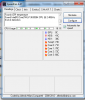
So, I reverted back to stock version (from Prema's website). It still is not the same as the 'real' stock version.
Any thoughts or suggestions to get the right mod flash?
1) I didn't check any prerequisites required for v3 prema mod. are there any?
2) are there any other installations required?
I am a OC noob - what is RAM OC? is that something real?
Thanks for reading, Thanks in advance. -
Hello guys!
Has anyone found a way to backlit this keyboard with mods or something?
Is there any way to make a led work using any connectors available on the motherboard? I thought something like using the fan connector to split power for the fan and to have a led, is that possible without burning the conector?
Thanksssss -
Thats exactly what I did! I had a quote of $50USD as you said which is crazy so went and picked up a screw driver and some TIM costing me about $2. I stripped it down cleaned it up and now my laptop is fixed. Where as I used to have my turbo off on the CPU and under clock the GPU I can now run the clocks in my signature. Love Hong Kong BTW! Think I might have to try and find work her for a year or two. What an amazing city.
-
Sweet! Glad you have resolved the issue. It gives me hope that repasting mine again will fix my issues.
-
good day to you guys, been a while since the last time i visited this site. question for htwingnut and maybe for prema. im about to update my bios to prema's mods. quite confused regarding the difference between 3 kinds or variants of bios.
should i be downloading the V3? what about the V1 with RAM OC feature? and whats the difference between UV / OV / UOV? kindly enlighten me guys. thanks
-
That's because of FAN changes Clevo made, you must have used a very old stock BIOS before.
So neither the latest Stock nor latest Mod will bring back to the old FAN behavior.
If you don't like what Clevo did, you can use the PM v1.x version to flash the oldest version that you can flash without bricking the board
RAM OC = RAM Overclock
V3 has better Win8.x compatibility
UV = NVIDIA GPU uses less voltage on all clocks = more battery life, less heat, but less Overclocking potential
OV = NVIDIA GPU uses more voltage, but only on highest Turbo Clocks = higher Overclocking potential, more heat but less battery while gaming mobile.
UOV = NVIDIA GPU uses less voltage on all clocks but the highest Turbo Clocks are Overvolted = more battery and less heat under normal use and higher Overclocking potential while gaming -
Thank you Prema for your reply.
I am sorry, I didn't understand what you meant by - "If you don't like what Clevo did, you can use the PM v1.x version to flash the oldest version that you can flash without bricking the board" .
Are you suggesting I go back to Clevo's bios and then upgrade to v3? I want to clarify that I had Clevo - Stock bios since day one.
On spur of a moment I thought of getting your mod done - and it seems to have pushed my cpu temperature really high.
could you please clarify on what I should do to have it like before (or have your mods with desired results)
Thanks again. -
Clevo updated the EC, which controls the fans, so they behave differently from before, it doesn't matter if you use the Mod or not.
The only way to get to an older version EC is to use my W11 Mod v1, which is based on an older EC and should have the behavior you are used to.
(You can not just flash the older EC the normal way as that way of downgrading would brick the system, so use the v1 Mod as that is safe).bitslightlymad likes this. -
So there is still no easy way to order a guaranteed to work glossy IPS panel for the W110ER? Either you take a chance ordering a LP116WH4-SLN1 or you settle for matte with an LP116WH4-SLN2 from laptopscreen.com?
-
So far it seems that the Matte versions have the most problems (only one reported success) and the Glossy version seems to be doing better (3 reported successes) but nothing definitive. If we could find the Glossy version with the proper mounting hardware or if someone else would have success with the Matte version besides the initial Chinese user......I'd give it a go myself but I want proper mounting and the only version with multiple successes is the one that does not have the proper mounting points.
-
You may have matte (SLN2) and glossy (SLN1) mixed up.
I have a working matte SLN2 screen. It initially had the vertical lines issue, but they've faded and the screen has been fine for the past couple months. I think Prema also has a working SLN2.
Also, I don't think anyone in this thread has a working glossy (SLN1) version. A couple of people here have reported a firmware related issue with their glossy SLN1 screens. The initial Chinese user, however, has a working glossy SLN1.
The only panel with the correct mounting is the initial Chinese user's, but he/she seemed to have some special configuration that I don't think is available to us. -
I sure wish one of our resellers would hook us up. It's not like this system is obsolete.
-
my microphone just stopped working?
this is the second post, berban has the same issue.
it worked fine two days ago, and then starting yesterday, it no longer worked. The properties and drivers look fine. An external mic works fine. -
My VGA connector broke. It just shakes around inside the case. I think the metal on the soldered pins fatigued, the VGA was not well suported as and flexed alot when I plugged in VGA and probably just in general moved around from being in my backpack.
-
My screen hinge is starting to get loose, it is not solid like it was when new, it seems to be getting worse.
-
I feel like trading my W230ST plus cash for one of these.
-
Screen hinges are also loose - same condition; screen rocks back forth, shift side to side and slides forward and back - seems to be getting looser each day.
Same issue as onkelosuppo
Repair is difficult since A) the snaps on the back of case sheared off and I fixed it with superglue - so not sure how to open my case now, B) there is not an instructional video showing how to access the hing screws.
Also, my microphones stopped working - presumably due to the loose screen brackets shearing the wires to the microphone.
This laptop, while powerful and a nice concept for niche build configurations - has not held up very well with light office use and backpack transport. -
I found that my Hinge being loose issue was due to the screws on the bottom back becoming loose. When I tightened the ones below the hinges on the back of the bottom the hinges firmed up again.
-
i have a little issue that leaves me quite confused...i bought a western digital black2 dual drive, basically a 120gb ssd and a 1tb hdd sandwiched in a single 2.5 package. i got it to work in all my other computers but this one. for some reason the np6110 just refuses to detect it in either ahci or ide mode. other hard drives or ssds work fine in it, so it's not the sata port, and the dual drive works in everything else, ruling out a hardware defect...is there anything i'm missing here?
-
Those just came out recently and so I doubt many people have had a chance to play with the new hardware to be able to help. I'd take the plunge to call Samsung support to see if they have any ideas. We're bringing in some for testing on our side so might be able to help later, but as of now haven't had a chance to figure out the settings and how to get it to work.
-
Is this a legitimate interest? I have a W110er i7 3630QM 8GB Ram and 256GB SSD. I was initially looking at buying a new one from PC Specialist, and ebaying my W110er.
-
We got the "western digital black2" working with the Mod BIOS...
-
Was it not working with the stock one?
-
Nope, the SATA stuff is too old I guess...
-
That's a funny quirk, I suppose since the two drives share the same port they are relying on some newer sata firmware functions.
-
Update on my case, everything works well, except for one little problem that still baffles me. I enabled windows 8.1 to take over bios controls, usually works very well, boots to desktop under 4 seconds. But maybe 1 out of 10 times, the computer won't boot at all, reverts back to non EFI settings. When i'm lucky, just switching it off and back on and it goes back to normal, but 3 times so far, i had to reconfigure the bios to re-enable efi loading. Is it just windows being buggy, or is that a sign that something's wrong with my hard drive? Also, once when i got out of sleep, it stayed stuck on a black screen and i had to force shut down the laptop.
-
Maybe a form of the Port Multiplier spec?
-
Its not just you, I get that too with the Samsung 840 pro. Seems to be some kind of uefi bug.
-
That kind of funny little function that the drive will rely on to operate two drives on the same connection.
-
A very strange standard if you can call it that.
-
Does everyone remember the talks about Virtu mvp for the origin version of this tiny beast? Well...the latest version of virtu mvp 2 seems to be compatible with the sager and clevo models now. I was searching on the net about that odd android device that they jammed in the origin laptop, and then remembered virtu was another thing available on it. I remembered that we sort of hit a wall trying to make it work for sager/clevo and it was quickly forgotten.Today i tried the demo version...you know, just in case it would be a good buy....IT WORKS. Now, do i really see any improvements in games? well it's hit and miss.The laptop does run hotter and games feel altogether smoother than before, the virtual vsync definitely works.
Games like witcher 2, which normally fall short of decent framerates under heavy settings do see some improvements after creating a profile for it. i get a good 5-6 fps more than with hyper performance disabled.
world of warcraft saw a 18-22 fps increase, which is a lot, but a bit useless without a screen capable of handling more than 60Hz.
Final fantasy 14 was running at 55 ish fps on laptop maximum settings without HP, with it i hover above 62.
I hope this comes to you all as good news, a Christmas present worth giving yourself if interested...provided of course your beast can handle the extra heat. Mine can, but i fear 120W might no longer be enough to keep it satisfied: my battery drains while plugged in when i use the software. -
I thought it only worked with desktops, any links to dowload and try?
-
here ya go.
lucidlogix with GPU Solution
using the latest version.
ooh and noticed a few more conveniences... computer can't use the screen saver without going for an eternal loop only solveable by putting it to sleep and waking it up. make sure the program itself is off once you're done playing. also hinders video playback if you use quicksync. once again, keep the program off and no issue there. and by off i just mean the power icon in it's control panel. -
I installed it and here are some of my first impressions.
1) on my system it causes major lag even though fraps is saying BF4/BioShock and Just Cause are running at 140FPS.
2) I open GPUz and my nvidia GPU utilization never goes above 60% and it starts to fluctuate rapidly between 40 and 60% and causes the screen to stutter in some games (BF3/BF4//Far Cry3)
3) The Intel GPU never sees usage above 10%
4) when MVP is disabled, it forces EVERYTHING to use the intel card regardless of what GPU i set in the control panel/MVP game settings
5) When playing video that is using intel quick sync it uses the nvidia card which drains battery if you are not plugged in. (disabling MVP solves it)
Atvaark: do you have any of these issues? It just doesn't feel as smooth if MVP is installed. Without it I get a buttery smooth at 60FPS but with it installed, it stutters like crazy regardless of FPS. -
Well SATA has been around for a long time now, we will be moving to sata express at some point which will bring everything in line again I suppose.
-
I finally got the IPS screen in. Thanks to everyone in this forum for the help and information gathering. It really did help make the process much easier.
The screen is so much better than the original.Prema likes this. -
Help!
I think my motherboard is toast. I can't find too many resources for replacement motherboards. Any sources for replacement mother boards?
And/Or anybody had issues with the DC power jack shorting out (upon plugging in powerbrick)? System has absolutely no power? Any suggestions? -
Mythlogic can sell you a new board stateside...
-
If I may ask, from which vendor and exact vendor model number? As others had various issues, I became concerned about repeating the initial success.
-
I got it off Laptopscreen. The model is LP116WH4(SL)(N2). I also got the cable extension.
-
Well, after a while of using virtu, i have to say, no i haven't had many issues besides the ones i've talked about earlier. Disable it for what doesn't work, and enable it for what works...Maybe we just don't have the same games. And as for the videos, i did say that virtu needed to be disabled.
It's far from a perfect product, and it's pretty hit and miss apparently considering different user experiences, but i have to say i was one of the lucky ones where everything seems to work more or less as it's supposed to. For me, mvp disabled did not force everything on the intel cpu as it did for you.
When monitoring gpu usage, my intel gpu reaches 40% or so, but the nvidia card uses 80 to 100%, depending on graphical load. I do not know why these readings differ from yours, it could be power draw? I'm using prema's latest bios for my sata issues i've had with the dual drive, and i'm not sure if it's undervolted or not.
As for screen stutter and major lag, i have to say that i have not experienced any of that. Either it worked or it didn't. Once again, we haven't tested the same games. but since bioshock's on special on steam sales, i might get it to test out. -
I can't believe I didn't think of this before.. I wonder if a PCIe SSD would work in the Wifi slot as either secondary storage or primary boot drive? hmm
-
Yes a native pci-e sad would work as a storage drive though not for an os.
-
I also noticed that all PCIe SSDs have a different spaced notch in them.
-
Did the mounting tabs line-up with the lid? Anything not straight-forward with the installation (besides the LVDS extension)? Was a BIOS upgrade required? Was there anything required in the ordering process to enable a smooth installation (the previously mentioned "white list")?
-
I was carrying around my computer a lot in my bag and the screen was wobbling. Untighting the screws on the bottom stopped the wobbling. I was also having another problem; I don't remember when this started but the screen was getting strange- the colors were acting up too. There's a kind of flickering, most apparent when looking at grey (128,128,128). Darker objects moving across the screen show a weird distortion along the rows of pixels they occupy. Sometimes, objects that are flat colored show a gradient, lighter at the top then the bottom.
At least two different times, the screen stopped everything all of a sudden and displayed static- a bunch of colors flashing around like an older TV screen. Restarting the computer got rid of this solved this problem; I don't know if this is reproducible but I'm not about to try to reproduce that.
Anyway, I think this may be a combination of damage to the LCD panel and a problem with the connection between the monitor and PC.
I'm not sure if the flickering is apparent here, you may have to turn to 1080p
https://www.youtube.com/watch?v=O1D1b7Ey5iM
Its better shown here:
https://www.youtube.com/watch?v=gDU_zFd9TnA
Any suggestions or advice? Can I replace the screen?
*** Official Clevo W110ER / Sager NP6110 Owner's Lounge ***
Discussion in 'Sager/Clevo Reviews & Owners' Lounges' started by Ryan, Apr 7, 2012.


