 Problems? See this thread at archive.org.
Haha, one of those moments, a bit like on the MSI models when people were saying their touch sensors were getting all scratched up and all it was, was a really thin protective film still on it.
Looks really nice
-
-
Wow! Congratulations on a fine job
It's like a laptop reborn.
I've been unlucky so far with the LVDS extension cable. The ones I'd ordered from Ebay have both been wrong or not working (?). Still waiting for a 3rd one to arrive. If that also fails I'll order one from laptopscreen.com. The screen was also ordered from ebay and is working perfectly. You can immediately tell the difference when switching between the original and this screen. -
I also had problems with the cable when I bought mine, basically the machine would not boot with the cable in any but one way (the correct way). Just try plugging them in the other way up and whatnot to see if that's your problem. There are 4 combinations, won't take long to check.
-
Hm, I'm sure I tried them every way possible, but I'll definitely have another go at it when I'm home (on the road for a week).
-
I'm going on a road trip up the East Coast of Oz on Saturday. I was looking at the 90w DC to AC cigarette lighter adapters. If I downclock the CPU and dont use the Nvidia 650m will that be sufficient for watching films etc? I know the standard adapter is 120w.
Cheers -
It's very hard on your cars electrics doing that and if you talk to Sager they don't actually recommend the solution. Would be better to get a power inverter and hook that up. Best way to do this is to run the battery down to low battery and then shut off, charge, then turn back on again and watch movies so that it doesn't put a strain on the vehicle.
-
It's no different than getting an inverter, in fact an inverter is less efficient. I have a 150 watt inverter attached to my cig outlet and it's been fine. I down own a Jeep though where they wire the outlet directly to the battery for high current applications such as an inverter (which can draw potentially 10's to hundreds of amps)
-
I've had a guy, claimed he was an electrical engineer (Read Claimed), go through and describe to me the difference but that was the gist of it. Even Sager directly does not recommend the use of car adapters when I've inquired about it directly and instead recommended a power inverter. Either way it's hard on the car if you're using it while having it plugged in constantly.
-
How about this adapter without changing your settings? Plugs directly into the cig lighter/outlet. Perhaps you can find it or similar locally in time for your trip.
19V 6.25A 118W
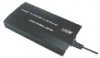
-
Unrelated to this topic, but my Jeep came with an inverter and AC outlet supposedly rated at 120W as an option. It trips the breaker with the basic 90W P/S from Clevo. I had to buy a 120W cig lighter inverter for $20. Thank you ChryCo!
-
Probably a naff "peak" rating that means nothing, grrr.
-
It can be if the wiring isn't rated for that high of amperage, which I would suspect most arn't
-
that's a bummer! most likely the problem was what the poster above me said! (Meaker) haha
-
I decided to go for it. It's only to charge the laptop when not turned on. I'd hope it'd be sufficient for that
It outputs the following 19.5VDC (Main), 4.61A upto 90W Continuous power. -
I've had my Clevo W110er for over a year now and it's suited me perfectly. However, it recently fell from my bed and the bottom plate became detached. No biggie but it seems to have broken part of the latch so now it's very susceptible (when being picked up) to the bottom plate just following off. Still not really a big deal, as it's main function at this point is to be a desktop replacement while I'm travelling. There has been one problem since I dropped it, and that is that occasionally during use it a low hum will start. Almost as if one of the fans is rubbing against the case? If I slightly put pressure on the area around the trackpad, the humming stops. Raising my hand off this area resumes the humming. When my laptop fell, a couple very small pieces of plastic (not sure, almost like package padding) that looked like they were attached somewhere fell out. It seems like these two pieces could have very well been absorbing this humming noise or providing space as so the noise didn't happen in the first place. Any insight onto what this could be? I can attach photos of the plastic pieces if necessary, the problem isn't that dire but it sure has gotten annoying! Any help is appreciated.
-
It could be the fan mounting is loose. Liberal (yet careful) application of electrical tape (must be electrical) could help.
-
I use this cheapo 400 watt [square wave] along with 90 watt iGo for long road trips. Chevy cig lighter is 15 amp fuse and will mushroom cloud if inverter goes full 32 amps at 400 watts. No problems with 90 watt iGo. When wife drives I have shaded man cave in back left side of her van
-
Quick question for the masses, I've had my laptop for about a year and a half, and I've been debating on getting the new ultrabook type gaming laptops that have been popping up--MSI, Razer, Gigabyte, etc.
1. Has anyone jumped ship and have opinions, good or bad?
2. Did you try selling off your Clevo W110ER?
Any other info would be great -
In the process right now.. waiting on a NP7338 to be delivered (not a notebook as such, but a nice 13.3" laptop with GTX-860 GPU). Reports so far are pretty good on the NP7338. I will be selling my NP6110 soon. From what I can ascertain, around $700 seems to be a fair price.
-
Good luck @ $700? These things depreciate fast so I would think $500-$550 would be more in the ballpark. There are a couple on ebay, one ended, and one just getting offers but both way to high.
-
If you get your fan fixed, here may be a bottom plate.
-
I have w110er, and was planning to buy a cooling pad for it, which one would you guys recommend?
-
Any one will perform the same function which is to lift the back of the machine and improve airflow that way. The extra fans won't have any impact.
-
Zalman ZM-NC1500 mini if you can find one. Perfect size for the NP6110, but as Meaker said, the main point is to improve airflow, so just slice up a wine bottle cork and use that to lift up the back feet a little if you want to save some $.
-
Or Cooler Master NotePal U1 is a good one too and has the perfect size for W110er/np6110. I'm actually using it and I modded it with 3 extra fans from Cooler Master Notepal U3 ( so you can put 4 fans 80mm on this one). You can also change the speed from the 3 fans from Notepal U3. Both fans use usb connection. This one is the best if you want to customize it.
Current notebook:
EUROCOM MONSTER W110er/i7-3940XM/Phobya HeGrease Extreme/NVIDIA GeForce GT 650M 2GB DDR3/16GO DDR3 1866Mhz Kingston HyperX PnP/SSD Crucial M500 SATA III 960gb /Bigfoot Killer wireless-N 1202/150W PSU Fortron FSP-NB150/Windows 7 Pro-Ubuntu 12.04 LTS -
Wow, I like the Zalman 1500 from Nereu's link.
I have used this $14 at Sam's club for the last two years.
When gaming or video encoding it helps keep bottom plate and original drive a bit cooler. A secondary effect is to snag dog hairs and cookie crumbs before being sucked into main fan. Experiments with bottom plate off did not make much difference over what the heat pipe removed monitoring with HWinfo64. YMMV. -
How easy do you guys think it will be to sell this baby? (see my specs below)
Thanks! -
I think there is still demand because of its small size. List it in the marketplace NBR Marketplace
hydra likes this. -
I'm hanging on to mine for at least another year! I'm a FPS/Dungeon Crawler kind of guy,
It's not as good as the new Clevo's on the block but plays my single player games just fine. I sometimes work at remote locations where internet is slow or non existent, so after hours entertainment is social or gaming when weather bad.
You guys have heard me whine about tiny text on small screens? (many raised hands) I absolutely hate working with text on anything less than 17" for long periods of time. I have an old Samsung 940BX setup and rotated for FPD when report time arrives. Well, at least the 720P native screen is readable for older eyes.
When at the house the W110er makes a great HTPC with HDMI to Denon to strip Master DTS audio then passes video on to 52" screen. My whole BD movie/music collection is on hard drives so that I don't have to fight the awful Java front end on my BD player. I love the instant chapter selection or direct music selection that the HTPC affords. I'll cut the cable before I stream The saved fees goes to new media, I still buy disks! I use a wireless K400r keyboard to couch potato from the easy chair and the W110er is near invisible sitting closed up in cabinet.
Cheers -
If you are happy with your current machine then there is no need to rush
-
Hi guys,
If anyone is interested in selling their w110er, please do let me know, especially if in UK or EU, thanks. -
Hmmm there's an idea for my old NP6110.. if I don't sell it.
-
Yes little machines can have lots of nice little uses.
-
so i'm having a new issue right now...somehow my bios settings reset from time to time randomly. i don't know what causes this or how to fix it...any ideas?
-
Possibly the CMOS battery getting low. Might try replacing but it's pretty rare to see them going out this soon.
-
It's the first thing i did, still does it.
-
Is it absolutely everything getting reset or just specific settings? Might give setting a BIOS password a try if the BIOS allows it. Haven't been in this BIOS in a while and can't remember.
-
almost everything gets reset, the only thing that stays fine is, oddly enough, time and date.
-
Then not the battery, have you tried reflashing or updating the bios?
-
What Meaker said. Also, this is a new brand new problem or what was last installed when problem began?
You may have a bent OS or program that is battling with BIOS settings. If all else fails, a clean OS install may work after file back up. -
The trouble started happening back when windows 8 was installed on it. at first i had a regular hard drive, but then later on i installed a wd black2 instead, obviously, fresh install in uefi mode. to get the wd black2 working however, i had to use a new bios that Prema gave me. I don't know if it's the same as on his website however. the computer works fine, but after shutdown, maybe once per 5-10 boots, the bios just forgets everything, only time and date remains correct. i'm starting to suspect windows 8 (8.1 to be precise)...
-
^^ well if no one else is having same problems with 8.1 and Prema's bios, I can only suggest backing up to W7, testing, and moving forward again. Since you already have Prema's new bios, another fresh W8.1 may do the trick? Sorry, still not interested in 8.1 so hope a like user can chime in. My only guess would be the driver install order...
GL -
Well, the only reason i'm using 8.1 is because i paid for it. Big mistake, i know. But IT work requires me to know the damn OS, since most customers i get have machines with 8.1 preinstalled...I can't just go around and revert every machine to 7. And to be honest, even though 8.1 is really annoying, i only had 1 bsod on 2 machines since it came out. And it has some pretty nifty features, like telling you in msconfig what exactly is bogging your machine down to hell, or ssd trim commands in the default defrag. Silver linings at best, i know. everytime something didn't work properly, my first reaction was to blame windows 8. It still is, but i have to admit more times than not, i was wrong. I hate windows 8, no doubt, but i can't argue against what actually did improve over 7. Especially startup times.
-
OK, didn't mean to offend your 8.1 goodness, lol. AFAIK you also paid for W7? Do you still have the COA stickers on bottom of machine? LOL mine did not so had to call in to Uncle Bill to activate mine after clean install. My best start up time using my old Seagate Momentus XT was 11 seconds which was posted on an old post by Phil using Window boot timer.
So anyway, maybe a second 8.1 install over Prema's installed bios install may help?
Cheers -
well, i tried both a reinstall of 8.1 again, and a windows 7 install this morning. 8.1 had the issue pop up on the second boot. windows 7 on the other hand is going strong for 12 boots in a row now with no bios wipe. So it may actually have been windows 8 all along...Can't say i'm not angry about it.
-
Windows 8 does have more hooks into the bios, so it is conceivable that it could cause messing with it, but it does seem odd to wipe all settings. I've never had that.
-
well, after going strong without a single Bios settings wipe ever since switching back to windows 7, i guess we can assume windows 8 was the culprit all along. However, i feel it's important to specify that windows 7 isn't using UEFI, and is booting in legacy mode. So it might be an uefi issue to begin with.
hydra likes this. -
I've just placed my NP6110 up for sale (*sneef*) on the NBR MarketPlace [ link] if anyone is interested in purchasing one of these little beasts. Pristine condition.
-
I know that it s not not possible to upgrade the graphic card but is it possible to replace the NVIDIA GeForce GT 650M 2GB DDR3 by the NVIDIA GT 650 with DDR5 (which is already better)?
Current Notebook:
EUROCOM MONSTER W110er/i7-3940XM/Phobya HeGrease Extreme/NVIDIA GeForce GT 650M 2GB DDR3/16GO DDR3 1866Mhz Kingston HyperX PnP/SSD Crucial M500 SATA III 960gb /Bigfoot Killer wireless-N 1202/150W PSU Fortron FSP-NB150/Windows 7 Pro-Ubuntu 12.04 LTS -
Don't think so - it's soldered into place (was about to write welded, lol).
*** Official Clevo W110ER / Sager NP6110 Owner's Lounge ***
Discussion in 'Sager/Clevo Reviews & Owners' Lounges' started by Ryan, Apr 7, 2012.


