 Problems? See this thread at archive.org.
What do you guys use for a "pad," like what do you set your laptop on? I know some people use pads with fans in them. For my 15" Clevo, I've used a plastic kind of bad this whole time that elevates it and allows the laptop's own fan to pull in more air. I can't find anything like this for an 11.6" laptop, though, and I don't think I really want to get one of the pad/stand things with built-in fans.
Primarily I just want something small to elevate the laptop, and if it has a fan, it has to be quiet. I guess I could just stick a pen underneath to raise it up 1/5", but I'd rather have a stand. I've enjoyed the one I use on my 15".
-
-
I use CoolerMaster NotePal U2 (with 2 fans) .... convenient since I can position the fans where they are most effective, plus it elevates the laptop at a good angle for typing, and has an aluminum, perforated base for even better heat dispersion. I've used it's larger cousin, the U3, with my M18x and knew that it would not disappoint. And it hasn't.
-
I don't even seem to have any issues without a cooler pad.
-
I normally get around 11-13000 mW With the UV bios.. I doubt it would lock it self at 11
-
It seems to be a mystery why the power consumption is all over the place. I was getting about 9-11W, now it's running back at about 13W
-
be sure to compare running on same clevo + windows power schemes
out of subject, my battery wear is already ~8% :-/ -
I just got my W110ER yesterday

So far, I'm incredibly impressed! I just can't believe how well Clevo have done with it. So, my shortlist of positives and negatives:
Positives:
- Size (It's tiny!)
- Power (The GT650M really CAN handle just about everything, even at stock which is mind blowing and the fact you can now get a Quad i7 in a laptop of this size blows my mind. It's twice as fast as my desktop)
- Speakers (I didn't expect much from the speakers, nor THX, but once THX surround started working it's magic, I was happily playing Battlefield 3 and the Crysis 3 Alpha via the speakers. I could actually use them to game, even when my main speakers are a meaty 5.1 system with a subwoofer!)
- Build quality (The materials the W110ER are made of are not cheap, nor really amazing, but the balance is just right. It's very understated and has a nice texture while feeling as solid as a rock. The screen is about the only flex point)
- Screen (The DPI is insane, contrast and viewing angles really are not too shabby whatsoever. I think people have rated the W110ER's screen too lowly. It's not perfect, but it's SO much better for gaming that my old Vostro 3550. My only criticism is the same line effect on the screen vertically when you look really close, but it's less noticeable on this one. The clarity is also a bit compromised on text due to the matte finish I think. Overall 1366x768 is perfect for 11.6 inches)
Neutral
- Touchpad (I'm not a huge fan of the seamless touchpad, the texture catches my fingers too much, but I guess I'll get used to it. I can't work out synaptics either even with the driver installed D; Buttons are also quite clicky, not too bad)
- Keyboard (Not bad, not great. A little light to the touch, buttons don't depress perfectly and of course it's a little small. Worst part is the fact it has no backlight.)
Negatives
- Battery life (It's abysmal without any UV mod. It really is pretty shocking how quickly the W110ER sucks up the juice. Hopefully undervolting and such will help that along and I also wish to purchase a small external battery to give it a boost)
- Connectivity? (Lacking a 4th USB port and also misses out on e-sata and Displayport. The M11x managed most of this, so I guess there isn't really an excuse for the W110ER to be missing out on any of it)
- Lack of disc drive (I know it's a little unfair, due to the size, but it's annoying to have to use an external drive)
So overall, this thing is awesome I can't wait to get properly modding it!
-
I think I'd be fine without a cooling pad. I just like something to elevate it a little so it can suck more air in. I wouldn't need fans on it, but I'd consider it. However, I can't find anything 11.6"!
My w110er is currently in the build queue at Mythlogic.
-
I'm not sure e-sata still is relevant now there's usb3 ?
-
eSATA is still faster and for backwards compatibility. But I guess there are eSATA to USB adapters, and USB is more universal. eSATA is on the SATA bus so anything connected to it seen as a SATA drive which may bypass some issues USB drives have in certain circumstances.
In any case I think thunderbolt or whatever the heck it's called will replace all of that, possibly external display ports as well. -
Hey guys, help me out. I was running ok with Win7, all normal, playing games fine.
About a week ago, i installed Win8. Every time, about 2 to 3 minutes playing games, it suddenly cut off the power. It occurs with almost all games i have(eg. L4D 2, Max Payne 3, Chivalry, CS:GO).
The temps are fine(GPU and CPU), gpu max +-90c and cpu to +-79. I tried reinstalling the drivers from sager, the new ones for win8, but no luck.
Help anyone? -
I am running
-UV Prema Bios
-Throttle Stop
-Hyperthreading Disabled
-Brightness 25%
-Balanced Power Profile
My class ends in 10 minutes and I still have 83.6% battery remaining. When I arrived it was full. My battery wear is 2%
Discharge rate stays is 11,636mW
I wonder if the quality of the battery is good? I notice my phones (Galaxy Note, Galaxy SII) the QUALITY of the battery really matters even lower capacity higher quality batteries tend to run longer and more stable.
Are there any companies considering making an extended (8-cell or higher) battery for this laptop? -
It's hard to say since Clevo's models roll in and out quite often. I'm sure if they had a higher sales rate online & in retail, 3rd party products would be fairly common. Unfortunately, that isn't the case. As a result, it's a bit tough to find someone to invest into something that isn't marketed very well.
Your best bet would be to ask resellers or even Sager themselves. -
Can't help, but that happened to me once or twice using win7, couldn't guess what caused it !
-
I will try to put prema bios, but I don't know if it should help with anything.
-
I'm using Prema's UV bios and noticing very, very little in the way of extra battery life :/ It's pretty much identical to what it was before. I really hope I find a way to boost this thing to a usable 4 hours. At the moment it's lingering more around 2!
-
What brand of low voltage RAM do you guys recommend?
Is it worth it?
What if I only used 1 stick? -
This one was mentioned before in this thread.
Amazon.com: Samsung Electronics Extreme Low Voltage 30nm SODIMM 8 Dual Channel Kit DDR3 1600 (PC3 12800) 204-Pin DDR3 SO-DIMM MV-3T4G3D/US: Electronics -
always use 2 sticks, even they're 2gb density. The dual channel mode doubles your memory bandwidth so your windows will feel much snappier.
-
@ the low battery life people
check with gpu-z if your GT650m properly throttles down to 135Mhz when not in use. Some driver combinations simply keep it at 835Mhz for too long (30W consumption). -
Yes 2h is NOT normal, I can get 4+h of video playback.
-
I just got my NP6110 and when I connect my HDMI cable to my HDTV, it blinks like every 20 seconds for 5 sec. How can I solve this and the cable is fine when I use it with my XBOX
-
If your TV is set to automatically detect devices, try forcing it to the right output instead.
After that, I'd test on another TV, from another computer & with another cable (not @ same time but 3 tests) to narrow the problem down. -
Oh, that's what I have - is that the matter of updating N-vidia drivers, or should I look into something else?
-
Check this out. DON'T USE THROTTLE STOP. I had about 13W-15W draw I thought it was good enough. I disabled Throttlestop and I stayed under 12W at all times. -
anyone notice when you close the lid it does not go into sleep mode.
is there a way to fix this? -
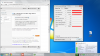 Hey Prema,
The readings on GPU-z stay at 835.3MHz. Am I one of the victims where the GPU doesn't throttle properly? I have the latest driver. The 306.97 I believe. -
Check Ctrl Panel \ Power Options \ Choose what closing the lid does.
-
Emmm...TS is not meant to be energy saving, rather its meant to maximise the potential of your laptop. You use it when you are plugged in and want more FPS in your games( you easily get 5-15 more FPS). Its not meant to be turned on to reduce power draws..
Its a brilliant programme that is super easy to use. DONT USE THROTTLE STOP TO SAVE POWER. use it TO MAXIMISE YOUR GAMING EXPERIENCE!!!!!!!!!! -
Lol, I'm retarded I thought since it had a battery profile and you can set the multiplier lower it was a battery saving thing as well. My bad
-
Yep that driver does the same on mine, stays up there most of the time...if your system is on bios 04 or lower driver 305.67 should throttle back fine...I haven't found a driver yet that works properly on bios 09 with the new 149KB UEFI vBIOS...power consumption is much higher now...
-
I got rid of 306.97 as soon as I found out it was causing a HUGE issue on Windows 8. I'd continually get crashes after installing it from Microsoft Update. Updating other drivers afterwards = instant BSOD. (Not sure to even call it a BSOD anymore. It's more of a sad face on a light blue screen.) Randomly in firefox, games, even notepad..... BSOD.
DXGKRNL_FATAL_ERROR is the error received.
The latest IRST drivers result in a continual reboot loop... Something to do with IAStorxx,xxx. System repair couldn't even fix it, so I just went ahead with Sager's driver and not a single issue since. -
Did you just say UEFI? Please tell me more XD
Also, awesome, my 650m is clocked at 835, I'll roll back the driver and see if the problem is fixed.
EDIT: Now using the 304.79 driver, appears to be clocking down to 135 ^^
No idea what difference there will be with performance.
Hopefully the next driver addresses the issue, but somehow, I doubt it :/ -
thanks yep thats it
-
I was able to fix the HMDI problem by switching to a different port and rebooting.
Do you guys encounter switching the laptop problem. Pushed the power, it turns on then off. After several tries it turned on. I wonder what's causing this problem. Or I guess I should return this instead.
Then I saw this first post in Youtube about the same problem
https://www.youtube.com/watch?v=xweHTPCyk9M
"PLEASE HELP!!!! i bought this and had it for about a week now but when i went to try to turn it on after i shut it down it wont turn on again. when i press the power botten the light that tells you that your computer is on blinks twice and then does nothing. i tried to turn it on with the battery and power cord then i tried with out the powercord then i tried without the battery and with the powercord. then i tried holding power botten for 60 seconds then plugged everything.
Chris Metcalfe 2 weeks ago" -
Load setup defaults in BIOS...also are you sure you fully shut it down and didn't put it to sleep?
-
You may also try to push it shortly, or on the opposite to keep it pressed a lil longer, like 1 good second.
-
That settles it, I am never going to use a 90Watt adapter again.. So, I was running a full stress test on my Overclocked GPU and my CPU overnight. I started it around 11PM and then woke up to a really high pitch, pulsing whining noise; it sounded like camera flash capacitor charging up except ten times louder. I opened my lid and saw my laptop had shut down, I powered it on and it came on then died a second later. I go to look at the power supply and when I picked it up... it was smoking hot! My laptop must have shorted out the power supply because when I plugged in my 120Watt, she fired right up. lol just a funny story I guess!
-
I can't find the 305.67 driver on the nvidia site. Where do you get access to it? I can only find 304.79, 304.48, 306.02
310.33 has anyone tried this beta driver? -
Maybe yours was defective, since you already experienced slowdowns before..
-
Laptopvideo2go.com
I've been using the 310.33 driver for a while now. No issues with it. Apparently it caps the overcllocking though -
Hi,
I'd like to buy a matte screen, and i'd like to know if there is a list of compatible displays.Or what are the prime requisites regarding dimensions,connections and so on.For example will that one fit: http://www.panelook.com/N116B6-L07_Chimei Innolux_11.6_LCM_parameter_1959.html
thank you -
I started to do some gpu stress with Furmark and Kombustor, temps reached from 80c to 85c, but it only kept on for 2 to 3 minutes, then it shutdown the power. Thats the same things that is happening in games.
-
All my 90 watt adapters do that to my computer, though.
-
Is it clocking the GPU down to 135MHz? Because if so, I'll switch to that. 306.97 or whatever it's called was not doing that.
304.79 is. -
which adapter are you using? 90 or 120 watt?
-
Im using the 90w adapter that came with it. But i tested with and without adapter, and still shutdown.
-
Negative, the 310.54 beta driver does NOT clock down to 135MHz. Still broken.
Going to try and contact Nvidia about it.
EDIT: It's now sitting at 405 after prompting but is still too high. -
I used to have this problem with the 90w adapter myself. A few bios versions later it stopped.
-
mine does the same thing, it needs both power sources to not shut off randomly under high stress.. try a 120watt+fully charged battery and tell me if your laptop still shuts off randomly.
*** Official Clevo W110ER / Sager NP6110 Owner's Lounge ***
Discussion in 'Sager/Clevo Reviews & Owners' Lounges' started by Ryan, Apr 7, 2012.


