 Problems? See this thread at archive.org.
)
I just looked and there is a W110ER and an NP6110 on eBay.
-
-
Just get like a PTV3000 (Netgear) and then you should be able to see it when you use the WiDi app. We like the PTV3000 as my miracast enabled Note 2 can connect to it also.
-
Thank you for your update. I have the PTV3000. As this is not a Netgear support forum, I won't ask for help with it. It's just good to know that I should be able to get it working at some point.
Again, thanx! -
So I went to China and tried to change CPU from the original i7-3610QM to the i7-3820QM OEM chip.
Intelburntest showed less GFLOPS then my i7-3610QM. The 3820, bounced around 64.8236.
Not only that, the i7-3820QM could not reach 3.7GHZ on the W110ER. Not sure where the problem was with this but the seller insisted that the W110ER does not provide enough juice to run the chip in turbo mode.
I could have traded my 3610QM + 200USD = 3820QM OEM. But I decided not to do it, because the increase in performance were minimal. -
I actually bought that carry bag case. It's a very tight fit, but it does fit properly. The build is very hard and sturdy, providing great protection. The handles are a nice touch too.
I haven't bought the slip sleeve though. I too am interested to know if it would fit, as I'd use it around the home for light use. -
That sounds a bit too cheap to me. But I found one on ebay for $400, are these systems (w110er/6110) really that cheap and out dated that they aren't even worth hardly 60% of their retail price?
-
Depends on how bad you need to get rid of it, or they damaged it (hidden) and want to dump it or several other reasons. If you paid $1k, what is your best asking price? This laptop is nearing EOL and laptops tend to have a very poor resale value 7 months after release but there are exceptions.
Have you seen the prices people pay for upgrades? You can almost buy a complete used laptop for the price of some CPU upgrades... -
Have you even tried PREMA's BIOS + Throttlestop?????
I have the I7 3610QM my self and it doesn't also reach the full BOOST when Nvidia GPU is ON (Heard it goes full while using Intel GPU, never tested that...).
It's probably just a protection feature, since the laptop is very HOT.
Also note that with I7 3610QM 45W they recommend having the 120W power supply, instead of the 90W that comes with the laptop.
And I can assure you Throttle boost program really works. I was getting a few spiked of lag with the I7 3610QM on the Battlefield 3 expansions (was running good on normal BF3 servers), I used throttle stop to use the Full BOOST, and no more lag... the CPU was really on it's maximum TURBO clock.
Keep Cool -
I have a 130W powersupply with my W110ER it came when I purchased the laptop. I also have a slim 120W kensington one.
Both tested the 3820QM could not pass 3.1GHZ.
Could be something wrong with the motherboard design, not allowing enough juice for the turbo mode to run in 3.7GHZ. -
I had fine temps at 3.1GHz and the laptop just died. Presume it ran out of juice, 3.1GHz on the processor and the highest overclock I could achieve on the GPU while playing Crysis 3.
Also, I want to install a backlit keyboard on this laptop and finding one that's the right size is bloody impossible.
Wondering if the M11x might fit in there. Need someone with an M11x to give me the right dimensions.
255mm x 96mm I measured for the W110ER, just need the M11x one. I just wanted to run the keyboard in white. Don't give a crap about any of the fancy features. -
I think the term was BIOS limited to 90W by Prema? I guess this is Clevos way to avoid the China Syndrome in a 11" package.
@Razyre, " I had fine temps at 3.1GHz and the laptop just died..." Dead, with smoke? Or did you mean it just shut down?
Well, the rumors are a 13" machine may appear. I found a lighted keyboard for my 13" UL30vt but I had to pick off +5vdc off the motherboard. The question is what will the 13" screen options be if this thing appears.
Oh well, I'll keep my W110 stock because it's travel friendly and pass on a game if it needs a killer cpu/gpu, no? -
Yeah definitely BIOS limited.
Hmmmm, the 3610m is already pushing the limits of what you can jam in to an 11" package, hell, this machine was originally designed to accept 35W CPUs but availability issues forced resellers to use the 3610m. Unless we can find a way to use carbon nanotubes or something for better cooling, the 90W limit makes sense. That one copper sink is basically cooling a 45W CPU and a 45W GPU at the same time, without Throttlestop, turboboost doesnt work to keep acceptable temperatures, now obviously the engineers definitely built a headroom in as it is can cool an OCed GPU and a CPU at full turboboost while maintaining about 80-90 degrees C. Anything more powerful than an i7-3610m is basically outside the engineering safety margin of the cooling unit so it doesn't surprise me that a 90W limit failsafe exists.
I sincerely hope the 13" machine might finally use a decent GPU that has GDDR5, now that global DDR3 prices are skyrocketing. The bad old days of bean counters forcing otherwise decent machines to use dirt cheap DDR3 despite the performance penalty might come to an end. -
It just shut down. It's done it a few times.
Am I the only one that doesn't mind having DDR3 memory XD? DDR3 has only just stopped me from playing a few games @1080p, I wasn't expecting this thing to be a 1080p laptop /anyway/ and after some research yesterday, I found out that if I do happen to splash out on a 2K screen (2560x1440) it'll have perfect scaling to 720p, which means I can run games at 1280x720 on an external monitor and retain very decent quality, because the monitor will be designed so that it can pixel double, similar to what the rMBP can do.
Of course DDR3 is very old now, and not ideal for anything in terms of gaming, but you guys seem to want the W110ER to be your dedicated gaming rig, which it's just not built for. It's built to be a portable gaming machine and it /excels/ at that, at least on the portable side. I don't want a 13 inch machine because I just think it seems quite big, especially after having had this 11 inch monster for a few months. A 13 incher wouldn't fit quite as well in many of the situations the W110ER does.
I think the main reason for the use of DDR3 was to compensate for size and size alone. If you look inside the W110ER, I don't see anywhere that there'd be space for an MXM card or anything like it. There is so little space because of all of the cooling and indeed just the general size of the machine.
I always wondered if it'd be possible to build a custom laptop, and I do think it is, but you'd have to use desktop parts and it'd only really work for a 17 inch DTR, let alone a 11 inch ultraportable xD An MXM eGPU would be an idea, but of course, we don't have the ports on the W110ER to accommodate that. No expresscard and certainly no thunderbolt lol.
It's going to be sad when this 11 inch gaming thing dies, I absolutely love it. Looks like Clevo don't plan to refresh this laptop, Dell killed the M11x (Dumbest ing idea ever) and there are no other alternatives apart from hot running, large, expensive ultrabooks, or the bulkier up and coming 13 inch Clevo. -
The issue was that going with gddr3 left a lot of performance on the table in order to save a few dollars of manufacturing cost. Hell a lot of ultra books released recently learnt from clevos mistake and forked out extra for gddr5.
-
I'm getting lost digging through the thread. Seems like a lot of conflicting info on if a 90w adapter is sufficient for away-from-home use for the W110ER with a quad-core i7. Has there been any consensus reached and which tip size is needed ? I'd like to order a second, more portable, charging brick before my new notebook shows up.
Any tricky drivers I should dig up and have ready (ordered without OS or HD, installing Windows 7 64) ? Any idea if the GT 650M can be soft-modded to pretend it's a Quadro ? Going to be using the notebook primarily for Solidworks, Ansys, Comsol, Matlab...
Thanks. -
I thought you couldn't get a 650m with GDDR5 without an MXM chip...? Not to mention, I don't think an ultrabook with GDDR5 memory exists... Maybe announced, but I certainly don't recall /any/ that had more than 1 or 2GB of DDR3. For sure, these ultrabooks don't touch the size of the W110ER. Thinness certainly doesn't mean portability.
To my knowledge, 90w is fine for the W110ER. I only had it die when it was overclocked ridiculously on both CPU and GPU fully stressed out. I still reckon it could be something other than the power adapter limiting that. I'd go for a 90w one where I you, unless you're using like the top level i7s that might need a tiny bit more juice.
As for a Quadro soft mod, I haven't heard anything about anyone trying it. -
While not technically ultrabooks, they come within spitting distance of the weight of the W110er but have much larger screens.
Review Dell XPS 15 (L521X) Notebook - NotebookCheck.net Reviews
Review Acer Aspire Timeline Ultra M5-581TG Ultrabook - NotebookCheck.net Reviews
Review Samsung Series 7 700Z5C Notebook - NotebookCheck.net Reviews
These prove that GDDR5 can be implemented in thin models, you don't necessarily need MXM, especially considering the w110er's cooling system seems to be on par or better than the models above. -
Those notebooks are /far/ bigger, and while Clevo didn't include GDDR5 in the W110ER if you don't need MXM, the laptop was released early-mid 2012. No other laptop even CLOSE to its class was doing anything like this. Blaming Clevo for not putting GDDR5 in this laptop out of all things isn't really fair. I think it'd be much more reasonable to complain about the screen, or the keyboard. Don't forget, those systems are clocked far lower than the W110ER as well, and before you say overclocking, I can guarantee those skinny little chassies can't properly handle 1-1.1GHz clocks on the GPU cores, meaning performance will be lesser in that aspect too.
DDR3 could play every single game at that time in 2012 @ 1080p to my knowledge. Of course, not perfectly, but I really, really don't see what all of the fuss is about. The fact I can play BF3 at 1080p is pretty astounding, of course, when you turn some of the settings down.
EDIT:
Wow... I just got BF3 to run @ 1270MHz (Boost Core) and 1015MHz memory clock. No micro stutter that I could see, playing on Death Valley (One of the largest maps) with 32 players and a fair amount going on. Got between 28-35fps pretty much the whole time, other than when the odd explosion dropped right infront of my face in which it'd drop down to like 22-23fps.
Ultra textures, all other medium, FXAA High, SSAO. -
Anyone have any idea if a GDDR5 chip can be installed in place of a GDDR3 chip? I have access to surface-mount repair equipment and technicians, if this is do-able. Any designed-in limitations in this system that would prevent this mod from having the desired effect? Realistically, what would I gain if it can be done?
-
Honestly, to my knowledge, it's not possible. If you got this to work, I'd be amazed, but I don't even begin to understand what the ins and outs would be. I mean, the RAM is soldered onto the board, and in breaking those connections, I'm almost certain you'd bugger the thing just in removing the card.
EDIT: Having looked into it, apparently it /can/ be done, but you'd need to be a wizard to get it to work. Details here:
http://forum.notebookreview.com/hardware-components-aftermarket-upgrades/570641-gddr3-gddr5.html
Another note, I just got Metro 2033 to run @ 1080p on Medium (DX11, AAA) at 30-50fps. Simply stunning performance. With the card clocking up to 1270MHz it's almost unstoppable. I even got Crysis 3 running pretty stably at all low 1080p with medium textures (25-35fps). This seems to be the card that just keeps on going. Beginning to wonder if having updated the intel driver made some difference to performance, since the Nvidia GPU is sent through the IGP.
Texture fillrate is at 37 Gigatexel/s (8-9 higher than originally O.O) and the pixel fillrate is at 18 GPixel/s, far exceeding my stock clocked 560Ti. -
For traveling 90W should be alright. I've been using 95W adapter with my Quad Core for more than half a year. For productivity software and non-demanding games it's good. Actually I've played everything through it, but the games become unstable and it messes up your battery. And don't try OCing your GPU or using Throttle Stop with it- everything becomes unstable. So when traveling it should be fine, just disconnect your battery when plugged in and don't game too much. When gaming a lot and stationed at home - go with 120W 100%. of the time.
-
Completely disagree.
I'm using Throttlestop @ 3GHz, GPU @ 1270MHz boost, 1010MHz memory, 90W adapter and I can play any game, anything that maxes out the CPU and GPU. It's fine. -
I did too with pretty much same overclocking numbers. It ran smooth as butter for several months with TS v.5 bugging very rarely. But over 6 months the situation was gradually becoming worse and worse. Finally my battery went to hell and TS started locking multiplier at 12x almost every hour on games like Planet Side2, Far Cry 3 and Hitman:A. Unclewebb directly blamed the lack of Wattage in my adapter. I switched to stock 120W when gaming and now the ThrottleStop bugs out only once in a while.
I say if your works for you well - that's great. But for a new user it's better to know all the risks before making a decision to OC the W110ER like hell on a 90W thing. -
That's fair enough, I'm happy enough with my 90W adapter for now.
I'm quite a rare user of the W110ER in this manner as well, as it's my secondary system. For the majority of situations you don't actually /need/ the mass overclocking xD Only for BF3, Cry3 etc @ 1080p. -
Do you use Prema mod ?
I recently installed UV mod and higest i can go without artifacts in games is +25 Core / +100 Mem in Afterburner MSI.
Temps are usualay around 6x in Afterburner. I wonder if I install OV i can get no artifacts? -
there will be a 13" model soon?
-
It can't be done, I checked with the Samsung Reps. Apparently, GDDR5 uses a different pinout with a different number of motherboard traces leading to the GPU. Additionally, GDDR5 requires much more precise motherboard trace layouts to prevent backchatter and interference that, while being tolerable to GDDR3, is unacceptable for the high speed signalling of GDDR5. I.e. the decision to utilize GDDR5 or GDDR3 must be done when the motherboard was designed, it is not possible to upgrade. Extremely rare laptops may have 2 models differing in GDDR memory type and sharing the same motherboard may have both GDDR3 and GDDR5 compatible traces utilized but since the w110er has no sister GDDR5 model, it isn't possible.
If it is any consolation, the Reps did mention that they produce a higher binned version of our gDDR3 chip, it is rated for 2133 mhz but to utilize it would require some vBIOS editing to set the appropriate timings. Finally, the 2133mhz chip must be bought in lots of 10 according to most suppliers, we need 8 for our GPU. -
I wish there would be way to map system RAM to the dGPU...my sRAM runs at 2400Mhz no problem...
-
Hey Prema,
I got a kick out of your post showing the added on heat pipe in the W110er. The things that people do for a cooler running laptop
I was curious where the components were found and the method of solder, lead or silver. Not that I would do this or shamefully copy the idea...
If Clevo reintroduces this laptop with IPS/dual fan/SSD options and GDDR5 in a 11" format, I would have to work very hard to complain
-
It's because you have a 35watt CPU. If you read back a little further on this thread you can see some tests I did. Using a 35watt you can barely squeak by fine with a 90 watt. If you have a 45 watt CPU, like the one I have and Factory_666 have, you HAVE to use a 120 -130 watt or else the system WILL throttle you back when using the GPU (even with Throttle Stop enabled) it will boost for a little bit but slowly throttle back to non turbo. Just had to say something about what you two were talking about and how you were comparing two CPUs with different TDPs
Found it, here are my findings about using a 90 watt with a 45 watt CPU..
I wasn't saying you were wrong, I just wanted to see the numbers for myself. Here is what I have found happens in my certain usage case. I'm running a full CPU+GPU load with a full battery charge and it draws 121-123W from the wall. If I pull the battery out, the usage can drop a little bit but not by much. If the battery is charging, I have seen my wall meter hit 130+! If I use my load tester on the DC line, I see 115-117W when charging the battery and full CPU+GPU Load at 19.7-19.5 volts depending on load. When the battery is out it'll use 105-110 watts. I also found my laptop idles around 18 watts which is not too bad I guess. This was all on my 130Watt adapter. I have a 120 watt that came with my second W110ER on my work desk and I have not tested that one yet. It seems to work just as well as the 130 but with no fan and stays cool all the time.
Now onto the 90watt adapters.. I bought an expensive multi-tip adapter from Kensington and when I loaded up the CPU+GPU without any battery in the wattage would go up to 95~ then the voltage would dip from 19 to 18 volts and the wattage would slowly rise to 100,102,103,104 and all while this is happen the voltage dips then settles at 16 volts!!! then it shoots back down to 90W at the voltage returns to normal then the process starts over again. This can be replicated on all my 90 watt adapters. Funny enough though, the cheap adapters show less voltage drop at higher wattages. anyways, this should not be taken as the law of the land, just my unofficial findings and interest after lagging in games
I also hooked my laptop up to a bench power supply and the laptop will stay on until the voltage hits 15 volts, then it will just cut the power off which is pretty impressive. (at full load) -
You're using the UV mod, that's why. It's undervolting the GPU. I'm using UOV, which is overvolting (But somehow undervolting xD) giving me masses of overclocking headroom. Download Prema UOV if you want decent overclocking headroom.
Ah, well there you go then.
And 2133 is pointless tbh, you can get the vRAM to run at 2000MHz as is, that's a tiny gain for a mass of work.
This. Always wanted to do it. I can't for the life of me understand why DDR3 used for video is so hopeless, when system RAM can be OC'd way, way past what it can achieve.
Wait, so that number is actually meaningful XD? I thought it was just rated 35w because of the lower clock speed than the other CPUs, and that when you clocked it up, it'd be about the same.
One more note, I want to buy an external battery, it's too much effort and time to work with the highly fiddly and dangerous.
There are a few different batteries I've found, what do you guys think?
Tursion Ultra Capacity High Quality 33600mAh Portable Charger External Battery Pack Power Bank Charger For Laptops and Notebooks - Compatible with Dell HP Sony IBM Lenovo Samsung Toshiba Acer Compaq Fujitsu Gateway Lition Asus: Amazon.co.uk: Electron
http://www.amazon.co.uk/Intocircuit...6341&sr=8-16&keywords=external+laptop+battery
http://www.amazon.co.uk/PowerTravel...66341&sr=8-2&keywords=external+laptop+battery
http://www.amazon.co.uk/Energizer-X...67015&sr=8-1&keywords=external+laptop+battery -
Yup lol the BIOS knows what wattage CPU you have and will throttle more or less depending on the input wattage supplied by the adapter. I have a couple of old lenovo adapters rated at 45 watts and 65 watts and it will throttle my CPU even with Throttle Stop on. (the 45 watt adapter wont even let the GPU activate lol it'll always run any 3d games on the Intel HD lol) but anyways, your CPU will only draw 30 watts (non turbo) for extended periods of time while my CPU can draw 40 watts for extended periods. I say 5 watts less than it's rating because the Intel HD 3/4000 GPU uses 5 of those watts. I can see this while running a benchmark in hardware monitor.
Those batteries look interesting.. It may be worth getting one or IMO your money might be better spent getting another replacement. idk -
Looks like I made a good choice for me then with the 35w CPU. I thought it was a bad idea.
And the internal battery sucks. It will never get more than 4 hours life, having a second one would be kinda pointless. Looking at using this battery for numerous applications. I can charge ANY USB device off of it (Portable speakers and such) as well as my laptop. I'm sure I could branch it out further. I need some help choosing a battery. The other one posted in this thread was bloody ludicrous. These look much more sensible, and some of them a lot better priced (Talking just over £100, the ones lower may be crap). -
I was hoping that if someone was brave enough with Prema's support, the Samsung 2133mhz GDDR3 chips could probably easily overclock to 2400mhz or more thus greatly relieving the vRAM bandwidth bottleneck.
-
Would it make a massive difference though? GDDR5 chips have twice the capacity of GDDR3 ones, they're clocked at 2000MHz base clock (4000MHz) at least. This would be +400MHz. We might get a few FPS, but is it /really/ worth all of the blood, sweat and tears?
I'm interested to know just why these chips are so low clocking... When you consider the incredible ability of the 650m graphics core, why is even the lower memory so poor? -
I don't know if you would get that good of performance though.. bring up the command prompt and run as administrator and type "winsat mem" I get around 21GB/s and I am using 1866 Ram. I can't imagine 2400 getting more than 35GB/s... which means we are back to where we started.
-
I'm already getting 37GB/s on my GDDR3 mem @ 1010MHz...
Scratch that, I'm getting 32GB/s, so a small improvement. System RAM would make a big difference in that case... Thing is though, the latencies are probably going to be massive. -
You'd be surprised at the latencies of GDDR3 at a similar speed to system RAM. IIRC GDDR3 at 1800mhz requires CAS latencies of something like 12 or 13. The performance difference of faster vRAM is huge, in some games, performance scaling with GDDR3 overclock almost rivals the scaling with core speed (which is about 30%). If the vRAM is about 2500mhz (with vRAM mod), there is a possible roughly 13% performance improvement, when coupled with a healthy 1200mhz OC, we're firmly in GTX 660m territory.
-
I was referring to using system RAM as vRAM. We're on the same page right?
I think it'd be a better bet to try and find some crazy hack to get system RAM at the speeds mentioned above (2400ish) being used as vRAM as opposed to adding new bloody GDDR3 chips onto the mobo. Seems like a crazy amount of work and you'd need years of expertise to pull it off. My main worry about using system RAM, is that Intel graphics 4000 read a speed of around 22-25GB/s bandwidth (mirite?), and my RAM is running at 1600MHz, with vRAM running at 2000. At 2000 vRAM, I get like 32GB/s as mentioned above. If there was a way to map system RAM as vRAM, would we get the speed increases we need? Would it work properly without having horrible stuttering and texture streaming problems? Pulling from system RAM instead of vRAM when a card runs out (As my 560Ti does with Ultra preset BF3) causes masses of stuttering in the game. However, maybe if the card exclusively used the system RAM, that wouldn't be a problem? This is an interesting idea but I very much doubt it's possible. -
After finally flashing PREMA's 2.1 OUV mod, I am back to throttling under full GPU+CPU load. (it only throttles when the Memory Controller is under full load) I hit 130-135Watts on my adapter and it bounces back down to 120 watts and throttles the CPU. I am going to buy this and see if it helps at all with performance.
Prudent Way 150W AC DC Universal Laptop Power Supply Watt Charger | eBay -
28750.28 MB/s @2400Mhz so useless... -
if faster system ram can make the Intel HD 4000 faster in games then that should tell us enough that system ram is even a bigger bottleneck
-
I ran it again, system was in power saving mode...it's 28.7...still useless...LOL
-
even in power saver mode, windows will automatically pull it out of power saver into High Performance mode for that test.
-
idk...I am not familiar with those stock tests...here without and with CPU Turbo:
![[IMG]](images/storyImages/memset.jpg)
maybe my 3612QM is the bottleneck...? -
Unlikely, my desktop is an i5-2500k at 4.5ghz with 1600mhz CL9 RAM and I can only get 22592MB/s. That being said, Ivy bridge's IMC is better so results could be higher
-
nope, that sounds about right. System ram is not very fast and nor does it have any reason to be...
-
I have the "Tursion" battery, it's pretty nice for a $140 external laptop charger. It's able to charge my 57Whr Thinkpad X230 about 160%. It's labeled as Turcom, and honestly I believe it's low quality given that I can't even figure out the manufacturer and the seller has no idea either, also, it only charged to about 86% the first time, but eventually it hit 95% full charge(which I'm sure is probably still a bad reading).It's still the best value per Whr battery I could find though, but I wouldn't bother getting an external battery for such a battery hog of a system though. -
I doubt our cpu's would have any bottleneck at all. Look at the benchmarks provided from aida64.
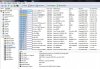
Damn the W110ER + 3610QM is a pretty powerful machine
-
Well.... I7 2600K Desktop, 4GB DDR3 (2x2GB) G.Skill Ripjaw 2133mhz.
Energy saving and RAM at 1600mhz (I locked at that mhz on BIOS. This energy saving can't be deactivated by windows SO, it's hardware locked to never use all performance), got less than 220K of memory bandwidth.
But even still, I think that crap from M$ isn't anything accurate, judging by all of their rate of the system...
While using official motherboard ASUS Sabertooth P67 software, I was getting a lot more memory bandwidth measurements.
Keep Cool
*** Official Clevo W110ER / Sager NP6110 Owner's Lounge ***
Discussion in 'Sager/Clevo Reviews & Owners' Lounges' started by Ryan, Apr 7, 2012.


![[IMG]](http://imageshack.us/photo/my-images/194/memset.jpg/)
