 Problems? See this thread at archive.org.
There are some cards out there that offer 4G service plus wifi, but I've never seen somebody report a successful installation, or unsuccessful for that matter. The cards are miniPCI-E just like the Sagers use, but they're typically only offered in Lenovo if I'm not mistaken. Can't remember the name of them either. I'll see if I can uncover the email with all the details I put together.
Edit: Found it! Gobi 4000
-
-
Wow that's cheap xD
Thing with doing that is that it'd be nice to have, but I wouldn't want so sacrifice the stellar performance of the Intel 6235. Pretty much every other card I've used is terrible. -
Yeah, my thoughts exactly. Everything I've read it seems to do the job decently well, but to pick up all those signals, I can't see it being exceptional at any one of them, rather mediocre at all. Speaking out of some place I shouldn't be talking out of though since I haven't seen anybody install it to test, but it's possible that it could be exceptional in the Sagers. Just don't know until somebody wants to try.
-
Yeah, I'm not saying it WILL be bad, but I'm saying I myself wouldn't want to take that risk. At the end of the day, it's not something that I need a lot and I can always tether with my phone at the end of the day. Although, since I have an unlimited data package under my network I'm not allowed to tether to devices, but yeah, if I wasn't on that network then I could.
-
Nice, two things though.. the W110ER is a mini PCIe slot and this doesn't include a sim card slot. but thanks for the link!
-
That Card is a PCIE Mini so it'd fit in the space alotted for the wireless in laptops, unless I'm way off base here. You're right no SIM but not every network requires a SIM card to access them.
-
There are two sizes, Full and Half. the W110ER only takes half height Mini PCIe cards. (like this http://www.ebay.com/itm/Option-GTM6...US_Internal_Network_Cards&hash=item2322846ecb) I was just looking inside and it can be done, but I'd have to shave some plastic off the Hard Drive bay.
This would work too https://techship.se/products/option-gtm671wfs/ -
Looks like that one might be a little more versatile usage, good find!
-
The only reason I am looking at this one is because it has a SIM card slot built into the device because the motherboard doesn't already have one as well as a Micro SD card slot. I am looking at the dimensions to figure out if this will work and I will purchase it if it fits!
-
Another thing to note is that it is 3G, I know Verizon for one doesn't require a SIM for their 3G phones but Sprint and AT&T though. My knowledge of carriers outside of Verizon is pretty limited though since everyone else really drops the ball with their coverage of Nebraska.
 So you might specifically need a SIM slot for your service but for others reading this it might not necessarily be required for your carrier.
-
I am on a company plan with AT@T. Adding a data device or a modem is 10 dollars extra and I have access to potentially 20GB of shared data. They said I could get a card like this as long as it supports HSPA/HSDPA and I would be good to go! Or I could just stick with tethering my iPhone.. choices.. haha
-
Haha, exactly. I'm a big fan of using my PDAnet and unlimited data plan from the glory days of unlimited data. Saves me a lot of money in the airport and lots of headaches of slow speeds in hotels. Every once and a while I'm even nice enough to offer it up to those around me if they ask for my password. My SSID is cleverly "Find me for the wireless key"
-
This is a $54 alternative in USB flavor. Me, I'm already paying for the iPhone...
Amazon.com: AT&T Sierra USBConnect 308 Shockwave 4G HSPA+ Modem: Computers & Accessories -
@hydra
I do still use the original TIM - it hardly can be called factory, since Mythlogic apply it themselves when building each laptop. And they claim to use something high quality like AS 5 or something similar, so I felt confident.
As for heat jumping all of a sudden - it's hard to see a trend here, since the conditions under which my W110ER has to work constantly change, because I travel and relocate all the time. Freezing Russian winter, hot DC summer, wooden desks, glass desks, IKEA coffee tables, different temperatures and humidity all the time. The shutdowns that happened while playing FC3 took place when I tried playing with my laptop's "back" to the wall in a basement with no windows - poor air circulation etc. Re-positioning the laptop to another part of the desk and propping it higher pretty much fixed the problem and I played another 3 hours with no shutdowns. In general - these shutdowns were the first time I encountered heat issues with W110ER in 10 months, I'll continue monitoring to see if they repeat.
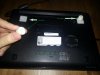
Re: coolers, I keep hearing that those are more or less useless so I haven't even tried them. I do have a ghetto system in place to keep the laptop propped up during gaming sessions at home though. Somebody in this forum suggested it.
-
Had my laptop for almost 2 years now. Thinking about upgrading from my GTX 560m graphics card to something better. What's a good step up from that?
Do you think my computer can handle the GTX 680m? I have an NP8150 with 16gb ram, 250ssd, and i7-2360QM CPU and I'm running Windows 8. -
Anyone know where I can buy a replacement keyboard
-
Yes, I have a useless U2 cooler in the closet. In my little mind, nothing beats a well designed thermal management system over any external cooler. But..I do use two of then on different laptops. The single fan bowl shaped cooler overpressures whole bottom of my W110. This does keep the PCH temps down and helps keep the drive/ram temps down for long term gaming. These coolers also trap dust and dog hair before passing the hairballs into the laptop, if you don't clean them.
The coolers tend to use cheap fans that cost more than just buying the whole thing outright. On my 17", it's easier to sit in the easy chair and use the cooler for a laptop table..for the 2.75 hours of battery life or on AC. I also found too much flow will disrupt or stall flow between cooler and laptop fan.
Matching your cooler to vents goes a long way in what usage you get, but yea, nothing beats the simplicity of just propping up the back of the laptop, no? This and using a ceiling fan helps keep the things ventilated on the warmer days as well. -
here is an even better run! imgur: the simple image sharer
So I am still testing the waters on this but I found that taking off the silver metal fan cover actually improves temps and makes the fan quiter.. the fan is somewhat already optimized for pressure so it makes sense. I got a max temp of 80c in this burn in test run!
EDIT: nope, doesn't really help much at all. -
This little machine has impressed me tonight! I'd only played Crysis 3 and Fifa on a 1080p TV. Crysis struggled and I thought fair enough its only a little thing. I've been importing my library from Steam and trying some other games at 1080p, literally the nly one i've struggled with was crysis 3!! It plays everything else pretty well at mostly high settings! Max Payne 3, Hitman are the mains ones i've tried. So so impressed.
Prema's Under Volt Bios is unbelievable as well! Temps never go over 70C and i'm +210 Core and +150 on the memory!! -
Yea, the more I think about it, the less I want to try the OUVC. UV has worked well in past machines where OV may or not cause problems with heat or cranky games.
@mardon, how does Cry3 run at native with medium settings?
I thinks it's a plot that not all manufacturers offer a universal e-GPU port?
I still have to travel with mine, which fits fine on a seat tray, so some games and OC will not... -
guys i need help
Should i buy this or wait for 700m Series which is coming out soon ? -
It's going to be a personal call in my opinion. There aren't going to be huge leaps in improvement with the next gen parts, so if you aren't hurting for a computer now and want the latest tech, feel free to wait. If you're needing a machine sooner rather than later, then getting the current systems isn't going to be a major detriment. Basically depends on how patient you are and what your personal needs be.
-
It runs around 40-45fps on a mix of High and Medium. It plays and looks great! Every other game i've tried plays fine at 1080p as well. Not tried the witcher 2 yet. Need to go home this weekend and get the install CD.
He1p.. from what I have read the W110er isn't getting refreshed. It will continue to be sold but as it is now. There is a 13 or 14" one coming out with a 700 series graphics card in the next few months. So really it depends what you're after. Portability or latest tech. I was very surprised at just how powerful the 650m is when overclocked. -
I recently installed windows server 2012 (since my university does not offer windows 8 on dreamspark for my major). The only problem besides bluetooth issues is Optimus. I can't seem to get programs to run on the GPU. The only solution I found so far was to change the registry key here:
HKEY_LOCAL_MACHINE\SOFTWARE\Microsoft\Windows NT\CurrentVersion\Windows\RequireSignedAppInit_DLLs
from 1 to 0
Now, I can launch the Nvidia settings window, and in the Adjust Window Settings with preview and it will use the GPU for this, as indicated in the system tray icon (although I can' remember if that was the case before), but I can't get other programs to use the GPU- only the Intel HD graphics. Any suggestions on getting it running properly in WS2012?
EDIT: Hmmm... google earth is using it so maybe it is working for certain programs. I can't get some programs to work, like sketchup. Still, any suggestions are helpful.
EDIT 2: Okay, it seems like programs will use the GPU if the option for autoselect is the 650M. Can I change this for certain programs in a config file somewhere? -
-
Yeah, the GPU is the fastest component to get outdated and is probably the only reason people will upgrade their machines. If Laptops had a universal GPU dock (which is pretty trivial to implement if the manufacturer is so inclined) then nobody would upgrade their laptops and worse, nobody will buy the overpriced gaming laptops. Manufacturers just don't want to give good GPU performance in "mainstream" laptops simply because there is a vested interest in forcing people to buy expensive gaming laptops.
Plus, NVIDIA/AMD would probably never back such an eGPU scheme since they will lose their high margin Mobile GPU market since anyone who's serious about graphics would simply hook up their laptop to a desktop GPU. -
Eh? People buy gaming laptops so they have a portable gaming machine. And it's not trivial to implement a universal GPU dock. It would require creating a new standard that can take ages and millions if not billions of dollars in development and then there's adoption by the manufacturers / OEM's. Even then, desktop GPU's are significantly more powerful than the mobile counterparts so users could game on the go on their 1080p screens and come home and hook up to a dual or triple monitor 2560x1440 LCD setup. Having an eGPU would be as restrictive as having a desktop PC. Plus nVidia/AMD would probably like it because they would end up selling TWICE the GPU's, a mid to high end mobile, plus a desktop card. If anything it would probably boost the desktop card market.
-
-
So my computer idles around 60-70 after repaste. Something is wrong....
Perhaps my laptop must be taken to warranty...
Where and how abouts do I do that? -
Me, myself and I would still want to upgrade my eGPU gaming laptop for chip set advances. I would still buy laptops with built in GPU for the mentioned portability options.
Agree that the cost of a universal port will be huge. The manufacture would then place the new combo eGPU/Display port in the same place the old worthless VGA connector was vacated from
Unlike Apple, a low cost eGPU/Display port adapter to VGA will be sold for those still in the need...
People are still going to keep their laptops a long as financially able, no? "How long will my laptop last" seems to be a popular question on these forums, eGPU or not.
The right manufacture who releases their line of laptops, with the new universal eGPU, would slam the gaming market as others race to catch up...and yea, Nvidia and ATI should be grinning ear to ear, no? -
Sounds like air bubble or bad contact. You did tighten screws in numerical order and all fully seated? I would try again and work slowly if haven't already...
-
It would open up a market for people who only like to have one machine which is both powerful and portable. I would imagine any number of professionals who would love such a setup. I am just wondering that the eGPU guys have been able to achieve so much despite their really ghetto and somewhat crude approaches, a manufacturer could definitely do what they do but with more finesse. Because, essentially, the eGPU guys are only asking for some kind of external PCIe lane extender with plenty of lanes to achieve optimal results.
-
Can people with the latest Prema Bios 1.5 of any variety check what their IGPU is doing. Is it clocking up and down? Mine is stuck at 650mhz and I can't seem to get it to change. I'm using GPU-Z 0.7.0.0
-
Is anyone else running Windows server? Can anyone offer me some insight? I know it's not an officially supported OS for optimus, but the graphics card is working for applications but only when the autoselect option is the GPU and not the integrated grapics. Changing any settings in the Nvidia control panel does nothing to change this.
Does anyone know how to manually change the auto-select option for applications? Is there a configuration file somewhere in the registry or application/appdata directory? Is there anything????? -
Mine has always idled around 60°C and I've never messed with the cooling system. Is that a problem?
One thing I've noticed is that the CPU never seems to go below 1.2 GHz (as seen with CoreTemp) even when the laptop is idle. (I've got i5-3210M). On my previous laptop it would dip to .5 GHz. I wish this one would do that so that it could turn the fan off when idling. Not a major issue, just seems a waste of power & noise. I already have the "minimum processor state" setting in windows set to 0%. -
You can make it idling at 800Mhz via Throttlestop using power saving function (tick box). But you already know that maybe..
-
As far as I know, only the Ivy bridge ULV chips idle at 800mhz, Throttlestop can force the regular voltage chips to 800mhz but the voltage won't drop very much so the power savings are only in the neighborhood of about 0.2W. This is really weird since Sandy Bridge chips all can idle at 800mhz.
-
Yes, the ivy bridge architecture may explain this...
-
I did not know that. (I'm very much a newbie.) Thanks for the tip!
-
60C sounds high, are you in a warm room?
My SB i5 hangs around 42C in different laptop. My i7 3610 hangs 44-46C with CPU package power 4W and below for reference. After gaming, I drop from high 80's then sit around 50C for long time but then drop back into mid 40's after chassis begins cooling down. Right now, 35 minutes after cold boot, 41C, 3.5W with fan running very slow using a flash light to look at blades.
Still using old 306.97 video drivers for reference, I'm also using HWiFo64 for logs. -
It always has been at 60°C regardless of ambient temperature. Plus I usually keep it elevated a bit to give some space under the chassis.
Did you change any of the settings in the Prema Bios Mod that might be relevant to your idle temp? I haven't installed that and am wondering if it might come in handy -
The uV mod mainly affects the GPU when gaming. Some i7 users see around 50C if you read back thru older posts; so commented on your 60C with 2 cores. Do you have HWinfo installed? I would be curious to see your idle power readings for reference. I know they have other dual core owners so surprised no one has commented on your post.
I can only suggest a re-paste and also check for fan at idle. I think I read that some owners mentioned no fan until higher temps. I had never paid much attention as I was late in ownership. I cannot tell you if my slow fan at idle was a BIOS or Window update via CLEVO. I can only detect it by directly looking thru fan vent when idle.
uV is very handy, as long as your GPU likes it, and some get away with small OC on top of that. See HT's thread where he also tested a dual core if you haven't..
BTW, you are referring to your CPU temps, not GPU right? In closing I thought of maybe something running in the background with your GPU always active...
edit
Shee, brain rot! I just looked at HT's old idle temp posts and posted is 60 to 64C before fan fires up. Sorry, I have lost track on when low idle fan was introduced or mine should/would idle at 60C as well. Anyone? You may need only the IME update if you haven't -
When a CPU is using the low power C States like C6, the speed the CPU is running at is not important. When idle, 1600 MHz or 1200 MHz or 800 MHz is not going to make any significant difference to power consumption or to the core temperature.
If you want to minimize your idle core temperatures, make sure your CPU is spending as much time as possible in the C6 or C7 low power states and you can ignore the MHz.
![[IMG]](images/storyImages/lowpowerc64cp.png)
The above screen shot is from a desktop 3570K but it gives you some numbers to shoot for. Doing something simple like switching a keyboard from a USB2 to a USB3 port improved the CPU Package time by over 30%. Maximizing C6 or C7 residency time is the best way to save power on a Sandy or Ivy Bridge CPU.
RealTemp T|I Edition -
So sad... My room is 21-Celsius.
I am not sure what is going on with my laptop. When I get back from Asia.
I will check with sager on the warranty. -
What FPS are people getting on The Witcher 2? I'm really happy with the performance on every game but this. Even crysis 3 runs above 30fps. The Witcher 2 seems more demanding even on Medium settings with an overclock i'm getting 24-40fps. I'm wondering if it's because i've copied the game files across from my old desktop rather than a fresh install.
-
I sold my Np6110 to get a G46vw a few months back. I'm happy with the decision but I really miss how small this machine is. Has there been any word on an upcoming 11-13" laptop with similar, if not better gaming specs?
-
What do you guys recommend for a laptop sleeve for the W110ER? I have a 13.6" netbook sleeve, but of course it is not a particularly good fit (too tight).
It'll be traveling inside the laptop compartment on my backpack, but I want a sleeve around it as well. I'd be devastated if something happened to it and am thinking of just taking my crappy netbook instead and leaving my precious W110ER at home. But if I can ensure its protection, it would be lovely to have with me. -
Curious, have you opened that G46vw up?
Laptops are fun when they are new and shiny. It's a year down the road when cleaning or drive updates become an issue. How does Asus recommend cleaning the fans other than a shot of air? Me myself and I will never, ever buy another laptop that does not have easy bottom access to major components without prying case open. At least give us a panel for easy drive swaps. To repaste my UL30vt, it's rip apart the old case, like my dusty old FX. I have a nice collection of broken plastic tabs
My point is why do laptop manufactures torture us so? -
I have not opened up the insides, no.
*** Official Clevo W110ER / Sager NP6110 Owner's Lounge ***
Discussion in 'Sager/Clevo Reviews & Owners' Lounges' started by Ryan, Apr 7, 2012.


