 Problems? See this thread at archive.org.
Good god, the LP116WH4-SLN1 model is $800 on ebay
-
-
Yeah it's bloody ridiculous. I hate sellers like that. I bet you they don't even have the screen. Screen is worth about £100 and not much more to me.
EDIT:
http://www.amazon.co.uk/20000mAh-Ex...57389&sr=8-2&keywords=external+laptop+battery
Looking at one of these for the Clevo on the go.
Now it's only supposed to support up to 65W, but when the Clevo isn't doing much (web browsing etc. - What I plan to be doing when using this) I don't see why this would be an issue. In addition to this, I could possibly get a power adapter that runs at 12V rather than 19V and maybe that would solve any power deficit. Do you guys think this will work? -
Does your friend take request for orders? I know the screen is crazy expensive on ebay. Its 800. Another site was selling it for a mere 500. LOlz.
-
This is the original post:
W110ER
He paid 55€
-
WOW XD
So, hopefully Studie's friend can help us out and will pester supplier again tomorrow.
So, no one has actually tried this screen mod outside of those Chinese forums before? People have said to me many times that they thought this screen transplant impossible, but this new information completely contradicts that. I really hope Studie is successful. -
there was a buyre who bought it for $103. usually the price is raised if the aint got the stock in. i guess its cheaper that way thrn ending auction on items you expect to get more supplies of. and then put it back down again rather than relist etc. but then again they really could have it at $800 but its an unrealistic price increase.
-
It's around 70$ if you live in China.
Otherwise you are looking close to $100 each from most sellers want if you live outside of China. -
Well either price is good for me. It's just a question of "can I get it?" xD
I am going to Hong Kong in a few weeks, do you reckon I could pick up one of the displays while there if I was looking in the right place? This /is/ considering I can only speak English. -
Here a review of that same screen:
Review HP Envy x2 11-g000eg Tablet - NotebookCheck.net Reviews
Also going to order one...stock screens viewing angles suck to watch a movie together in-flight...too bad there seams to be no matte version
-
LG Display LP116WH4-SLN1 Overview - Panelook.com
That screen is matte or at least "antiglare".
"LGD039E" is also listed under display on the review?
EDIT:
Sent another message to a different person at "Shenzhen Mild-Trans Industrial Co., Ltd.". Doubting I'm going to get a reply :/ -
There is no matte version. The LP116WH4-SLN1 is in fact the LG LGD039E (here SLN1 in W110ER):
![[IMG]](images/storyImages/tt6s.jpg)
![[IMG]](images/storyImages/uyey.jpg)
-
The plot thickens.
Good find, where did you get it?
Sorta sucks that it won't be matte but... I think I might sacrifice it... I've never /had/ a glossy screen before. You can get anti-glare covers for screens, right? They're not ultra pretty though which is an issue.
Can't immediately find the screen either which is weird. -
I have a few people in China, waiting for confirmation...
They say it is glossy but has a "silk" finish, whatever that means. -
Anyone we could possibly order from...?
-
Will let you know...
-
Thanks very much Prema ^^
-
I would definitely go for a better screen as well, If someone orders 10 or more, I'm in.
-
LOL, smacking myself for not waiting to buy the W110ER until the W230ST hit the shelves
Some of the posts sound like their old stinky W110ER’s are already on fleabay or in the trash cans.
My W110ER will get recycled as a small HTPC to replace my hot running UL30vt. Maybe next year…
Edit:
Count me in for a group buy for if ISP screen looks workable. -
There is nothing "old" or "stinky" about my W110ER. It serves a brilliant companion to my hulking desktop PC that I can take anywhere. While it has its flaws, it's in a smaller form factor than the W230ST which I all out prefer. I didn't want to go bigger than 12 inches and so I didn't. Were that a 12 incher I really would be kicking myself.
-
I hear you! Agree, just laughing at some of the posts...
-
The different mods that I could do with this laptop are beginning to stack up xD
Screen looks like it's on the horizon and I just found out that one can easily create an eGPU for the W110ER and massively increase the GPU power if I want to (man one of those new mini GTX 670s would be amazing for this!). Cooling can be improved with the copper mods and Prema has done a stellar job with the BIOSes.
Other two things on my list would be battery life and backlit keyboard. I can buy an external battery and likely will but really wish that there was an extended pack in existence. As far as backlit keyboard... well, I think I really have lost on that one XD -
Count me in for a screen if anyone can get their hands on the screen.
This laptop is not old. This laptop is the most powerful small laptop. The reason I like it is because I can carry it around and still game on it. If I get the screen, this laptop will be awesome. -
Are these Kingston 2133 mHz Ram sticks a significant improvement over my Samsung Ram (see in the sig)? Do I need to flash Prema's Bios with Ram OC capability to take advantage of the 2133mHz speeds or should it work Plug'n'Play on W110ER? Thanks, guys.
-
Got link?
Already BTDT with copper mods and running UV if you check my signature
-
The good old PE4H can run off of mPCIe!
Which means, remove your wireless card, replace it with either a wired connection or a cheap dongle, and you still have your internet access and a mass more GPU power.
PE4H ( PCIe passive adapter ver2.4 ) -
Let see, that's only pci 1x?
I would have to do a lot of homework. Unless we beat the bandwidth of the 650 then not worth it?
I was thinking PCI x16 but guessing here. -
Believe it or not, you can get 70% of a high end GPU's power out of a x1 link XD I believe you can get x2 as well over mPCIe but I'm not 100%. Don't ask me how it works, but even vs the 650 you can get a massive performance boost.
-
1. So I would be able to install an eGPU on this?
2. How much would that cost me?
4. How big is the eGPU?
3. Does it run via USB? -
Aside from the screen and everything I am still curious as to why my w110er will only go 65GFLOPS on intelburntest and never go over.
I always think there is something wrong with the power going to the CPU.
But since I've done many bios mods on top of it, I can't go back to the sager one and warranty the laptop.
-
1. Yes, as long as you remove the wireless card and add in the eGPU over mPCIe. You might have to modify the bottom of the W110ER so there is a hole for the cable to go through or something.
2. There are 3 components you need to make a DIY eGPU, it's much cheaper than buying an enclosure yourself:
- A PCIe GPU (Preferably one that has a significant power advantage over the 650, so at least a 650Ti or something like that which would amount to around £120)
- The PE4H, with the mPCIe adapter ( PE4H ( PCIe passive adapter ver2.4 ) - around £65-70)
- A suitable PSU to power your graphics card of choice. I would say you'd want a 250-300W PSU of a decent quality to power something like a 650Ti. Size wise, a quality PSU like this seems ideal: Be Quiet TFX Power 300W Small FF PSU: Amazon.co.uk: Computers & Accessories
3. The eGPU can be as big or as small as you can make it. The limiting factors will be your PSU and GPU. Now you could go for a full length 650Ti like the Gigabyte edition card, but it would be very large. You'd be saving yourself about £15. However, if you really wanted to try and make your eGPU compact, you could go for something more like this card here: http://www.amazon.co.uk/EVGA-GTX-65...UTF8&qid=1374227064&sr=1-3&keywords=gtx+650ti
This is a slightly larger 660 if you wanted more power: http://www.amazon.co.uk/Palit-GeFor...=UTF8&qid=1374227119&sr=1-12&keywords=gtx+660
That card will still fit under the 300W barrier comfortably.
4. I believe the eGPU does run via USB, yes. I'm not /quite/ sure what the USB connection is for, but I think it does. The graphics are handled over mPCIe though to my knowledge.
So for the entire thing you're looking at about £250ish. £120-135 for your GPU, £45 for your PSU and £67 for your PE4H. Now of course you can totally get a bigger lower quality PSU and a larger/less powerful GPU but I'd say that's the sort of level you'd want to be aiming for to get a good level of extra performance out of the system.
I think to use an eGPU you also need some sort of modified driver, I don't think this is system specific but I'd need to be reminded. There is a MASSIVE thread for you to read through on this here:
http://forum.notebookreview.com/e-gpu-external-graphics-discussion/418851-diy-egpu-experiences.html
There are some pitfalls with this system, but the technique has been about for so long, it's quite solid now.
Hope this has helped
EDIT:
If you really want you can buy one from Village Instruments, but there are some downsides to this that are covered in that thread:
http://www.villageinstruments.com/tiki-index.php?page=ViDock
Not sure this actually works with mPCIe though... -
I have them, they aren't as good as the Samsung Sticks, samsung sticks can achieve the same speeds at 1.35v as opposed to 1.5v that the Kingston ones require. The only reason you would get the Kingston sticks is if you are running Windows 8 which requires the Prema UEFI v3.0 bios. RAM overclocking is disabled with the UEFI BIOS so the Kingston sticks are the only way to get 2133mhz speeds. You use ThaiPhoon burner to alter the SPD profile on the Kingston sticks so they would work without any alteration with the BIOS.
-
I have the ViDock Express card adapter so I have the power supply already. Just need a mPCIe to PCIe adapter. I might buy one now to see if I can actually get it to work. I was under the impression it was not possible because that slow only passes through USB. I actually bought a USB adapter for it, and to my surprise, it does NOT work... so maybe there is hope
EDIT: I was looking at this KZ B24 PCI Express to Minicard Extender | eBay if it works, then I would buy something that has a cable connector that I could buy to mount on the bottom
EDIT Again: then I'd buy this http://www.hwtools.net/Adapter/PE4H.html (the PE4H) -
Thank you. I believe it would be best to hold off on these and just OC my Samsung ones.
-
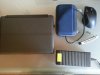
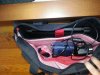
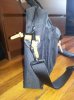
If anyone's interested in a computer bag for W110ER, I've just got Herschel's Totem (in Black) and it's excellent. It fits the laptop, large 120W brick, an external HDD in a huge shell-case, a large mouse, all kinds of wires and still has space to spare inside. As you can see in the pics the bag doesn't get bloated by it all (the outside pockets in the pic have a glasses case and phone charger in them, hence they stick out a little.
It's designed to just fit a 15''er, but W110ER sits snuggly in a laptop compartment, can be "strapped in" and doesn't slide back and forth at all. Pretty sure W230ST would fit just as well if not better, considering that it's thinner, but longer.
The build quality is top-notch, interior has unusual colors, has nice handles, looks quality and has several separate pockets inside and three pockets outside.

-
Anybody know where you can score a replacement screen for a 6110?
-
I presume you don't need the extra circuitry to go from x1 PCIe to mPCIe... But can you plug an x16 GPU into an X1 slot? I was under the impression you can't, so the PE4H is probably still your best bet.
First find what screen your W110ER has if you can still use it. Do this by clicking "screen resolution" on your desktop in Windows. It'll say the screen name next to "display". Mine is the M116NWR1 (or very similar) but I think there are multiple models that have been put into this 'top.
Once you've found that, slap it into Google. Ebay is usually a fairly good place to find displays like this. -
Bumping the thread!
Someone found a place to buy the screen
https://www.laptopscreen.com/English/screen-part-number/LP116WH4(SL)(N1)/
Wondering if these have literally just come into abundance or it was required to put (SL)(N1) into the search. -
It seems that the screen is compatible with LP116WH4(SL)(N1) and not that it actually is a LP116WH4(SL)(N1)...did you call them to confirm?
-
Nope but it can be done.
LP116WH4(SL)(N1 LAPTOP & TABLET LCD SCREEN FROM $34.99. Screen Replacement)
Amazon.com: LG PHILIPS LP116WH4(SL)(N1) LAPTOP LCD SCREEN 11.6" WXGA HD LED (SUBSTITUTE REPLACEMENT LCD SCREEN ONLY. NOT A LAPTOP ) (WITHOUT TOUCHPAD): Electronics
LG Philips LP116WH4 (SL)(N1) LCD Screen, Call for Pricing
LG Philips LP116WH4(SL)(N1) Laptop Screen
LG LP116WH4 (SL)(N1) Screen Replacement
And there are many more with the same keyword.
Any news from your possible supplier(s)? -
All those sites say something like "compatible" screen and don't promise the exact model, its the usual policy and its almost always another screen.
I would be very careful with those giant shops, the prices are far below the local Chinese market price of the real IPS version...
My friend in China contacted many suppliers, the first refused to ship abroad, the second had a single unit left, we placed the order and the screen fell during packaging and got damaged, now waiting for new quotes...
Made a post about the panel HERE! -
you totally can slap an x16 card in a x1 slot, you just have to cut the back of the slot open. The first link has that already done for me. And no extra circuitry is required.
EDIT: so I'll post why I post bought this...According to HWInfo, the slot for the Wireless lan card is PCI Express
http://i.imgur.com/9GEXCea.png
so this should have no trouble in theory
Also, since it's a Gen 3 slot (I assume) that will give me right around double PCI Gen 2 speeds.. I will get around 900MB/s bandwitdh versus all the other solutions that I used to use giving me around 500MB/s. That is enough bandwidth to play BF3 on a 550Ti no problems so I'm excited to one, see this work and two, use it for more monitors/ possible gaming. -
Gopher it?
-
Great f-ing find!! I would jump on this if money wasnt a little tight this month with unexpected expenses. All we need is the extension cable. 40 pin lvds cable. I think it should be cheap on ebay. This will be my project for next month.
-
Are you sure it's single channel LVDS?
-
Yep it's single channel LVDS. We have it working in W100ER, you can check it here:
IPS panel for W110ER
That shop above (as most others) just promises a "compatible" screen and since he offers it even below Chinese market price I wouldn't count on it being the IPS...
-
Wow. Prema got the IPS. Let us know which 40 pin cable you got. I will mostly mod this next month and take a chance with the screen from laptopscreens. Its compatible and IPS. Even if it is just MVA or PVA, it is still better than the one we have.
-
So my W110ER is currently running Windows 8 but I want to fresh install Windows 7 from a flash drive. I have tried multiple different .iso files, but everytime I start the installation shortly after it finishes preparing the Windows files (and the colored balls start to rotate around) I get a blue screen. The stop message included doesn't offer any information about what could be causing the problem. I've tried different flash drives and different .isos but every time it's the same problem. I'm starting to think it may be a BIOS update issue? But I'm not sure where I'd even begin if this was the case. If anyone could help me out I'd greatly appreciate it!
-
Yeah that's what I was saying about the LAN card ^^ Said it's totally possible to eGPU the W110ER Do a mod for the bottom of the system too so the cable can easily be removed and reattached.
Oh ing awesome, you've got the screen.
Please inform us of how good it is if it works! I just hope we can find a supplier :/ If there is anywhere in Hong Kong that I can try, please do inform me as I may be able to visit while over in China. -
The adapter will get to me in a couple days. Will update asap
-
You will want to contact that shop and ask if they can guarantee the panel, they have good comms.
*** Official Clevo W110ER / Sager NP6110 Owner's Lounge ***
Discussion in 'Sager/Clevo Reviews & Owners' Lounges' started by Ryan, Apr 7, 2012.


