 Problems? See this thread at archive.org.
Your problem is "Whitelist", solution is to clone f/w from the original onto new
(if resolution has been changed then adjusting for resolutions and timings - basically building a new EDID profile, then loading it onto the new screen)
If the screen was ordered from LaptopScreen Com this can be arranged to be done.
-
Ah finally a reply that sorta makes sense XD ^^
Does EDID apply with LVDS out of interest? It's usually something I hear about in relation to HDMI as opposed to LVDS. I'm going to assume LVDS is digital, just an older variation than DVI/HDMI.
So what you are basically saying is that I need to send this back to Canada O.O? Is there no way that I can do this myself without specialist equipment? -
prema, thanks for the reply. so mine is still using the old one? do you have a link on how does the new one look like? and whats the proper way of flashing/upgrading my bios? please help me. thanks!
il appreciate that a lot, a link or video tut will do
-
I'll save Prema the effort here.
W110ER/NP6110 | Prema Mod
Go to here and download whichever "v3" BIOS that you wish, whether it be UV, UOV or OV (password for the zip is biosmods.wordpress.com). Then follow the guide here:
FLASHING GUIDE | Prema Mod
The new one just has a bootscreen that has Prema's own branding on it. I quite like it, it's nicer than the old funny orb thing.
Enjoy! -
Whoa, same screen and number as Prema's? (LP116WH4-SLN1)
Prema did not mention BIOS update or whitelisting....
Shame that LS did not suggest before you shipped but you may have been first from that distributer for a W110ER?
Low-voltage differential signaling, or LVDS, is an electrical digital signaling standard...(shamelessly copied from Wiki) -
I have the matte LP116WH4-SLN 2, but we also have user with the glossy LP116WH4-SLN 1 and both don't have problems like that...
-
The screen could be faulty but how or why... I don't know O.O Definitely the right screen.
I can't find anything on this "whitelisting" issue even in general terms. -
The displays that LG makes for Apple contain a whitelist firmware and won't work if they don't receive the proper response from the Notebook side...
though idk why your screen would have a different firmware than the others from the same range... -
If I remember right, Apple don't use IPS displays in the Mac Air do they? I thought they were still high quality TN. Not to mention, Apple use CELL screens or whatever they're called, not that I know the difference, whereas this is a normal IPS LCD.
-
Im currently travelling and have a bit of a problem with my W110er. When gaming it keeps shutting off. It was happening now and again back in the UK but here in Korea where temps are higher its happening more. The GPU is only getting up to 73/75C and then the PC cuts out. What is causing this? The CPU is fine never going over 82C (usually in high 70s). I've turned everything off OC wise and have turbo disabled and am even running prema UV bios.
Any suggestions or ways of tweaking the cut off on the Nvida GPU? -
Oh yeah, that was just meant as a general info and not related to this IPS model...I think he just had a bad screen.
-
What are you using to log temps? Have you looked at your event logs, ERROR, for clues? You OC'd your memory, bad module? Your temps sound OK but things could spike.
Guessing here so hope someone can come up with something depending on what you find.
GL -
Ok here's a little more info. I'm running Windows 7 Ultimate 64bit, hyper threading is off, turbo is off and the bottom of the laptop is off also. I'm using Afterburner and throttle stop to monitor temps. No RAM OC but I did do a mem test on the RAM OC I was using and all passed fine.
Wondering if I should try the latest offficial BIOS. If I do can I still go back to Prema's UV Bios? -
Well this sucks :/ I suppose I can RMA the screen but I don't really know 100% if it's broken or not and I haven't been given any more information on screen firmware.
-
Helloo everyone
Im from Germany and bought my W110ER from XMG.
I bought it with the following specs:
- Intel i5-3230M
- 4GB RAM Crucial 1600MHZ
- No Harddisk
- No Wlan
- glare Screen
Than I upgraded to 8gig RAM, put my old Intel 6300AGN and Samsung SSD Basic 250gig in it. It's running very fast and fine
Yesterday I found a used i7-3610QM for only 85€ incl.. Will I get problems with my 90w PSU? Should I upgrade? How much battery life will I loose. Now its around about 4.5 hours.
thanks
Driftking007 -
That CPU should work fine with your existing AC Adapter.
You will lose a little battery time since the quad cores do take more power to run then dual cores but it should not be much. If you get 4.5hrs now I'd say you should still expect around 4hrs. -
If anything Prema's UV mod should help your situation, It's UV the GPU so it runs a bit cooler.
The part you mentioned about your laptop locking up now getting worse. This started happening out the box or what was changed or added before you first noticed the shutdowns? It sounds like you made a lot of tweaks here and there. I would put everything back to stock, including memory if you still have the old modules. Then stress test only CPU then GPU. You want to see what part triggers your shutdown. HWinfo64 is a good monitoring program and like some, will log to a text file. You could do screen shots and post here so that someone may spot something not right, like PCH temps way out of whack, or something else. Have you re-pasted? It could be heat pipes not seated properly. Failing CPU, new or used?
If all gets hopeless you might consider sending in to your service center? This because not sure how handy you are with screwdrivers.
EDIT, heck you just might have the rare GPU that can't under volt reliably. Yea, go back to stock, you can UV again, same version or newer. Read FAQ on Prema's site. -
BAM, dropped W110ER out of a car at a gas station last week.
Bottom lid opened up on a side and but didn't crack or anything. No visual damage otherwise except a couple of skuffs. Works fine, but every time I try to play demanding games, like Batman AC or Planetside 2, GPU temp quickly goes up to C 95 and it shuts off within a minute.
Playing the same games with integrated HD card causes no problems at all, with CPU temps being the same as pre-fall. Hence the conclusion is that something's wrong with the GPU cooling.
I don't see any visual bends or cracks on the heat sink or heat pipe.
Would love to get some ideas from you guys on what it could be before I start disassembling my heat sink, changing thermal paste etc. (problem is - I don't have thermal paste, screwdrivers or any tools whatsoever, experience of messing around with that kind of thing and most importantly - time, so I'd rather pinpoint the issue before I start wasting my work or leisure time) -
Double check that the fan is running in ample capacity first. With the stock thermal paste, it only takes a small fluctuation in the interface for the thermals to go completely off. Thats why I prefer to use IC Diamond, while it doesn't produce the absolute best temperatures, it can be very thick and still perform well.
-
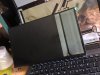
If your wondering how my screen came it was like this...
-
What diagnostic tool should I use to log it? And also - what's the default speed for the fan on W110ER (not UV'd BIOS)?
Simple observation is that the fan starts spinning loud as soon as I engage the GeForce and continues to do so until GPU reaches C95 and shuts down PC. Interestingly enough - CPU's temp runs the same as before.
Thanks. -
Use Fn+1 then make sure your fan isn't vibrating or shaking. I personally think the main culprit is a slightly displaced GPU plate
-
Ah dude that sucks. I haven't got any further with mine. Thankfully mine doesn't look full on broken, I just wonder what I should take as a next step to try and diagnose what is wrong with it. Very strange that other people have had no issues.
-
Ok, I'm ordering a LP116WH4-SLN1 from LaptopScreen.com as soon as they come back in stock. Seems like we've known this was the right screen to get since February or so but can only order it since July or so (I check back in on the whole W110ER/IPS thing every couple months). It looks like LS has the extension cable for sale direct when you order the screen. Hope they restock soon and hope I don't run into any issues...
-
Thanks. I'll check the FN+1 once I'm in a quieter environment, but it seems like removing heat sink and repasting is the only thing I can try right now.
-
to htwingnut and prima or to all of you guys who can help, :hi2:
currently i bought and swapped my 1TB stock hdd to a corsair force gs 240gb ssd and also bought 2x4gb corsair vengeance sodimm 1866mhz CL10 speed. im looking for the one 1600mhz spec but the stores here in my location doesn't have stocks of that kind. so i opt and got the 1866mhz.
now here is my question, if im going to and install or update to prima's modded bios (latest) to be specific, will there be an option in the bios to lower down the speed and latency of the memory sticks that im using right now? instead of overclocking? the reason behind is that im already ok with the 1600, i just want to utilize the lower latency like around 8 or 9 maybe instead of having it at CL10. can you help me guys? anyone?
inputs, opinions and especially tuts will be much appreciated like how to's... htwingnut or prima, help
-
The prima BIOS does have the option to set the memory speed yourself to a higher or lower setting. You can select a pre-defined profile that is built into your memory or you can set each number individually if you want. You don't have to worry about breaking anything provided you do not play with any of the voltage values. The worst you can do is have to redo the BIOS because you had to reset it by pulling the BIOS Battery cable next to the hard drive bay.
From stock PRIMA BIOS it should boot to a safe value when you put the sticks in. I would follow the PRIMA instructions closesly with your stock memory and once you are sure the BIOS has loaded and been reset to defaults you should swap the memory sticks and change the settings. -
FYI LaptopScreen.com says 4-5 weeks until the LP116WH4-SLN1 is back in stock...
-
Are you using the 90 watt or the 120 watt? The 90 watt will not work with your setup. Once you start to draw more amperage that is capable by the power adapter, the voltage will start to drop enough to the point that it'll cause the computer to just suddenly shut off/I also see the laptop do it to itself sometimes if I am using a high quality 90 watt adapter.
Speaking of adapters, I tried my friends 180watt from his Asus and the W110ER. I am still doing some tests to see if it's worth buying one for my W110ER/possible W230st
-
Only if you have issues with the 120W adapter when overclocking.
-
Hey, I accidentally spilled a few drops of 5 hour energy on my keyboard. Thought there was no sugar in that stuff but now a few keys are sticky. Does anyone know how to go about removing the keys in the W110ER keyboard (so I could clean underneath them)? Or any other home remedies for sticky laptop keys? I checked the service manual but it only shows how to remove the entire keyboard as a unit, not individual keys.
Thanks! -
Does anyone know where I can buy this laptop in the US? I've searched on google everywhere. All the ones on ebay only ship to the UK and all the big retailers don't have them in stock. Can anyone help me out?
-
These did not get refreshed by Clevo after the Haswell CPU"s came out. We are not able to get them anymore since they dont make them now.
-
I get daily eBay updates showing this model available every few days, from the US. The most recent sold over the weekend.
-
Q-tip and cleaning alcohol.
-
Are you talking about just cleaning around the key? Or do you mean use q-tip and alcohol once the key has been removed? If so, how to remove it? Just pry it off?
-
Hopefully this may help. Credit goes to Electric Shock who provided the information below on 9 Aug 11.
All you need is a small screwdriver or any other small, hard object that you can use as a lever. Start at the top left of the key, pry it up gently, then pull backwards until the key twitches slightly. That's the keycap connected to the scissor-switch. You want to pop the keycap off and leave the spring below in place. Pry upwards gently, and the keycap should come lose. If not, try pulling the screwdriver a bit farther up (you need to by prying on the last tiny bit of the keycap.).
After that, do the same thing on the left corner too, and the keycap should just pop off. Note the two little clips on the bottom of the upside down keycap above -- those are what you are trying to detach. Check the spring below (it should be connected on the two top corners). -
I'm having an issue where some games make my computer shutdown after only 1-3 minutes of play. When monitoring temps, I'm seeing that my GPU temp spikes to around 90-95C almost immediately upon entering gameplay. The fan revs up to max and then the computer shuts down.
I'm using Win8 and I haven't modified the BIOS, overclocked, or anything like that. The computer is propped up, I don't think a pasting issue would make the heat spike like that, and I've made sure to clean out any dust. Does anyone have any ideas?
[EDIT] Someone else in this thread had a similar issue, fixed by Prema's UV BIOS mod. I flashed it myself, but issues persist. -
When i had this problem, only repaste solved the problem since i had only the stock paste, and it came badly applied. I then tried everything, then after i applied Artic silver 5 my temps dropped.
-
Holy cow, that worked. I repasted with a generic thermal paste and it made around 25-30C difference! I had no idea that it made such a dramatic difference. I also have no idea why the stock paste degraded so quickly. I've only had the computer for less than a year and a half and rarely opened it up. Strange =/
Thanks! -
Thats a huge difference. Did you also have dust built up on the fans and vents that you cleaned out? That will block proper air flow and will result in high temps. Its a good idea to open it up every 6 months or so and clean those out.
-
Yes, dust was my initial suspicion so I cleaned that out last night. I was then getting temps of around 90-95C after <1 minute in Total War Shogun 2 and Minecraft (!). I repasted this morning and I'm now getting more reasonable temps around 65C-75C after about 10 minutes of gameplay.
It was the GPU with the super-high temps, not the CPU. -
Those new temps are great especially with generic thermal paste :thumbsup:
-
No problem, glad to help!
At that time, I couldnt keep playing a game for more than 2 minutes before the temps hit 90 and it shut down by itself for heat protection. I opened myself, repasted and had the same temp drop as you are having now. -
Does anyone have any clue where I could get the datasheet for the LP116WH4 SL1N? I have the datasheet for the M116NWR1 but I need the one for the new screen too. I still haven't had a breakthrough in terms of getting this thing working. Still no clue what's actually wrong.
-
Thanks for the help, although on all 3 of the keys that I needed to clean (F8, F9, and 8) the clips were on the RIGHT side not the left. So prying up anywhere on the right side of the key was the easiest way to get it off.
Thanks, this did the trick!
-
Having the same problem on my screen as well!!
-
EDIT: scrape that post, I was wrong...
Why don't you try the matte SLN2 (the one I got)?:
http://www.ebay.com/itm/NEW-LP116WH...ABLET-LCD-SCREEN-LED-A-1366x768-/321153322252
It's almost half the price of what I payed for it
-
I am not buying another screen after this one... I have given up!
-
That's some sort of comms issue to the screen yes
*** Official Clevo W110ER / Sager NP6110 Owner's Lounge ***
Discussion in 'Sager/Clevo Reviews & Owners' Lounges' started by Ryan, Apr 7, 2012.


