 Problems? See this thread at archive.org.
I put a microfiber cloth between the keyboard and screen. That’s about it. It’s enough to keep the screen from getting finger smudges.
-
I got this from Eluktronics with the laptop and I use it when I am not gaming.
![[IMG]](images/storyImages/593206feee7adfd47eb3c35f1b28ee6c.jpg)
Sent from my OnePlus 7 Pro using Tapatalk
![[IMG]](images/storyImages/5fbbbb4669d3431b3a8f2bc87add140c.jpg) raz8020, Papusan, DreDre and 1 other person like this.
raz8020, Papusan, DreDre and 1 other person like this. -
Unless you’re taking it with you on a plane and it’s in storage being tossed around that’s good enough. I think the only type of machine I’d want a screen protector is a Surface Pro Tablet. But those things are just so terrible to begin with I’d rather buy a MacBook first.
-
My only fear with such plastic bags is the amount of static they create.
-
My SSDs have been running strong. Could you tell the exact scenario when they crapped out on you? Hopefully Microslop didn't mess things up. They have rolled out some really controversial updates recently that I would not want on my machine.
-
This is interesting, is there a way to get a custom full color image set on a vinyl wrap or cerekote the lid with a photo?
-
I have one that's free. Look for it in the forum
-
Ive never looked into it.
-
In both cases, it was immediately after updates were installed on a 20H2 crash test dummy OS that gave the Redmond Reprobates unrestrained updates access. Upon reboot to complete the updates a disk check commenced, ran a long time and upon completion the NVMe SSD was borked. The first time was on my larger desktop. It took out 2 of them at once (simultaneously). The second time was on the smaller desktop under the same scenario, but only one was affected. I don't know which update it was, but guessing it was their scheduled monthly cancer dump.Clamibot, Papusan, raz8020 and 1 other person like this.
-
Indeed. Linux is often a lifesaver. I haven't forgotten how useful it was to repair Alienware and Clevo LCD panels that had their EDID corrupted by Windoze OS X. It was awesome when @t456 shared the fix for that with the community.
I was able to use Linux to repair the two Samsung 1TB Enterprise 22110 NVMe SSDs, so it was not a complete loss. It could have been had I not saved the parts long enough to find a solution. I almost threw them away, but something in the back of my head told me I should hang onto them for a little while. I am glad I did. The firmware partitions were corrupted and caused the drives to enter "ERRORMODE" status because the firmware became inaccessible.
The 512GB Eluktronics (rebranded Intel) 2280 NVMe SSD was damaged beyond repair. Neither desktop will POST with that drive installed. The mobo will power up in both systems, but it never goes beyond that point with the Intel SSD attached.
The Intel and one Samsung were the pair that were initially killed. The second Samsung corruption came a couple of weeks later on the second system.
Samsung SM963 960GB M.2 to 1GB issue!
It was repaired using the Linux nvme utility
Running the terminal command (# smartctl --all /dev/nvme0n1) produced the following errors. Note the firmware version.
Running the terminal command to format the device (# nvme format /dev/nvme0n1) fixed the problem.
After a full shutdown and cold boot, both Samsung Enterprise NVMe SSDs were alive again. I am using both of them without issue.
Note: Linux enumerated the drive as nvme0n1 on one system and nvme0n3 on another system. That part of the command is specific to the installation scenario.
I do not know if the fact that the Samsung NVMe parts were designed for Enterprise applications had anything to do with them being repairable or not. Unlike a normal SSD, they do not support writeback caching to improve performance. They are designed for maximum reliability, not maximum speed.Last edited: Feb 17, 2021Clamibot, Papusan, Larry@LPC-Digital and 2 others like this. -
Sorry if this is a silly question but how are you guys setting FN+F1 to set max fans ?. As all it does on mine right now is turn off the trackpad
Mr. Fox likes this. -
-
Thanks i feel like an idiot now lolraz8020, Papusan, Terreos and 1 other person like this.
-
You shouldn't. I haven't owned a Clevo for a while and when I first got the X170 for mod development from @Donald@zTecpc I did the same thing. Nothing happened and then I remembered... oh, yeah... 1, not F1.raz8020, Donald@Paladin44, Clamibot and 4 others like this.
-
You're not the first to get the key combinations mixed up and won't be the last.
-
What's really nice is when you memorize them and then they eliminate or change them. More often than not, the documentation on the key combos that are brand-unique is not widely published. They are often not mentioned in user manuals for some reason.
-
Any long time useage experiences around? Regular and or prema modded?
How do you guys like the fan noise?
How fast did your paste dry out, if at all?
Hows the anti dust fan working after all this time?
Worthy purchase?(4k usd regarding new hardware released few months after) -
I was told by @Donald@zTecpc I was one of the first few X170’s sold. So I’ve had mine as long as you couldn’t had one with Prema bios.
Sooo. . .Prema
Low hum at idol or doing light work. I max the fans out during gaming and wear headphones. It’s not high pitched, but make hearing the quiet noises in games a bit hard to hear.
Still getting rock solid thermals. I won’t swap out the paste until atleast one year at this rate or if I can upgrade the 2080S to a 3080.
So far they seem good.
After it was all said and done mine was shy of $4k. And ZTecpc really makes this a worthwhile purchase if you’re the kind of person that wants the best money can buy. That being said there are rumors that 3000 cards will be coming to this machine and Intel may have upgraded CPUs soon. So I’d wait atleast until the 3080 is available if you can. Right now it seems the 3080 at 150w can perform as good if not a bit better than a 2080S 200w. Plus it will also have more onboard RAM and maaaaaybe resellers will turn up the Wattage on the cards a bit. If they do it will definitely be faster than the 2080S. If that’s the case I will definitely be retiring my current desktop and my X170 will be my powerhouse machine. -
Which cpu do you use and what's your gaming temps? I returned mine due to too loud fans, perhaps premas and donalds x170 can get those quieter?
-
I’ve used both the stock BIOS and now own true Prema version. Huge difference for the better with Prema.
Laptops were the same, i9-10900k, 64GB RAM, RTX 2060.
Stock is fast, and when using CPU intensive programs, the jet fans turn on. Which is almost every time you use it, unless you’re just browsing or checking your email.
For me, CPU intensive programs running at the same time are: photoshop, Adobe illustrator and acrobat, 20-30 Chrome tabs, Word, and Jarvee.
The Prema version seems faster. Must be the i9-10900k unlidded cherrypicked all binned 5.0 processor. With @Mr. Fox and zTecpc goodies.
It is noticeably faster, and when using CPU intensive programs, the fans almost never come on.
Prema makes a big difference, not the end of be all, but a big difference.electrosoft, raz8020, Mr. Fox and 4 others like this. -
What kind of temperature drop did you experience?
Due the 2060 being capped at 115w it shouldn't have been too high before as well right? -
10900k delidded
@Colorme hit the nail on the head with his explanation. But when I had the CPU overclocked to 5.0 all core it was in the 80’s in games. Pushing 90 in Cyberpunk. I run it stock right now and I’m actually gonna be messing with it again these next few days. But it runs rather cool during games at stock. 70’s on the CPU and 60’s for the GPU.
Prema bios lifts a lot of limits and keeps the machine from throttling. @Mr. Fox ‘s mods and delidding really help tame the CPU. @B0B said it best in his video. ZTecpc is the best place to get it as out of the box stock this thing throttles baaaaad.electrosoft, raz8020, Donald@Paladin44 and 4 others like this. -
Mine back then wasn't throttling at all, the only throttle was me capping it at lower ghz to kill fan noise, at that point however a regular turdbook was superior for half price.
4.7ghz was running at 85 degrees, gpu at 72 during dayzDonald@Paladin44 and Terreos like this. -
Yeah I can safely say mine runs higher boost while running a good 5-10 degrees on the GPU and CPU respectively. Plus my GPU runs a +75mhz core +800mhz memory overclock.raz8020, Donald@Paladin44, DreDre and 1 other person like this.
-
On the stock bios it ran into the 90s C, under a 70 degree F office.
With the Prema bios, stays around 78-80 C. Sometimes just the low 70s C.raz8020, Donald@Paladin44, Mr. Fox and 1 other person like this. -
I can only comment on a few things..... I have a closet with rack servers and a Dell Powervault so if you are use to the noise from fans in actual rack servers, the fans on the X170 is similar when they are on high, but when you don't need the fans, it is as quiet as a normal laptop. As far as 4k..... I have the RTX2070 and the 4k 60hz screen. I only occasionally game so it is not a big deal to me, but I will be upgrading to a faster 4k screen when it is available .Donald@Paladin44 likes this.
-
Any news yet whether XMG and PREMA have made progress in the conversation becoming a PREMA partner?raz8020, Donald@Paladin44 and Mr. Fox like this.
-
I haven't heard anything other than the speculation/rumors mentioned by others. If @XMG hasn't commented to say it is not true, then anyone's guess is as good as mine. I haven't asked @Prema because (a) I don't want to put him in an awkward position because we are friends, and (b) I don't want to have to keep a secret if the rumors are true but not appropriate for public disclosure.
-
So the "fox" steals our eastereggs already
 little early isn't it? Surprise factor is great, unless it will be decimated and a bunch of us will leave the dtr boat since interest of companies reselling somehow only sits at high selling numbers of turdbooks here in europe.
-
I've been in touch with @Prema for a while now and I have to be honest, I haven't talked to a cooler, more trustworthy and down to earth person before in this community in almost 3 decades. I suggest to everyone that even if there are rumors, just wait until he decides to make an announcement himself (that is, if there is any such thing in the first place). If he is not announcing then there must be a very good reason for it. The guy absolutely knows what he is doing and being a thorough gentleman that he is, he should be trusted by everyone and he should be given the utmost respect that he absolutely deserves. No need to flow with the rumor mills when we have this kind of people still working and active (thank God!)..Last edited: Feb 18, 2021
-
I just love coming back to this thread only to be about 10 pages behind. To me that says there’s some popularity for the X170.
It’s easy to test, review and move on but I try my best to snoop around the forums for laptops that I’ve reviewed.
Happy to see an active community posting their experiences. -
Nice! I miss LM videos but the comment section often dictates the direction of the channel.
LM wasn’t a realistic expectation of thermal performance, especially at the time I was making those videos.
Times are slowly changing thanks to factory applications occurring from companies like Asus. -
Yeah ive seen you say but for me it dropped temps on mt i7-9750h by 20c. Id like to know how ASUS have applied it. And if it's been done properly to mitigate longevity problems.
-
Id like to see how they prepare the heatsink. The CPU is only half the job.
-
-
I mean the application to the heatink. You can just put the heatsink on like you would with normal thermal paste. The heatsink needs liquid metal applied to it as well.
-
That’s more necessary with bare copper since some of the LM will get absorbed. With nickel plating it doesn’t really matter.
-
Both sites need to have liquid metal applied to them or you will not get good thermal conductivity. Regardless of the materials.
-
Yes, it does matter even with nickel. If you leave one side dry it will not work correctly. Assembling it with both sides wet also allows use of less liquid metal and reduces the possibility of leakage from over-application. I know this because my desktops have nickel-plated parts and liquid metal doesn't work right unless both halves come together wet the same as copper. The temps are also lower and more uniform (less variance) across cores when I apply it to both surfaces because there is no possibility of areas with poor contact that make hot-spots.
-
I've de-lidded desktop CPUs with the stock Intel nickel-plated IHS several times, it didn't make a difference whether LM was applied to the IHS or not.
-
This is what my previous i5-8600K looked like when I first de-lidded it. The reseller made a huge mess and didn’t apply LM to both surfaces. They didn’t even bother to scrape off the original Intel glue.
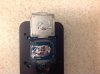
After I did it properly, cleaning off all the black RTV and applying LM to both sides, I didn’t see any temp improvement. -
You can see the poor contact regardless because of the high surface tension. Even with the huge amount of it on there. If something is worth doing its worth doing right in my opinion.
But go with whatever you are happy with and works for you. -
There is more than one way to skin a cat, and as long as you get the results you want that's what matters. I have run into less than ideal results applying LM on one side only, especially between the IHS and heat sink. (I am not referring to under the IHS. I have never tried applying to one side under the IHS.)Papusan, Terreos, electrosoft and 1 other person like this.
-
It's going to come down to contact and fitment, wetting both sides will probably help if fitment is slightly off. I've not needed to on my GPUs.
Papusan likes this. -
The purity and cleanliness of the surfaces also comes into play. Nickel tends to be dense (non-porous) and easy to clean. Copper is usually porous, easily contaminated and difficult to thoroughly cleanse. I have seen numerous times when liquid metal is applied correctly to just one surface, and upon later disassembly, the liquid metal is still on the surface it was applied to while the adjoining surface has hardly any evidence of contact with liquid metal due to repelling qualities of the mating surface. This is especially true in cases when that surface is raw copper that hasn't been polished or hasn't had sufficient opportunity to soak up liquid metal to improve the quality of its contact area.
Judging from the poor coverage/contact captured in the photo I posted above (from the video) it would appear ASUS is only applying it to the CPU die. Notice the dry/bare spot in the middle?
Last edited: Feb 18, 2021Papusan likes this.
*** Official Clevo X170SM-G/Sager NP9670M Owner's Lounge ***
Discussion in 'Sager/Clevo Reviews & Owners' Lounges' started by Rahego, Jan 10, 2020.


