 Problems? See this thread at archive.org.
Which contradicts s.k. statement. Without heavy modifications such as binned chips, near thermal perfections and prema bios you won't see any close of quiet doing heavy workloads. The machine is super loud without any of those. Headphones are a requirement.
"Near 100C with thermal throttling going nuts pretty much the whole time"
There must be a underlying issue here, 100 degrees isn't normal.
-
-
We can edit the GPU voltage curve via e.g. MSI Afterburner.
This man is asking the right questions!
The above CC implementation in that non-Clevo model has replaced their (TF) usual Overboost bit with a variable DB2.0, hence the 115W + 5W~15W
I am not aware of Clevo doing something similar on the CCC for the X, but I could be totally wrong as I haven't looked into the software part, yet.
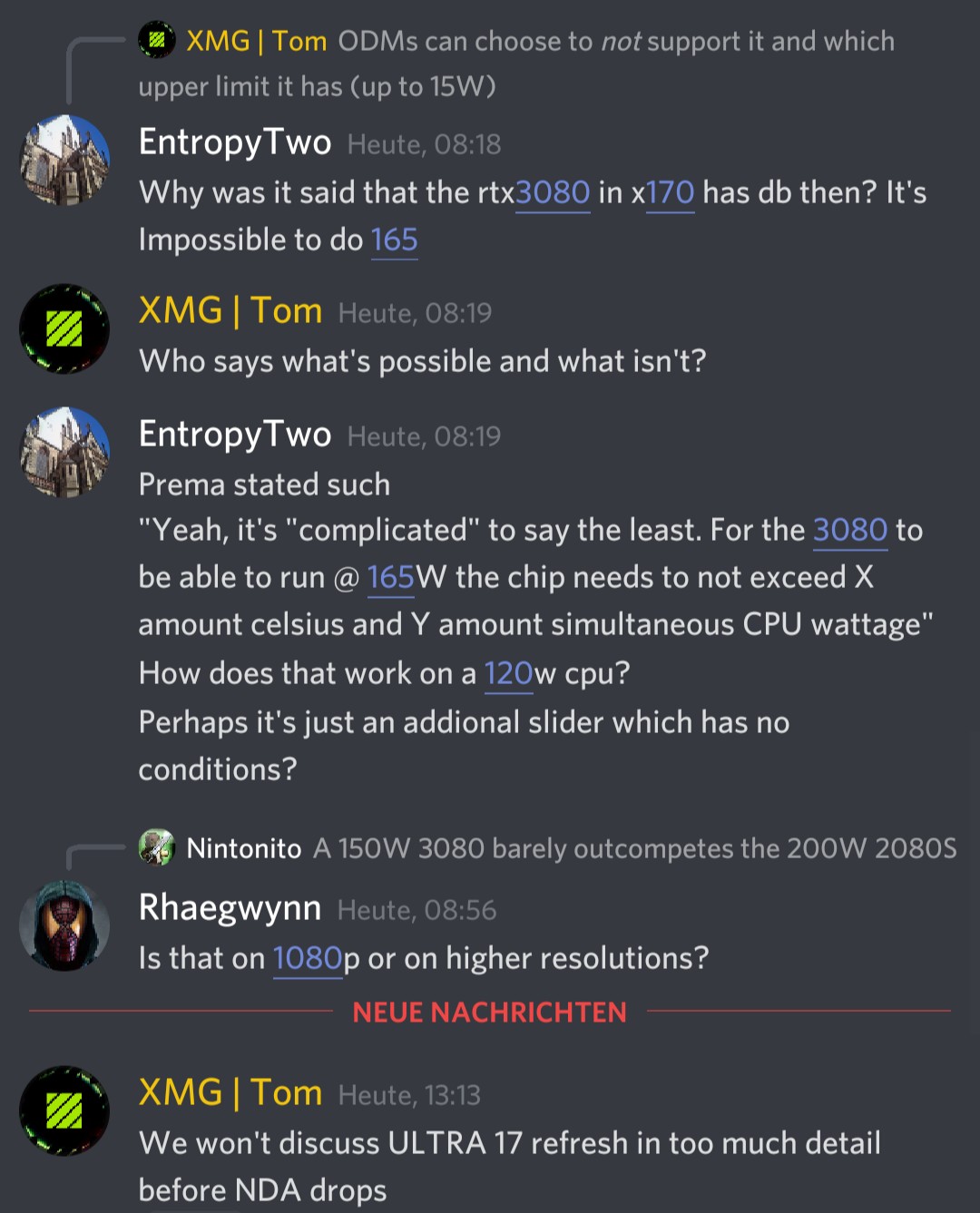
The way I see DB2.0 implemented here on firmware level is 165W (150W + 15W) until #LoadStorm (combined load limit/temps exceeded).Last edited: Mar 13, 2021 -
Unless DB 2.0 is simply not used in the x170
-
How is that? Let's say he gets all 10 cores running at 4.3 GHz and as he has mentioned he needs more than 64 GB of RAM - which other laptop does that?
-
Have yet to see a 30x0 vBIOS without it.
(At least on the X170KM DB2.0 it is present in vBIOS, BIOS & EC code)
The alternative for ODMs to not use DB2.0 may as well be 150W + nothing and not "set whatever limit you like",
so instead they are going with 150W + 15W (fixed) like on the X or 5W~15W (variable) as TF is doing it.Last edited: Mar 13, 2021 -
Wild guess judging by xmgs statement
Attached Files:
jc_denton likes this. -
-
No, I haven't tried that. The only mods I've made are undervolt cpu 100mV and boost ram to 1.3V (up from 1.2V) for stability. Are you talking about decreasing the clock frequency in Prema mod? In stepsbof what? Thanks!
-
I have mine delidded from zTecPC and it's rated to run at 5.0 GHz at 1.310V. I can run it at 5.0GHz all the time if I wanted and I'll never see above 90 in the games I've played. Ask anyone that bought this machine stock without a delidded 10900k and they'll tell you the nightmare it is to keep it from thermal throttling. In my opinion if you want a 10900k it NEEDS to be delidded at the very least to even run in the machine.Well worth the investment in my eyes.
-
Mine is delidded and still thermal throttles at 4.85 GHz under heavy load. (See task manager shot above)Terreos likes this. -
Man that’s so close. That really puts into perspective the benefit us ZTecpc buyers are getting since ours come with some added modifications to help it run cooler. Like I mentioned I can run 5.0GHz all day without any throttling.Colorme likes this.
-
Interesting how all of this 30x0 news just came to my attention right as my tax returns were in
1610ftw, electrosoft and Papusan like this.
-
I remember seeing someone doing a comparison that showed that the thermal mods from zTecpc gave the X170 an additional 50 watts of headroom over the stock configuration. It's a significant difference.
I wonder if someone is going to make a water cooling heatsink for the X170. That would be sweet. -
https://www.cultofmac.com/454276/macbook-pro-teardown/
The most interesting revelation? The laptop’s new speaker grilles don’t house new speakers, but may instead exist purely for design purposes.
The ‘grilles’ are seemingly cosmetic, maybe to unify the product line.”
You like fake design over functionality? Good sound can be made without putting the speakers on the keyboard deck
 jc_denton, Spartan@HIDevolution, raz8020 and 2 others like this.
 -
Such as? I'd be interested to hear ideas.
Thanks. -
Perhaps not enough pressure on heatpipe? Uneven? Bend? Bad thermal paste, fans not working.. can be alot of things.Papusan likes this.
-
Others may differ in opinion but running your X170 with the CPU over 80 degrees most of the time is not a good idea if you are looking for longevity, you will want to avoid that.
I would get ThrottleStop which I am familiar with and just set lower turbo ratio limits:
You can check before and after power consumption here in the last line:
For testing you might want to work your way down in steps of 100 MHz to see what that does to your temperatures and power consumption.
If your X170 is throttling anyway you will probably not see much of a performance penalty even if you go down to 45 or 44 with the turbo ratio.
With lower multipliers you may also get away with a slightly more aggressive undervolt of 125 or 150 mV. You could try that, too but better leave it for later.
You should do some reading about ThrottleStop and there is a very extensive thread in this forum but if you want to get things done quickly I found this guide a good choice for newbies wanting to get into it:
https://www.ultrabookreview.com/31385-the-throttlestop-guide/
This should tide you over and allow you to get low enough temperatures until you figure out if there are any other underlying issues that cause your CPU to get that hot.
You seem to have a very CPU intensive workload that probably puts more stress on the CPU than most games so not sure how much of your issues stem from less than perfect fit and silicone and how much from your specific use case.
In any case I would also prop up the laptop at an angle to allow for better airflow if you have not done so before as that also increases ventilation and supports the evacuation of hot air from the case and I would definitely look into finding a good cooling pad for it unless you also type on it and typing gets uncomfortable with a pad. These are usually not dead silent but the cooling they add lets you either get lower temperatures or you can dial down your own fans a bit so that in summary you should get better cooling with the same noise level or the same cooling with less noise. -
Why doesn’t that surprise me?
Well atleast in my experience very few laptops have good sound. The X170 is kind hard to mess up with how large it is.
My main issue with the downward firing speakers is I’m not always at a desk. So if I’m sitting in bed or on a chair with it in my LAP they sound aweful. But as I’ve experienced with the MAX-17 most laptops just have quiet speakers. Which shouldn’t be a thing.
I kinda miss the old Alienware which the speakers coming out the front. Those sounded pretty good. So I guess really it’s just the fact things are to stinking thin.
-
In the past speaker quality was important to me, which eliminated a lot of laptop choices, but now I just use a headset when on the move and quality external speakers when the laptop sits on my desk or coffee table.
electrosoft likes this. -
I can attest to that. Sweet power and no throttling.
-
Long term I'd worry more about the VRM than chip health.raz8020 likes this.
-
Silicon chips are quite robust. They can run at over 100°C 24/7 for years on end. They are by far the most resilient component in a computer.
I'd say the concern of high CPU temps is blown a little out of proportion. There are other components that will blow at temperatures much lower than what a CPU can take. I'd focus on those first.raz8020 likes this. -
Depends on clock speed, voltage and temperature in combination. But running your Cpu 90-100C 24/7 it just means the VRMs will run at higher temp. If the OEM went for cheapo MB components/cooling it will be an too earily goodbye with your laptop.
Inside Intel's Secret Overclocking Lab: The Tools and Team Pushing CPUs to New Limits. Intel's engineers explain oc'ing, voltage etc..
PAGE 7: 'Safe' Overclocking Voltages and Techniques -
Heat cycling is going to impact things more imo.
-
70°C 24/7 seems about perfect then
-
https://space.bilibili.com/6117302/dynamic
Are this legit? If so....Good news for the ones with older Clevo P7/8 - Gpus same form factor as the 20xx series (there are some coils and VRAM position changes but nothing major).
Very small difference in the middle heat pipe (from what I can see still no vapor chamber for CPU)Last edited: Mar 15, 2021Clamibot, Papusan, jc_denton and 1 other person like this. -
https://www.3dmark.com/spy/18988094
Some Time Spy for the KM with 3080Last edited: Mar 15, 2021 -
Saw this yesterday, I expected a bigger difference compared to the bga throttlebooks. I really hope that we can up the tdp somehow.
-
As I said in an earlier post, the thing is that mobile 3080 is actually GA104 not 102...so I still believe not much will change even if somehow you ,,bless” it with 200w. But in all fairness, from what I could tell from the pics, build quality looks good (even dough it is a 3070 - GN20-e7-A1 is 3070?), so in theory it could take 200w.
Last edited: Mar 15, 2021
-
It runs better using 50 less watt, it's basically superior by default.DaMafiaGamer likes this.
-
Yeah one thing I have to say is that these mxm cards are quite efficient off the bat. Who would have thought we would have lower tdp cards for this generation
@runix18 shunt modding can get us to the 200w mark although you are right it won’t make much difference as it uses the GA104 die but the full version of the die not cut down. Some extra tdp will definitely help.Papusan and Entropytwo like this. -
Looks like the GPU will run even cooler now with the improved heatsink but it doesn't look like the same is true for the CPU.
I'll take this as a sign that Clevo have prepared the X170KM for the arrival of the 3080TI mobile
Player2 likes this. -
Also add undervolting to the gpu and you have yourself a makeshift prema mod (refering to the 50watt overhead that some guy mentioned above ;-))
CPU you truely need the proper bios however, clevos is pretty damn bad by default -
Like things are right now that 3080ti mobile will have the same performance as a desktop 3070 but at a hefty premium
Player2 likes this.
-
Yes, true but shunt modding is a very invasive method...
I think the real winner here in terms of best bang for buck/wats will be the 3070 mobile ( max P not the junk max Q)Last edited: Mar 15, 2021 -
In other words it would be more like a 3080 Super mobile - no thanks. Either Nvidia comes up with a way to make a 3080 TI mobile substantially better or they may as well not release it at all.
With regard to bang for the buck the 3070 currently looks like the sweet spot while for the SM the non-super 2070 was the best option over here so nothing new in that regard. -
I like your logic . Lol

Sent from my iPhone using Tapatalk -
Lol.
How crazy is that .
We have the cooling and the laptop has the capability to supply the power to run a high performance 3080 but skimp on the cooling for the cpu. Lol
So I’m going to call clevo engineers out on this one . If they wanted to actually make it work as a desk top replacement they could easily do it but the they don’t want to because of there want to cater to thin and light laptops which can’t handle it and nvidia knows this that’s why they gimp there cards.
If clevo told them they can do it without gimping there gpus . We would have a true desktop replacement in a laptop. So sad
Sent from my iPhone using TapatalkClamibot likes this. -
-
Nice so if the bios allowed it we can put inside our P7 and P8 the 3070 and 3080, that if we can buy them
-
-
-
That shows upgradeability is a false claim these days, its only repairable at best if you like 1000€+ mxm cardsjc_denton likes this.
-
If all that's needed is a different heatsink, then the X170SM-G should be upgradeable to RTX 3000 series cards.
-
And new holes in the mainboard? Maybe seeing wrong
-
Hope so. As long Clevo didn't made minor changes for MXM power routing as they did from DM1 over to next gen. Remember X170Sm-G is first gen as it was for P870Dm-1.Ashtrix, raz8020, jc_denton and 1 other person like this.
-
I'm not seeing a need for new holes. The holes on the cards look like they match up.Entropytwo likes this.
-
Indeed, the shift in width for mounting is bad news for vapor chambers. But P775/750 and P870 with T-heatsinks look to be moddable to fit. Power cable stayed the same, so at least we have that.
Sadly yes. On the bright side, the card should be PnP on older P7/P8 machines with a modded driver.
X170 is golden with the KM1 heatsink for the 3080.
Spacing on the x-bracket for the GPU is wider on 30x0 that's about it, making old heatsinks incompatible (from what I see).DaMafiaGamer, joluke, Papusan and 2 others like this. -
What's the avg price for such a heatsink tho, any clue? Availability etc
-
They're pricey. I've found them on ebay for $260. These X170SM-G heatsinks. They also come with the fans.jc_denton likes this.
*** Official Clevo X170SM-G/Sager NP9670M Owner's Lounge ***
Discussion in 'Sager/Clevo Reviews & Owners' Lounges' started by Rahego, Jan 10, 2020.




![[IMG]](images/storyImages/8FSz7ph.png)