Problems? See this thread at archive.org.
You do have to baby the latest cores because their thermals do spiral quickly and that can put a lot of stress on the VRMs.
-
-
I just bought a i9 9900k R0 stepping to put in place of my 8700k and i have some question's:
1. Can i use the IHS that i have now on the 8700k?
2. Do i have to update the bios? I am on 1.07.25 right now.
3. Should i use Kryonaut or liquid ultra on it?
Thanks for the help. -
You cannot use an 8th gen IHS on 9th gen, it will crush the die as the 9th gen die is thicker.
Papusan likes this. -
I see.
What IHS do i have to use then? Do you have a part number so i can look for it on ebay or some resellers.
Thanks. -
The stock IHS that comes with the CPU? Unless you want a taller one to fix a heatsink gap issue, in which case contact BartX and see if he can machine a 9th gen IHS with increased height for you. This is the one I have on my i7-8086K.
-
Yes, is there a stock ihs made for 9th gen intel for the p775tm1?
-
I'm not sure what you're asking. The CPU itself already comes with the stock IHS.
-
Aaa, a little bit lost in translation... I think i put the wrong word, sorry
I was refering to the radiator heatsink that is right now insidd the laptop. Is it ok to use it with the 9900k or should i replace it? So radiator heatsink not ihs
-
You don't need to change the heatsink unless you're upgrading the GPU to RTX 2000 Series.
-
Ah ok, yes ill stay with the 1080 a little while now so thats fine.
Thanks, so should i go with liquid ultra or kryonaut as a thermal paste, or can i use the ic Graphite thermal pad? -
I wouldn't use liquid metal unless you can determine that the heatsink contact is good. I don't know about the P775TM, but on the P750TM, there is a bit of a gap between the CPU and the heatsink, that's why I'm using the taller IHS. The safe choice would probably be a thick, gap-filling paste such as IC Diamond.
Cylix101 likes this. -
Ok, thanks for your help! Really appreciate it!
I think ill stick then with the kryonaut.
I cannot find a place to buy ic diamond in my region(Germany), strange..
-
So, I managed to get that heatsink perfectly flat and in good contact with CPU. Still same crap happens: CPU is in upper 80's, exhaust is barely warm.
Welp, at least it actually stabilizes 85W as advertized.
is there a possibility that i5 9600k has toothpaste inside, or that solder might crack and loose contact? -
Maybe, or a heatpipe is dead.
-
I'm happy to say that heatsink is perfectly fine now, as far as it can get at least. All pipes now are evenly warm and that surface shines. It must be cpu's insides that create this huge thermal gradient. If i can't confirm that this is normal behaviour and just physics don't allow it to run cooler, i'll need a delid or swap.
So related question. Thinking about 8700K as "basically same thing but with better voltages and easy delid". Worth it?
TM1-G that came with 9gen CPU, and Prema mod 1.07.DM2 - does this support 8gen CPUs? Also where are 8gen in terms of IHS height, lower or higher than 9gen? -
8700K is safer to delid, though the 8086K like I have is the best to get as it's a higher quality bin if you want a nice 24/7 clock.
dmanti likes this. -
Yeah, but good luck finding 8086k on sale today Lucky you
-
Hi all. I'm very need help.
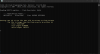
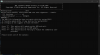
I have a Clevo P775TM1-G with BIOS version 1.05.12 and when I'm trying to update the BIOS I receive an error. I've tried an official Clevo latest version 1.07.28 and the unlocked BIOS from BAKED. An errors are different in both cases.
A first one is from official BIOS update try, the second one is from BAKED BIOS updater.
What's wrong with it?Attached Files:
-
-
Apparently it is wrong BIOS file.
-
No it's the right BIOS file, that's a point.
-
And also I've managed to update an EC to the latest version without any problem. I did it after trying to flash the BIOS in hope that it's migh help, but an errors are still there even with the latest EC
-
Got it at launch to replace the 8700k and it was a lot better binned. A 5Ghz chip for 24/7.
-
There is a bunch of preowned 8086k's on ebay at reasonable price.
Papusan likes this. -
There are still places in the world that are not USA, why i need to remind this x)
-
I'm hoping for some 9700K or non-k in black friday clearance so I can update my 8700.
-
Europe being one of them
-
There are still ways
-
So my plans for upgrading to i9900k are postponed for a bit...the very good deal that i found on ebay went south so ill wait till i get a new deal for one.
Has anyone modified his backcover of the laptop like cutting out holes or stuff for a better coolling? And did it bring something?
At the moment im using a modified u3 plus with two massive 1500 RPM Noctua 14cm fans but i was wondering if i cut the backcover will it further help with better thermals? I can get another backcover with like 30 euros so its not an expansive experiment if it works. -
It can help but can also raise temps inside the chassis for things like m.2 slots.
Cylix101 likes this. -
Interesting, so you say if i modifiy the cover it will obstruct flow to the ssds? Atm i have on both samsungs 970 evos coolers, they get like 55 60 degree celsius when working.
Ill see, im going to look for a spare backcover and after im finished with the modding of the u3 plus, I still need to cut it with a dremel tool, i will mode one of the covers and see if it will bring someting.
Thx for the infos, ill keep ya posted with the results. -
Try doing A/B testing with and without the cover, from what I recall the delta between the two was significant enought to warrant a mod, especially for CPU/GPU temps.
Papusan likes this. -
Well the cover off is another scenario entirely.
-
Is a thunderbolt 3 eGPU worth the hassle?
My 1080 is starting to come a little short playing on a 1440p ultrawide. Was looking at getting a used Razer Core or similar, with TB3, and a RTX 3070. For an i7 8700K P775TM1 -
So i finished modding the notepal u3 today, cut two holes for the 14cm noctua fans, went wirh the 5V variants, wanted to power them from the usb and not use another plug charger and did some tests with the backcover on and off. Used a round of firestrike and logged the temps with hwbot.
With the cover on and the fans on the coolpad at maximum of 1500 rpm i got:
GPU minimum 43, maximum 79 and an average of 61 celsius.
CPU minimum 37, maximum 72 and an average of 47 celsius.
After i removed the backcover i got:GPU minimum 37, maximum 71 and average 54.
Interesting was that the Cpu temps didnt change to much... 36 minimum
71 max and 47 average, really strange but the GPU temps got really better without the cover so ill buy a spare one and try to cut vents into it.Last edited: Nov 29, 2020 -
And some photos with h the modded notepal u3.
Last edited: Nov 29, 2020 -
A little bit of oven lining and a grate will make that look clean
-
Oven lining? Whats that?
And a grate on top of the vents? Will that not impede the airflow like the uncut coolpad will do?
AND:
Is the extra cost and hussle to find a I9900KS worth it over an I9900K as a future upgrade? -
Honestly a P0 9900K runs cooler and performs better, so I'd look out for that.
Cylix101 likes this. -
Thin tough black material that's obviously heat resistant.
Gives a finish like this with the grate:
![[IMG]](images/storyImages/lv1ZmbT.jpg)
-
Ah that stuff, now i get it! I was thinking of oven paper that u used when u cook some food inside, you know that brown one adn didnt unterstood what to do with it, eh lost in translation
. Cool ill look for a nice thin black grate to put on.
@jc_denton : Ok, i have found a KS used, ill need to negociate the price with the seller, if its good il take it if not ill search for a p0 thenjc_denton likes this. -
Anyone? Thanks!
-
Use an M.2 to Pcie eGPU setup instead if you're comfortable leaving one of the bottom covers open.. Thunderbolt kills framerates because there is a massive overhead from using it with an eGPU. You'll loose about 30% of your performance from that.
With an M.2 eGPU, the performance loss is more on the order of 5-10% if you plug the connection into a x4 slot, but it's usually more around 5%. Slots that support NVME drives are typically x4 slots.
See this thread for performance comparisons between a thunderbolt eGPU and an M.2 eGPU on the Clevo P870DM: http://forum.notebookreview.com/thr...-g-gtx1080-tb3-hdk-pe4c-v4-1-m-2-ngff.796773/
Results should be the same with the P775TM. Another advantage of the M.2 setup is that you can use the eGPU with the internal screen.Shark00n likes this. -
It's the latency decoding the thunderbolt to PCI-E that does it, both get the penalty of going through the chipset.
Shark00n likes this. -
So guys my new i9900k should arrive today, the 9900ks that i was negotiating for it was to expansive in the end, was like 150 euro more then the 9900k so i decided to not take it.
Got some quick questions regarding upgrading from 8700k. Got some leftover Kryonaut, a new phobya nanogrease extreme and some liquid ultra at home. What should i use, i was thinking to go with the phobya nanogrease extreme this time, saw on the x170sm Topic that the guys from ztecpc are using it on their new build.
Regarding bios i got the 1.07.25, should work out of the box right?
I would like to not install windows again so should work if i just uninstall the old cpu from windows and the restart and let him do the updateing? -
If you want the best possible temps, delid your 9900k (yes there's solder there but liquid metal is still better than the STIM intel uses) and use some liquid ultra on the CPU's IHS.
If you want very good temps without any type of hassle, go with Phobya Nanogrease on the IHS. It's the best conventional thermal paste on the market. You may hear about people having pump out issues with it, but that's because they had a warped heatsink.
Regarding the BIOS, someone else will have to answer that because I don't know the answer to that question.
As for having to reinstall Windows, no you shouldn't have to reinstall when doing a CPU upgrade, but I'd still do a clean install anyway. That gives you the chance to reorganize all your stuff and get rid of any crap that may be lurking around. -
Hi thanks for the info, yes ill use Phobya on the CPU.
So i just tried and put the i9900k inside but it wont boot with it...also tried fn+d to clear cmos..no succes. So do i need to update the bios from 1.07.25 to a newer one or did i got a defective CPU?? -
You'll want the right BIOS for the 9xxx series. Have you requested the latest?
-
Hi, got the laptop second hand from ebay so i dont have any support from it anymore, its one from PC SPCIALIST UK, got in touch with them but they cannot help me anymore...so im walking blind
. Saw that the last bios is 1.07.28, the clevo generic one. Should i update to that? Im on the latest ec thou, 1.07.16 so do i need to install that aswell new or just the bios. And what are the steps for the bios update, in the zip file there is no readme.txt. Got it from
https://repo.palkeo.com/clevo-mirror/P7xxTMxG.
I havent update a bios in like 10 years, so im a bit rusty
-
So im beginning to think I got a busted 9900k... My bios 1.07.25 is not the latest but is not that old.. Saw someone with 1.07.20 working with a 9900k without problems.. Sadly i dont have another option to test this 9900k to see.
I will try after work to update the bios to 1.07.28 and see but i dont have hopes.
One thing is bothering me. If i am already with the EC on the lateste verdion do i have to flash it again before flashing the 1.07.28?? -
Did you pull the cmos battery, the regular battery and power plus held power button for 30s for a complete system reset when testing the 9900k?
*** Official Sager NP9175 / Clevo P775TM Owner's Lounge! ***
Discussion in 'Sager/Clevo Reviews & Owners' Lounges' started by Spartan@HIDevolution, Oct 6, 2017.