The Notebook Review forums were hosted by TechTarget, who shut down them down on January 31, 2022. This static read-only archive was pulled by NBR forum users between January 20 and January 31, 2022, in an effort to make sure that the valuable technical information that had been posted on the forums is preserved. For current discussions, many NBR forum users moved over to NotebookTalk.net after the shutdown.
Problems? See this thread at archive.org.
← Previous pageNext page →

    *** Official Sager NP9175 / Clevo P775TM Owner's Lounge! ***

    Discussion in 'Sager/Clevo Reviews & Owners' Lounges' started by Spartan@HIDevolution, Oct 6, 2017.

  1. yrekabakery

    yrekabakery Notebook Virtuoso

    Reputations:
    1,470
    Messages:
    3,438
    Likes Received:
    3,688
    Trophy Points:
    331
    I’ll take a bit of a mess for lower temps.
     
    BrightSmith and Papusan like this.
  2. SatyreX2

    SatyreX2 Notebook Enthusiast

    Reputations:
    6
    Messages:
    40
    Likes Received:
    10
    Trophy Points:
    16
    BartX IHS on its way.

    Equipped my Cooler Master cooling pad with 2x 200 mm Noctua fans today. Awesome.
    Going to fit my second Cooler Master cooling pad with the 3 x 140 mm Nanoxia fans.

    I am tempted to remove the speed controller and just run the 2 x 200 mm fans at the full 12V constantly. They make very little noise.

    I'll swap my laptop back and forth and see how things differ. My first impression is that the GPU and m.2 temperatures are better with the 2x 200 mm setup and the CPU temperature is actually better with the 3x 140 mm setup. I suspect that this is because the 3x 140 mm side-by-side arrangement actually focuses the airflow on the cpu area better.

    However, the true test will be after cutting the proper openings in the tops of the cooler pads to improve the airflow and doing the full repaste/repad/delid and replace the IHS.
    Oh and clean the vents again with a tiny shim to get any the dust off fins.
     
    jc_denton likes this.
  3. Meaker@Sager

    Meaker@Sager Company Representative

    Reputations:
    9,431
    Messages:
    58,189
    Likes Received:
    17,897
    Trophy Points:
    931
    Or you can take the time and adjust the pads just so.
     
  4. yrekabakery

    yrekabakery Notebook Virtuoso

    Reputations:
    1,470
    Messages:
    3,438
    Likes Received:
    3,688
    Trophy Points:
    331
    Didn’t work on my P750, spent way too much time and effort and didn’t get as good temps as with K5 Pro. It’s different than the vapor chamber which is all one flat surface.
     
  5. SatyreX2

    SatyreX2 Notebook Enthusiast

    Reputations:
    6
    Messages:
    40
    Likes Received:
    10
    Trophy Points:
    16
    I have pads that are theoretically 14.5 W/Mk but I suspect that the better contact with the k5 paste is superior even if it has lower thermal conductivity.

    Once I take remove the heatsinks I'll decide which way to go.

    I would love to try out a vapour chamber mod for the p775.
     
  6. hissy

    hissy Notebook Consultant

    Reputations:
    53
    Messages:
    162
    Likes Received:
    40
    Trophy Points:
    41
    There's no need to literally dump entire computer in that stuff, you can mostly avoid the mess.
    It's also easier to get than a set of decent pads in some non-USA places, by the way.

    Would like to see a vapor chamber for 775 as well.. For the CPU at least, there's definitely something weird with CPU side in it.
     
    jc_denton likes this.
  7. jc_denton

    jc_denton BGA? What a shame.

    Reputations:
    10,923
    Messages:
    3,036
    Likes Received:
    5,781
    Trophy Points:
    581
    I checked a while ago, and 56x56x3mm vapor chamber did fit the non-unified heatsink for the P775. Wit the unified heatsink you might need to go bare die in order to it now skew when mounted.
     
  8. Meaker@Sager

    Meaker@Sager Company Representative

    Reputations:
    9,431
    Messages:
    58,189
    Likes Received:
    17,897
    Trophy Points:
    931
    Maybe I just have the knack, done it on every system since the p150em :p
     
  9. hissy

    hissy Notebook Consultant

    Reputations:
    53
    Messages:
    162
    Likes Received:
    40
    Trophy Points:
    41
    How did you fit it? Need to remove cpu holding bracket?
     
  10. jc_denton

    jc_denton BGA? What a shame.

    Reputations:
    10,923
    Messages:
    3,036
    Likes Received:
    5,781
    Trophy Points:
    581
    I test fitted to see whether it physically could fit and was a viable mod. It fits between the mounting holes and clears the inside of case (from what I recall)

    But I think you would want to remove the ILM and IHS regardless in both cases. As IHS+VC raises the cooler by ~4mm, which becomes a problem for VRM contact (you'd need like 6mm pads) and might cause clearance issues with the bottom cover. Coupled with the fact that to get most out of the mod you want direct die contact.

    Depending on the heatsink lottery, the ILM is higher than the IHS on some corners, which will cause poor contact and adds a whole extra range of useless interfaces between the heat source. And thats not even taking in the account of the actual flatness of the heatsink itself.
     
    Papusan likes this.
  11. Meaker@Sager

    Meaker@Sager Company Representative

    Reputations:
    9,431
    Messages:
    58,189
    Likes Received:
    17,897
    Trophy Points:
    931
    At 6mm i'd seriously consider modifying the heatsink and putting some extra copper on it.
     
    Papusan likes this.
  12. SatyreX2

    SatyreX2 Notebook Enthusiast

    Reputations:
    6
    Messages:
    40
    Likes Received:
    10
    Trophy Points:
    16
    This is also almost exactly what I do. I have my fans configured to run at about 24% until my temps hit 60° and then ramp up to max. speed rapidly between 60° and 70°.

    On my machine, 24% on both fans is the quiet sweet spot before the first high-pitched whine starts at 25%.
     
    BrightSmith likes this.
  13. Meaker@Sager

    Meaker@Sager Company Representative

    Reputations:
    9,431
    Messages:
    58,189
    Likes Received:
    17,897
    Trophy Points:
    931
    With some airflow that should cope with idle fine though. Neat.
     
  14. FTW_260

    FTW_260 Notebook Consultant

    Reputations:
    75
    Messages:
    242
    Likes Received:
    141
    Trophy Points:
    56
    Today i replaced standart BartX IHS by taller version, and peak temps dropped by at least 10°C. :eek: Didn't expect such an increase. o_O With a maximum CPU consumption of about 110 watts, the temperature does not rise above 77 degrees.
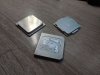
    photo_2021-05-25_22-41-55.jpg
    photo_2021-05-25_22-41-48.jpg
     
    Papusan likes this.
  15. Meaker@Sager

    Meaker@Sager Company Representative

    Reputations:
    9,431
    Messages:
    58,189
    Likes Received:
    17,897
    Trophy Points:
    931
    Nice, contact must be better in that case.
     
  16. hissy

    hissy Notebook Consultant

    Reputations:
    53
    Messages:
    162
    Likes Received:
    40
    Trophy Points:
    41
    That's the one listed as "for CLEVO"?
    will keep in mind, thanks for info
     
  17. Meaker@Sager

    Meaker@Sager Company Representative

    Reputations:
    9,431
    Messages:
    58,189
    Likes Received:
    17,897
    Trophy Points:
    931
    Oh and every 0.5mm can be so important.
     
    Papusan likes this.
  18. Cylix101

    Cylix101 Notebook Consultant

    Reputations:
    72
    Messages:
    236
    Likes Received:
    130
    Trophy Points:
    56
    Guys need your help, just bought a 2080 off ebay, the number is N18E - G3-A1..is this compatible with P775tm1 ?? is this the Super ?
    And do i need the new heatsink or the one from 1080 works, i have the split one, with modding??
     
  19. Meaker@Sager

    Meaker@Sager Company Representative

    Reputations:
    9,431
    Messages:
    58,189
    Likes Received:
    17,897
    Trophy Points:
    931
    You first bought the card and then asked? :p

    You'll need the latest BIOS and the easiest heatsink would be the latest one for the model.
     
  20. Cylix101

    Cylix101 Notebook Consultant

    Reputations:
    72
    Messages:
    236
    Likes Received:
    130
    Trophy Points:
    56
    Hahahahaha, yes it was a very nice Price!! I aped in, hope it works, yes i got the latest bios already, and the seller had the heatsink aswell, for 50 Euros i got that also

    Do you know what tdp has? Is this the Super Version? Found some info it has 150+ but i dont know if its accurate.
     
  21. Meaker@Sager

    Meaker@Sager Company Representative

    Reputations:
    9,431
    Messages:
    58,189
    Likes Received:
    17,897
    Trophy Points:
    931
    It's totally card dependant but I don't think it's the super. Do you have a picture? Does it work?
     
    Cylix101 likes this.
  22. Cylix101

    Cylix101 Notebook Consultant

    Reputations:
    72
    Messages:
    236
    Likes Received:
    130
    Trophy Points:
    56
    Seller told me he never used it he bought to upgrade hes 775dm but that implied to do some cutting so he didnt do it anymore.
    I hope it works, ill see when it arrives, i have ebay protection as an insurance.
    Oh would be nice to be super if not still an upgrade from my 1080.
    Screenshot_20210615_002244.jpg Screenshot_20210615_002049.jpg
     
  23. Meaker@Sager

    Meaker@Sager Company Representative

    Reputations:
    9,431
    Messages:
    58,189
    Likes Received:
    17,897
    Trophy Points:
    931
    The 2080 super is N18E-G3R-A1 (notice the R) but it's a full power 2080 so that's not bad.
     
    Papusan and Cylix101 like this.
  24. yrekabakery

    yrekabakery Notebook Virtuoso

    Reputations:
    1,470
    Messages:
    3,438
    Likes Received:
    3,688
    Trophy Points:
    331
    This is the 150W 2080 not the 200W 2080 Super.
     
    Papusan and Cylix101 like this.
  25. Cylix101

    Cylix101 Notebook Consultant

    Reputations:
    72
    Messages:
    236
    Likes Received:
    130
    Trophy Points:
    56
    Aha thx for clarification. Yes also good paired with the i9, hope i can play battlefield 2042 with it without problems :) :)
     
  26. yrekabakery

    yrekabakery Notebook Virtuoso

    Reputations:
    1,470
    Messages:
    3,438
    Likes Received:
    3,688
    Trophy Points:
    331
    At the very least should run a lot cooler than the the outgoing 1080, especially since your new heatsink is unified, and lets you use DLSS.
     
    Cylix101 and Papusan like this.
  27. Cylix101

    Cylix101 Notebook Consultant

    Reputations:
    72
    Messages:
    236
    Likes Received:
    130
    Trophy Points:
    56
    Is the unified the better cooling? also for the CPU? I thought the nonunifed is better in the cpu side cus its only cooling that one.

    Now on the installation of the new card, assuming its working :rolleyes:. should i clear cmos before? Whats the best procedure? Stress free, take the 1080 out, insert 2080, clear cmos maybe? Then proceed into Windows?
     
  28. Meaker@Sager

    Meaker@Sager Company Representative

    Reputations:
    9,431
    Messages:
    58,189
    Likes Received:
    17,897
    Trophy Points:
    931
    Clearing the CMOS is not required really, just make sure to be grounded/wear an antistatic wrist band.
     
    Cylix101 likes this.
  29. Cylix101

    Cylix101 Notebook Consultant

    Reputations:
    72
    Messages:
    236
    Likes Received:
    130
    Trophy Points:
    56
    Thanks hope its that easy, but with my luck im not that sure :)
     
  30. Meaker@Sager

    Meaker@Sager Company Representative

    Reputations:
    9,431
    Messages:
    58,189
    Likes Received:
    17,897
    Trophy Points:
    931
    Well it's not one of those super cheap 1060 cards that liked to blow up which is a good start.
     
  31. Cylix101

    Cylix101 Notebook Consultant

    Reputations:
    72
    Messages:
    236
    Likes Received:
    130
    Trophy Points:
    56
    Finally something work from the first try!
    Installed the 2080 without problems, no error, i left the normal pads on the gpu side, and on cpu I put some k5 pro, went with Phobya on CPU and Kryonaut extreme on GPU.
    Its really hot today and around 23 Celsius inside the room, tested bf5 on ultra with rtx finally and gpu went i after 30 min of gaming around 69 degree celsius with the fans on normal. Pretty good.
     
    jc_denton and FTW_260 like this.
  32. Meaker@Sager

    Meaker@Sager Company Representative

    Reputations:
    9,431
    Messages:
    58,189
    Likes Received:
    17,897
    Trophy Points:
    931
    Very nice :) enjoy!
     
    Cylix101 likes this.
  33. Cylix101

    Cylix101 Notebook Consultant

    Reputations:
    72
    Messages:
    236
    Likes Received:
    130
    Trophy Points:
    56
    Thanks, yes now im done, upgraded my p775tm1 - G for a while. I also got G sync with the new 2080! Was disabled with the old 1080 for some unknown reason. Maybe if can get a 4k panel, there is one with 120 hz right, thats gonna be the next upgrade.
     
    FTW_260 likes this.
  34. Meaker@Sager

    Meaker@Sager Company Representative

    Reputations:
    9,431
    Messages:
    58,189
    Likes Received:
    17,897
    Trophy Points:
    931
    The card may have been non g-sync with the 1080. Swapping the panel unless very specific will break g-sync.
     
    Cylix101 likes this.
  35. Cylix101

    Cylix101 Notebook Consultant

    Reputations:
    72
    Messages:
    236
    Likes Received:
    130
    Trophy Points:
    56
    Yes, that was probably the problem.

    Now on my 2080, what undervolt do you recommend?
     
  36. Meaker@Sager

    Meaker@Sager Company Representative

    Reputations:
    9,431
    Messages:
    58,189
    Likes Received:
    17,897
    Trophy Points:
    931
    Try a small step at a time, find your limit of stability with something like 3dmark vantage 4k looping and then step back up a bit to give yourself margin.
     
    Cylix101 and Papusan like this.
  37. Cylix101

    Cylix101 Notebook Consultant

    Reputations:
    72
    Messages:
    236
    Likes Received:
    130
    Trophy Points:
    56
    Thx, yes ill try that.

    Btw how does the 3070 mxm compare with the 2080 150W? Tried to find some benchmarks but didnt find any..
     
  38. yrekabakery

    yrekabakery Notebook Virtuoso

    Reputations:
    1,470
    Messages:
    3,438
    Likes Received:
    3,688
    Trophy Points:
    331
    The 140W 3070M is about 10% faster than the 150W 2080. It’s comparable to a 200W 2080/2080S.
     
  39. Cylix101

    Cylix101 Notebook Consultant

    Reputations:
    72
    Messages:
    236
    Likes Received:
    130
    Trophy Points:
    56
    Oh not, that much, I was still thinking to sell the P775 and get the km with 3070 but its not worthy the hassle and extra money just for 10%
     
    FTW_260 and jc_denton like this.
  40. jc_denton

    jc_denton BGA? What a shame.

    Reputations:
    10,923
    Messages:
    3,036
    Likes Received:
    5,781
    Trophy Points:
    581
    GPU prices need to get back to more realistic pricing before 30x0 MXM series make sense, and that's assuming they will increase the supply as well :D
     
    Papusan, FTW_260 and Cylix101 like this.
  41. Cylix101

    Cylix101 Notebook Consultant

    Reputations:
    72
    Messages:
    236
    Likes Received:
    130
    Trophy Points:
    56
    Yes, it will probably go down now a bit, with China baning mining and Bitcoin going down, good on one side, gpus will get cheaper, bad on the other side for me particulary because my crypto investments are bleeding haha :D :D :D :rolleyes:.

    On a sidenote, is there any word on a new 3080 for mxm? Like the Super?
     
  42. Meaker@Sager

    Meaker@Sager Company Representative

    Reputations:
    9,431
    Messages:
    58,189
    Likes Received:
    17,897
    Trophy Points:
    931
    It's more the demand that needs to settle.
     
  43. Stanleyv17

    Stanleyv17 Notebook Guru

    Reputations:
    6
    Messages:
    57
    Likes Received:
    3
    Trophy Points:
    16
    Hello everyone, I found a bug and I don't know what to do. After reboot or turning on the laptop, the laptop has been working on the network for more than 10 minutes bug appears..... a bug in the video.
    CLEVO P 775 TM1G LAST BIOS FROM DSANKE
     
  44. jc_denton

    jc_denton BGA? What a shame.

    Reputations:
    10,923
    Messages:
    3,036
    Likes Received:
    5,781
    Trophy Points:
    581
    Does it impact the system performance in any way? Otherwise, I wouldn't sweat it too much :)
     
    Spartan@HIDevolution likes this.
  45. Meaker@Sager

    Meaker@Sager Company Representative

    Reputations:
    9,431
    Messages:
    58,189
    Likes Received:
    17,897
    Trophy Points:
    931
    It would be interesting to see if the power management is working properly.
     
  46. Stanleyv17

    Stanleyv17 Notebook Guru

    Reputations:
    6
    Messages:
    57
    Likes Received:
    3
    Trophy Points:
    16
    When laptop get this bug my i5 9600kf gives 4300mhz but battery goind down so fast
    When i unplug power and bug don't appear i5 gives only 2100 mhz
     
  47. Stanleyv17

    Stanleyv17 Notebook Guru

    Reputations:
    6
    Messages:
    57
    Likes Received:
    3
    Trophy Points:
    16
    Sometimes when i Plug IN power processor gives to me only 45W ( dring this bug) Then reboot and no any actions with power connecion gives me
    Normal 78W ( With my undervolt)
     
  48. hissy

    hissy Notebook Consultant

    Reputations:
    53
    Messages:
    162
    Likes Received:
    40
    Trophy Points:
    41
    Huh. And I'm still getting occasional power related buggery with prema's bios. Could it be something in the original code itself, that just stays unnoticed in original firmware?
     
  49. Stanleyv17

    Stanleyv17 Notebook Guru

    Reputations:
    6
    Messages:
    57
    Likes Received:
    3
    Trophy Points:
    16
    Unfortunately dunno ( @dsanke help us
     
  50. Meaker@Sager

    Meaker@Sager Company Representative

    Reputations:
    9,431
    Messages:
    58,189
    Likes Received:
    17,897
    Trophy Points:
    931
    Might be worth testing a fresh OS install to see if does the same (taking an image backup so you can step back).
     
    Papusan likes this.
← Previous pageNext page →