Problems? See this thread at archive.org.
PM me private msg
-
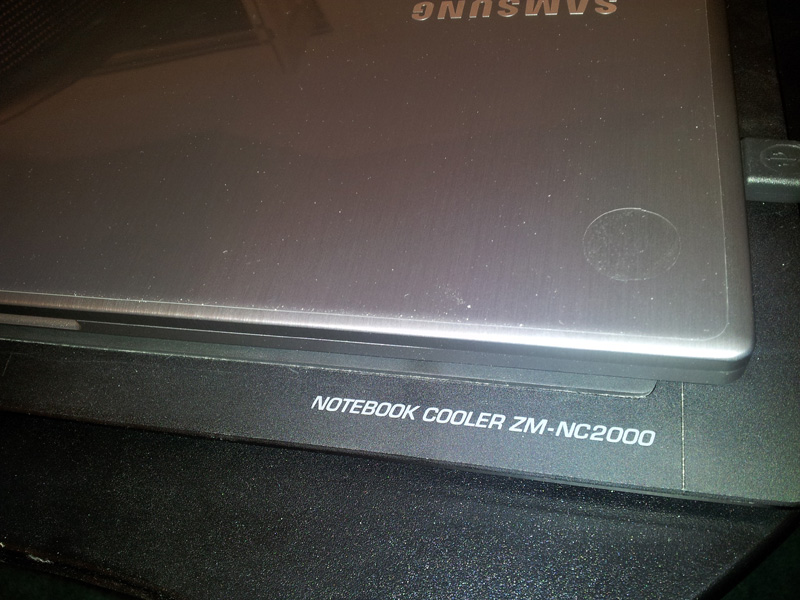
air comes out where the bottom edge of screen is... my zalman cooler keeps it so cool that i cant feel that its even warm...
Attached Files:
-
-
Where are the videos? Do you have a video disassembling the computer? It would be nice if you had so I can replace the HDD to SSD.
-
don't have the min # of posts yet >.< -
Is this the one you are using?: Amazon.com: Datacolor DC S3X100 Spyder 3 Express: Camera & Photo
-
First post eveerrrrrr

Anyone has the specs for the one selling at the Microsoft Store? Couldn't find it anywhere. Sometimes they tweak it from the mass produced version. Thank you. Thinking of getting one tomorrow.
oh if my math is as good as my Dad had hope: here is the price I am looking for: $1149 - 25% and $150 for old laptop trade in = $711. 25 before tax. Please check before my Dad does. Thanks again. -
Is anyone having severe Windows 7 GUI lag? Like when i drag to resize windows it's choppy. This didn't happen at all on my old computer, which is much less powerful and also running Win7
-
Have you enabled Silent Mode? Try to turn if off (FN+F11). I had the same problem, everything was very choppy. Took me a while to figure it out.
-
Call the retail store. I talked to the one in Virginia. I only confirmed that they stocked the 6GB model and that it had a backlit keyboard. I assumed with the back lit keyboard it was the one advertised on Samsungs website.
Plus I read a blog that said that the Microsoft store is offering free Microsoft Office with a extended warranty purchase. I wanted to buy it over the phone and have them mail it to me, but they wouldn't. I don't have a Microsoft Store anywhere near where I live.
Good Luck -
I don't have a video of disassembling, but here is somewhere a good instruction set how to proceed...
-
I was there yesterday. The person I talk to was not helpful at all. She said that the only spec that is available is on the display table. Very limited info. I am assuming it is the 6gb one mentioned on Samsung's site. I am cautious because my last laptop purchased from them didn't have Bluetooth and the mass version does.
-
Hi guys,
I bought 15.6 version few days ago. Overall I am very impresed by a built quality, design and overal feel of the machine. It is also very speedy. I am just not sure about display. I think colors are very good but I have been using this computer for 3 days and I it gives me kinda of an eystrain and my eyes burn after using that.
Could it be because of high resolution? Because my previous laptop was 15.4 with 1280x800 and this one have 1600x900. Do you guys think I will ever get used to that or should I rather return it and buy 1366x760 resolution laptop?
Thank you -
1280 x 800 @ 15.4" is 98 pixels per inch while 1600 x 900 @ 15.6" is 118 ppi which will be noticeably smaller.
Try changing your display settings to Medium (125%). I would not revert to a lower resolution screen and forego the extra level of detail that 1600 x 900 offers.
John -
Thank you. So 1600x900 on 15.6 has 118 dpi? I thought it is about 128 dpi. 118 does not sound that extreme so I think it should be fine once my eyes settles little bit.
Btw if we take macbook pro 15.4 which has 1440x900 vs this samsung, which one have smaller text? Because I was thinking about returning this samsung and trade it for mb pro as 1440x900 seems less extreme than 1600x900.
I use display settings (110%) but it does not solve text in browser. And if you resize text and pictures in browser everything gets blurry then -
It's been off.
I've tried turning it on (which disables some window transparencies(, then turning it off, but the problem is still there
When I boot into safe mode the GUI responds fine... -
[OT]
Do you know when the 25% off expires? Too bad I live in Italy... the S01 (w/ Win Pro and 8GB RAM) costs €1300, ie. 1750$ (after taxes)...
[/OT]
@yromenapri: try restoring from image or at boot... it's obviously a software related issue. Maybe try looking in Task Manager if there's some processes that uses too much CPU power, and lo make everything lag... -
Has anyone else played Heroes of Newerth on it? When I run the game the menu animations stutter and there is this sluggishness in the interfacing that I didn't get on my previous 1st gen i5 sony vaio. I wonder if this is an issue with the switchable graphics and that maybe the game is running off of the Intel HD stuff instead of the AMD chip?
Any ideas/confirmations?
All help is much appreciated. -
Go to the Catalyst control panel, and choose 'high performance' for this game, it should be fine.
-
Sorry I forgot to mention that I have done this and the problem remains. Basically I'm trying to ask if there is anyway to either confirm which chip is being used or to manually select one or the other?
-
Are you using the latest 11.11b driver?
-
That's the other thing that's odd. When I go into my CCC and click on the Information tab, all I get is 'AMD Home' and 'Software Update' and nothing to indicate what firmware I'm currently on. When I hit software update it just directs me to the stand-form amd driver page.
-
the deal ends in the states after Jan. 02. It is the best deal eveeeeeerrrrr
-
The Series 7 I bought from the Microsoft Store has the following model number: NP700Z5AH-S04US. It's the same as this laptop: Series 7 15.6" Notebook }| Samsung NP700Z5AH
I didn't know the Microsoft Store would take my old laptop as a trade in. Looks like I'm going to have to give them a call to see if they'll take it after the fact.
Also, in case anybody runs into this problem, I have a Microsoft keyboard with hotkeys. When Windows automatically installed the drivers it messed up the hotkeys on my laptop. Uninstalling the drivers fixed my issues. -
Are you sure that it's identical to the normal non-H model? All palmrest aluminium, same screen, wifi, expresscache and so on? Did yours come with the VGA dongle?
EDIT: I forgot, 750GB 7200 rpm...
If all the above condition are met, I'll only have to find someone that will buy it for me (not an easy task...)
850$ + tax (7.5%?) => 690€ + shipping (~50€ it's ~750€, vs 1300 the shops sell it in Italy... DAMN IT!
-
The pre-installed driver is Version 9.
You can download the latest 11.11b here: http://support.amd.com/us/kbarticles/Pages/catalyst-1111b-performance.aspx
Give it a try, and keep us updated.
-
I'm not sure what you mean by non-H model. The Samsung website includes the H in its model number as well. The palmrest seems aluminum to me (it certainly has the same brushed look and feel as the lid). I know I've read that Samsung may actually be using a plastic made to look like aluminum. If so, I can't tell the difference.
Hard drive is 7200 RPM, there is express cash, the screen is the same as those others are ambivalent about. Once again, I actually like the screen a lot (after using Window's built in color calibration). Not as good as the Radiance display on my girlfriend's Envy 14, but still very nice.
Like others in the US mine *did not* come with a VGA dongle.
Let me know if you want me to look up anything more specific. -
Sorry I wasn't very clear... I mean, the model sold in MS stores has an extra "H" in the model number... I was thinking in which component they differ (if any), or in software...
In this case, it seems only software differences... -
SSD REPLACEMENT GUIDE!
Hi Everyone. As i have gotten many pm's about how to replace SSD drive I have now made simple step by step guide. It should be very easy to follow if common sense is used! If you are dummie about computers please don't do anything as FUBAR is likely to occour!
If you find this useful please rep power Thank you!
MartinAttached Files:
-
-
Your the man!
Imma start growing my nails. lol -
Would anyone be kind enough to post a step by step guide on how to install 11.11a drivers from leshcat.blogspot.com properly? I've tried installing it several times following his guide. Also, how do I configure the graphic settings to that it is actually usable?
I still can't seem to play Starcraft 2 even on medium settings (I get merely 17FPS). And yes I have already set it to "high performance" in CCC, but it doesn't make a difference. It only recognizes the Intel HD graphics. -
Instead of growing your nails , you might want to use a thin piece of plastic to pry the case open gently along the entire edge. I happened to have a credit card sized thin piece as part of a screen protector kit. The hardest part of the entire process is removing the bottom casing and then putting it back together again. It's important to have the right screw driver so the screw heads don't get damaged. Good luck with your install!
-
I recently got a np700z5b. I like it, but the bios on it is way out of date. It is version 03FD and I would like to install version 09FD from the samsung website. I run linux (fedora) and windows on it with a pure UEFI boot. It has a Phoenix SecureCore Tiano bios. I downloaded the .exe firmware file from samsung, but it stalls. I have downloaded the other series 7 firmwares, and run them, and they appear to be similar. Has anyone had success updating their bios? I have tried to use the program "samsung bios extractor.exe" to extract the files. I end up with many files and one .rom file. I was going to try to flash it with just the .rom file. I would like to update it as I have had problems with the boot interface (it has multiple copies of the same boot options when I press escape to boot from something besides the HD, also works only sometimes). Is their another program or method I can use to to this?
-
Is the s04us 6GB RAM model available at the microsoft store ? i did not find it online, should i call them for it ? do they still have the 25% off ?
-
If it's not aluminum than there is a 'seam' on the edge between keyboard and palmrest. Full aluminum top is seamless...
-
I second this!
-
anyone find thier power adapater to be hot to the touch?
And you hear sound comming from the adapter light a fast micro drive spinning or really light seearing sound? -
Ya they do have it... but your better off trying to use the south west ...rewards 500 to amazon and buy it from amazon. -
I did update it, you have to disable "disable execute bit" in bios before updating, otherwise it won't work. I used 64bit windows and samsungs tool.
-
I've had the same problem with the BIOS update with the np700z5b. I download the update file and it shows up as being 0kb size on my computer.
I'm pretty disappointed with the 6490M graphics on this computer. Unless Samsung releases a BIOS fix to allow fixed graphics mode, OpenGL applications and games are useless on the discrete graphics card. Anybody know if there's a workaround for this sort of software, or are we just stuck with it? -
I am sorry, am not that familiar with the US. By south west you mean ?
Also, why I asked about the availability specifically is cuz, there is no listing of the product on the site. When I search on google, i get this link - Microsoft Store Online - Samsung Series 7 Notebook (15.6-Inch). There is nothing in that.
Can someone who bought recently from the store update with info regarding this ?
t.i.a. -
laptop is in ms store in most locations its just not listed on their website so u cant buy online.
-
Thanks Ganxxta, I tried that many times already. I actually just did a samsung recovery and tried it again and it worked. It was really weird though, I might have missed a step xD
Now I get 60FPS for Starcraft 2 on Medium settings =D
So the .exe's that are on "Power Savings" are running Intel graphics? I'm still confused, I used to have an Envy 14 that required me to manually switch graphics. -
Right, they should use the intel chip. I tried with furmark on power saving mode but the driver still used the AMD chip, so maybe there is also some other logic based on actual required power...
-
The CPU's not really being utilized at all...the window resizing lag is not too bothersome with windows explorer, but becomes really apparent with bigger apps like resizing firefox windows.
I remember when I first got the laptop it was laggy as well, would restoring from boot still fix it? -
@ganxxta : I hate bother you again, but do you know of anyway to modify the bios from inside Windows or Linux. I tried to from bios menu, but it won't save, says "Advanced Failed to save storage. Setup. Status. 0x9." Just a reminder, I was trying to disable "disable execute bit" so that I can update it. So if I can update it without modifying current characteristics in the bios, that would be fine as well. By the way this thread is awsome!!
-
@UTVol11: I know about that. You can get it to download if you try it from internet explorer, and do it several times, eventually it will work. I had an ongoing issue with samsung for 4 weeks about that issue, they are still working 0n it.
-
Anyone know the specific date that Canadian retailers will start selling? From what I remember its supposed to be sometime this month...
-
Sorry don't know another way
But its strange that you can't save the settings. -
Okay, this brightness changing thing is driving me crazy, I'm almost ready to return my laptop back to Amazon at this point. Does anyone have any idea?
I've even re-installed Windows both using my own DVD's and using Samsung's recovery solution. In both cases, the brightness still constantly changes when on battery.
------
Things I've learned by reinstalling Windows:
For those who are having trouble with video card drivers....
What I've learned is that the drivers won't install properly/resolution will be stuck at 1024x768 unless you install the "old" Samsung VGA drivers FIRST (the current shipping one from the website). This will properly install the dual drivers for the ATI vga and the Intel vga. Then, install the latest 11.11b drivers from the AMD website, and this will update the ATI vga drivers to the latest version, but won't touch the Intel vga drivers.
For those missing express cache option from Easy Settings...
Install the Samsung Easy Software Manager. Under the "utility" tab, you will see that ExpressCache is not installed. Go ahead and click the button to install ExpressCache drivers.
Samsung Series 7 Laptops - 15.0" and 15.6" Models (NP700Z4 & NP700Z5)
Discussion in 'Samsung' started by PeterDLai, Aug 30, 2011.