 Problems? See this thread at archive.org.
Oh man this means I've been using my laptop in ignorant bliss thinking that my battery wasn't wearing down. I'll have to try that calibration sometime.
-
There's no such thing as a free lunch! The issue is how much wear has happened. If the battery isn't recalibrated then wear shows up as the computer predicting that it can run for another hour or two followed soon after by the low battery alert.
John -
John, thanks for the link and the chart -- I love the way you think! I guess the BIOS calibration option is a mixed blessing.

My memory is a bit foggy -- file this one under "urban legend" -- but I vaguely remember reading a thread or two on "battery-life estimator/predictor" software, and their infamous non-linearities, especially during the second half of discharging. The takeaway message seemed to be: take those estimates with a grain of salt. Seems my gas gauge has the same mysterious properties!
-Matt -
The battery calibration updates the "current capacity" which is used for the run time prediction, along with the current drain rate (which is usually fluctuating). I play a video for my tests which provides a reasonably uniform load. It's a bit like periodically checking the actual capacity of a reservoir which is slowly filling with sediment.
John -
Just wanted to throw a update here. Got the Best Buy model for 899.99. Put my 64 gig ssd in the main sata spot and used my Macbook caddy with the 1tb drive. I was stupid and formatted the recovery which after caused issues with the Samsung drivers but I was able to find a link via this site for the Easy Software which put all the original drivers/programs back on. I left a few off because they just seem to cause issues.
Overall impressions? The touch pad and its associated drivers are pretty crappy. This version came with the ELAN touchpad and even after the reg edits and built in settings I still cant type and use the mouse at the same time. Its annoying for games like WoW but I guess I can use a mouse. The screen is nice but seems to "white" "bright". The cpu, gpu are great. I do love the metal and its sleekness and size.
Just wanted to throw a few things out there that I learned after a fresh install. One only the bottom speaker will work for audio if you do not use the samsung audio driver. The Macbook caddy does not fit 100% and will require you to not use 1 screw and one part on that side will not snap. Another odd thing was at first I used windows drivers for the intel HD and nvidia and WoW sat at around 65-71 fps then dropped to a constant 30 with the Samsung ones. Last thing I find weird is that in the Samsung settings app you can change the display to movie, bright etc but none work or do anything.
Thanks all. -
Good first impressions write up. I personally think this ELAN touchpad is the best I've ever used on a Windows PC, but I understand your frustration with gaming on it. I'm not sure if it's in there, but if you go to the driver's install folder you should find an executable called EtiAniConf.exe that has some advanced settings You may be able to find what you need in there. Also, the PalmCheck setting in the regular configuration utility I believe controls how sensitive the touchpad is when you're using the keyboard. I have mine turned all the way down, and it lets me hold forward in an FPS while aiming, but 2 buttons or more render the mouse unusable again.
The speakers need the drivers to get the 2.1 sound to work, otherwise you can actually switch between the subwoofer or the 2 regular speakers by changing your playback devices. They show up as two different sets of speakers. I don't know about the issue you have with the Easy Settings Display color setting because mine works as intended. It may be something to do with Windows 8. -
Just a heads up, I've just swapped the stock thermal paste with some Arctic Silver 5 I have lying around. So far, I haven't noticed a difference in gaming (unfortunately) nor in idling (which I didn't expect). The processor still hit 91ish degrees without the cooler. Surprisingly though, my overclocked GPU topped out at 78C rather than the usual 83C which is an impressive change.
Looks like the i7 may just run really hot but I know AS5 has a cure time, so I'll post eventually when I notice a change. Surprisingly, Samsung's paste isn't as bad as I thought it would be. -
The CPU idle temperature is controlled by the fan rules rather than the efficiency of the cooling system. As long as the CPU keeps out of the throttling zone (hotter than 95C if the same as Sandy Bridge) then you are OK.
Plus there's quite a bit of variation in the power consumption between CPUs and even their own cores. Are all your CPU cores running at similar temperatures?
John -
Absolutely, that's why I wasn't expecting any change in idle temps. The fans are always off while idling anyway. I've never seen my temperatures go above 92C, it usually tops at 91. In terms of heat distribution, it's usually 86-87C on Core 1, 89C Core 2, and 91C for Cores 3 and 4.
-
I just ran the Smart Battery Calibration in the BIOS. All it does is idle at maximum brightness until the battery fully runs out. HWMonitor is now reporting a 4.1% wear which makes me sad, but it's expected. Also something in this laptop prevents it from booting if the battery is below 5%, is there any way to force it to boot? It won't even resume from sleep unless it's plugged in at which point I an unplug it again.
-
Actually, mine runs at max power during calibration - though I have to manually turn the brightness up. It runs the battery down in 2-3 hours. I put it on the cooler because it gets quite hot. I assume it measures charge and voltage levels as the battery depletes.
-
I have a sophisticated and highly-logical response to that news:

-Matt
-
Really? Mine didn't even go so far as to turn the fan on. And I didn't know you could change the brightness while in the BIOS. Weird. I'm on P02AAG still, so maybe P04AAG changed some things up.
That seems appropriate and likely the best course of action. -
I think the facility to stop the computer booting on low battery is to prevent someone getting half way through booting Windows and then the power stops.
My method is to use the computer on battery until it stops (one can adjust the Windows power settings to put the critical battery action down to 3%). Once the computer has stopped I briefly plug in the PSU, go into the BIOS, unplug the PSU and then select the calibration. Then it only takes about 10 minutes.
John -
John, that's an awesome strategy. Seriously, Samsung should pay you and Dannemand $500/week in consulting and technical-support fees!
-Matt -
LOL
Thanks, that's nice of you, Matt. I'd take the $500/week since I am already putting in the time. You should too, I think, for your all work and help, particularly in this thread. John, OTOH, is in a league of his own; I think we should be looking at an entirely different figure. -
I'm pretty naive, but I'd like to imagine that he already has a compensation plan in place, but he can neither confirm nor deny due to signing Samsung's NDA. I can hope, anyway.
-Matt -
Mine is an older Z3A Sandy Bridge, BIOS version 15FD, clearly a different generation. Still, it sounds odd if yours remains idle while calibrating the battery. I don't have a good explanation for that.
-
I am glad you brought this up; I have a question for you:
I did the same as you the first times I ran Battery Calibration last fall, and my Battery Wear came back to 0% afterwards. Next time, however, it didn't seem to fix it, and Battery Wear stuck at 2.5%.
I remembered that some other devices want to calibrate batteries at full charge because the firmware measures the charge and voltage as the battery goes from full to empty. On my Android phone, repeatedly topping up after calibrating is how you convince the battery to accept a bit more charge, so as to raise the max level. That's why I decided to try charging the Sammy fully to 100% before running calibration. And once again, that got Battery Wear back to 0%.
Unfortunately, that didn't work for me the last time I calibrated: Battery Wear had again crept up tp 4.5%, but AFTER the calibration it worsened to 6.8% -- and I haven't been able to improve on that.
I use Battery Life Extender most of the time, and I cannot help wondering if continually limiting charge to 80% has the the side effect of reducing max capacity faster -- even if it extends the number of charge cycles the battery can accept during the course of its life.
Losing 7% capacity in 6 months is actually worse than I have experienced with other laptops in the past (including Lit-Ion), which didn't have BLE and where I dilligently charged and depleted fully on every cycle. Number of lifetime charge cycles vs maintaining a high max capacity as long as possible, are two different gauges of what you want from a battery. Maybe Battery Life Extender helps with one, but not the other.
Any thoughts, comments, insight are highly appreciated. -
I acknowledge that I'm not only taking the contrarian view here, but probably also doing so based on misinformation and anecdotal experience, but I've instinctively shied away from the 80% recharge feature for that very reason (my initial impression was, "That sounds awesome -- must be a marketing hook." Hehe, any of you own a so-called "mulching" lawn mower?). Sorry for quoting myself (how obnoxious!) but I want to reiterate that I run my laptops day in and day out, plugged in when possible, and I've only seen one machine suffer for it (a low-end HP). Mind you, I tend to replace them within 3 years rather than 5, but I don't think I've ever seen battery life fall below 80% (and 90% is closer to the norm) of the optimal run time.
-Matt -
Oops, I forgot you had a Z3A Dannemand. And John that's exactly what I did, I browsed the internet until I had 5% left, shut the computer down, plugged it in to boot it, then immediately unplugged as I got into the BIOS. I actually have my critical battery action set to "Do Nothing" in Windows by using a CMD line to get that option. It doesn't force shut down on me, it's just that if I choose to shut it down or put it on sleep, it won't come back on unless it's plugged in.
Hmmm well I got this laptop in early September, so after 5 months of pretty heavy use, with limited BLE usage (I want that extra 20%) I guess 4.1% wear isn't so bad. Maybe I'll try doing the fully charged calibration in the BIOS, but it'll take a good 10 hours if it just stays on idle. -
Oh, I definitely I took notice when you posted that, because that's been how I've treated my own past laptops until I got this one. But I am also mindful of the fact that whatever rules applied to older chemistries might not apply to newer Lit-Pol batteries.
Also, as I posted here at one point, I cannot imagine that Samsung would knowingly aggravate an entire generation of buyers by persuading them to use a feature that reduces their battery time to 80%, and in the process ends up killing the battery faster instead of extending its life. They would be swamped with class action suits. Although I have supreme confidence in the obsession of modern Marketing MBAs with cunningly trying to outsmart their customers, this simply would not make for good business.
So I still trust that there is truth to the claim that Battery Life Extender actually extends the battery's life as measured by "number of charge cycles". But maybe capacity drops to 90% or 80% faster, then levels off and stays at that level for more charge cycles than if the battery had always been fully charged and depleted. That would still be a valid strategy and feature. It would be nice to know, however, so we can make informed decisions.
I want to stress that this is still complete speculation on my part, based on very anecdotal evidence. I am merely seeking input (like yours) from other members.
Thanks again! -
My old Toshiba T4400 was on its 3rd (Nickel-something) battery in 4 years. I replaced it with an AST Ascentia 950N and bought a spare battery along with the computer. It was a Lithium battery but I never needed it in the 3 years that I used that computer. The various computers I had over the following years all wore their batteries to some extent. I remember getting a replacement under warranty for my Inspiron 8000.
The full calibration cycle is best done with BLE disabled so it's a full charge, full depletion and full recharge. With that information the battery chip should know exactly what it can hold.
The Nickel, particularly Ni-Cd batteries need regular full discharges to avoid the charge memory effect whereby it forgot about its full capacity.
My understanding is that the wear on the Lithium batteries is the damage caused by the chemical process and this damage is most severe at the limits of charge, whether full or empty. That's why the charge rate is deliberately reduced as the battery approaches 100%. Operating in the 20% to 80% range reduces the chemical degradation. However, that is only convenient if the user only needs to use half the battery capacity. But where the computer spends much of its life plugged in then limiting the charge to 80% makes sense - it avoids those periodic top-ups to 100%.
I will finally note that calibration is something I don't recommend on a regular basis. The two situations for its use are (i) the computer stops with no power much sooner than predicted by Power Manager (eg the computer goes from 20% remaining to off in 10 minutes); and (ii) the end of the 1 year warranty is approaching when it is prudent to check the battery health [Samsung UK promised 8 days ago to send me a new battery for my NP900X3B but it didn't show up yet - that particular battery has a track record of premature wear which might be why Samsung changed to a different battery].
John -
I'm about to come upon one of these bad boys. Wanted to upgrade the RAM, and it has been said that you can use an 8GB stick to supplment the soldered 4GB. So...
Question: If I were to upgrade to a 8GB 1600MHz DDR3 PC3-12800 SODIMM, would the sticks still run at dual data rate?
Usually, from what I understand, the RAM modules must be of the same size to run at a dual data rate. So getting a 4GB stick would preserve that, from what I understand.
Dual Data Rate is more important to me than 8GB -> 12GB capacity... Thanks! -
Hey Michael, welcome!...and, which model are you looking at?
Regarding your RAM question, I want to make you an offer: this is the 203rd page of a ridiculously long thread, so...why not head back to say page 195 and read ahead. Your particular set of questions come up here pretty often -- if the answer isn't in the previous 15 pages let us know and I promise someone will tell you!
EDIT: OK, I'm caving a little bit and offering a shortcut: https://www.google.com/search?q=site:notebookreview.com+samsung+lovers+RAM+soldered
- Matt -
I think you're confusing Double Data Rate (DDR) with dual-channel. However, yes the ram still runs in dual channel mode with the 4gb soldered chip and an 8gb SODIMM chip. I have that exact setup in my laptop, and HWInfo reports it's running in Dual Channel mode. Pretty much all new computers/motherboards adapt to memory of different sizes to maintain the fastest possible data rate. I had posted a screnshot a while ago on this thread but again, don't know how to find it. I'll post another:
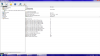
As you can see, I have 12gb up top. -
See my table here showing the effect of RAM configuration on performance. Those tests were for Sandy Bridge but I think they are equally applicable to Ivy Bridge and, I think, can also can be scaled in size. ie 4GB + 8GB will behave similarly to 2Gb + 4GB in terms of bandwidth.
However, a basic question is whether you actually need more than 8GB. What will you be running on the computer? More RAM won't help unless it is needed and used.
John -
I am also having usb port issues.
I am running win 8 on Samsung 840 500GB SSD and I have removed the odd and put the 1TB Hdd in it's place.
When windows ran the compatibility test for my 700Z5C it said the intel driver for USB 3 was not compatible.
I installed Win 8 checked in device mngr and had no question marks against any hardware.
I am trying to load games ad software via a USB hard drive and optical drive but the usb ports (the usb 2 & 3 ports) keep locking up.
When I go into explorer the drives do not show and explorer fails to respond.
I then cannot shutdown the laptop.
Task manager will not open.
I have to shutdown by holding the power button down. -
Did you get the drivers from Intel or did you get them from the Samsung Software Update app? If you got them from Intel, I would get the software update drivers instead, and that should fix it.
-
Thank you, John. I never got to respond the other day.
I have seen your explanations of this in the past, and I can definitely follow the logic of staying away from the low and high extremes -- which would be a significant difference from Nickel batteries and their ghosting effect.
I guess my early experiences with this Sammy (and those with my old HP which also used Lit-Ion) were that frequent full charge-decharge cycles helped keep a healthy battery -- which didn't quite match that BLE 80% theory. This was the reason I have recommended Battery Calibration from time to time.
But the increase in Battery Wear I've seen lately -- AND the fact that my latest calibration cycles only made it worse -- makes me doubt my previous conclusions, and gets me closer to your camp when it comes to this subject
-
Ok thanks. I just let windows update the drivers.
Trying to use the Samsung SW update software but it appears tobe just hanging.
Its been installing Intel Rapid Technology for nearly 30 mins now. I've restarted it a couple of times. It done the same with the touchpad install which failed. -
Whoops, double post. See below.
-
I'm getting quite fed up with the 6235 card constantly dropping connection and having poor speeds despite high signal strength on my FiOS Actiontec Router, no matter which driver settings I use. On January 9th, Windows Update pushed a new driver for the 6235 card under "optional updates" but before I could install it it re-ran an update check and it hasn't ever showed up since. I'm currently on Intel's driver-only 15.3.1.2 driver from late September, and I'm hoping the one on Windows Update was newer. On their website, the only thing published that day was a Linux driver, and SW Update of course shows nothing.
Did this happen to anybody else?
Anyway, can you more experienced guys recommend me a wireless card that will work, for under $20? I'm watching a few on eBay that are just over $10 from Atheros, Broadcom, and Intel but I don't really know which ones are good. I just want something that works. Don't really care for dual-band or Bluetooth to be honest, however they are nice additions. I can't believe Intel would just let this happen and the majority of high-end thin laptops in 2012 came with this card.
I've heard good things about the Killer Wireless 1202 but it's like $50 and I have trouble justifying the cost. -
@yjgfikl: Intel has a brand new driver for the 6235. Look for the file wireless_15.5.7_De64.exe in the Intel Download Center.

Note: This driver does NOT support 6230. Wireless_15.3.1_Ds64.exe is still the latest driver for that card.
If you do go and buy another WiFi card, I can say my first Series 7 Z3A had a Broadcom (forget the model number) and it was TERRIBLE compared to my current Intel 6230 -- which actually works reasonably well.
Update: Duhh, that new 15.5.7 driver is only for Win8. Thanks to yjgfikl for catching me asleep at the wheel before I hit someone
-
I'm also on the 15.3.1.2 driver. For several weeks, I would have to describe performance as "meh" -- not seeing the drops you're describing, but definitely speed was underwhelming. But here is where my story takes an odd twist:
I started out with the Asus RT-N12 router (on a floor beneath the laptop) and though other machines in the same room got decent speeds (decent, meaning 20Mbps on broadband speedtests and 16Mbps on local file transfer), the Samsung pretty much was a fraction of that. At the time I was running DD-WRT on the router, and tweaking quite a bit to no avail. Anyway, I'll skip over the middle of the story and jump to the end: I've moved the RT-N12 upstairs, and replaced it with an RT-N16 (the two are now "bridged"). In the process of exploring various firmwares, I settled on a version of TomatoUSB, and now see local file transfer speeds approaching 50Mbps. That includes the Samsung which is rock solid and the fastest of the bunch.
The takeaway message is that -- and I cannot rationally explain this -- through days of trial-and-error, I was able to find router firmware that somehow "worked." I was careful where possible to equate settings (e.g., wireless security, transmit power, etc.) and yet, for example, found that on Toastman's version of TomatoUSB the network slowed to a halt, and yet on shibby's it flew. I literally stumbled on the right combination by chance. Otherwise I would be pulling my hair out and wondering why my new laptop is so slow.
I'm suspecting none of that really helps you. But I thought it might at least confirm that the 15.3.1.2 (driver-only) seems to work, and you can get decent performance out of it.
-Matt -
Wow, that's excellent information, Matt. Whatever caused it, it illustrates that changes in software and/or settings made a dramatic difference, even with the same hardware (both router and Sammy).
Thanks a lot for sharing. -
Thanks a lot for the info, to both of you two. Dannemand, that 15.5.7 driver on Intel's website says it's for Windows 8 only and I'm on Windows 7, think I should try it anyway?
About my wifi issues, I'll try updating the firmware on my FiOS router when I get back home today, if there even is a firmware update available. Usually the problem I get with it is solved by unplugging and replugging power to the router, but then it can range from lasting a week or 10 minutes without dropping the connection. My roommate has the same laptop and therefore the same card, and has the same issues. I wonder if having both cards on the network is causing interference of some sort. Like improper IP addressing to each card or something.
In terms of performance, in open air literally 8-10ft from the router, I get inconsistent speeds ranging from 25-50mbps, where a different roomate (2010 Sony Vaio with an Atheros AR9287) gets 50-60mbps. Our network is a 75down/35up subscription. If I move the laptop to 4 inches from the router, then I'll get speeds in the 70s, but any further and speed drops off rapidly. What ticks me off is that in my bedroom, about 15 feet away through a door, my speeds are around 13down/11up which is horrible. -
No, not Windows Update, Samsung Software Update; it's an application that goes and gets the correct drives from SAMSUNG, not Microsoft. For system drivers, it's really the best place to go (except maybe for the trackpad, but that' or miss).
-
You're right, good catch. I apologize for the misinformation
Something else you should definitely try, if you haven't already: Change the channel on your router to avoid interference. Generally channels 1, 6 and 11 will provide the best throughput (because they're not overlapping). But that's only true assuming all your neighbors aren't using those same channels. Download inSSIDer, it's a great tool.
You probably already knew this
-
Funny, I was going to suggest something similar -- I've learned a lot by scanning local channels and looking for the sweet spot.
Another thought I had -- forgive me for generalizing from my crappy DSL modem/router -- is that I'd also take up a collection of $10 per roommate and maybe try to pick a budget router, rather than using the FiOS built-in router. Of course, I have no sense of how good the Verizon firmware is, maybe that isn't the weak link in the system. If you do browse, I'd recommend looking at the newer Asus RT-N12B (which apparently also runs DD-WRT and Tomato in addition to the stock firmware):
Amazon.com: ASUS (RT-N12/B) Wireless-N 300 Advance wide coverage Home Router: Fast Ethernet, Build-in 5DBi antenna, 3 in 1 switch(Router/Repeater/Access Point) and support upto 4 Guest SSID(Open source DDWRT Support): Electronics
-Matt -
I tried messing around with different channels when I first got the Chronos, but to no avail. Unfortunately I can't get that router because our internet is carried through a coaxial line, so we'd need something quite a bit more expensive.
-
Sorry, what I said is that when I installed Win 8 I let it update the drivers itself.
I am now trying the Samsung software update but it is taking forever and appears to be hanging.
I've tried doing some of the updates individually rather than let the SW update auto install but they still hang.
Also, i cannot see a driver specific for USB there?
Thanks -
Hmmm, I'm picturing that it's coax going into the FiOS modem/router, right? If so, I suspect you have an ethernet port on the FiOS box -> you might then turn off the wireless function in the box, connect a "proper" router to the ethernet port, and then use the router to serve wifi. Sorry if I'm just clueless on this.
-Matt -
Hmmm, I'm picturing that it's coax going into the FiOS modem/router, right? If so, I suspect you have an ethernet port on the FiOS box -> you might then turn off the wireless function in the box, connect a "proper" router through ethernet, and then use the router to serve wifi. Sorry if I'm just clueless on this.
EDIT: I also seriously doubt that sharing the Advanced properties on the 6235 will help, but here's what I'm using:
802.11n Channel Width for 2.4 = Auto
802.11n Channel Width for 5.2 = Auto
802.11n Mode = Enabled
AdHoc Channel 802.11b/g = 11
AdHoc QoS Mode = WMM Disabled
Bluetooth AMP = Disabled
Fat Channel Intolerant = Disabled
Mixed Mode Protection = CTS-to-self Enabled
Preferred Band = 2. Prefer 2.4GHz band
Roaming Aggressiveness = 3. Medium
Transmit Power = 4. Medium-High
Wireless Mode = 4. 802.11b/g
I might also add that one feature on the router did seem to cause a consistent improvement (across different firmwares), which was using the "double" channel width at 40MHz. Of course doing so is going to really interact with your local wireless neighborhood.
-Matt -
Anyone have a good idea on how to install windows 7 on this thing; it came with win 8. Any help would be greatly appreciated.
-
Someone just asked the same question yesterday in the thread linked here. It was for a Series 9, but many issues are the same. And the links I gave him are actually for Series 7 anyway. In particular pay attention to the linked posts by gadgetrants, who shares some great insights about putting Win7 on his Win8 PC, while staying with UEFI/GPT.
Specifically in your case, having a Series 7 with iSSD (ExpressCache), you want to either install from DVD OR follow one of the procedures in the thread linked here. -
This is what I ended up doing on ATT Uverse. The built-in router was a crappy G router, and I attached an inexpensive Cisco N, and things improved greatly.
-
Ack, you said "CRAPPY." You're just reinforcing my stereotype that hybrid modem/routers (from the ISP) generally suck!
-Matt -
Thank you very much. I'm going over it now. I do have a dvd + license to use, so I'll be going that route. Again, much appreciated.
-
I suppose I could just hook up a different router to the back of the fios router and have two networks. Hmmmm.
Samsung Series 7 Lovers - Here's The NP700Z5C Ivy Bridge!
Discussion in 'Samsung' started by yknyong1, Apr 23, 2012.


