 Problems? See this thread at archive.org.
I'm pretty sure you can turn off the FiOS router -- probably have to log in to the configuration page and then find the switch for it. Or maybe there's a button on the modem itself (though I doubt that)?
EDIT: Argh, as I kind of wondered/worried, it may not be quite as simple as I pictured:
What are the tradeoffs between the various router configurations Verizon Online FiOS FAQ | DSLReports.com, ISP Information
How-to: make ActionTec MI424-WR a network bridge - Verizon Fiber Optics | DSLReports Forums
It's probably a good idea to find someone who has some real-world experience with this!
-Matt
-
-
Ahhh why is internet stuff so complicated?
-
Hi everyone,
I'm experiencing a problem with screen brightness. After I wake my np700z5c-s01 up from sleep, I can't change the screen brightness. I tried switching between power plans, adjusting the brightness manually both in Easy Settings and in Windows menus on battery and on adapter. The only solution is to restart the computer, then everything goes back to normal.
All drivers are up to date (just checked with Software Updater).
Any ideas ? Thanks in advance. -
That's a general random problem with Windows 7, just shut the screen and reopen it.
-
Thank you for prompt reply.
Do you mean it has nothing to do with my notebook and its hardware & drivers? That's strange because I have never had a similar problem with my previous HP.
Anyway, I just made another test by putting the notebook in sleep and waking it up immediately, but I didn't have the same problem. I will pay more attention and come back with more details. -
Hey guys, I'm sure this have been asked, but it's pretty hard to find anything in this topic, so here it goes:
I have just installed Windows 8 on my machine, installed all drivers and software, etc.
Now, for some reason, when I use BLE and it's at 80%, the battery says I've got only 2,5h hours left! It used to say I've got at least 4-4,5 hours left!
Anyone got a clue how to fix this?
Thanks. -
We were recently discussing the battery recalibration function in BIOS -- have you given that a try?
Here is a great post from John a few pages back (p. 202):
http://forum.notebookreview.com/sam...eres-np700z5c-ivy-bridge-202.html#post9065505
-Matt -
Yeah I actually had this problem with my old HP DV6, it's not really specific to your laptop. It happens at random usually. So putting it to sleep fixed your problem?
-
My Laptop has been acting pretty sluggish lately. RAM is not a problem because it is always around 30-35%. The CPU usage always stays at a stable 5-10%. I have a couple of games installed and minor applications but that is about it. Lately it's been acting very slow with the internet and it takes forever just to restart the computer. I'm beginning to regret buying a Windows 8 Laptop instead of a Windows 7 because I think the laptop came with a lot of unneeded software like the New Start screen. I also ran Advanced Systemcare scan and even the Avast Scan and the laptop is still pretty sluggish. What could be causing this? Any help is appreciateed, thanks.
-
I just read an interesting review at Best Buy that might be relevant:
http://www.bestbuy.com/site/Samsung+-+Series+7+15.6"+Laptop+-+8GB+Memory+-+1TB+Hard+Drive+-+Titan+Silver/6774657.p;tab=reviews
If you're interested in downgrading to 7 maybe you can give them a call -- or perhaps you already have the disks?
-Matt -
I don't have the disks. Should I just give them a call and demand for a Windows 7 CD? Lol, it sounds pretty stingy "Give me Windows 7" !!!
-
You should definitely go for it. I totally bungled the recovery area when I downgraded from 8 to 7 -- at some point I plan to call and beg for the 8 disks!
-Matt -
I just talked to some Indian guy and he told me that he can not send me a Windows 7 Recovery Disk because I currently have Windows 8 installed on my computer and he said even if I was to get a hold of a Windows 7 disk it would not be compatible with my Laptop because it already has Windows 8 installed on it. He clearly did not know what he was talking about...
 Guess I have to go out and buy one then...
-
Nonononononono the cheap "person" in me gently insists you call back and find a CS rep who has a clue.
If the Best Buy guy got the disks you shouldn't have to spend a dime.
-Matt -
Wear is one reason for the battery not delivering. The other reason is that something is using too much power. Use the Sensors facility of HWiNFO to see how much power the computer is using when running on battery (note that the drain is expressed as -ve charge). I would expect the drain to be below 10W. A simple calculation is that hours = capacity (W-Hr)/power drain (W).
some people claim that Windows 8 is more efficient than Windows 7. The suspicion should first fall on what else is running. Use Window 8's equivalent of Task Manager and Resource Manager to check the CPU usage and RAM usage. If IntelliMemory is installed then try uninstalling it. All see the suggestion here.
John -
So, I have a question. I'm about to pull the trigger on this bad boy. I really really want a 1600x900 resolution because I think the graphics card will be usable longer for games than any 1080p panel, including those running the 650s with 2mb GDDR5.
The question is this: How much of an improvement is the S02? I heard rumors that the screen is better. I have a chance to get a NP700z5C-S01US from my friend for $700 with 8 months of warranty remaining. (he's putting it on ebay otherwise). Should I take this or should I hunt for a S02UB? He's already upgraded the ram with 4gb stick, so it's 8gb now, but I plan to go up to 12 eventually either way.
Thanks for the help! -
Hey, welcome to the forum and welcome to the 7-series club!
Since the S02UB is $900 at Best Buy, I definitely steer you that way. The question about screen quality is a good one -- why not head down to your nearest store and judge for yourself? Just make sure not to put something clearly superior nearby for comparison!
However: keep in mind that Samsung just announced their new Series 7 Chronos, and the new version of this model will have an FHD panel with a 178-degree viewing angle ( http://pci34.fishingtree.com/nike2/amazon/770Z5E/). If you're likely to feel buyer's remorse -- though the price tag on the new model is probably closer to $1500 -- you might head over to http://forum.notebookreview.com/samsung/702308-introducing-new-series-7-chronos-amd-hd8870m.html
-Matt -
Sorry, 1500 is way out of my price range.
What about the S02UB justifies the extra $200 over the S01US?
I was thinking with that money I could afford to upgrade to an SSD for the main drive and put the HDD in an external enclosure (be nice for thermals too )
The problem with FHD is that, as a rule of thumb, native resolution is better, and so as a result the 1600x900 panels will have a much longer useful gaming life at native res than even a 650m 2gb gddr5 running at 1920x1080. That's part of why I'm so interested in the samsung over trolling for an envy dv6t-7214nr. Cheaper price and longer useful gaming life, in exchange for accepting lower native res. I've checked out the S02UB in a Best Buy - I have no problems with the screen. Is it any different from the one in the S01US? -
Yeah, I agree about $1500. It's just a guess though -- we'll know for sure in a few months. I seriously doubt $1200 will happen, but there is talk of a 1366x760 non-touch model.
Personally I wouldn't look at it as $200 "more" -- since your friend's is (gently) used, the "discount" you're getting on it is pretty much "depreciation." In other words: I'd take the S02UB since it's new and you get a 30-day no-questions-asked return policy. Plus I don't like doing business with friends. But if you view his as more-or-less new, then $200 toward a 256GB SSD is a great idea. It may be an unpopular view, but after owning it for a few weeks it probably won't make a lot of difference in your day-to-day work if it's the S01US or S02UB.
I agree 100% with your thoughts about 1600x900. Is the S02UB a better panel? That's an open question. When I picked up the S02UB, I noticed it had a new panel ID (SEC0007) and definitely looked better to me than the S01US (or the S01UB). However, I downgraded to Win 7, and mysteriously the ID switched to SEC0006, which is the same as the earlier models. So TBH I can't say there's a measurable difference -- maybe it's my imagination. But my personal vote is the S02UB screen is better and I am more than satisfied with it. Why not bring in the S01US to Best Buy and do a side-by-side comparison? If you did that and posted back your experience, A LOT of people here would appreciate hearing what you found.
-Matt -
It's pretty mint, and we've sold stuff to each other. We kind of have our own 2 week return policy in cases like this, heh. I sold him an Acer Aspire Gemstone laptop about 3 years ago on those terms.
So, I went onto laptopscreen.com, and it appears that there's only 1 Samsung 16x9 matte type screen that's compatible with the np700z5c series. There's also a glossy type that's out of stock, but both the 1US and the 2UB are matte type. This seems to suggest that there was only one display model, doesn't it? A lot of people on the forums suggest that the display responds really well to setting tweaking - maybe you had a surprisingly clever BB salesman there when you checked out the 2UB?
I'm verifying the 14 day thing to prevent any hurty feelings, and if he's not comfortable with that, I'll go BB. Thanks for the advice.
Lenovo Y400 was a runner up by the way - also great performance/price and probably even better gaming longevity, but the 768p 14" display can't really have 2 pages side by side and readable, and since I'm a grad student, there's nothing like having a journal article and a text file open.
If I get the S01US, I -will- do a side by side.
-
Glad to hear that -- you have an awesome friend.
I wouldn't put much stock in the laptopscreen.com findings -- it's a pretty quiet model (almost no professional reviews) and seems to have flown mostly under the radar.
Guess I'm not sure I got the BB joke. I'll just not-so-humbly note I'm a HUGE snob in consumer electronic stores, and have yet to find a sales person who has done more research on the product than me. But of course, I only need to know 1 device at a time! I hate to suggest this, but if you had the time and a HUGE bucket of popcorn, I'd go back to...hmm, maybe page 70 or so of this thread and read forward.
There's a bit of discussion buried back there on the SEC0006 vs. SEC0007, and some mysterious data (it seems to depend on Win 7 vs. Win 8). But if you're not that anal (who is?), make sure to read the ICC thread:
http://forum.notebookreview.com/sam...es-7-chronos-np700z4-np700z5-icc-profile.html A few of us here are pretty convinced that tweaking does make a big difference.
I was looking at theY480 last spring, but the 768p, weight, and so-so battery life turned me off (the Samsung will impress you). What's your area of study?
Ah, I meant: can you borrow your friend's for an hour and take that in for the comparison!?
-Matt -
I was suggesting that the BB salesan might have noticed that the colors didn't look great or something and then messed with the settings till they looked a little better. I looked back in the thread, and it seemed to suggest that, when downgrading a Windows 8 (registered as SEC0007) the display came up as a SEC0006?
Anyway, I'm looking forward to when it arrives on Wednesday - we used to be roommates, he moved away a while ago but we still meet up a few times a year as well, but this time it's going to be USPS. At the price I was able to nab, I can afford the SSD and maybe even talk to Samsung about extending the warranty a year or something and still come in under my 1k total, with a laptop that should last 3-4 years with work and light gaming.
I'm doing history and Chinese studies in grad school, fortunately on the university's dime and with a teaching stipend - there are certainly less pleasant gigs out there. -
I'm just wondering, how much RAM does Windows 8 use on idle (about 10 mins) after startup? I am getting about 2.4GB RAM being used up and about 1.5GB as cached.
-
I think the BB boys in your end of town might be a bit sharper than mine! LOL Yeah, the 0006/0007 mystery hasn't been solved yet -- perhaps the oddest clue I've seen is that I did a regedit search on a Win 8 S02UB at BB, and found both device IDs.
History and Chinese studies, very cool. I just finished serving on a doctoral fellowship committee at my school -- you would have been a pretty competitive candidate! Given that you're not an engineering/CS student (i.e., using heavy-duty computational software on a daily basis and running up the temps), I think the 3-4 year estimate is not unreasonable. Definitely let us know what you think when it arrives.
-Matt -
I'm not sure. Is it also possible that Samsung QC ordered a change in it?
It would be interesting to find out if the ICC is different between the two models.
Much appreciated, although I doubt I have the writing package yet to justify such.
-
Hi there, I figured I'd post a little update on my search. There's a way to overclock the core clock of the GPU! In fact, one guy over on another thread got a 3dmark11 score roughly comfortably above a stock 660m GTX. Here's his post:
Just wanted to add my findings to the mix. I have a Samsung Series 7 Chronos NP700Z5C-S02UB with a 640m 1gb. After toying around with this method for a while I was able to clock to 985/2800 and it was at least stable enough to get me through 3dMark11. I find that I get driver display errors when I go much higher, yet it doesn't seem to blue screen me. Also, I'm forcing pstate 0 and not pstate 5 and am getting mixed readings on my voltage: .925 from HWMonitor (which I use to monitor temps) and .962 from GPU-Z, so I'm not really sure what I'm getting but it's somewhere around those values.
My 3dMark11 score is P2785, which is a little bit lower than I was hoping for, but I'll take it NVIDIA GeForce GT 640M video card benchmark result - Intel(R) Core(TM) i7-3635QM CPU @ 2.40GHz,SAMSUNG ELECTRONICS CO., LTD. NP700Z5C-S02UB score: P2785 3DMarks
Also, temps ended up being at maximum 92c for my CPU and 79c for the GPU, so I'm not sure I would actually keep these clocks for anything other than a test run because that is a little bit high for me. Not sure if I could manage to get much better than these clocks but I might try a few more settings to see what I can do.
in this thread: ('this method' I think refers to the one in the first pose)
http://forum.notebookreview.com/gam...d-max-clocks-oc-stability-32.html#post9063487
It seems like you need to force Pstate 0? -
Wow, what an awesome thread. I don't know how in the world it's been around 6+ months and I totally missed it. Thanks for the link!
I have to admit, other than a little tweaking with Afterburner, I probably won't go the route of modded BIOSs or infs, but I learned a bachelor's-degree worth just reading the first page. Very cool.
-Matt -
I don't think I'd go so far as throttlestop, but....
I really like the idea of having more control over the Nvidia power state, to force it to idle or to max. I'd kind of like the control of forcing it 'idle' when trying to squeeze battery, so it doesn't switch on and accelerate some stupid ad while i'm checking my email.
All it would be would be 2 named batch files in the upper right of my desktop. Hmm.
Any thoughts on Win 8 vs 7 for this particular machine? That's part of why I was also interested in taking the S01 - it has Win7.
I noticed the processor is one step worse but the price difference for me is too hard to pass up. That one step will make much less of a difference than the SSD it will buy.
-
For my needs Win 7 made more sense -- I played with Win 8 for 2 weeks then downgraded to 7 (getting there was a bit of an adventure though, due to navigating through UEFI and Secure Boot). If I had the chance to do it again, I'm sure I'd just go with BIOS and not sweat it.
On the other hand I haven't heard of any major issues with Win 8, driver-wise. A few minor problems but nothing serious.
I'm sure you know better than me, but my sense is the NVIDIA card generally won't kick in unless (a) the specific app is graphics-intensive, and/or (b) you've specifically configured Optimus to use it for that app (e.g., I have both Chrome and Firefox set on "integrated graphics"). Otherwise it's the Intel HD 4000 99% of the time for daily use. I have the NVIDIA GPU activity icon in my system tray and I never see it light up. Of course, I'm also not a gamer. I have to say -- getting 6-7 hours of battery life is a huge perk.
-Matt -
No, but I imagine that very soon different advertisements are going to take advantage of hardware acceleration if they can. It'll probably also just be a browser setting you can turn off, but...then again, having control over the GPU at the hardware level is going to be more secure.
After looking at the price point of the new model (the np770z5e) I'm really glad I made this decision. It might be much more powerful, but it's much more expensive, and much further from the sweet spot for me. I think the German version with the 8870m is debuting at about 1700 euros. -
Those ads are usually Flash. If you right-click a Flash animation (any ad or game) you can chose whether to use hardware acceleration. As for which GPU they will use, that should depend on the Nvidia/Optimus setting for the application, as Matt says.
Personally I keep Flash disabled in my browser except when I actually need it
-
I've been using FlashBlock with Firefox for several years. About 6, in fact, since I discovered at the time of this review that Flash (usually unwanted animated adverts) could guzzle battery power. AdBlock plus has subsequently been added to my standard protection.
John -
I keep Flash use on my browser as many websites still haven't upgraded to HTML5, however I've used Adblock plus for years and it really keeps pages clean and light on resources.
-
Steve Jobs really did us all a great favor when he took a stand against Flash. It's coming to an end, RIP, won't be missed (by users anyway).
Unlike just a few years ago, nowadays I find it is only rarely I have to enable Flash in my browser: Other than the ads, it's not many sites where Flash is needed (sites that I use anyway). And it only takes a few seconds to enable in Chrome if you keep a shortcut to chrome://plugins in the Bookmarks Bar. -
Surely there is a plugin for that...
-
Of course, that's what John mentioned. My point was, it's so rare I even use flash nowadays, I just have it disabled most of the time.
-
Just updated BIOS on mine, using SW update, had no problems Turbo is working fine.
-
Same here (P04ABJ) -- thought I noticed it running a bit warmer/faster/louder for a few days, but everything seems back to normal now.
-Matt -
Man I've been having an issue trying to put the laptop the sleep the last few days. It'll shut the screen off but the keyboard lights and fans will stay on and I have to hit the power button to wake it again. Upon waking, the sond drivers or something fail to initialize because I won't get sound until after a reboot.
It happened around the same time as the Feb. 12th Windows updates but uninstalling them didn't work. I may re-install Windows because this issue is bothering me so much, unless someone else has a solution. -
There may be some clues in Event Viewer's system Log for the time when you try to put the computer to sleep.
John -
IIRC, Easy Settings may also reconfigure the Power options, e.g., "Samsung Optimized", "Samsung Eco Mode," etc. On more than one occasion, I've found that completely uninstalling Easy Settings and then reinstalling brings the forces of nature back into harmony (e.g., the keyboard backlight begins working properly again).
-Matt -
I rarely open Easy Settings; really the only reason I have it installed is so the function buttons and whatnot work properly, so I hadn't touched any power profiles or anything. It's kind of a weird issue.
However, over these last two days I've been having all sorts of software problems including Microsoft Security essentials failing to initialize and Office's language being switched to Japanese and being unable to open .docx files. No idea what's going on, but now that I've just noticed the Office problems and fixed them with install repairs and .cab files and language settings, my computer is able to go to sleep and upon resuming my sound works as normal. NET frameworks are involved in some way.
Maybe it's just coincidence because I have no idea how Word could affect power states. I'll try and figure out how to use the Event Viewer if the problem comes back up. 3 days of frustration solved by language settings.... -
I should clarify -- I hate throwing around the word "corrupt" configuration files (or whatever) but since I assume Easy Settings plays a role in a number of basic functions, including the power plans that are available, reinstalling it might "repair" whatever key files are potentially misbehaving. So I don't think using it caused any problems, but that "it got mucked up" and might need to be reinstalled.
I actually found that after installing Win 7 and then Easy Settings, because I hadn't yet updated to .NET Framework 4 (I vaguely recall), all kinds of things were wonky: F- keys, keyboard backlight, display brightness, ExpressCache, etc. Once .NET had updated (like your experience) all was good. Maybe there's a common cause there.
-Matt -
I recently purchase this laptop from BestBuy and it looking good but first time I started it up and got it up and running. After awhile of playing with it the screen flickered for a couple of seconds while it was idling, me and my wife both noticed it so I thought I had laptop going bad on me but it didn't do it again anymore.
However I noticed now that every time at the Welcome screen when I sign in, the screen would go black and back to sign in screen then to the Start screen (Apps tiles not sure what it called yet).
Is that normal???
I ran into a problem with Netflix after I use SW to update Nivida drivers you can read about this in my other post at http://forum.notebookreview.com/sam...ue-samsung-series-7-model-np700z5c-s02ub.html
Thank you
Bill -
For anyone using Windows 8, what is the typical RAM usage that you guys are getting on idle. I'm using Windows 8 64bit and on idle, my RAM usage is around 2.4GB. Is this normal or would I have to do a factory reset soon?
It's kind of strange as for some people their RAM usage is only about 1.1GB so I'm wondering if there's something on my system which is causing it to use that much. -
Sorry we missed your post the last time.
I'm running Win 7 so probably can't help much, but Win 8 has great system's utilities -- have you dug into them much, and what (if anything) do they suggest? This may not be much help but I have Firefox running at the moment (880 MB) and total RAM usage is showing around 3.22GB at idle. In that light your 2.4GB is not all that worrisome.
-Matt -
Well I've used Disk Clean Up, CCleaner, did the disk optimisations and I removed some of the Norton Internet Security software that came with the PC. Other than that, I'm not sure what else I need to do really.
-
I was thinking more of information-gathering, especially with the Task Manager which can help you zero in on which programs are running and how RAM is distributed -- I only played with Win 8 for a week or two, but my recollection is that it had great tools for identifying program activity and resource use. It may make more sense to root out the cause before cleaning house.
-Matt -
I went and did a Windows8 Factory Restore with full disk wipe and reinstalled the drivers.
Seem to improve a whole lot better and the screen doesn't flicker or go black for a second when signing in Windows8 anymore
Also the disk wipes does not restore the bloatware and only restore the SW Update allowing me to selectively choose the software I wanted installed which is good!
So far it looking good now and I am liking the laptop!
Bill -
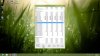
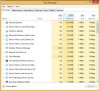
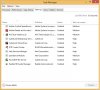
Oh ok, sorry. Here are three screenshots with the processes, the RAM usage and the start up processes.
Samsung Series 7 Lovers - Here's The NP700Z5C Ivy Bridge!
Discussion in 'Samsung' started by yknyong1, Apr 23, 2012.


