Problems? See this thread at archive.org.
That is the best way
I know your model, very good laptop. We have it here in norway too
-
Haha cheers man, Im just pissed off that there's something wrong with it, I would actually return it to them straight away without doing anything myself but I need it for uni and as you said its a good laptop so its worth a try at least
-
, yeah very good. I want to upgrade to quad core too. But is CPU temps high ? Im afraid 9800M GTX and Quad will make too much heat.
-
I think it will be OK since toshiba do sell a model with this processor in there already, but to be honest you would do better to buy an intel x25-m as that will improve your gaming experience more than a 2.53 c2q, when only a handful of games utilize 4 cores. Not to mention its cheaper
-
Yes, I'm going to maybe buy a SSD next week. 120 GB
Spec.
Read: up to 200 MB/sec**
Write: up to 160 MB/sec**
Seek Time: <.1ms
Onboard Cache:
64MB
CPU is tooo expensive. And it is nearly impossible to change CPU... Like every body know here... -
Nice a ssd is a very good choice, but I would advise you not to buy anything else other than Intel's x25 or OCZ's drives - the rest are junk tbh (read up on Anandtech if you dont know what Im on about). The x25-m is the fastest SSD on the market though so if you can afford that definately go for it. Not to mention intel are going to be releasing a new ssd towards the end of this year.
-
I forgot the model
OCZ 120 GB SSD 2,5" S-ATA II 64MB cache
Vertex Series, Read/Write 200/160MB/sec
This is model. And yes intels drivers is good but I need minimum 120 GB to os games ect.
I buy antoher 500GB when it comes with 7200rpm as second drive
-
Thats a good plan. I've already got a Momentus 7200.3 for storage, music, films etc and a 1tb external hdd, so I think im OK for space and hence the 80gig intel is perfect for me
-
That is good setup to. I don't have much films and pictures you know stuff on my computer it self becouse I have 3 computers and every thing is stored on WD 1TB so i just plug it in when I need it
But I want to copy films and stuff to my computer and have a type of backup on external disk... Example I'm going to turkey about in 2 m. I can't take me external disk with mee becouse I have not backup of that stuff. If something happends you can easly kill me
-
Lol I think you're gonna be safe, because I've got the exact same external hdd as you and its been through a dozen flights already (with the luggage I check in) and I've had no problems. WD really have built it solidly.
-
But mine is damaged
The inputs back is damaged. So if I touch it it says I must format to use then I must disconnet it ect. -
Hi everyone! I'm noob in this forums =) I have a x300-14n a couple of 9800M GTS and nforce chipset, q9000 CPU... and a GPU was dammaged in the first start. And i had many problems with drivers and bsods etc... Technic support changed me this GPU, i will recieve my laptop in week =)
Toshiba is thrash... I will never buy this again!
Sorry for my poor english, im not strong in it =) -
Hmmm actually I can't understand that. I have read that some other user had burned they GPU at first start ect ect.
I will never again buy a Toshiba product too
Cheers... -
Its a bad quality of nvidia parts... They have been used a crappy materials for many of their graphic chips and voila a result =)
-
Actually I have not have any problems with nVidia part. But there was some questions and other things. Toshiba gives me zero support !
-
Bonjour mes amis, (I'm new!)
For a week now I've been the owner of a Toshiba Qosmio X300 and although I'm pleased with the laptop I've still a few gripes with it.
- The poweradaptor, while plugged in the socket doesn't feed the laptop with electricity instantly. It's when I leave it like that it randomly powerfeeds it, like it has a mind of it's own. Very disturbing indeed. I tried replacing the cable to the adaptor but it had no effect. The laptop was bought in Germany and being used in The Netherlands, but it shouldn't make any difference as we use the same sockets.
- I've installed a fresh (legal) copy of Vista 64 bit on this thing and installed the sound driver and the Dolby Control Center When playing music through mp3 or WMP there is only crisp sound. When I load any game there seems to be crackling sounds from time to time. Even when I lower the volume. Is this hardware related or a software error? I have to add that when entering the intro of a game I don't always here the sounds coming up. I exit the game and go back in it and then the sound is there to hear. Very strange
Well good people, I hope you can render me some assistance. It was quite a decision which laptop to purchase and I'd like to believe this laptop does not flatter to deceive. Thanks in advance.
RJ -
Hi Enigmus
You use the same drivers as me, I have also installed Vista HomePremium x64 on my own to get rid of all that toshiba kind software. I have not any problems with sound.
Like Dude55 has wrote on first post;
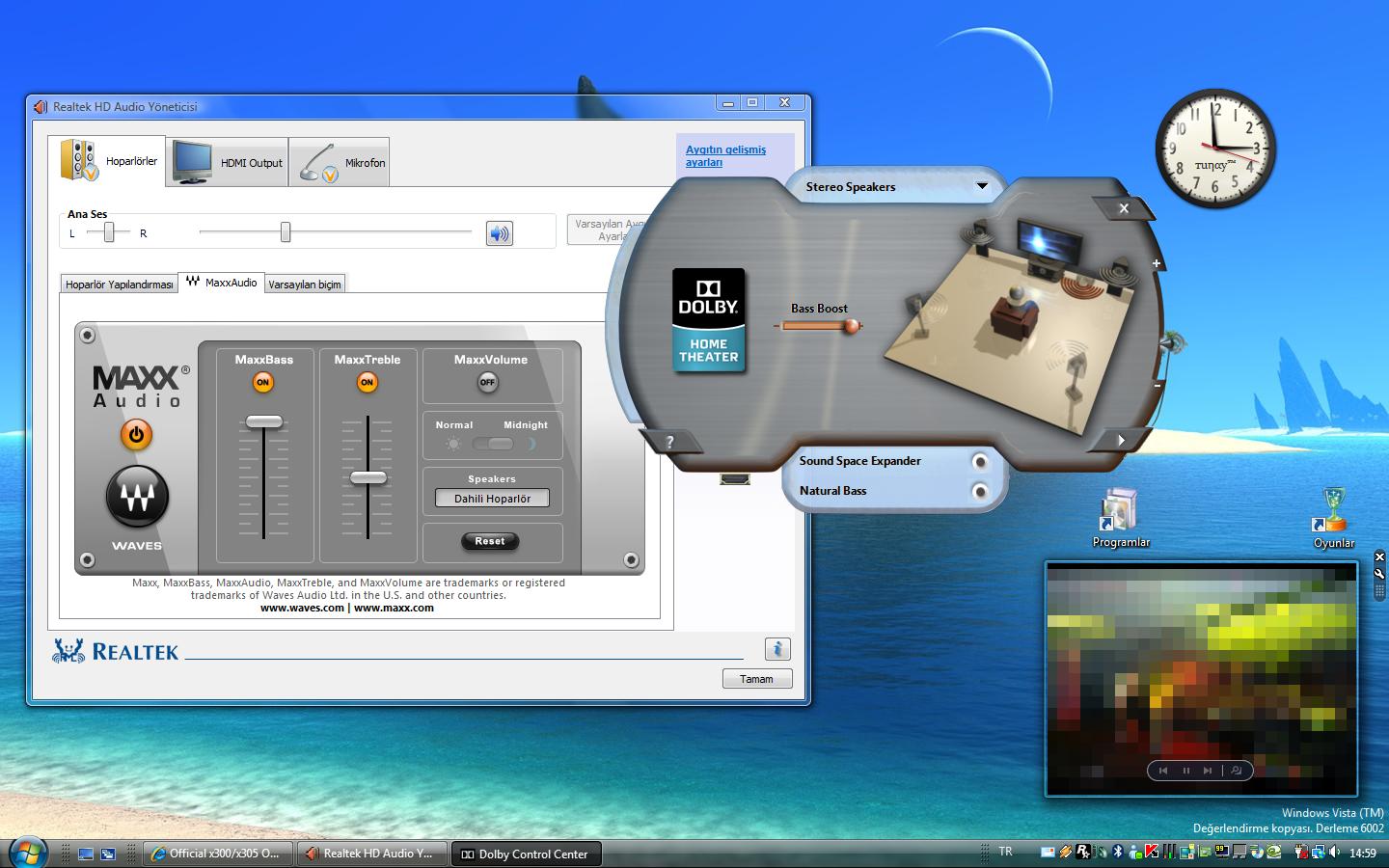
Also switch off MaxxVolume
Here is mine settings;Attached Files:
-
-
Thank you for the feedback, tuηay. It will hopefully go a long way. I'm just surprised that harman kardon speakers are so fragile. Did you hear any crackling sounds while playing games? I've run AVG and it didn't find any trojans so it's not a virus.
What do you recommend on the power issue? -
Quick update I have Win7 working on boot up...it must have been a bad Beta build that I was using. The release candidate is working great. Now...to get the Function keys and stuff working. fun fun.
-
No crackling over here
But I only trust Kaspersky when it comes to anti virus ect.
When crackling happens, does game lag too ?
About power issue;
My problem is it takes a few secounds before my laptop start after I have pressed power button.
I don't have any experience about that So I try to get to it
Nice.
I will try it when I have some time too
Wich build do you use now ?
And does the Vista drivers work good ? -
Yes, the game lags for a little bit when it crackles
-
Then it can be the CPU who gets overloaded.
I entred a site now and my sound crackled to, what I noticed was my GPU is "overclocking" to stock... Becouse driver I use now downclocks my GPU to a lower point. I opned GPU-Z and see that when crackling happends it has overclocked.
In your case it must be CPU or something When it happends in game. What is your spec ?
-
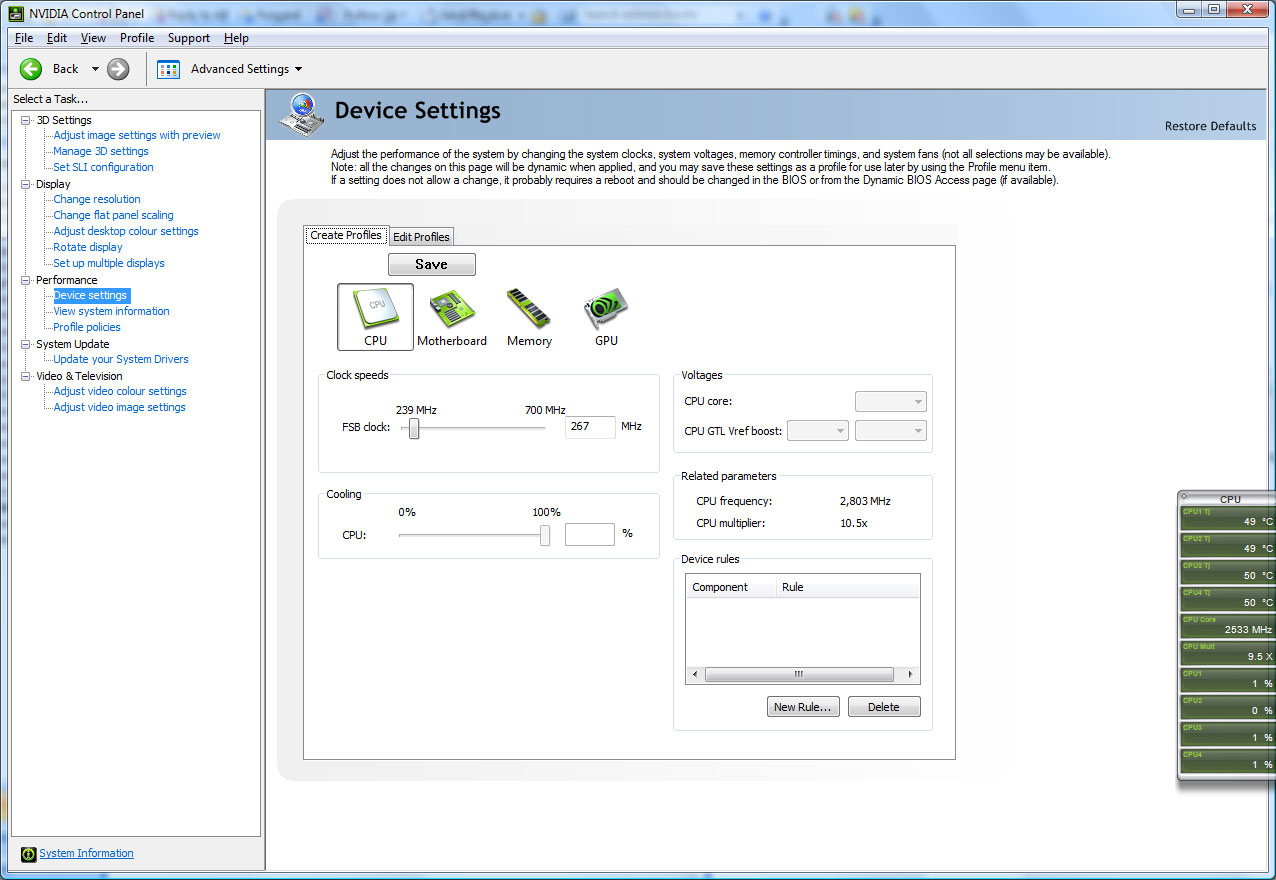
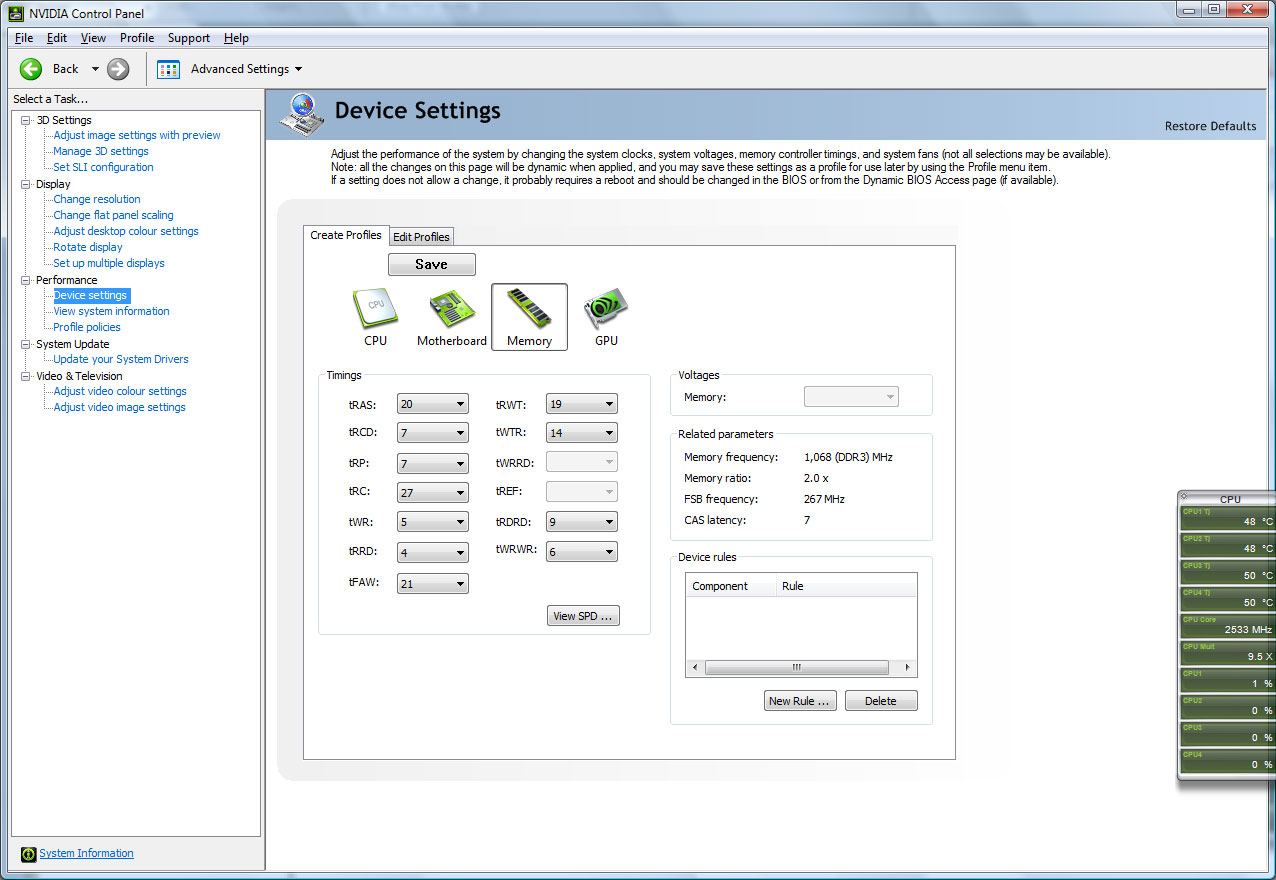
This is idle (all are in stock speeds):
![[IMG]](images/storyImages/vh811v.jpg)
![[IMG]](images/storyImages/wsdh4.jpg)
![[IMG]](images/storyImages/vxg3tl.jpg)
Specs are in profile -
lol we both have 9800M GTX
Every thing looks fine here. You have a bit lower temp then me.
This is strange, becouse it can't be your GPU.
What I think and that is most likely is that the your CPU gets overloaded when you are in game. Have you noticed that at idle ? Open a music file then stop surfing for a bit and let your Gpu Downclock then start surfing... Does it happends any crackling ? when you first start and your gpu must get to stock clocks ?
And one last thing how many process are running in background ?
I can't scroll fast after I have writed this message but if I push my muse wheel like crazy then it is crackling and my GPU gets to stock and every thing is fine. Then it crackling when it downclocks....
-
How can I downclock? I don't know which tool to use. Do you think I have room to overclock the GPU/CPU maybe?
EDIT: I loaded Crysis and on the Options screen you hear the Crysis sounds and ambiance music and I clearly hear crackling sounds from time to time. And the volume isn't on 100%. You know the crackling sounds right? It's like 'Kggg' like static sound, disturbing the normal sounds. -
The GPU auto downclock with some drivers and yours do it too. And yes you can overclock GPU but I won't suggest you to do it. I have tryed it, I get better result without overclock. Becouse we have a powerfull card but CPU is too weak.
Now, Dude55 has very much information about this. You should wait for him to get good suggestions.
I try new things now, suggested by Dude55. We have the same card I will let you know if I get better results.
Biggest problem is heat. I have reached 95C and that is too high
90+ is danger area
-
Salut!
I experienced the crackling in media player classic and some games, I found in fact it was part of various codec packs! Uninstall every pack you have installed.
If seems some of the audio switchers don't like the setup on these laptops. Rather than cheating with a pack manually install xvid and divx codecs and others as necessary and you'll be fine.
Let me know how you get on. Bonne Chance! -
This is when I have Crysis on background (AA off, all High) 1280x800:
![[IMG]](images/storyImages/wlpqc0.jpg)
WOW! Nice catch.. in fact I installed Kodec K-Lite pack. I will uninstall it. Does this mean I only can use VLC for movies? Any other 'safe' codecs out there?
Merci beaucoup mon ami. -
In fact you can still install any codecs you want. The issue is all the other "bits" they include with codec packs these days, some are very useful but I think something is conflicting with the Dolby Setup or something (i dont care enough to research) which caused for me the semblance of the speakers being blown.
Other thing that made the sound better for me (tiny lag in media player opening mp3's) was right clicking the volume icon in the systray, playback devices, click speakers and properties, enhancements and click disable all sound effects.
-
No luck. I've uninstalled the K-lite Codec pack, restarted and the crackling is still there. Maybe I'll reinstall windows and see if it is still like this.
I understand. Overclocking is out of the question. Maybe investing in a P9500 is a better solution. Hopefully Dude will give the pointers we need. Thanks! -
The best is to get Quad processor
But it is a bit expensive for now, so I wait for a price cut. My cranckling is becouse GPU downclocks, not becouse codec pack. But I don't have it in game. If I surf slow and example read an article then want to scroll down it happend. But not like in game :/
Can you check how many process you have running in background ? -
From all these problems I think that I am really lucky!
My QX9300 is clocked now at 3000Mhz and the highest i've had is 51'c with Unreal Tornament 3 with all settings highest on the nvidia physx map.
GPU's highest running clocked by 25% in SLI is 62c
All i need is to find a replacement OLED panel and get an SSD drive and the machine is perfect.
By the way the best nvidia drivers for me under vista x64 have been 179.67 with physx addon, and macos seems to run well, I'll post back if I get it 100% working.
One quick question? Where is the damn remote control? Must be that not all models come with one, I dont have one! -
I have a remote control
But It is usless. Yes you are lucky your machine is very good. Like I said before. I know your model we have it here but it cost dobble as mine :/
Have you tried the newest 185.81 beta driver ?
And what was your 3dMark06 Score ?
I have done some new overclock now and takes 3dmark06 mark test every 5 min
But can't still beat my own score :/
-
On stock drivers and minimal overclock 13488. I've had around 15000 at best but the machine is for work mainly and I dont want to kill anything as I've heard so much bad stuff about getting into the machine.
To be honest the dual 9800 gts's handle all that I play and more so I dont really need to play with drivers too much, I just found the 179 to be the best so far. -
That is very good score.
My stock witout any overclock is around 10k :/ Best thing about your machine is nvidia chipset. You can overclock your CPU from Nvidia Control Panel Right ?
-
I have many lol
![[IMG]](images/storyImages/96i81g.jpg)
-
I have intel chipset
Can only overclock GPU from nVidia control panel :/
That is good to be Vista don't worry I have seen worse. 80 90 even 95 @ same time
-
hey guys whats up?
i recently bought a x305-701. its awsome!!!
but i was wondering if this has happened to u.
like 1 week after buying it,the boot time takes up to 1 minute starting from the "please wait"
it was fast yesterday lol but i dont know what happened.
and another question.i have the 701 model can i upgrade from core 2 duo to quad core? and do u recommend it? -
You can re-install vista and leave stuff (drivers and softwares from toshiba) you don't need. Download drivers from toshiba and every thing should be fine. Leave Tempro and that face scanning system drivers, they slow down as well (test it by me self, I don't installed them after a fresh copy of vista and now my boot time is shorter and I don't get "Please Wait" screen at startup.) Many models support upgradig CPU, I have plans to do it too. But first of all it is too expensive at the moment
And your temps wil be higher. This mean you can't overclock it very much, it will downclock any way after it as reached a temp. You can upgrade to SSD if you don't want to wait at startup ect. but if you play heavy games like GTA IV (as me
) a SSD wont help to get better performance it will only cut down loading times.
-
Hi
Thx Tomcom2k for info. I was wondering how you know if you got an intel chipset or nvidia but used cpuz and found i got the nvidia one which is excelent. Bought myself a x305-q706 and like many people with the dual 9800gts i have been a bit disappointed with 3d performance but at least i have the option of an upgrade and oc a qx9300 to speed things up in future.
One thing though, the cpuz shows cpu core speed jumping 1600ghz (x6 multiplier) to around 2.27ghz (x8.5). This is even when it is on high performance power option with AC plugged in. Anyway to keep it stable on its stock speed? -
Ok, i have been out of this thread for a while but will try to recap...i read all the 5 pages i missed.
1. if you want to know everything and i mean everything about your computer, download pcwizard.. http://www.cpuid.com/download/pcw2008_v1871.exe
2. in the nvidia system control panel, sometimes it shows crazy clock speeds of 3.2ghz, etc. dont worry about that, its a bug.
3. with the cpu core speeding jumping, dont worry about it. based on load, it automatically adjusts its speed. for example, when playing a game, it will stay maxed out. however, if you want to adjust voltages and tweak a few things download rightmark:
http://cpu.rightmark.org/download/rmclock_235_bin.exe
4. if you want to upgrade your cpu, just tell me your budget, i will find you the best deal.
5. if you have a q701 and want the best drivers, get the dox 185.68 from:
http://www.laptopvideo2go.com/forum/index.php?showtopic=23676
6. for q706, same drivers can be used, but you cannot switch to the 9400m.
otherwise, check out nvidias new drivers:
64 bit vista
http://www.nvidia.com/object/geforce_notebook_winvista64_185.81_beta.html
32bit vista
http://www.nvidia.com/object/geforce_notebook_winvista32_185.81_beta.html
and lastly, any questions? -
Merci for all the useful tips. Unfortunately I'm still having the same problem:
1. I plug the Ac adaptor in the powersocket
2. Laptop gets power for 4-5 minutes,
3. I leave the AC adapter unplugged for 2 minutes and plug it back in the wall
4. Again, the laptop only gets power for 4-5 minutes.
So why will it only give power when I leave the ac adaptor out of the powersocket for two minutes and why will it only feed the laptop 4 minutes?
If Toshiba doesn't help I'm going to ask for a refund and buy a MSI GT725 -
Toshiba dosen't give any support (They didin't give me), and trust me Dude55 know more then Toshiba.
-
what I would do is try to use someones qosmio and use your adapter. if it would struggle from the same issue then it wouldn't be your DC in jack or even your computer. ac adapters malfunctioning can tend to be one of the more "popular" problems next to overheating.
and does your ac adapter make any noises?
can you run off battery power just fine as well?
and lol thanks tunay -
Hi Dude55, after a lot of reading lol, here i am. I have a Canadian version of this laptop.
Here is the laptop info: http://www.toshiba.ca/web/product.grp?lg=en§ion=1&group=1&product=8471&part=8972#spectop
I was wondering how it did in benchmarks, and really not impressed. It is almost like the sli'd 9800's arent even working, I have also replaced the ram with Kingston HyperX ddr3 at 5-5-5-15 timings, and a OCZ vertex 120 gig. This thing should be flying. Any ideal what i should be getting for scores in 3dMark and progies?
Thanks -
Hi
Thanks Dude55. Used pcwizard which confirms nvidia chipset.
About the dox 185.68 drivers i tried to install them using modded inf but it only detected 1 of the 9800m's so i wont bother.
Tomcom mentioned 179.67 with physx addon. Does that have hybrid support? I would like to change the toshiba drivers because the games look very glitchy for some reason. Don't think its a problem with the games. -
What is your 3dMark06 Score ?
I want to upgrade to OCZ vertex 120 gig too
Hi, I have also tried grapich drivers from Toshiba. Must say, worse driver I have tried on long time Games run like ....!
Have you tried official 185.81 driver ? I get good result with this... It downclock too on idle
x64: http://www.nvidia.com/object/geforce_notebook_winvista64_185.81_beta.html
x86: http://www.nvidia.com/object/geforce_notebook_winvista_185.81_beta.html -
3dmark score around 5000 BTW how did ya get the new vid drivers to work? usually wont happen with Toshibas
-
Serious ?!
You have;
Intel® Core™2 Duo processor P8600 (2.4GHz, 1066MHz FSB, L1 Cache 32KB/32KB, L2 Cache 3MB)
512MB x 2 nVIDIA GeForce 9800M GTS with nVIDIA® SLI™
Kingston HyperX ddr3 at 5-5-5-15 (How many gigs ?)
And
OCZ vertex 120 gig
Right ?
Official x300/x305 Owner's Lounge
Discussion in 'Toshiba' started by Bartlett, Oct 4, 2008.