Problems? See this thread at archive.org.
You can upgrade the processor and memory and Hardrive.
Thats about all, You cannot change the GPU unless you find a 9800m GTX on ebay, but you certainly can't buy one retail
-
+1 for this !
-
well dude, i got a x305-706 and im happy with the performance of my sistem, i get some upgrades for it (x9100 and a 128gb patriot torqx SSD) and the machine runs like a dream, today we can get a sager 9850 or a m17x, they arent cheap laptops, also you cant buy vga upgrades for them (i got a m15x with a 8700gt and try for a year to get a 9800, alienware support, ebay etc. imposible), the official nvidia driver for those machines are same or much older versions than the toshiba so the only way to get good performance on those machines is go to laptopvideo2go and download the all mighty DOX optimized driver, i can play every game at max video settings, i agree that the bios must have processor settings unlocked and raid support gonna be awesome, but is not the end of the world, for the price i pay for my sistem is ok (the patriot torqx ssd give me a huge performance improve, vista x64 boots in less than 15 secs), im from paraguay and the toshiba support here is awesome thanks god, well some price comparations now with the new sistems with the specs of my machine (cpu {x9100} mem {4gb ddr3} and hdd {320gb7200rpm} but with 2x280m gtx):
Sager 9850
$Cash Price ** $3,184.51
Toshiba x305-706 (2x9800m gts) (2000$+400$ x9100)
$Cash Price ** $2,400.00
Alienware m17x (proc T9800)
$Cash Price ** $3,073.00
well hope this can help someone... -
Well, you are lucky then, I have also SSD now. Yes, boot-up is faster.
But like dude said this plastic hunk isin't worth the money. In Norway, Toshiba support can't even talk Norwegian. They are Sweedish or something like that. I wanted to sell mine but no-one wants to buy it, well I can understand them I'm also with
Dude55, never buy a Toshiba
product again!
I'm also with
Dude55, never buy a Toshiba
product again!
-
Thanks Tunay for the support!
I recommend everyone to check out the Alienware M17x, starting at $1800.
And the reason why its $3000 compared to $2400 is because of the quality and support. It is all anodized aluminum and glass and has excellent support. M17X all the way! -
I have done a google search for pictures.
Result,
A M A Z I N G -
If you are looking for laptop check: Sager, ASUS, Alienware or check this: http://www.cyberpowerpc.com/system/Xplorer_X7-Xtreme_S1_Notebook/
Never buy a Toshiba laptop - it is just a piece of... er... no matter what. When i turn it on i got a felling that it going to blow any second. -
You are always going to find something faster, better and cheaper awhile after purchasing any computer, that is why I would recommend the Clevos mentioned above. I don't think my Qosmio is a cheap plastic hunk of junk either though and I also knew that better bargains would come along after purchasing it. Toshiba driver support is lacking when it comes to the 305's, so far there are no Windows 7 drivers available for the Qosmios but are for a number of other Toshiba models. Whenever I open my Qosmio in public someone always says, Wow, that is a nice computer and that screen is gorgeous, etc. Yet to have a negative comment, and I always reply that I didn't buy it because of the looks, just that it was the best bargain at the price point/features that I wanted at the time.
-
Hello there x305 world.
I've got Dox's 185.85 driver running on a X305-Q708 (9800gts hybrid SLI with vista64) but I have a problem with the game Fear (old game but I am playing them in chronological order). At first start, gaming is exceptionally smooth, but after a minute or so, the frame rate starts to stutter.
This is already in Hybrid SLI Boost. The problem occurred with the latest Toshiba display driver but an update to Dox's 185.85 has not fixed the problem.
All Nzone demos such as Cascades and geoforms run fine.
One thing I notice with CPU HWmonitor is that in hybrid SLI, the temperatures of the 9400m and one of the 9800GTS are high, while the second 9800GTS' temp is lowest of the three (about 5 or so Cent. degs lower). Does this look like the SLI is actually coupling between the 9400 and one of the 9800GTS, intead of the 2 9800GTS's? I would expect both the 9800GTS to be the SLI work horses here, not to see one taking a rest and letting the 9400 do the work.
Can the 9400 be disabled? By removing the display driver in safe mode. Disable the 9400M in device manager, reboot and install the display driver for just the two 9800GTS's. I mean it's a game machine and I only use it to play games and don't need the 9400m in power save mode.
I am going to install another game on the machine to see if the problem repeats itself.
Any idea much appreciated. -
One thing I notice with CPU HWmonitor is that in hybrid SLI, the temperatures of the 9400m and one of the 9800GTS are high, while the second 9800GTS' temp is lowest of the three (about 5 or so Cent. degs lower). Does this look like the SLI is actually coupling between the 9400 and one of the 9800GTS, intead of the 2 9800GTS's? I would expect both the 9800GTS to be the SLI work horses here, not to see one taking a rest and letting the 9400 do the work.
yes, I think we have a single 9800mgts turbocache 9400mg setup. Nvidia SLI zone software says SLI disabled, Everest ultimate says SLI disabled, Nvidia control panel/system information reports 9400m g SLI.
Different drivers get better results with different games. Farcry2 plays flawlessly with Toshiba driver and poorly with all others tested. Try 186.08 -
actually, i have been in contact with franck and hw monitor reads incorrectly in the latest version. post a bug report at the forum. a new version is on its way soon. if you can find version 1.13 it is reading correctly.
as for 9400m g SLI, that is the chipset (northbridge?) which also doubles as a GPU -
Hello!
I am planning to upgrade my optical drive, but I'm facing some serious doubts.
I've seen Blu-ray burners for sale @ eBay, but they are all slim SATA 12,7 mm (height). Do you guys know whether the X305-Q701 interface is SATA or not?
Thanks in advance for your support! -
Man, I had a really bad time with this HDMI issue, too.
But here's the solution. It's quite simple, actually, but It took me more than a day to find it. I was trying to plug the HDMI cable using the nVidia 182.05 driver.
All you need to do is roll back to the original Toshiba driver. All others will fail miserably!
It was quite a bad night to me. I was trying to watch some movies with my girfriend and it ended up messing up with it.
I hope this have helped all of you! -
anyone have the hybrid driver for the m17x? wanna test it on the x305-706
-
I have 1.13 if I don't remember wrong. If someone wants it I can upload
BTW: Where are you Dude55
-
Nevermind. I found out some 3d apps such as the cascades and geoforms just dont' use SLI at all... and others such as the Froggy demo uses it to the full... in the Froggy demo the temp of the two 9800gts rise together, and the SLI vertical green bar show the SLI in operation....
in Cascades and geoforms SLI isn't used, so onlyone of the 9800gts does the work.
learn something new everyday eh
-
Thank you once again for the help. Unfortunately the Dox 185.85 driver does not fix my problem either. I uninstall, reboot, install new drivers, reboot, and still get a black screen on my laptop and LCD TV when I plug in an HDMI cable. Uninstalled, rebooted, installed the latest recommended drivers from Toshiba (175.90) and the HDMI works again.
It must be another driver or something conflicting with the newer Nvidia drivers. I'll have to choose between newer Nvidia drivers, or being able to use HDMI. At this point HDMI is more important to me. Hopefully myself or someone else will be lucky enough to stumble across a solution in the future!
Thanks again! -
I came across the same problem, looks like we are all in the same boat! Stupid really, you'd think Toshiba would have figured something out by now.
-
theclapp : Have you tried to remove all the old driver junk files by DriverSweeper ? I don't think that is the problem but... give it a try if you want. I'm also not sure how good DOX drivers is for HDMI ect.
-
have you also tried updating to the newest nvidia hdmi audio driver?
http://www.nvidia.com/object/nforce_hdmi_audio_vista64_1.00.0.42.html -
I tried the original graphics drivers, these were the only ones that would get the HDMI to actually display anything on the monitor. The only problem is that the quality of the picture is awfull. Everything is slightly blurred with ghosting effects around text.
Im also still getting the laptop triggering the touch media buttons, and pausing my music even though the drivers were uninstalled. This laptop drives me mad I must admit. It seems that laptop uses always get forgotten about when graphic drivers are being made.
I have just installed a very beta driver from guru3d which gave me a boost in crysis from the crapy 14 fps to the still crapy but playable, just, 24 fps.
This is the link for the 64bit version. http://downloads.guru3d.com/GeForce-ForceWare-190.15-Win-7-|-Vista-(64-bit)-download-2309.html
It seems to run alot smoother for me anyway. Not had time to test to see what happens with the HDMI but Im not holding my breath.
I'm in korea teaching at the moment and really could have done with this laptop working properly. Really I should have taken it back to the shop where I bought it, but as I was travelling in new zealand at the time I was moving on the next day so couldn't. The pound was high at the time so i got a got transfer rate so i got it much less than i would have paid in england.
It looks like what they sold me was a reconditioned american laptop as its a x305 q701 which im sure would have had a different code in New zealand/ Australia but not sure on that one. Found out afterwards!
But my own fault for not checking
I want to upgrade the cpu to the top quad core available and put the better graphics card in there. Then I might see while it is open if i can disable the media buttons properly as i dont need to use them and id rather not have them trigger themselves. Hopes I can get the graphics card sent to the uk. -
thanks for that but I found that this problem was very wide spread 2 years ago and now has struck mine. It was documented below and on the nvnews forum
E3 2007/Update: Does performance drop in 'F.E.A.R.' point to larger PC gaming problem?
http://news.cnet.com/8301-10784_3-9740960-7.html?part=rss&subj=news&tag=2547-1023_3-0-5
http://www.nvnews.net/vbulletin/showthread.php?t=91118&page=11
and it doens't seem to be related to nvidia drivers, but I haven't finished reading the second thread. -
Interesting enough, from taking 2 min with the please wait screen, my x305 now takes only 4 seconds! I'm back to the 40 sec startup time!!!! also SP2 is available as an official release.
-
mmm i dont have problems with the hdmi port, im using dox 185.85 hybrid drivers, i only got some audio problems when using spdif out in games like Prototype, but is a driver problem, using already the atest reatek driver, well no a bid problem, im shure is the dolby digital live decoder the problem but i dont care
-
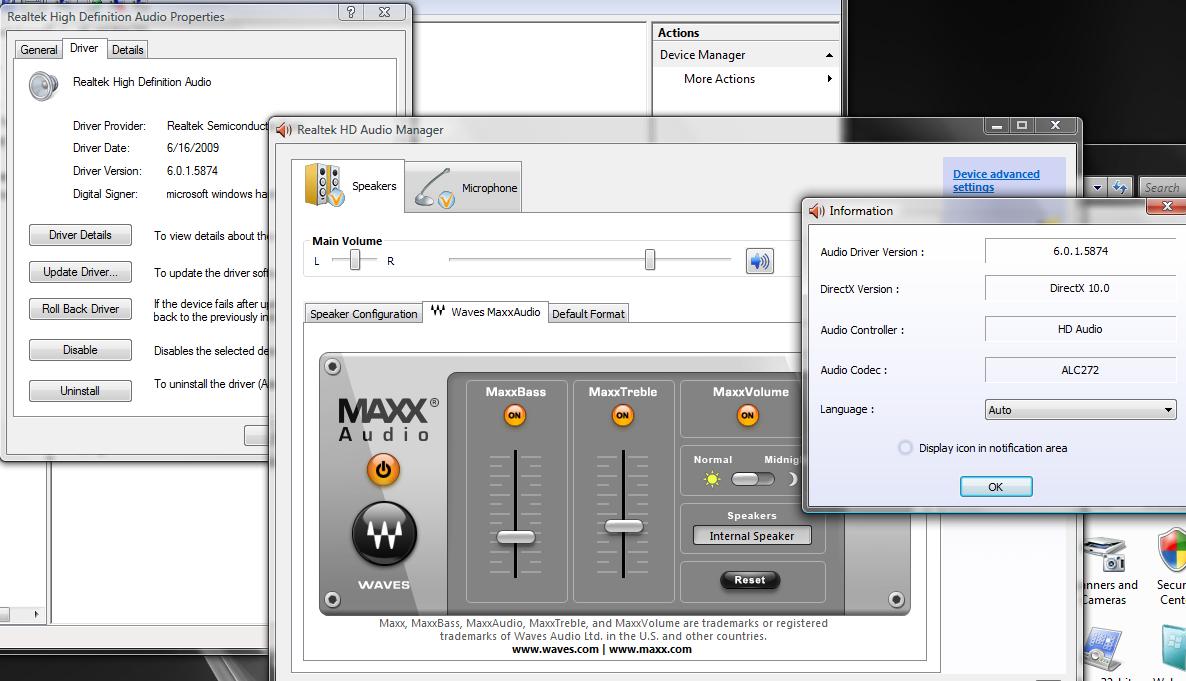
Which is the lastest Realtek driver you have ?
I found one but I lost my Bass options in Control panel. I lost the whole Maxx Audio part. I have the lastest Dolby driver, but not enjoy - able. -
the latest driver is the R227, i got MAXX settings (only for analog audio)
-
I use older one, not quite sure wich version, but I have postet a screen shot some pages back... Maybe I try out R227 (...)
-
Toshiba support has been cranking out Windows 7 drivers--does anybody know what the TRS driver is/does?
-
![[IMG]](images/storyImages/capturevu.png)
Been experimenting with overclocking GPU's with the newer drivers. If you select factory default settings for 9400m g in Nvidia system tools you can OC the 2 9800m gts's. I have been moving all three sliders in identical increments. -
i'm going to use your post in another thread if that's ok with you.
what are your clocks -
I hate that, I can't run 3DMarkVantage
-
![[IMG]](images/storyImages/capture54.png) It seems the newer display drivers from Laptopvideo2go down clock the GPU's according to Everest.
It seems the newer display drivers from Laptopvideo2go down clock the GPU's according to Everest. -
Why are you unable to run Vantage?
-
how would that be posible if it's locked in your vbios. try gpu-z
-
It says me screen dosn't support 1280x800 or something like that...
I can't rather read my BIOS with GPU-Z -
![[IMG]](images/storyImages/gpuz.png)
The bandwidth at this hotel blows. -
Oh yeah. you have to go to Nvidia control panel and change flat panel scaling to either use displays built in scaling or Nvidias fixed aspect ratio.
-
you should be able to hit 900 on the memory is you lower your core a little bit.
-
Thanks! I will try this when I arrive "home"
-
![[IMG]](images/storyImages/captureveryhigh.png)
Crysis benchmarking tool very high settings. -
![[IMG]](images/storyImages/capture65.png)
Tried to take a screen shot in windowed mode but fps drop by the time I click snipping tool and take shot. -
what video drivers are you using sgilmore62? the last one i try is the DOX 185.85 (currenty using it)
-
I'm using 186.08 from Laptopvideo2go.
-
try dox 185.85, also remember to install the evga sli enhancement patch
-
![[IMG]](images/storyImages/realw.png)
Hey Tunay, are you still having trouble finding Realtek HD audio manager? It's in control panel. -
sgilmore: how in the world were you able to oc a p8400 to 2.7GHz? i cant get mine 2550
-
Hey Sgilmore62
No, I know where it is but with the lastet realtek driver I didin't get the maxx audio settings as you postet a screenshot of.
But I'm going to try the new driver when I got some free time.
.
I will ofcourse post the result
-
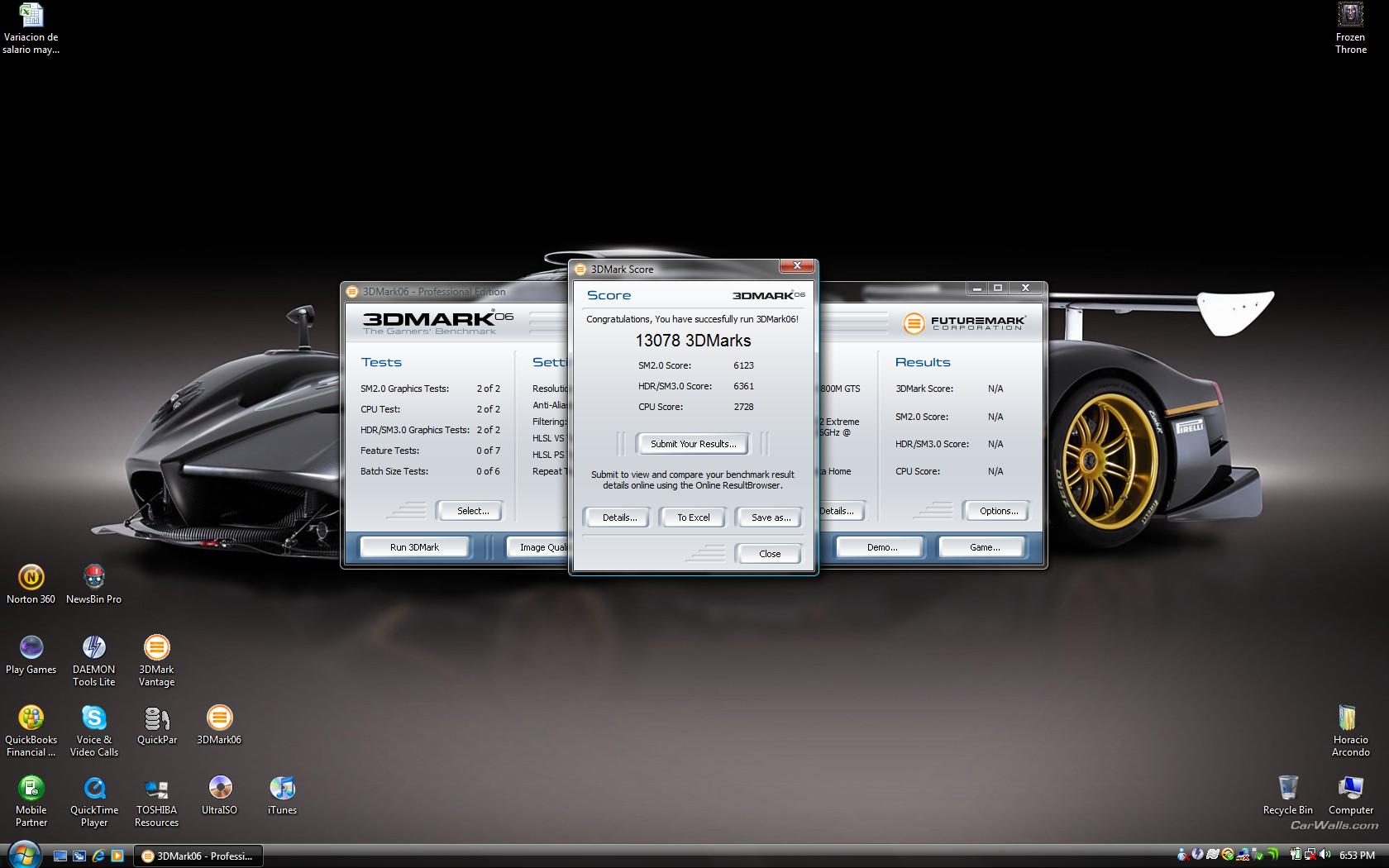
latest realtek driver + 3dmark06 score
Attached Files:
-
-
Hey Thanatospy, that's a great score but I'd bet you could do a lot better with some overclocking. Have you tried overclocking your cpu and gpu's with Nvidia system tools? If you do always select no when the popup asks if you want to run profile at startup.
-
I don't know, some chips can go higher than others. Mine isn't very stable at 2.7--get a lot of crashes. :
Official x300/x305 Owner's Lounge
Discussion in 'Toshiba' started by Bartlett, Oct 4, 2008.