Problems? See this thread at archive.org.
thanks for the info! I'll see if there are different power bricks.
On a different subject, I opened my lappy today and there is another connector for the additional fan! But I couldn't fit my old satellite fan there so I need to get that x305 part it seems.
-
-
Congratulatioins! What your temptratures ?
-
What kind of thermal interface material did you use? I used Tunic MX2 and my temperatures are okay. My scores are in sig. I did upgrade my RAM to Kingston HyperX 5-5-5-15 and since it is XMP ready and we have Nvidia chipset it runs at 7-7-7-20 but allows for higher FSB. I can run FSB at 315mhz.
![[IMG]](images/storyImages/temps.png)
![[IMG]](images/storyImages/41392669.png)
![[IMG]](images/storyImages/57726063.png)
-
It certainly seems like there are two different power bricks for the x305. One 19 Volts, 180 Watts, 9.5 Amps (part K000052170) which I currently have and one 19 Volts, 230 Watts, 12.2 Amps (K000062400) that ships with the higher-end models.
Any opinions if I should also upgrade my power brick? -
Is that possible ?
-
seems that if it ships with the higher end models (guessing 706/708?) it probly wouldnt work for you anyway since those models use a different motherboard, and probly a different power connector.
-
Umm, which catacogry is my model in then ?
-
I found a model X300-12B that has QX9300 and 9800M GTX and ships with the 180W version of the power brick and has Intel chipset.
So what I'm seeing here is that the power supply shouldn't be a problem. -
Well, that is a good news

-
ok so getting a bit warm will not hurt it, but i think that 85c is a good temperature to try and stay under!
thats ok, you were partly right though i ran it 3dmark06 twice and it was around 85C. i also ran furmark (this is a good stress test although it works your card way harder then any game) it got my gpu over 90C (and still rising) in about 5min from 60C i also tryed crysis and max was 80C after 5- 10 min
so summing up my little go at overclocking i was able to over clock fairly high (675/975/1775) get a good 3dmark06 9828 (i improved it when i turned my ram oc off) score and was able to play games with it without doing any damage, although i would first put some good thermal compound on my card and cpu, and get another fan before i would be comfortable with using it regularly. -
The cool is great., it's usb but you can buy a power lead for it. It's the only cool i found that fits the x300/305. There is a raised lip at the front that keep the laptop for sliding of the cooler. If though the cooler is angled you can still fully open the dvd drive.
The fans are in the middle of the plate, so you don't have your laptop hanging off like the zalman. I strongly recommend you get this cooler -
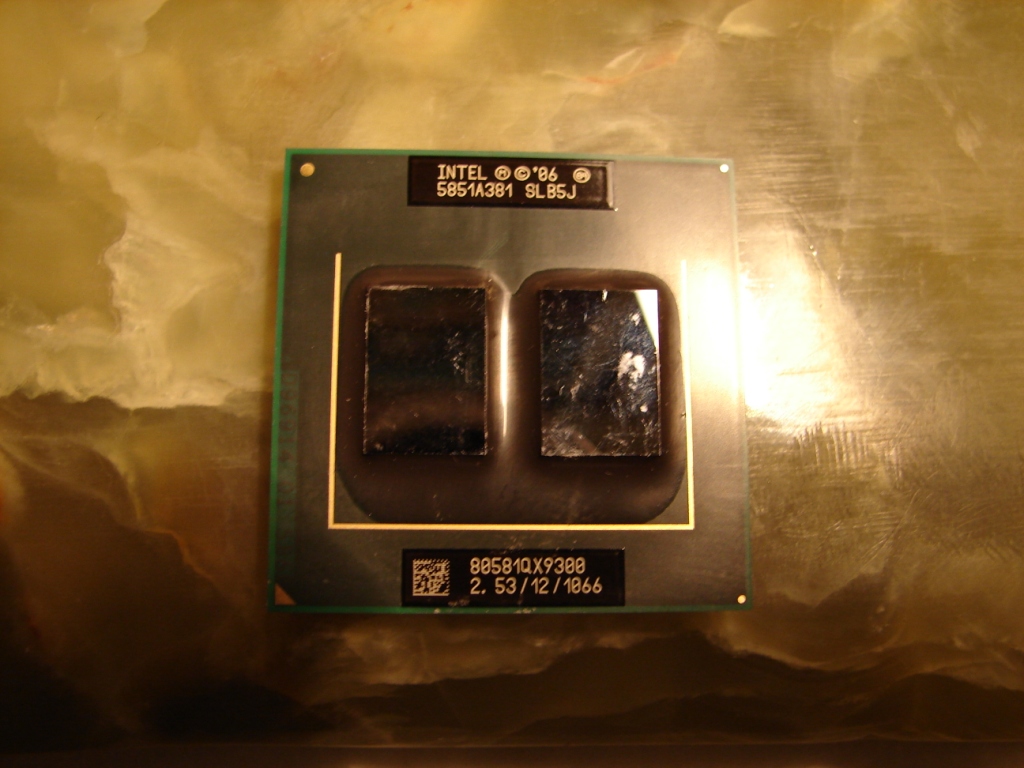
Hi everyone, a little off subject but I just want everyone to know I bought the QX9300 cpu from GamerFX it arrived today paid for it feb.2 I got it feb.8, all the way from Europe I'm in USA. A little back and forth but we made a deal. I just want to tell everyone here that GamerFX is a good person and can be trusted he was honest and straight forward with me. So if he's selling anything here again I highly recommend him. I would purchase from him again without thinking twice. I know this is not eBay but its still good to let everybody know that if you purchase something from someone here and it work out good or bad to let us all know.
-
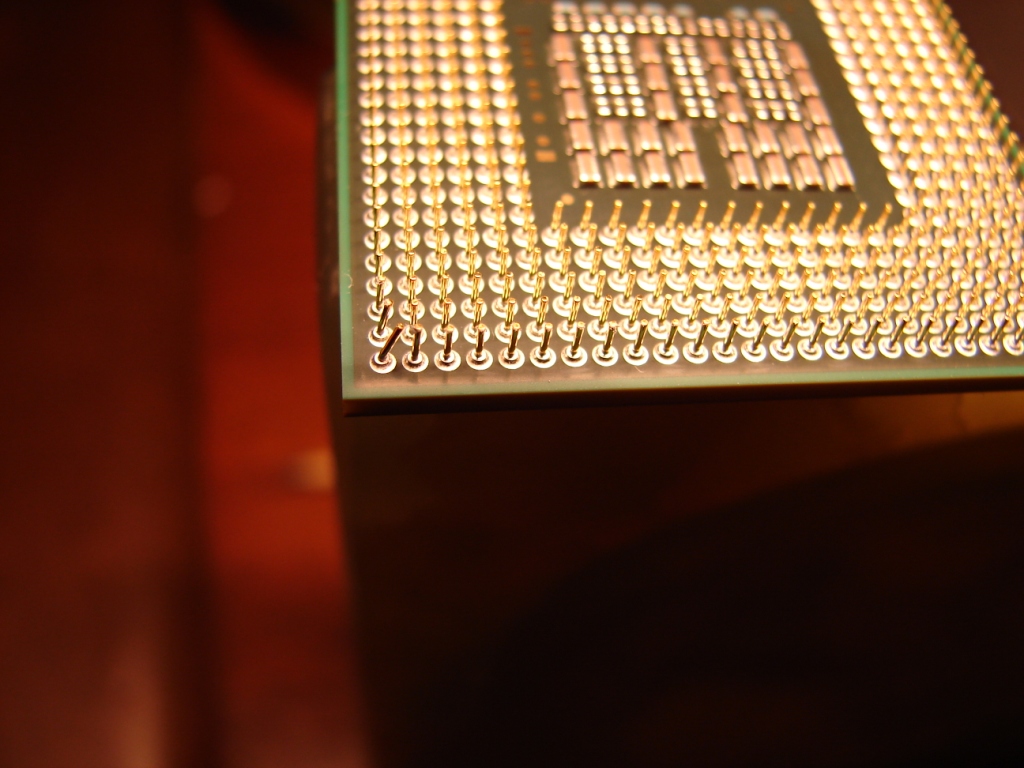
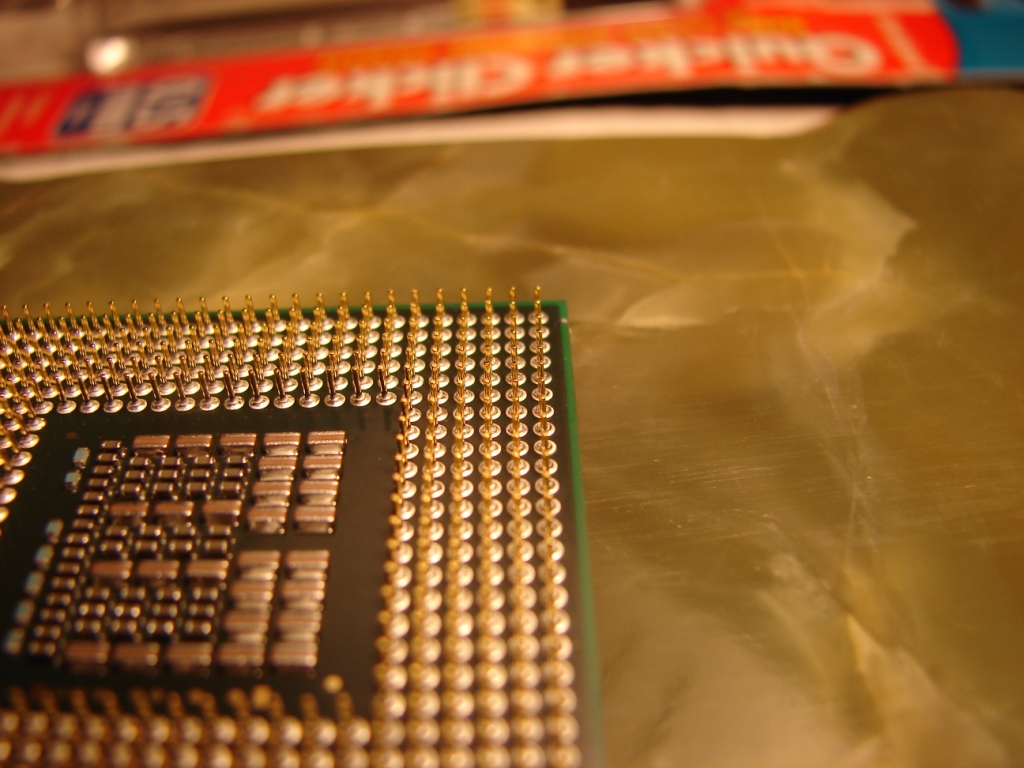
OK I got a problem after taking the qx9300 out of the package and taking a close look at it. I noticed that two pins at one corner is bent.
Ohh boy am I in trouble now dose any one here have any experience or know how to straighten back a cpu pin without braking or damaging it. I will take some pictures and post them. I know about the mechanical pencil is that still the best technique to use ?
-
I have had serveral cpu pins bend on various cpu intel, amd almost all socket cpu's. So why not the same here? I dont know exact how the QX9300 looks like but when you say pins I would just try straight'em out. using a sharp hobby knife of other precis tool. Dont bend em more than necessary.
If in doubt then return to the shop, demanding money refound or a new cpu. No biggie. -
Here are the pictures of the bent pins on the qx9300 cpu. Any one now how to straighten them. I have been building and working on computers for a long time but I have never had to straighten mobile cpu pins before only desktop. Any one have any advice let me know.
Attached Files:
-
-
I found this. http://www.wikihow.com/Fix-Bent-Pins-on-a-CPU I've never fixed pins of a CPU so I can't really offer any advice.
-
Umm, how can you do this to QX9300 ?!
-
That very interested. never hear that one before. This is what I'm scary of,
In most modern processors, the CPU pins are made from very thin wire plated with gold, and as such, are very soft, pliable, and break very easily. There is no way to replace broken pins on a CPU, unless you have special equipment and skill -
Was it like that when you got it or ?
-
It really is not a big deal with the pins being bent, it looks like in the photo that they are not bent to bad ie"all the way down" I had a problem like that on one of my cpu's and I used a "tooth pic" to bend them back up. If you are carefull it can be done..
-
If I break off this pin I will be so
anyone more advice ? HELP
-
yes
-
it looks like it has been put in the socket the wrong way as the cpu has a corner with 2 "missing" pins which corressponds with a small space on the socket with no holes, as most of you who have done a cpu themselves will know.
-
Umm, have you contacted GamerFX ?
Yes, I know what you mean. Have noticed this... -
I noticed that you have a OCZ vertez ssd hard-drive in your lap-top did you have any problems with it? I was thinking about getting one for my lap-top.
-
It is a big deal. it expensive and bought it private from GamerFX here at this forum. the last time I straighten a cpu pin was back in 2001 an a customer pc. never had a cpu pin bent on me or any pc I Own. Maybe I'm scary because it mine and if I break it I'm out a lot of money. here is thing it you bring your pc into a repair shop. we see that cpu is not seating properly. and find a bent cpu pin we call you right away To let you come and see it. than we would say you need a new cpu. or we can try to straighten the pin. no guaranteed if it break we are not Responsible. And that how go. Now if it your cpu you just bought private/use, no warranty, not a retail would you be scary.:cry:
-
What I was saying is since the pins aren't bent that bad you should be able to bend them back, I have been building desktop pc's for people for the last 10 years and have had a few times bent pins on different cpu's that were given to me by people, if you take your time using a tooth pic or credit card or small twisers you should be ok.
-
I just purchased an X300 and it should be with me in the next 24 hours or so.
The factory spec was as follows:
P8600, 4GB, 2x9800GTS SLI, 2x250GB(5400)
It has been upgraded to:
QX9100, 4GB, 2x9800GTS SLI, 1x320GB(7200)
Looking forward to receiving it. I'm using an ancient P100 with a 7600GT, which is hell for any games - particularly DoW2.
I've read through most of the thread and there doesn't seem to have been any recent discussion about which are the best and most recent stable drivers for the 9800GTS SLI configuration. So, what are people using?
Laptopvideo2go obviously has the whole archive, but I really don't want to have to spend hour upon hour upon hour experimenting, as I did with this.
Any help would be greatly appreciated
-
I've had no problems with my OCZ Vertex SSD, go for it if you can. HDD's is such as a "hold back" in modern systems like ours.
Well, I don't know what to say...
Well, I would stay with the lastest official driver form nVidia. It is 195.62, well I have done alot of research about this. And the results are diffrent from game to game. If you are like me; buy often new games, hours after it is relased in your country, you should stay with the lastest official driver from nVidia. Basicly becouse some grapich errors might seen is cused by grapich driver and nVidia fix this with their driver updates. Also, I have not had even one crash with this driver in games/under load! I was using DOX drivers before, but now I don't...
Congratulations with your new system, and don't forget a clean install of your OS for best performance and don't forget to leave all the bloatware out as well
Good Luck!! -
Thanks.
I just wasn't sure how good the support for the 98xxM series would be in SLI configuration with the very newest drivers, given that they are 2 generations old.
DOX can be great for absolute performance, but both in my experience and from what I've read, they often break Powermizer, meaning that the card overheats badly.
Not sure if I'll need a clean install or not - as the Ebay listing claimed it was merely 'open box', but I expect it's probably just very new and in excellent condition. Either way, first task will definitely be removing / not reinstalling the Toshiba crapware Also thinking of putting W7 on it, though some seem to think drivers are unavailable ...
I found this, which I'm not sure everyone is aware of:
http://support.toshiba-tie.co.jp/windows7/download/Qosmio_X300_64_cae.htm -
I know what you mean Around here I work for two pc repair shops in my area most people do not touch the cpu so we don't get any job to straighten cpu pins the last time I straighten a cpu pin was back in 2001. I been working, building, repairing, pc from the windows 95 days. started in 1997. if this was someone else's cpu I would have the pin either straighten or broken off.
 got to get my nerve together and do this I think I'm going to run to staples and get a mechanical pencil and take the lead out and just go for it. I can believe I being repairing pc for over 12 years and two bent pins got me so scary and nervous. umm I just remember holy crap!!! it over $500.00 s>>t
-
Well, I went back from Windows7 becouse my FN-key driver crash when I press "FN". It is kinda irriting becouse when I play games ect. and hit FN I crash to my destkop. And get kicked from the game, if I play multiplayer I downloaded my drivers form the Norwegian Toshiba side.
Do your best man! Good luck! -
Best of luck Conda! We all need to see that q701 with QX9300 You did upgrade your gpu to 9800M GTX, am I right?
-
QX9300 and 9800M GTX in same laptop will be sweet! I can't wait to order my QX9300
-
I can't find any HKLM instructions in any of the Section004 registers.
Does it mean this [nv_miscBase_addreg__04] one? That's a 4 and it has the right HKLM instruction?
I meant this one - [nv_commonBase_addreg__04]
Is there no way of making any of the later drivers recognise the SLI configuration? The latest drivers from the NVIDIA site (195.62) will install with a modified inf from Laptopvideo2go but won't allow SLI to be enabled, so you're hobbled with only 1 card. General windows performance is way better and games don't crash any longer with that one (unlike the Toshiba one) ... but performance in games absolutely sucks
Anyway, hopefully someone will reply about the 190.38 inf modification and it'll turn out to have similar application compatibility to 195.62, but with both cards working.
--- 9800gts sli x300 -
Oh, and why are instructions about Dell, Alienware, Yahoo Messenger etc etc being added for a Toshiba Qosmio???
Seems odd.
I tried without the Section 4 string but with the other modifications and it wouldn't install the driver. -
Are you not able to use the official mobile driver (195.62) without modded .inf ?
I can't say anything about this, did not even boot up for first time with the 5400 stock HDD's
-
Nope. I had to download the modded inf from laptopvideo2go. Without it, it just says that that the driver package does not contain drivers for my hardware.
-
Ummm, I remember this now. This has been discussed before, if I don't remember wrong, user went to grapich drivers from Toshiba. Most likly it is a solution for this, but needs research. I have single 9800M GTX so I am not into this
-
As I said above, I'm trying to mod the 190.38 inf to work, which sgilmore62 reports is the newest driver he knows of that supports SLI. Hopefully he'll get back to me
-
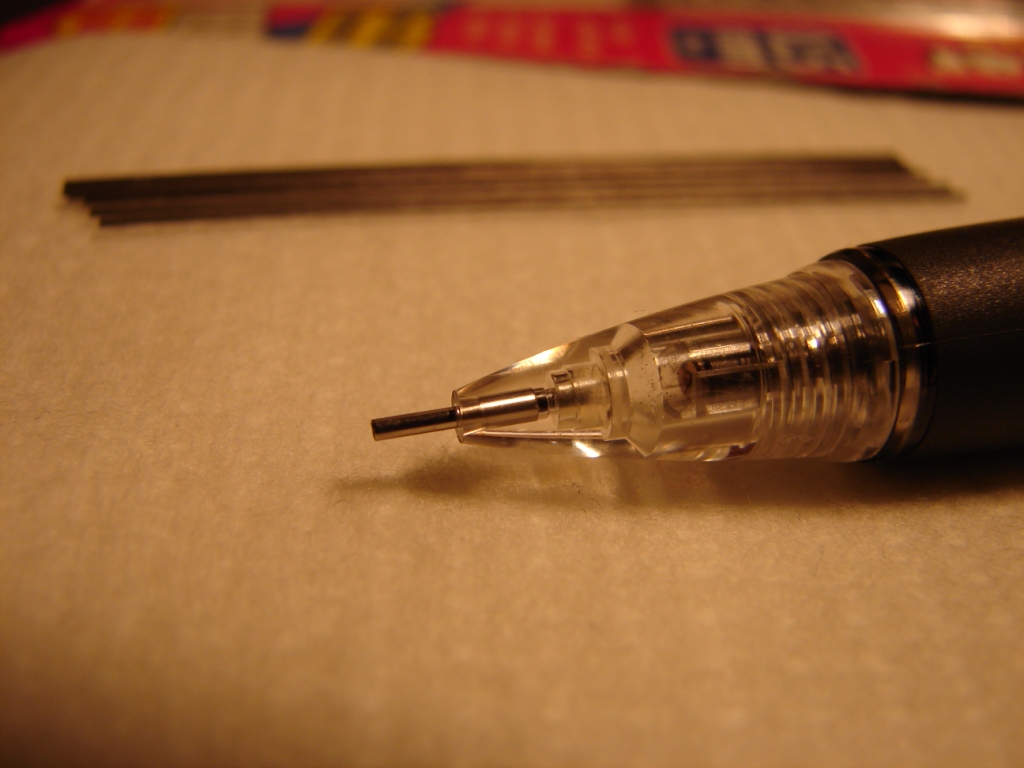
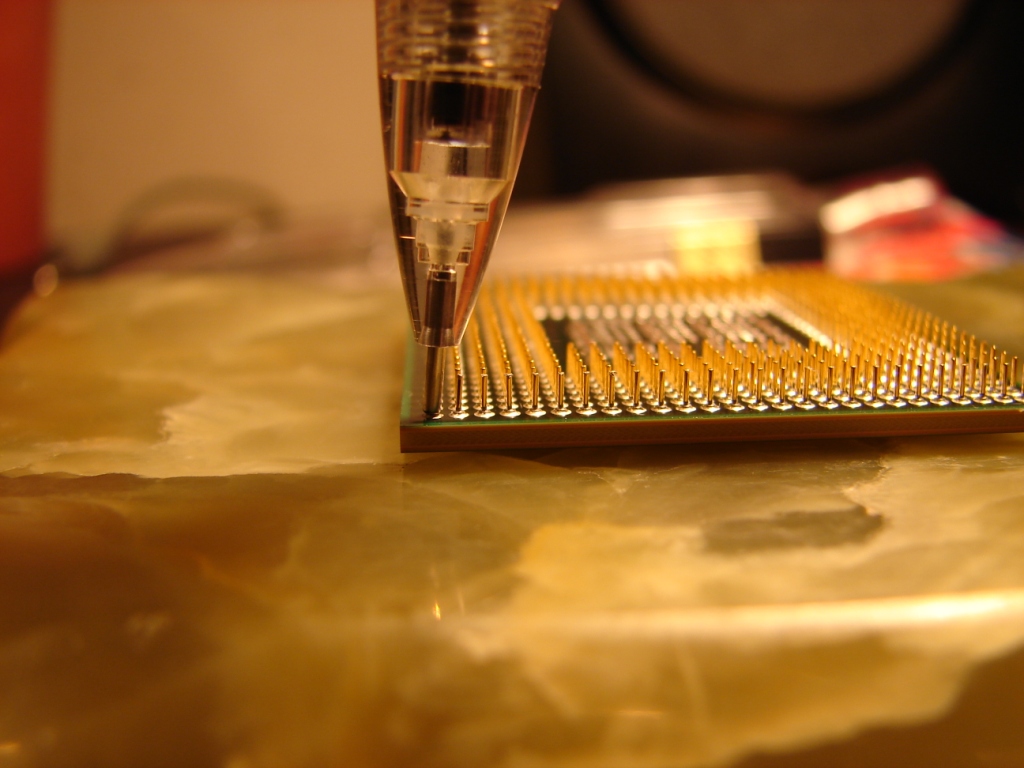
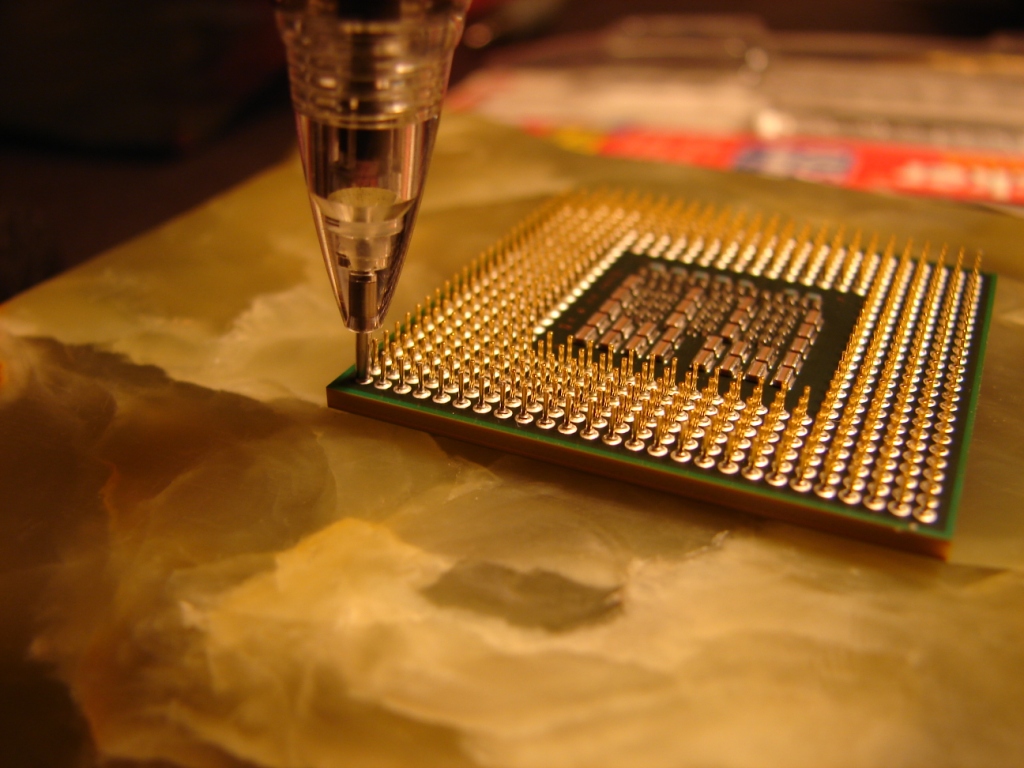
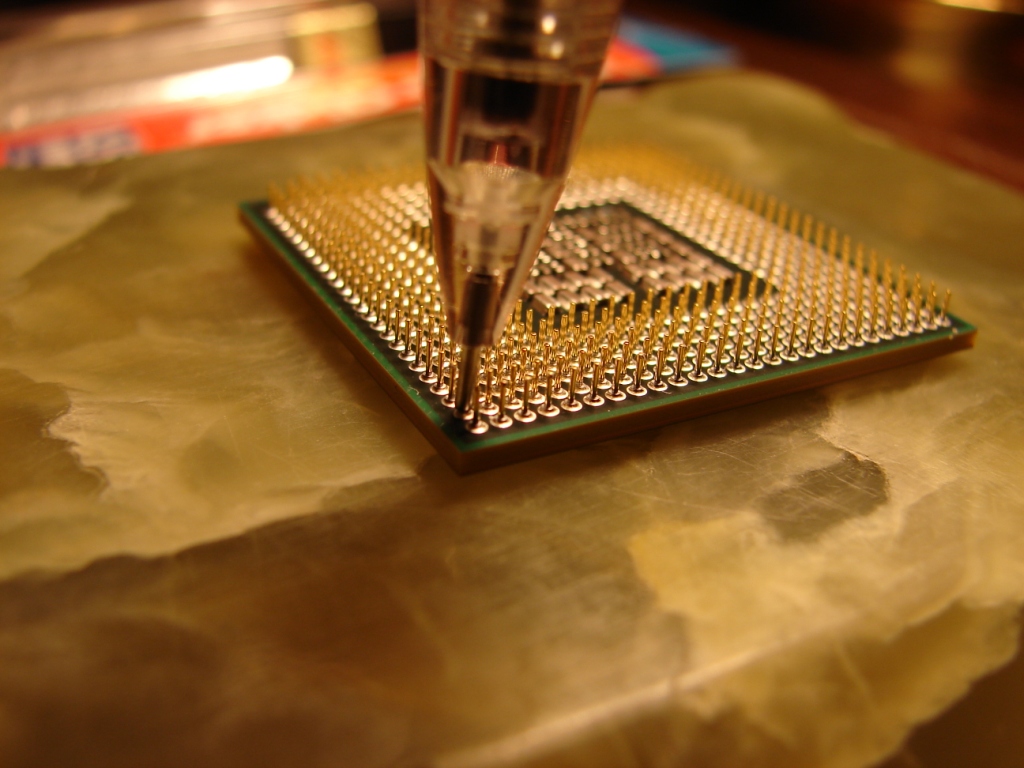
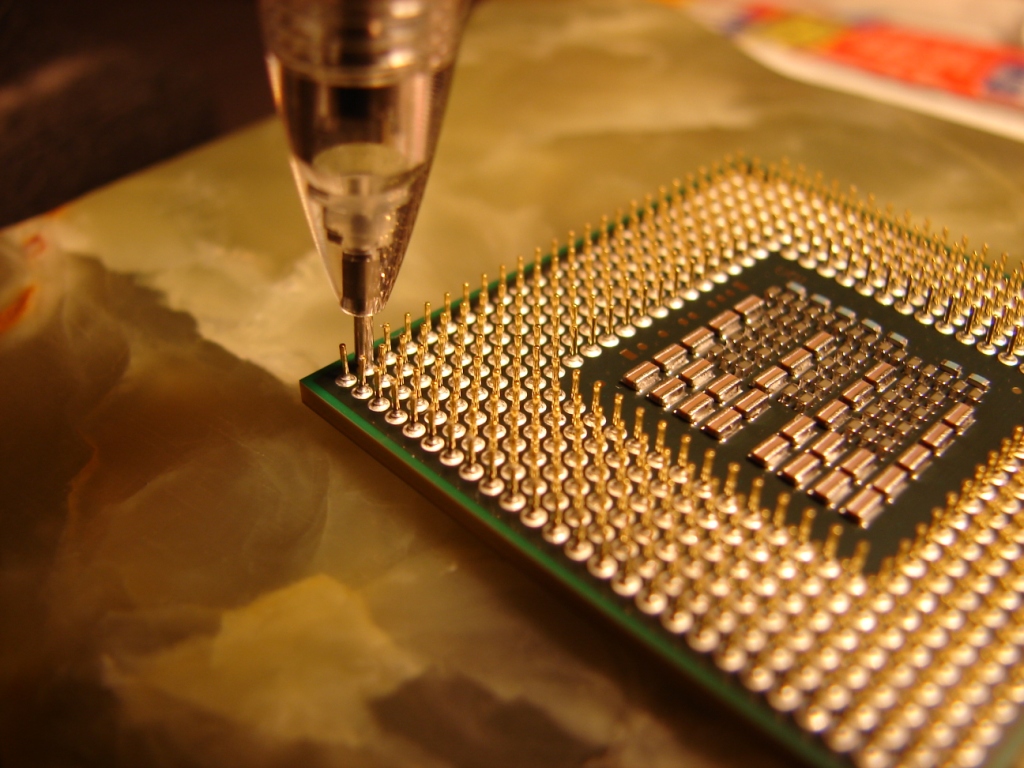
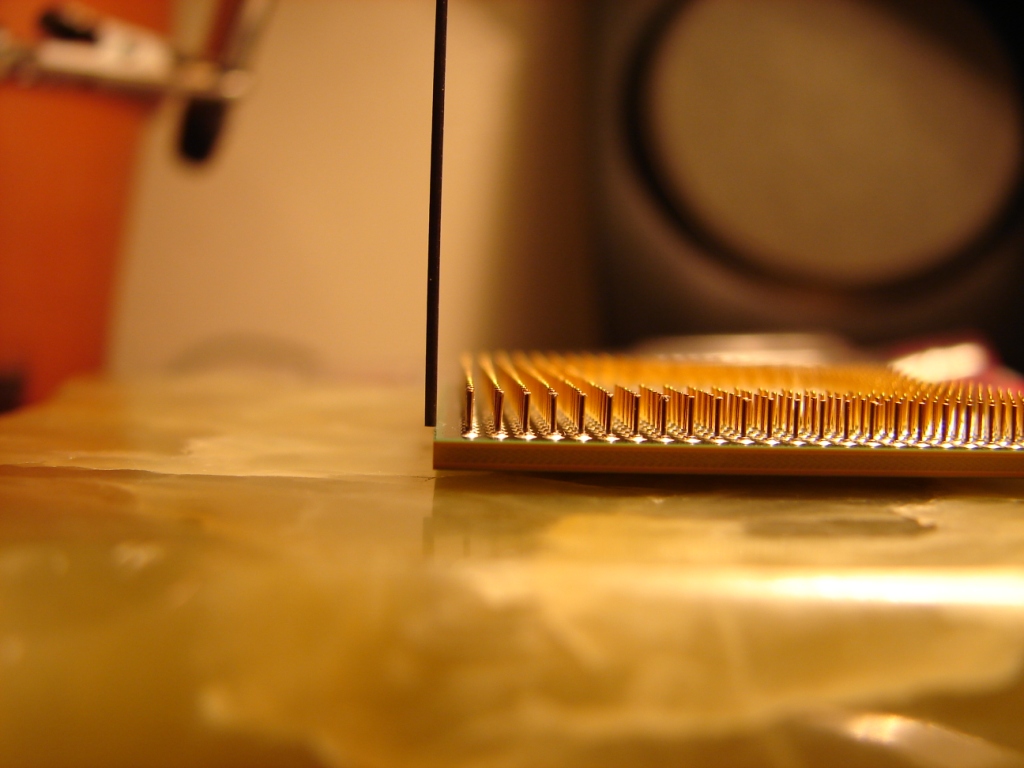
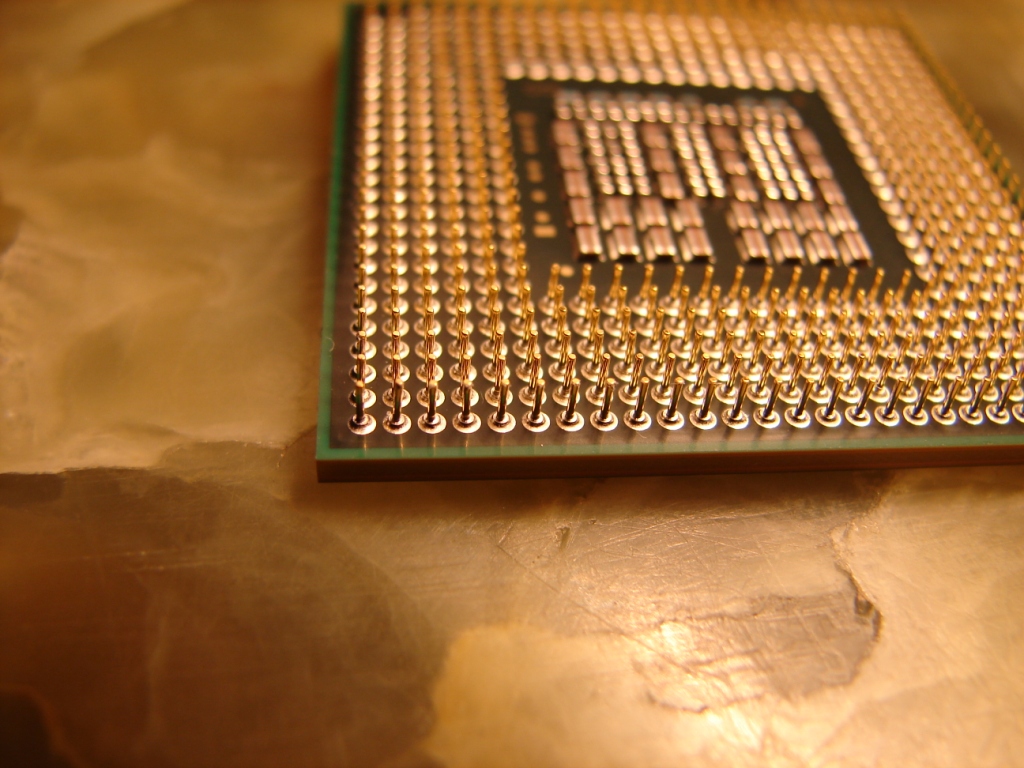
Ok I did it I got my nerve together. Here is how I did if. I got a pentel quicker clicker 0.5mm mechanical pencil with a extended metal tip see pictures I take all the lead out of the pencil got out my ESD Grounding Wrist Strap set the cpu on a flat surface with good lighting. Place the pencil over the bend pin all the way down and straighten up the pin very slowly, little bit at a time. Stop and check after each bend. Do not pass a 93 degree angle. I say 93 degree because the pin are not exactly 0.5 mm, the pen doesn't hold the pin tightly, it is a little loose. So 93 degree should be just right to get the pin to be a 90 degree angle. If you can not get the pen over the cpu pin , you might have to start with or utility knife blade or a small flat head screwdriver to lift the pin up so you can get the pencil over it. Thats it pretty easy. Here I posted some pictures. Thank you all for the help. I also hope this help someone else.
Attached Files:
-
-
here is the rest of the pictures
Attached Files:
-
-
Nice going! Good job! I already asked this but didn't you upgrade to 9800M GTX?
-
bfoot25
i'm currently using the 196.34 drivers downloaded from http://www.nvidia.com/object/win7_winvista_64bit_196.34_beta.html
using the inf supplied by nvidia add these lines to the appropriate headers
find this:
[NVIDIA_SetA_Devices.NTamd64.6.0]
add this:
%NVIDIA_DEV.0628.01% = Section004, PCI\VEN_10DE&DEV_0628
%NVIDIA_DEV.0862.01% = Section004, PCI\VEN_10DE&DEV_0862
find this header:
nv_commonBase_addreg__02
after this line:
HKLM,"Software\NVIDIA Corporation\Global\Hybrid",AddDeviceSequence,%REG_DWORD%,1
insert these lines:
HKLM,"Software\NVIDIA Corporation\Global\Hybrid",HybridPlatformRole,%REG_DWORD%,0
HKLM,"SYSTEM\CurrentControlSet\Services\nvlddmkm",BacklightControlPolicy,%REG_DWORD%,1
HKLM,"SYSTEM\CurrentControlSet\Services\nvlddmkm",EnableHybridMode,%REG_DWORD%,1
HKLM,"SYSTEM\CurrentControlSet\Services\nvlddmkm",MaxHybridSurfSize,%REG_DWORD%,0x1000000
HKR,,PerfLevelSrc,%REG_DWORD%,0x3333
HKLM,"Software\NVIDIA Corporation\Installer",HDAudioInstall,%REG_DWORD%,1
find this header:
[Strings]
Insert these lines after it:
NVIDIA_DEV.0628.01 = "NVIDIA GeForce 9800M GTS "
NVIDIA_DEV.0862.01 = "NVIDIA GeForce 9400M G"
i would recomend first uninstalling your current driver
rebooting into safe mode
running driversweeper
reboot
install new driver
reboot
enjoy
good luck, and let me know if you need help -
Ok got to clear something up I think I need to change my signature. Because some of you think I am putting the qx9300 into a x305-q701, after extensive research. I have come to the conclusion it will not work. The x305-q701 and the x300-11s which gamerfx have are basically the same except for cpu and Wireless card. And as you all know what happen He had to send it out to get repaired. So I am not going to a attempt to install this into the x305-q701. what I am doing is actually building a x305-q708 from scratch. No need to laugh I know I could buy 1 off eBay for like $2,500-$3,000+ but I wanted the challenge to build it. So I research and made a list of what I needed, and now I'm almost ready to put it together. I only need 2 more parts. The easy parts to get. I know you are all wondering if it cost me more this way. The answer is no. I won't tell the cost until I'm finished. But I will say this I am still under the $1,000 mark with just 2 parts to go. And yes I have the Dual NVIDIA GeForce 9800M GTS graphics with NVIDIA SLI. If anyone is interested I might make a video when putting it together. If enough people request it.

-
Alright. Well, good luck! Yeah you make a good point there. I don't think we have evidence of anyone who has successfully put a quad into Q701 yet.
-
Thanks for this, I'll try it shortly. One thing ... is the fact that I'm using W7 likely to influence success? I would use Vista, but couldn't install it as the stupid O/S won't recognise the DVD player or perhaps its controller (BIOS do and I can boot from disk), and asks you to provide a driver disk for it before going ahead with the installation. Of course, I don't have one. I can't believe M$ didn't include a comprehensive driver suite for sata / ide controllers / cd / dvd drives in vista ....they exist in XP and 7 -
Oh, and do the new drivers fix the following problem - the screen becomes inexplicably dim (even when set to 100% brightness in both normal and advanced settings in power plans) when using the 9400 in power saving mode?
Also, I'd absolutely love it if someone could help me to get Notebook Hardware Control 2.0 to work. I don't think it's recognising the NVIDIA chipset drivers provided by Toshiba.
One final thing, a specific 1.70 Windows 7 BIOS has been posted on the UK Toshiba site, rather than the generalised 1.70. It has yet to appear on the US or Canadian site. I tried to install it, but naturally the installer detects "1.70" and refuses to overwrite the "same" version Unlike the downloads from the US, you aren't given the option of creating a boot disk to do it. Perhaps someone clever could make an ISO file out of it
Windows 7 specific 64bit BIOS 1.70 -
http://uk.computers.toshiba-europe....e=4&page=1&ID=72741&OSID=30&driverLanguage=42
O/S independent 1.70 -
http://uk.computers.toshiba-europe....e=4&page=1&ID=70160&OSID=-1&driverLanguage=42
--------
3dMark06 is 12,760 with 186.42, x9100 & 9800GTS SLI under W7x64 -
yeh i think conda is right the qx9300 will only go into the sli qosmios, all the none sli have the same motherboard which will not support the awesomeness of the qx9300.
q701, q725 etc motherboard part # = K000063970
q706, q708 motherboard part # = K000065490 + K000069270
according to this site only the q706+q708 support the qx9300
http://www.impactcomputers.com/k000069520.html
as for upgradeing to a quad the q9000 and q9100 should be ok. it must be because the qx9300 is an extreme edition that the mobo can handle it or something
http://www.impactcomputers.com/k000070870.html
but in my opinion the q9000 and even the q9100 are not as good as a t9600 or better dual core, unless you use programs that can utilize the power of the quad, for me i dont use em so dual core =
wow conda you are doing extremely well considering qx9300 = $500 sli
motherboard = $500 sli cards = $500 wait thats $1500 already, im guessing you have got a few second hand parts (like the qx9300) and you have got some good deals on ebay. are you using some parts of the q701 (chassis etc) -
I use 190.38 because it comes included with the chipset driver package from Nvidia. I then use Exile1975's instructions to add setup info in the display driver part of the chipset package. I do not install the storage drivers from the chipset package because they don't play nice with SSD's and right now the default Microsoft SATA driver is the only one that supports TRIM.
http://www.nvidia.com/object/nforce_vista_win7_64bit_15.49.html
Official x300/x305 Owner's Lounge
Discussion in 'Toshiba' started by Bartlett, Oct 4, 2008.