Problems? See this thread at archive.org.
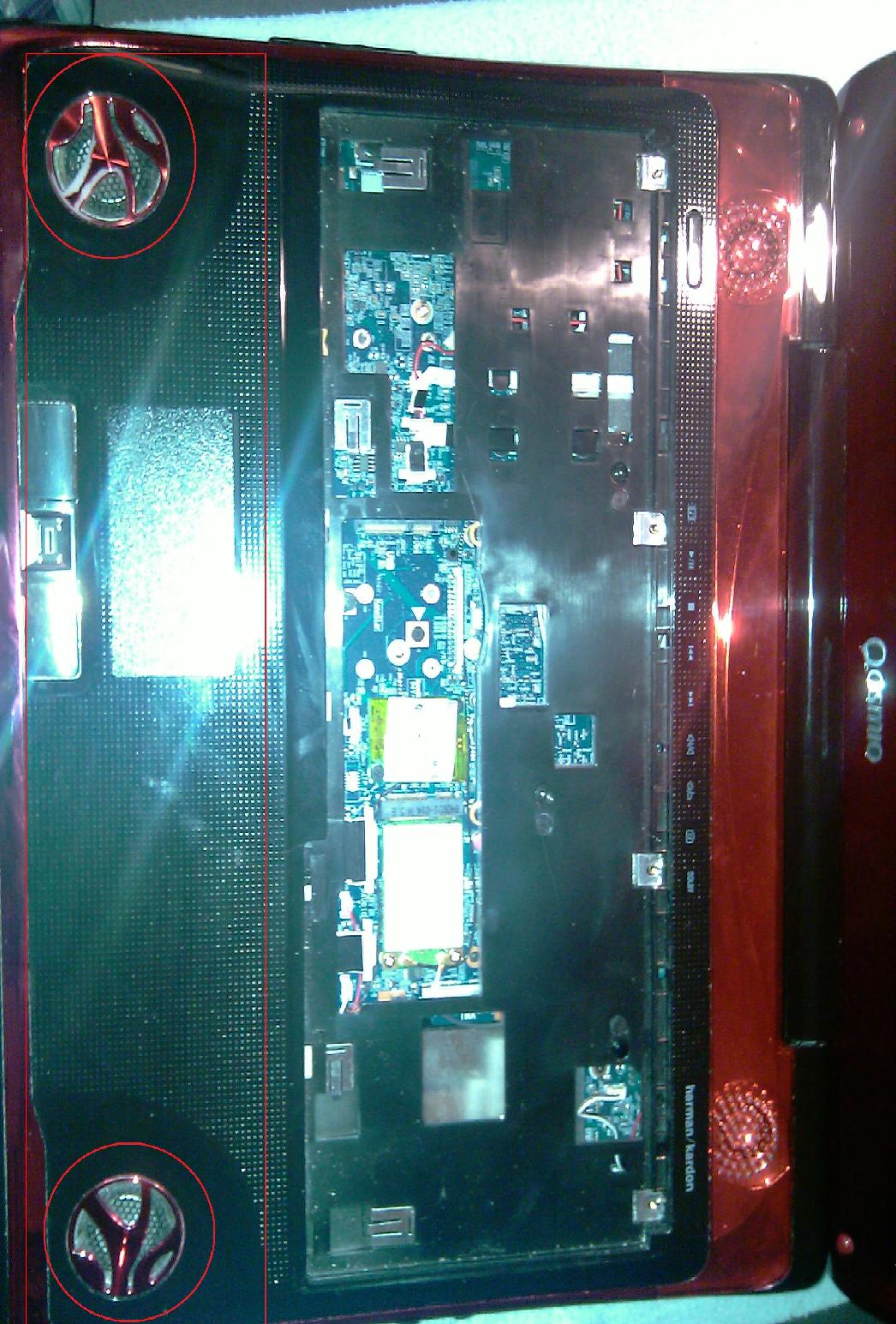
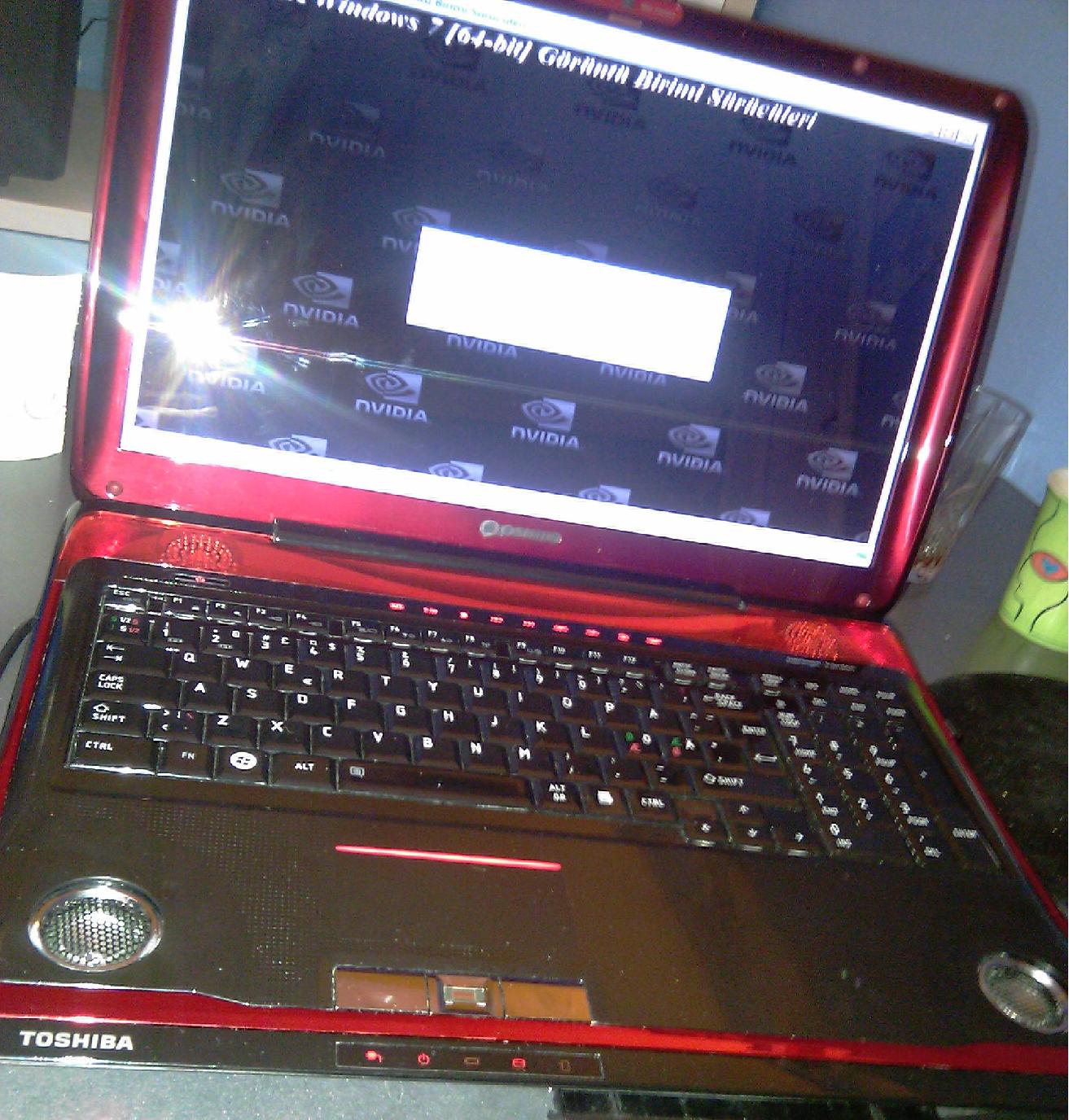
Okay guys, I compleatly desssasbled my Qosmio X300-13o. (It is back again tou) but to look for where the diffrent things are etc. I cleaned it compleatly inside, now my 9800M GTX is idling at 45C
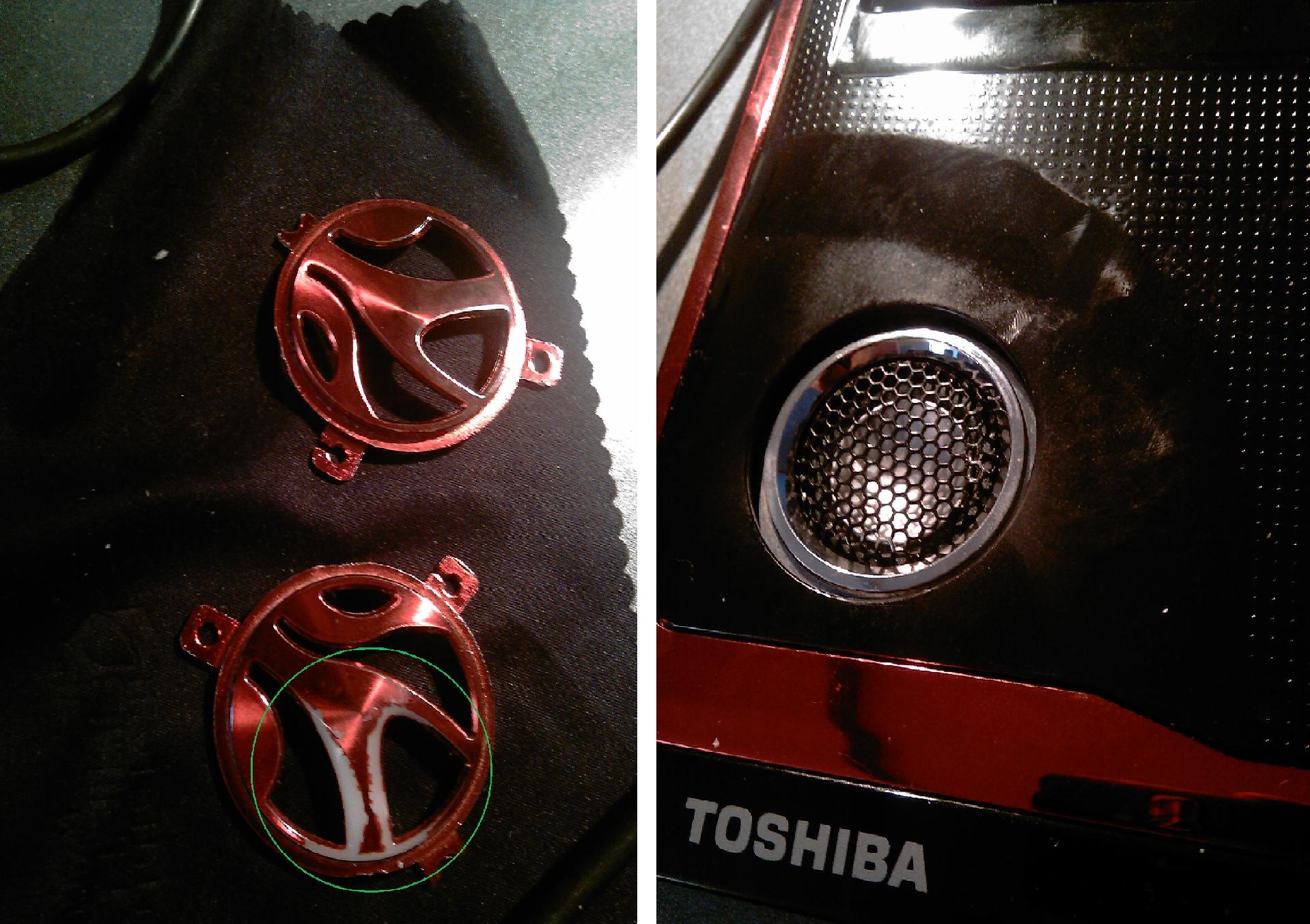
I also did a small "mod"
Take a look at the pictures i attach here, what do you think?
-
Attached Files:
-
-
how much? I dont have alot of money right nowso im just wondering how much your selling it for.
-
does $200 sound reasonable?
-
where do you live?
-
Cool to hear on the Quad core. I will more then likely only be using the Q9100 version anyways. I am more interested in the multi tread number crunching of the quad over a good dual for multi media encoding and Virtual Hardware.
Also as for the Fn Key function, I did confirm just now that after downloading the above listed Utility Support Driver v1.0.25.5C and after a restart, it works fins now. I may also add, that the "stop" message I used to get from the get go of the 1st Toshiba installed utilities is no longer popping up on restarts so that was the missing dll file needed to work. I just added it to the existing installs so it just patched over the rest it looks like.
Thankx guys -
This was what I wanted to hear Lappie
now I have a new reason to try Windows Seven again. -
So I took so few hours to brouse through the past months of post about the Q9100 and it would appear that to date, nobody on here has used one. Odd. Yet I saw a few claim to use the $1000.00 extreme cpu wich I'm sure get just as hot at 45w (the QX9300) I'm sure it's a great CPU but not in my budget to spend that much for an already old laptop I had almos 2 years. I am building a Sager as I think I mentioned but I do want to keep this one if I can get some decent quad core use out of it a bit longer in the $200.00 range and a used Q9100 fits that budget just fine.
No, for the guys using the models w/ factory Quads or an extreme CPU, what kind of cooling do they offer over the lower models to help? Do they include a larger heatsink or a 2nd fan?
Still not luck on that "Unknown Device" in Device manager yet. I'm guessing it must be some sort of BIOS interactive ACPI type driver. Anybody else have this missing unknown device in Windows 7 Enterprise x64 device manager yet on a new install? -
I live in Australia so $200AUD+ postage and handling which Im not sure how much that will be you live in Canada right?
-
oh too bad u don't live closer
-
i also have 1 unknown driver in my devices. i dont know what it is, but it can't be that important. It might be something that i never use, but I've installed everything.
I installed bluetooth, graphics card, touch pad, touch buttons, sound. i think windows installed the wifi card, card reader, keyboard, sata and anything else i forgot to mention.
The only thing i haven't used is the ethernet port and the card reader (where the remote goes) so maybe windows didn't detect it to automatically install the driver because it hasn't been used). I don't feel like installing all of toshiba's bloatware just to get the missing device installed. -
Agreed! Could not say this better by my self. -
I installed the card reader and you do need the drivers beyond what Windows gives for at least the ones I use, Sony Pro stick Duo or it doesnt detect them. By remote, you don't mean the remote touch key lighted buttons on top edge? I'm figuring it must be some sort of ACPI plug in as I had gone through this in my last Toshiba but cant remember what it was.
-
what remote touch key? my touch keys at the top work, im talking about the remote slot, where some models of the x305 come with remotes that go in that slot. My laptop came with a plastic card reader slot that kept popping out, which eventually broke.
its the slot thats on the left side of the computer. I'm thinking there is a driver for that, or the phone wire plugin on the right side below the card reader ( i dont know what you call that, or what you would use it for) -
so tornbacchus were you still interested in the t9400 i can find out how much shipping will cost if you want
-
So has anybody here got to use in comparison a quad core Q9100 to a P9700 or P9600? I'm curious of the heat load over the P series I have currently the P9600 and it seams to get warm or it may be the 9800GTS together but I saw it ping 66c working barely 45c idle sometimes. (this is the EO 2.66GHz version) I dont plan to use this as my daily travel notebook much longer except for big trips where I want the feel of my dsktop when I left it at home.
I think I am going to build a Sager on a 15" screen for more daily use on core i7 820 quad (the 1.733GHz) so the same question comes again, Is the slower 1.73 gonna be better at encoding work over the higher 2.66GHz 620M?
Has anybody here come form or moved to a Sager to comment on the sound quality and speaker system compared to the Qosmio? -
Just for that sound question. I bet you can't find a a laptop with better sound set then Qosmio. I love the sound of my laptop.
-
I noticed this too. I even shopped around back when new and I found the Qosmio to have great loud onboard sound over other notebooks in it's clas and even higher. I use it lie a DVD player and it does great in simulated surround sound with good volume.
-
Yeah. New x500 does not have this sytem tou
-
What do you guys think of my new desktop?
I think it look really sweet
-
sweet! I've also made something like this for my ThinkPad but I reinstalled OS few days ago :/
lol, I made it when I got bored in class D -
nice desktops!
i have a friend who has a hp pavilion dv7 id say its sound is on par with the Qosmio x300 -
Do the dv7 series have suboofer ? I had a 7- serie from HP and what I know that quality of those laptops are terrible. and heat was a issue in mine
-
Hello again, man this thread moves fast.
Last time I posted was back on page 213 (I believe). Well I'm still having tons of trouble with the black screen/sound loop problem, and now in the few months since then, more and more people are having this trouble. I'll go back and see if anyone else has talked about this in the past 55 pages, but before then, I just wanted to see if anyone else has had this, and if anything has been able to fix it? -
Hello
No, still the suttering is there when the frequenses for GPU -clocks changes. -
yep he has the sub-woofer, im not sure on the quality of it but it seems ok, his exact model is is the dv7 3105tx, still the x300 is a better gaming rig
-
Ah - I don't know that model. I had a older one. But yeah, I hate the heat issue on HP laptops, don't know how far they have fixed this tou.
-
Who was the guy a few hundred post back who had a good colection of X300/X305 parts? I wanted to know if anybody can note if the factory CPU cooling for the higher watt CPU's are all the same or if any better so I can swap out my P9550 for a nice Q9100. The model I got lined up is an "ES" model so I'm told is suposed to be simular stepping as regular EO steping SLB5G. It's labeled ES QAVK/QAJF. I don't see those numbers on either of the OEM versions. Is the volts and heat any different?
Can anybody comment on this from any other forum who may have used a Q9100? It has an unlocked multi I noticed but will that be of any use on the X300/X305's? -
Well..i aint got x300 or anything, f50 does have a subwooffer.. noticed it not effective as it is in vista.. sound quality is MUCH better in vista... like the realtek had much more option or tabs in the control manager.. more INFO later..GTG!!! IN A HURRY..
-
Yeah, I've also remember this guy. But, I can't remember who it was tou... (kenny27, sgilmore62??)
Hello friend
I can't really understand what you try to say, take a look at the post you wrote above. AND yes, the only ONE driver has the bass option etc. If you update from Realtek.com you'll lose the extra features. But again, what do you try to mean? Did you type "Vista" insted of "Windows Seven" or something? -
conda was the one who had amass a huge stock pile of x300 parts for less then $1000! but yeh it was conda
-
I talked my dad few hours ago. And, he said he would help me if I want to order a new CPU from another country. So, now I want to upgrade my T9600 to QX9300. I'm still not 18, so I might need one over 18 for that credit card work etc.
But, I got to find a QX9300, and a good saler. I also want to replace the thermal paste, anyone have a idea about that? -
If you want to know were to get the qx9300 I'd see GamerFX as he sold one to conda, i think that he got it from hp though.
As far as thermal paste goes i heard ocz freeze is the best which is what i have (sorry cant comment on temps before i put it on as i put it on basically as soon a i got this laptop so i don't know that the original temps were) -
Hmm, okay. I think I've heard about that.
I think your stock tempratures are close to my X300
-
I personally like Artic Silver #5. It has gained me easily a 3 celcious + over stock w/ a P9550 but then this CPU already ran cooler then my previous T9300 when new. At 1st it only looks a 1~2 c cooler but this stuff sets in and in a days of lots of loading up and cooling down cycles it really sets in. I'm hoping for the same on my soon to arrive Q9100 @ 45w
-
Cool!
I'm going to look into this closer when the time for this come. I really want to see some benchmars form you The only thing I need now is a powerfull CPU, something better where the 9800M GTX holds back, beacuse I can easliy overclock my GPU. But as the things are now, my GPU can do better, but when I max my CPU ussage things go really bad.
-
yeh i have noticed that to this model should have had the qx9300 in it from the start
-
Yep. we have the same model kenny. what do you think about you're system ?
I feel that, CPU on my laptop is the only thing what hold me back. I have a way to overclock my GPU. but in my case, the CPU ussage goes higher and I get worse result :/ -
yeh its defiantly the cpu, although my scores on 3dmark etc go up when i increase the clock on my gpu there is no improvement in real life i ran both crysis and ut3 and there was no improvement with the overclocks
if only we could get an i7 into one of these machines with some modest cpu overclocks and then....
-
lol.
Yeah, same as me. I get higher results in benchmarks etc. but as you said in real life, I get worse results. Did a search, and ended up with that when you raise the clocks for your GPU it needs more of your CPU, and since we're CPU limited the result (FPS etc.) goes lower. -
Who know anything about these ES cores for overclocking through a Windows utility? I have the ES Q9100 w/ a stock 8.5x multi but shows as a 13.5x max. I'm sure thats way too hot for our cooling but is it possable to change multi in a utility as long as vcore likes it or will that adjust in auto a little. I would be happy w/ 10x for 2.66GHz.
So if the above wont be of any use on this X305 what is a good barebone Notebook to drop an ES CPU in to overclock it and add some good cooling to help? I was thinking maybe a Sager. I dont wanna' spend too much as I'm moving to i7 quad by end of the year if the budget allows. -
sorry i have no idea about cpu overclocking as this is the only computer i have ever owned
you could drop it in to a sager but they all come with i7 or i5 any way so you may as well just put it in the x305 weather you can adjust the multiplier or not, thats what i would do any way and like you i also want to get a sager at the end of this year budget permitting -
Hallo,
I have x300 14Y with t9550, 4gb ddr3 an 9800GTs..etc
I want upgrade t9550 to INTEL CORE QUAD Q9100 2.26GHZ 12M 1066Mhz MOBILE .. Before I buy this processor have some question :
1 : will this processor work in my notebook? will the BIOS find it correctly?
2 : Is the cooling system sufficient? I am still using cooling pads Zalman ZM-NC2000 ....
Thanks.. -
Hello and welcome to NBR!
Yes, it will work. When it comes to thermal past. I don't know which one is best, but you'll bee good to go. Q9100 will never hit 100C anyways.
But basicly, Q9100 will work for you, just find a good thermal past. -
has any one tried the new 197.16 or 197.25 drivers with any improvements?
-
thanks for the reply .. I have just ordered it and wait to arrive .. So there is no bios restrictions on what CPU is installed in ntb?/thinking it on PM45 chipset/ in this im still not sure. Thank you
-
No, just update your BIOS from Toshibas side to laste version and you'll be good to go! There is some users here with even QX9300!
I'm also going to buy one if I can find a company which has the QX9300 I will try it on my X300, only 2 options either I burn my motherboard out or it work!
Guys, I feel that this therad is not so more active as before, please guys don't let this X300/305 therad die! Keep the good work up!
-
yeh we gotta keep it going
so has any one tried then new 197 drivers
also last night got some x-540 speakers sounds real good even has surround sound with only the one audio output on the computer, pretty happy with that
-
I'm currently with 197.16 -
Yes, I Had 197.16 , 197.25 and now have 197.45 .. No problem..
-
ugh, I only use the official ones for notebookes from nVidia.
Official x300/x305 Owner's Lounge
Discussion in 'Toshiba' started by Bartlett, Oct 4, 2008.