 Problems? See this thread at archive.org.
Hi! I have bought vaio s13 (SVS1311P9E) and i have a little question. When the computer boots or wakes up, DVD drive is making loud sound (about 2 sec). It is exactly same sound, when i press eject button. Do you have same problem, is it normal?
Thanks a lot!
-
Yes that's normal - some folks disable the optical drive because of that noise.
-
Hello,
It has been awhile since I have been on these forums, but I have been watching this thread for a while.
I debated about getting the SONY VAIO SVS15127PXB vs the MSI GE60.
I decided on this for several different reasons:
--IPS Monitor
--4.4 lbs
--Keyboard
--Battery life
--Standard 7200rpm HDD
--Sturdy build
MSI's glossy back and sub-par screen were sorta deal breakers. I have a laptop from MSI that was used very moderately, but the thing looks like it went through World War II and then some. The laptop that I really wanted was discontinued by Asus (and I wasn't about to get a laptop with a 635m) :/
The only thing that has me worried is the lack of overclock-abilty with the GPU. If I read right, could I get a 675mhz overclock?
The orange-gate seems like another concern that I will be paying close attention.
Speaker quality is not a concern, as I have Bose headphones.
For $1200 I think the Sony is a good price considering I almost bought the $2000 Asus lol. If I don't like it, I will probably exchange it for the MSI.
Will be playing around with it when I get it, and will post my results.
Question, I am assuming the 6gb of RAM on newegg is a typo, because every other site says that its 8? -
I just received my S13, I changed the hard drive with an ssd and did a clean install on it but I'm in trouble because I can't find any drivers for SVS1312C5E, there's only 3 drivers on sony's website:
AuthenTec TrueSuite
Intel(R) WiDi
AuthenTec Inc
Which model should I choose to download the other drivers? -
Try SVS13A190X, it has all the drivers for both Windows 7 and Windows 8 64 bit for the S13, S13A, and S15.
Anyone else regretting getting the 900p display? Everything is so small in native resolution that it is uncomfortable to use even at 50cm away. If I could buy this laptop again I'd get the 768p display.
Sent from my SGH-I747 -
Just received my Vaio VPS-13S290X, but the fan was making a huge racket that sounded like a buzz saw. I tried to disassemble to fix the issue, but the fan is pretty hard to get to.
I ended up RMAing...hopefully the procedure is fast and they give me the exact same config I ordered the first time.
Anyone else have this problem?
Sent from my SAMSUNG-SGH-I747 using Tapatalk 2 -
Thanks for your advice!
I'm from Denmark, but I have contacted my local Sony Center that wanna help me getting the spare part.
But I need to know the part number.
Do someone know the part number for that cable?
Thanks! -
WINDOWS 8 Clean Install Guide
Sorry this took a little longer than I had promised (FedEx loves to deliver on time )
)
I'm making this guide from my own experience with my SVS151190x (the windows 7 version).
It should also (hopefully) work on the 13 inch models
I'm assuming you already have a windows 8 bootable flash drive (if not Google is your friend and will tell you how)
Step 1: download drivers from Sony and put them on a flash drive
-Because the svs151290x is virtually unchanged from the windows 7 model 17 of the 19 files will come from that laptops support page.
-Navigate to this page Sony eSupport - SVS151290X - Support (svs151290x support page) and select windows 8 64bit
-The order i'll list these for download is the order they need to be installed in, so it would help to save the downloads with a number in front of the file name
1 Intel® Chipset Driver
2 Intel® 7 Series Chipset Family SATA AHCI / SATA RAID Controller
3 Intel® Management Engine Interface
4 Intel® SATA Driver Registry Patch
5 Synaptics PS/2 Port Touchpad
6 Clickpad Tutorial Movie Update (not required, just helpful to gesture control demonstration)
7 Intel® Centrino® Advanced-N 6235 Driver
8 Intel® HD Graphics 4000 Driver
9 Intel® HD Graphics 3000/4000 Update
10 Intel® WiDi Software
11 NVIDIA® GeForce® GT 640M LE Driver
12 NVIDIA® GeForce® GT 640M LE Update
13 Intel® Centrino® Wireless Bluetooth® 4.0 + High Speed Adapter
14 Realtek® PCIe GBE Family Controller
15 Realtek® PCIE CardReader Driver
16 Sony® Firmware Extension Parser Device Driver
17 Sony® Shared Library
Navigate to Sony eSupport - SVS151190X - Support (svs151190x support page) and select windows 8 64bit
Download:
18 Vaio Control Center Software
Step 2: Installing Windows (this shouldn't be anything new)
-Insert your bootable flash drive into your computer while off.
-press power button while holding F2 to enter bios
-enable external boot device and make 1st priority, save and exit
Follow prompts, enter product, etc...
when windows is finished installing you'll be at the windows desktop
Step 3: Installing Drivers
-Install the drivers in the order listed (you only need to restart when prompted)
-for graphics drivers I installed the original driver and the update (i'm not sure if the update is a standalone driver or not so doing that will avoid any issues)
-I think it takes a total of 14 restarts to get everything installed, but once its done everything should work, including the function keys, which are enabled by vaio control center (the volume indicator is still the nice windows 8 one and not sony's ugly one)
-If you hate the beep from the function keys (only happens with zoom keys now) navigate to "C:\Program Files (x86)\Sony\VAIO Control Center" and rename pi.wav to pi.wav.old
Step 4: Minor Bugs
-If you right click on the desktop you'll notice there's a 2 second lag before the right click menu pops up, that's caused by intel's driver and can easily be fixed by removing a registry key. (Note: this will remove the two intel graphics properties lines from the right click menu)
-open regedit and delete the key (I've attached a file that will do this for you) View attachment Intel Lag Hotfix.zip : [HKEY_CLASSES_ROOT\Directory\Background\shellex\ContextMenuHandlers\igfxcui]
At this point your computer should be ready to go, I can confirm that a sheet battery works with no issues as well, and the system is very quick and responsive
Hope this helps
Cheers -
Ha ! thanks heywhitmarsh, I'll try it right away.
Could not find a decent disk cloning software for a HDD->SDD wap that work fine with Win 8, I'll try your way. As a bonus I'll get a desinfected VAIO free cpu. -
I am most probably buying the SVS13A25 tmr. Planning to change the default HDD to a SSD.
Any pointers I should take note of ? Thanks. read that the drive bay is 9.5mm, but 7mm SSDs are usable too.
If I clone the entire contents in the HDD to the SSD, I wouldn't need to re-install any drivers or the Os right ?
Sorry if this is a newb question.
Update :
If I use "Restore Media" using Sony Vaio Care on the default HDD and apply it to the new SSD, does it work. -
heywhitmarsh - thanks for the Win 8 upgrade guide. I've added to the first post on this thread.
Petrov. -
I ordered the S 15.5 on Monday with the following specs (I'll be adding an SSD and more RAM myself):
Model Number: CA-SVS151290S-LBOM-2
VAIO S15 Series Custom Laptop
Customization Details
NVIDIA® GeForce® GT 640M LE (2GB)
3rd gen Intel® Core™ i7-3632QM (2.20GHz / 3.20GHz with Turbo Boost)
15.5" LED backlit Full HD IPS display (1920 x 1080)
Windows 8 Professional 64-bit
Fresh Start
750GB (7200rpm) hard drive
6GB (4GB fixed onboard + 2GB removable) DDR3-1333Mhz
Today, I notice that they have reduced the price of the i7 quad core upgrade to $100 from $250. Don't forget to call Sony and get the refund.
I'm on the phone with them now.
Returns & Credit Policies | Sony Canada
Edit: That was painless. The agent agreed to refund $150 + taxes to my credit card. -
well it was never that high (a 675M has more cores i believe anyways... but is clocked about the same) the oc that wer WERE able to acheive was on par with a 650M. some could even match a slightly oc'd 650M like in the MBP retina. the problem is we only have ddr3 ram (idk about the new win 8 models however) that turns out to be the limiting factor more than the clock speed. HOWEVER, the new win 8 models cannot be overclocked as of now. slv7 the original modder has confirmed that there is a UEFI security bios. currently we do not have a method of flashing unsecured (read: modded) bioses. this may change it may not. overclocking software wont work, and even after the mod they dont work.... there is no way to oc the win 8 models yet.
they could have 8 or 6 gigs.... they have shipped with 6 before. im not sure if that is a premade what it comes with.
honestly i dont even notice orange gate. there are tons of pictures earlier in this thread of comparison pictures. but of the few that have been posted on this thread of the win 8 models... it is very promising.
honestly. i wouldnt use any of this crap. the easliest way to reliably clone something (which i have done many many times is
1)make recovery media (always a good idea)
2)download an image of ubuntu (or any linux distro but this one has all the tools you need built in and i know it works with uefi)
3)SHUTDOWN dont hibernate, otherwise you will have to reboot into windows and then down. this is because windows locks the hard drive when there is a hibernation file. linux obeys this and while there are ways to remove the file and regain control... its just easier to reboot and do it the right way. when you boot you need to press a key as soon as the pc starts. easiest way is to spam the key until it works. took me a few tries i want to say it was f10 but you should look it up.
4)google dd. dd and ddrescue copies bit by bit the hard drive (it takes a while and can be made quicker with a command that skips empty sectors) but this is honestly the most reliable. gparted can be used to copy and paste as well and there are a few other tools out there that are based on linux where you write the image to a cd and it boots into a special tool. these are all free and the most reliable. also based on dd. there are also ways by the way to get how far dd has copied with another command line using: "ps auxww |grep " dd " |grep -v grep |awk '{print $2}' |while read pid; do kill -USR1 $pid; done" in a separate command line will give you an idea of how much it has copied.
5) try to boot. ive found that 80% of the time it wont boot, but thats ok. plug in that recovery media and there is an option to fix mbr/ boot problems. it is very powerful and within 1-3 runnings it almost always results in a boot.
this method, since it copies every bit from the old drive to the new, is an exact copy as the old drive. from permissions to passwords. everything. and so there will be no further setup. and it will look and act as when you shut it down to start the process. and just to note here, there are tons of guides on this online... and id be willing to help a bit, maybe even write a better guide. if you dont have a hard drive reader... you can get one at tiger direct if they have a store near you or any other like store for 10-20$. usually i get an enclosure and the old HDD becomes my portable HDD. plus this way you can get one with usb 3.0.... which is a HUGE PLUS. i got mine before usb 3.0 and dd's are slow. with the usb 3.0 it should be quite a bit faster.(also you would be writing to an ssd) (note also that if you get one with a transfer kit it will come with just a reader, it will be 15$ more than without the transfer and will be a 2.0 reader only not enclosure... but it will work). if you dont want to get one but have another drive that is big enough. you can use dd to write to an iso or image of the hdd and then use dd to then copy that iso to the drive! -
Wow, that's cool information. I've listed down the steps I intend to take from what I understand, please correct me if I am wrong.
Assuming I am using gparted for the cloning process :
Pre-requisites :
SSD in drive enclosure.
HDD in Sony laptop.
Recovery Media done using Sony Vaio Care ?
1. Boot linux live usb creator from thumbdrive.
2. Install gparted and run from the thumbdrive.
3. Use gparted to copy over all content from HDD to SSD. ( haven't figured out gparted yet, will do it after some sleep )
4. Switch positions of SSD and HDD. aka SSD to laptop , HDD to drive enclosure.
5. Try to boot.
6. If it fails, use Sony Recovery Media and repair MBR ? -
Hello!
Question: How long does it take on average for the order to complete ( arrive at door)?
Note: I'm ordering from UK, custom S13P and it has already taken a month :/
Thanks in advance! -
Thanks! I am not going to be doing a lot of gaming since I am in college, so the weight of the laptop appealed to me the most.
Sent from my SPH-L900 using Tapatalk 2 -
Mine took 10 days from ordering online @ sony.xxx to get it at my door.
-
So kuul, tanks for the head up.
I'll buy a battery slice for the saving, they are on sale $100 off, and I'll still have money on hands. Thanks ! -
yes make the recovery media with vaio care.
with gparted you can chose the old drive then copy the partition. then move to the new drive and paste it... do all of that and it will add to the que. once you do that it will all run at once. if you expand everything in the que it will actually show it running the dd commands but it also does some file system checks and stuff like that.
theoretically when you do a total drive copy you should not run into problems. but the biggest problem you will run into is that most of the time the partitions will end up bits or bytes off... that means the mbr and uefi equivalent will be pointing to a partition that is a few bytes off. look up how to fix that problem with bootrec. bootrec is very very powerful and will fix that table. -
I use a USB 3.0 dock with bare 3TB drives for archive purposes, and it keeps unmounting from my S15, then a few seconds later mounting again. The same dock works fine on other computers. Stock Sony install of Windows (HDD cloned to SSD). Any ideas? Reinstall some USB 3.0 driver? Where would I find that?
-
M3rde,
My Win 8 Pro is OEM on the S15 and the product key is now in the BIOS !
So I can't download the DVD or the ISO from Microsoft... Can't find a *.ISO file on the net... -
Use Macrium Reflect free version. Works fine with Win 8
-
I hear everyone saying that the speakers on the S15 are bad. How bad are they? Like are they just not high quality, or are they just really bad for watching movies or listening to music? Also, I've read that the orange gate problem was solved on the newer models?
-
If you guys looking for S15, here's a good deal.
Microsoft Store Online -
Okay somehow I got hold of the Win 7 version of the S series 13 inch. heh
Wanted to try to oc the gpu.. I realised that there is an vaio care update for the BIOS ( see attached image ) . Is it safe to update if I want to try to oc ?
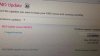
Update : Something weird occurred. My IE doesn't seem to connect to any site at all -.- . Although I don't use IE, i find this troubling. I can't even download any other browsers to try. Geez.
Hmm, only 32 bit IE isn't working. Think it is some add-on being corrupted ? Not a good way to start off on a new laptop .. =/
Figured that it is a problem due to the older Flash version installed. -
Planning to get the Intel 335 Series SSD in a few days time.
Any optimizations you guys did after installing the SSD ? Like disabling defrag, prefetch, superfetch.? -
I installed the Samsung SSD 830 and recovered Windows 8. So way no need to "tune" the SSD because Win 8 disables defrag...
-
Win 8 is smart... it disables defeat and enables trim... on a per drive basis....... really nice
Sent from my SGH-I777 using Tapatalk 2 -
^ didn't Windows 7 already do this?
-
My Galaxy S3 phone has better speakers than the S15, and that is a phone.
Sent from my SGH-I747 -
I'm thinking about getting an S15 but I have a few questions about it. How sturdy is it? I saw one in the shop and I loved the rough lid but I wasn't sure about its overall sturdiness/durability. Would it be safe to carry around in a backpack with books and such? Also, has the "orange gate" problem actually been fixed and how can I make sure that I don't get a screen with that problem? Does anyone here game on their machines and how is it? Finally, how are the temperatures when doing basic work (programming, writing documents, etc.) and when gaming? I saw on notebookcheck.com that the S15 seemed to have some temperature problems. Sorry, for asking these as they probably already been answered before, but i'm trying to get some information before the Black Friday sale ends on the S15 (its about $1050 for a nicely loaded machine) and i'm trying to decide between this and a Thinkpad W530 (seems too heavy to carry around).
Edit*: Also, can anyone who has a sheet battery for their unit tell me how long you battery lasts? -
Thanks for the replies regarding the SSD =)
Does the Sony Recovery Media only store factory programs and settings or does it store whatever is on the laptop when you initiate the recovery media ?
I did install some software before doing the Recovery Media =/ . -
My only issues here is where is the fan setting install file? I experience the lag with gaming due to the fan setting not set to Priority to Ventilation. Also, the Sony Shared Library and Sony Firmware Extension Parser isn't in the drivers available for Windows 8..
-
Damn, I tried reformatting it, it got stuck at " Installing zh-HK Language Setting" under "Setting up the following items: Vaio Care Rescue"
Any help ? Thanks. -
it creates a recovery media only for windows and the preinstalled bloat ware. however. id like to believe you can use windows's refresh tool to get the whole shabang. google how to make a custom refresh point windows 8. no guarantee that it will work and ive never tried it but... who knows. (probably doesnt beat a clone though as some things may get lost?)
-
Dang, I have no choice but to do a clean install of Win 7. This means that I have to manually install all Sony drivers and what not right ?
Damn Vaio Care Rescue. It doesn't work.
Gahh, not a good experience at all. Guess I also lost most of the bundled software as well. I didn't do the recovery media initially as my laptop is stuck with a virus. ( Talk about unlucky -.- )
I tried to recover using the Assist button, but apparently it always hangs at "Installing zh-HK Language Setting".
Bad omens, bad omen. -
The sony firmware extension parser is under system components, as is sony shared library
EDIT: fan control is under the power and battery tab and the options for fan speed are now silence, standard, and performance -
I got a 13p with a 1600by900 display. The damn thing has a horrible screen. On all white images I see grain (presumably from the anti-glare screen). Also, any minor movements causes the top right of the screen to distort! It looks like a CRT tv.... Is this normal?
-
Anyone here tried Widi on their Vaio S?
Bought a Netgear PTV3000, but it doesn't work on Windows 8, but works on Windows 7.
-
Argh, need to head down to the Sony centre on Monday I guess..
Sony Vaio Rescue --> fail.
Clean install (Win 7) --> fail. -
Frigging painfull.
SVS151290S
Does'nt come with a Win 8 Pro DVD or else.
The Recovery partition eat up 37 GB and the rest is full of crapware from VAIO
Can't download Win 8 Pro ISO from Microsoft, I don't have a Product Key, it's embedded on the BIOS !!!
Can't find a Win 8 Pro ISO on the net to do a Clean Install.
Stuck to buy a Win 8 Pro for $40 even though I bough it for an extra $50 with the frigging computer.
(slow applauding)
Thanks Sony. -
Is there WiDi capabilities on all VAIO S's?
I didn't know that but it is an interesting feature -
Did you not check the fresh install option to avoid all the sony crapware?
-
Information about BIOS updates A07/A08 and higher for M14xR2, M17xR4 & M18xR2
I don't pretend to understand all of what is presented in the article linked here...I'm not a modder or developer...and thank goodness for those who are!
But what I think what all of us can take away from this is that at any time (and without warning us in any way) Sony could post a new LOCKED BIOS for those of us who have the original WIN 7 SVS series machines that would almost completely lock us out of being able to customize our machines through modified firmware like the BIOS hack for OC'ing the 640M video card! AND it would be impossible (or at least VERY difficult) to downgrade back to our old UNLOCKED BIOS once the new LOCKED one was loaded. As the linked post details Dell/Alienware is already doing this!
BOTTOM LINE: Be VERY careful about upgrading your current BIOS to a new one from Sony if you use or might ever want to use modified firmware!! And for those with the new WIN 8 versions of the SVS series machines....sorry you are (at least somewhat) screwed. You got a LOCKED BIOS when you bought the machine. With the current level of understanding we have it may be quite a while before any kind of firmware mods are available for these new BIOS's! -
Yeah, I am sticking to unofficial BIOS and Win7.
This laptop is exceptional value. I only paid $750 for mine. For 1/3 the price of a rMBP I can live with a few compromises. -
has any1 changed the screen of the s13a for a better model? i dislike the maximum brightness...
Edit: Wholesale screen - Buy Low Price screen Lots on Aliexpress.com -
Well, I thought of checking them first, THEN do a clean install... nevermind. I should have taken the Win 8 (not the Pro for +$50) and bough Win 8 Pro online.
Now that I have and extra copy (Since the Product Key was only used to get the ISO) I can install Win 8 Pro on my old Dell now. -
BTW, I also had to download a small fix, say #19 : SODSWS-80270637-0082.EXE for an "Unknown Peripheric"
-
Any way to manually turn off the screen for S13A ? :O
-
When you install at least with win 7 it would boot to start installing bloatware... you just force shut it down. No damage caused and it prevents it from installing stuff
Sent from my SGH-I777 using Tapatalk 2
Official 2012 Sony S Series Owners Thread
Discussion in 'VAIO / Sony Owners' Lounge Forum' started by Petrov, Jun 9, 2012.


