 Problems? See this thread at archive.org.
See this youtube link. I gathered it from a post in this thread long time back. Hopefully it helps ~
Youtube Link
-
That video is quite helpful since it looks like the soft piece might be separate from the ODD (haven't opened it yet. If thats true, then I could probably work a replacement in from lowes or something. Or maybe order it from sony? Point is, its the only defect I can see, and I dont want to wait weeks without my notebook for something like that...
-
Well, I've upgraded (?) to Windows 8 using the Vaio Update for W8. Really annoyed about the absence of Vaio Smart Network from W8. I've managed to find how to turn WiFi on and off although it's nowhere near as easy as having the Smart Network icon in the system tray. However, I have still not been able to find how to turn bluetooth on and off. Anyone know? By the way, I have the SVS13A1C5E.
EDIT: I downloaded and installed the bluetooth driver I found on the Vaio W8 driver downloads page for my notebook. I don't know why this wasn't included automatically in the migration tool. Anyway, bluetooth on/off now shows up in PC settings, which it didn't before, but it is greyed out. No exclamation marks in device manager. What do I need to do to get bluetooth working? -
I hoping for some quick help from Vaio Owners as I'm helping a friend acquire a new laptop. She is very particular on the keyboard action and dislikes the chicklet keys that are now so pervasive on laptops.
She liked the keyboard action on the Vaio S series, which is the only one we've been able to put her hands on locally. But, she doesn't need an S series for the added expense. I've searched high and low to try and determine if the E series is using the same keyboard as the S series, but have yet to find the answer.
So, does anyone here happen to know the answer? Christmas is coming fast and I need to get this ordered!!! Thanks in advance. -
The keyboard on the E Series is different, I have used both laptops. The E series feels more solid, from the keyboard all around, it is more solid. I like the S series better, but the E series is a nice laptop.
-
Thomas, Thak you - Thank You -Thank You... I've been searching for days trying to get that answer! I really appreciate you taking the time to reply.
-
I've got both models in my possession right now; a 14" E-series and 15.5" S-series. The keyboards are definitely different. The keys on the E are springier and feel more sturdy. They're also slightly smaller in terms of surface area than the S.
Both keyboards are quite nice, though, and I can't imagine most people would really complain about either. -
I performed a full reformat and fresh install of Win8 64-bit on my new SVS15125CXB, but unfortunately, for some reason, there are no audio drivers listed on the Support site:
Sony eSupport - SVS15125CXB - Support
All other drivers are there, just no audio. Weird.
Anyone know where I can get ahold of these drivers? I'm presuming they're a Realtek variant of some sort.
My apologies if this has been asked; did a quick search but came up empty-handed. -
Ambient as in just idle? 38C
-
why don't you download the drivers directly from Realtek?
-
I was unclear about what exactly I should be downloading, or if the official Realtek drivers would work. Wasn't sure if I needed official Sony drivers.
-
Is yours Realtek High Definition Audio ? If it is, I do have the latest stable version of its driver.
-
Ambient as in your room temp.
Since you've mentioned that your GPU is idling at 38c, I think I should get the idea on the room temp.
Still ok I guess.
So how's your current max GPU temp? Issue resolved? -
yes, the official Realtek audio drivers do work. it's a Realtek audio chip.
-
Hey guys,
So I've been working to much to have a lot of time to play with my new s15, but the 3 times I have, it has restarted itself out of nowhere. I haven't been doing anything intensive and have not installed any new software yet. Any thoughts on what may be causing this? This has all happened before what is happening next...
In addition to that, last night I installed my ssd and moved the hdd to the odd slot in a caddy. I cloned the drive using samsung's provided software. Once I was done and up and running again, my machine keeps closing whatever application I have open, the screen flashes off then slowly loads again. Just the display, the computer remains on when this happens. The system reboot problem also persists.
I'm running Windows 8 and am not enjoying trying to troubleshoot in a new OS that doesn't have a lot in the way of information online yet.
Anyone experience any of this or know what I might try to solve these issues? -
the screen flashing and reloading is a sign of display driver crash (to be sure, check the Event Viewer). have you updated your graphics drivers?
-
I have not. I assumed that the system would have come with updated drivers or at least prompted me that there were updates available. Thought that's what all those vaio tools were for. I will update to get rid of that issue at least. Thank you!!!
-
Can someone tell me how to get to the bios on win 8 version of svs13? f2 does nothing....cant install win 8 on new SSD if i cant change boot priority.
-
Would this memory work for the New Win 8 laptops? Amazon.com: Corsair 4GB (1x4GB) DDR3 1333 MHz (PC3 10666) Laptop Memory (CMSO4GX3M1A1333C9): Electronics
If not which one would be good to purchase. -
Turn off the laptop, and then press the Assist button to power it on. That will get you to a screen where you select F2 to enter BIOS.
It took me DAYS to figure that out, because every other computer I've ever used simply used an F-key to enter BIOS. -
Also in response to my query about SVS15125CXB audio drivers: the audio drivers for the SVS13125CXB seem to install and work just fine for both models.
As others have mentioned, the official Realtek drivers should also work, but if you're looking for official Sony drivers, you should be good with the audio drivers from either model.
EDIT - Correction; so this is weird. The Realtek drivers, both from Sony and Realtek, DO work, but I'm noticing that the audio levels with them installed are RIDICULOUSLY low. I'm talking almost inaudible, even at 100% volume. This is both with Dolby turned on and off.
Uninstalling the drivers and reverting to the default Microsoft High Definition Audio driver restores normal volume output.
Looks like I'm sticking with the Windows drivers for now. -
hey guys, quick question..
I have a s1511 with windows 8 on it.. My brightness keeps going up and down and I turned off all the dynamic brightness settings. Any ideas what it could be?
If I stay in a window such as chrome or microsoft word it does not change. The brightness only changes when I switch to a different program such as going into the start menu..
thanks for your help!
edit.. figured it out. In intel graphic settings there is a display power saving technology setting under power. Turned it off and brightness stays constant. -
Ahh thanks for this.
So im having the worst night. I have windows 8 on a USB drive ready to install with a product key (upgrade) but you cant install the upgrade to a clean SSD (at least I cant). So i D/L an iso for windows 7 and put it on another USB drive. Plug it into my SB boots up and is ready to install. Plug it into the SA, it just ignores it. Changed boot order and enabled external booting in bios. I am gonna return it just because of the ridiculous pain this is giving me.
Does anyone know why this is happening? -
It seems as though all graphics drivers are up to date. Any other thoughts?
-
I have to use a laptop cooler whenever I play anything now. It stays around 76C max. Isn't that still dangerous though? Perhaps I should just switch back to Windows 7..
-
I badly need someone's help in this forum as I have exhausted my trial to fix this issue after working on it for 3 days now. I recently purchased the 15" model with model number SVS151290X and unfortunately, I did not have the option to get Windows 7 and had to get Windows 8. I replaced the HDD with Samsung 830 and you cannot imagine how hard it was to install the drivers for the machine since they do not have drivers for Win 7 for this model. Now, the only thing that does not work is the function keys. I have tried everything and they do not work. I installed the shared library and the hotkeys utilities and still no luck. Would someone please help me with that.
Also, I cannot enter the BIOS after I upgraded to Windows 7. Please, help me with that.
Thanks. -
Ok so I got windows on the 13A now, but I used the same product key that I bought for my SB. Where is the product key for the copy of windows 8 I got with the S13A? Not taped to the bottom like the SB.
-
It's embedded in the BIOS. Not sure how, though.
-
In BIOS, make sure:
1.) Your BIOS boot method is set to Legacy, not UEFI
2.) Secure Boot is disabled
3.) External Device booting is enabled, and your External Device is set before the internal hard drive in Boot Order
Most Windows USB drives I've come across expect Legacy BIOS/booting, not UEFI, so you have to make sure all UEFI options are disabled before attempting an install or boot from USB.
But yes, you're right, you (obviously) can't install a Windows upgrade to a clean drive, it's intended to upgrade an existing Windows install. -
Use Win 7 drivers for the 2011 model
-
The system is stubborn. It will not allow any driver from any system other then itself to be installed.
I am actually now in the Legacy mode and I wanna be back to the UEFI mode but I cannot. I cannot enter BIOS at all. Can someone help me enter BIOS. I am trying to put back the stock HDD that came with the machine to create the recovery discs but when I connect it, it gives me an error message that operating system not found and does not allow me to enter BIOS. -
I'm thinking about to purchase this laptop, but I've read some about ssd unit, could someone tell me if the vaio s series still works with sata 2 speed even when you are using a sata 3 ssd? Is there to change something in the bios?I've looked for in this thread but I'm not able to find out it. Thank you. Great forum!!
-
This was the e thank you.
My latest problem other than not being about to post here this afternoon, is that the synaptics drivers and the firmware parser wont install. Was hoping to be out of the woods. guess not.
Edit: Also my WEI is really low? How come?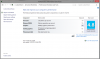
-
Probably because Windows benchmarked your HD4000 integrated graphics card and not the GT640
Try to run it in SPEED mode -
How do you delete the recovery partition? I can't find it.
-
Just get the latest Synaptics drivers from Synaptics site. 16.2.21 I think, they work great.
The graphics WEI is low because it's using the Intel GPU for 2D graphics. -
Hi, use recovery media, and in one of the menus you can chooseto delete recovery.
I did use a partition tool, and that totally crapped my S15, i had to reinstall from recovery media. -
I have tried to google to find if i can change vaios scrolling gesture in opposite direction. I would like to have it scrolling down when i use 2 fingers in a downward direction. Today its naturally gestures and they operate opposite.
-
I want to do the same. Haven't found a way yet.
-
Thanks, figured it out eventually. What I didn't know is that you have to connect (either your USB or DVD recovery media) before entering that menu.
-
Hey guys, I know this may have been discussed a lot here, but did not manage to find the right answer

Has anyone managed to play Battlefield 3 without the laptop freezing at all? Things I have tried and haven't worked, regarding the Realtek sound card:
1. Disable on-board soundcard completely
2. Uninstall Realtek drivers
3. Unchecked "Allow applications to have exclusive rights on this device
4. Try a usb sound card as the default one while the on-board one is disabled
Thanks!
I have a Vaio SA4C5E
i5 2520m
HD6630m
8GB RAM
EDIT2: When I uncheck Allow applications to have exclusive rights on this device, the strange auido noise does not appear, everything freezes at the same time -
Hi Norm,
Unfortunately I don't have the answer to getting BT working using the Win8 drivers. You have exactly the same UK 13 inch model as me and I was unable to get the Smart Network working either. However I notice you said you used Vaio Update to Windows 8 - I never even knew about that as I didn't install Vaio Update on my Win7 clean install. Maybe that's where some of my upgrade issues have come from as I've upgraded manually. -
How do I get into BIOS mode (after a restarrt)? I have the new sony svs151290x and I have spent over an hour trying every key. I am trying to install ubuntu from a bootable usb. Any help will be appreciated. Thanks!
-
Turn the computer on with the "Assist" button. I had to ask here for this as well.
-
Google: operating system not found .
You need to reinstall the MBR from recovery disk or from Win 7 disk. -
Hey guys,
Any more thoughts on this? I guess a better description of the problem is that the desktop seems to refresh itself. So it's not so much a flickering of the display on and off, but the desktop background goes away and all the icons on the desktop and in the task bar disappear, then slowly load again.
Thanks! -
I now own my SVS13A1C5E for 4 months now and i love it. I uninstalled an SSD and replaced the ODD by a 1 TB HD. I did a fresh install of Win 7 and i lost the Rapid Wake feature in the process. I think it is very handy when i close the lid the laptop will go in hibernate mode, now it doesn't. Is it possible to re-install the rapid wake technology?
Thx! -
Just download and install intel rapid start technology..
-
Hello everybody
I'm looking to buy the new Sony Vaio S1512 model in the next few days. The only thing I'm worrying about is the fan noise. How noisy is this laptop? I want to use it in the library so it should be pretty quiet. I already worked with a rMBP and a MBAir and they were both absolutely silent in my eyes, although the fans are turning all the time. So what about the Sony Vaio S15? Is it much louder than the MBPs? Do you hear it in a quiet room? -
Dunno about the S15 but the 13inch is surprisingly quiet. I had a MBP not long ago and I would say they are similarly silent.
Official 2012 Sony S Series Owners Thread
Discussion in 'VAIO / Sony Owners' Lounge Forum' started by Petrov, Jun 9, 2012.


