 Problems? See this thread at archive.org.
Nope, that wasn't me who took that video, but I'm glad someone else took the plunge! You can clearly see the difference at wide angles between the original TN panel and the IPS display. Still though, cameras cannot capture the sh*ttiness of the TN panel when viewed direct-on!
-
Hi guys
I have searched for this, but couldn't find it (and probably one of you guys will find it anyway ) but I'm having an issue with my NVIDIA GPU with my Sony VAIO S1512.
I tried using GPU-Z to monitor my graphic cards while playing games like War Thunder and others and all the time the HD Graphics 4000 card gets to a 100% GPU Load but the dedicated NVIDIA card never kicks in.
It just stays on 0% Load and my game runs like crap.
I have set the right settings for the SPEED-STAMINA switch so I don't think it's that, but I guess I have no idea what it could be.
Anyone of you experience with this?
Thanks a lot!
NGDM -
With all everything working fine for a while under my clean install of Windows 8 I've now ran into another issue.
It is to do with the display brightness.. After most of the screen have been filled up by dark colours (e.g. website with black background, or full screen dark image), the screen automatically darkens, and when I switch back to some lighter content it only gradually reverts to the original brightness.
It looks like it is some kind of feature but I have no idea where did it come from and how to turn it off. It's certainly not the auto-brightness in Vaio Control Centre as that one adjusts the screen according to the ambient lighting. -
I really hate how flexible the screen on the S15 is.
I just noticed that the edge between the touchpad and the keyboard scratched my screen, also the upper edge of the screen has started to leave marks on the case
This plus the other issues I have had with it: light bleeding on the bottom, random brighter patch in the middle of the screen, not including the extra battery pack) just convinced me to avoid Sony for my next laptop
-
Has anyone successfully run Dxtory on Windows 8 on one of these laptops? Beginning to think there's a conflict with some sony driver, because it's not detecting any games and not logging any hook errors
-
Take GPU-Z with a massive pinch of salt.
Would only trust what HWiNFO64 says in terms of GPU usage -
There is some issue with one of the bios versions where you get wifi disconnects in windows 8
Ïf you have a laptop that came with win 7 you should upgrade to the 143 bios. (that bios is still modable with the increased graphic speeds)
There are modds with that bios in the bios mod thread.
Its a note about that problem in the bios version logg. I hade the same issue but upgradeing to 143 solved it.
That bios also solves alot of other issues. And since its still moddable its really no reason not to use it.
If you have a computer that came with win 8 im not sure what it is. But it can be the power saveing feature. -
go to Intel Graphics and Media Control Panel. there is an option under Power which does exactly what you're describing and is enabled by defauls...disable it.
-
Hello guys!
OEM SSD SONY SVS1511 RAID question/problem!
help me to find out!
I've bought 512MB SONY OEM/SAMSUNG SSD drive + OEM ribbon cable
to replace my old HDD.
The main reason that BIOS shows 2 drives * 256 GB each instead or RAID 0.
What should I need to do to enter RAID setup (bios)???
help me please!!
:hi2: owners of RAID'ed SVS15 please hear my screaming question!:hi2:
thanks!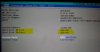
-
I think you need to activate the Intel Rapid Storage Technology setup, then use it to create the array.
Enter the BIOS setup. Navigate to the "Advanced" tab and change the "RAID Configuration" option to "Show". Now when you boot, you should see the Intel RST screen after the VAIO logo. Quickly press Ctrl-I to enter the RAID setup and follow the directions there.
<Prone>. -
Hi! thanks!
I have no RAID config option there!
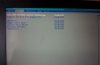
what to do to make RAID appear in BIOS?
Maybe there's a problem in small dip switch located near SSD/HDD bay? -
Looking to order off the web today the S15.
Planning on getting the i7 variant but with the basic 4gb ram and 340gb HD. also win 8 pro.
Intention then is to swap or the HD for a 240gb SSD, remove optical drive and replace with caddy and the original HD.
are there any issues I'm likely to come across?
I ask because there seems to be new obstacles placed by Sony on a regular basis. -
guys does the hdd or ssd on svs13 or svs15 have normal sata connector? or is it msata? could it be replace by normal ssd? I have a 240gb corsair
-
there is no obstacle, but there is a bug if i can say it, when you put the original HD in to a caddy you will have the processeur idle at 28% load, i'm not sure if this issue was solved or not yet
@ciamac : yes it is a normal SSD connector you can do it -
That's the one i think i read about.
I think i also read that someone has a fix for the problem. As that fix been confirmed?
Don't want to get the soldering iron out and brick the new unit. -
If there is a fix already please let us know if you find it. I'll try to find it too.
-
These are clone displays of RED, left one is Vaio S15, right one is Dell U2312. All standard configuration, I have not started to config it ever since I found RED is ORANGE on my Vaio S15
-
This is the fix where you are talking about: http://forum.notebookreview.com/son...-odd-caddy-video-tutorial-14.html#post9074110
It's confirmed working for 1 person, he 'invented' the mod. I haven't tried it myself because it requires soldering.. but I am likely going to do it somewhere in the near future. All new windows 8 laptops have this problem (if you change the ODD to a HDD / SSD). The most annoying part is that battery time just halves with this bug. -
Thanks for the tip.
It is actually not under "Power" but "Media" and is called "Adaptive Contrast Enhancement". Frankly, didn't feel any need for this, it just slowed down my workflow.
Having some other problem with Intel drivers: there's an error message it crashed and reloaded popping up sometimes seemingly randomly when I run some videos or even youtube links.. Perhaps a reinstall or upgrade is in order. -
Hmm. I can't help you, then. I have a Win 8 version S13 and my BIOS has the option to show or hide the RAID configuration. Perhaps you need a BIOS update? Or is there an option to show detailed messages in the BIOS upon boot?
<Prone>. -
Tell me more about BIOS.
where do you see RAID options?
What's the BIOS version?
thanks! -
I don't have this laptop (yet) but usually one can set the SATA MODE under Advanced Chipset to either IDE, ACHI or RAID. Until this selection is switched to RAID other RAID related menus usually remain hidden.
-
I thought that if I swap SONY proprietary SSD instead of my old HDD, I will get SATA3 + RAID option in BIOS because BIOS must detect that there's RAID SSD installed.
any RAID SSD owner here???? help!! -
I've tried it myself and it works, the CPU usage in idle is gone. Have a look at the other thread for details
-
Here are my BIOS screens. I noticed that you can only set the RAID config. to "Show" if you are using the "Legacy" boot mode (which I am currently using).


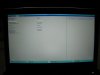
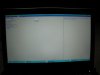
Then here is the RAID status display that appears after the Vaio logo when the RAID config. is set to "Show":

...and the RAID config. menu when you press ctrl-I at the RAID status display.

-
WOW
thanks a lot!!
Why you're not using UEFI mode with RAID?
Also, I have no RAID configuration in BIOS at all.
Even dont know what next steps should I do now.
UPDATE: I DID IT!!! I DID IT!!!!
Special thanks to PRONE!!!
things are not so complicated as I used to think.
Just reset BIOS to default and RAID appeared!
Congrats me! -
I just bought my S13, it's Sony Vaio SVS1312S9EB.
I also bought a Samsung 840 Pro 256GB SSD, and I want to make a clean install of Windows 8 on the SSD.
I went trough the process of creating a Windows 8 install USB drive, installed in UEFI mode. There were some bumps on the road, but finally I got here, Windows 8 Pro installed, but not activated.
I have problems activating fresh install of the Windows 8 Pro on the SSD drive.
The installer doesn't pick up the Windows 8 pro registration key from the UEFI bios, as I thought it will do based on the posts in this forum.
If I enter the Windows 8 Pro registration key retrieved with a key finder from the original installation, it is not accepted.
I have downloaded the Sony drivers from the UK website, but none of the drivers are installed yet, it's just as Win 8 installed.
I still have the original HDD with the original Windows 8 Pro installation. However, I want to avoid the create a 1:1 image of the original hard drive to the SSD, to have a fresh install of Windows 8 Pro, without the Sony bloatware.
Any ideas, of how to make a fresh install of Windows 8 Pro, using the original OEM licence of the laptop in the UEFI bios?
I want to avoid buying a new Windows 8 Pro licence for this machine, I already paid for 50€ for it in the purchase price of the laptop. -
Dear Forum, please help!
I have just received my S15 - have put in a SSD but now I cannot access the boot menu when I start the system up to load my OS. I've tried all of the F keys and an external keyboard too, can anyone help me?
UPDATE: to give you more background, system shipped with pre-installed windows 8 on the HDD. This loads fine but I still cannot access the boot menu. When the SDD is in I cannot access boot menu and it tells me that "secure boot failed". Having googled, I am guessing that this is to do with UEFI? I have no idea what this is, but basically how can I work it so that I can install W7 on my SDD?
Any help greatly appreciated!! -
Power off the laptop completely. Then hit the Assist button and that will bring you to a menu where you can select the bios options.
-
I tried Medium Power Savings without any luck either. Now I'm on Maximum Performance and it hasn't happened yet. I almost hope it happens so it's not a power saving issue. I don't wana to run maximum performance all the time.
-
Ive posted a quote and fix for this way back in this thread when you guys started talking about it.
Did you check if your running the 142 bios?
If you do, upgrade to the 143 bios. (that bios is still modable and there are bios files with it and the mod in the bios mod thread.)
The 142 bios have a bugg that makes you loose your wifi connection regularly, when your running windows 8.
So just upgrade to 143, it fixes a lot of other stuff to.
If you dont have 142 bios you have some other strange problem. But most likely its just the 142 bios thats bugging you out of wifi connection. -
question to the SVS15 owners,
since this one is coming with a slot in drive, is it also possible to swap it with a 2nd HDD or SSD somehow? i guess a caddy won't fit if you open it? -
FOR GOD'S SAKE MATE!
At least read the first page, is it really that hard? I see that even minimal effort is too much for you...
:banghead:
Sent from my GT-I9300 using Toaster -
OK, this I solved by myself finally.
Win 8 > Win 8 clean install (OEM Licence)
Windows 8 install iso to recognize the Win 8 registration key stored in the UEFI BIOS during fresh install on an empty HDD or SSD, the following are needed.
NOTE:
This is DIFFERENT from upgrading a laptop that originally came with Windows 7 to Windows 8 (aka "Windows 8 Upgrade").
A latop with OEM installed Windows 7 has a licence key sticker on the bottom. To make a clean install of Windows 8 on such a machine, you need to:
- buy a Win 8 upgrade licence, and
- enter the licence key manually during the Win 8 installation,
- activate Windows.
See the first post on this forum for info.
0. The Windows 8 OEM registration key is in fact in the UEFI BIOS, encrypted.
If you want to make a clean install of Windows 8 on an empty hard drive, of a machine that was shipped with Windows 8 (OEM), using the original OEM licence key of the machine, you need to follow my procedure.
See this CNET article on this topic of bottom sticker vs. UEFI stored keys. In fact, you don't need to know your Win 8 OEM key to make a reinstall. As it's sotred in the BIOS, it can be used only on the same machine anyway.
1. The Windows 8 Pro install iso edition must match exactly the edition of Windows 8 licence in the bios.
For me, I had "Windows 8 Pro" sticker on the bottom, and if I installed from a Windows 8 Pro x64 MSDN iso, then it worked.
The installer didn't ask for any registration key, and there was no manual activation necessary, when I go to the control panel system properties, it shows windows activated.
These editions didn't work: Windows 8 x64, Windows 8 Pro Enterprise x64, Windows 8 Pro with Media Center x64.
The language of the iso doesn't matter. My machine originally came with Windows 8 Pro German, and I installed from an iso of Windows 8 Pro English. You can install different languages later on by changing the display language, OR adding a language interface pack.
This sounds trivial now: the iso installer won't activate a different version of Windows 8 vs it's own edition. Even not with a lower feature set (like without Media Center, etc.). So go, and fetch an iso that matches your sticker on the bottom of the laptop.
If you have MSDN access, for example: Win 8 Pro Enterprise on MSDN or social.msdn.microsoft.com.
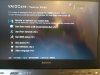
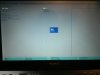
2. Laptop to boot in UEFI mode.
On the Sony Vaio S13, when the machine is off, Press ASSIST button .
The machine turns on, and enters the pre-BIOS selection screen.
Enter the BIOS and on the last screen check the UEFI mode is enabled.
(Took some time to discover that the ASSIST buttons needs to be pressed - I didn't find any documentation on this.)
3. SSD or HDD partition in GPT mode (= GUID) (and not MBR).
The drive must be unformatted, unpartitioned to change from MBR to GPT.
For this, you can set up the SSD on a Win 7 or Win 8 machine, using Computer Management\Disk management\Right click on drive.
( Step by step info at technet.microsoft.com here.)
I partitioned the SSD during the Windows 8 installation, right from the installer.
It creates the necessary recovery etc. partitions automatically.
( Info at about.com here.)
Pay attention to leave about 20-25% space unpartitioned for over provisioning. It also works if you format all the available space, but later on you pay attention to fill up the drive only to 75% capacity.
( See AnandTech article here.)
4. Installation of Windows 8 from an UEFI bootable USB drive.
See other posts to set up the pendrive: link1-social.msdn.microsoft.com OR link2-eightforums.com
It's enough to set-up the USB drive only once, then the different editions of Windows can be deleted and copied over to try.
I didn't try to install from a DVD, probably it would work, too.
5. The result should look like this in Control Panel:
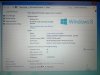
I verified the registration key on the original HDD with the Magical Jelly Bean key-finder utility, and on the newly installed system on the SSD, and they match.
6. Installation of Sony drivers
I followed the instructions on heywithmarsh's post, they were about 70% valid for my machine.
Pay attention to download the drivers exactly for your model, otherwise they won't install. I had to collect drivers from various Sony sites (USA, UK, EMEA, FR, DE), so look around at different languages if you miss something.
If a driver won't install, it's because:
a) it's not for this laptop model,
b) some other driver or application needs to be installed before.
I didn't find the drivers on Sony's website for the Huawei Gobi 3G modem, and to enable the fingerprint driver. See update below.
7. SSD choice
I chose the Samsung 840 Pro 256 GB SSD. Anandtech says it has high performance and low power consumption. ( see article here)
After the clean install of Windows 8, and adding the drivers, my machine gets to the Windows 8 login screen in 4 seconds from cold off state. ;-).
The models supplied with SSD originally from Sony have a Raid 0 setup, but I don't think this have any advantage over the 840 Pro in everyday use.
8. Overall experience of Win 8 clean install on the SSD
1. It's better to start first preparing the Win 8 iso, the USB key, collect ALL the drivers on an USB key, Youtube tutorials for changing the HDD and then start the process itself.
2. I didn't erase the original HDD's Win 8 setup, so I can go back if something happens, or I need to send in the machine for warranty.
3. Count at least 1 full day for the process: download of software and drivers, inserting the SSD, install of Windows 8, install of driver, set up programs. With troubleshooting, rather 2 days.
4. Does it worth? Yes, here's the balance:
+ Good fast SSD at blazing speed - the machine is instantenous, and no HDD spinning noise/vibration
+ Cost saving vs Sony built-in SSD solution (about 900€ for the 256GB SSD option)
+ Good understanding of the machine's workings and software setup
+ Free from Sony bloatware (poor games, and such)
+ External HDD with about 600GB of storage
- Lots of time spent troubleshooting. Windows 8 is still new, and there's less documentation available vs. Win 7.
Update 14 Feb 2013:
The original Windows 8 Pro installation had driver setup files in C:\Windows\Drivers\.
I didn't use them, as I have already hunted down the drivers from Sony's websites, but worth to back it up if in need. (Unfrotunately, the 3G modem drivers in this folder did not work.
Fingerprint reader:
I installed the following:
- AuthenTec Inc. AES1660 driver (from Sony driver site)
- Windows Biometric Framework for AES readers ( from Authentec)
- Authentec TrueSuite Starter (from Authentec)
- Upgrade to Authentec TrueSuite Premium (via Sony driver site, to version 6.0.400.35)
Now I can login to Windows with a finger swipe. (This was not working in the original setup.)
Lastpass Premium can also be enabled to work with the fingerprint reader.
See more on the WBF at technet.microsoft.com.
WWAN built-in 3G modem:
The Huawei EM680 w/Gobi Technology modem had no drivers on Sony's websites. It looks like it's a Qualcomm based solution. I tried a doezns of downloaded drivers from Sony's other laptops, none worked. Finally, I copied this folder from the original installation onto a USB stick, and did a manual search for the drivers, and it worked. C:\Program files (x86)\HW Gobi 3000 Driver
Before and After:


WebToGo OneClick Internet 5.0 app: this was not available at Sony. I wrote to http://www.webtogo.de, and got from them a private download link. They were really kind. As I understood, WebToGo is a company that makes 3G modem connection applications, which are re-badged with the logo of the network operator. [ pdf]
Windows' built in feature although recognizes the modem, and starts to connect, but it cannot connect in the end. I tried this in the original Windows 8 installation, and it's the same, the modem only connects to the network with the original WebToGo OneClick Internet application, and fails to connect with Windows' 8 built in feature.
Intel WiDi:
Strangely, this feature was not installed on the original Win 8 setup.
I downloaded the Intel WiDi drivers from a different laptop. I'm not sure I will use it, as it has a 2-3 sec lag. It's good for watching movies on a TV, but not for a desktop screen. As of Feb 2013, it supports 1080p. There's a list of TV and screens supporting WiDi on the Intel website, or you can add an adapter-box
More info on Intel WiDi at Intel here, at CNET here, and at tomshardware here. -
Hello!
Does anybody install WWAN module on SVS15 after buying laptop without it?
I have inserted one into miniPCIe but OS does not see it at all. I think there is no power on miniPCIe because my VAIO "think" that it does not have any WWAN module. -
@ole22: thank you for this guide, i just buy a vaio s 15' 2013 and your post is really helpfull!
Sent from my iPad using Tapatalk -
If you make a similar install, and experience any differences, or have some suggestions to add, write to here, and I'll add to the original post.
-
gotcha!
-
I have the Win 8 SVS 1512, so unfortunately I cannot use a modded bios and my current bios seems to be the newest available (at least on Sony's site).
-
Over this past weekend I purchased a SVS15DCXB, is there a realistic chance that we'll see the "bios mod" for the W8 version of the S series?
-
Any success with the built-in Huawei WWAN modem?
I found this page with drivers Windows 7 64 bit drivers for the Huawei Gobi 3000 USB modem, plus Sony Mobile Broadband Setup, and Quick Web Access.
Unfortunately, they don't work on my machine (S1312S9EB, Win 8 Pro).
Original Drivers and Applications for VPCSE2 Series (Windows 7 64-Bit) : Download : Sony Middle East & Africa
I found this page with some info, no drivers.
https://developer.qualcomm.com/mobile-development/mobile-technologies/3g4g-connectivity-gobi -
Can anyone translate Korean?
ÃÖ°íÀÇ ³ëÆ®ºÏ Áö½Ä Á¤º¸ Ä¿¹Â´ÏƼ " ³ë´ö¿ùµå " :: ³×À̹ö Ä«Æä -
I've recently upgraded from Windows 7 to Windows 8, and when I installed the drivers for the touchpad, everything works except scrolling is inverted. Three swipes to the right makes it go back, up goes down, down goes up, etc. Has anyone had this problem or knows how to fix it? Thanks.
-
Default Re: Sony SE Owners' Thread
So I have a VPCSE190X with i7 Sandy and latest Sony firmware. I have searched other VAIO threads and read that other have experienced battery drain issues. This is when the battery drains when the laptop is shutdown or in hibernation mode.
In my case, when my laptop is shutdown and unplugged (@ 100% battery) and left overnight, it boots back up with <50% battery life remaining. The health of this battery is still rated as "good" per the VAIO utility. I've been having this issue since I first purchased the laptop from the Sony outlet store back in October. I've even tried this with the sheet battery but that just prolongs the draining issue. (Side note, I immediately slapped a SSD in the ODD slot and modified the bezel --- figured I couldn't return the item to Sony).
I can feel that the underside (not the battery area) is warm despite being shutdown. Is anyone else on this thread experiencing this issue? This effectively turns my laptop into a short-range desktop. I've tried installing on Win7 and Win8 (current) and the same issues exist. Looking for a fix if someone can help. TIA -
Seems like plan then.
In the absence of any outstanding alternatives I shack order the s15.
Cheers -
Did you install the Synaptics touchpad driver?
If yes, dig in the options (when you tick two-finger scrolling, there's an option button on the side).
There's a setting which says " Enable Reverse Scrolling Direction" or similar.
The idea is, that if you use two finger scroll, it's like dragging the page up and down,
vs. one finger scrolling, where you drag the scroll bar on the side. -
I can translate with Google Translate if I copy paste the text.
"Existing SVS13 panel (Bio-Premium Display) is the viewing angle.
The viewing angle of the IPS. Z like a no color distortion to some extent until crisp and dark color indicate. And the first to introduce SB, SA Series IPS mass production.
An entirely new and more advanced Z of Benefits, for rich color reproduction in 6bit color profile.
Genuine rather than a new custom harness made from An entirely new frame
Fully adopted by many other things to improve the HD + (1600 * 900) IPS panel
And soon featuring SVS13 dedicated 8bit IPS 1920X1080 FULL HD implementation
Asking for a lot of interest and support functions.
Cost 363,000 won based card, cash (330,000)
After approximately 1 to 2 weeks after work and prepayment.
Is never cheap amount.
But the effort and so the components that go into a great job.
Z as the best machine transformed into SB, SA
Do not you want to try, he?
Yunho Tech job perks)
If you give us through the left side
Will literally keeps body free warranty!!
Please pay for the shipping fee of approximately 5,000 won (^ ^.)
Job inquiries and applications
Leave the application on the bulletin board right next to the remodeling & repair juseyong" -
So, they install the Vaio Z screen into the S13? Looks like a perfect fit.. Might consider that option when I finally receive my S13 and see how bad the standard screen really is.
-
I'd opt for it (assuming I buy an S) if I could find a Z lcd for less than $400.
-
Thanks for the feedback. I'm about the pull the trigger on the S15 with Core i7 processor, 500 gb 7200 rpm,HD, 4 GB RAM, and 2 gb GPU. I'm having a little trouble in searching this thread for a comparable machine to see what average battery life is going to be. Some reviews on the web have it at 5 hours, but that might mostly be for the i5. I'm going to be using it mostly for Microsoft Office work (OneNote, Word, Powerpoint, etc) and not really into gaming. Has anyone reliably gotten over 4 hours on the S15 (i7) without the slice battery?
Last question: how good is Sony's warranty coverage were I to buy the 2 year warranty with accidental damage? Since I'm going to be spending about $1K, I do want to protect this laptop. My current laptop is a cheap Lenovo, so I didn't bother getting this one covered.
Official 2012 Sony S Series Owners Thread
Discussion in 'VAIO / Sony Owners' Lounge Forum' started by Petrov, Jun 9, 2012.


