Problems? See this thread at archive.org.
I have SVS151190X model and I installed the latest synaptic touch pad drivers for windows 8.1. I enabled the 3 finger gestures like slide up, pinch to zoom, swipe down etc inside the synaptic touchpad setting but still its not working, can anyone help me out please ??
-
Service manual for SVS151x:
https://synrc.com/vaio/VPC-S/SVS151_SM.pdf -
Thanks for that. I wonder if there's a similar one for the SVS13? I did the IPS screen mod, but since I was waiting for the screen to arrive, left the laptop with the bezel disassembled so have in the meantime displaced the bezel screws. So, for the SVS15 they seem to be B2 (M2XL3 Black with rounded head) and I wonder if the same are used on the SVS13.
-
Is there any way I can put more RAM than 12GB into it? Like a 16GB module in the only slot, so it'd become 16+4?
Also, how about overclocking the GPU? Realistic?
I need to edit 4k footage in Premiere and it's awfully slow.. looking for any means to make it quicker!
Much appreciated,
///z -
I just wanted to say thank you for this. I just replaced the HDD with a Kingston HyperX 240GB SSD and was having issues with some features until I restarted and followed this boot order. The notation of which OS link was the key, and the fact that you provided links is above and beyond. Kudos. My Windows 8.1 install is perfect and includes just enough VAIO stuff to include what I really need.
-
I would really want to hear about anyone's experience with installing more than 8GB RAM in the memory slot. CPU will support up to 32GB..
-
There is a dedicated thread for GPU overclocking on the SVS series in the main Sony forum. You could use the BIOS mod or Nvidia Inspector method and basically double the performanse.
http://forum.notebookreview.com/threads/sony-vaio-s-bios-mod-for-gt640m-le.677079/page-10366z likes this. -
Hey, I'm sorry to hear that your fan broke. Same happened to me once and the part you need is new heatsink for your model. Should cost no more than $60. http://battery-adapter.com/product_info.php/products_id/2077
![[IMG]](images/storyImages/46e16a3314dd06ffbf5f42391e735fdf.jpg)
-
Hello!
I have my Sony Vaio S13p for a quite some time and I love that notebook.
We all know that it's not perfect (for me it is screen and speakers) and that's what I want to ask.
I know about screen mod and how to do it, but I was wondering about speakers. Do you think that it is possible to swap them with something better? Right now I don't even bother using them... and sometimes I just need speakers which I can hear.
So what do you guys think about it?
Cheers. -
Just did a clean install on the SVS131290X and installed drivers. My system runs a lot better, however some of my Fn (function) keys don't work. Particularly the Touchpad toggle (F1), Screen change (F7), Zooming (F9 and F10), and Sleep (F12) buttons don't work. The touchpad toggle button in the notification area (system tray) also doesn't work although it is present, it will only change icons but not do anything. Can anyone guide me in a direction to fix this? I will say this time I for some reason decided to install everything in no order, but I would I like to find a way that didn't require me to uninstall everything and start from scratch.
Edit: Never mind, I found what I was missing. I just installed "Sony Firmware Extension Parser Device Driver 8.0.2.3 - SODOTH-00264792-0042.EXE", followed by the Sony Shared Library, and now everything works!Last edited: Mar 25, 2015 -
I'd to share the steps I took to install the drivers on my SVS13 (should work on SVS15 too). A lot of this comes from wanderjahr's post, thank him.
1) After Windows 8.1 finishes installing, install all available Windows updates, including certain optional software. This is includes printers, graphics drivers, bug fixes, etc. Even though not all drivers will be installed, it is worth it because the drivers that are found are usually the latest version available for your system.
2) Install everything in this order (I don't think it actually matters however). Let NVIDIA website detect a driver instead of the VAIO site to get the latest. Control center has to be installed twice (once for each version) for the update to work.
1. Synaptics Driver 16.2.16.3 - EP0000278715.exe
Here is an uninstaller if you need to remove
other versions: Synaptics Uninstaller 1.0.0.0 - SPDOTH-80276292-0080.EXE
2. Install latest NVIDIA Driver with Option 2:
Use Internet Explorer for this as it is the only browser that can be detected
3. Realtek PCIe GBE Family Controller 8.34.617.2014 - REDETH-P0322547-1102.EXE
4. Realtek PCIE CardReader Update 6.2.9600.28145 - REDMCC-P0318068-1102.EXE
5. Realtek High Def Audio Driver 6.0.1.6570 - REDAUD-00265998-0042.EXE
6. Sony Audio Driver Registry Patch 20120308 - REDAUD-00266876-0042.EXE
7. Sony Firmware Extension Parser Device Driver 8.0.2.3 - SODOTH-00264792-0042.EXE
8. Sony Firmware Extension Parser Device Patch 1.0.0 - SODFEP-P0313012-1102.EXE
9. Sony Shared Library 5.10.0.12150 - SOASSL-00264711-0042.EXE
10. Vaio Control Center 6.0.5.10150 - EP0000278194.exe
11. Vaio Control Center Update 6.0.20.09270/6.0.19.09270/6.1.12.09270/6.2.11.09270/6.3.6.09270 - SOAVCC-P0310299-1100.EXE
12. Sony Wireless State Device Driver 1.0.0.6110 - SODSWS-00269693-0082.EXE
For me, I excluded 1, 3, 6-9 in wanderjahr's post, and yet everything worked. They may have been installed in Windows update.Last edited: Mar 28, 2015 -
Anyone tried to install Windows 10 yet? I hope we'll get the required drivers or Windows 8.1 will work...
-
Hi.
I bought a Vaio SVE171C11M without hdd.In my 256Gb SSD i instaled a fresh copy W8.1 and instaled all drivers from Sony webside.
The problem is pc not start only if I remove cmos batteri and ,of course,battery and power.Practically with a restored BIOS.
Bios is updated and ram memory is checked.Maybe I need something on the hdd?A special partition?
Anyone know something?
Thanks in advance,
GeorgeLast edited: Jun 6, 2015 -
Does anyone know what model slot DVD drive would work as a replacement for the stock S15 drive? My was damaged and it won't accept a disc anymore. The disc ejected and I went to slide it back in, but I think the load mechanism go confused and ejected while I was inserting it.
I purchased the extended warranty but I'm past that point now. (2013-2015) If anyone knows what kind of replacement drive I can order, it would be great. Thanks!!! -
I think any standard 9,5 mm high drive will do.
-
I´m looking forward to install the upgrade as soon as possible, the only thing i´m not sure ist the STAMINA/SPEED switch and the drivers behind...what do you guys think? Install windows 10 intel driver and Nvidia GPU windows 10 driver will work with switch?
-
I did for the preview build and didn't have too much of a problem with 8.1 drivers. Win10 succeeded to overwrite the touchpad drivers and I was no longer able to turn off the touchpad via fn controls.
I will update to 10 as soon as it's released and may do a clean install depending on how smoothly things will go.
EDIT: Here is a link to all the drivers you'll need for the upgrade.
EDIT EDIT: Sony has stated they will release Windows 10 drivers in August for this device and that they recommend not to upgrade until they do. Here is a link that will be updated when drivers are available which will be sometime this fall.
EDIT EDIT EDIT: Have 10 installed and Windows update took care of all gfx drivers. The only issue I have is that Win10 overwrites the Synaptics drivers and that means they don't work with the fn keys. Otherwise all fn keys work and there are no missing hardware icons from device manager.Last edited: Jul 29, 2015Sensination likes this. -
Thanks mate, I really appreciate your response. I think I'll do the same, let it settle down a bit, wait for official Sony drivers and then do the clean install.
One thing I definitely want to be certain is that the software overclock still works on Windows 10 (NVidia Inspector solution). Did you by any chance try that? Also, any problems with Stamina switch? -
Ok, so I upgraded from 8.1. SVS13A12FXB.
The keyboard backlight works.
The Stamina - Speed switch works.
Touchpad works.
Will try the overclocking tonight. -
I also tried an upgrade on my 8.1 SVS1313C5E - seems god so far but one mayor problem for me - the integrated WAN module. Everytime when i´ts activated or SIM Pin is entered, the device connection is lost in device monitor and comes back a few seconds later - but usage is not possible

Also it seems that die VAIO Sounddriver with Dolby Home Theater Module is not working correctly...
So i´m not sure what i can do... -
I've updated to 10 on my SVS151190X i7. Seems to be working well outside of my battery really starting to show its age at this point.
I really hope that Sony releases a touchpad driver for my device or for a device I can shoehorn the drivers into mine with, as none of the touchpad gestures work (obviously, the last ones were designed for windows 8). -
Upgraded also from 8.1 Pro. Everything seems to work, except overclocking. For some reason only memory clock speed changes but not GPU, using Nvidia Inspector 1.9.7.3 with GeForce 353.62 WHQL driver. Don't know if it's driver related or if it has something to do with Nvidia Inspector.
-
This utility from Microsoft will stop unwanted drivers/patches from automatically installing. Helped me out with the Synaptic drivers.
-
Could be driver related as Nvidia was blocking overclocking on some versions. Hmm.. I was not too thrilled with my Win7 -> Win10 upgrade on my Sony S13 and if I can't get the overclocking to work, I might just revert back to Win7.
BTW, I see two Huawei Gobi Devices in the Win10 Device Manager and one is marked as non-working (Huawei Gobi 3000 HS-USB NMEA (COM3))? Anybody got this to work? I guess I'll try to search for the Win8 driver as my Synaptics Touchpad driver was also not working on some random boots.Last edited: Jul 31, 2015 -
Anyone tried Windows 10 yet? I'm eager to upgrade, but don't want to run into any driver issues.
-
Just updated to Windows 10 (from 8.1) on my S13P/S13A Windows 7 model.
Everything [that I care about] is currently working perfectly, but here are the gotchas I hit along the way:
- Had to remove Teamviewer monitor driver to get screen brightness controls working (they were completely unavailable even via GUI) and to adjust DPI (was locked at 125%)
- Had to remove AlwaysMouseWheel to get two finger scrolling working (10 has hover to scroll built in)
- Had to uninstall Authentec Truesuite and some other Authentec thing to get fingerprint sign in working (again due to 10 having this built in)
- Had to re-disable display power saving in the Intel GPU control panel to get rid of that ridiculous content aware contrast dimming
-
GPU overclocking via Nvidia Inspector no longer works - Touchpad toggle via keyboard button and via the Synaptics API no longer work - it is always on. Presumably they have moved to a new API.
Last edited: Aug 3, 2015Sensination likes this. - Had to remove Teamviewer monitor driver to get screen brightness controls working (they were completely unavailable even via GUI) and to adjust DPI (was locked at 125%)
-
Anyone having an issue with the touchpad after waking up from sleep? Works fine after a restart but it is nonresponsive after sleep. Using the default windows 10 drivers.
-
Thanks for the great tips!
It's a real deal breaker if the overclocking doesn't work. I really want to get an upgrade but without it I'll have to wait for the fix. Anyone has any idea if this is a Windows 10 or NVidia issue? Might buy second SSD drive and use one with Windows 8.1 just for games but it's a hassle to swap them every time I want to play a game
-
Seems I was wrong about the overclocking, see: http://forum.notebookreview.com/thr...d-for-gt640m-le.677079/page-207#post-10057801
Haven't a clue if I am currently running the modded BIOS (last touched that years ago), but either way it's a working GPU overclock. -
I think I have the modded one as well, but R0142C5 and can't overclock anymore. Are those modded R0143C5 ones still available?
I solved my Huawei Gobi 3000 Device Manager issue by reinstalling the Windows 7 driver for it (didn't find any Win8 ones).
Also have the touchpad issues when turning it on for the first time or waking from sleep. Thought I solved it by installing the Windows 8 driver, but then didn't have much time to make sure since Windows 10 installed a new one through the updates. I can see the new ones have Windows 10 Preview link on them so it means they're not so old so I'm hoping there will be a fix eventually. Can't believe that they enforce driver updates on you.. What was wrong with keeping them optional as in Windows 7 (or all of them for that matter)? -
If you're having issues with touchpad drivers installing automatically, read my last post. I provided a solution.
Anybody having abysmal wifi speeds after installing Win10? I am on both of my devices. Ethernet is fine, wifi is not
-
Yes, I saw it, but it's a workaround. I'm currently putting the priority on the overclock problem and if I can't find one, I'll revert back to Windows 7. Windows 10 seem to be running worse for me, whether looking at startup times, updates processing time or battery life (it was an upgrade from Windows 7, not a fresh install so perhaps a clean install/reset would work better).
Edit: Gave up and reverted to Windows 7 via the recovery option. It only took a few minutes. Overclocking works, no touchpad issues, very noticeable battery life improvement, SSD works fast again. I'll keep an eye on the forum to see if my issues get resolved later on (at least overclock so I can risk a Windows 10 reset option).Last edited: Aug 5, 2015 -
Just curious, did you do an update or a clean install? I'd prefer to do a clean installation of Windows 10, but want to be sure that the Stamina/Speed switch, VAIO control center, etc. will all work as intended.
-
Hi guys,
I have installed windows 10 today and I am facing a brightness toggle issue. Nowhere in the control panel or the settings app can I find any thing related to controlling brightness. Did anyone of you face this issue? I upgraded windows 8.1 to Windows 10 and faced the issue first time. So I reset my PC but the problem persists. -
Yes, I had to remove the teamviewer monitor driver to resolve this. If not teamviewer, any monitor filter driver from other VNC/remote control apps would likely cause the same.
-
Check the device manager. I presume you're missing drivers for the display devices and need to reinstall them (Intel/Nvidia). Check the available updates and download them, I think Windows 10 will detect what's missing automatically and assign those to be downloaded (I had the same problem immediately after the upgrade).
-
Chances are your battery is in better condition than it seems. I ran into a problem on my S15 in Windows 10 with the Intel Chipset Driver that Sony provides for Windows 8/8.1. With the chipset driver installed, the CPU will not drop below about 4.6 watts in its idle state. Without the driver, the CPU drops to about 3.3 watts at idle. This actually makes a noticeable difference in fan noise and can drop light use battery life by an hour.
I clean installed Windows 10 on my laptop and skipped installing the Chipset Driver and my battery life has been excellent. (Almost 5 hours with light use on about 40% brightness). -
After a week of playing around with Windows 10, I have come up with what I hope is a mostly universal clean install guide for the still rock solid VAIO S Series. I am using this on an SVS1512DCXB, but the exact process should work for any S15 that shipped with windows 8. For devices that shipped with 7, or the S13, I would recommended trying this process, but with the drivers provided for your computer.
I will post a link to drivers here: http://1drv.ms/1hlJmYO(They are about 500mb)
There has been some confusion on the upgrade process that I want to clear up.
When you upgrade from a valid windows 7 or 8 install, Microsoft stores a key that is unique to your exact hardware. This is independent of your Microsoft Account!
After a clean install, (regardless of Microsoft Account) Windows 10 will go check to see if your exact hardware has a valid license based on your computers unique hardware key.
It still appears to follow the same principle as previous versions of windows, where changing something like the hard drive will not effect activation.
HERE'S THE GUIDE!
1. Back up everything you will need after the clean install, including those drivers above or your own drivers. If you want a system image as a safety net in case something blows up, now would be the time to do that.
2. Upgrade your current install to Windows 10. I created a Win 10 USB drive from this link. I then used that to upgrade the install as windows update was being temperamental.
3. Assure that your windows 10 upgrade is activated. Go to Settings\Update and Security\Activation or Control Panel\System and Security\System to check.
NOTE: This is the last chance to perform a backup if doing a clean install. From this point forward, your drive will be erased and you will have a shiny new copy of Windows 10, and a brand new feeling to your Laptop.
4. Boot to your install media, you can do this by hitting the Assist button while your laptop is off and selecting boot from external device.
Follow the prompts for windows installation. At the partition screen, you probably will want to just delete all the partitions and restart. Windows will create all the necessary partitions by itself.
If you have any questions at this part of the install, be very careful if you don't understand something. PM me or do a google search so you don't break something.
5. Once windows is installed and you've signed into windows, immediately go download the hide windows update tool from this link.
6. Disable the Synaptics driver update if you can. I missed it, so I restarted my computer, uninstalled it with device manager, then ran the tool above to hide it.
EDIT: At this point I let windows update install my intel graphics drivers, intel management engine drivers, and the NVidia graphics drivers. They all seem to work perfectly so I haven't touched them.
7. Open up the driver package I uploaded, and install in number order. It will prompt to restart after most of them. The order is somewhat arbitrary. The Synaptics driver can be installed at anytime. Sony Shared Library through wireless state device should be installed in the order I have them, and AFTER all the other Sony drivers are installed.
Some notes:
SATA driver and patch is required to get SATA 6Gb/s
Realtek Audio driver and patch will install the Dolby Home Theater utility. (I personally think this utility is great and the equalizer settings are some of the best I've seen.)
Sony Firmware Extension Parser is required for VAIO Control Center to work.
Sony Shared Library is required for VAIO Control Center to work.
Vaio Hotkey Utilities installs Vaio Control Center.
I don't know if the Control Center updates are necessary, but they didn't break anything as far as I know. (I think they get rid of some unknown devices in Device Manager)
Sony Wireless State Device is a mystery to me, but I recall back in the Windows 8.1 upgrade days someone said it was necessary.
Synaptics Driver Install:
search for Advanced Startup Options and click the restart now button under advanced startup.
Disable driver signing enforcement. (I don't quite remember how to get to this option)
Once back in Windows, install the Synaptics driver and continue when it asks about the unsigned driver.
After the driver is installed, nothing will probably happen.
Go to device manager, and find your touchpad.
Right click and select update driver software, click browse my computer, then let me choose from a list.
Uncheck the box about compatibility, and find Syanptics under manufacturer. Then click on the driver and install it.
It will prompt for a restart, and after restarting It will prompt you to open the settings menu for the touchpad.
8. At this point, you should have a nice clean install ready to go.
Additional Notes:
I have not tested if Nvidia Inspector can still overclock the GPU, but reports here seem to say it will.
After waking from sleep, there will be a 5 second delay before the keyboard works. This is an issue with the synaptics driver, but so far I have not found a better driver.
If battery seems less than normal, download ThrottleStop, run it, and see what the idle power usage of your CPU is. For the i7 3612qm it should be around 3.3-3.5 watts.
I Think that's everything. If you have questions let me know.
TL;DR: Do the thing with the thing and you have Windows 10.lefti696, KnightKhrono and ethan829 like this. -
The speed stamina switch works as its supposed to in the clean install instructions I posted.
EDIT: VAIO Control Center seems to work completely as well.
If there is anything specific you would like me to test, let me know.ethan829 likes this. -
Pardon my ignorance, but why didn't you try to upgrade to Windows 10 and then just the new "reset" option in Windows 10 which should be equivalent to a clean install? It seems simpler (if it works as advertised) and the key remains in the system I think.
-
I got a new SSD along with windows 10, so I didn't have the option to upgrade and reset.
Reset should work, but I think it still keeps your windows.old folder around? I haven't actually tested it. -
sorry for the delayed response. i managed to get the toggle working through uninstalling the microsft display drivers that were installed by default and installing intel's latest one from their site.Last edited: Aug 7, 2015
-
I didn't neither, but I hoped you did
I'm not sure about keeping the Windows.Old folder - as you lose all your data with the reset, I would expect that the folder might or might not be deleted, but the recovery option to be gone for sure. -
Regarding GPU overclocking, I tried MSI Afterburner and OC works with it. So there seems to be incompatibility between Nvidia Inspector and Win 10. Unfortunately Afterburner has very limited range for OC...
edit: works with Nvidia Inspector too, but it's limited to +135 MHz on GPU with both apps. So there's a need to unlock that limit in Windows 10.Last edited: Aug 9, 2015 -
I was able to use shortcuts for NVidia Inspector to increase the GPU clock to 950mhz on mine. The instructions are buried in this thread somewhere I think, and they still work in Windows 10.Darkimmortal likes this.
-
It worked for me in Windows 8/8.1, but upgraded 10 won't OC more than 135 MHz. Which version of S13 you have? Windows 7 or Windows 8-version with secure bios? And did you just upgrade or did a fresh installation?
-
Hi,
I just did a clean install of Windows 10 with a new SSD and my CPU is going crazy (idle in speed mode : 35-45% CPU with 27% used by System NT Kernel), and 10% in Stamina mode but everything is laggy. I installed the driver as said on the forum :
Chipset Driver > SATA Driver Update > Management Engine Interface > SATA Driver Patch > Hotfix > Wireless > Widi > Parser > Sony Shared Lib
I own a europeen version of the S13 (SVS13A1C5E), I downloaded the US Driver as the europeen website is not well design IMO. Does the europeen version change anything from the US one or all the S13/S15 can use the same drivers ? -
Do you have a modded BIOS perhaps? The shortcuts don't work for all.
-
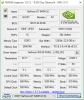
I have the windows 8 S15 with bios R1021C8. I have a clean install of windows 10. I'll post a screenshot of NVidia inspector.
Attached Files:
-
-
Anyone facing issue of their touchpad freezing after waking from sleep?
Official 2012 Sony S Series Owners Thread
Discussion in 'VAIO / Sony Owners' Lounge Forum' started by Petrov, Jun 9, 2012.