 Problems? See this thread at archive.org.
Just Called Sony Tech support about the New S series regarding SATA 3 support :
10:08 AM Loren - (C4ES): I am sorry, the computer does not support SATA III hard drive.
10:08 AM Loren - (C4ES): The computer only support SATA and SATA I.
10:10 AM Customer: is there a reason why it does not support
10:11 AM Loren - (C4ES): The motherboard of the computer will not support the SATA III hard drive.
-
I doubt that the SSD version of the S has a different motherboard, if Sony went that far then
-
we know the non ssd versions support it... we have a work around. read the thread on it.. it isnt very reliable. the only reason anyone could com up with is cynical... sony wants you to pay for their drive... but that tech guy definitely didnt no squat... sata and sata I... hes blowing it out of his A$$
-
When installing drivers, do i have to install the ones that say "This utility installs the originally shipped version of....." or are those drivers already on my laptop? Or do I just have to install the drivers that say update.
Also my laptop comes with nvidia graphics card. Do I have to install the driver from nvidia.com, from sony.com, or is it already installed in my laptop because it says "This utility will install the originally shipped version of the NVIDIA GeForce GT 640M LE driver".
drivers page from sony.com -
If you reinstalled the OS, then its advisable to install all the drivers which are on the Sony website, including the ones that were originally shipped, as Windows may find "general" drivers which aren't as suitable for your laptop. Again, assuming you reinstalled the OS which is why you are asking this.
As for the graphics card, you may install either the Sony driver or the beta 306.02 Verde drivers off the nvidia website. Both of them work but obviously 306.02 is still technically in beta. -
Does the s13p have an obligatory wwan module in the us? In europe, wwan is no longer just an option.
-
Just called Sony Canada and found out that if you build a machine online and then change your mind or find a better laptop, your SOL. You can't return it, unlike Bestbuy or Futureshop who have a 14 day return policy.
I've spec'd out an SVS13A190S and it seems to be the perfect laptop for me.
1600x900
backlit keyboard
2GB hybrid video
6GB RAM
3rd gen i5 processor
500GB 7500RPM HD
great warranty (although, you have to pay through the nose, 1 year with accidental is $260)
security lock (great for my dorm at university)
it's $100 off until tomorrow. All for 1369-100=1269 before tax.
So, what's preventing me from buying it, other than the price? -
Well depends, if you go for the black model then fingerprints everywhere but they clean of course. Don't get the 2GB card, 1GB is enough and with the mod here from the forums its much faster. I bought 8GB of ram but it would be cheaper to go for 4 and buy more yourself of course. If you plan on swapping out the HDD for a SSD, just get the regular one that ships as standard.
The screen is wonky with it's viewing angles but I've learned to deal with it and said screw it. I couldn't be more happier with my S13A, form factor is screen, thin and light but still a full computer with dvd, video card and full voltage cpu. -
Thanks. I don't think I'm going to switch the HD with an SSD. Not sure how easy it is to add more RAM and if I do it myself, I'm sure the warranty would be gone. Also, I'm coming from a lower res laptop, so I'm sure it'll be fine.
If I just keep the HD, then it's 1289.98 - 100 = 1189.98.
Thanks. -
It depends what you will need the laptop for, if space is an issue keep the HDD, but if speed is what you want, ssd is the way to go. Ram is easy to swap, it's a breeze.
-
Hey guys, could someone with an overclocked 2GB 640 LE Please post/let me know your windows Experience Index number (gaming and gaming graphics). Thanks in advance!
-
6.8 points
-
I was just cleaning the screen on my S13A....anyone else notice marks on the screen that don't come off from where the screen touches the keys / palm rest? Pretty stupid for a $1000+ laptop. Not pleased.
-
i dont know how you got those.. on the s15 the screen sits a lot off of the keys... and my screen stays pristine...
-
Pictures aren't the best, but they show the obvious problem. I've used this machine intermittently when traveling over the past 2 months and I always baby my notebooks. The line of tiny scratches is directly where the palm rest edge begins turning into the keyboard. Stupid.
![[IMG]](images/storyImages/s13ascratches1.png)
![[IMG]](images/storyImages/s13ascratches2.jpg)
-
Yeah, the display half of the laptop is a wee bit more flexible than I'd like. I've tested the S13 before, and the SA before it is no different

-
A few questions regarding the new S:
Are the hardware drivers, especially the nvidia and intel drivers, based on the reference drivers? Ie., can I install the nvidia drivers, NOT the sony version? My old AW is not able to use multiple features due to the crappy old and never updated drivers, even crashes occassionally.
How is the screen compared to others, ie. Series 9, Zenbook Prime, or the awesome SE screen?
What's the real world battery life when using it for office work?
How fast is the proprietary 256GB SSD? -
i have a question for you.... how hard it is to use search? oh you woudnt know because you dont use it...
you can install non sony nvidia drivers iwth a modified ini... not hard to do... the rest are direct replacement (of course if you do a fresh install you can install any dirver you can without the ini change...)
the screen is gorgeous in every way but the reds (i dont mind them too much i think it is annoying with large spaces of lighter red... i looked at pictures with red and it is a lot less noticeable... pictures are everywhere. btw i wouldnt ever compare to a AOMLED screen on a phone especially the samsungs. they have wacky over saturated colors... there were some mods out there that removed this because it was sooooo over done. i guess it makes eveything look "pretty" but i want up for it)... it isnt the brightest but is plenty bright... the ips cannot be beat. the SS9 doesnt have 1080 or ips iirc.... prime is probably the best of all though it is a little small in my mind... never seen the se screen
depends on the specs... i have a quad core 15 and on 50% stamina browsing... i can hit 4:30 comfortably, sometimes 5... i would like to have seen 6-7 sheet battery will blow your mind but i almost never use it because im close enough to a plug and it is just too sexy without it... -
Hey folks - just got my Vaio S 15 yesterday, base model plus the top-end video card. I've already upgraded to an SSD and 12 gigs RAM courtesy of Crucial and this excellent tutorial on how to clone the stock drive without having to buy anything.
The display is excellent. I'm a professional colorist. I work in Hollywood. I'll never use this for something that is color critical, but the display is gorgeous. All the displays people are comparing it to are not anything I'd ever use for broadcast reference anyhow, or editing photos on either (and many that I've seen on here suffer from a ridiculously strong blue/cyan shift, which is probably part of the reason the reds are more purple than the 15). The important thing is that you can differentiate between red and orange, and you can. Each display has its own characteristics, even $50,000 2k reference monitors. Go ahead and use this for whatever you need to do, just check it on a few different displays if it's something kinda important. If it's something that's REALLY important, you won't be using a laptop screen of any sort whatsoever for reference anyhow and it's an utterly moot point.
Best non-Apple laptop I've ever seen. I have to say I'm really quite pleased.
EDIT: The touchpad! WOW - what a touchpad. It's wonderful. -
try searching for sony vaio s and drivers or something similar and try coming up with something useful.
on most modern notebooks, you can install the reference drivers without problems. forcing them via .ini gave me a lot of problems, including non-working graphics (black screen) and bluescreens on my AW. therefore the question specific to the new vaio S.
IPS per se doesnt have anything to do with anything other than viewing angles, it doesnt tell you the image quality. the samsung series 9 btw has an IPS screen, just with a samsung-own technology.
sorry I didn't clarify. I meant specifically the 13" model (ie. 1600x900 panel). -
Does any1 know, why it is not possible to scroll horizontally in opera ??
-
I read somewhere (may have been a few hundred pages back in here...) that setting your battery to maximum 80% charge helps extend battery life when plugged in (remove when travelling).
Two questions:
- Does anyone have any experience as to whether this is true?
- Where do you change this setting?
Thanks! -
VAIO Control Center
-
Hello one question:
Does some owns the S13 with only HD4000 and 1366*768 screen? Is this the same screen tha on the T series?
How durable feels the S13 with the magnesium alloy case?
Is there a possibility to get the S13A without NVIDIA? So only with HD4000 and the Premium screen? -
Hi all,
I just got my Vaio S 15 yesterday and I'm pretty happy so far. There's just one thing bothering me: some backlight bleeding at the bottom of the screen. It's not very visible and it sometimes disappears when you move the display lid. I've waited 3 weeks for this laptop and I'm wondering if I should return it or just ignore the problem. Is this a common issue? What are the chances of receiving a new one that doesn't have the same problem?
Thanks,
Theo -
common issue.
-
theoretically it makes sense. lithium ion batteries dont like being charged to 100% (at least not quickly) and discharged below 3-4 v per cell. or for the sake of argument discharged too much... so there is merit to it. samsung and apple both trickle charge after 80% to extend battery life as well. as to how much it helps i cant really say, but enough apparently to get it integrated in all sony laptops and numerous other mobile devices...
-
Ordered a S15 Sunday (everything base except 1gb Graphics). Order is still processing lol (is it normal for it to be processing for 2+ days?). I should get it in a week and a bit. I've checked it out in store and it looks great.
Can anyone tell me about the power brick? Haha, I was wondering about how big/heavy it is. Mine didn't have the free sheet battery (stupid Canadian offers), and I'm a bit worried about it's battery life. Also, I saw another user say something about if SOL for Sony Canada ... what's SOL and does that mean I can't return it?
Thanks. -
Does anyone encounter high frequency sounds coming from the CPU (when the fan is slow)? My Vaio S15 has some kind of CPU whine (sounds similar to many poor power adapters)
-
Yup. Mine definitely has a little cpu whine. Not as bad as other machines, and it seems to be better when on stamina mode.
-
Damn, I have just ordered a replacement, which then will probably have the same CPU whine and is not better than my current model.
-
That is weird. I have the older VAIO VPCSA3SGX/X Series 13.3" Signature Laptop | i7-2640m and My scores are:
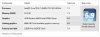
-
I dunno what to tell you. I get ~2200 in 3DMark 2011, what do you get?
-
Has anyone had luck with Windows 8 on the 13" premium? I did a clean install of Win8 RTM on the machine, and while the install was fine, but the computer was unusable and slow. Every time some program tried hdd access, it felt extremely slow, and my mouse pointer was "lagging", as if I'm playing a high FPS game. I tend to think that it was a missing driver issue, but the laptop was so slow that I couldn't fix it. Anyone had such an issue? Any remedies?
(Apologies if the question is repeated, but the thread search was not very helpful) -
Guys, what is your experience with returns and refunds and Sony?
Will I be able to return the system easily if I don't like the laptop?
Thanks! -
Not at all that I can notice on the S13A
And my desktop PC gets it extremely badly (mobo power circuitry being pushed way out of spec) so I know what to look out for -
I have a query regarding the mail in rebate 100 $ Visa prepaid card offer sony has at the moment. I believe the offer is supposed to be valid even if i purchase the laptop from any 3rd party site ?
I checked this link which says that the model SVS151190X is valid for the rebate.
Now i am planning to get a sony S15 and i can only buy from amazon.com so was planning to get it from this amazon link.
I wanted to confirm whether i will get the rebate if i buy the laptop from amazon.com and then send across all the details that they require (including the receipt and box cutting) ?? -
Ignore what is written above.
I figured that i will have to buy the laptop either from sony store itself or from a 3rd party vendor which has the rebate offer. The one listed above is not a approved vendor.
So i think, it will be good if i buy the higher spec version SVS15113FXB from amazon.com from DataVision Computer Video vendor as i see this particular vendor is listed on the following page..
https://store.sony.com/webapp/wcs/s...151&langId=-1&identifier=S_Visa_Prepaid_Offer
Correct ? -
Confirmed through sony support and i will be eligible for the rebate if i order from DataVision. Will be ordering soon.
-
I need to find my barcode for the visa rebate card, I have my box the vaio came in, but not sure what encompasses the barcode? All I see are two white stickers with codes on the right side of the box, not sure which one they need. Would I just cut out that side of the box? If someone could help, that'd be great.
-
Just got my S13 this afternoon. I can't do a clean install of Windows 7 at the moment, but I would like to remove the bloatware until I can. Are there any of Sony programs I need to keep to have everything working correctly?
-
Guys one last confusion about this laptop.
Does the silver S15 look good and does it have any potential or existing issues with respect to paint getting peeled off or something ?
I have option of both and cannot decide. -
I'm fairly certain they're all painted. Having taken mine apart and seen the bare magnesium inside, I can't imagine they'd leave that by itself on the exterior. It's a dull grey, and not useful for an exterior finish, IMHO.
-
Ordered a Black S15 from amazon.com.
-
I had the same question and emailed the rebate site. They told me they want the one with the UC7 code on it. Yes you will have to cut it out.
-
My WWAN seems to work fine. I use the website drivers in the OP and ONeClick connect software. Never had it disconnect randomly.
Petrov. -
Ordered the S15 yesterday from a seller on amazon for 949 $ and today another seller J&R is selling for 900 $ + 9$ shipping.
J&R was selling for 999$ until yesterday night. -
Got a serious problem here. Went to install Ubuntu via cd and it crashed while loading into live desktop. Now my s13p's keyboard and trackpad do not work at all, not in Windows or in boot menus. Using a USB keyboard and mouse works, although this is obviously not a solution.
How can I get the keyboard and trackpad to work again?
edit: tried uninstalling the keyboard from the device manager and it recognized it again after reboot, however it still doesn't actually work
FINAL EDIT: after trying tons of things for the last 3 hours, including everything on sony's support site and google search results, i finally gave up and called sony support. during the call, Vaio Care was updating (i had uninstalled it, so just downloaded and installed it again from sony's site) and when I closed the laptop to give the support guy my product number, it crashed (blue screen) when it opened it back up. Rebooted and the trackpad/keyboard work fine now. Very strange, I'm guessing Vaio Care somehow fixed it, because even the system recovery I did earlier didn't work. -
yeah I had the same issue...returned my 13A for a 13p 2012 with microcenter. its a huge upgrade except for the slot cd...
-
how do I add an extra gig? NVIDIA® GeForce® GT 640M LE (2GB) hybrid graphics with Intel® Wireless Display technology [ $50.00 ]
Official 2012 Sony S Series Owners Thread
Discussion in 'VAIO / Sony Owners' Lounge Forum' started by Petrov, Jun 9, 2012.


