Problems? See this thread at archive.org.
I have a 'stupid' question:
I am not a gamer and use my Z11 for web site publishing (Microsoft Expression Web 4) and business apps (Outlook, Excel, Chrome, etc) mostly.
I have the latest "official version" (Nvidia Version 190.24 (8.16.11.9024) Intel Version 2021).
Is there any reason for me to use the newer, not officially tested drivers?
If so, which one would you recommend, with the least hassle to install?
-
Andrew08: Where can I find the drivers for Lenovo T410s? In the post linked in your signature, there is just a text reference to another forum regarding these drivers.
-
the file failed to install and i deleted it, will revise and pm you soon.
edit:
i can't pm you, please write your email address instead. thanks -
I switched drivers for 3DVision capability but there is one key thing that I noticed and really like about the newer drivers. When I have the laptop hooked up to an external display via HDMI, which is most of the time, the laptop screen shuts completely off. With the Sony drivers the backlight of the laptop LCD stayed on all the time, which bothered me a lot.
I have been using the Nautis 260.63 drivers and they are stable with only one issue, if I have the latptop plugged into an external display and start WinDVD BD, the one that came with the VAIO, the screen will go black and I need to unplug the HDMI cable and plug it back in again. It is not that big of a deal and I almost never use WinDVD BD as I make all my Blu-ray into MKV and play it with MPC-HC, VLC, or Stereoscopic Player.
I would recommend that you try one of the signed drivers since you won't need to put windows into test mode and fake sign the driver.
I have tried a few different community drivers and I have not had stability issues or any problems at all aside from the WinDVD issue. -
If you do any video conversion for the web, CUDA is helpful (Nvidia hardware accelerated conversions). Otherwise, I'd say there's no particularly compelling reason. With Andrew08's latest packages, though, it's pretty painless to try out, and his 26314/2266 package (signed drivers) seems to be working well for a lot of people. Switching seems faster, if that's something you're looking for.
-
all i want is just the latest driver and i don't really need the switching neither so....
-
I was replying @huberth. Sounds like you need to mod the BIOS so you can choose static video and use only Nvidia drivers.
-
How do you do that? Basically if I did that to my Z I could just download the latest 277 drivers from nVidia and install them?
-
what do you mean by mod the bios? there is no such option on picking it. any instruction?
-
Ok. I the driver installed fine and it works. However there is one problem: I can only switch from speed mode to stamina mode; I can't switch back to speed mode. Also, would a newer intel driver version work, or is the 1994 version the only one that can work.
-
for all the question above please follow this step and this thread
1. uninstall any nvidia driver.
2. the following link is only for people who really know what they are doing to their "Sony Vaio VPCZ1", you are risking your computer to unbootable state.
http://forum.notebookreview.com/sony/473226-insyde-hacking-new-vaio-z-advanced-menu-bios.html
do i include hybrid graphic ui inside?
can you please try it also?
edit1:
vostro 3700s are using phoenix bios which means dnsmo must not do anything with your bios.
edit2:
it looks like i was wrong, there is something out there called "Phoenix BIOS Editor Pro 2.2.0.1", but still playing with bios means you are ready to let your computer die. -
The hybrid graphic ui isn't included and when I flip the switch, the message to switch pops up, but nothing happens.
-
So if I do this BIOS mod I will have a BIOS option in some unlocked menu to disable hybrid graphics and therefore be able to install any nVidia driver that I choose without driver modification?
Interesting... but I think I'll have a stab at making a 266.58 or 277.76 hybrid driver first, less risk.
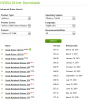
How come no one is working on a 266.58 driver? I don't even understand where 263.xx came from, I don't see it on the nVidia site. (see attached snip)Attached Files:
-
-
BIOS hacking is not an issue if done correctly. You have to follow instructions carefully, though, and it involves many steps, particularly if you're just running Windows (and with the Z, running Linux is something you'll probably have to do from a USB drive or key anyway). I now have a USB key dedicated to the BIOS hack with all necessary files, which I can boot as needed to revert to stock or hack, whichever I want. I actually use the video Static option when I boot Linux from a USB key, because X fails to load in standard Auto/Dynamic mode.
IMPORTANT: As you'd see in the Insyde hacking thread, most of these advanced BIOS options should be left alone, entirely, completely. Among other things, you can also configure your RAID/JBOD options with the hacked BIOS, which is nice to have available, but I've never changed the stock settings. -
So one thing I just discovered with 26314/2281, at least on my machine, is that YouTube (or probably all Flash) videos play with extreme artifacts under Stamina mode (not Speed). Since you said 2281 was really experimental, I switched to 26314/2266 and everything's fine.
-
Crysis 2 update!
Holy Crap.. Have you seen this!
YouTube - crysis2 nvidia gt 330m gameplay
I want my Z to do this too
-
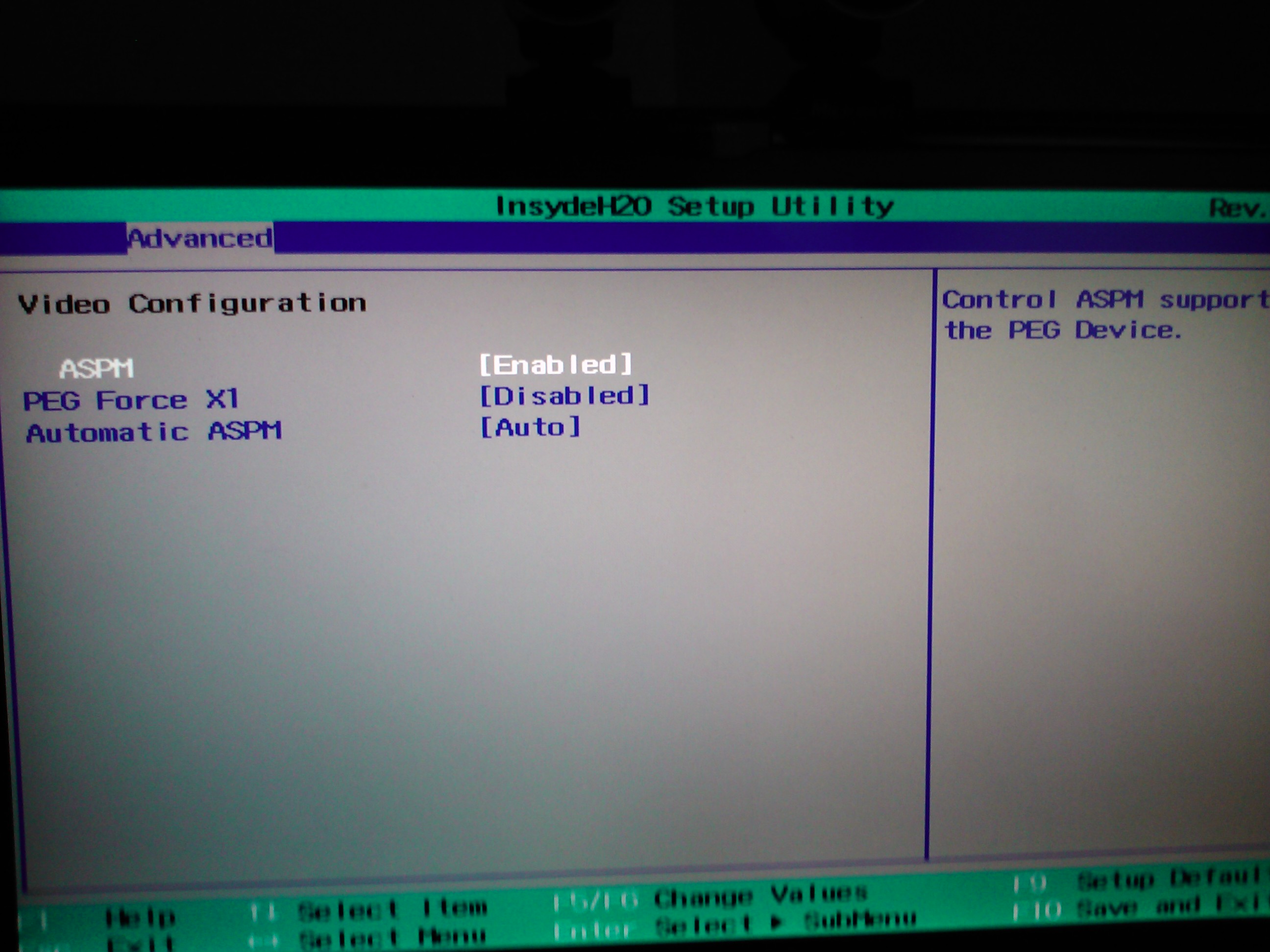
I've done the BIOS hack and I have the advanced menu... but I don't know what options to choose now. Where is the "Video Static" option?
I have attached a picture of what I see under the "Advanced > Video" menu.
I haven't changed anything yet, am I even on the correct menu?
EDIT:
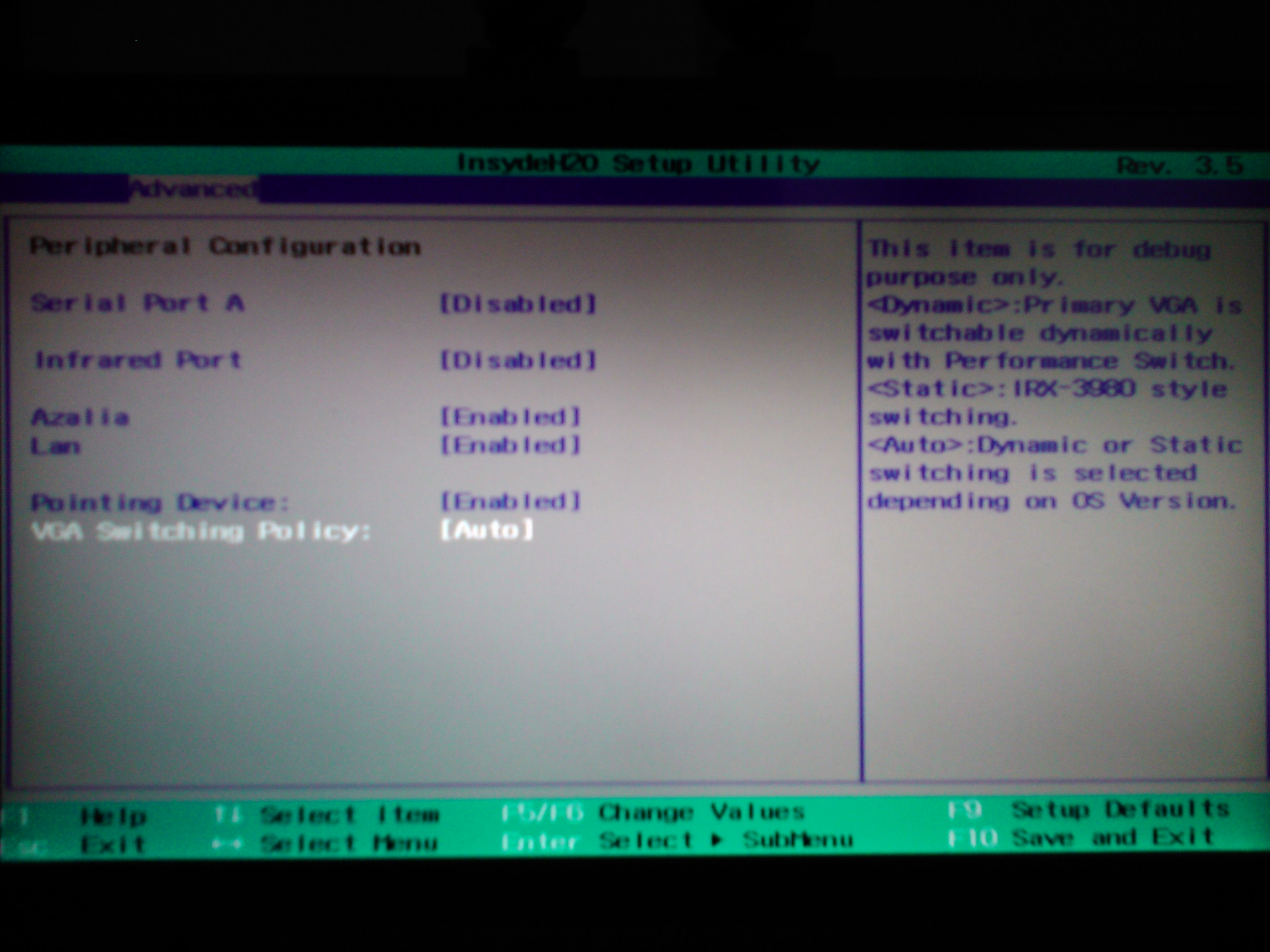
I think I found the correct menu, see second picture, please advise, should this be set to static?
EDIT 2:
So it set it to static but I can't get the 266.58 or 277.76 drivers to install, even tried manually selecting the INF.
I thought the point of the BIOS hack was that you would NOT need the modified hybrid drivers?
What am I doing wrong here?
EDIT #3:
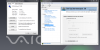
So even with the BIOS mod some INF hacking is still required, I modded the INF file in the newest nVidia drivers and replaced the SUB_SYS for the 330M with the one I found in the hardware ids section of the device manager.
Attached screen shot of new driver and control panel with 3D Vision ready to go!Attached Files:
-
-
i know you can edit the bios but what would be the offset for the vostro 3700, i am just hoping you will get ur 3700 back and get the mod version going again, like i said please setup a beer account and I can help you out in my own way by contributing.
-
The idea is "yes" but in reality, rarely!
Disabling the intel gpu in the bios does make it easier to install any nvidia driver though, but most of the time you still need to mod the inf file as the gpu ID that that has used is not a generic Nvidia ID and therefor not a part of the official drivers even though they might support 330m gpu's.
I have been running with a modded bios and custom verde / desktop drivers from Laptopvideo2go for months now and it's just so much easier. Yet still takes a bit of fiddling around sometimes.
Cheers -
Are these drivers in considered to be "stable" yet? What issues might I run into (if any) if I install them?
-
Andrew08
Thanks for your work, just installed VPCZ1 Hybrid graphic driver 26314 - 2266 signed and it works great! In stock drivers I had some artefact when I switch between modes, but now such troubles disappeared! I'm waiting for new great releases. -
Same problem with switching on my VGN-Z.
-
Any difference if you apply this: still need.reg and then restart?
-
Did you guys try to disable anything that uses the gpu. Webbrowsers, photoshop even an ''secondary display'' enabled could stop it from switching.
-
I can try it out later when I get home from work.
What does this setting do?
(Sets EnableGoldOnHybrid to 1 for nvlddmkm I can see from the reg file.)
Yes, switching works fine when using the original Sony driver. I am also unable to boot it into speed mode with the driver, it just tries to switch from stamina to speed indefinitely.
I also did enable the Hybrid ui through registry, the Hybrid UI shows up when it tries to switch, but it is still stuck when switching. -
Don't know what it's supposed to do, but I need it for switching on my laptop with nVIDIA 9600M GT/Intel 4500MHD
I also need the following, or the nVidia GPU doesn't turn off:
You can check by switching to Intel/Stamina and then open GPU-z to check if the nVIDIA GPU is still in the list.Code:Windows Registry Editor Version 5.00 [HKEY_LOCAL_MACHINE\SOFTWARE\NVIDIA Corporation\Global\Hybrid] "DeepIdleTimer"=dword:00000000
-
I would like to add an interesting discovery that I made. Hacking the BIOS and setting "VGA Switching" to "Static" does not mean that you can't run the laptop in lower power mode with Intel HD graphics. It simply means that you need to reboot to do it. If the switch is set to stamina Intel graphics load and run, if it is set to speed NVIDIA graphics load and run. This is a great solution for me since there are some times like on a train or a plan where I would like to run on lower power. Most of the time the laptop is at my desk hooked up to a 40" BRAVIA. At night I watch movies with my Acer projector. I was glad to find out that I'm not stuck on NVIDIA permanently.
The newer NVIDIA drivers do some cool stuff also, 3D in windowed applications. I still have to try Google Earth in 3D as I've heard that works now.
As for the people comparing the way that Crysis 2 runs on the VAIO F series to the way it runs on the Z, I know that the F takes the new NVIDIA drivers right out of the box. I would be willing to guess that the 266+ drivers have performance improvements over the 260 and 263 drivers.
I haven't tried Crysis or any other game for a long while. I am not interested in games only 3D movies. I would, however, be willing to run some tests of demo games on my new hacked setup, let me know. -
Will try to look again.
Yes no one is working on it, all 265XX to 267XX are still using the same code which doesn't support hybrid graphics, there are no point trying them.
Only possible if you disabled hybrid graphic.
It is not easy when I can only work for this hybrid graphics drivers on Saturday and Sunday. Sometimes I still need to spend some weekends with my families. So please be very patience.
All are experimental. -
UPDATE: just booted up in stamina mode and Installed the latest Intel HD Graphics drivers, 2321, no INF mods. Everything seems to work great.
When in performance mode with the NVIDIA 267.76 drivers the brightness controls don't work. I don't really care that much about that since the whole point of those drivers is to do something awesome on an external monitor.
I just keep getting more and more amazed with what this laptop can do. My next thought is to try to cram some more SATA devices in there since it has 2 more SATA ports that are unused. I don't want to give up my Blu-ray drive though so it might be a tight fit. -
That's a good news! I wasn't aware of that, maybe I'll give it a try then. It's actually quite difficult that I have to switch between one mode and another on the go.
I tried Crysis 1 Demo and it was running smoothly @ 1600x900 with medium-high details (263.14 driver). I haven't tried Crysis 2 yet, but if the performace improvement with the 26x drivers is big maybe it worth hacking the BIOS. -
Maybe I am retarded but just looked for the Crysis 2 Demo and couldn't find it. I could give it a test a 1080P 2D and 720P 3D... if I new where to get the demo.
Don't sweat the BIOS hack, it is easy -
Steam had it in their demo section a few days back.
-
Hi ComputerCowboy,
I have been trying to hack the BIOS however getting some issues. I am following the windows method. I don't know what am I doing wrong but it wouldn't change the directory to C (RAMdisk). Any help would be appreciated. -
make sure you boot with all the defaults
insert usb key (make sure you have external boot enabled and first in the boot order in the bios)
on the first screen (blue background IIRC) hit enter
on the second screen hit enter again (it says some crap about installing to the hard drive even though it does no such thing)
once that is done you should be at the A:> prompt
type C: and hit enter
now you are on the USB disk and you can run the "f.l.a.s.h.i.t dump.rom /g" command (remove the periods in the command)
I got the "f.l.a.s.h.i.t.exe" file and other required files for the flashing part from this link Index of /uploads/insydehacks
once you have the dump.rom run the python commands on it from windows
then reboot back onto usb and flash the new rom
the whole bit about the flash command is hard to get a handle on because of the forum protecting us from the "S" word
ALSO IT IS SUPER IMPORTANT THAT YOU USE THE DEFAULT FREEDOS BOOT OPTIONS, don't try to use the other options below as they will block access to read/write the BIOS which is the entire point. -
General reminder to all - forum rules -
•Discussion on running Mac OS X on non-Apple hardware is prohibited.
Thanks. -
Noted, my bad, sorry about that
-
Could I get a confirmation of what to do exactly to update the drivers?
1) I downloaded the NVidia 26314 - Intel 2266 Signed file
Is it correct to say that it is currently the safer/most reliable update available?
2) And regarding how to do it, do I simply run the setup.exe and follow the installation, or is there anything I have to do first such as de-installing the current version I have, modify the INF, getting a driver signature overide or that sort of thing?
Current Sony VAIO VPC-Z13C / Core i7 640M 2,80 GHz / 8 GB 1066 DDR3 SDRAM / 256 GB SSD / 1080p screen / PCF / Windows 7 Ultimate 64 Bit -
Who knows, that is all speculation... if you aren't gonna party to may as well stay home.
The point of the driver packs are that the INF mods are done for you.
You will need to get rid of the old drivers. Uninstall with the "delete driver" checkbox checked, just to be sure.
The point of a signed driver is you don't need to fake sign it. -
Today was realised 270.51 nvidia drivers http://www.nvidia.ru/object/notebook-win7-winvista-64bit-270.51-beta-driver-ru.html
-
Nice observation. 270XX are not based on 265 which means we might have chance to see new hybrid graphic. I might want to try or wait for Microsoft.
-
270.51 states with big letters that they do not support Hybrid graphics (only Optimus).
These do how ever work beautifully with the Intel gpu disabled. -
Wow setting the two things in the registry actually worked - now I can switch between the two cards on the 263.08/1994 driver. Thanks namaiki! ^_^
-
Hello,
I'm using Nvidia 26314 - Intel 2266 drivers, but µ Live Messenger crashes everytime I switch between Stamina/Speed.
I have a window which tells me to restart the application to complete the switch.
I click on "Ok" button, Live Messenger is restarted, but once I get a message from one of my friends, the program hangs and does not respond anymore.
Anyone elses is having this issue ? -
so it works huh??
just stay tune. i am willing to try 3 weeks later. microsoft updated to 26724 but doesn't support hybrid graphic, waiting for 270xx from microsoft(this will confirm hybrid graphic support).
hmm, have you updated wlm? mine used to crash but now it is fixed. -
Confirmed, switching works now . I just did both settings at the same time, dont know if it is one or both that made it work..
-
I think so: 2011 Build 15.4.3508.1109.
-
Thanks, will update my driver package soon.
hmm...
This is the latest version. I will update mine and give a try. -
Another glitch, Firefox 4.0 gets completely black after switching, but is still working.
Still, I cannot tell you if it was already like that with the previous drivers. -
Thank you so much Andrew08 and Namaiki. I just installed the driver for my vgn-z and I can now use intel or nvidia video cards. Looking forward for the latest driver.
-
thanks for your help namaki.
edit:
i think it should be DeepIdleTimer though
ok, i will upload 2 new package, i hope someone here will give a try, thanks.
edit2:
vgnz drivers uploaded.
26308 1994
26314 2281
vpcz1 driver
26314 2322 in test.
My discoveries on Vaio Zs Hybrid Graphics
Discussion in 'VAIO / Sony' started by Nautis, Jan 16, 2009.