Problems? See this thread at archive.org.
Andrew08,
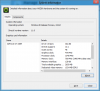
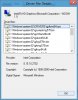
I installled this signed driver on win 7 x64 on Vpz138gg it installed ok but in device manager it is showing driver not Signed.
Is this the right settings or did i messed something?
-
Hi I have a Z610Y and the current NVidia driver is 8.15.11.8684 (the most updated one available from Sony). Can I still update using the driver you provided? Thanks.
-
Thanks a lot! My vaio z worked poorly on diablo 3. After I updated the driver, it is running at 1080p smoothly.
-
Can you please point me to the info, or describe which bios did you apply for VGN-z11Xn/B ?
-
It is only the inf that is unsigned. The driver itself is signed. Just click through the warning and install anyway.
Make sure you get the one for VGN, not VPC.
I'm having issues with Windows 8 Consumer Preview and the fast startup feature. If I enable it, I get a black screen on startup. I have to put the laptop to sleep, and then wake from sleep to get the display back.
Is anyone else having this problem? I've tried both drivers posted by Andrew08. -
Here is the latest unlocked BIOS for VGN-Z series...
-
Hi, sorry to bother you but I can't seem to find a download for the VGN-Z model drivers. Can anyone please help me with that? Thanks!
-
Here are drivers I'm using. Don't forget to install them in test mode and sign them.
-
I have the same problems even with fast startup disabled.
Stock drivers... -
Strange. With fast startup disabled I have no problems at all. Tried both of Andrew08's modded drivers.
I didn't even try the stock drivers on Win8CP. Even on Win7 64bit I kept getting "the display driver stopped responding..." with the stock drivers, so now I stay away from them. -
hmm... installed Andrew's VPC driver... now my screen sometimes gets black for about a second... and the leds for stamina and speed don't work.
Can anybody confirm this? Running Windows 8 Release Preview
Thanks -
Everything works. Standard procedure for installing modded drivers:
1. Disconnect from the internet. (Otherwise Windows Update tries to be 'helpful')
2. Uninstall existing driver. Reboot.
3. Make sure both display adapters show 'Microsoft Basic Adapter'. If necessary, change the driver manually (choose which driver to install).
4. Disable driver signature enforcement.
5. Use driversweeper or NFR (nasty file remover) to get rid of traces of the previous driver that might have been left behind. I don't usually need to do this, but you've been trying different things, so this might be needed in your case.
6. Install Andrew08's driver - either one will do, so go for the newer one.
7. Reboot. -
Thank you anytimer. It's working, had the wrong drivers...
Now I have:
GT 330M: 8.17.12.6314
Intel: 8.17.12.6314
nvidia 26314 - intel 2281 signed was the name of the package, but both drivers show "not signed" -
Yes, but they will work because only the inf is unsigned - the actual driver files themselves are signed by nvidia and intel. You can check that out in driver details.
-
hmm, if I switch over to speed-mode and use driver details, none of the files are assigned, but most of the Intel adapter
-
Hmm.. this seems new in Windows 8. I could have sworn the driver files showed as signed in Windows 7. Maybe someone who is on Windows 7 can confirm. Anyway, test mode is not needed, as would have been the case if the drivers were indeed unsigned.
-
A little confused, I have a vgn-z720d (so a little old) and wanted to install these drivers but not sure exactly where to download.
This link looks like it points to the right ones but I thought these were signed so test mode wouldn't be needed?
Thanks, sorry if I missed something really obvious here. -
I don't know if anyone noticed but... the new Vaio S13-series has hybrid nVidia graphics, with the classic Speed/Stamina switch. I sense NEW HYBRID DRIVERS!
Downloading them now, seeing what I can get them to do. The Intel and nVidia drivers come seperate though, weird.
EDIT: Looks like it's just nVidia Optimus with a manual switch option no new drivers!
-
I figured out the answer to my earlier question... which was fairly stupid. Didn't look at that download link very closely. Clearly those are the older unsigned drivers by Nautis. It's too bad there doesn't seem to be a link to Andrew's newer signed VGN drivers anymore.
Tried to install Nautis' drivers earlier and had some problems so going to try one more thing but then I may need help. -
I installed one of the driver sets listed here in this thread - forget which as this was months ago.
I am getting: "NVIDIA Display Properties Extension has stopped working"
I have tried to uninstall - re-install the drivers on the sony site - no matter what i do I keep getting this error.
More frustrating I have tried to use the "search this thread" feature for this exact error - but i keep getting a message of invalid search.
So I hate to ask these questions when I am sure somewhere in the previous 300+ pages someone else has had this issue and fixed it.
So I am apologize if this has already been covered. But I am so frustrated with my laptop - I just want it to work and get this annoying pop up to go away.
Please help.
Thank you! -
Quick question about Windows 8 Release Preview: After installing Andrew08's driver, has anyone seen the mode switching icon in the system tray?
-
I tried and was able to install Andrew's version here of the VGN drivers (I thought these were supposed to be signed but I had to run test mode/sign the drivers to get them to install)
I also don't seem to be able to switch back to speed mode after switching to stamina. *I think this problem was touched on at some point in the thread so I'll see if I can find out why. Didn't notice a huge performance increase either. Not really sure what I was expected. -
This thread has become insanely unwieldy.
I have an Asian Z13. Could someone please tell me what steps I need to go through to update the Nvidia driver?
After half an hour of reading I'm still confused about whether I need to hack the BIOS and whether the hybrid switch will continue to work.
By updating the driver, what will I gain - in say gaming - and what might I lose?
Thanks -
If you put your hardware details in your nick, we'd be able to help you better.
There are two ways for you to go - hack the BIOS, or stay with the original BIOS.
If you decide to hack the BIOS, then you'll have to reboot every time you want to change graphics mode (that is how the switch works - change the position of the switch and reboot). The upside is that you can install the drivers more or less independently, so can run the very latest drivers.
If you don't want to hack the BIOS, then you have a choice of running in hybrid graphics mode or Optimus mode. Hybrid graphics is what the laptop came with. Optimus is an advanced switching method which can be forced onto the hybrid graphics hardware, but with some restrictions and issues.
With Optimus you can install much later drivers, but HDMI doesn't work and power consumption (battery life) is higher.
With hybrid graphics you can use only the drivers listed in the first post, but everything works more or less like it used to, only better.
What do you gain by updating the driver? The stock drivers are really old. On my system they kept crashing and recovering and were driving me up the wall. -
Maybe you can help me. I have been through an assortment of drivers here and now I think something is just corrupt - even the original sony drivers on the sony site eventually crash for me.
I would just like the original hybrid drivers so the system will work the way it was meant to be. I really appreciate the help. (In your post you mentioned "the drivers on the 1st page" - that post seems pretty old and full of dead links.
Thanks... -
Which model of VAIO have you got?
-
VPCZ1190X
Also any tricks to installing or cleaning up the old drivers? -
The megaupload links are dead, but people have reuploaded them. Get Andrew08's drivers, preferably 2266 as it has no issues that I have been able to find. If you can't find it, let me know and I'll try to reupload it somewhere.
To uninstall and clean,
get driversweeper or nfr (nasty file remover),
disconnect from the internet,
uninstall the existing driver,
reboot,
check device manager to see that both graphics devices show 'standard vga adapter' (I'm on Windows 8 where it is Microsoft basic adapter). One of these will have a problem, but that is OK. If you aren't seeing this, then change the driver manually - properties>update driver>browse my computer.
reboot and recheck if necessary.
run driversweeper or nfr, search for nvidia and clean.
Now install the driver. When you see the warning about unsigned drivers, install anyway. Sometimes the screen goes black and you can't see what's going on. If that happens, just wait it out (say 3 minutes) then press the enter key to reboot (you can't see the reboot prompt that appears after installing the driver). -
Found the drivers here in this thread - i forget where. But if someone else needs them let me know.
I followed the instructions. Had to boot up in safe mode to remove all the old nvidia stuff. Everything else went as described. After removing everything I saw the standard vga drivers show up in the device manger. Installed Andrew's 2266 drivers and so far no crashes and no error pop ups! I have not tried to switch modes yet - but I am already a happy camper!
Thank you! -
Well I spoke too soon. Not an hour after posting my success my video crashed.
I am running windows 7 ultimate 64bit
Docked running dual screens.
I have a 3rd screen running through a SIIG USB to VGA adapter (crashes with or without this plugged in).
After a while - randomly - never at the same point - the screens will crash. The SPEED light will change from speed to STAMINA and both laptop screens go black. Nothing I can do but just power off and back on.
Now I am running on STAMINA waiting to see if it will happen in this mode.
Might be time for a total reformat..... -
Have you checked the temperatures of the CPU and GPU? Maybe they are overheating. But yes, a clean install (formatting C drive in the process) is a very good thing.
-
Has anybody ever tried to build a new hybrid graphics driver with Nvidia 285.38 or above?
-
If anyone did, it would be an extraordinary achievement.
-
Major changes appeared in the drivers with 270.xx series, and as no hybrid drivers have been released since this point (seems that optimus did replace hybrid definitely), it appears that there is no hint of how to modify those new drivers in order to build and hybrid one...
-
I can't seem to find the version I'm looking for.
I have a z21 (eu model) with 32 bit win 7. It has the 9300M GS graph card
I'd love to find a signed 32 bit version but I cant seem to track down a working one. Can anyone help or point me in the right direction? Grateful for all answers! -
Currently running Optimus on Hybrid Graphics on Windows 8 Release Preview. Nothing much to report. Power consumption under observation.
One issue: the nVidia GPU is switching on only for 3D games. I have not been able to get it to switch on for playing videos, even HD videos using WMP and MPC. I'll try a few other players and let you know.
nVIDIA driver 302.80 downloaded from nvidia.com (modded nvam.inf myself).
Intel driver installed by OS. The driver downloaded from intel.com did nothing except install the Intel(R) Turbo Boost Technology Driver, whatever that is.Attached Files:
-
-
That's normal for Optimus as far as I know. The Intel HD GPU can mostly decode HD/H.264 videos for you in WMP if needed. The older Intel 4500MHD can do the same.
-
The last time I tried out Optimus, I was able to right click the exe or shortcut to the player or app and select 'run with graphics processor'> to select the nVidia GPU for that application. This time it is not doing that, although the context menu item is there.
Also, in nv control panel, the option to select the nVidia GPU is greyed out for media players. My 3D games and Chrome and Firefox have the selector enabled.
I'm just curious. I have no performance issues with HD videos - my i5 is fine with it. Can't use nVidia's PureVideo technology, but that's no big loss, for me at least. -
I'm running Hybrid Drivers 263.14 on my Vaio Z12. Is it actually possible to run Optimus on this machine? If so, that would fantastic!
-
It is definitely possible, but with certain known issues:
1. No HDMI output.
2. Greater than expected power consumption. It is not all that bad, but if battery duration is an important factor for you, then you might want to avoid this approach.
There is a third option you might want to consider, which is to use a hacked BIOS and do away with dynamic GPU switching. With this approach, you change GPUs by changing the position of the selector switch to speed or stamina and then rebooting. With SSDs the boot time is short enough for this to be a usable scenario. -
There is another issue with optimus for the vaio Z : performances.
I did try optimus because a software that I use needed recent nvidia drivers for cuda, and I was very disapointed when I tried playing Diablo III... it was impossible to use full screen resolution (1600x900 for mine), and worse I had to lower every graphicall option, making the game look like diablo II...
Since I goes back to hybrid 263.14, I play full resolution with all options high. That make me think that there is somewhere a bad combo with optimus driver and vaio Z. -
Did you run Diablo 3 on the Geforce? It sounds that you ran it on the integrated Intel HD. There are application profile settings in the NVidia driver so you can define which card is used for your applications. You can also select whether it will use the integrated or discrete gpu for a specific application via a context menu.
-
Sorry guys, I can't get Joulemeter (which I use to graph power consumption) to work on Windows 8 RP. Any suggestions?
-
I tried many settings, including running DIII on integrated graphics, which was really bad... For what I described here I ran it on the GeForce, and even with the 330M as preferential gpu for everything it did not change anything...
And I forgot to told that with optimus enable it was impossible to change the resolution in the game options. It resulted in a whole black screen that needed to close the game and to restart it. I think that optimus has a hard time in the coordination both GPUs with DIII. -
Skimmed whole thread so I might be wrong but it seems like there are no recent drivers for the VGN-Z running WIN 7 x86 (32 bit)?
-
I'm looking for the drivers for Win7-64 263.08 for the Vaio VGN-Z. The megaupload site is gone and I can't find any other links. Can anyone help out? I tried 260.63/2020 which I have - the drivers are unsigned but despite using dseo to sign the drivers (and receiving confirmation) Windows 7 is still saying they are unsigned although I'm in test mode.
Also can anyone say if the HDMI in the Vaio VGN-Z is version 1.3 or not? -
Well, that didn't last long. Woke up one day to find a BSOD (0xC000021a error). Rebooted a few times, but the error persisted. Pressed F8 while booting to try recovery options, and Windows 8 RP went into system restore automatically (without asking) and restored my system to before the optimus drivers. So I'm back to using hybrid drivers, and lost data in the process - system restore deleted stuff it thought was suspicious (even some srt subtitles that I had placed on the desktop
).
-
Terrible news. I haven't messed with Windows 8 yet.
-
Thanks for the kind thoughts, DeathDealer. However, one thing that did strike me through all this is a possible reason for the additional power drain when running in Optimus mode.
Note that we keep the mode selector switch in the speed position while we run Optimus on hybrid graphics. I just realised that my laptop, now running on Andrew08's hybrid drivers, draws more power when the switch is kept at 'speed' instead of 'auto'. This is due to the CPU clock not going to the minimum when idle. Is this the reason why we have been reporting increased power consumption for Optimus mode?
I'm using Open Hardware Monitor http://openhardwaremonitor.org/ to measure temperature and core clock speeds. -
I'm currently using ComputerCowboy's advanced Bios fix. It allows me to run the newest Nvidia drivers on Speed mode. If I want Stamina mode, I just turn the switch and simply restart the laptop. You might be interested in this scenario.
My discoveries on Vaio Zs Hybrid Graphics
Discussion in 'VAIO / Sony' started by Nautis, Jan 16, 2009.