 Problems? See this thread at archive.org.
There are new driver for gpu? Better than stock driver?
-
-
Mother of god... I've been looking for a more portable solution to replace my 2 year old G73JH when I stumbled upon the Vaio S15. Then I found this thread. Looks like I wont have to sacrifice gaming performance for portability after all! Plus I'll be getting a better CPU, better screen, and portability too (QQ on the subpar speakers though but hey nothings perfect)
Vaio S15 here I come!
I'll be getting the base model with the 3612QM and 2GB of VRAM (for the lulz) from Sony, then I plan separately purchasing a 256GB Samsung 830 SSD and an additional 4GB of ram. and I'm taking the ODD out too.
does this sound good?
P.S. Whats up with the total lack of coverage on this laptop? This pretty much sh*ts on everything else out there within its price range (I dont mind that whole orangegate thingy since I'm badly colorblind )
)
Edit: I'm reconsidering getting the 3612QM and 2GB VRAM. Would the 3210 be a bottleneck for games? -
The awesomeness of this laptop only comes out when you BTO and cofigure it with higher end hardware. Then it changes from 'Meh, more expensive than equivalent laptops' to 'I can't believe no one else builds this!'.
As you can see in this thread the i5-3210M is fine for most games. I have the i7-3520m, with a slightly higher turbo, and that one works fine with Mass Effect 3 on an external screen @ 1920x1080.
The i7-3612QM has a lower base speed, but a similar turbo to the i5. So my guess is, that the i5 will only bottleneck in CPU-demanding games like RTS games. Everything else will be fine. The i7 quadcore will give you some headroom for heavy duty things. -
3210 will probably be fine for a while... maybe in 3-4 years when most apps are using quads rather then just the few specifics nowadays the 3612 would be useful. But by then you will probably have bought a new laptop. Unless there is a specific application you want that uses quad cores there is really no need for it.
for its thin <1" and low weight the S15 is unique but spec wise you can get other 15" laptops with 1080p screens and better GPUs in the slightly heavier/thicker bracket for less. think HP dv6t quad or lenovo Y580 to name a couple. -
I just sold my G73jh-A2 for a sony, but I got the 13 inch premium version instead. Mostly because the 15inch cannot display red AT ALL. Cherries look orange, ferraris look orange. Anything that is suppose to have a deep red, looks orange. I just couldn't live with a laptop with one of the 7 most important colors missing. I rather sacrifice viewing angles than to sacrifice a primary color.
And to those who thinks this is overly exaggerated..compare the red Ferrari to the same one on your AMOLED screen cellphone..you'll noticed a HUGE difference. -
i agree it is a little frustrating but... i went to netflix on my 15 and it does look very orange.. but i googled a Ferrari like you suggested. AND WOW it actually looks red. like there are really dark reds that are displayed... odd...
-
I just saw my ARMA II frames jump by about 10, and that was just with the 835/900 mod. Very nice work. Hope the boosting and the GPU-Z bugs get resolved as well.
Anyone have any experience with EVGA's frame-target in combination with this mod? -
I have exactly the same problem here. I wish I can add more info from my side but there's just isn't any/much, I just have the exact same problem here.
All I want is to be able to play Guild Wars 2 at medium settings with good frames, which I know it can of course since for the first 15-30 seconds or so it will run 45-50 frames (in actual game, not just in Char selection). According to AB the GPU will only run at 570ish Mhz as well until it clocks down to 140ish.
....with this problem I can hardly run Guild Wars 2 at lowest settings above 23 fps .... max at 31 when I'm facing a wall or something.
GPU-Z recognizes that I have 950 max clock (or what ever mod I was using at the time) and I know that this is true because my 3DMark11 score reflects accordingly (2200ish with 304 driver and 950Mhz).
Sure hope you do figure out what is the problem and what can be done about it. Let's me know if you need a hand testing and what not although I don't have much time at the moment. -
Can you go back to stock(500MHz) BIOS and test it out?
Does it also drop the clock below the 500MHz?
Just wanted to see whether it's the BIOS MOD issue or not.
Thanks. -
Hi,
There is a special thread about that. Please take a comparison picture and contact sony. They must be informed from more customers about the problem to really bring a solution!
http://forum.notebookreview.com/sony/673678-vaio-s15-orangegate-again-9.html -
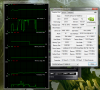
Ok here it is. I flashed back to stock and I was getting solid 47-60 fps on the lowest settings. This time the clock speed stayed up (500Mhz) a little longer but eventually drops right down to 125 and fps went down to 13....
Notice that the clock rate dropped before I tabbed out (when GPU usage solidly drop). What bothers me is that I'm hardly breaking the 60's temperature wise just like Limeroli.
-
The symptom seems like putting cooling fan control on balanced.
But I'm sure you are aware of the Priority to ventilation thing?
Can you share with us a printscreen of :
1) Cooling Fan control from Vaio control center
2) Global Settings Tab and Program Settings Tab(to any games that face the issue) from the Nvidia Control Panel. - Make sure to show the power management mode.
Thanks. -
I cant show you the screens right now as I am not have the laptop with me. In any case I can confidently tell you that I have all the settings suggested by your additional info section, both global and of Guild Wars 2. I have only one game install and really it's the only game that I expected to play. I can try to put in others when I have time but I really want to avoid unnecessary installations.
The only thing I am not sure which setting it was on is the fan but I have definitely changed it to priority to ventilation before, but I have changed it back. The think that does not seem to make sense to me though is that if ventilation is the problem but why are you guys doing fine at ~70-80 degrees while I am maxing at 66.
I will test and tinker more when I have time. -
Hi.
I experienced the same issues as you are having now. I was getting low FPS when playing Guild Wars 2 and I noticed clock speed was dropping down to 100-200 mhz.
This is what I did to fix it:
1) Download and install svl7's 950MHz Core 1000MHz Memory MOD: Downloads
Remember reboot and set BIOS settings to default. If you have SSD and get "no operating system found" during startup, remember to set to legacy in bios settings
2) Download and install latest nvidia drivers from laptopvideo2go.com
Remember reboot
3) Download and install MSI Afterburner (I haven't used GPU-Z)
Remember reboot
4) Open Nvidia Control Panel -> Manage 3d Settings -> Select program: Guild Wars 2 -> Select high performance nvidia processor on the option 2 -> Select Prefer Maximum Performance for the Power management mode.
5) Open Vaio Control Center and set "Priority to Ventilation"
6) Open MSI Afterburner and make sure clock/memory speed is correct (950/1000)
7) Launch Guild Wars 2 and play. I'm getting 30-40 FPS when playing on highest graphic settings. Clock speed is also on 950 during playing.
I'm no expert, but this worked for me. Hope it helps -
Well Amal, somehow I got it working after reflashing the 950 mod. Running now at good 35-50 frames at the lowest settings I am willing to go down to (I still want it to look good). Although in crowded places it will drop even below 20 sometimes. All in all it works fine for now and I guess it's now to wait for the non beta, optimized driver.
Thanks a load to all esp you for running this Thread.
Well thanks for the response. Anyway I got it working before I saw your post, I just reflashed and it worked.
Questions regarding you performances and setting in game. By max settings what exactly do you mean? Default max or did you even go higher than that, possibly a screenshot of your settings will be nice if it's different from default max.
Secondly, how low does you frames get when in events? I find it hard to believe if you get 30 fps because sometimes during big events my gtx670 desktop will only just barely get 30 fps.
Lastly, which driver version are you using? I'm on the 304 beta btw. was going to install 306 beta but didn't give that much boost on my main rig so I didn't bother.
Thanks. -
Hmmm.. That's weird.. so, it's not the priority to ventilation thing?
Coz you mentioned that the issue even happens on Stock BIOS..
Well, as long as everything is fine on your side then.. Have fun..
-
Just had a quick question, I just got my S13P yesterday, with the 640M LE 1GB and i5 3210, I was planning on using the 950 mod. I'm a complete noob when it comes to OCing graphics, and I saw this new Nvidia driver: Articles : GeForce 306.02 Beta Drivers Add Ambient Occlusion Support To Top Titles | GeForce
It interests me because I'm planning on only really playing GW2/LoL, and want to get the framerates on GW2 up to a good rate on medium. I was wondering if I would install these new drivers first or flash the mod first or if I should even touch the drivers?
Thanks! -
I've been running the 306 release drivers and the 835/900 mod since yesterday and haven't had any trouble, but you can always start in safe mode if the drivers have a problem. Just don't botch the BIOS mod.
I'd start with the BIOS and make sure you do it right first, then move to drivers.
Edit: For full disclosure, I'm on the S15 and I'm running the 2GB edition. However, the BIOS mod works for both models. Just letting you know I don't take responsibility. -
hi i know this may seem irrelevant. i just received my vaio today and it is one hell of a sexy laptop. i installed my ssd right away and installed a fresh copy of windows. as you all know you gotta install all those drivers if you install a fresh copy of windows. i've managed to get most of the drivers working but i still cant seem to get the fn keys to work. does anyone know which drivers are for the fn key.
-
Dude, first post of the thread: http://forum.notebookreview.com/son...fficial-2012-sony-s-series-owners-thread.html
-
Where can i find new drivers?
-
Are you kidding? Dude, first post of the thread: http://forum.notebookreview.com/son...fficial-2012-sony-s-series-owners-thread.html
-
you dah man +1
-
should i be expecting better performance than my dekstop that has an e8400 and 9800gtx+
-
Should be better I guess.
Try to compare 3DMark scores. -
But i need also msi afterburner to activate gpu overclock? I have only installed bios mod 950
-
I have an E8400 and GTX460 combo and it is still quite the performer.
Except for some unoptimized software it has been able to eat most games thrown at it.
Provided you are running your desktop @ stock speeds, your 9800GTX+ is roughly 66% the performance of a GTX460.
I should compare both my laptop and my desktop sometime.
EDIT: Just based on some benchmark scores, the E8400 scores 3392, i7-3520m scores 6878 points.
EDIT2: The GPU with this Bios mod is comparable to a GT 650M which is roughly 50-66% as fast as a GTX460. So I am guessing it's on par or slightly slower than your 9800GTX+.
I'm just happy I can run Mass Effect 3 on an external screen (1920 x 1080) on high settings.
Might try The Witcher 2 next.
TL DR; You can expect a similar or slightly better performance compared to you current desktop. CPU is faster, GPU similar. -
No, you do not need MSI AB to activate the GPU OC clock.
Thanks for sharing.
-
thanks op
and i tried running 3dmark11 on my desktop it didnt work cause 9800gtx+ is dx10
but i guess they are around similar performance since my e8400 is oc'd to 4.0ghz =P (forgot to mention)
but anyhow, i am really happy with this bios mod. thanks so much -
Ill be honest. i was seeing temps of solid 80while gaming last week after i got the laptop but now that i have used it a while im seeing 60-70 but usually on the lower side... maybe the thermal paste needs to break in a little?
-
It is very interesting that this weird throttling can also be experienced by stock. I did some more testing (with guild wars 2) and found a solution for me:
Yet, my testings have been on "balanced" settings in VAIO Controll Center. Of course I also tested the "priority to ventilation" settings and as I wrote before it first worked a little longer but not permanently. I thought that the source of the problem would be the same as on "balanced" settings and that they just appear earlier (what would be better for testing) - but I think I was wrong with that:
The following testings are with guild wars 2 on the highest settings (see screen) and with the 835/1000-Mod. Driver version is: 296.18 (from sony) and I set the power management mode to maximum perfomance. Both tests are with "priority to ventilation" settings.
GW2-Setting-screen:
![[IMG]](images/storyImages/gw001.jpg) </img>
</img>
Everything is on the highest settings, exepct supersampling, because this nearly halves the fps and I don't see any difference (do some of you?).
First:
![[IMG]](images/storyImages/GPU_throttling_GW2_100.jpg) </img>
</img>
As you can see there also has been some throttling (marked with red line) - It just doesn't come as soon as on "balanced"-settings. But I think the reasons for that are completly different. When you take a look at Core Temp on the bottom right corner you see that the CPU-temps are VERY high. 96 °C is way to hot and I think that here is the source of the problem.
My theory is that the issues on "balanced" settings are due to some weird stuff the VAIO Controll Center (or some other Sony application) is doing. It just says "No you are not playing with me like that - I'll stop you!", so it throttles.
But the issues on "priority to ventilation settings are due to real throttling reasons - because of the high temps. It is just to hot.
So Second:
![[IMG]](images/storyImages/GPU_no_throttling_GW2_99.jpg) </img>
</img>
Here I set the CPU to max 99 % (Is also suggested somewhere here in the forum) via windows (see next screen). So far I hadn't any throttling problems. The temps are still high, but better.
Windows-settings:
![[IMG]](images/storyImages/CPU_99-settings.jpg) </img>
</img>
Be sure that you change the setting in the right mode (there are three: energy saving mode, balanced, and high performance [note: free translating from me, the exact description may varies]).
You should be and should change the setting in/on performance mode. This has the "[Aktiv]"-label on my screen.
So far it runs very smooth and the fps are good ( I am not always checking that, but I would say "smooth and playable"). On the other side, as you can see on the gw2 screen, I didn't paly very much and I am still on the beginning. I havn't played on any big events yet (maybe due to the reason I always get switched from overflow to my normal server?^^), so the future will show if this solution is working on the long side.
It is maybe even possible to use higher mods as the 835/1000-one I used. If the CPU temps won't get much higher - why not
best regards
LimeroliLast edited by a moderator: May 6, 2015 -
That 's what I thought.
I have also advised Taparok on the Control Fan thing due to the symptom. But his was resolved by a flashed of another BIOS MOD, which is weird if you ask me since the issue also occur on the STOCK BIOS.
Those 3 settings on the fan control will determine on the max temp allowed before throttling.
Priority to silence - around the 6x Celsius area
Balanced - around the 7x Celsius area
Priority to ventilation - around the 8x Celsius area
fortunately you manage to find the workaround of the temperature from this thread rather than keep asking the same thing without searching first. Thanks for that.
Now, go ahead and try a higher MOD. lol.
Most can run the 900MHz up to 1000MHz MOD without issue.
Been using the 1000MHz all this while for normal daily usage.
Will probably play around with the voltage again starting next week. -
Can anyone please let me his/her highest cpu clock speed? Coz according to the specs, I should be maxing out at 3.1gghz, however cpuz/Turbo boost monitor just records a 2.8ghz has the highest clock.
-
Which CPU do you have and what are you doing when recording those values?
The i7 3612QM has a base clock of 2.3GHz and can boost up to 2.8GHz on 4 active cores, 3.0GHz on 2 cores and 3.1GHz on 1 core.
The i5 3210M has a base clock of 2.5GHz and can boost up to 2.9GHz on 2 active cores and 3.1GHz on 1 core.
Assuming that you have the 3612QM and you stressed all 4 cores, your CPU is working as designed and intended.
Source for the values:
3612QM: Intel Core i7 3612QM Notebook Processor - Notebookcheck.net Tech
3210M: Intel Core i5 3210M Notebook Processor - Notebookcheck.net Tech -
ok, i did my s15. im absolutely noob but even i could do it
yet working fine on 935mhz core clock speed. thx for this . only one interesting thing for me, when im doing the 3dmark test, at the and it shows for me that my coree clock speed 405mhz, all the data are higher than before with 2108 graphics score but this still remains the same. anyway thx
-
Ignore the clock speed(only the scores matter) on 3DMark11 and have fun with your laptop.
-
It's possible to upgrade bios or i lost bios mod? This mod affect only gpu bios or the notebook bios?
-
If you upgrade to a stock BIOS in the future, you will loose the GPU MOD because the VBIOS is integrated with the system BIOS.
By that time, I will need to create a new BIOS MOD again. -
Quick question.
Do I need to go back to the stock bios if I want to try a different speed, or can I just flash again with the new file? -
No need to go back to stock.
-
Hello, I have little wish to consult your BIOS.
I overclocked to 1000/1000, running FURMARK test takes about 30 minutes, all stable. To run 3DMARK11 or the 3DV is also very stable.
After that I began to run the game, such as fighting in the normal case, the run is also very stable, but occasionally (about 1-2 hours time) there will be graphics driver stopped responding and has been restored. At this time the core frequency will be reduced to 570. Only restart the machine in order to restore the frequency of replacement drive also has no effect.
This situation has been, but it really is a chance to appear, which is about two hours.
Is this because of the unstable after overclocking it? But I run FURMARK is very stable. In the end is why.
Thank you. -
Not too sure though. Coz I'm running on 1000MHz MOD, and never face those issue after hours of gaming.
But then again, different GPU may have different overclockability.
Does this happened once or many times?
If it happened many times, can you try a lower clock MOD like for example the 900MHz MOD?
Thanks.
Edit : oops, didn't see the word occasionally. Try a lower clock MOD and see if it still happen. -
Thank you.I will try.
I just do not quite understand since FURMARK are stable, why is there still so.
And this time interval is always long. -
Anyone knows how big is the difference betwen VAIo S15 Quadcore and S13A Dual core (i5-3320m or i7-3520m) in actual Gaming FPS? Is it noticiable or it wont matter much since is the same GPU?
-
wont matter unless you play a lot of RTS games.
-
When I try and revert the bios back to stock or any other speeds I get the error : The System Bios is current and does not need an update.
How do I fix this? -
The same way you flashed it to the modded BIOS. This is all in the first post.
-
you cannot use the official flashing tool
-
where can i find latest nvidia driver for 640LE?
-
Don't spam by cross-posting the same question in multiple threads.
Sony Vaio S Bios Mod For Gt640m Le
Discussion in 'VAIO / Sony' started by Amal77, Jul 14, 2012.


![[IMG]](https://files.milania.de/gw001.jpg) </img>
</img>![[IMG]](https://files.milania.de/GPU_throttling_GW2_100.jpg) </img>
</img>![[IMG]](https://files.milania.de/GPU_no_throttling_GW2_99.jpg) </img>
</img>


