Problems? See this thread at archive.org.
Here are a more better comparison :
Gaming :
![[IMG]](images/storyImages/game1s.jpg)
![[IMG]](images/storyImages/game2h.jpg)
![[IMG]](images/storyImages/game3r.jpg)
![[IMG]](images/storyImages/game4x.jpg)
![[IMG]](images/storyImages/game5m.jpg)
Power Consumption :
![[IMG]](images/storyImages/energym.jpg)
Temperature :
![[IMG]](images/storyImages/tempiz.jpg)
Source : Ivy Bridge Guide für Spieler - Notebookcheck.com Tests
-
Curious if anyone has tried the new Nvidia drivers (GeForce 306.23 Driver)? just curious how it affects the BIOS modification and if its worth the upgrade.
-
Just installed that driver last night... no problems but idk about performance
Sent from my SGH-I777 using Tapatalk 2 -
Thank you for posting those benchmarks, they finally cleared things up for me

The choice remains partially tough for those who have their heart dead set on playing Guild Wars 2 with maximum fps.
Though it's sad that they screwed up the BF3 benchmark. They say results may have a lot more variety when playing Multiplayer with a lot of people. Which is what most people do... So why test Singleplayer?
All in all, it's a 1 fps difference, maximum 2, in most games (GWII being the exception, in this case).
So if you don't need this for CPU intensive applications and thus just for games, it's not worth it.
Conclusion: the amount of heat it dissipates is on par with the quad cores, an i5 is a lot more price/quality/temperature beneficial.
That's what I got from a quick read through the review though, feel free to correct me. -
I disagree regarding temperature.
One thing we can see from the benchmarks (and your previous link) is the fact, that the quad cores are not
working to full capacity. Otherwise, there would be a larger difference in performance (fps) as well as temperature and power consumption.
Since performance difference for i7 and i5 dual cores seems to be negligible for BF3, it may be assumed that the dual cores are
similarly underused.
I would guess that the higher power consumption and temperature of the i7 dual core is a result of the higher base clock. After all,
the architecture should basically be the same.
In order to verify whether the i7 dual core has any drawbacks regarding temperature and power consumption, we would have to
limit performance of both cpus in such a way that clocks were equal. We could then run benchmarks with different cpu loads and
make conclusions regarding this questions.
In the meantime i see no results that conflict my view on the matter.
Of course, i have two very specific use cases in which the i7 makes sense:
Gaming: Using windows for gaming and media stuff, i will limit cpu performance and use bios mod for additional graphics performance.
I think it is obvious, that the additional performance of the i7 is generally not needed for gaming.
Serious stuff: I'm doing all serious stuff under Linux. Here i will completely disable the dedicated graphics. Consequently,
additional heat and power consumption due to higher clock speed of the cpu is of no concern. -
What are your views on the extra MB of L3 cache?
In what way would someone have use for it? -
Not sure about that. The Benchmark scenario i described might provide an indicator as to whether a difference in l3 cache has a noticable
impact on performance for different use cases.
I think it should make a difference for data heavy computations, but i have no clue as to whether that would be the case for gaming.
Regardless of a possible benefit for performance due to the cache, in my opinion the i5 should be the choice for users
who will use the laptop for gaming and less demanding applications.
Since this implies heavy use of the dedicated graphics card,
we are forced to limit performance of the cpu in such cases due to the small lightweight form factor of the vaio s.
With limited clock, the benefit of the larger l3 cache certainly won't justify the additional cost of the i7. -
I see.
It's a small cost difference here in Europe (90 dollars), between the slowest i5 and the fastest i7 (dual core).
I'm actually prepared to pay the difference.
It seems to pay off for MMORPGS, or at least GWII.
But in combination with the BIOS mod, you would not advice using the i7's full potential? -
I'm still waiting for my vaio (with i7), so i can not speak from experience. but judging by the posts in this thread, it
seems necessary to limit cpu performance in order to avoid the risk of overheating.
At least in case of ambient temperatures being a little bit higher.
For gaming i will use a cooling pad. It may be the case, that this will help cooling sufficiently in order to avoid
limiting cpu performance. I am also thinking about modding my pad with bigger silent fans (have to pass the time somehow until my vaio arrives don't i ?) .
-
I think I might go with the i7 because I'm a performance junkie.
The environmental temperatures in my country (Belgium) are by average 20 degrees C°.
Next to that I have a Zalman NC 2000 laptop cooler that is perfectly usable to cool the laptop even more.
I guess my biggest concern was and still is overheating, considering my past experience with laptops (Asus G1S, the famous nvidia gt8600m gt meltdown and XPS L502x with a quad-core, hitting 97 degrees c° on a daily basis). -
20 celsius should be more than cool enough, I think.
Just did another Guild Wars 2 test on a much cooler ambient compared to before :
Ambient around 28c(rough guess) :
100% settings = 82c(GPU Max Temp) 96c(CPU Max Temp)
Ambient around 24c(based on A/C settings) with cooler U3 :
100% settings = 75c(GPU Max Temp) 90c(CPU Max Temp) -
Just did the uppgrade and i almost crapped my pants.
When i did the uppgrade i wherent rdy for the flashing program to shut it self off.
So when it did i waited 5min and thought it must be working as intended.
But when i restarted som msg blinket about flash and then the computer shut it self off. And dident restart or anything. Took for granted it would just restart it self and not shut it self off.
Ofc this is the way it works and the computer started as it should after starting it manualy. But those few sec after it shut it self off i almost crapped my pants! Thought i restarted the computer to soon and the flashing program had bugged since it shut it self down.
I have a question tho. I did the 850/1000 mod. Do i really have to have the vaio setting to Priority to ventelation when playing games like wow?
Aint balanced mode enough? -
That's still quite hot. I think 85 maximum is acceptable, anything above isn't healthy afaik.
Would you mind telling me your average fps in GWII with 100% cpu and 99% cpu? -
Hahaha..
Well, it depend on the temperature I guess.
Were you able to play WOW on balanced mode while on stock GPU without throttling?
What was the max temperature of your GPU on stock?
My guess is if you're on 850 MOD is that it will increase 3 to 4 celsius from stock.
On balanced it will limit the temp to around 70-75 celsius before throttling, can't really remember the actual number. -
Last time I remember, around 5%-10% differences.
-
That's nice.
What's the battery life difference between i5-2310 and i7 (dual core)?
I've read that it's about 7-10% under normal usage.
Would this mean, that with the sheet battery, you'd get 9 instead of 10 hours?
I would use it primarily for school and typing, secondarily for gaming. -
i dont think temperature is a problem... but like everything in this thread every pc is different. ive said this before ive never hit 90 doing anything.
i agree that games will not stress the cpu. really only non graphics card optimized programs and physics oriented programs with lots of calculations will be the only programs to utilize the cpu (this includes compression like winrar and encoding like dvd shrink or handbreak)
i have the full quad(granted the one with lowest tdp... 3612) and i can easily get 9 with sheet battery while browsing with moderately high brightness.
the cache will help with everything. keeping the things the processor needs close to it is very important. really it is used more for creating tables and things like that. a processor doesnt do a task until it is finished it has rules on how long it can do something. so there is a scheduler aspect to cpu's (look up Hyper threading and TLB or lookaside buss) the key is as it cycles through the programs it needs to go from one to the next efficiently. the more cache there is the better it can line up the programs and execute them... so really it is best for users who plan on multi tasking a lot... -
I've chosen the i7, because a processor cannot be replaced, the price is acceptable and the free sheet battery will increase battery life. What does worry me is that pdagal got 6.5 hours out of the i5 with wifi, and a user replied he only got 4.5. Notebookcheck also claims 4.5. Could it be that the i7 uses up 2 hours more of battery life?
-
Hello Amal77,
Well, I decided to put all configurations and BIOS back to default, as I've had done so many modifications trying to achieve a better performance. Then, I reflashed to the Modded BIOS and followed the steps which you described again. After that, I finally got to keep the GPU core and memory frequencies at maximum, and as a result I managed to achieve the ~2200 points on 3DMark 11!
Here's a benchmark sample with the 975/1100 MHz Mod:
![[IMG]](images/storyImages/3dmark2245pts.jpg)
As you can see, it was slightly better than the benchmark with a Core i7-3520M and the 950/1000 MHz Mod, which you posted on the first page. Not bad for an i5-3210M, huh?
Many thanks again, and I hope this post can help more people to make the Mod work! -
Hi there, glad it work this time. :thumbsup:
If you look at the 3rd picture on the first page, I increase the memory, so that it would clock at 950/1165, and it scored 23xx.
This is due to our crappy DDR3 on the GPU is giving a bottleneck, and holding out some potential performance.
Still, your i5-3210M is good enough and not much difference from my i7-3520M.
Have fun, and monitor your temperature just in case. -
Anyone got the modded BIOS files (and the modded stock BIOS) on other websites? It seems like I can't download from RapidShare, might be due to my ISP assigning dynamic IP and RapidShare detecting the inconsistency in my IP. Would appreciate if someone can send me the BIOSes, though I'm not really sure which one I want to try first. Thanks.
-
So no Overvolting in the end? Whats the top OC that works normally 1000/1000?
-
Still can't download?
Still in working progress. Verry slow working progress.
It's just not that stable at 1100MHz core. Maybe reached limit already, I don't know.
Been using the 1000/1000 for almost 2 months, and that's the highest stablest clock for mine, some other owner might not. -
anyone updated to the latest nvidia drivers? any feedbacks?
-
Using it for 3 days now, no issue until now.
Haven't really benchmark yet though. -
i've just upgraded to the latest driver and it seems that it somehow allows the gpu to idle even gpu-z is monitoring...
![[IMG]](images/storyImages/gpuz-2.jpg)
-
Yeah.. kinda noticed that as well..
Previously on older drivers, it does happened sometimes.. So, hopefully this time it's permanent..
If then, we'll finally know what's been causing the bug on GPU-Z. -
So it's similar to the Powermizer switch on older cards.
One question though - why is the GT640 running when you are on just the desktop?
I have not updated my BIOS yet since I don't see the point at the moment, everything I do is running very smooth. -
Yup, it says download parameters are wrong. I did see something about IP being different once in a while when it lags...
-
It is idling.
By right Optimus should kick in and automatically switched to Intel HD4000.
You can enable the indicator icon from the Nvidia Control Panel, so that you will know whether it is using the dedicated graphics or not.
Howbout the MOD by SVL7?
BIOS MOD created by svl7
735MHz Core 1000MHz Memory MOD :
Downloads | Tech|Inferno
835MHz Core 1000MHz Memory MOD :
Downloads | Tech|Inferno
950MHz Core 1000MHz Memory MOD :
Downloads | Tech|Inferno -
Hi,
have you or anyone else found a solution to this problem? I have the same issue and can not seem to get it under control.
MSI is uninstalled and I never installed GPU-Z. Still get max clock in Stamina mode. -
Try install latest whql nvidia drivers.
-
I got the Laptop less than a week ago and it only ever ran on the current WHQL driver (306 bla bla bla).
I only see two more options. I will install the Sony Nvidia driver and if that does not help then I will flash to stock and then reflash to 900/1000 which I am currently running.
Almost pulled some of my hair out when I read than for some other people the new driver seems to be idling the GPU even with GPU-Z running!!!
*UPDATE*
Installing Sony driver = Did not fix
Reflashing to stock and back = Did not fix
I just cant seem to get the GPU to idle, and when it forcefully does with MSI it costs me CPU (aprox 15%)
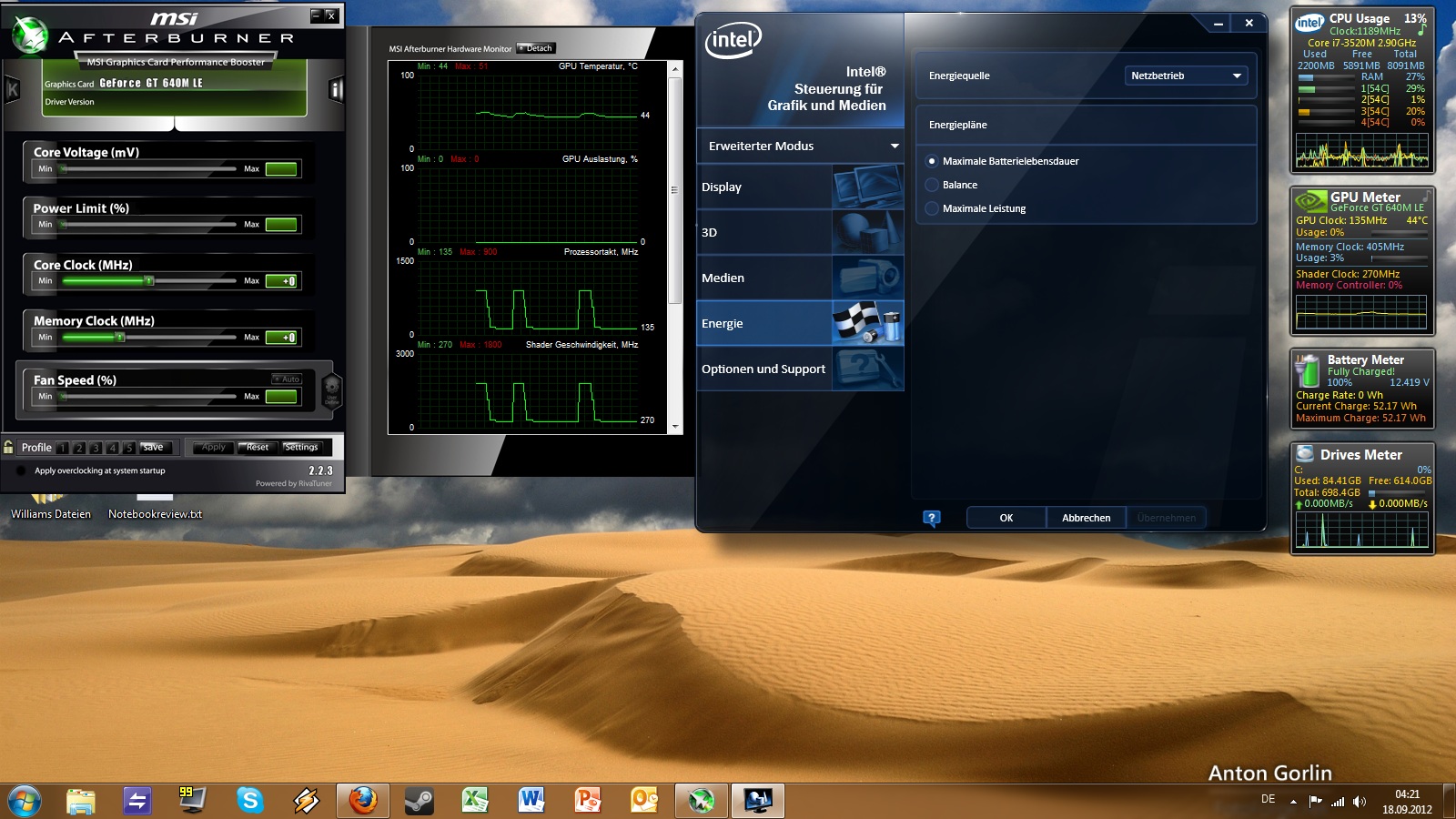
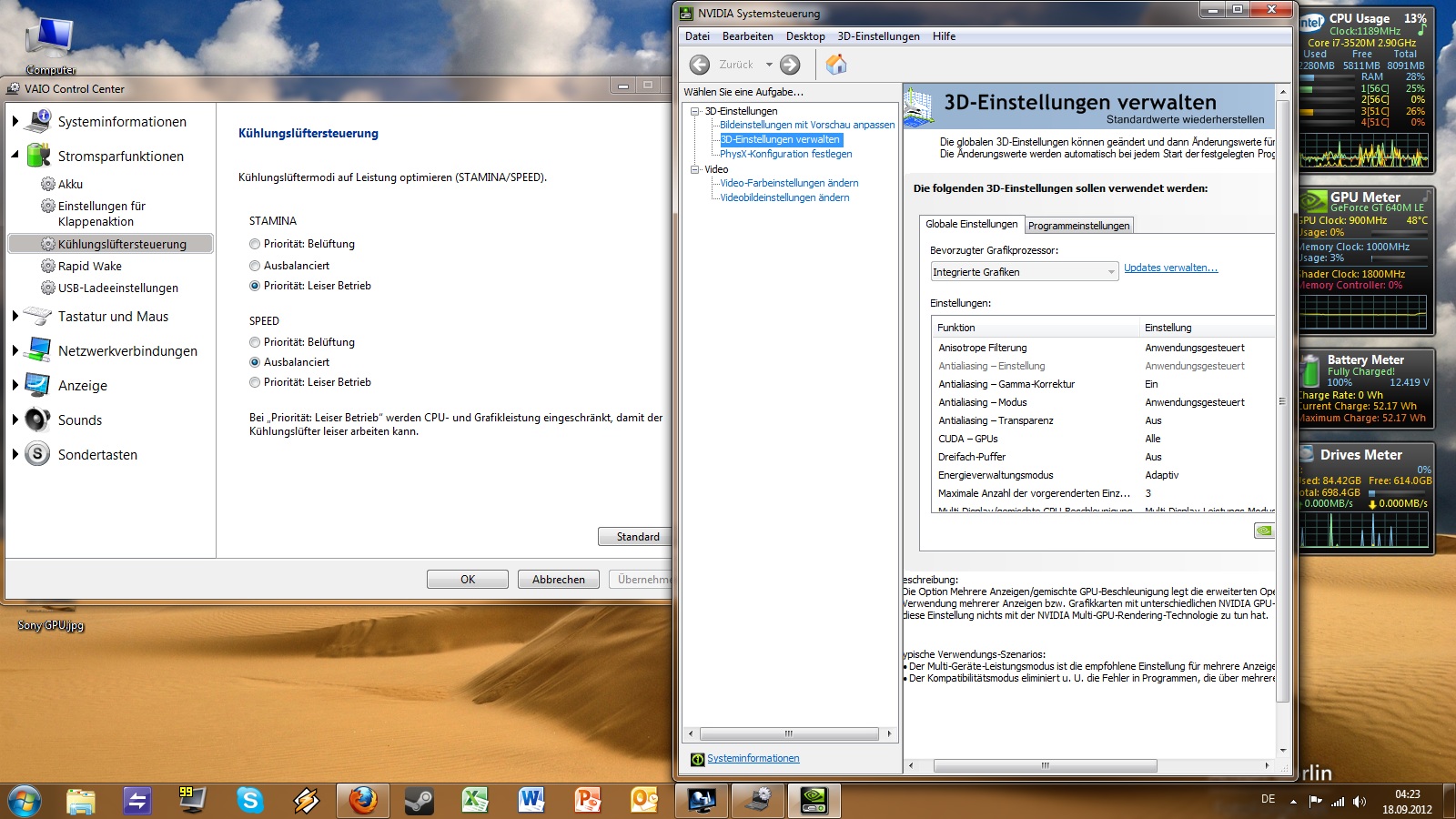
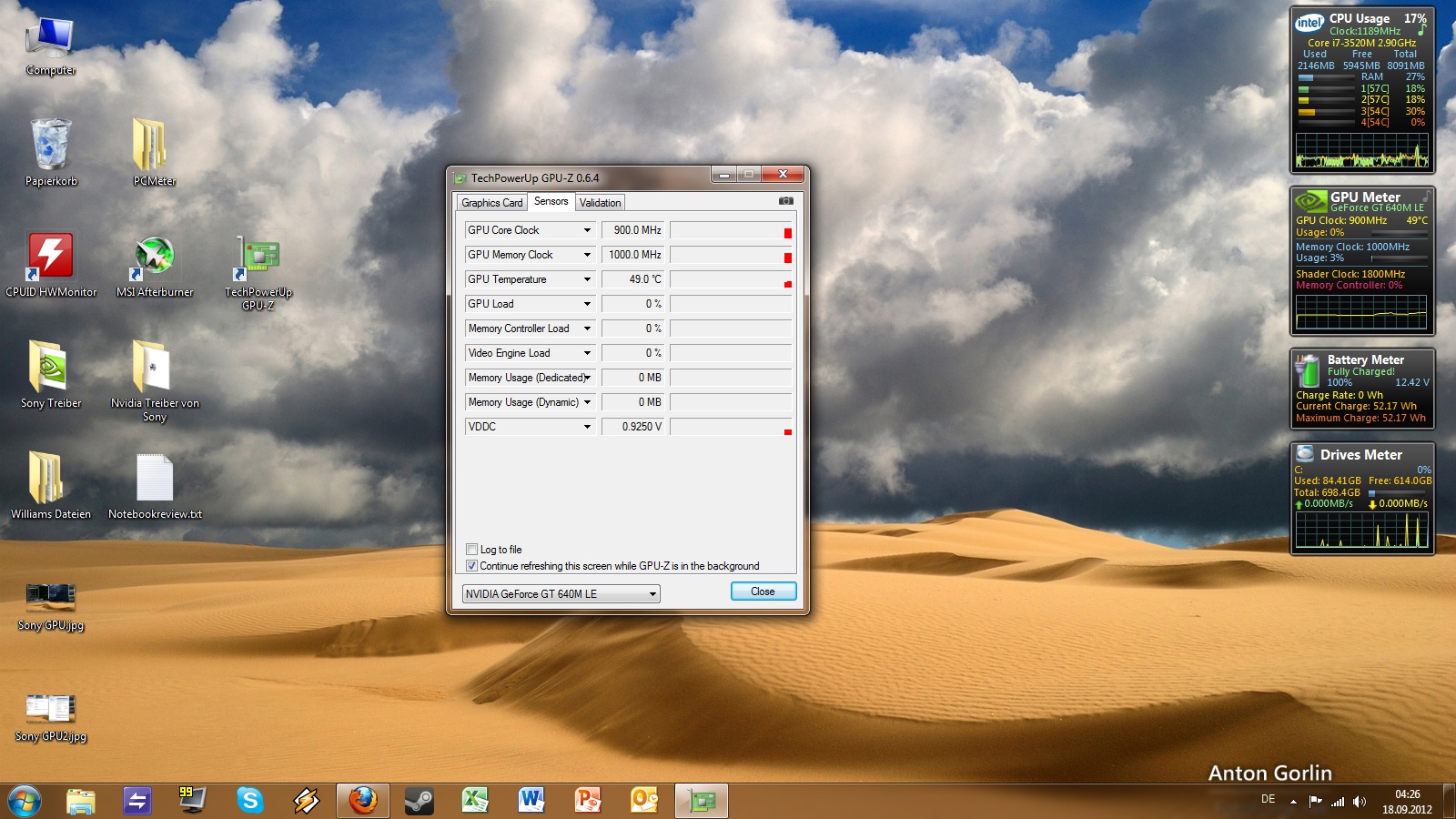
In the pictures below you can see that I have all my settings in power saving mode and my switch is on STAMINA and I cant get the damn clock down. The third pic simply shows my clock when MSI is turned off
Attached Files:
-
-
what are your widgets?
-
shutdown/close all software, gadgets or widgets which are related to the nvidia graphic card. i had run a gpu meter widget on the sidebar to display the temperature. that caused high gpu clocks even during the stamina mode. when i closed the widget the nvidia graphic card just "shutoff" as supposed. and also the ventilation slowed down. (i'm running the 950er mod)
i love the nb and i love the bios mods! thx for that! -
It's simply called PC Meter. PC Meter runs in the background and u add widgets for CPU, GPU, HDD/SSD, Wifi etc.
Windows Desktop Gadgets - GPU Meter Gadgets
@Da Meop: I did that many times and only try to use one tool to monitor clocks. I uninstalled all the widgets even. What I tried so far
No Meters + MSI to monitor = Clock at max, downclock with MSI, CPU never idles
No Meters + w/o MSI but GPU-Z = Sometimes random downclocks, sometimes nothing happens, CPU never idles
No Meters + Nvidia inspector = Clock at max, downclock with Inspector, CPU never idles. -
try to close software/widgets/gadgets including gpu-z and msi aferburner etc. which has access/link to the graphic card. yeah, i know, you need a program to display the gpu clock but just listen to the ventilation. if the fan is slowing down to nearly inaudible than you can assume, that only the intel graphic card is working. that works for me (had the same issue like you).
-
In the power options, change the maximum processor state from 100% to anything under 99%.
Also have you taken into consideration to reformat with the purpose to reset whole system? -
They are working, but more interested to try your mods, thinking out about 1050MHz memory mods.
Possible for you to send to me via email? -
Thanks a lot Amal, dropbox works. Do you have the stock one as well? That's quite important too
Won't dare to try until I have a stock in hand
-
*SOLVED*
So in the end I finally managed to get the Vaio working properly in STAMINA mode. The solution was a mix of what DaMoep suggested and what I read somewhere else.
I already deleted all drivers once and also had all monitoring software deactivated. When I reinstalled the Intel and Nvidia drivers the problem was still there. I am not sure if that is because I didnt use Driver Cleaner to fully remove the Nvidia driver or because I didnt fully uninstall the monitoring software and only deactivated it. Anyway it worked the following way for me:
1) I uninstalled all monitoring apps
2) Uninstalled Nvidia driver in device manager - you need to tick the box "delete driver software for this device. Then used Drive Sweeper and Driver Cleaner Pro
3) Uninstalled Intel HD4000 driver, also in device manager
4) After reboot, install Intel Chipset driver, reinstalled Intel HD 4000 driver > reboot
5) Installed Nvidia stock driver from Sony > reboot
6) Since I can not monitor GPU clock anymore without GPU meters I listened to the fan (which was quiet) and checked the battery life which was between 5-6h (I only got 4h before)
The problem seems to be solved now and I can finally enjoy using this beautiful machine with Amal's wonderful mods Thanks everyone for ur suggestions and advice
-
im almost certain it was the gadgets you had running. with the pc service running (not the gadget but the service) my fans spun up... i didnt monitor the actual cpu /gpu usage but it speed up when it started and spun down when i closed it... almost too perfectly
-
I just made the same observation. It all comes down to the background service running. It's a shame cuz its such a cool widget and frankly I would like to keep an eye on my CPU+GPU usage and temps. Is there anything working which does not affect battery life, CPU usage and/or GPU clocks?
For the information, the service I was running is called "PC Meter" -
you can use RAINMETER if you want monitoring devices that doesn't bug down your system...
![[IMG]](images/storyImages/desktop_zps72488828.jpg)
![[IMG]](images/storyImages/rainmeter_zps31fa54f9.jpg)
-
i would love to control the fans... speed fan didnt work.
-
...........
-
Your widgets look nice and slick.
This is what my widgets look like atm, but the most important functions to me are missing. CPU/GPU core temps. Also GPU clock speed
It seems whenever you request the latter two infos from your system it causes issues with Optimus and power saving settings. Anyone else have something in place which works?
View attachment 84543
P.S. How do you attach images so they are visible in the post?
Also how do I delete the above post? Sorry I'm a forum noob -
Thanks bro!
Sony Vaio S Bios Mod For Gt640m Le
Discussion in 'VAIO / Sony' started by Amal77, Jul 14, 2012.


![[IMG]](http://imageshack.us/photo/my-images/109/3dmark2245pts.jpg/)