 Problems? See this thread at archive.org.
Rainmeter looks really nice. I currently just use Realtemp to monitor temps, which sits happily in my toolbar. On my desktop I used Rivatuner to monitor both GPU and CPU temps. They can both work together as plugins.
Maybe I will try this Rainmeter thing tomorrow. Cheers!
-
you can also use a GPU monitor with Rainmeter though you have to run some system monitoring tool on the background....
![[IMG]](images/storyImages/vcardmonitor_zpsd24d42f3.jpg)
-
Hey Rhoel, I just downloaded Rainmeter...
I looked at your screenshot and I fell in LOVE with it... XD
I cant find CPU,Memory, GPU skin with stock theme...
Can you give us(me) .ini for these 3 skins??
Thanks. -
this is for the GPU...
Browsing System Monitoring on deviantART
this is the illustro extended that im using...
Rainmeter Forums - View topic - illustro Extended -
updated my desktop...
![[IMG]](images/storyImages/desktop_zps59c0a9d9.jpg)
-
hey guys. i have been running the 975 mod for a week or so now with no problems. i just bought an ssd and did a fresh install of windows. i installed both the stock nvidia drivers and the nvidia direct drivers and have been experiencing some pretty bad crashes. is there anything in particular you guys installed to get it to run better?
-
After seeing people interest in it.
Tried on mine, and it looks great!
Easier to monitor my usage especially on the GPU.
Thanks for sharing. -
Sorry, can't help you.
I migrated the whole stock installed HDD to SSD.
Never face any BSOD or crash, except when testing out the overvoltage MOD. -
hello all, i just purchased a sony vaio SVS15113fxs and was wondering what is the highest stable bios clock mod i can use?
as of now my laptop gets great idles on stock 45c i5-3210m and 40c Nvidia 640m le 1gb
games get great frame rates in 1080p 20-45 bf3 and skyrim med-high graphics very eager to see the performance jump with the mods -
Hi, i was wondering if it was possible to lower the idle voltage and the idle clock to increase the battery life.
Thanks -
wow i just put the 950-1050 and i just want to say thank you so much for posting this mod, it increased my bf3 performance of 1080p by 25 frames.. thank you so much i now have a respectable portable gaming machine!!!!!!!
-
Hmmm... I never try that yet...
Possible I guess... Not sure whether it will be stable though...
Congrats... Good to know it worked well...
-
Let me know if it works out. This could potentially save a lot of battery
-
Thanks for this. Which OC did you use to achieve P2425? I am getting P22XX with 975/1100.
-
I just flashed to the 950/1000 and when i open up afterburner the shader clock is 1900mhz and I crash if I try to use wei or a game. Does anyone know any solutions? Thanks so much I just got this today so i'd love to get some borderlands 2 in this weekend!
-
Sure, will do.
1000 core 1160 memory.
It's the memory that hold back some points there.
Yours should reach 23xx if you oc the memory by a bit.
The shader clock will actually be 1900MHz(950x2).
Try updating your Nvidia driver to the latest.
Also, probably try a lower one first(900MHz), since you just got your laptop. -
Could you put the MOD with 1000/1160 up? I am still very new to OC'ing and have no idea you made those MODs. Thanks!
Oh btw, do you feel your DVD drive is a bit noisy? My S13A's DVD drive is much louder than my wife's S13. -
You can use the 1000MHz MOD, and manually increase the Memory clock by using MSI Afterburner.
Try a lower one first, like 1100MHz and increase it by 10MHz and do a Benchmark.
There's a possibility that your GPU might not be able to handle 1160MHz without artifact or would crashed while running 3DMark 11.
Once it artifact, the scores might get affected as well.
Edit : Oh btw, my DVD drive doesn't make noisy sounds. It sound like normal DVD drive.
Is it very noisy? -
Hi,
i don't know if this the right place to but this .
i have sony vaio s15 | i7-3612QM | GT 640M LE 2GB | 12GB DDR3
i install Diablo 3 and it work fine like 2 or 3 time than i got bugs and hanging in 40fps or even if i lower the setting bit and got 60 to 70 fps the problem still there
and when i play game from steam the fps is too low , i download Torchlight 2 demo and it never pass 20 fps i crack the game -just for testing- and try to play it without steam and it work fine in high settings
__
Thanks -
Thanks. It seems I can only get it to 1000/1110 (P2335). When I OC'd memory clock to 120+ I actually get a bit less Physics score.
When I press the eject button, my S13a's DVD drive makes a much louder noise than the S13. -
Maybe your GT 640M isn't kicking in? Have you done the settings on page 1 of this thread? Under "ADDITIONAL INFO 1".
-
hi guys. im going to buy a sony vaio s13.3 laptop before the semester ends, i was reading tthis topic (i think i reached page 20) but i still have some questions.
1)when is the ideal time to overclock? right after i get my laptop? or should i wait a few mor days / weeks?
2) is this mod a 100% success rate? if not, what %?
3) this is a really stupid and noobish question, but what EXACTLY will overclocking do? for example, based from what ive learned its like this: before OC(you can only play games in med settings) after OC(you can play in ultra)
4)ive read that some people do the "legacy" thing, what is that per se?
5) is there some other neccesary steps in OC? or should i just follow the one in the first post nothing more, nothing less?
6)oh and this, if i restart my comp after OC, do i do it like the normal restart? (window button + restart) or should i hold the power button?
im really sorry for asking such noobish questions but i want to make sure about all the info because this will be my first expensive laptop. and i dont want to mess it up, thankyou so much. -
So i used the 735mhz bios restarted use set to default bios,downloaded the latest drivers from nvidia installed them rebooted, installed afterburner rebooted, set the nvida settings to borderlands with all the vent and settings set as stated. The issue I have still is that anytime I try to use the graphics card it just crashes the computer. If i use stamina mode I can run anything just not well. I even tried going back to the stock bios and it still crashes. AB says its the right clock. Also an odd thing is when i run WEI the gpu spikes then drops and spikes again? I'm guessing it is because it doesn't use it constantly? Thank you for all your help! Quick thing about the bios flashing program. After it writes and erases does it just say updating ec then just disappear?
-
Thanks , so much .
it work now.
---------------------- -
Yeah, some GPU might not be able to reach higher clock on the memory than others.
Some can't even go above 1050MHz without artifact.
1) Actually you can straight use the BIOS MOD when you just got the laptop. But just make sure to try a lower clock first, such as the 850MHz MOD.
2) Theoretically should be 100%, if done correctly.
3) OC makes your GPU faster than the default stock. Therefore, you can play games much smoother than the default stock. Thus, giving you the advantage to increase the graphics quality even more than before without affecting the gameplay much.
4) Legacy? Probably you got confused with the Windows installation part.
5) Just follow the steps, and ask for help in here if you're not sure.
6) Yes, restart it as per normal.
If it still happens on stock BIOS, means something is not right by default.
Does it happen on all games and benchmark tools?
Try 3DMark11 if you haven't.
As for the WEI thing, last I remember, it does work that way.
It does multiple step of process when testing the GPU. -
Amal77 and others who use Rainmeter,
how much resource does this gadget use? -
Not much, I think.
![[IMG]](images/storyImages/rainmeterc.jpg)
You need to keep the application called Open Hardware Monitor running in the background in order for the GPU info gadget to work though.
Not seeing any cpu usage on the OHM, and it uses 12MB of ram. -
great. thanks a lot.
am i correct to assume that it has removed the taskbar and the start menu or is just a portion of your desktop you've posted? -
Nope, it is just a portion of my desktop.
-
sorry , i was wrong .
the problem still there , steam problem has solved but diablo 3 not .
i don't know where is the problem the screen flashing and the game get bugs not all time just like second then return normal a bit then bug for a second
the laptop still new ( 1 week ).
if i do this overclock will it solve the problem? -
So I tried it using borderlands, killing floor (old old game), and 3dmark 11. Only killing floor worked. But I'm pretty sure its because it didn't really need to use the 640m. Any ideas? is there a master reset thing? Or could it be my chip is faulty? I never tried gaming with it before i flashed the bios. or does anyone have the old bios I can flash it to? Thank you so much for all your help. I love this laptop I just want to game on it
-
First of all, the flashing program just exists, you then have to manually reboot and it's done, so yes it's normal.
The stock BIOS is on the first topic below the others. The only instructions you need to follow are also in there. Try it and check if stuff works then. Also you do not need MSI Afterburner, though I don't think it's causing any problem.
Also, if the computer crashes it'd be nice to know the cause. Delve into the Event Manager and look for the crash to check the cause.
Are you sure you followed the 1st post instructions to the letter? All of them? Not just the BIOS flashing, the additional info ones as well. -
thnx amal, im pretty scared to do this coz i might do something wrong, BUT! im going to study this word per word so i wont make any mistakes. thnx buddy
-
the problem i had with a clean install crashing. it was because the games werent added to the nvidia control panel. once i added it to the list of programs everything ran beautifully. but if you set global to max performance it should just work....
Also, for those using rain meter. when i run the background process it to use the gpu monitor it locks the GPU at full clock and the fans go wild. was there anything you changed? also can someone post there .ini file they made for the gpu widget. thanks in advance. -
The BIOS MOD will only increase the performance of your GPU.
I doubt it will solve the problem, if it is related to some applications, OS/GPU settings, or hardware.
Does it happened to all of the games, or Diablo 3 only?
By right, after you flash it back to the stock BIOS, it should just be as per manufacturer settings.
The current BIOS for the MOD and Stock is using the R0142C5 BIOS, which released around 19th Jun 2012. So, if your laptop is less than 1 month old, I doubt they will use an older BIOS.
So, you're saying that 3DMark11 can't run at all, and it crashed back to desktop?
What's your Nvidia drivers version you're using?
Sure, I understand.
About the nvidia control panel thing, that's a bit weird though.
Well, as long as everything is running fine again.
My rainmeter for the GPU works wonder.
It doesn't even locked at full clock, even without opening MSI AB and GPU-Z.
It just run the Open Hardware Monitor application in the background, without affecting the resource much(0% CPU, 12MB memory).
As per Rhoel link for the rmskin package :
Browsing System Monitoring on deviantART
Refer to the attachment for .ini file that I used.
First, find the location of the .ini file from My Documents location of your Rainmeter skin.
Since I cannot attach a file with an extension of .ini, I've changed it to .txt. So, just copy paste the whole script.Attached Files:
-
-
So as suggested by another member I took few pictures of my event log. If it is the wrong one let me know and I'll get some more. When I say my computer crashed, I literally mean it just turns off. So that's why I was kinda worried the first few times. But basically anytime I run anything using the 604m gpu my computer will just completely shut off and reboot. But When I come back online I dont get the window saying window's recovered from a serious error dialog box.
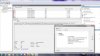
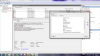
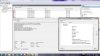
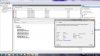
-
Try going into "Advanced System Settings" (it's a Windows application, just write "advanced" in the search box and it'll show up) -> Startup and Recovery Settings and remove the mark in "Automatically restart".
That way if it's a BSOD or something it'll show up instead of just restarting and you can see the failure.
Either way, if you really didn't mess things up it shouldn't be crashing... -
I have the same thing as Tmckenn2, whenever I open OpenHardwareMonitor it just locks the GPU at full speed and makes the fans spin up. Even when I first set to Stamina and then open OHM it will just power up the GPU. The Nvidia GPU Activity icon in the tray switches on and off, showing activity on the GPU.
And you kind of need the OHM to be able to show anything. :/ -
That's quite bad there.
Thought it just crash the applications.
How was the temp on that thing?
Can you try furmark?
Have you install the latest Nvidia WHQL Drivers(306.23)?
It seems to solve the GPU-Z bug though. -
So i Just changed the settings to not restart and I have not seen any blue screens. Should I just call it quits and just try to RMA it with sony? and I have the latest drivers on NVidia. I noticed some users used drivers from laptopvideo website. Would that make a difference? I got my drivers from nvidias website and just installed their package with the clean install option. once again thank you for all the help. Hopefully i can get it working without RMAing it.
-
Yes, I have. Does OHM show you any difference in clockspeed when you switch to Stamina?
I will keep fiddling with it I guess. -
The clock still remain in idle(135MHz), whether its on SPEED or STAMINA.
Have you try it without any other applications running, just for the sake of testing?
Maybe you can restart your laptop, and run only OHM.
There was this one time that Firefox makes the clock increased to full.
It dropped back once I close the browser. Probably some pages make use of the GPU, I'm not sure.
VAIO Care can also make the clock stays at full when opened. -
Hi guys,
Although it's no problem to game a bit in bed in the evening,
running on priority to ventilation did not make my new vaio very popular
So, have been experimenting with balanced fan mode.
With the 735/1000 mod, this is no problem.
However, running the 850/1000 mod, playing skyrim, fps dropped considerably after a few moments.
GPUz log showed, that while clock and cpu load remained the same (same pstate! no throttling),
soon after gpu temperature hits 69°C, memory controller load decreases.
This was approx. at the time the fps dropped ingame.
I could confirm this behavior in 3dmark11, where i had to use
the 1000/1000 mod to hit 69°C
So, in essence:
In fan mode balanced, in order to decrease the use of the fan,
use of the dedicated gpu is limited. Surprisingly, this is not done by
changing pstate (this may be due to the fact, that it is locked because of the settings in the nvidia utility?).
It seems that, although gpu load is at 99%, optimus doesn't assign operations to the dedicated gpu. Consequently, the gpu can cool down, but all computations are carried out by integrated graphics :/
Somehow, ventilation settings in the vaio control center influence how
optimus distributes gpu load.
Is there anyone who has an idea of how to alter the behavior?
Maybe increase the threshold in balanced mode.
Alternatively, a change in fan behavior in priority to ventilation mode
would result in acceptable noise.
edit:
i monitored load and temperature on cpu and integrated graphics:
i could not confirm that the hd4000 kicks in.
however, cpu doesn't throttle either so i have really no idea whats going on here
Attached Files:
-
-
Did some testing, it only happens when I open OHM, but the same thing happens when I open GPU-Z. It locks the GPU at 950Mhz.
Maybe I will try flashing to a different Bios later this week. I have some spotty wifi here, so downloading stuff is tricky, it stops halfway through a 1Mb file. :/ -
Hey folks!
I'm not gonna look original... but i did register just to thanks Amal77 and svl7! I'll defo buy you a beer guys...or even a 6 pack!! Seriously, Tremendous work! Sony should definitely pay you some royalties to make their Vaio S sales going up!
Nah, seriously, it's been now 3 months that I'm following a couple of threads there and there, to make the right decision between the Z and the S13P... It's been hard, but the OC capability truly made the difference. 96% of Adobe RGB colour space or not, the Z screen would have been a bit too small to do some serious photography work on it anyway...
Just to let a quick testimonial to who are looking for the information, even if I have read the 80's page of the thread...trust me, you do not need to worries if you haven't read the all thread! Just follow letter by letter the instructions, and you'll be fine! I'm a huge noob in OC and stuff (in fact...that one was my first one, and it did scared the out of me!!), but everything works like the instruction said. A new world comes to you right after the reboot! I mean a new world... You won't notice the difference at first...until you start a game!
I've wait a week after getting my S13P to OC the GPU, just to see the difference... I used to play all the setting in minimum in GW2 just to reach the 28/30fps... and right after the OC and the reboot, I've reached 50 to 70 fps! I'm now playing with everything in max, except the FXAA and the reflection in only "Land and Sky", and I still get around ~45 fps!
Again, huge thanks for sharing this amazing work! -
Do update us on the findings.
Thanks.
Thank you very much for the compliment.
Nice to see someone happy with our work.
Glad to help everyone. -
So after looking at a few more things maybe some more information can help solve my issue. When I got my laptop, I actually had the bios before this one. I'm not sure if that matters. I know because sony care told me to update to the one on the first page of this thread. I figured since it was the same bios it wouldn't matter. Could this have caused an issue? Also looking at Afterburner I notice my gpu does spike in temperature when things do run which may cause it to completely crash (complete reboot). It goes from like 60-80+in a few seconds(yes i have fan set to vent). How i tested this was i opened borderlands then alt tabed quick. Mind you this was all in menu I was only able to ever play for about 5 seconds then it shut down( that happened once). I will try 3dmark and see if the temp spikes and furmark also. But generally these things will cause my comp to reboot. I have some pictures of the errors in the event log in a previous post. once again think you for all your help! I owe you guys a 6pack or two
-
do you use gpu z for temperature monitoring ?
Download TechPowerUp GPU-Z v0.6.4 | techPowerUp
try logging temperature and load. this should work up until the point of reboot
you could also log cpu load and temparute with realtemp:
Download Real Temp 3.70 | techPowerUp
maybe this will give us more insight into what is going on regarding temperature.
If the bios version of the bios you were told to upgrade to is the same one as in the first post, this shouldn't have caused any problems i think.
A heat increase to 80°C in a few seconds, using stock speed i presume?
If the fan is audible (working ^^), this seems to be a grave problem with the cooling system. Maybe the thermal paste was applied really badly. -
Oelkstul thank you for the program. I was looking for a program to log that to rule out temp. The max my cpu hit was 87c before it crashed. 87 is a bit high but I dont think its what cause my computer to completely reboot. I'm going to try a different bios mod right now. I was using 900mhz. But I even tried stock and it died. I was just hoping maybe a diff bios would magically fix it.
-
try and log cpu and gpu temps on stock with priority to ventilation.
additionally, what is your ambient temperature?
generally, cpu should not be the problem, since both benchmarks and games don't tax it as much as the gpu.
87°C seems a bit high though.
Sony Vaio S Bios Mod For Gt640m Le
Discussion in 'VAIO / Sony' started by Amal77, Jul 14, 2012.


![[IMG]](http://imageshack.us/photo/my-images/198/rainmeterc.jpg/)


