 Problems? See this thread at archive.org.
Woops I meant to say GPU 87C and I've ran a few more tests and my computer just turns off when gpu around 82-87c when set to vent. If I put it to balanced it can run the game just really badly and the gpu stays clocked at 135mhz. The gpu temp also hovers around 82ish and doesn't crash. So i am guessing temp is not the issue.Its only when I set it to vent that the computer uses the gpu and it shuts off. I just flashed to stock by the way and still same issues. If I have to rma it I will I just wanted to try out all my cards before losing about 2 weeks. Once again Thank you for all your time
-
in balanced mode gpu is throttled when temperature hits/exceeds 69°C!
consequently, it never hits a critical temperature.
I am doing many tests in balanced mode at the moment, in order to find the configurations that i can run without throttling
(currently: max cpu 70%, 800/900mod for skyrim, max cpu 90%, 800/900 mod for starcraft ).
).
The normal behavior is the following:
your gpu temperature aproaches 69°C. When it hits 69°C, gpu is throttled (your fps drops considerably). from this point onward, the temperature should
go down slowly.
seeing as the threshold is 69°C, it really shouldn't be the case that your gpu temp hovers around 82°C.
there must be something wrong with the cooling in your unit. there is just no way that the gpu generates that much heat on 135Mhz. -
So I finally found out what happened! Turns out my computer will turn off when the gpu hits around 88-90c. When I run stock bios with medium settings in borderlands 2 it hits around 82-85c and it runs okay (meaning I dont shutdown). But when I try anything above that (diff bios) it will just turn off under stress!! I looked any no one seems to be hitting the same temps I am with stock. Sounds like my cooling is having some issues.Is there anything else I can do? is there a way I can return to sony? Or if its not too hard I can buy some arctic silver and repaste? I'm sure sony does a crappy job with it anyways. So for now I'm going back to stock. Also its about 70 degrees f room temp if that helps. I was thinking about getting a laptop cooler but it didn't seem anyone had any issues with temp.
EDIT: just bumped to 735mhz with around 85-89 I even hit 90c once and it didn't shut down! Not sure what changed but its working. It may be cause instead of holding the laptop flat on the desk I elevated it a bit with a book. My temps are oddly high compared to you guys but in the mean time I'm happy I can game on it. -
DEFINITELY something is wrong with your cooling system.
That's why I asked about your temperature before.
Coz the symptom lead towards temperature issue.
Now, for precautions, please from now on DO NOT USE ANY BIOS MOD, and use the STOCK BIOS for testing.
You don't want the GPU to die on you while it is on MODDED BIOS.
Eventhough it is very hardly to detect whether the BIOS has been MODDED, we just will never know how Sony will do the testing during the RMA.
Thus, it is better to do your testing(re-paste, etc) while it is on STOCK BIOS, just to be safe. -
Okay now I'm on just on stock. I was wondering is the high temp due to me not breaking in my laptop run in long enough (if that's even possible)? The reason I say this is because before I couldn't even run anything on stock bios it would crash(during games)! But over the last few days I have been using it for videos and typing and testing it to see what would work. Now all of the sudden I can actually run things.
-
I'm not an expert, but some advise here.
1. Where do you place your laptop on? People always advise to place laptops on something hard, but that is not all; the objective is to allow effective heat-dissipation. If the surface of your table (or whatever you place your laptop on) is made of something that traps a lot of heat, that is going to affect your temperature.
2. If your laptop is old, or you have it in a dusty environment, there's also some chance that dust is clogging up air flow. It doesn't mean only your fan or the opening that the hot air is released from the laptop; you can have problems when dust accumulates on any internal surface that is in the path of the air flow.
3. If problem persists and your laptop is under warranty, just get Sony for support. Tell them your problems (not including the OCing and the modded BIOS part). Make sure to revert your laptop settings to how it was (as if you didn't mod), especially if they're going to physically troubleshoot for you. -
Yay, me either, I've been experienced a 85c to 87c after 2 hours of gaming... But I didn't had any throttling or reboot... Yet.
I start to realise that's a quiet high temperature... Shall I start to worried? I'll definitely get a laptop cooler soon but it's still good to know if something wrong is happening with your laptop...
And I was wondering, what is the "normal" temperature that the GPU is supposed to reach under heavy game with the core bios?
What about the 950/1000 mod? What are your usual gaming temperature? -
I'm using 975/1050, during 3DMARK11 test, peak temperate at around 72/73C.
-
Keep in mind that due to higher cpu load (and graphics memory load?), temperature is significantly higher when gaming for any amount of time, compared to 3dmark11.
-
for S15 users, see this post for cooling solution: http://forum.notebookreview.com/son...y-s-series-owners-thread-435.html#post8857781
keeps temperatures cool and it dosnt matter if laptop is on a hard or soft surface now! just make sure you block the hole above the exhaust as it may cause the air to loop which would make things worse.
P.S im using the 950/900 bios mod -
Generally I use my laptop on a flat desk. I have started elevating it using a book at home. I put it on the side with no vents or fan to ensure there is nothing blocked. But I just started using it in class and I found that in stamina mode my gpu hits 60c? (thats on a desk too.) So as a result the fans need to kick in knockig my battery off about an hour it seems (through batter bar pro). So in the end I get about 3 hours of battery according to battery bar. Also all i do in class is basic web browsing and note taking with word 2010 at around 3-4 bars of brightness.
-
Seriously, I have no idea what that means. Exhaust refers to the holes which hot air comes out? I don't see holes above it. Anyone out there who understands this who could post an pictorial illustration?
-
It is possible to get that high temp.
How?
1) If your ambient is quite high (30c, etc)
2) You're using the i7-3520M on 100% limit
3) Games that you're playing, is fully utilizing the CPU, GPU Load, and GPU Memory Controller Load.
How to solve?
1) Reduce your ambient (A/C, Cooler pad, etc)
2) Reduce the limitation of your CPU to 99%,90%, or even 80% if the temperature is bad.
3) Flash to a lower clock MOD. Unless you're on stock or the lowest MOD.
Did you check your GPU clock at the time it hits 60c? -
Hello, I have some question about this MOD. After flash the BIOS, the serial number will be change or not?
Thanks! -
1) I'm from Paris, and it's actually pretty cool over here, I'd say about 20°...
2) I've read the all thread, so of course, I already did the 99% thing
3) From my understanding, the 950/1000 mod is by far the most powerfull and the most stable one, I was just suprise by the temperature, and I was wondering if other user of this mod have been experienced some similar high temperature under real game situation...
I've read that the the OC should do a 4° to 6° increase... That's why I'm starting to worrie a bit. I mean, I could have a bad S13P, wich will probably explain the overheating issue...
Or maybe I do worried too much, and it's maybe something perfectly normal after a 2 or 3 hours game session
But still...>85° is a bit too high... looking for other advice
-
Since all of those points are not that helpfulo), the only way or suggestion that I can think of is do a comparison of Stock VS MOD.
The best way is not to use gaming as a benchmark.
First, flash it back to Stock.
Install MSI Kombustor or Furmark, and also Prime95.
Do a burn test(MSI or Furmark) with the Prime95 running.
Write down the temperature by certain measurement(proly every 15 minutes).
Then flash back to 950 MOD, and do the same thing.
Lastly, share with us your results, screenshot preferable.
Not only this will give you a clear picture on the differences, but will also set a benchmark for other users to do the same test as yours and do a direct comparison. -
Thanks for your help dude, will try this and keep you guys posted
-
what game where you playing?
i could do some testing in ventilation mode tomorrow with similar ambient temperature
-
hi amal77 i just wanna say tnx for a great work modding our vaio's.. im using your 950/1050 mod and so far i don't have issue with it..
it only bothers me that im getting a liitle low 3dmark score compare to others.
here my score

is this ok? or im missing some steps to follow?
btw.. my pc is svs13a i7 3250 2gb 640m LE 12gb ram .. nvidia beta driver 304.48
tnank you very much -
I'm actually playing at Guild Wars 2. Talking about this game, I found this really interesting topic about Guild Wars 2 on laptop. It has some really interesting information about gaming on laptop in general too! It might be helpful to someone
Guild Wars 2 Laptop Guide - Computer Buying & Building - Guild Wars 2 Guru
I've just try again with GPU-Z from the beginning, and my GPU only start to reach ~80° after an hour of game... So I guess everything is fine finally!
Will get soon a laptop cooler, and I let you know how much c° I've saved! -
Hey Amal, I was wondering if you gave the bios mod a shot lowering the idle voltage and clock. If it works, can you mod it to the 975/1100.
Thanks bro -
So after trying to play on stock bios I found my temp still goes to 85-90c then dies. It just takes longer to get the point. I called up sony so I'll hopefully get this repaired. Hopefully the second time around i'll be able to get stable clocks like you guys
-
Wich mean you did flash a custom bios and you'll send back your S to Sony after flashing the stock one? I'm curious if they will understand that a modified bios has been used...
Let us know buddy! Good luck! -
Hi ethan,
Yeah, it does seems a bit low.
Can you try the latest drivers?
From the 3DMark11 results here (I assumed it is yours):
NVIDIA GeForce GT 640M LE video card benchmark result - Intel(R) Core(TM) i7-3520M CPU @ 2.90GHz,Sony Corporation VAIO score: P2119 3DMarks
You're using a driver version of 9.18.13.448
While the latest one should be 9.18.13.623 (306.23).
See if it helps. -
If you play guild wars, the temperature may be a little higher than expected due to cpu usage.
Guild wars seems to be more cpu hungry than other games.
I think amal did post some cpu comparisons in another thread, where it could be observed that gw benefits from higher clocks and from quad cores. this indicates that it uses the cpu potentiall fully (otherwise there would be no difference ) which generates more heat.
Since i don't own the game, i can't test it
you could try logging cpu load and temperature to confirm, or limit
cpu performance at the cost of fps
-
hey amal, quick question. can i ask for the model of your vaio laptop?
here's mine " SVS13A15GG "
oh, and sorry for asking this, but is SVS13A15GG one latest model of vaio S series?, the numbers ARE REALLY confusing
thnx in advance
-
Mine is the same as yours.
SVS13A15GGB - (B at the back, as in Black color) -
I tried the 900mhz, the 975 + 1100 and the stock bios. All had the exact same thing. With all of them the GPU powered up as soon as I opened OpenHardwareMonitor. The laptop would get hot and the Nvidia control panel would show activity on the GPU.
So I can confirm it is a OHM problem. Ah well, the OC works fantastically.
That's what really counts and I thank you guys for all of your time and trouble.
-
I tried ohm again today with the same results. I even added it to the nvidia panel to use integrated graphics and such yet it still locked at full clock. Then dropped when I closed it
Sent from my SGH-I777 using Tapatalk 2 -
hi amal77,
i downloaded and installed the 306.23 driver as you suggested here is my 3dscore now it only gain me 14 point in my score using the driver.
NVIDIA GeForce GT 640M LE video card benchmark result - Intel(R) Core(TM) i7-3520M CPU @ 2.90GHz,Sony Corporation VAIO score: P2133 3DMarks
its still a liitle low compare to the others that has the same 950/1050 mod
heres my gpuz info..Attached Files:
-
-
It was 35C today in my city and 30C in my room today, and I played some BF3 at 1000/1000 with the settings at medium and 1600x900 resolution. Temperatures did not exceed 83 degrees C.
-
Hi everyone!
My S15 is still in the mail, but I thought I'd get some easy questions out of the way before hand. Save me trying a lot of BIOS.
Assuming that I my model supports the highest overclock, which is the best BIOS to flash for the best overall performance? 1000/1000 or 975/1100?
And I think I know the answer, but this affect nothing while in stamina mode, correct? Just making sure so I don't have the fans spinning all the time.
Thanks for everything! Replacing my K53TA with this (also ~1400 3dmark 11 stock, but was crossfire and half the price). Needed a better screen. -
Still waiting on my S13P.
Hope I'm not going to regret going the i7 route, I live in a country with an average temperature of 20 degrees C° (now only about 15), so I shouldn't stumble on to any problems.
I fear the loss of an hour of battery life, due to the i7's waste of energy, but I hope for it to be compensated by the free sheet battery.
The main reason I went I7 was the low price, and the usual low termperature in my country. -
@LightofHonor89:
The bios mod does not affect behavior in Stamina mode.
Actually, even in Speed mode, when the graphics card is not under load, there will be no difference.
@Tjee:
I don't see how the i7 would affect battery life. Idle power consumption will be essentially the same.
If you tax your cpu while on battery and battery life is a concern for you, you should limit maximum performance according to your
mobile computing needs (i think this should be also done with the i5).
For example:
I limit maximum cpu performance to 60% in energy saver mode when unplugged.
During light use, it is unlikely that more performance is needed. In case it is, it's most likely just a peak in load and
a lower clock will not be perceivable performance wise.
If i need the higher clock constantly (at this point battery life will be limited severely due to the load even with sheet battery anyway), i use balanced mode
with maximum clock 100%. -
Nice... are you talking about the CPU or GPU temperature?
-
Hi, I am running UGS NX 7.5 CAD software and am working with 1000's of complicated parts. I bought my laptop in June 2012 and it has everything: i7 - 3612QM CPU @ 2.1 GHz, 12 GB, 256 GB SSD, Nvidia GeForce GT640m LE (2 GB)
I feel my computer should have the power to destroy this kind of CAD work and I have dealt with old desktop computers (with very low specifications) that worked just fine doing the same work.
I went into the Nvidia control panel under 3D Settings\Manage 3D Settings\Program Settings\1. Select a Program to Customize. I added the only .exe program file that I could find running in the processes of my task manager: ugraf.exe*32. I then selected High-performance Nvidia Processor under the "2. Select the Preferred Graphics Processor for this Program".
I do not know if this is how you select the program properly to allocate the full potential of the graphics card when it is run... I am not the most savy person with computers and would like to figure out how to get better performance out of my graphics card when running my CAD software. I feel the information in this thread is pertinent, but maybe I am wrong?
Thanks for any help! -
Sorry, the .exe file I found in my task manager processes was the only .exe file associated with NX 7.5, NOT the only process running (it said NX Component in the description and is now running way over 1,000,000 K of memory with NX running). So maybe this was the right way to do it??
-
It should be, yes, adding a "custom" executable to the profiling list.
You may want to follow the rest of the instructions (setting it to maximum performance, etc) as well, it probably helps. -
After reading the "Laptop Cooler" thread, I've start to give a look at the CPU temperature, and it did reach 82° to 85°! Wich is quiet high!
Then I've reduce the limitation of the CPU from 99% to 90% an then 95% (wich is the sweet spot), and guess what? My GPU never goes above 70°! And the CPU doesn't go over 75°! And I still get ~45fps on GW2. The fan are much more quiet too! Best of the both world! Yaaay!
I didn't know that the temperature of the GPU and CPU were related, I thought it was something totaly different! Make sense of course... Omg, I'm such a noob, common sense plz!
Any way, you were right about the limitation of the CPU
Wich mean... I might try a more powerfull Bios Mod soon
Wich one is the most stable and powerfull for you?
EDIT: OMG, this is freaking coo! Because I've now a nice temperature balance, I can reach now easly 60fps!! And it never goes under 35 FPS, even when it's really busy on the map!! And the fan activity is so much quiet than before!! Who thought that only because the CPU activity was reduced by only 4% would have such an awesome impact?! This is brilliant!! -
Hello guys I just flashed bios to 950/1000 and everything seems fine. Thanks for your work =).
I got i5 3120. Setted priority to ventilation, everything in nvidia control panel and CPU max to 99%. 3D mark score is P2209. Is it normal that during test fps were so low? Sometimes it hitted <10 fps... Score seems fine, dunno how much the test is stressful though. CPU max temp are Core1 82, core2 87. GPU max 77. Arent they too high? -
You may try a lower MOD first just to be sure it is stable.
Then you can try the 1000/1000 MOD.
The 975/1100 is a good MOD, but there may be instability or artifact if your Memory can't handle the 1100 clock.
So, try a lower memory clock first, and OC it using MSI AB for testing.
And yes, it doesn't affect anything on Stamina Mode, since it force the Intel HD4000 to be used instead.
Even while on Speed Mode, if you're not using the GPU, you might also get a good battery without going to the Stamina Mode, as long as you configure it right.
Told ya...
You mean that you get 77c on GPU after a 3DMark11 test?
Yes, it does seems just a lil bit high for a 99% limitation to an i5-3120.
Could it be your ambient? -
How does one reduce the limitation of the CPU?
-
From your control panel --> Power Options
You should be looking at all your power plans now. Click on "Change plan settings", then "Change advanced power settings".
There should be an item "Processor Power Management" in the list. Expand that option and you can set your max CPU usage there. -
Hi,
I just got my S15....
Installed GTA IV on it.....
But getting 25 fps on med settings at 1920x1080....
I don't know much abt computers, expect for playing games!
Came to know abt overclocking thru dis forum...
Got few questions.....

Will I void my warranty if I overclock?

Does overclocking harm laptops? -
Yes, it was a quite hot day... I limited CPU to 95% and after hours of gaming these days (which are a lil more cold) MAX cpu Temp was 85 and max GPU temp 75. No laptop cooling system, just put it flat on desk. Should I lower my overclock? I'd like to have a safe overclock without having to look for weather changes =P What do you think I should do?
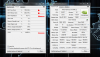
Oh and I had an idea which might help people here: I noticed GPU-Z gives our GPUs a quality rate(ASIC quality, from right-clicking upper menu), which might correlate to actual overclock capability and might help people choosing their first modded Bios to try. Mine is 78,9%. -
Q1: you will only void the warranty if you send laptop to Sony with modded BIOS. If sent with original BIOS warranty is still valid.Code:
Hi,
I just got my S15....
Installed GTA IV on it.....
But getting 25 fps on med settings at 1920x1080....
I don't know much abt computers, expect for playing games!
Came to know abt overclocking thru dis forum...
Got few questions.....

Will I void my warranty if I overclock?

Does overclocking harm laptops?
So remember to revert to original when planning to do so.
Q2: From what i understand this particular GPU has huge amount of resources available. Overclocking it makes it work under full load close to unstable (artifacts).
Real life example would be a car that has factory ECU is set for balance in performance and resistance but every car has it's own resource stocks which you can unlock by chipping it (or flashing ECU). Then it will be using it's full potential (more fun to drive) at the cost of wearing out the parts much quicker (more expensive maintenance).
But the main laptop killer is heat. Invest in good cooling system if you want your laptop to last for ages.
Aim for 70 oC when on full load and around 30 oC when idle. [Use cooling pad, change thermal pad to thinner one, use cooling fan oil to make them smoother etc]
Q2: It's only harmful if it get's too hot which it was not designed to get with default clock speed.
Also: That's quite high resolution you play with laptop .I'd reduce it and enjoy smoother game play. -
That was very helpful....
U answered me wt I was looking for....
Going to mod wit 950......
Thanks -
Hey guys, so I just got my S15, literally less than an hour ago, and I wanna up the clock speed, though I'm not quite familiar with BIOS modding or anything, can someone give me a dumb-proof procedure?
S15: SVS151190S -
Guess the temperature looks ok then.
After hours of gaming and max at 75 is considered ok.
You might get the same temp if you go back to stock and use 100% or 99% CPU, compared to OC on 95% CPU.
I sometimes use 90%, coz it's very hot here in Malaysia.
Still, not much gaming impact(roughly 5% max), mostly not even noticeable.
My ASIC is 100% :
![[IMG]](images/storyImages/asicq.jpg)
Not really sure if it can be use to determine the OC ability though.
The first page already stated a dumb-proof procedure, I guess.
Unzip, run Insydeflash, a windows pop-up will appear and start flashing and it will close the window on its own, wait for 20-30 seconds(or even 1 minute if you're not confident), then restart, done. -
Thanks then! I'll put 99% cpu use back and will monitor gpu temp and if it not exceeds 75c in a week of everyday testing I'll just play with my laptop more freely.
Well, grats on your ASIC! It might be related to the fact that you're running a 1000/1000 mod without any issue while others struggle on lower OC =P
Sony Vaio S Bios Mod For Gt640m Le
Discussion in 'VAIO / Sony' started by Amal77, Jul 14, 2012.




![[IMG]](http://imageshack.us/photo/my-images/194/asicq.jpg/)