 Problems? See this thread at archive.org.
I use the GPUZ sensor monitor - my GPU has never been over 70 Celcius.
Oddly, my temps at 850 were higher than 1000.
-
There are three sets of BIOS files in the first link, are they all based on the same original R0143C5 ROM?
VAIO Care wants me to update my BIOS to 145. -
Nope, there are R0142C5 BIOS and R0143C5 BIOS.
145 BIOS? As in R0145C5? -
Hmmmm... I installed the latest 800 mod, and my temps max out at 82degrees when playing Spec Ops the line.
Still a bit hot for me. wonder if its because I am on the 13" model -
Probably the CPU is the cause.
Are you using the i7-3520M? Have you limit them? -
Hey amal how u got 24xx on 3dMark11 i can only get around 22xx on 1000/1000 Mod.
Any tweaks ur using or?
Nvm i forgot im running on Stock Drivers. Wich one u recommend on Windows 7 and how do i update? (I know is here somewhere but i cant seem to find it) -
i'm thinking of buying a 2012 S13A with Windows 7 before they all are removed from the market and replaced with Windows 8 versions with the locked BIOS. i currently have a 2011 SA (Core i5-2520m + AMD Radeon HD 6630m). has anybody here done this specific upgrade and can share his/her opinion?
-
I don't think so, my power settings are on "High Performance" and in the settings for that, it is set to max 100% on battery and plugged in. Do they need to be limited? I am on the i7-3520M yeah.
-
And it is running on Memory OC 1160MHz.
I downgrade from a Sager NP8150 with i7-2630QM and 6970M.
Though definitely not as fast, but am still happy with my gaming.
Limit it to 99%, 95%, or even 90% to see a significant drop of temperature, while not affecting the game performance so much(probably around 2 to 10 percent).
You won't event notice on a normal daily operation task, unless your applications are a CPU hunger type of apps. -
hi guys,
i have bought a Sony vaio SVS1511AJ for a month, yesterday i found this post this is so cool sothat i decided to downloaded 850/1000 mod to flashed my bios.
but the result is not better, i ran 3dmark 11 and only have 773 score.
this is link for result:
NVIDIA GeForce GT 640M LE video card benchmark result - Intel Core i5-3210M Processor,Sony Corporation VAIO score: P773 3DMarks
my bios version is R0142C5
i have done every thing Armal said but the result is not better, i played BF3 and cant reach even 20 FPS with Low setting
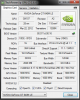

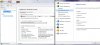
there is a reason that my GPU cant reach 99% used, how can i fix this problem, help me plz!
Sorry for my english, im japaneses -
Just a quick question regarding nvidia drivers: is it quite easy to update regularly the GT640 drivers or due to the stamina thing you need to wait for official updates from Sony (which are less frequent or not existent?)
Thanks -
No standard nvidia drivers work fine. If you fresh install it should just work. If not you may need to do a .INI mod. Can be found in this thread.
You need to set maximum performance in the nvidia control panel. It will run at 50 or so percent otherwise. You can do max perf for all programs which I recommend or on a per program basis
Sent from my SGH-I777 using Tapatalk 2 -
Thanks for the quick reply. If all goes well next week I should be able to test if the Sony can give me a gaming fix on the go.
-
Hi, Amal77.
Can you please provide us (desperate SVS1512 users^^) with an update on the progress of modding/cracking the new (Win8 model) BIOS? -
Hi new to this forum though a longtime poster at XS, TPU, and AT forums.
Bought a Sony Vaio SVS13A1CGXB 13.3" laptop with Win 7 x64 and a NVIDIA GeForce GT 640M LE for my mobile Diablo 3 needs.
Sony Product Detail Page SVS13A1CGXB
Gonna add another 4gb ram and clone the HDD onto a SSD.
Is the model I purchased compatible with these overclocked 640m le bios on the first page? I searched the thread for this model but didn't come up with anything.
I'd like to run 900 clock if possible
And if possible (which I think it is), should I use R0142C5 or R0143C5? -
A bit weird there.
How bout you try different drivers.
I'm very sorry, no update yet on the new Windows 8 BIOS.
Yours should be supported.
Most people have no issues with R0142C5.
Some do report issues on R0143C5.
Probably you should try R0142C5 first. -
Just got my full refund from Sony on the SVS13A290X Win8 model since bios mod does not work on it and it suffers from keyboard ghosting horror issue and really grainy blurry screen. However I might get the S15 version that can be bios modded with windows 7.
-
Thanks mate, that seems to have done the trick. My GPU temps are maxing at 67 now! I might reflash to 900/900 again!
The laptop also definitely feels less hot to the hand. The mainboard temps still seem to go up to 80/85 according to Realtemp though -
Amal, can you please make a 950/950 mod for the new bios (Windows 7), because 1000/1000 isn't really stable for me :c
-
hi Armal!
tks for your answer, but what do you mean the diffirent driver? the lastest version is 306.97, i tried it out but the same result i got.
which is version that you prefer for?
tks! -
Will try when I have time. Can't promise when.
In the meantime, try using the 900/900 MOD and OC your Memory to 950 using MSI AB, and check whether it is still unstable.
If it is stable, try OC it to 1000, and check again.
This is to identify whether the problem is the core clock or memory.
I've been using the 306.97 for quite a while, and have face no issues whatsoever.
Can you try to Flash your BIOS back to Stock, and run 3DMark11 again. Just to be sure.
But before you flash back to stock BIOS, try running furmark burn-in test for just a couple of minutes, and monitor the fps, write down the fps, and see whether it dropped by a lot on certain temp threshold.
Coz that should be the quickest way to test the GPU performance at the same time identifying throttling issue.
When you're on stock BIOS, do the same thing, and check whether the fps is the same as the MODded BIOS.
If it is, means that your GPU weren't running at its full when it is on MODded BIOS. -
duh, sorry - Vaio care was prompting me to 'upgrade' to 143c5, sorry.
mine is running great at 1000/1000 I play an hour or two of F1 2012 or Dishonored most nights. I am very pleased! -
Thanks Amal77 my laptop arrives in a week and I'll flash and try then.
http://item.mobileweb.ebay.com/viewitem;PdsSession=4324d5a013b0a47a1245ab65fffe9e74?itemId=350643080741&index=19&nav=SEARCH&nid=15637213869
Are most ppl hitting 950 as the upper stability limit for the 13.3" series? -
No worries.. Have fun with it!
Probably so. -
I have a question for Amal or anybody else that can answer.
If I bought the Windows 8 version, wiped the hard drive, and fresh installed Windows 7, would the BIOS mod be safe to use? (After installing all drivers, of course)
Thank you, and thanks so much to everybody who has contributed to this project. -
Nope. Everyone,not just you(or really everyone but a lot)
Let me start over. Way too many people on this forum believe that windows 8 is the problem and deciding factor in all of this.
It is the hardware that is causing the problem. And the new bios's that have security enabled.
Sent from my SGH-I777 using Tapatalk 2 -
Hi Armal
as you said, i test my Gpu with furmark burn-in test and this is the result
when i used 935/1000:
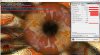
when i used stock bios
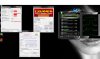
ofcourse that i set exactly like Armal said
in both of sittuations, it almost run at 233mhz(935/1000) and 124mhz(stock) sometimes it jump up to 935mhz(935/1000) and 499(stock) but just in 2 or 3 second
before jump back to 233 or 124mhz.
whatever reason that my Gpu couldnt run at the highest clock. powers problem? i used a fan to cooling my laptop, power is supplied by USB line.
is that ok? i love my laptop and now im crying of it.
plz help me! -
Has anyone else attempted this overclock I did here?
-preview.png)
-
Hi Guys,
i've got a question about this mod, i hope somebody can answer this.
Am I getting this right, the mod itself wont do nothing on its own without MSI AB?? So without any additional software theres no gain in speed? The reason I'm asking is, because I'll use the S13 with Linux, and there is no MSI AB, as far as I know.
Maybe somebody can help me out on this.... -
Hmmmm.. it even happens on stock... that's weird...
Your temp are very good, so I don't the issue there..
It's as if some kind of profile issue.. but then again you've already set it to priority to ventilation...
When did you bought this laptop?
When does this issue appear?
Woah.. Be careful there...
MSI AB won't do anything on the core clock eventhough it shows the increased clock on the GPU-Z..
BUT it will affect your memory clock...
Increase it to 2000MHz is VERY DANGEROUS... It might damage your GPU...
Nope you do not need MSI AB at all. -
i bought it at stock of Sony Japan 1 month ago.
i dont remember exactly, but i think some day ago. i flashed the bios alot of time
maybe i should update my bios to R0143C5? now mine is R0142C5. But my Vaio Care dont show me that i need to update the bios

-
hi Armal
i have flashed my bios to R0143C5 and run furmark burn-in test again. and this is result
there is no jump down core clock at all, that means my old bios version has problem.
Does this new version have mod? i cant download mod for R0143C5 at first page. -
Ok AMAL i might have found a break in the windows 8 laptop issue. I figured out that if the computer is off, and you press the assist button on the computer you are prompted to a menu and in that menu is a selection for bios. I dont know if this helps but i hope so. cheers (really hoping you can help us new 290s/x adopters out!!)
my laptop svs13a290s(same as 290x just canadian version.)
JB -
Haha yea.. I tried and it restarted on me. Wish it would change the core clock though.. haha
Oh by the way, what did you use to mod the bios anyways? did you do it by hex? -
This is the new way to open the bios. It's not an issue.
-
hi, long time i didnt post here, i downgraded to 900/900 and at the memory clock speed it was only 450mhz on gpu-z, now i went back to 935/1000 memory clock speed 500mhz, always the hals as it should be. can u guys tell me how is this possible and if this effects anything? im running on stock driver can be this the case?
-
Lol.. Tha'ts weird..
Yeah, there's a MOD version of R0143C5 in the first page, you may try that.
Please do report back after.
Thanks.
A selection for BIOS as in an option which can select multiple BIOS, or just an option to run the BIOS only?
Hahah... Please don't do that again to the memory.. it might give permanent damage to the GPU memory..
Yup, only can be done through hex at the moment.
It's a bug with the latest GPU-Z(0.6.5 & 0.6.6).
Use GPU-Z 0.6.4 for a real reading, or maintain the new GPU-Z and calculate yourself on the memory by doubling it for a real reading. -
Hi Armal
i tested alot of times and the result made me disapointed.
this is result
in 11minutes of first it ran with maximum(735mhz) but after that, every thing falled down, the clock is down to 184Mhz and the fan is slow down too.
and now itcant run with maximun clock. i restart my lap top but it is all like that, but when i shutdown my laptop, wait for 5 minute and turn it on
it can be run with maximun clock again and after after 10 minutes it fall down to 184Mhz
so, what is the problem? and how to fix it?
plz give me an advised!:cry: -
Can you do a test on R0143C5 Stock BIOS?
See whether it lasts more than 11 minutes on 500MHz.
See whether it throttle or not after a long period.
If it does, what are the max temp. -
so sad .... my ocz agility 3 128 gb ssd died and i lost everything.
now i installed windows back from my old hard drive and fn keys button dun work even though i installed back all the drivers
and my fingerprint reader died also before my ssd died =[ -
Exactly the same happened to me, my laptop could not boot anymore. Seems that there are problems with bootBCD and bootmgr. Also, BIOS doesn't recognize my HDD aymore. Windows was installed on my SSD (samsung 830 128gb). Now somehow trying to install Windows again, so far no luck because the BIOS won't recognize my normal HDD anymore, so it won't boot from there.
Too sad.. It was the 950/950 version. I did check if it was the correct one, and it was (MD5 checksum). Two problems within a day (referring to above). -
hi, nice post this very very helpful. i need to ask you something guys. I've got s13 windows 7 model upgraded to windows 8. Can i apply bios mod in windows 8 OS?? or i have to go back to win 7 to do it?? thanks!!
-
Have you tried playing around with the UEFI/Legacy boot options?
Yes, you can directly apply it on Windows 8 OS. -
I ran games almost all day on my S15 and max temp was 70. I have my 640m running 1000/1000.
I just wanted to think you again fro the thread. -
Nice temp there.
Do enjoy. -
Hi Armal
this is result for R0143C5
not diffirence to the result of R0142C5
i have reinstalled my windows again, but there is nothing diffirence
i think my hardware is problems.
have any software to test my card to find the problem?
thanks ! -
thx! Amal77
-
patiently waiting for R0081C8 BIOS mod
-
Hey Amal, I have a Sony VAIO S Series SVS1512ACXS 15.5" with R0081C8 bios. Is there or is there soon going to be a mod for this?
Amazon.com: Sony VAIO S Series SVS1512ACXS 15.5-Inch Laptop (Silver): Computers & Accessories -
You guys that have the new Vaio S with win8.
Does it work for you to mannually clock your graphic cards to theese speeds in windows? Speeds like 950/950.
Or dont it work?
Also are there a fix on the way for people with the newer laptop. Or is it impossible cos of some new security och function in the new bios?
Sony Vaio S Bios Mod For Gt640m Le
Discussion in 'VAIO / Sony' started by Amal77, Jul 14, 2012.


