 Problems? See this thread at archive.org.
Is it possible to downgrade the bios? I have an svs151290x and would volunteer it as a test bed if needed, I really want this mod
-
Not yet. Not even terribly likely but there is a chance svl7 will find a way to hack the bios lock on 2 series SVS1X machines. Today you cannot flash a new bios unless it is signed and this is the tricky part,
-
Hi.
With this model SVS1313C5E I could do the mod?
Thanks!! -
Yes.
Sent from my Nexus 4 using Tapatalk 2 -
If it comes with Windows 8. Then, no.
-
Yeah Amal77 is correct. That looks to be a new UK/EU version with win8. I am likely wrong as it will almost certainly have the locked and signed bios.
Sent from my Nexus 4 using Tapatalk 2 -
Tell me please what tool do you use to decrease cpu power?
Sent from my iPod touch using Tapatalk -
Thanks dude, I am getting much better performance. Had to use the 900/900 I was getting artifacts with anything higher(temps were fine thou)
-
Is it just me experiencing slower performance with 314 and the previous version? I had to go back to get non-stuttering performance
-
Hey guys, I got myself the S13 running windows 7. I'm using the 900MHz Mod. Using GPU-Z, the default clock is now 900MHz and Memory 1000MHz. In the sensors tab of GPU-Z, the GPU core clock only runs at 570Mhz and memory 500MHz. I also keep on getting only up to 1,500 in 3dmark 11. I already changed the cooling fan control to "priority ventilation" in speed mode and "prefer maximum performance" in the global settings of Nvidia Control Panel. Any suggestions to further increase my performance?
-
Whats the difference between the "BIOS MOD" and the "NEW BIOS MOD." I am planning to download to the 900/900 but I'm not sure which one I should download.
-
Make sure you're on driver 310. The new driver (314) messes things up
Sent from my Nexus 4 using Tapatalk 2 -
The difference is which bios version the mod is built off of. You should probably use the new one
Sent from my Nexus 4 using Tapatalk 2 -
I have the 900/1000 Mod installed and it once runed very well. But lately i checked GPU-Z and I saw that I have the same problem as entrep7.
During time i changed the nvidia driver, I installed the 314.07.
As tocirahl mentioned I made a downgrade to 310.90 and really the GPU clock is back to 900 Mhz, but the Memory Clock still stays at 500 Mhz. I tried several drivers down to 301.42 but this problem still exists. I have no idea what else I changed.
The Graphic Card menue in GPU-Z shows the correct Clocks for GPU and Memory, but the sensors don't provide the right speeds.
Any of you have these problems?
(of course the nvidia settings and the controll thing has been changed)
Greetings Limeroli -
Use hwinfo64 for reliable readings
Sent from my GT-I9000 using Tapatalk 2 -
500 is the correct reading. Memory is double rate. If you flash the 900/900 mod you'll see that the reading is now 450
Sent from my Nexus 4 using Tapatalk 2 -
There's a model SVS13A290X on my local Craigslist. I've been talking to the guy and he says he's got another guy to meet him on Friday, so I've got to make my decision on whether I want it or not before then. I know this is a Windows 8 model, but what are the chances that I can buy it now and eventually have the BIOS mod on it?
Is this like a sure thing, we're just playing the waiting game? Or is there only a slim chance that this will even be possible? Because I'd rather not be stuck with an unflashable BIOS, I'd just go for the W110ER in that case.
EDIT: Alternatively, would a SVS13A12FXS work? There's one on Ebay for $900ish and it's definitely tempting me. -
Thanks for that. It's working now using an older Nvdia Driver. I downgraded from 314. My 3dmark 11 benchmark increased to 2095. However, I'm not sure if the memory is really clocked at 1000Mhz. I have the same problem with Limeroli when looking at GPU-Z.
-
Its more of a slim chance. If any really.
It is really hard to get the mod working. Cos the bios is locked.
And the older the laptop gets, the less likely it is people will spend time trying to figure it out.
And atm it looks more or less impossible. -
How come the newer nvidia drivers dont work with the mod?
I dont get why this is related at all? Since the clock shouldn't have anything to do with the drivers really. Right? -
Just like you can over clock the GPU using software, the software can also limit the clocks
Sent from my Nexus 4 using Tapatalk 2 -
This really seems to be a problem of GPU-Z. MSI Afterburner shows the right clock so I tried an old version of GPU-Z and indeed the clock is right there.
![[IMG]](images/storyImages/GPU-Z_Difference.jpg)
Isn't 2000 Mhz the double rate of 1000?
In the nvidia driver info it says: Memory Clock: 1000 Mhz (2000 Mhz data rate)Last edited by a moderator: May 6, 2015 -
Hum I guess I stand corrected. Yeah in that case gpu-z is just wrong lol
Sent from my Nexus 4 using Tapatalk 2 -
Any driver above 310.90 seems to be limiting core to 570mhz whatever BIOS is being used... is there any way around this?
-
I think this answers our problem. By the way, what Nvidia driver are you using?
Last edited by a moderator: May 6, 2015
-
Okay I understand that running Windows 8 with this BIOS mod does have issues but my main concern right now is my CPU speed. It seems to say I consistently run at 1197MHz. It's an i7-3520m so shouldn't it be running at 2.9 GHz not 1.2GHz?
NVIDIA GeForce GT 640M LE video card benchmark result - Intel Core i7-3520M,Sony Corporation VAIO score: P2345 3DMarks -
Not unless you actually stress it. Mine idles at those speeds as well. Try running something like realtemp and then put it in benchmark mode. It should shoot up.
-
After a tortue of different drivers I am now back to 310.90. So far it seems quite good.
-
Yes but why would it do that?
Why would it downclock it on this computer? Cos it works fine for any other computer with high clocks.
Is it intended from nvidia to do this. Or is it some sort of bug? -
Graphics cards generally have limits on how much they can be overclocked to prevent thermal issues. Even high end graphics cards can't be overclocked indefinitely. I'm assuming nvidia is just trying to enforce that limit.
Sent from my Nexus 4 using Tapatalk 2 -
Can we have more versions of the NEW BIOS MOD? Maybe a 950\950? Thanks for the incredible work.
-
What about this version ? just ordered from sony.dk (denmark).
SV-S1313C with windows 8 -
I installed that dumb Nvidia optimizer and upgraded to 314 and lost 30% performance, came here and read about the fix. Thanks guys!
-
So is there finally a bios mod that is working for Windows 8 S13/S15 since I asked this question back in November when I had the S13 w/ windows 8 and had to return for a refund.
-
No and it's not likely there ever will be thanks to the entire bios being locked. In theory it can be done, but the person most likely to be able to do it doesn't have the hardware to test. As such, I took my svs13 back and went with an Asus g46vw. Heavier, larger but with a 660m.
-
G46 is denitely good, the HD+ 900p screen is coming out in a few weeks so i'll probably wait for that.
-
The 720 panel is actually much easier on the eys than the SVS13 Premium. Also, HIDevolution is offering the 900p screen as a mail in and upgrade option so I may buy that (along with a quad i7) when I get back from a few overseas trips if the reviews are good.
-
hi everybody,
i need your help please:
i modded my bios with the 950mhz, the 900mhz and the 835mhz version - and everytime i got the same unsatisfying result below...
my notebook: SVS1511L3E | VAIO S-Serie Notebook | Technische Details | SVS1511L3ES.G4 | SVS1511L3E | Sony
my GPU-Z:
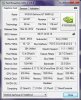
the picture failure during 3dmark 2011:


can anybody help me please? imo i did everything correctly... flashed the bios, restarted the notebook, turned the fan mode into priority mode, changed the settings in the forceware to high power, started 3dmark2011... -
I'm sorry, I'm not exactly seeing what's wrong?
-
sorry for the bad image quality...
there are image errors/artifacts (red dots everywhere and other errors) during the whole 3dmark2011 test... sometimes the screen keeps completely black....
anybody knows this kind of error after installing the bios mod? -
You're clocked too high. Either improve cooling with better paste/higher fan or back off the overclock. You can destroy your card this way if you run it for too long.
-
You're out of luck it seems
There is no guarantee that a 640m le will be able to reach anywhere near the speeds offered by these BIOSes. Mine can just about do 900/900, and yet some can push to 1000/1000+
Sent from my GT-I9000 using Tapatalk 2 -
Any update to the NVIDIA 313+ drivers limiting core overclock? I've seen that other BIOS mods seem to be unaffected by this on other laptops.
-
Is it possible to add a Microsoft Signature gathered from the Microsoft license folder for windows 8 into the BIOS Mod? Would this allow it to run under Windows 8?
-
I just bought a refurb SVS151190X with Windows 7 from sony.com. It has the orange-gate issue so I already put in a request for a return. I was planning on just ordering a custom S 15.5" with the new IPS panel until I stumbled onto this thread....You guys have really made my decision difficult. Now my choice is to either keep this machine and perform a service request to replace the panel but enjoy an over clocked 640m. Or a brand new windows 8 machine with a proper display............
-
BTW, this laptop has a build date of Jan 2013 but surprisingly like I mentioned earlier is a Windows 7 model. It has BIOS R0142C5 ME version 8.0.4.1441. My Nvidia driver version is 296.18. From reading this thread I believe I should update my Nvidia drivers to 310.90 before I overclock? Can I find that version on Nvidia's website? And once that is done can I just download the zip over-clock file and install it? Should I download from the "BIOS mod" links or "New BIOS mod" links? In case your wondering yes I have adjusted the settings to "priority to ventilation" and "prefer maximum performance" A big thank you goes out to everyone in the community for making this machine that much greater.
-
Hy guys,
i have installes Amals 850MHz Core 1000MHz Memory MOD. GPU-Z shows me, that the core and mem-clock should be at 850MHz and 1000Mhz: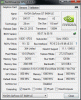
So i started the Furmark Bench. But the benchmark shows that the graphic-card only uses the stock frequences: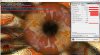
Of course i have activated the "prefer maximum performance"-option in the nvidia-settings.
So my question is: Do i have to overclocked the card with MSI Afterburner or it is still overclocked due to the bios mod ?
Sorry for my bad english, i'm an austrian guy
edit:
False positive. Now it works perfect! Thanks. -
Sorry if this has been asked before but can this be done with a windows 8 model if I install windows 7? I'm debating whether I want to buy this or not.
-
No. Sorry.
-
I am now on 92°C when i play GTA IV. Is this too high for the graphic card?
I have installed the 850Mhz/1000Mhz BIOS-Mod.
When do the graphic-card throttles down ? At 90°C or higher?
Sony Vaio S Bios Mod For Gt640m Le
Discussion in 'VAIO / Sony' started by Amal77, Jul 14, 2012.


![[IMG]](https://files.milania.de/GPU-Z_Difference.jpg)


