 Problems? See this thread at archive.org.
True.
But I still wonder about the fututre of TS:where would it go after being dropped from development?
-
It's a secret.GreatD, Falkentyne, raz8020 and 1 other person like this.
-
My XPS 9550 (Skylake 6300HQ) with ThrottleStop EPP=0 will run around about 3.0GHz all cores under load. That is 200MHz extra somehow.
I suspect this is an oversight from someone at Intel or Dell. I don't know if this bug benefits any other laptops or CPUs. Now that the XPS supports SpeedShift in BIOS, I suspect the bug may have been sorted in 8th gen units but who knows.Last edited: Aug 3, 2018 -
I get a constant EDP OTHER under ring bus in yellow and reappears instantly when I clear it. This is at idle on a MSI GT73VR (skylake 6820hk) in iGPU mode. If i switch to dGPU (gtx 1070) everything is ok.
HWINFO64 gives me two reasons ... GT: Fuses limit and RING: Max VR Voltage, ICCMAX, PL4
My current stats are as follows:
core = -125
cache = -125
igpu = 0 (default)
x37 in 4 core
any ideas? -
-
Here is a pic of the main window:
![[IMG]](images/storyImages/F59BRE9.png)
Its always on profile 1. I plug and unplug the laptop like once or twice a day, but it happens even when I dont, just tried it.
Turned on the laptop, applied the undervolt, put it on sleep, and instantly turned it on, the voltage is back to default. -
I accessed the Advanced bios in my GS65 and found this setting.
Anyone have an idea what the -70mV is used for? Does it conflict/stack with throttlestop?
Advanced Bios > Advanced Tab > CPU Overclocked Menu > Enable
As an FYI, my 8750H is stable at -75.2mV on the core and cache in TS. Going higher results in an application crash.
Sent from my iPhone using Tapatalk![[IMG]](images/storyImages/e781421443307ada68b6de7c54628e75.jpg)
-
Exact same option as Throttlestop. Except in the locked Bios, only OVERVOLTING was possible, unless you set a very low static voltage. Locked Bios has no access to the negative offset.
Because MSI wants people to burn out their cpus and motherboards. -
But, but up to 100C is ok

KY_BULLET, raz8020, Vasudev and 1 other person like this. -
Can you post a screenshot of ThrottleStop that shows that. CPU World says the maximum when 3 or 4 cores are active is 2800 MHz.
http://www.cpu-world.com/CPUs/Core_i5/Intel-Core i5-6300HQ Mobile processor.html
Some throttling scheme while a CPU is idle is not a problem. Some engineer might have dreamed something up that seemed like a good idea at the time. It is possible that IccMax is set too low. Next version of TS to the rescue.
Not too sure what is causing your problem. Your screenshot shows something odd. The CPU appears to be idle, power consumption is low, core temps are low but ThrottleStop is reporting that your CPU is spending 100.0% of its time in the C0 state. Does it always report this? Did you use the registry trick to disable all of your C States? Open up the ThrottleStop C State window when idle and see what it says. What antivirus software are you running? Just trying to think what might be different on your system compared to everyone else.
No worries man. I just like to say crazy stuff once in a while to stir things up and see if anyone is paying attention. You have convinced me that TS development needs to continue for another year. I have started saving up for a 9900K so I can keep the dream alive.
Up to 100°C is really setting the development bar as low as possible. Investing one more cent in a proper cooling solution must be considered wasted money at Dell.
Of course the CPU peak temperature will never be higher than 100°C. Intel deliberately limits their core temperature sensors so they cannot possibly report a temperature higher than 100°C. The cores could be cooking themselves at 120°C or 125°C but the sensor will flat line and keep reporting 100°C max.Last edited: Aug 3, 2018 -
Yeah,that's more like it!
Keep developing this wonderful piece of software!cktducky, raz8020, Vasudev and 1 other person like this. -
I dont remember applying anything to disable C states. But when I open the C States window or reapply the undervolt, they get back to normal (2-8 %). Here is a screenshot with 100%:
I just noticed I cant undervolt my CPU throught BIOS, wtf... -
Hello guys,
I need some assist trying to block the bs intel R dynamic platform and thermal framework driver from installing.
I don't know what I'm missing, but I think I've pretty much tried everything.
I tried hiding the update with the windows tool.
I tried the gpedit policy with the hardware ids (Doesn't seem to work because I have Windows 10 Home).
I tried disabling drivers updates through my computer and the registry.
Why does Windows makes this so complicated
-
It sucks that we live in an era when we can't fully control our systems.
-
That's good news! Keep up your great work!
-
Just stop Windows Update completely and update the drivers yourself manually.
Are you using any driver update ultlity? -
I'm trying to keep the drivers completely uninstalled from the system.
When I uninstall the drivers they are uninstalled for good unless a reboot is performed or windows checks for updates. -
It seems like Windows have already had that drivers in store for you.
And it will persistently tries to install that driver whenever the PC boots up or after an update.
I have an idea:
Download Autorun, then look at the drivers tab, check to see if there's the driver you needed to uninstall and uncheck them. Then reboot. Then uninstall and reboot again to check the results.
I can't promise you that I will work.
![[IMG]](images/storyImages/category.jpg)
I still kinda new to all of this, perhaps Uncle should help you?Last edited: Aug 4, 2018OmarEVG likes this. -
Would these be two drivers that I need to uncheck?
![[IMG]](images/storyImages/K8KFrSf.png)
Update: I tried it with those two unchecked. The drivers had a yellow triangle in device manager. I rebooted and then uninstalled them, but the drivers still got reinstalled after rebooting.
Last edited: Aug 4, 2018 -
You see!
So close! I would rather let them yellow-triangled then reinstalling.
Try again and use the laptop to see if there's anything abnormal like crashes or BSODs.
Push the laptop to the limit. -
May I know what do the devices get the yellow triangle in device manager and the screen capture of it?
-
Hi. I have an Acer Nitro 5 equipped with Ci5 8250U. After running TS Bench within 30s or so the CPU will downclock from ~3.2GHz to 2.2-2.3GHz and stay there for the entirety of the test. Max. temps. never exceed 78-82C. I have undervolted by-100mV. In XTU stress test reports it as Power Limit throttling. I never see Power Max which is set as 44W exceeding 25W even very briefly.
I am attaching RW Everything ss which seems to be devoid of any usable values.
Edit: I could not get the image to show up so I have added the direct ss link https://imgur.com/a/ZJUirgI -
I do not own a modern laptop with the DPTF driver installed. I have heard that some methods to disable DPTF that used to work have been "fixed" so now Microsoft is forcing DPTF on more unsuspecting customers.
O&O ShutUp10
https://www.oo-software.com/en/shutup10
That program has been recently updated and might be able to handle this issue. If that does not work, try doing a Google search and start a new DPTF thread so you can discuss the latest methods that do work.
When minimized to the system tray, Process Explorer reports that ThrottleStop and CoreTemp are both using 0.04% of the CPU to display a single live temperature icon. ThrottleStop has full monitoring turned on.
![[IMG]](images/storyImages/Uirv3jB.png)
I have been thinking about this and if I spend a day or two inside reworking ThrottleStop, I might be able to combine the ThrottleStop - Stop Data feature with a tray icon that constantly updates and get CPU usage down to 0.03% or perhaps even 0.02%. In other words, instead of having 99.96% of your CPU available for work, maybe I can get that up to 99.97% or perhaps 99.98%. Will anyone notice a difference? Probably not.
It is supposed to be sunny all week where I live, 27°C to 32°C. I think I will put this update on the shelf until after winter returns.c69k, t456, raz8020 and 1 other person like this. -
![[IMG]](images/storyImages/Ts2Ep0p.png)
The first line in RW Everything shows two values. The first one ends in 80C8 and the second value ends in 8160. These two values are your long and short term turbo power limits. The first 8 represents the enable bit so both limits are enabled.
0xC8 = 200
200 / 8 = 25 Watts
0x160 = 352
352 / 8 = 44 Watts
Intel rates the Core i5-8250U to have a long term TDP of 15 Watts.
https://ark.intel.com/products/124967/Intel-Core-i5-8250U-Processor-6M-Cache-up-to-3_40-GHz
There are multiple power limits. Just because the MSR power limit and the MMIO power limit are both set high, the PECI power limit could be set to the default 15 Watt value. The CPU checks all of the power limits and throttles based on the lowest limit.
When testing and hitting a wall like this, why not post a screenshot of ThrottleStop while the CPU is loaded with the Limit Reasons window open. Some laptops are locked down and problems like this cannot be solved with software.pressing, viktor5001 and hmscott like this. -
Why are his power limits stored in address "00", while usually they are stored in address "A0" farther down?
-
I don't know what the image is, because for some unholy reason my school blocks imgur. But I'm guessing he set the offset to FED159A0??? It depends on what address you set the offset to in RW-Everything.
Hence, now address 00 is technically A0 -
I don't know what of the temp sensors is correct but it seems Dell's engineers have a lot of fun with their firmware. I mean I have seen +105C for the new AW CoffeeBooks
i9-8950Hk in the AW15R4
Seems TS switch between 0.01% and 0.02% here. And between 0.03% and 0.04% with the log enabled.
Last edited: Aug 5, 2018Vasudev, raz8020 and Falkentyne like this. -
https://imgur.com/a/arga3Cp
I have attached TS ss. https://imgur.com/a/drfE6I9 https://imgur.com/Ri7hKGA EDP Other means not enough power? The AC adapter is only 65W. The MX150 is not being used though and the Intel iGPU is also at its lowest freq. i.e. 300MHz. Thanks for taking the time to reply. -
Hey folks. I have a MBP 2017, with a i7-7820HQ, running Windows 10 under Boot Camp.
From what I read, Apple locked the voltage settings so I can't really do much about this to try to get my temps down Which is unfortunate since when I'm gaming my temps go way too high and I suffer from thermal throttling (better than frying my cpu though!)
So… any recommendations on what I could do to improve the laptop performance for my gaming?
I'm trying to first see if I can get the temp down by (1) limiting processor power and (2) using a cool pad for my laptop. I might even take it to change the thermal paste to see if that helps. Although the laptop is just 1 year old, so it *shouldn't* make that much of a difference, but who knows…
What else can I try?
I've used TS to disable turboost and also to use Speed Shift to try to control the CPU usage.
Of course the ideal scenario would be to run GPU and CPU at full power without suffering thermal throttling. But that's not happening. So I'm trying to first get my temp down, then slowly increase things back up to see how far I can go before throttling.
From what I understand, I'm better off with an "underperforming" CPU/GPU which DO NOT suffer from throttling, then going all in and suffer huge FPS drops when the throttling kicks in.
Am I on the right track?
Thanks in advance!Last edited: Aug 6, 2018Vasudev likes this. -
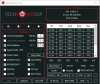
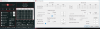
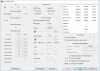
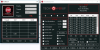
Hi all, just thought I would ask here instead as I'm having a hard time trying to figure this out myself.. No matter what I try the the clock speed is capped at 3.7xx Mhz (I also notice the C0% doesn't reach 100%) when I run TS Bench, what could it be?
I also tried unchecking these items to no avail.
Speed Shift -EPP, Power Saver, BD PROCHOT, SpeedStep.
TIA
 Last edited: Aug 6, 2018
 -
Hey there! I'm sorry but I'm new to this. I really need some help here
May I ask if you guys recommend undervolting the intel gpu? Do you guys get a BSOD like "Store Data Corruption Structure"?
I was able to undervolt my CPU to -89.8 and the Intel GPU to -39.1. I'm having problems lately. I keep getting a BSOD called "Store Data Corruption Structure". I've done some research and this BSOD seems to be because of " ntoskrnl.exe" or " ntkrnlmp.exe". I ran prime95 for 12 hours straight without any problems. I have tried doing looking around forums but nothing seems to work. I have done a lot of checking, I tried testing out the cpu, the drivers, RAM, and etc and everything seems okay but the BSOD still happens. I have also updated my drivers. Maybe you guys can help me out.
For some info, my CPU is an I5-7200u with a Nvidia's 940mx. I play CS:GO. Usually, the BSOD will happen if I played too long and then I unplug my laptop, keyboard, mouse, and cooler and then BOOM a meeseek BSOD happens.. It will also happen if I stayed too long browsing. Earlier, I did an overall driver verifier but my laptop got slower (since I understand driver verifier can push the load on my laptop) then numerous BSOD's occured. I stopped the driver verifier and deleted the .ini file. I'm currently running on my laptop's stock settings. I hope you guys can help me out here
-
I spent too much time inside programming yesterday but I was able to add some great new ideas to TS. I changed double clicking on the system tray icons to open and close ThrottleStop to a simpler single click. The main menu can now be accessed through a temperature icon so if you do not need or want to look at the TS icon, you will no longer have to. Most importantly, the CPU temperature icon will continue to update in real time even if you are using the Stop Data feature. Not a huge difference overall but improved efficiency is always a good thing. Thanks @maffle for your suggestions and keeping my nose to the grindstone.
The majority of Intel's 8th Gen processors including the 8700K, 8086K, 8750H, 8850H as well as the 8850U and 8860U all use temperature sensors that max out at 100°C. Intel has used some 105°C in the past including the 45nm 2nd Gen Core 2 Duo mobile series. The 8950HK is also rated at a maximum of 100°C.
https://ark.intel.com/products/134903/Intel-Core-i9-8950HK-Processor-12M-Cache-up-to-4_80-GHz
That is the DTS sensor in your screenshot which shows 99°C. The other sensor showing 101°C might not be as accurate or it might be more accurate. Who really knows? Hot is hot!
@viktor5001 - Your ThrottleStop screenshot shows that you have the TDP limit in ThrottleStop set to 15 Watts. This will cause PL1 - EDP Other throttling to show up in Limit Reasons (red boxes). Try increasing the ThrottleStop - Package Power Long from 15 to 25.
This has nothing to do with your power adapter. EDP Other stands for Electrical Design Point. This usually refers to the current limit within the CPU. If your CPU is set to only flow 20 Amps through the CPU and the program you are running needs 25 Amps to run at full speed; the CPU will throttle and slow down so it does not exceed 20 Amps. When PL1 and EDP Other are lighting up at the exact same time in red, this is usually because of the PL1 limit which you have set to 15 Watts. If only EDP Other is showing red, then it is time to try increasing the IccMax current limit to get more power flowing through your CPU.
That is typically a sign of throttling. The C0% number is very consistent from thread to thread and the multiplier is very consistent from thread to thread so it is definitely throttling.
You did not include Limit Reasons in your screenshot so I will have to do some guessing. The little Throttle radio button is not lit up on the main screen of ThrottleStop so maybe the reason for throttling is because you have Speed Shift EPP set to 1 instead of 0. For maximum performance, this should be 0.
In another screenshot, you have Speed Shift EPP set to 0 and the little Throttle radio button is lit up. ThrottleStop shows your CPU running at 56.1 Watts so it is throttling because it has hit the 56 Watt PL2 limit. With Limit Reasons open, you should be seeing PL2 in red. In ThrottleStop, do not check the Clamp option and try increasing these two power limits to see if you can get beyond the turbo power limits. If this does not work, try using Intel XTU.
The rest of your settings show some problems. When Speed Shift is enabled in the processor (SST in green on the main screen); Set Multiplier does not work, Power Saver does not work and SpeedStep does not work. None of those should be checked if you are always using Speed Shift which you probably should be using on a laptop. I would also not check BD PROCHOT but it does not appear to be causing any problems at the moment so suit yourself. When under volting the iGPU, you also need to under volt the System Agent the same amount or the iGPU under volt will probably not work.
@Memesmafia - A BSOD when under volting is a good sign that you have gone too far. Your CPU is politely asking for some more voltage. Full load Prime95 stability testing is not the only thing that you need to check. A U CPU is a low power CPU so it is already designed to drop the voltage down significantly when lightly loaded. When you put an under volt on top of that, the voltage will drop too low and a BSOD is the result. What you are probably finding is that the under volt that is fine for full load is not good enough for light load. This is very common. The under volt can also change over time. An under volt that works wonderful on a brand new CPU might not be enough voltage as the CPU wears in a little. I am assuming that you are under volting both the CPU Core and CPU Cache equally and doing the same for the iGPU and System Agent. Ask yourself one question, if you have an Nvidia GPU, do you really need to be under volting the iGPU? The iGPU is not being used when gaming.
For testing, try running 1 or 2 threads of Prime95 or the TS Bench and let Windows bounce this load around from core to core. That might be a better real world test for a U CPU compared to full 100% load testing.
Did you try using ThrottleStop to under volt? Do not believe anything you read in a forum. Do some testing and prove it to yourself.Last edited: Aug 6, 2018Memesmafia, LOUSYGREATWALLGM, raz8020 and 2 others like this. -
Eh.
Guess that's not the first time I fell for that..... -
Thanks for the reply.
Yeah, I did try. And no matter what I change, that table on the right hand side stays the same (picture attached). So I'm assuming it's not changing.
Also tried with the Extreme Utility, and all those options are greyed out.
Then I tried via OSX, but all apps which did that stated that they only worked on older models, not Kaby Lake and newest ones.
So I think it's really locked unfortunately
Attached Files:
-
-
The results are in. The new TS feature shows live CPU temperatures in the system tray and when combined with the Stop Data feature, CPU usage has dropped! The results beat my expectations. In this mode, TS is definitely the most efficient Intel temperature monitoring tool on the planet.
![[IMG]](images/storyImages/ONDyZJB.png)
I guess you are screwed. These CPUs run hot at default voltage. You could complain to Apple that their high priced MacBooks have completely inadequate cooling. Somehow they became a trillion dollar company by selling products like this so I do not think they will spend too much time listening to you.
All you can do with ThrottleStop is use it to lower your CPU speed and performance until heat is under control. With Speed Shift enabled, you can go into the TPL window and lower the Speed Shift Max value to control the maximum CPU speed. -
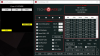
Apologies for the missing info as I'm still trying to understand how to use this. You're right, PL 2 and EDP OTHER under Limits goes red when running ts bench.... Could you please shed some light what could be the cause of this?
As for the try to increase the power limits... I'm not sure which ones to touch. Is it the ones I boxed?
-
PL2 is Package Power Short in ThrottleStop and
PL1 is Package Power Long.
I think I will change that for the next TS release so it is clearer.
Did raising those limits in ThrottleStop make any difference? Does PL2 still light up in red when you hit 56 Watts? It probably still throttles to this level and after a while, it might start throttling down to the 45 Watt PL1 level. The problem is that the 45 Watt and 56 Watt limits can be set in several places. If ThrottleStop cannot prevent PL2 and PL1 throttling then give Intel XTU a try. If Intel XTU does not solve your throttling problem then there is not much you can do.
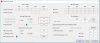
Your screenshot shows that you still have Set Multiplier checked. This is not necessary and does not do anything because Speed Shift (SST) is enabled. In the FIVR window, the default multipliers for your CPU from top to bottom are 41, 41, 40, 40, 39, 39. Setting all of these to 41 does not do anything so you might as well set these back to the default values. Some things in ThrottleStop like this are intentionally left unlocked so people can experiment. I also leave things open if I do not have any documentation or relevant hardware to play with. Intel does not like competition so they do not send me any of the good stuff.
I am not sure what the maximum allowed Turbo Time Limit is. The slider in ThrottleStop is left wide open but huge values seem to be ignored. Try going from 28 seconds to 56 seconds and see if that allows your CPU to spend more time at 56 Watts before throttling lower.Vasudev likes this. -
Hey Uncleweb, thanks for updating Throttlestop once again and making it more efficient than it already is for our CPU's. Just one question when will the updated Throttlestop be live? What version no. will it be called? Thanks for all your hard work and dedication.
-
Indeed. That's the only thing left to do. I also bought a cooling pad to help with the temperature and I might try changing my thermal paste.
Thanks for the help! -
@unclewebb I increased TDP to 25W in TS and in XTU increased ICCMax to 75A from 64A(I could not find out how much was safe). BTW i could not find the ICCMax option in TS. But it did not make any change. I did change iGPU perf. to Balanced from Max. Perf. when Plugged In which resulted in PL1 for GPU not lighting up in Limit Reasons window. In TS bench 256M test it now avgs. ~2.6GHz. The notional 44W is never achieved. In fact the max. I have seen is 25.9W. When the CPU temp. reaches 78-82C throttling sets in.(Perhaps Acer set this temp. as the thermal throttling point in lieu of cheaping out on a better cooling solution?) In XTU it shows as Power Limit throttling. In XTU I messed around with setting both TDP levels to 25-32W but no change.
One thing I have noticed is that in XTU after throttling has set in the clocks recover to 3.1-3.2GHz sometimes whereas in TS bench they don't move from 2.6GHz.
What is the max. clock speed I can expect anyways? 2.8 or 3-3.1GHz? Till last month I was still using a C2D notebook so I have been a bit out of the loop. That always ran at its 2GHz max. for hours and hours without ever throttling other than when decoding HEVC 10-bit.Last edited: Aug 7, 2018 -
BTW, there is an alternative solution - Innovation Cooling Graphite Thermal Pad, which is 35W/m-k in thermal conductivity. According to the review in YouTube, the efficiency of it is nearly same as the liquid metal thermal paste. Also, it can be reusable, it is the unique advantage of this thermal pad. You can know more about it by Google search.
viktor5001 likes this.
-
![[IMG]](images/storyImages/Y8peUrH.png)
This are the system devices that get the yellow triangle in device manager when I unchecked the boxes and rebooted. They still make the pc throttle with the yellow triangle.
Still installs the updates.
I don't understand how Dell configures a driver to make the laptop throttle after just 5 minutes of heavy usage (Without even going past 74C!)... -
Hey everyone, i have been settings up ThrottleStop 8.60 on 2 of my laptops. W10 build 1803.
I made the whole setup and task scheduler , with the " when i log on" settings in order to have it minimized on the system tray. However it wont show up , no matter what. I tried to run the .exe but it keeps popping up the already running warning.
I searched and tried the notification clearer , but it did not help as well.
Has anyone had this problem? Is there any way to fix it? -
@Dr.Tesla - Try following the Task Scheduler guide that is in the second post of this thread.
http://forum.notebookreview.com/threads/the-throttlestop-guide.531329/#post-6865107
Follow it exactly. ThrottleStop 8.60 starts up fine for me and I have not heard any complaints about this lately.
In the Options window, make sure that Notification Area Icon is checked.
When it is finished. ThrottleStop is just a hobby so I sometimes ignore it for days or weeks. The new version might be ready next week. No idea what it will be called.
Pretty sad for retailers to be able to sell laptops to consumers and consumers have no idea how much or how little performance they are actually buying. In the words of Mr. Trump, the computer industry is very dishonest.
When you first start ThrottleStop, the FIVR window will read the default turbo multipliers that your CPU is using. Intel no longer publishes this information as far as I know. These laptops are designed to throttle. Be happy with whatever you can get out of it.Last edited: Aug 7, 2018Papusan, KY_BULLET, Vasudev and 1 other person like this. -
Thanks for the reply sir! Since i5-7200u is already designed to run on low voltage during low frequencies, what are other possible optimizations that I can do besides undervolting? In addition, do you recommend undervolting the system agent? Sorry if I have a lot of questions. Thanks a lot your program saved the crap out of my overheating laptop.
-
The truth is that most of customers only concern the laptop is cool, usable with great speed and of course beautiful outlook, weight, peripheral(ports), etc. In the manufacturers' view, how throttling is the internal operation and it is not related to end users. MacBook Pro 2018 is a good example, the consumers products tested by professional will know the facts. Actually, they use the "throttling" technique for a long time already. If there is no TS software, nearly no one will concern about it and you may still not know what the throttle is.
Thus, using TS is to try to maximize and optimize the computer you got but it is not guarantee due to the restriction of the design. If you really want to do so, you must choose the brand carefully first. As I know, HP, Dell cannot be maximized and optimized well(due to their thermal design, PCB design, etc.) so I will not choose them. I only used Fujitsu and Toshiba so far, they are good to do so indeed. -
Not even close.
The pad functions slightly worse than MX-4 on a typical weak fitting heatsink, AND has a low saturation point--put too much watts into the silicon and the temps will get out of control. Very bad for any overclockable SKU. Works better on desktop with very high static pressure; the Soft PGS variant is about equal to a middle of the road thermal paste, but you still have to deal with the saturation point, which is still a problem.
For 45W CPU's and low power CPU's, it works alright as a fire and forget system. -
Is intel power balance useful for gaming laptops having nvidia optimus? Nvidia optimus which means the graphucs processed by the nvidia gpu have to pass through the intel hd graphics to display on monitor requiring the sharing of power available for CPU. Can i allow less power for the intel gpu so that CPU can turbo more?
-
Oh, it is really not good. I only saw the review from YouTube and I have no chance to really test it by myself.
-
BTW, is there a difference between setting the max temperature at the "default" SpeedShift box in the main window, and inside the TPL window?
From what I tested, I can set for example inside TPL windows say, min to 1 and max to 39 right? At least that's the value shown in the "Range" box.
So, if I set now the value of SpeedShift in the main window to 255, that will mean 1 inside the TPL window. And if I set to 0, it will mean 39 in the TPL window (full power).
But if I change the min/max value to say, 1 and 20, then if I set the SpeedShit value to 0, that will now correspond to 20, since it's the max value?
And if so, what's the difference between using the min/max values instead of just playing with 0-255 in the main window?
I'm not sure about the difference.Last edited: Aug 8, 2018Vasudev likes this.
The ThrottleStop Guide
Discussion in 'Hardware Components and Aftermarket Upgrades' started by unclewebb, Nov 7, 2010.


