Problems? See this thread at archive.org.
Thx for the advices
These are the indicators in the first test with the cold pc. I have observed that the power falls from 70w to 50 high or 60w when the multipliers begin to drop (I don't know if it is cause or consequence).
Any idea how I can fix it?
To say that the notebook is as it came from the factory (same bad thermal paste), no cooling pad added and with medium profile (equilibrated); and still, after using TS, the temperatures are excellent considering the components and that it never goes above 85ºC, even in games.
![[IMG]](images/storyImages/test1.jpg)
![[IMG]](images/storyImages/image627)
-
@HORRIFIDO - With the help of ThrottleStop, Intel CPUs are pretty easy to understand. When the 9750H has 6 cores loaded, if the CPU is not throttling, it should be using the 40 multiplier. ThrottleStop is reporting a multiplier of 38.23 so that is the first sign of throttling. Towards the lower right, there is a round radio button called Throttle and it has a big black dot. Another sign of throttling. With Limit Reasons open, PL1 is glowing red so there it is; your CPU is throttling because it is trying to exceed the PL1 power limit. When PL1 lights up in red, EDP OTHER under the RING column usually light up red too. PL1 is the important one.
Intel CPUs are designed to slow down so they do not exceed either of the turbo power limits.
Open up the Turbo Power Limits window (TPL button) and see what the Turbo Boost Long Power Max is set to. If this is set too low, PL1 will light up and if the one below this, Turbo Boost Short Power Max is set too low, PL2 will light up. While the benchmark is running, it is OK to adjust these power limits. Try raising the Long term value and see if the throttling goes away. It is a good idea when adjusting these to make sure that PL2 is always greater than or equal to PL1. In other words, if PL1 is set to 60 then PL2 should also be set to at least 60.
The CPU can run at the short limit for a short period of time. When time is up, now it will have to make sure that it does not exceed the PL1 long term limit.
The main screen of ThrottleStop is showing 61.4 Watts while this throttling is in progress. If you set PL1 and PL2 both to 80, either the throttling is going to stop or the throttling will continue. If the throttling stops, you have solved the problem. If throttling continues and power consumption is still reporting approximately the same Watts, that means this setting is not holding your CPU back. It must be another limit causing the problem.
Open the FIVR window and make sure the Disable and Lock Turbo Power Limits box is checked. If you have not already done so, follow the directions and download and install the RwDrv.sys file into your ThrottleStop folder.
If RwDrv.sys is installed and Disable and Lock is checked and both of your long and short power limits are set high and your CPU is still throttling then you are officially screwed. There is a third set of power limits controlled by the EC that ThrottleStop and Intel XTU do not have access to. There is no way beyond this limit. At this point, all you can do is post your laptop on EBay and take the proceeds and invest in a laptop like @Mr. Fox has. His 9750H is not limited like this. That is why his benchmark numbers bring tears of joy every time I see a new one, especially when I also see that little TS icon in the system tray. Truly beautiful stuff!
To learn ThrottleStop, put a load on the CPU and adjust the power limits up and down and watch what happens in Limit Reasons and watch what happens to the multiplier. People get scared of ThrottleStop when you really do not have to be. You can adjust voltages while a benchmark is running. Watch for things like temperature, the multiplier and watch for throttling flags going off in Limit Reasons. -
@unclewebb Here is your million of Likes
I have followed your instructions and the alerts have disappeared, even after 3 consecutive tests. Bad luck for Ebay.
Although I am only taking the first steps with TS, I had no suspicion of the consumption limits since in one of my first posts I asked if it was correct that my laptop had 90W in both (min and max). Although it never reached that figure in the banks (max 72), after deactivating the limits it has reached peaks of 78W, also increasing temperatures up to 87ºC and therefore actually squeezing the processor. Thanks, again!
However, I still don't understand some aspects:
- If the factory limit is 90w, why without deactivating limits it was reduced and Throttle appeared?
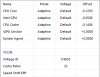
- Now it is configured as follows, is it correct?
![[IMG]](images/storyImages/Anotaci-n-2019-11-23-094149.png)
- And the question that makes me crazy, why do I get the same (or better) result in "Balanced" mode than in "High performance"? Maybe even if you have selected 50% in "Balance" TS does it over Windows with SpeedShift in "0"?
Thanks again for your advice and time.Mr. Fox likes this. -
The Intel specified TDP limit for the 9750H is actually only 45 Watts. Imagine how much these CPUs would throttle if manufacturers stuck to that limit.
https://ark.intel.com/content/www/u...9750h-processor-12m-cache-up-to-4-50-ghz.html
As I previously mentioned, there are multiple sets of power limits. Different manufacturers use some of these limits and not others while some manufacturers use all of these limits to make your computing experience miserable. If your laptop manufacturer set both the long and short Turbo Boost Power Limits to 90 Watts like your picture shows and your CPU was throttling, then they were probably setting the secondary set of power limits to a lower value to cause this. A big number like 90 makes a user feel good about things but it is meaningless if they quietly set the secondary power limits to 60 behind their back.
That is why ThrottleStop's Disable and Lock feature is good to have. It prevents a lot of throttling schemes by blocking access to the secondary set of power limits. @Mr. Fox was not a happy camper until I recommended that he should install and enable this feature. Check one little box in TS and you can go from to
If your CPU is not being throttled, when ThrottleStop is properly setup, there should not be any big difference between High Performance and Balanced. TS Bench results can vary significantly when a laptop has a lot of background tasks running so do not use that. The TS Bench is just a convenient benchmark that allows a user to quickly load their CPU so they can watch how the multiplier reacts. What benchmarks are you running that show this difference? Now that TS is working for you, are you still seeing a significant difference between High Performance and Balanced? Post some screenshot examples.
I encourage using the High Performance power profile with Speed Shift EPP set to 0 for maximum performance. If you want your CPU to slow down while lightly loaded or on battery power, continue using the Windows High Performance power profile and switch to a TS profile that has EPP set to somewhere between 80 and 128. Concentrate on minimizing the number of useless and inefficient apps running in the background. People spend too much time looking at idle MHz and power consumption data. The power consumption data that Intel CPUs generate is only an estimation. It is not measured power consumption. Intel's only use for this data is to control turbo boost throttling. It was never intended to be used for accurate power consumption purposes, especially when a CPU is lightly loaded with multiple cores constantly bouncing around from one C state to the next.
To minimize power consumption, watch the ThrottleStop C state data instead. Individual cores spending most of their time in the low power C7 state is the easiest way to save power and keep temperatures low.Vasudev, HORRIFIDO, tilleroftheearth and 3 others like this. -
Well, once again I thank you for explaining things so simply and helping us use the full potential of the computer that is "really" ours.
Following your instructions I have done two tests of 5 minutes each in Cinebench R20, one in High Performance and another in Balanced, and after having deactivated some secondary applications.
The records continue to improve: we started with 2700 points without TS, with the first undervolt we reached 3080 and with your advice we are already in 3142. At no time has Throttle or associated errors appeared. Although there is very little difference I still get better results in Balanced mode, 3139 vs 3142.
![[IMG]](images/storyImages/Anotaci-n-2019-11-24-102915.jpg)
![[IMG]](images/storyImages/Anotaci-n-2.jpg)
Just to clarify, when I say that I use the "Turbo mode" or "Performance mode" I mean the cooling mode of Asus that both have associated the "High Performance" of W10. It is the Asus "Windows mode" where you let W10 itself choose power mode, in my case Balanced for slightly better results.
I encourage all those who are in my initial situation with little knowledge of TS and reluctance with some parameters to improve their PC. With reading and help from the community I have a better and quieter notebook (especially in low or medium load) and that in real maximums (games) is far from dangerous temperatures (always below 90ºC). All this with cooling and thermal paste as standard ... -
Hello everyone, I have an MSI GP63 with 8750H.
My laptop goes beyond 90 degrees with just 5 tabs on chrome open and especially when playing youtube videos. Fans are literally always running even when my room temperature is only 15-20 degree celcius.
This laptop is almost 18 months old and I am considering thermal repasting. Question is Should I ? I mean with just 5 tabs open in a browser and a youtube video playing, it shouldn't throttle ?
I am not much familiar with Throttle Stop, just found out about this 2 days back and have made some changes, I will attach some pics below. These changes have decreased the temps but I guess I am not getting my money's worth especially because I have turbo boost disabled to get low temps. If there is any recommendation re:settings - please advise. I am trying to learn.
Apart from any change in settings, will thermal pasting help in my case ?
![[IMG]](images/storyImages/1.jpg)
![[IMG]](images/storyImages/2.png)
![[IMG]](images/storyImages/3.png)
![[IMG]](images/storyImages/4.jpg)
-
Come on. A 3 point difference is equivalent to a difference of only 0.1%. When benchmarking a Windows 10 computer, a difference of 0.1% is completely meaningless.
I have a fairly lean computer and at the moment, the Task Manager shows that there are approximately 1300 to 1400 threads constantly running in the background. There is no way to control this background activity. These threads need to be continuously processed while your benchmark is running. How long each thread occupies the CPU is completely random. Each time a thread needs to be processed, your benchmark stops. A difference of 0.1% only confirms what I said, there should be no meaningful difference between High Performance and Balanced, especially during a long extended benchmark that has fully loaded the CPU.
Your Cinebench R20 scores are improving but you still have a ways to go.
http://forum.notebookreview.com/threads/the-throttlestop-guide.531329/page-1064#post-10965092
@Prema and @Mr. Fox are setting the bar. Their laptops are the ones that all other 9750H CPUs will be compared to.
Head to the paste store immediately and start shopping. Thermal throttling is a sign that you have been sitting on your hands for too long. Time to get to work. ThrottleStop can help with throttling problems but it is no substitute for basic maintenance. It is normal for the heatsinks in laptops to get dirty over time and it is normal for heatsinks to be installed in a half ass manner on any laptop produced on an assembly line. If you are after maximum performance, it is up to you to fix these problems. -
Definitely +1 to the repaste and deep cleaning of your heat sinks and fans. I just repasted mine today with the same paste but slightly more as it didn't completely spread to one corner of the die. Temp dropped by about 10c, and nearly completely eliminated throttling.
I say nearly as I haven't found a way around long term PL throttling. I'll go from solid 39 multiplier to 38.3ish with the PL throttle during cinebench or back-to-back 1024k TSbench runs. -
I did thermal repaste today with Arctic Mx 4, thats what I could get locally. Now, when I run TS Bench, I get nothing on Limit Reasons. Guess thats a good thing ?
![[IMG]](images/storyImages/cb3fd4e7a5205fcf46ee33fa1b7844e5.png) lucidchaos likes this.
lucidchaos likes this. -
"Certain" people posting in this thread have set near impossible standards for scores made by 9750h's in benchmarking software and I'm nearing my wits end. For us mere mortals its like chasing the dragon, sorta. Of course, its a little fun as well
I've managed to eke some more out of mine, mainly through tweaking running background services in Windows which allowed me to cross the 3200 mark in r20 and 1300 mark in r15. I don't think I can get much more out of it now as no limits are being triggered, it runs at a steady 40x. The only thing I can think of would be to make an extremely stripped down clean custom Windows install to maybe get a few points more. Also, CPUs are not created equal, and I suppose there are other components in the system that might have a slight effect as well (RAM speed and timings perhaps?).
Nevertheless, learning Throttlestop and playing with this have been educational
PS! Do anyone know why I get PL2 flags if I set turbo time limit to more than the default "28" for my CPU in Throttlestop? Does not happen otherwise, nor is the CPU anywhere near the power limits set.
Last edited: Nov 26, 2019HORRIFIDO likes this. -
Yes, that's exactly what you want to see How do the core/package temps look?
-
Up to 10 degrees of difference. I haven't done much testing though but now the fans don't run as much and its much silent overall.
-
@unclewebb sorry to bother you but i need your help!
While my pc was running on battery i did some bench test and i noticed my CPU was throttling. it's supposed to run at x40 but it only reach x31.
Looking at Limit reasons, PL2 is glowing red so i can say CPU is throttling because it is trying to exceed the PL2 power limit which is set by default to 90 Watts, but during the test I never exceeded 30watts. As always, I made some screenshots.
After that, i plugged in my pc and did the same bench test...this time, no red light was glowing in limit reasons, no black dot on "Throttle button" on the main screen of ThrottleStop and the wattage was higher (like 58/60 Watts) but the multiplier was 39....
Do you have any idea why this happens?
-
Don't expect full performance on battery. See... The firmware will most likely override any PL1 and 2 limits when running on battery. This to protect the battery. And for the records... 39x is max for all 4 cores.
Core i5-8300H - WikiChip
Try light load as 2 threads instead for 8 threads when you run the benchmark. With less power consumption I expext you'll see higher clock speed than 31x.Last edited: Nov 28, 2019Sig. Duck and tilleroftheearth like this. -
Questions from users are never a bother. It is how I learn about ThrottleStop and answering questions gives me something to do. Your screenshots show that when on battery power, PL2 throttling is being triggered and your CPU is being limited to approximately 30 Watts. This type of throttling is being used to protect your battery from permanent damage. Running the TS Bench or Prime95 or any benchmark that significantly stresses your CPU or GPU while running on battery power is never a good idea.
Do you want to risk damaging your battery? If yes, try using the FIVR - Disable and Lock Turbo Power Limits feature. This might prevent your laptop from dropping down to a safe 30 Watts. A single run up to 60 Watts might be enough to kill your battery. If your battery and laptop and house catch on fire, you were warned.
https://www.nbcnews.com/nightly-new...oding-laptop-in-california-video-870312515737Sig. Duck, tilleroftheearth, M4cr0s and 2 others like this. -
Thanks guys, your answers and warnings are very appreciated and every time i get an answer i learn something more about how to use throttlestop and also....not to set my house and ass on fire
is there anything i can do to reach higher multiplier when i'm on battery? -
Anyone with i7-7700hq, or lenovo y720 and want to share some settings with me?because i can't make him stable
Attached Files:
-
-
alright, i need some help...
i have a i5 8250u 8gb ram, intel uhd graphics 620. with your software, this set was able to get a good 60 frames in a cenibench test after undervolting everything to 110.
thats great
after the BSOD bootloop, the settings became permanent, i did test it again to see if the frame count was the same, indeed.
now after the third reset...throttle stop will not open, even with mfc120.dll installed into the system 32 and WOW 64 folders, still does not open... how do i go about fixing this -
I was trying to use TS with my wifes notebook but I was not able to see "Fivr" option. Is Pentium N3700 compatible with TS?
-
When lightly loaded, your multiplier should be fairly high. When heavily loaded on battery power, your laptop will throttle to protect the battery.
Start by under volting the core and cache equally. If you are going to under volt the Intel GPU, you need to under volt the GPU and the iGPU Unslice equally. I would not under volt the iGPU until I had the CPU under volt working reliably.
If you used some unstable settings and had a few BSOD issues, there is a good chance that Windows Defender has put ThrottleStop on its bad list and that is what is preventing ThrottleStop from starting. I have been using Windows Defender for months without any issues. You might have to try switching over to the free version of Avast to get Windows Defender off of your back.
Hopefully you were not manually copying files into these Windows directories. The proper way to install the mfc120 libraries is to go to Microsoft, download the x86 and x64 versions and on a 64 bit operating system, install both of these. No need to copy anything, anywhere. Let the installer put the mfc files in the appropriate directories.
https://support.microsoft.com/en-us/help/4032938/update-for-visual-c-2013-redistributable-package
The N3700 does not use a FIVR like the 4th Gen and up Core i CPUs use. That is why you will not see a FIVR button when running ThrottleStop on one of these CPUs. You should still be able to under volt. You just have to do things a little differently. Post some screenshots to refresh my memory.HORRIFIDO and tilleroftheearth like this. -
@unclewebb TS doesn't accept when i change voltage. Hope you will have some ideas. -
On these CPUs, the multiplier and voltage ID are in the same CPU register. You have to check the Set Multiplier box so the multiplier and voltage ID will be sent to the processor.
For best results, you should also use the Windows High Performance power profile. This profile is often times not available on these low power devices. There was some good advice in this forum just a few pages ago about how to access this power profile when Windows has it hiding.
http://forum.notebookreview.com/threads/the-throttlestop-guide.531329/page-1070#post-10968232
Your temps look great so do not be afraid to increase the turbo long power value up from 3W to 5W.
Even if you are successful at adjusting the voltage, these are low power devices so there might not be much to be gained. The Pentium N series had more in common with the older Core 2 technology but generally performed worse. Here is an apples to apples comparison. I locked my 4th Gen 4700MQ to 2700 MHz and ran a 4 Thread TS Bench test. This is an easy way to compare how Intel technology is progressing.
![[IMG]](images/storyImages/sx8v4D6.png)
A time of 21.99 seconds is world's better compared to the 60 second times that your Pentium N is running at a similar speed. The Pentium N was designed for long battery run time so performance was sacrificed.Last edited: Dec 2, 2019 -
@unclewebb - I've increased the turbo long power value up from 3W to 5W and set Multiplier box. Much better result.
Attached Files:
-
-
Being able to run indefinitely at the 2.4 GHz burst frequency is as good as it gets for the Pentium N3700.
https://ark.intel.com/content/www/u...-processor-n3700-2m-cache-up-to-2-40-ghz.html
Thanks for posting your results. A lot of people do not realize that ThrottleStop supports many Intel CPUs since the Core 2 Duo era, including the Pentium N series. Maybe someday I will have a weak moment and I will go out and buy an Ice Lake 10th Gen Core i CPU. ThrottleStop works OK on these but there is always room for improvement.tilleroftheearth and 0lok like this. -
@unclewebb - You're very welcome, I do thank you for your help.
unclewebb likes this. -
Update on Dell XPS 15 9550 (6300HQ i5).
"Limit reasons" shows nothing now with benchmarks or gaming. I update BIOS-drivers-OS frequently so can't pinpoint what changed.
Anyway, if you are running one of these XPS models (which are essentially similar for 4 generations) and running into odd "limit reasons", wholesale update might help. -
Hi all, I recently began using TS again after buying a new laptop. I did a lot of research on the software when using it before, and always found it very straightforward and hassle-free. Strangely, with this laptop I'm having an issue I never had before (this is with the most recent version of the software). Whenever I enter settings, they stick only while that instance of the program is active. As soon as I close the program, or restart my computer, all settings are wiped. When I run the app again, I'm greeted with the warning message you get when running the program for the first time, and all my settings are gone. I've also tried to locate the .ini file to delete it and see if that remedies the issue, but the .ini file is nowhere to be found! Any help would be much appreciated y'all. Thank you.
-
@inasense where do you have the program extracted to? Do you as a user have full rights to it?
-
@inasense - I usually unzip ThrottleStop.zip and all of its related files directly into a folder called C:\Program Files (x86)\ThrottleStop
Some people run into problems if they unzip ThrottleStop to their desktop, run it from there and then drag the folder elsewhere. Windows 10 takes exception to this and will do funny things like change the file permissions on the folder. If you have to move the ThrottleStop folder, best to delete the ThrottleStop.INI config file so ThrottleStop can create a new one with the correct permissions.
If you want to run ThrottleStop from a D: drive or some other drive, make sure that you have permission to that folder so both you and ThrottleStop can read and write to that folder. You can usually right click on the folder and add permissions as long as you are in an Admin account.
Lastly, make sure you are not running ThrottleStop within a zip file. If you are using WinZip or similar, ThrottleStop might start up OK but it will not be able to create a ThrottleStop.INI config file to store all of its settings in.
I think that covers the common problems. If you have done something new, let me know!inasense, Mr. Fox and tilleroftheearth like this. -
This probably is just another example of files being blocked because you downloaded them from the internet which causes a lot of issue for both the users and developers.
See how to unblock a file and also how to disable this stupid blocking feature entirely.
"Are you sure you want to run this file?" [Yes or No]Mr. Fox likes this. -
Surface Pro 7 i5-1035G4 (Passively cooled) and undervolted is a screamer with Throttlestop!
64M: 11.883 seconds
1024M: 208.047
Runs at 35 watts for a while, then tapers down to 25 watts till the end of the 1024m test..
Pretty amazing what Microsoft was able to do here since it's passively cooled (NO FAN!). Temps stabilize at 67c for the duration of the 1024m test.Mr. Fox, unclewebb, pressing and 1 other person like this. -
@Diversion, care to post pics of your setup for the SP7 i5?
Could you also show/compare what SP7 does without TS too? -
@unclewebb - Can you please check this video that TS doesn't start until I choose Performance profile but i don't know how to add it
-
Just simply setting the CPU Core to -40mv and Cache to -40mv.. To get the most "bang" from the benchmark I let the device idle for a while.
I think i'm actually unstable though.. I got a random bluescreen doing normal stuff.
Also, Microsoft just pushed a new bios/firmware update yesterday and it seems to have changed the performance of the SP7.. it's slower now They probably changed the wattage behavior for battery life because it doesn't seem to hold as much watts for as long as it did yesterday.
Edit: Actually performance seems to be identical but the unit just warms a little warmer at idle, same temps under load.Last edited: Dec 5, 2019tilleroftheearth likes this. -
-
Yeah I have mine updated to that stuff.. it runs slightly warmer when plugged in.. the same on battery but that's it. The SP7 was decently buggy on launch so hopefully this new firmware fixes a lot of that.. Glad to see Microsoft on top of it either way.tilleroftheearth likes this.
-
What video? I cannot see a link. More info is definitely needed.
-
Not all SP7s are created equal lol. (I have a few of these in our IT department for testing). One has a "golden chip"; the one I listed above.. the rest.. not so much.. they request much higher VIDs, therefore hitting 90c without undervolting and throttle afterwards.. They also pull 40 watts or more at first.. Undervolting is no different on those either unfortunately.. capping out around -40mv which doesn't help the initial wattage to achieve max turbo.
10th gen 10nm seems way more power hungry than 8th gen ULV was. Not sure how I feel about this!pressing and tilleroftheearth like this. -
i have weird issue with throttle stop, ive already set to run on boot/log in, but when i let my laptop sleep throttle stop gets killed by system and i have to run it again,, any suggestion why it is happening?
-
It might be because you did not follow the guide I posted in the 2nd post of this thread.
http://forum.notebookreview.com/threads/the-throttlestop-guide.531329/#post-6865107
If you did not follow that guide, try following it. If you did follow that guide, go back and double check your work. Anyone that follows that guide without cutting any corners does not usually have problems like you are having.Papusan likes this. -
Is it usual to have the processor TDP throttle on battery but not while plugged in? I recently changed the "Disable and Lock Turbo Power Limits" which eliminated the PL2 limit under CORE and EDP OTHER under RING when running TS Bench. I'm using an Asus laptop with an i7-7500u and it throttles to 15 W while on battery but can go up to 25 W while plugged in during the test.
Both turbo time limits are at 28, PP0 current limit = 100, PP0 power limit = 0. I was messing with the settings earlier today and was able to have no throttling on battery, but a crash from undervolting seems to have messed it up. I tried deleting the .ini file to replicate the settings, but nothing seems to fix the limit issue.
After using the program mainly for undervolting and not much else for years, I only recently tried to fix my C-States and limit problems. I'm happy to report success on that front at least: around 0.5 W idle draw and ~ 1% for C0. Thank you for your work in creating this powerful program and helping others.
Also, is there a recommended method of uploading screenshots for posts? -
i was using the same setting, but i deleted the task and did it again, and still after sleep TS getting killed. any ideas why?
edit: sorry i think im blind i missed whats written in red.
https://i.imgur.com/b4wPCiS.png
i hope it will work now.Last edited: Dec 9, 2019 -
Maybe I could animate the important stuff written in red. Some big flashing arrows, maybe some fireworks or other loud noises! That is why I posted this comment.
Hopefully this finally works for you now.
If you have decided to disable that feature then it is no surprise that your turbo power limits are randomly changing. On some laptops, if you want ThrottleStop to have more control over your power limits, you need to use that feature to disable the secondary turbo power limits. This also prevents them from being changed.
I usually upload images to my free imgur account and then I post imgur links here. I like having all my forum images together on one site.
When creating a message, there is an image button at the top to the right of the happy face. You should be able to click on that button and you can probably host images on NotebookReview.Last edited: Dec 9, 2019 -
These are my current settings with the PL2 and EDP Other still showing up when running tests on battery power. Is there any way to get rid of the limit so the CPU can go past 15 W to 25 W, like when it is plugged in? It throttles to 15 W immediately without hitting the 28 second limit.
![[IMG]](images/storyImages/0XpawoZ.png) Last edited: Dec 12, 2019
Last edited: Dec 12, 2019 -
When using imgur, you need to use the Direct Link that it gives you. The first image tag is img in brackets, then comes the link and it is followed by /img also in square brackets. The links you posted are the wrong links. That is why your pictures are not showing up.
Your laptop manufacturer has probably set a hard limit of 15 Watts in the EC when running on battery power. If the long and short term power limits are both set to 15 Watts internally then the time value is ignored. If this is the case, you cannot use ThrottleStop or any other software to get around this limit. This limit has been set to protect your battery from damage. -
Thanks for all the useful information.
I'm having an issue with having ThrottleStop automatically running with a task schedule. When I have it automatically open on login it opens fine and my undervolt settings are applied but for some reason my CPU won't go above 1800mhz under a stress test. If I open it by myself it works fine and it will mostly stay above 3000mhz. I've tried redoing the tasks a few times and I'm sure I have all of the task settings correct but I can't get it to work properly.
My laptop is the Asus Zenbook UX433FN which has the I7-8565U processor.
Any help would be much appreciated. -
Just read some interesting info about a new bug with Intel's SGX extensions. Hacking software that adjusts the voltages up and down can create some serious security problems. Intel's solution was to come out with a microcode update that disables CPU voltage adjustments. If you like using ThrottleStop or Intel XTU, you better watch out for that update.
https://arstechnica.com/information...weaking-cpu-voltage/?comments=1&post=38386251
@MikeNZ - If you are having problems with ThrottleStop, I need to see exactly how you have ThrottleStop setup. Show me an example of your CPU stuck at 1800 MHz with the Limit Reasons open so I can see what is holding you back. Show me your TPL and FIVR settings. Are you plugged in? Where do you have ThrottleStop located? Did you move it from one folder to another folder after you first ran it? If you did that, try removing the ThrottleStop.INI configuration file so ThrottleStop can create a new one. Make sure you only have 1 instance of ThrottleStop.exe and you are running it from the same hard drive location when double clicking on it or when starting it with the Task Scheduler.
And of course, you followed the ThrottleStop Task Scheduler Guide exactly.
http://forum.notebookreview.com/threads/the-throttlestop-guide.531329/#post-6865107hmscott, maffle, chumley and 1 other person like this. -
@unclewebb - Well I thought it would be better to continue from here maybe people can get some more information.
I put some picture they were after i've disabled C States with that command you gave earlier.
But I did not understand why it was showing 3.70 Ghz in Task Manager.
-
New Plundervolt attack impacts Intel CPUs zdnet.com | Dec 11, 2019
WHAT'S IMPACTED AND WHERE TO GET FIXES
Microcode and BIOS updates were released today as part of security advisory INTEL-SA-00289. These updates give administrators a new BIOS option to disable the volting and frequency control interface on their systems.
Plundervolt is nothing that end-users should worry about. It's an attack vector that is of little interest for malware authors since it's hard to automate at scale.
I wouldn't lose äny sleep over this... If your prefered Notebook manufacturer don't let you get the proper choices with future bios update. Then, don't buy anything from them in the future.
According to updated information provided by Intel, Intel is “working with system manufacturers to provide a balance between performance and security for platforms that support “overclocking of unlocked processors,”
“We expect limited overlap between use cases where Intel SGX and overclocking are both relevant,” the representative added, however, probably meaning that there’s little chance that the average PC user will be affected. In the case that the mitigation is applied, however, Intel’s XTU tuning utility will not allow voltage changes from the default.
Does your motherboard support SGX? It’s likely most recent boards do, though it’s not clear whether the feature is on by default.
Protecting your Intel CPU from Plundervolt attacks can ruin your overclock/undervolt
Don't bother with Task manager. Have always show wrong values. Equal bugged as the whole OS mess. This time it show it can't read the real boost clocks and only base clock frecuency.Last edited: Dec 11, 2019 -
On some CPUs, when overclocking, the Task Manager reported MHz are not accurate. You would think a big company like Microsoft could hire some better programmers. ThrottleStop and CPU-Z are reporting your CPU correctly.
Have a look at the Speed Shift Max value in the TPL window. I think that is the reason your CPU is using the 43 multiplier instead of the 47 multiplier. When overclocking, you need to adjust this variable accordingly. Better yet, just increase it to 255 so it does not interfere with overclocking.maffle likes this.
The ThrottleStop Guide
Discussion in 'Hardware Components and Aftermarket Upgrades' started by unclewebb, Nov 7, 2010.