Problems? See this thread at archive.org.
Of course!! i reeeeally love throttlestop and it's features!! Thanks a lot for your efforts!!
could you explain me how to manage "Disable and lock turbo power limit" feature?
-
You only need to check this box if your CPU has a power limit throttling problem that you cannot control with the TPL Turbo Power Limit settings.
This feature manages (eliminates) the secondary set of turbo power limits in the CPU. There is no need for 101 different throttling methods. Intel CPUs are well protected and will thermal throttle when they get too hot regardless of any ThrottleStop setting. Best to disable all of the other limits. They are redundant and really not necessary. -
Hi Throttlestop, i currently have i5-8300h cpu. All I have did is undervolted cpu, lowered turbo ratio limits and im managed to get every game around 75°c. I want to adjust turbo power boost limits and disable /lock turbo power limits. Can you tell me and should i check this option or not. What you think its best?
-
Hello Throttlestop, thank you very much for your software!
I used Throttlestop for managing the fan noise level and for the heavy performance of my XPS 7950 - i9.
I notice that after the last bios update the offset in the FIVE right top levels is all +0.000 No matter what value I choose to underclock the CPU. According to what I understand in the forum here it is mean that DELL/Intel locks the over/under clocking option.
here is screenshot
https://imgur.com/a/kqzLktx
Is that correct?
If so, how you recommend me to reduce the throttling issues?
I use your software to manage two scenarios.
- low duty workload, where the CPU cap was 90% of its turbo speed and the voltages in the CPU where under volt. The fan most of the time didn't work or work at low speed even in heavy load.
- heavy load workload, where the CPU had no cap but has small under-volt. The CPU didn't heat too much to cause throttling.
Thanks for all the help! -
spend 2 minutes searching the thread m8
-
I think you should run your CPU as fast as bloody well possible.
Intel designs their CPUs so they can run reliably up to 100°C. Increase your power limits and increase your CPU speed. There is no reason to run your 8300H at anything less than its full rated speed. If it gets too hot, it will thermal throttle just as Intel intended.
Thanks @cktducky for the screenshot. It turned out to be an easy fix. All Core i CPUs have always had an internal timer that runs at exactly 24.0 MHz. ThrottleStop uses this timer to report some extremely accurate BCLK data. It was extremely accurate until your Ice Lake CPU came along. After looking at lots of screenshots, I found that previous TS versions + 60% seemed to equal the actual BCLK.
24.0 MHz + 60% = 38.4 MHz which just happens to be a very popular crystal oscillator speed. Looks like Intel upgraded this part for the mobile Ice Lake CPU family and forgot to tell me about the change! Intel's publicly available documentation sucks. -
@unclewebb what does powercut do? Its greyed out in my GS75
-
So i had to come back to haswell microcode v7 and keep frequencies at 3.4 to avoid any power throttling, not using PowerCut anymore. As long as only cpu is working everything is fine, as soon as gpu joins then there is yellow PL2 warning although performance doesnt degrade and frequencies stay at 3.4. I wonder if my laptop might be throttling the whole system power usage since my 760M gpu is also heavily overcloked. I suspect power adapter not having enough juice (120w adapter, with power meter i was seeing up to around 118w usage while gaming) if it can be a problem. Or maybe somebody knows how to change haswell fused TDP value? (in my case 37W for 4702MQ)
Attached Files:
-
-
What laptop is that?
I had a 4700mq gt750m gddr5 Lenovo y410p and that had a 180w brick. -
Okay, well I wanted to lower the temps so my fans isnt maxed out always in games. How should i increase my CPU speed? Is turbo ratio limits enough to speed it up?
-
This was a powerful feature for the 4th Gen CPUs. By locking the VCCIN voltage, 4th Gen CPUs would get confused and would stop reporting power consumption correctly. When running a 4th Gen fully loaded with PowerCut enabled, instead of the CPU showing 60W, it would only show a couple of watts like maybe 2W or 5W. Result, full turbo boost and no more power limit throttling. It was a wonderful feature in its time. Intel never got around to fixing this CPU bug.
Set the turbo ratio limits back to their default values, increase your power limits and use the Disable and Lock Turbo Power Limits feature if you need it.
If you need to control your maximum CPU temperature, ThrottleStop has a wonderful new feature for you. Go in the Options window and set PROCHOT Offset to whatever you like. Most Intel CPUs have a default 100°C thermal throttling temperature. If this causes your fans to run at a crazy speed, set PROCHOT Offset to 20 and your CPU will max out at 80°C (100°C - 20°C). If 75°C is loud enough, set the Offset to 25. A wonderful and extremely simple feature to give you total control of your CPU. It will thermal throttle and slow down as much as necessary so it does not exceed this temperature. No more need to infinitely play around with turbo power or turbo ratio settings. No need to change settings based on what game you play. One simple setting takes care of a lot of usability problems.
TS 8.75 beta 3
![[IMG]](images/storyImages/uWTuevk.png)
Does Intel XTU have this new setting? Of course not!
I recently learned that Asus Armoury Crate and some Lenovo software is not compatible with the ThrottleStop - Disable and Lock Turbo Power Limits feature. Reports of BSOD are common. Users will have to decide what software they should keep. If you do not need the Disable and Lock feature then do not use it. If you really need it, you will not be able to have those other programs in your Windows startup sequence.Last edited: Apr 22, 2020Papusan, JAWW, Ace'01 and 1 other person like this. -
Well firstly thanks for this wonderful program
. It really saves the day.
You are right, theres no point to lower the speed when I have such high perfomance cpu. I reverted turbo ratio limits back to the default, IccMax on Core and Cache to the maximum, Disabled and Lock Turbo Power Limits and PP0 Current limit to 256 value.
The only thing i didnt set up is PP0 Power limit, what you think what is the best value for this since I dont wanna rashly put it to the big value. -
Always remember that there is nothing rash about running an Intel CPU at its full rated speed. The mobile CPUs are built using the same technology as their desktop CPUs. They have lots and lots of headroom. The only thing to be concerned about is temperature and that will take care of itself.
The PP0 Power Limit is rarely used. Most laptops have that unchecked and set to 0 by default. No need to check or use this unless it is causing a problem. Maxing everything else out was a wise decision. Papusan, Ace'01 and tilleroftheearth like this.
 -
@unclewebb Found 2 little bugs on versions 8.73 beta 3, with the 9750h. Here are the pictures:
![[IMG]](images/storyImages/bxo67xp.jpg)
![[IMG]](images/storyImages/xaU2txF.jpg) pressing likes this.
pressing likes this. -
I see, thanks.
Then how do I go about increasing the power limit for my cpu using throttlestop?
Changing turbo power limit short and long doesn't do anything. -
I do not see any bugs in the TS Bench pic you posted. Even though your CPU only has 12 threads to process tasks, it is OK to set the TS Bench to 16 threads. This breaks the mathematical problem it solves into 16 chunks instead of 12 chunks. This is not an efficient way to solve a problem on a 6 core CPU so it is normal for your benchmark times to increase a little. There is less task switching and overhead when each thread of your CPU can process 1/12th of the work load so you should see your best times when set to 12 Threads. The TS Bench is just a simple benchmark so you can easily load and test your CPU for high temperatures, turbo throttling and whether the 1 core turbo multiplier is working or not.
I know how to read the default turbo multipliers from the CPU for when 1 to 4 cores are active but I do not know how to read this info when 5 to 8 cores are active. I took a wild guess a while ago but my guess was wrong. Intel's publicly available documentation is useless for stuff like this.
The only way I can learn where things are hiding is by doing some hands on testing. With no job and the economy tanking, I have no plans at the moment to buy any new Intel hardware for TS development purposes.
If changing the turbo power limits in ThrottleStop does not solve a power limit throttling problem then you need to check the Disable and Lock Turbo Power Limits option. If these two things are taken care of and you are still having power limit throttling problems, there is nothing that can be done to solve this problem. Some laptops use the EC to set power limits that ThrottleStop and Intel XTU cannot access.
You have to do your homework before buying a laptop. Many laptops are locked down and crippled and are no longer enthusiast friendly.Papusan, pressing and tilleroftheearth like this. -
Ah I see, guess I'll stick to using a modified imon slope to bypass the power limit. Msi laptops have an advanced bios where a lot of settings can be changed.
-
@seanwee - Except of course, change the IMON slope. Hopefully your BIOS gives you access to that adjustment.
-
I finally have something interesting to report on the AC Timer Resolution feature - The following is observed on any power plan:
So the past few days I'd been experiencing this annoying coil whine: https://clyp.it/2wp34zxh (I've amplified it, but it was still clearly audible from 1m away and getting annoying)
And this sound would always come on when my laptop was "idle" - and I put that in quotation marks because in TS although I was seeing single digit C0% numbers, my package power consumption would be around 6-10W - normally it idles at ~1W. It turns out that the culprit was a Chinese dictionary I had running in the background (minimized to tray) - it was showing 0.0% CPU usage in Task Manager, yet it was the cause of the following - here's a screenshot of my laptop completely idle, HW-info taking averages for one minute.
Things worthy to note above: AC Timer Res set to 0, and Windows reports 0.5ms. But look at that package power - 8.6W idle average over the course of the entire minute I was recording this. What surprises me the most is that my integrated GPU is at its max clock (1100MHz) and boing 100% utilised, resulting in the GT core constantly sucking over 3W - all this doing nothing on the desktop and idling. Presumably, this is the cause of zero Package C-states (not shown bc TS doesn't allow more than one window). At least in the HW-Info window it shows 0% C2 and C3 Package Residency.
But the instant I change the timer resolution from 0 to 16, everything goes back to normal:
Package Power back down (Yeah I know 2.5W is terrible but I had multiple background apps open) - but notably, the GPU Clock is back to 0.0MHz (presumably in RC6 or sth), GPU GT Usage back to 0, and package C-states have returned. And the only thing I changed was the AC Timer Res, from 0 to 16. Even the change from 0-1 is enough to mitigate the majority of the whine, and cause package power consumption to return to normal (or close to it)
The YouDao Chinese Dictionary is currently the only program that I've noticed to cause this - mostly because the coil whine produced whilst it's minimized to the tray is so annoying. But that's what's so bizarre - this effect only happens with this one program, only when this program is minimized to the tray - and only when the timer resolution is 0.5ms. Is anybody able to explain this extraordinary effect? -
@Che0063 yes, but those words aren't allowed on these forums. And 'extraordinary' is not one of the words I would use to explain it either.
Papusan and Spartan@HIDevolution like this. -
guys doesnt anybody know howw to get throttlestop at startup I have tried everything from task scheduler, start minimised nothing works. I am on widnows 10 18363
-
Question, is Throttlestop version 8.75 okay now to use since I see it still says "beta". Should I upgrade from 8.70.6 version?
-
@unclewebb
Didn't have much time so I have made quick test on my MSI PS63
CPU at 3.4GHz on all cores, gtx 1050 (OC +213 clock + 1000 mem)
RAM 2x16GB 2400 CL14
AC TIMER IDLE POWER USAGE COMPARISON
AC 16
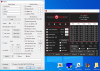
AC 1
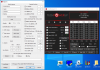
AC 0.5
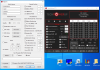
CB 15 COMPARISON
AC 1

AC 0.5

-
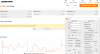
FIRESTRIKE COMPARISON
AC 1
AC 0.5
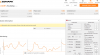
For me slightly higher resaults on 0.5 timer on my MSI PS63 8RC
On my GE72VR 7RF resaults are very similar but the differences are a bit higher in favour of 0.5 mostly because it is more powerfull laptop.
Currently don't have time for testing GE72VR 7RF from my signature, to many things to cover in work and at home.
When I will have time I will post resaults from my signature laptop, but I think it will not be fast
All in all if you want to gain every last % of performance 0.5 is the best ( at my configs, could be different on other laps, windows configuration etc )
BRLast edited: Apr 23, 2020 -
I have a program to open any app I want whether I'm plugged in or not. I've edited so that it just opens Throttlestop and nothing else. You'll need to set it to where your throttlestop.exe file is located on your computer, shove this program in your startup folder and it'll work: https://drive.google.com/file/d/1_YmyHzq7zma9k2vxU024n-v8cr-NY7ni/view?usp=sharing
Startup folder is located at C:\Users\<username>\AppData\Roaming\Microsoft\Windows\Start Menu\Programs\Startup -
Follow post #2 to the letter. And pay close attention to everything marked in red
http://forum.notebookreview.com/threads/the-throttlestop-guide.531329/#post-6865107GENOCID likes this. -
Hi @unclewebb I have several questions.
My laptop is a MSI GE65 Raider 9SF, with an i7 9750H, a full RTX 2070, and 32 GB of RAM.
I have a -122mV undervolt set via TS to both the core and the cache. -125 showed very ocassional instability, especially when switching from full load to idle (for example when closing a game), -122 seems 100% stable. Also the iGPU has a -30 mV undervolt because why not but I have no idea what I'm doing regarding that.
Without tweaking any limits, the CPU holds a constant 4 GHz (the maximum all core turbo) for the vast majority of games. For example, playing Apex Legends gives me an almost 100% constant 4 GHz, with VERY ocassional drops to like 3.8 GHz that recover almost instantly. And Apex Legends uses AVX!
However, there are some games that do make it drop severely. For example, Assassin's Creed Odyssey, which manages to put all 12 threads to literally 100% usage according to MSI Afterburner, makes it drop hard to like 3.6 and even 3.5 GHz.
My questions are:
- Can I make the CPU run at 4 GHz ALL the time by tweaking the limits? Should I do it? How do I tweak the limits exactly?
- Is it possible to force the CPU to run past 4 GHz with all cores active? The single core frequency is 4.5 GHz, is that hard locked to never happen when all cores are active or is there a way?
- My BIOS allows to tweak voltages and limits when pressing the key combo to access the advanced menu. This might be weird to ask to the creator of ThrottleStop, but do you recommend TS over BIOS settings even when these BIOS settings exist? For now I'm using TS, but just curiois about what's "better".
- Apparently Intel is locking the ability to adjust voltages from Windows because of an exploit. The 10th gen CPUs come locked by default, and apparently they are releasing BIOS updates and even microcode updates via Windows Update to lock down 9th gen CPUs as well. Is there a way to reliably check if my CPU has been locked down via a Windows Update? Also, if/when this happens to me, do you think I can get similar results by just using the BIOS settings instead of doing it via TS? (this kinda overlaps with the previous question, I know)
![[IMG]](images/storyImages/ZVEmuyd.png)
Thanks!Last edited: Apr 23, 2020 -
Thanks bro, found out that box with highest priviledges has not been ticked ffs,Papusan and tilleroftheearth like this.
-
If your CPU is unstable at -125mv, you should be ramping down to say -105 or -110mv so there is some headroom. Then test. dropping -3mv is wrong.
If you research the thread you might see undervolt of iGPU is typically done with Intel GPU & iGPU unslice with identical settings. Benchmark for stability. I don't undervolt the Intel GPU for performance reasons. -
Why? I started at -130, which seemed stable in tests, eventually gave me a BSOD. Dropped to -125, same story. I have been running it at -122 since December or so and I haven't had a single issue.
-
Some of your flags may be caused by running the CPU right at the absolute limits of voltage. Problem is that is not so easy to test, other than running at a more reasonable voltage.
If you are confirming BSOD at -130mv and at -125mv you need some headroom to ensure a reasonable level of stability.
Additionally, a laptop VRM is a poor regulator of power so additional variance needs to be accounted. The measured stats are all estimates so you need some cushion there also.Papusan likes this. -
Good news. The first reports are in and ThrottleStop fully supports Intel's new Comet Lake-H series.
![[IMG]](images/storyImages/1fWwLya.png)
Bad news. CPU voltage control is locked. I think a person should be able to use the UEFITool trick to restore under volting. Thanks @pressing for that info.
https://www.reddit.com/r/Dell/comments/fzv599/xps_7590_160_uefi_unlock_undervolting_and_remove/
It was a wonderful version but at the moment, beta testing for that version is over so the download link has been removed.
Next beta should be ready in a day or two. If you do not need any of the new features then continue using 8.70.6
After some digging and a few crashes, I was able to find the Lock bit for the PROCHOT Offset feature. I will be adding control of that bit to ThrottleStop. That way ThrottleStop will not have to waste CPU cycles constantly monitoring the PROCHOT Offset value. Locked is locked. Problem solved and there will be no wasted CPU cycles after this is done. That is the best solution for Lenovo's latest throttling method. -
You are using the Nvidia GPU when gaming so I have never found much use for undervolting the iGPU. It might lead to instability without really accomplishing too much. As @pressing recommended, under volt the Intel GPU and iGPU Unslice equally to make sure this undervolt works.
Can your CPU pass a 1 Thread TS Bench test without reporting any errors? I am with @pressing on the topic of voltage. You do not have to use the perfect voltage. A few extra mV is a lot better than not enough mV. Always error on the side of a little too much. When you are right on the edge of stability, you might have some files randomly being corrupted and you will have no idea that this is going on. CPU voltage requirements can change over time as a CPU wears in and they can change depending on the CPU core temperature. Some extra voltage ensures long term stability without having to constantly test to make sure things are still stable. That is why Intel includes extra voltage in all of their CPUs. Intel's only problem is that they are using a little too much extra voltage.
You can try using the FIVR Disable and Lock Turbo Power Limits feature and you can try increasing your turbo power limits so your CPU maintains more speed. Some MSI laptops are locked down so this might not help but it never hurts to try. Run a ThrottleStop log while gaming so you have a thorough record of your CPU performance.
Some users have been burned by adjusting voltage in the BIOS. If you screw up, you might end up with an expensive brick. If you screw up using ThrottleStop, as soon as you reboot, the voltage settings will be reset so less chance of problems.
For the 9750H, the turbo ratios are hard locked so the 45 multiplier is only available when 1 core is active. Only the K series like the 9980HK have unlocked turbo multipliers. I think the 9880H supports limited overclocking so the individual turbo ratio limits can all be adjusted by +2 or +4 bins. I would need to see a TS FIVR screenshot for the 9880H to confirm that.
@Krzyslaw - Thanks for taking the time to do some testing of the new 0.5ms timer resolution option.
Last edited: Apr 23, 2020 -
Yes, I can. I just did it.
Thanks, I'll keep that in mind.
Yep, those settings are also on the advanced BIOS menu I think, so I don't think it's locked. By how much should I increase it? I have overclocked unlocked desktop CPUs and I have undervolted laptop CPUs but I have never tried to increase turbo limits, this is new territory to me.
I mean, I can always remove the laptop battery and the CMOS battery and it'll reset, right? I have already opened the laptop in order to do a repaste and add a second SSD, the idea of screwing up the settings and having to reset the CMOS isn't scary, unless you mean something worse than that.
Understood, thanks. -
You are a god. I am amaze. It's incredible that you were able to find it by poking around. This will be so nice for consistent performance and, personally speaking, not watching the PKG Power jump by 20-30 W every now and then because of the 20 degree offset getting written to PROCHOT.tilleroftheearth likes this.
-
@skyh13 - Finding the PROCHOT Offset lock bit put a smile on my face too. I got kind of lucky finding this bit. A user told me that the new PROCHOT Offset feature was not working on his computer. I asked him to run a program for me so I could see all of his CPU registers. It was pretty obvious to see that one of the bits beside PROCHOT Offset was set on his computer but not on my computer. Must be the lock bit and it was.
I just need to do some final testing of this new feature. The next version should be ready tomorrow. Once locked, ThrottleStop will be more efficient. Lenovo can try as hard as they like to change the PROCHOT Offset variable. Good luck Lenovo! Papusan, steberg, tilleroftheearth and 8 others like this.
 -
A question that I'm guessing unclewebb will be in the best position to answer...
I'm curious: what is the relationship between ThrottleStop and native Windows 10 CPU power management features? Is it one of peaceful coexistence, or one of conflict?
The reason I'm asking is because there are now many options in the SUB_PROCESSOR subgroup in Windows 10 power schemes aimed at managing energy and performance of modern CPUs - some of which are also directly or indirectly supported in ThrottleStop. For example:
- PERFEPP (Processor energy performance preference policy) manages the same feature as the "SpeedShift - EPP" option in TS, the only difference being that Windows uses a 0-100 (0x0-0x64) scale, while TS uses a 0-255 scale. This is actually one of the key options modified by the Better Battery-life and Max Performance power scheme overlays.
- PROCTHROTTLEMIN (Minimum processor state) manages the minimum CPU frequency, where 100 (0x64) essentially locks the FID to its highest turbo multiplier, even while it's idle. This is used by both Ultimate Performance and Max Performance Overlay schemes.
- PERFBOOSTMODE (Processor performance boost mode) manages Turbo mode, where setting it to 0 is equivalent to checking the "Disable Turbo" checkbox in TS. (The interesting thing about this one is that Windows offers 6 additional possible values, none of which are particularly well documented.)
So my questions are: what happens when something like EPP is being controlled by both Windows power manager and ThrottleStop? Does TS control some of these states by using the same Windows APIs as the native power manager, or do they both just talk directly to the CPU? Does first-one-to-the-register win? Is there a chance that Windows can randomly override TS without the user noticing? Or does TS constantly monitor the active values and then override them when they change? Is TS working against native Windows functions, or is it working with them?
(I'm not necessarily looking for an answer to every single one of these questions, but hopefully they demonstrate the gist of what I'm trying to understand.)pressing likes this. -
My Windows power mode is always set to balanced with better performance toggled on, and when I set SpeedShift on TS to 32 value and open FIVR it says 84 and quickly changes to 32. So this means my TS speedshift 32 is not being used at all? I know high performance mode is using value 0 but its not worth to have high performance mode always on.
-
I've done lots and lots of benchmarks and there is no difference between setting speedshift to 0 compared to setting it to 63. Both will perform equally well under load but 63 will save more power/run cooler when idle.
I use 128 when I'm not gaming as it'll allow the processor to drop to 800mhz when idle.
When on battery I use 192 to save as much power as possible without sacrificing too much performance.Danny Utoyo likes this. -
Same with me...
Set it 0-64 makes no difference on thermal performance also, because the clock speed and turbo behaviour is exactly the same.
a little bit difference when set it 84-123. -
TS 8.75 beta 4
https://drive.google.com/open?id=1RYy38wgvtndUhTMM6q5uJsKqt3ZV4NjL
- added the ability to lock the PROCHOT Offset value.
- also added a small indicator dot which shows if your CPU is locked or not.
![[IMG]](images/storyImages/uKNN3Z8.png)
If you are using the Windows High Performance power profile, I believe that the Speed Shift EPP request value on the main screen of ThrottleStop will be the EPP value that the CPU uses. Always best to check the FIVR monitoring table to confirm what Speed Shift EPP value the CPU is using. Some requests are ignored. You do not want to see the EPP value constantly changing back and forth in that table. That would be a sign that Windows and ThrottleStop are both writing different EPP values to the CPU, fighting over who gets to control the CPU.
If using something like the Balanced power profile, Windows seems to be in control of EPP. If you like this profile, God only knows why, I would not check the TS Speed Shift EPP box on the main screen. No point. Let Windows be in charge of EPP.
This is to the best of my knowledge. With Windows 10 being updated on a regular basis, it is best to do some testing and watch the FIVR table to see who is in charge.
It has been proven that an EPP setting of 128 can reduce maximum performance. If you like a slower CPU when idle, I would use an EPP setting of 80 or 84. When plugged in, I prefer maximum CPU speed so I use an EPP setting of 0.
As for your other questions, I have not found too much use for the 101 options in a typical Windows power profile. ThrottleStop has my CPU running exactly how I like it to run. Full speed ahead! I do like how Windows calls these things power "schemes".
Everyone assumes that a slow CPU is saving power but that is not necessarily true. Getting tasks done quickly can also save power because it allows the CPU to spend a bigger percentage of time in one of the low power C states like core C7. Sometimes, a huge difference in speed makes virtually no difference one way or the other.
![[IMG]](images/storyImages/0oJvXoC.png)
-
Hi @unclewebb. I've tested my I5-8300H CPU with prime95 and i got thermal throttling and PL1 throttling in Limit Reasons. What should i do?
Here's the log:
Here's how i set Throttlestop:Code:DATE TIME MULTI C0% CKMOD CHIPM BAT_mW TEMP VID POWER 2020-04-26 16:59:07 25.37 1.3 100.0 100.0 0 33 0.9044 1.2 2020-04-26 16:59:08 24.49 1.8 100.0 100.0 0 32 0.8846 1.3 2020-04-26 16:59:09 23.31 1.9 100.0 100.0 0 32 0.8994 1.3 2020-04-26 16:59:10 38.48 27.9 100.0 100.0 0 93 1.0419 14.3 2020-04-26 16:59:11 38.79 99.9 100.0 100.0 0 95 1.0394 70.4 2020-04-26 16:59:12 38.21 99.9 100.0 100.0 0 95 1.0172 68.3 2020-04-26 16:59:13 37.97 99.8 100.0 100.0 0 95 1.0178 67.5 TEMP 2020-04-26 16:59:14 37.79 99.7 100.0 100.0 0 94 1.0048 66.2 TEMP 2020-04-26 16:59:15 37.45 99.8 100.0 100.0 0 95 1.0032 65.6 TEMP 2020-04-26 16:59:16 37.33 99.8 100.0 100.0 0 95 1.0018 64.6 TEMP 2020-04-26 16:59:17 37.14 99.8 100.0 100.0 0 95 1.0020 63.8 TEMP 2020-04-26 16:59:18 37.05 99.9 100.0 100.0 0 95 0.9841 63.6 TEMP 2020-04-26 16:59:19 37.06 99.8 100.0 100.0 0 95 0.9995 62.6 TEMP 2020-04-26 16:59:20 36.88 99.8 100.0 100.0 0 95 0.9991 62.4 TEMP 2020-04-26 16:59:21 36.71 99.8 100.0 100.0 0 95 0.9979 61.9 TEMP 2020-04-26 16:59:22 36.73 99.8 100.0 100.0 0 95 0.9819 61.7 TEMP 2020-04-26 16:59:23 36.51 99.8 100.0 100.0 0 95 1.0065 61.0 TEMP 2020-04-26 16:59:24 36.39 99.7 100.0 100.0 0 95 0.9772 60.4 TEMP 2020-04-26 16:59:25 36.36 99.5 100.0 100.0 0 95 1.0170 60.4 TEMP 2020-04-26 16:59:26 36.17 99.9 100.0 100.0 0 95 0.9980 60.4 TEMP 2020-04-26 16:59:27 36.10 99.9 100.0 100.0 0 95 0.9790 59.2 TEMP 2020-04-26 16:59:28 36.03 99.9 100.0 100.0 0 95 0.9771 58.0 TEMP 2020-04-26 16:59:29 36.01 99.6 100.0 100.0 0 95 0.9777 58.7 TEMP 2020-04-26 16:59:30 35.81 99.8 100.0 100.0 0 95 0.9790 57.9 TEMP 2020-04-26 16:59:31 35.83 99.8 100.0 100.0 0 95 0.9780 57.9 TEMP 2020-04-26 16:59:32 35.74 99.6 100.0 100.0 0 95 0.9579 57.4 TEMP 2020-04-26 16:59:33 35.65 99.8 100.0 100.0 0 96 0.9786 57.5 TEMP 2020-04-26 16:59:34 35.58 99.8 100.0 100.0 0 95 0.9789 57.0 TEMP 2020-04-26 16:59:35 35.50 99.8 100.0 100.0 0 95 0.9429 56.1 TEMP 2020-04-26 16:59:36 35.48 99.8 100.0 100.0 0 95 0.9586 57.2 TEMP 2020-04-26 16:59:37 35.37 99.8 100.0 100.0 0 93 0.9587 55.7 PL1 2020-04-26 16:59:38 23.80 100.0 100.0 100.0 0 68 0.8489 34.6 PL1 2020-04-26 16:59:39 21.59 100.0 100.0 100.0 0 69 0.8511 25.5 PL1 2020-04-26 16:59:40 23.88 100.0 100.0 100.0 0 70 0.8530 28.1 PL1 2020-04-26 16:59:41 24.02 100.0 100.0 100.0 0 72 0.8545 28.4 PL1 2020-04-26 16:59:42 26.12 100.0 100.0 100.0 0 73 0.8613 30.9 PL1 2020-04-26 16:59:43 26.69 100.0 100.0 100.0 0 73 0.8640 31.7 PL1 2020-04-26 16:59:44 28.44 100.0 100.0 100.0 0 74 0.8616 34.2 PL1 2020-04-26 16:59:45 28.62 100.0 100.0 100.0 0 76 0.8723 34.6 PL1 2020-04-26 16:59:46 30.28 100.0 100.0 100.0 0 78 0.8688 37.3 PL1 2020-04-26 16:59:47 30.55 100.0 100.0 100.0 0 82 0.8895 37.8 PL1 2020-04-26 16:59:48 31.22 100.0 100.0 100.0 0 82 0.8883 40.3 PL1 2020-04-26 16:59:49 31.55 100.0 100.0 100.0 0 84 0.9042 40.9 PL1 2020-04-26 16:59:50 32.20 100.0 100.0 100.0 0 83 0.9039 43.4 PL1 2020-04-26 16:59:51 32.27 100.0 100.0 100.0 0 83 0.9246 43.6 PL1 2020-04-26 16:59:52 32.66 100.0 100.0 100.0 0 85 0.9058 44.9 PL1 2020-04-26 16:59:53 32.69 100.0 100.0 100.0 0 85 0.9237 45.3 PL1 2020-04-26 16:59:54 32.69 100.0 100.0 100.0 0 84 0.9230 44.4 PL1 2020-04-26 16:59:55 32.83 100.0 100.0 100.0 0 86 0.9326 44.9 PL1 2020-04-26 16:59:56 34.34 100.0 100.0 100.0 0 86 0.9401 45.1 PL1 2020-04-26 16:59:57 33.18 100.0 100.0 100.0 0 85 0.9058 45.3 PL1 2020-04-26 16:59:58 32.84 99.9 100.0 100.0 0 86 0.9250 44.8 PL1 2020-04-26 16:59:59 32.72 100.0 100.0 100.0 0 85 0.9236 45.0 PL1 2020-04-26 17:00:00 32.78 100.0 100.0 100.0 0 86 0.9332 45.2 PL1 2020-04-26 17:00:01 32.80 100.0 100.0 100.0 0 86 0.9226 44.4 PL1 2020-04-26 17:00:02 32.82 100.0 100.0 100.0 0 86 0.9244 45.1 PL1 2020-04-26 17:00:03 32.69 100.0 100.0 100.0 0 86 0.9263 45.3 PL1 2020-04-26 17:00:04 32.75 100.0 100.0 100.0 0 87 0.9249 44.9 PL1 2020-04-26 17:00:05 33.79 100.0 100.0 100.0 0 89 0.9867 43.9 PL1 2020-04-26 17:00:06 32.81 100.0 100.0 100.0 0 87 0.9241 45.6 PL1 2020-04-26 17:00:07 32.72 100.0 100.0 100.0 0 87 0.9208 45.0 PL1 2020-04-26 17:00:08 32.80 99.8 100.0 100.0 0 86 0.9365 45.0 PL1 2020-04-26 17:00:09 33.07 100.0 100.0 100.0 0 87 0.9213 44.9 PL1 2020-04-26 17:00:10 32.92 100.0 100.0 100.0 0 87 0.9034 44.7 PL1 2020-04-26 17:00:11 32.89 100.0 100.0 100.0 0 88 0.9113 45.3 PL1 2020-04-26 17:00:12 33.16 100.0 100.0 100.0 0 82 0.9680 43.7 PL1 2020-04-26 17:00:13 33.58 100.0 100.0 100.0 0 87 0.9495 46.0 PL1 2020-04-26 17:00:14 32.92 100.0 100.0 100.0 0 85 0.9536 44.6 PL1 2020-04-26 17:00:15 32.82 100.0 100.0 100.0 0 88 0.9198 45.1 PL1 2020-04-26 17:00:16 32.67 100.0 100.0 100.0 0 87 0.9203 44.8 PL1 2020-04-26 17:00:17 32.78 100.0 100.0 100.0 0 87 0.9127 45.3 PL1 2020-04-26 17:00:18 32.78 100.0 100.0 100.0 0 87 0.9202 45.2 PL1 2020-04-26 17:00:19 32.76 100.0 100.0 100.0 0 87 0.9191 44.9 PL1 2020-04-26 17:00:20 32.74 100.0 100.0 100.0 0 89 0.9203 44.9 PL1 2020-04-26 17:00:21 32.66 100.0 100.0 100.0 0 89 0.9033 44.4 PL1 2020-04-26 17:00:22 32.72 100.0 100.0 100.0 0 90 0.9048 44.9 PL1 2020-04-26 17:00:23 32.69 100.0 100.0 100.0 0 90 0.9199 45.0 PL1 2020-04-26 17:00:24 32.71 100.0 100.0 100.0 0 89 0.9189 45.1 PL1 2020-04-26 17:00:25 32.75 100.0 100.0 100.0 0 89 0.9196 45.0 PL1 2020-04-26 17:00:26 32.83 100.0 100.0 100.0 0 89 0.9030 45.0 PL1 2020-04-26 17:00:27 32.71 100.0 100.0 100.0 0 89 0.9041 44.9 PL1 2020-04-26 17:00:28 32.72 100.0 100.0 100.0 0 88 0.9200 45.0 PL1 2020-04-26 17:00:29 32.74 100.0 100.0 100.0 0 89 0.9041 45.2 PL1 2020-04-26 17:00:30 32.73 100.0 100.0 100.0 0 89 0.9032 44.9 PL1 2020-04-26 17:00:31 32.67 100.0 100.0 100.0 0 89 0.9221 44.9 PL1 2020-04-26 17:00:32 32.42 100.0 100.0 100.0 0 87 0.9048 44.0 PL1 2020-04-26 17:00:33 32.23 100.0 100.0 100.0 0 87 0.9045 43.7 PL1 2020-04-26 17:00:34 32.51 100.0 100.0 100.0 0 89 0.9215 43.9 PL1 2020-04-26 17:00:35 32.78 100.0 100.0 100.0 0 88 0.9224 44.8 PL1 2020-04-26 17:00:36 32.66 99.8 100.0 100.0 0 88 0.9005 44.6 PL1 2020-04-26 17:00:37 32.27 100.0 100.0 100.0 0 87 0.9199 43.4 PL1 2020-04-26 17:00:38 32.59 100.0 100.0 100.0 0 91 0.9214 43.7 PL1 2020-04-26 17:00:39 32.66 100.0 100.0 100.0 0 89 0.9209 44.9 PL1 2020-04-26 17:00:40 32.46 100.0 100.0 100.0 0 90 0.9197 44.8 PL1 2020-04-26 17:00:41 32.20 99.9 100.0 100.0 0 87 0.9192 43.4 PL1 2020-04-26 17:00:42 32.37 100.0 100.0 100.0 0 91 0.9191 43.5 PL1 2020-04-26 17:00:43 32.66 100.0 100.0 100.0 0 91 0.9200 45.2 PL1 2020-04-26 17:00:44 32.42 100.0 100.0 100.0 0 88 0.8999 44.5 PL1 2020-04-26 17:00:45 32.25 100.0 100.0 100.0 0 89 0.9318 43.6 PL1 2020-04-26 17:00:46 32.46 100.0 100.0 100.0 0 91 0.9315 43.9 PL1 2020-04-26 17:00:47 32.64 100.0 100.0 100.0 0 91 0.9182 44.6 PL1 2020-04-26 17:00:48 32.58 100.0 100.0 100.0 0 90 0.9218 44.9 PL1 2020-04-26 17:00:49 32.64 100.0 100.0 100.0 0 91 0.9192 44.9 PL1 2020-04-26 17:00:50 32.56 100.0 100.0 100.0 0 90 0.8999 44.5 PL1 2020-04-26 17:00:51 32.31 100.0 100.0 100.0 0 89 0.8994 43.4 PL1 2020-04-26 17:00:52 32.45 100.0 100.0 100.0 0 91 0.9199 43.9 PL1 2020-04-26 17:00:53 32.75 100.0 100.0 100.0 0 91 0.9199 45.0 PL1 2020-04-26 17:00:54 32.54 100.0 100.0 100.0 0 89 0.9200 44.4 PL1 2020-04-26 17:00:55 32.31 100.0 100.0 100.0 0 89 0.9214 43.4 PL1 2020-04-26 17:00:56 32.23 100.0 100.0 100.0 0 89 0.9054 43.2 PL1 2020-04-26 17:00:57 31.87 100.0 100.0 100.0 0 87 0.8827 41.9 PL1 2020-04-26 17:00:58 32.13 100.0 100.0 100.0 0 91 0.9023 42.6 PL1 2020-04-26 17:00:59 32.72 100.0 100.0 100.0 0 91 0.9189 44.9 PL1 2020-04-26 17:01:00 32.53 100.0 100.0 100.0 0 89 0.8999 45.1 PL1 2020-04-26 17:01:01 32.35 100.0 100.0 100.0 0 91 0.8998 43.4 PL1 2020-04-26 17:01:02 32.22 100.0 100.0 100.0 0 88 0.8994 42.6 PL1 2020-04-26 17:01:03 32.00 100.0 100.0 100.0 0 87 0.8988 42.1 PL1 2020-04-26 17:01:04 32.19 100.0 100.0 100.0 0 90 0.9207 42.4 PL1 2020-04-26 17:01:05 32.78 100.0 100.0 100.0 0 91 0.9196 45.1 PL1 2020-04-26 17:01:06 32.64 100.0 100.0 100.0 0 91 0.8998 44.6 PL1 2020-04-26 17:01:07 33.01 82.3 100.0 100.0 0 62 0.9796 38.1 2020-04-26 17:01:08 26.15 2.1 100.0 100.0 0 53 1.0542 1.7 2020-04-26 17:01:09 27.38 2.0 100.0 100.0 0 52 0.9744 1.8 2020-04-26 17:01:10 27.55 1.8 100.0 100.0 0 57 1.0907 1.5 2020-04-26 17:01:11 26.95 1.8 100.0 100.0 0 50 0.9851 1.7 2020-04-26 17:01:12 24.50 0.7 100.0 100.0 0 50 0.9248 0.8
Speedshift set to 84
PROCHOT is 95°C.
In FIVR i have CORE -250mV and CACHE -135mV and i set IccMax on Core and Cache to the maximum; i've not checked "Disable and Lock Turbo power limits".
In TPL i set PL1 to 60 ( it was 45 by default) and for PL2 i left 90 by default; turbo time limit is set by default to 28. Also, i set PP0 Current limit to 256. -
@Akern1 I aslo have 8300h, by seeing ur logs your 8300h went over intel's maximum tdp almost 70w (which I cant get how you achieved that xD) and didnt go full load (4.0GHz). Yday I also tested with prime95 with pl1 pl2 both set to 70w and I couldn't pass the 46w (since 8300h max tdp is 45w), 82°c max temp and without any thermal and limit throttling. Post here photos of your TS settings so we can see whats the issue. I know im not uncleweb but im trying to help you also because we have the same cpus. Btw you should check the Disable and lock turbo power limits.
Last edited: Apr 26, 2020Akern1 likes this. -
Any help is always well appreciated my friendi'm glad to help too. i didn't upload the screenshots because i wasn't able to do it, but now i can.
Here's my configurations:
and this is limit reasons while the throttling is going on
-
@Akern1 well firstly.. we have both same cpus but the chips will act differently in every laptop. I can send you over my settings and try to do stress test then, and see if there are any throttling happening.
Disable and lock power limits, set pl1 to 50 pl2 to 56 and uncheck the clamp, current limit to 128, my undervolt core and cache is at -0.200mv (thats stable for me, I could try more but I find this more comfortable), about Iccmax I have it on 120 since i cant see any performance increase at 255.75A. Just leave it how it is I guess and thats pretty much it. Goodluck! -
@CitizenInsomniac You can follow the guide of hackness, the chapter 4 part every time you change your EPP in TS :
====Chapter 4: Make the way the Speed Shift to work as it should be ====
http://forum.notebookreview.com/thr...trol-of-the-i7-8750h-advanced-version.823065/
I use it everytime, and when i open the FIVR tab, no more numbers conflict or swaping in TS for the EPP.Ace'01, thtvn, Danny Utoyo and 1 other person like this. -
Hey @unclewebb, I've been testing out the latest beta, and so far so good. Seems like the PROCHOT lock bit is working nicely.
Of course, now I have a different issue with my computer.. so I just a couple days ago re-pasted because I was unhappy with the temperature spread between my cores, and this appears to have worked pretty well. Now, with the PROCHOT bit's help, I can run TS Bench and consistently pull 65 W for the whole benchmark. Pretty great!
However.. now I'm running into a situation where my computer keeps just shutting itself down. In particular, this happens while running Folding@Home, but I was able to also make it happen when I ran TS Bench and then Cinebench back-to-back.
What's odd about this, is that it's the same basic reaction to when I had the PROCHOT offset set to 0 before. So we figured, okay, 100C is no good. So I've been using 98 most of the time, and that's been fine. But now that I re-pasted, all of a sudden 98 is no good. Neither is 97.. 96... all the way down to about 90. That's about the highest I can set PROCHOT without having my laptop shut down. This is all with "Disable and Lock Turbo Power Limits" checked.
This seems like it must be thermally related, but even looking at HWINFO, I don't see any thermals that suggest alarming levels, or anything that's higher than the CPU itself. Even if I set the Long Power to 45W, my laptop will eventually shut down (but not as quickly as if I let it run at 65W or even 55W).
For reference, if I uncheck "Disable and Lock Turbo Power Limits", my computer seems to stay on.. but during the process of running Folding@Home, for instance, at times PL 1 will light up and the CPU will be limited to ~7W and down to the minimum clock speed for a few seconds, then it'll let go and jump back up to 45-50W.
Some component has got to be overheating, right? Any suggestions on what I can do to try to figure it out? Maybe it's a voltage regulator thing, and I have to consider re-padding the VRs? -
I followed your instructions and set throttlestop like this:
but i had no luck, here's the log:
Also, even though I set PROCHOT to 0, my temps did not exceed 95°C due to thermal throttlingCode:DATE TIME MULTI C0% CKMOD CHIPM BAT_mW TEMP VID POWER 2020-04-27 10:36:23 16.13 2.7 100.0 100.0 0 34 0.8323 1.6 2020-04-27 10:36:24 20.48 2.0 100.0 100.0 0 34 0.8291 1.5 2020-04-27 10:36:25 20.69 1.7 100.0 100.0 0 34 0.8499 1.2 2020-04-27 10:36:26 36.41 60.2 100.0 100.0 0 84 0.9509 33.7 2020-04-27 10:36:27 35.95 98.6 100.0 100.0 0 85 1.0529 55.8 2020-04-27 10:36:28 35.95 98.7 100.0 100.0 0 86 0.9159 55.1 2020-04-27 10:36:29 35.76 98.8 100.0 100.0 0 86 0.8615 55.6 PL2 2020-04-27 10:36:30 35.78 98.9 100.0 100.0 0 88 0.8623 55.6 PL2 2020-04-27 10:36:32 35.83 98.7 100.0 100.0 0 88 0.9451 55.9 2020-04-27 10:36:32 35.76 98.9 100.0 100.0 0 88 0.9292 55.5 PL2 2020-04-27 10:36:33 35.80 98.8 100.0 100.0 0 89 0.9351 55.4 2020-04-27 10:36:35 35.80 98.9 100.0 100.0 0 89 0.9618 56.0 2020-04-27 10:36:35 35.79 98.8 100.0 100.0 0 91 0.9714 55.5 2020-04-27 10:36:37 35.82 98.7 100.0 100.0 0 89 0.9833 55.9 PL2 2020-04-27 10:36:37 35.77 98.6 100.0 100.0 0 91 0.9403 55.6 PL2 2020-04-27 10:36:39 35.77 98.7 100.0 100.0 0 91 1.0134 54.9 PL2 2020-04-27 10:36:40 35.78 98.7 100.0 100.0 0 92 0.9233 55.5 2020-04-27 10:36:40 35.77 98.7 100.0 100.0 0 92 0.8892 55.6 2020-04-27 10:36:42 35.73 98.9 100.0 100.0 0 92 0.9608 55.9 PL2 2020-04-27 10:36:43 35.86 98.7 100.0 100.0 0 93 1.0334 55.6 2020-04-27 10:36:44 35.84 98.7 100.0 100.0 0 93 0.9025 55.7 2020-04-27 10:36:45 35.79 98.7 100.0 100.0 0 93 0.9349 55.9 PL2 2020-04-27 10:36:46 35.68 98.7 100.0 100.0 0 92 0.9032 55.2 2020-04-27 10:36:46 35.82 98.7 100.0 100.0 0 93 0.9041 55.1 2020-04-27 10:36:48 35.86 98.7 100.0 100.0 0 94 1.0375 55.8 PL2 2020-04-27 10:36:48 35.81 98.8 100.0 100.0 0 93 1.0095 55.5 PL2 2020-04-27 10:36:50 35.83 98.7 100.0 100.0 0 94 0.9412 55.6 2020-04-27 10:36:50 35.85 98.8 100.0 100.0 0 95 0.9871 55.6 2020-04-27 10:36:52 35.87 99.2 100.0 100.0 0 95 0.9760 55.9 2020-04-27 10:36:53 35.48 98.9 100.0 100.0 0 94 0.9078 54.6 PL2 2020-04-27 10:36:53 35.72 99.3 100.0 100.0 0 95 0.9404 55.2 2020-04-27 10:36:54 35.75 99.5 100.0 100.0 0 95 0.9545 54.5 TEMP 2020-04-27 10:36:55 35.60 99.8 100.0 100.0 0 95 0.9570 54.5 TEMP 2020-04-27 10:36:57 35.50 99.7 100.0 100.0 0 93 1.0103 54.7 2020-04-27 10:36:57 34.51 99.0 100.0 100.0 0 94 0.9554 51.8 2020-04-27 10:36:58 35.41 99.3 100.0 100.0 0 95 0.9553 53.7 TEMP 2020-04-27 10:37:00 35.41 99.8 100.0 100.0 0 95 0.9561 53.9 TEMP 2020-04-27 10:37:00 35.32 99.7 100.0 100.0 0 95 0.9401 53.3 TEMP 2020-04-27 10:37:01 35.30 99.8 100.0 100.0 0 95 0.9353 53.2 TEMP 2020-04-27 10:37:02 35.25 99.8 100.0 100.0 0 95 0.9392 52.9 2020-04-27 10:37:03 35.14 99.5 100.0 100.0 0 95 0.9351 52.5 TEMP 2020-04-27 10:37:04 35.20 99.6 100.0 100.0 0 95 0.9342 53.0 TEMP 2020-04-27 10:37:05 35.15 99.9 100.0 100.0 0 95 0.9569 52.0 TEMP 2020-04-27 10:37:06 35.19 99.5 100.0 100.0 0 95 0.9365 52.8 TEMP 2020-04-27 10:37:08 35.11 99.7 100.0 100.0 0 95 0.9351 52.2 TEMP 2020-04-27 10:37:08 35.09 99.8 100.0 100.0 0 95 0.9370 52.4 TEMP 2020-04-27 10:37:09 35.04 99.8 100.0 100.0 0 95 0.9360 52.3 TEMP 2020-04-27 10:37:10 35.02 99.8 100.0 100.0 0 96 0.9369 51.4 TEMP 2020-04-27 10:37:11 34.95 99.9 100.0 100.0 0 95 0.9207 51.8 TEMP 2020-04-27 10:37:12 34.95 99.7 100.0 100.0 0 96 0.9370 51.7 TEMP 2020-04-27 10:37:13 34.81 99.8 100.0 100.0 0 95 0.9359 51.4 TEMP 2020-04-27 10:37:14 34.07 99.8 100.0 100.0 0 89 0.9008 48.9 PL1 2020-04-27 10:37:16 33.00 100.0 100.0 100.0 0 89 0.9067 44.6 PL1 2020-04-27 10:37:17 33.00 100.0 100.0 100.0 0 89 0.9010 45.1 PL1 2020-04-27 10:37:18 33.00 100.0 100.0 100.0 0 89 0.9066 44.2 PL1 2020-04-27 10:37:18 33.04 100.0 100.0 100.0 0 89 0.9001 45.5 PL1 2020-04-27 10:37:19 33.03 100.0 100.0 100.0 0 89 0.9058 44.4 PL1 2020-04-27 10:37:20 33.04 99.9 100.0 100.0 0 90 0.9054 44.7 PL1 2020-04-27 10:37:22 33.00 100.0 100.0 100.0 0 89 0.9006 44.9 PL1 2020-04-27 10:37:23 33.03 100.0 100.0 100.0 0 91 0.9009 44.8 PL1 2020-04-27 10:37:23 33.05 100.0 100.0 100.0 0 89 0.9000 45.1 PL1 2020-04-27 10:37:24 33.10 99.8 100.0 100.0 0 90 0.9202 44.9 PL1 2020-04-27 10:37:25 33.05 100.0 100.0 100.0 0 90 0.9017 44.8 PL1 2020-04-27 10:37:26 33.15 100.0 100.0 100.0 0 90 0.9219 44.9 PL1 2020-04-27 10:37:28 33.10 100.0 100.0 100.0 0 89 0.8999 44.9 PL1 2020-04-27 10:37:29 33.11 100.0 100.0 100.0 0 90 0.9017 45.2 PL1 2020-04-27 10:37:30 33.11 100.0 100.0 100.0 0 89 0.9006 44.8 PL1 2020-04-27 10:37:31 33.10 100.0 100.0 100.0 0 89 0.9016 44.9 PL1 2020-04-27 10:37:32 33.10 100.0 100.0 100.0 0 91 0.8999 44.6 PL1 2020-04-27 10:37:32 33.19 99.9 100.0 100.0 0 90 0.8999 44.8 PL1 2020-04-27 10:37:34 33.11 100.0 100.0 100.0 0 91 0.9001 44.9 PL1 2020-04-27 10:37:35 33.14 100.0 100.0 100.0 0 91 0.9012 45.0 PL1 2020-04-27 10:37:36 33.14 100.0 100.0 100.0 0 91 0.9006 45.1 PL1 2020-04-27 10:37:36 33.12 100.0 100.0 100.0 0 89 0.9209 45.0 PL1 2020-04-27 10:37:38 33.11 100.0 100.0 100.0 0 90 0.9004 44.9 PL1 2020-04-27 10:37:39 33.12 99.9 100.0 100.0 0 91 0.9016 44.9 PL1 2020-04-27 10:37:40 33.08 100.0 100.0 100.0 0 91 0.9014 44.9 PL1 2020-04-27 10:37:41 33.15 100.0 100.0 100.0 0 89 0.9006 45.2 PL1 2020-04-27 10:37:42 33.13 100.0 100.0 100.0 0 90 0.9011 44.9 PL1 2020-04-27 10:37:43 33.18 100.0 100.0 100.0 0 90 0.9006 44.8 PL1 2020-04-27 10:37:44 33.15 100.0 100.0 100.0 0 89 0.9000 44.6 PL1 2020-04-27 10:37:45 33.14 100.0 100.0 100.0 0 90 0.9019 44.8 PL1 2020-04-27 10:37:46 33.16 100.0 100.0 100.0 0 91 0.9023 45.2 PL1 2020-04-27 10:37:47 33.17 99.9 100.0 100.0 0 90 0.9026 44.9 PL1 2020-04-27 10:37:48 33.12 100.0 100.0 100.0 0 91 0.9008 45.0 PL1 2020-04-27 10:37:49 33.12 99.9 100.0 100.0 0 91 0.9026 45.0 PL1 2020-04-27 10:37:50 33.11 100.0 100.0 100.0 0 91 0.9008 44.9 PL1 2020-04-27 10:37:51 33.12 100.0 100.0 100.0 0 92 0.9026 44.9 PL1 2020-04-27 10:37:52 33.13 100.0 100.0 100.0 0 91 0.9022 45.0 PL1 2020-04-27 10:37:53 33.15 100.0 100.0 100.0 0 91 0.9016 44.9 PL1 2020-04-27 10:37:54 33.15 100.0 100.0 100.0 0 91 0.9170 44.8 PL1 2020-04-27 10:37:55 33.21 100.0 100.0 100.0 0 91 0.9174 45.3 PL1 2020-04-27 10:37:56 33.14 100.0 100.0 100.0 0 91 0.9215 45.1 PL1 2020-04-27 10:37:57 33.15 100.0 100.0 100.0 0 91 0.9208 44.8 PL1 2020-04-27 10:37:58 33.12 100.0 100.0 100.0 0 91 0.9224 45.1 PL1 2020-04-27 10:37:59 33.13 99.9 100.0 100.0 0 93 0.9006 44.9 PL1 2020-04-27 10:38:00 33.23 100.0 100.0 100.0 0 91 0.9207 44.9 PL1
Last edited: Apr 27, 2020 -
@Akern1 well thats wierd. By seeing logs you are still not hitting full speed of 39 multiplier, and cant figure it out why you are getting power limit warning since the maximum tdp of 8300h is 45w. @unclewebb should help you more with this kind of situation.
The ThrottleStop Guide
Discussion in 'Hardware Components and Aftermarket Upgrades' started by unclewebb, Nov 7, 2010.