 Problems? See this thread at archive.org.
http://forum.notebookreview.com/threads/the-throttlestop-guide.531329/page-174#post-9400137
http://forum.notebookreview.com/threads/the-throttlestop-guide.531329/page-541#post-10437159
-
-
Hey UncleWebb, thanks so much for Throttlestop, it just keeps on giving, I've gotten my Lenovo Yoga X1 Gen2 7600u to:
Cache: -90mv, Core: -170mv, SA: -40mv, GPU: -90mv, 21W / 86deg max using TSBench, or 25W / 97deg max using powerMAX (AVX). Didn't realise the iGPU was so thirsty, because it easily consumes 15W and causes my system to downclock.
(so contrary to what I read, liquid metal thermal paste and undervolting GPU really helped my system, as did the 85deg limit being lifted by TS). It is now at 986 in Cinebench R20 (stock is 600). Also, TS-Bench's ability to randomly fluctuate frequency was SO useful, great feature. I'm still stuck at 25W combined CPU/iGPU with EDP other / PL 2, so if you can think how to get past that I'd be all ears (yes I've tried locking 35W /255 values into TPL)
So, in my days of doing this, although I've read you want a programming break, I thought I'd add things that might be 'fun' or useful to put into V10.0 one day.
1) Way back in the early 2000s, I used to set voltage points for each multiplier using CPU genie ( tipsmake.com/optimize-laptop-battery-life). Is this still possible? As I can sustain a much lower cache voltage for max frequencies, but am limited by dodginess at lower frequencies.
2) XTU allows overclock of the intel graphics card, is that possible in TS as I don't want to run both apps
3) An AVX and/or GPU combined load tester to really stress test the thermals
4) Being able to select "Ultimate Performance" as an option within TS
5) Being able to remove 'clamps' and 'locks' for next boot, rather than having to delete the INI file.
6) Being able to set "custom TDP", nothing to do with inbuilt Intel TDP, just recreated using testing and current / multiplier controls mapped to the profiles.
Anyway man, fantastic work, will definitely send you some $$ if I could just find where to send it to!
NB: Oh and bonus points for fan control, TPfan won't 'lock' or allow you to set custom fan ramps, but proves that the hooks are there, and it seems a natural fit to be built into TS. Ahh to have a completely silent laptop below 10W rather than a cycling fan. -
Great to hear that. I like dreaming up unique features for TS. Nice increase in your Cinebench R20 score with the help of ThrottleStop. Being able to change and lock the PROCHOT Offset temperature is another unique and extremely useful feature for many recent Lenovo laptops. I have had excellent long term reliability with the Lenovo laptops that I have purchased. Their engineers need a good kick in the backside for the throttling schemes that they have been adding to their recent laptops.
1) setting individual voltage points became a lot less useful after the modern C states were developed. Best to run fast at minimum voltage and then quickly get back into core C7 at 0 volts and 0 MHz. A CPU should spend as little time as possible at the intermediate multipliers. With recent CPUs that use the FIVR, you only get to offset the entire voltage curve and that is it. No easy way to undervolt individual multipliers without a huge amount of overhead.
2) I have never been able to solve the mystery of overclocking the Intel GPU. On my laptop, there is a hidden MSR register or hidden MMIO value that can limit the maximum multiplier. Intel XTU knows where this register is hiding but I have not been able to find it. The Intel GPU is not too important to me so I gave up looking for this secret. Too bad Intel likes playing games and is not willing to freely share all of their documentation with individual programmers like myself.
3) There are enough AVX and GPU stress tests out there. The TS Bench is a useful test for non AVX workloads. No plans yet to add to this but who knows what the future holds. One interesting test would be to run a long 1 Thread TS Bench test with the random MHz option enabled. While this is running, start up one of the traditional stress tests. This would create a random MHz AVX test. That might be interesting. On a 4 core CPU, maybe 4 threads of Prime95 with AVX, 1 Thread of TS Bench and leave a few threads left over so they will be rapidly entering and exiting various C states. That might be a good real world load kind of simulation.
4) You can use TS 9.2.2 to access the Windows Ultimate Performance power profile. You need to manually edit the ThrottleStop.INI configuration file at the moment but it is possible. Read the included ReadMe file in the latest download. I might add this feature to the TS user interface in the future to make it easier to access.
5) I agree that removing the Lock option without needing to delete the INI file would be a great new feature. The laptop that I use for programming TS has the power limit register locked by the BIOS. That makes programming more difficult and is why I have avoided improving this. Maybe someday soon this limitation will be fixed.
6) Custom TDP for each TS profile is also on the things to maybe do list. Same as above. Locked CPU register has discouraged me from working on this.
Fan control would be a great feature to add to TS but it is beyond me at the moment. I think to properly develop something like this you would need access to a wide variety of hardware which I do not have.
Thanks for the positive comments. Instead of sending money to feed me, I always encourage users to feed a homeless dude. They need to eat more than I do. I think the last person that did this told the person, complements of unclewebb.
If your maximum turbo power limit is being set internally by the EC, there is no simple way to get beyond this limit.Avé César and tilleroftheearth like this. -
This is normal behavior (higher clock speed at idle). For example, if SpeedShift is set to 0, the clock speed will vary widely around the maximum single core value. But look at the C0% (next column). if at idle, that number will be low, perhaps only a couple of percent. So the CPU is in a C state (perhaps 7 or more - you can see by clicking the C states button). So the CPU is at rest most of the time (clock 0), but comes up to a high number when it needs to do anything. When fully loaded (C0%=100), the maximum clock is whatever it is allowed to run on all cores (of course, limited by throttling of various types. As UncleWebb has pointed out, setting EPP=0 allows processor to run as fast as it can when asked to do so, and spend the maximum time at rest.
-
@unclewebb Standby Package C state residency reporting working fine. Nice to see a 4th gen i5 using C10 during modern standby.unclewebb likes this. -
Aha, you are right! It seems that my Thinkpad with i7-8850H does enable Speed Step when I put it to sleep. I can reproduce it. I hadn't figured out the cause before. That machine obviously does support Speed Shift (SST), so as long as it's not harmful for Speed Step to also be enabled, then I won't worry about it.
Thank you for that explanation. I was accustomed to running ThrottleStop as a service on machines with multiple user accounts, to ensure that ThrottleStop was always running once and only once, regardless of how many users were logged in. In the past I was not able to get task scheduler to do the job in that scenario.
But of course you are right again! With Windows 10, I've confirmed that a scheduled task to run ThrottleStop "At system startup" works just fine. I tested with version 8.70.6 and 9.2. You have also convinced me that it's not necessary to run as a service.
Last question:
When undervolting an old C2D system, in the past I think it was recommended to modify the Windows power plan to set the both min and max processor states to 100%. It that still necessary with the current Windows 10 and Throttlestop versions?
Thanks so much unclewebb!tilleroftheearth likes this. -
I only started using the TPL window as the TRL option go greyed out. When it did work, I found it give more consistent results.
-
Thanks unclewebb.
Hybrid Shutdown might be the cause that enable speedstep. I usually have it enabled in BIOS for compatibility.
TS as a service might be just like automated Task scheduler task gets added w/o creating it by-hand for end-users.
I wanted to ask if Disable Power and Turbo limits in FIVR still functional w/o RW everything driver? -
Thanks for posting that pic. I did not realize that the 4th Gen used modern standby. That might be useful data when tracking down modern standby issues.
I thought that maybe some computers might enable SpeedStep before Speed Shift gets activated. It does not seem to cause any problems so I just left it as is.
I have not used a Core 2 Duo laptop for a while but I still recommend setting the Min and Max processor state to 100%. This is the best way to prevent Windows interfering with ThrottleStop. The 45nm CPUs use deep C states to save power so having a fast CPU when idle is not the huge power drain that one would think.
Being able to adjust the turbo ratios does give more consistent results. When the turbo ratios are locked, adjusting Speed Shift Max is the only other option.
Yes. This works exactly the same in all ThrottleStop versions. ThrottleStop 9.0 and newer versions use a new driver but it is still changing the exact same memory location.Vasudev, Papusan, chumley and 1 other person like this. -
Your homeless idea is lovely, I'll give money to the next homeless man I see and say the same.
Well, based on your comments:
1) It sounds like on modern CPUs, there are 3 useful speeds (eg on my 7600u): 800Mhz (lowest useful speed, lowest power), 2900Mhz (highest non-turbo speed, battery 'sweet spot'), 3900Mhz (lower efficiency, maximum speed). Could you perhaps block any other speeds, and therefore come up with a voltage that is stable on all 3 of those? I could achieve 30mv lower if I could avoid 1400Mhz. Is it possible to 'block' one or multiple multipliers? Not sure how any of this interacts with HDC, which I'm presuming is why I see 0.6V for 2.9Ghz under light loading?
2) Yep, lots of programs have AVX/GPU testing, but your random Mhz setting is so useful for testing. Perhaps I could just run TS+rand at the same time as the other stress testing programs?
3) I've always been nervous to use XTU at the same time as your program, I'm assuming there's no safe way to run XTU, lock in GPU settings, close it, and then use TS? Are there any other features that lurk in XTU that you haven't been able to crack, I might ask my nerdier friends about it as a challenge. -
@unclewebb - did you pull the latest version with the Prema graphic? I downloaded it again to my desktop and the Prema color scheme is there but no logo.
Vasudev likes this. -
It is hiding. Rename or delete logo.png and restart TS.
Are you going to have access to your new 10 core friend for a while? Maybe by next weekend I will start adding full support to TS for these power hungry beasts.Vasudev, tilleroftheearth, Mr. Fox and 1 other person like this. -
Sweet, I will do that in just a bit.
Fantastic! Yes, it is my only "real" CPU for the foreseeable future. Whenever you're ready I am happy to test and report if there are any issues. But, honestly, I can't remember the last time you didn't get it right on the first try.
Vasudev, Falkentyne, Papusan and 1 other person like this. -
Please check my reply on hwbot. Sorry for the OT.Mr. Fox likes this.
-
I did and replied with more questions. Thanks, bro.
-
Sorry, can't find a list of supported CPUs or CPU families
Does it support the Pentium Gold 5405U?
Thanks -
Probably. Just try it and find out. You've got nothing to lose and everything to gain. Nothing can go wrong, so get cracking.
Yes, that worked. Thank you.
I can hardly wait. It already partially works. I have to use the "set multiplier" feature in ThrottleStop to force TurboBoost to work on Windows 7. Otherwise, the CPU runs at 3.7GHz no matter what the BIOS settings are. (That's only on Windows 7, it does not happen with Windows 10.) Not sure what the deal is, other than Intel and Micro$lop are intentionally sabotaging customers that prefer Windows 7 over the Windows 10 abortion. Screw 'em. I'll keep using it until I can no longer find ways to make it work. To hell with what they want, LOL.
Last edited: Aug 30, 2020tilleroftheearth and Papusan like this. -
Probably. Did you try running ThrottleStop to find out? I have never written a list of supported CPUs because Intel releases new CPUs faster than I can type. If your CPU was released sometime in the last 15 years, there is a good chance that ThrottleStop will support it correctly. Your CPU was just released last January so I am pretty sure that ThrottleStop will work 100% correctly. Post some pics of ThrottleStop. Post a picture of CPU-Z if ThrottleStop is not working correctly.
I recently saw a ThrottleStop 10900K screenshot and started thinking that properly supporting these should not be too big of a job. If I cannot figure things out, they just got some 10850K CPUs in locally at a reasonable price. My motivation is going up.
tilleroftheearth, t456, Papusan and 1 other person like this. -
-
Not yet, I haven't got the laptop
Will definitely try it out as soon as I do though. I was only wondering because I know the CPU I have right now doesn't allow undervolting (Apollo Lake N4200) -
Although I am not familiar with N4200, it's possibly the cancer firmware on the laptop rather than the CPU. Firmware seems to be the thing that is most important and the one major thing that laptop manufacturers fail at consistently. And, by consistent I mean 99.9% failure rate. The only ones I know of that an actual and sincere effort is being made to get it right are the TongFang turdbooks developed in partnership with Intel like the ones Brother @B0B has been actively involved with in collaboration with Eluktronics. Even the highest of the high-end models (Area 51M and Clevo X170) that are actively marketed to performance enthusiasts have screwed up firmware.Papusan likes this.
-
Edit - I did some digging. ThrottleStop supports the N4200 but as far as I know, the CPU does not have a FIVR so you cannot use ThrottleStop for voltage control.
If you want me to have a second look at this, try running my RegReport program.
RegReport
https://drive.google.com/file/d/0B0dpSo9k93jDVTZ6WXhDUVlrUFU/view?usp=sharing
This will create a file that shows all of the register values within your CPU. Attach the file it creates to your next post or send it to me in a message.
I have never owned a N4200 or something similar so I did the best I could with what I had.
I originally thought you had a CPU similar to the Atom Z3745. This one does not have FIVR but it still allows CPU voltage control. Not sure if the N4200 supports something similar or not.
![[IMG]](images/storyImages/zxaczep.png) Last edited: Aug 31, 2020
Last edited: Aug 31, 2020 -
Hi all,
I've started using ThrottleStop and I've found it amazing and very useful.
I have a PC Specalist Vyper III (TongFang chassis) with the hot 8 cores CPU, the Intel i7 10875H.
I'm playing with it to undervolt and lower temperatures and make the battery last a bit longer. I had good result so far.
I've one question about these data. Is it normal that ThrottleStop is reporting different values from top and bottom of the table?
On the top I have almost near 100% values for C7% state, while on the bottom it stays almost on C2% and C3% states, which I understood is a bit uncommon and not the best scenario.
With the purpose to make the laptop cooler and having longer battery life, are these values suggesting something is keeping the CPU always in activity, avoiding the deeper and low power usage states, such as C7%?
I hope I didn't make any mistake or having misunderstood how it works.
Thank you in advance!Attached Files:
Mr. Fox likes this. -
-
You are welcome. Thanks for posting the pic. Your feedback helps me confirm that TS appears to be working correctly on your 10875H.
The C state data at the top shows that the 8 individual cores are spending most of their idle time in the core C7 state. That is good. Once all of the individual cores are in a low power C state, then the entire CPU package can turn off various bits and pieces of itself. This allows the CPU package to enter one of the low power package C states.
Your C state data shows a common problem. Your CPU package is being limited to package C3. Your CPU can use package C8. This problem might be caused by one poorly written driver. There is an excellent thread on Notebook Review about improving battery run time and tracking down these kind of issues. Manufacturers do not put enough effort in. These problems should be fixed before a laptop ships.
http://forum.notebookreview.com/thr...e-on-windows-enabling-deeper-c-states.815602/
Sometimes the deeper package C states will only start working when you switch to battery power. Other times, a manufacturer might deliberately disable some of the package C states to improve their SSD benchmark scores. Not a good idea to do this when running on battery power.
If your screenshot was taken while your computer is idle at the desktop, you have too much stuff running in the background. With an 8 core CPU, the average C0% should be way lower than 9.0%. Individual cores should be spending 99% of their time in the low power core C7 state. Time to sharpen the pencil. There is lots of room for improvement. Here is a number to shoot for.
https://i.imgur.com/JukYcom.png
Open up the Task Manger and click on the Details tab. Organize the running tasks by CPU usage. You can also go to the Performance tab and open the Resource Monitor. That keeps a running total of CPU usage for each task so it might be easier to spot a poorly written program or two.
I am not a big fan of a Speed Shift EPP setting of 255. This slows your CPU down and holds it to a speed where it is not as efficient. A faster CPU can get background tasks done faster and this lets CPU cores spend more time in the low power C7 state. You are being forced to slow your CPU down when the real problem is too many unnecessary background tasks.Last edited: Sep 1, 2020AndreaM and tilleroftheearth like this. -
Hi @unclewebb, thank you very much for your time and for your thorough reply!
It was very interesting and I learnt a lot from it.
Glad my post was helpful.
I had this suspicion since I've started using the machine, as the CPU usage was spiking even at idle and after the "curing" period of a fresh Windows installation.
I'm considering the cause of these issues being a driver/BIOS problem.
I think I've erroneously uploaded the wrong screenshot, it was taken while I was running some tasks in the background.
In the following screenshot I've disabled any network connection, airplane mode, antivirus (Windows Defender) and closed almost of the background tasks. I've already cleaned the startup list a little bit from the bloat which usually come from the productivity apps I use.
Just to isolate some of potential problematic services or apps.
Finally I've left the PC idle at desktop with just Throttlestop running and I've got this.
Package still doesn't go in C7% state and I suppose it's strictly related to the issue described below, after the image.
![[IMG]](images/storyImages/0Ut8mPM.png)
Sorry, my bad, I was just playing with settings a little bit, I'm still new to ThrottleStop :-D
To track down this issues I've run a Power Efficiency Diagnostic (powercfg /energy from an elevated prompt).
Looks like some devices are causing some issue.
![[IMG]](images/storyImages/hyNMKmG.png) Last edited: Sep 1, 2020
Last edited: Sep 1, 2020 -
Thanks for the reply and the software (I use it for my other Intel laptop)
I'm not too fussed since I'll be replacing this laptop with the 5405U laptop soon, but here is the report in case you want it anywayAttached Files:
-
-
No worries. You are learning fast.
The Speed Shift EPP variable can be adjusted from 0 to 255. When plugged in, I suggest leaving this at 0 for maximum CPU speed. Somewhere between 80 and 128 is OK when running on battery power. When idle, when you do not have much crapware running in the background, a huge difference in reported CPU speed usually does not make much difference at all in terms of actual power consumption.
The PKG Power number is not always accurate when a CPU is mostly idle. To better judge idle power consumption, keep an eye on the CPU package temperature just above the package power consumption data.
When you adjust EPP from high to low, are you seeing much of a difference in your CPU temperature? There is usually not much of a difference because all 8 of your cores are spending 99% of their time in C7 at 0 MHz. I find that whatever speed the CPU cores are running at the other 1% of the time does not make much of a difference. Users spend too much time minimizing CPU speed when maximizing core C7 residency time when idle might be more important.
Your CPU supports package C8. It is not unusual for USB issues to interfere with CPUs reaching the deeper C states. The link I posted above is a good resource when trying to sort this issue out. The people that engineered your laptop might have been thinking that a person that buys a laptop with an 8 core CPU will probably not complain if all of the package C states do not work as advertised. This problem is very common.
@laptopnoob678 - Thanks for the data. Your laptop does not use MSR 0x150 which is where the CPU voltage control commands are in the 4th Gen and up Core i series. It also does not have CPU voltage information in MSR 0x199. This is where VID info used to be in the older Core 2 Duo CPUs and even the Atom CPU that I posted above. You should have no problem using ThrottleStop to undervolt your next CPU. -
Thank you @unclewebb.
Your guide is so well written it was very easy to follow.
When using 0 and 255 I see a very little difference, some spikes of 1-2° sometimes, comparing each other.
Probably it's just a matter of frequencies and voltages when some services triggers the CPU for a little time.
At 0 EPP sometimes goes into turbo mode, as for 255 it should disable turbo at all, if I'm not wrong.
Anyway, I'm learning a lot from your posts, thank you very much, I'll do some tests to dig deeper and understand better the power management of the modern CPUs.
This night I was very tired and disappointed of not being able to successfully optimise the system to enter deeper states.
I was going to abort it.
I've tried the last resort: reinstall Windows 10 from scratch, using Media Creation Tool, removing the OS I've found on the laptop when it was shipped (I bought it last week)
Then, instead of using the drivers of the original manufacturer, I've decided to try the ones from a different manufacturer which sells the same laptop under a different brand name.
PCB and chassis are the same, they are ODM laptops.
Don't now if it was the Windows 10 reinstall, but as soon as I've installed the Intel MEI drivers, the right numbers started to appear in my TS window.
There's still room from improvement, but with just this I've reached 5-6 hours of estimated battery life, while before I was just getting at best 3-4 hours.
Laptop seems much cooler in the chassis (magnesium alloy, so very inclined to reflect thermal changes).
Despite the attached image, after further optimisation I've managed to reach 90 in C8% this morning, but I forgot to take a screenshot.
I couldn't believe my eyes!
ASPM and USB issues still remains but C8 is working.
Really don't know what the issue was.
I've contacted the reseller to help me understand if I could hope for a firmware/bios update in the future to enable ASPM.
What do you think about the results?Attached Files:
ha1o2surfer likes this. -
-
Hello again
I have been using TS for a year with the i9750H with excellent results, but since the last BIOS update the Voltages are fixed.
I have looked for information about it but I only find other users who return to their previous update, something that escapes me?
I have installed the new TS 9.2 with the same result, even completely deleting the program, restarting and installing it from scratch.
ADDED: I found that my PC ( Asus ROG Strix Scar III G531GV) is on the black list!!!Last edited: Sep 3, 2020Papusan likes this. -
You have reached the holy land. Functioning package C8. Now the hard part is maintaining this without Windows Update or some other update killing it again. Properly functioning C states is an easy way to improve battery run time but manufacturers brush this off like it is no big deal whether they work or not.
If you believe that going into turbo mode is a bad thing for power consumption continue using a TS profile that has Turbo Disable checked. I think setting EPP to 255 is a bad thing for power consumption. It makes for a slower CPU but a slow CPU is inefficient and will end up consuming more power to complete a task compared to a fast CPU. When trying to max out your C state data, set EPP to 0. A fast CPU gets the background tasks done quickly and allows the CPU to spend a bigger percentage of time in one of the low power C states like C7.
One last thing to check. Leave ThrottleStop running and put your computer to sleep for 5 minutes. When you resume, open up the ThrottleStop C states window fully and on the right hand side, check the box Package Residency (C8..C10). This will show if your computer uses the deeper package C states while it is asleep. Now that package C8 is working, some laptops can spend the majority of sleep time in C10. This helps reduce battery drain when you are mobile.
https://i.imgur.com/5U93HUS.png
I started preaching last December, if CPU voltage control is important to you, DO NOT UPDATE YOUR BIOS!!!!
I saw this train wreck coming before the train even left the station.
Once the BIOS locks this feature, there is nothing ThrottleStop can do to unlock it. Some of the Dell laptops have a Factory Reset option in the BIOS that will restore CPU voltage control. I think with Asus laptops, you need to install the previous BIOS. If you cannot do that then undervolting is gone for good. I saw one forum post yesterday about a user that lost over 500 points in his Cinebench R20 score after installing an updated BIOS. Not good. -
Then I will try to go back to the old BIOS.
However, I have read that it is only a temporary patch by intel pending a final security fix. Simple misleading advertising or is such an update on the way?
Thanx, @unclewebb, one more time. -
Sorry to hijack the thread but does anyone know how to undervolt T9500 under linux in 2020? The intel phc website is down and apparently it requires a modified kernel. Is there any other way to undervolt? Thanks.
-
I was wondering if anyone has posted in this forum on how to significantly increase performance using Throttlestop for Dell XPS 13 9300?
I was told there used to be a guide in this forum as my cousin did it but struggling to locate it. -
Dell locks down many of their laptops so there might not be anything you can do to significantly increase its performance. I am assuming your XPS 9300 has the Core™ i7-1065G7. When you open the FIVR window, at the top of the middle column, does it say FIVR Control - Locked?
![[IMG]](images/storyImages/74yemEf.png)
In this case, the word Locked means your CPU voltages and the turbo ratio limits are both locked so you cannot adjust either of these to control your CPU. The only option is to find and install a previous BIOS that has these items unlocked. On newer computers, a BIOS with unlocked voltage control might not exist.
Open the FIVR window and check the Disable and Lock Turbo Power Limits box. Go into the TPL window and set the long turbo power limit at the top to at least 30W. The short power limit is usually set higher but make sure it is also at least 30W.
For some full load testing, download and run Cinebench R20.
https://www.maxon.net/en-us/products/cinebench-r20-overview/
Open the ThrottleStop Limit Reasons window and watch for any items in red. That indicates throttling. Keep an eye on your CPU speed. Is it steady or does ThrottleStop show it slowing decreasing as the benchmark proceeds? Post some screenshots of ThrottleStop while your laptop is loaded, preferably when it is power limit throttling or overheating with boxes lighting up in red in Limit Reasons. Also post some screenshots of the FIVR and TPL windows.
Small laptops like the XPS 13 tend to have barely adequate cooling. Companies deal with this problem by either using power limit throttling or thermal throttling.
To undervolt a Core 2 Duo CPU, you need to be able to write CPU multiplier and voltage information to MSR 0x199. Can you run ThrottleStop on a Windows computer and monitor that MSR? In Linux you would need to write the same information to that register that ThrottleStop is writing to it. My knowledge of Linux is close to zero. Not sure what Linux software is available for CPU voltage control on Core 2 Duo CPUs.tilleroftheearth likes this. -
The latest version of Throttlestop still works fine with Core 2 Duo. I just can't find much information about undervolting old intel cpu with linux in 2020. There is software available for 4th gen and later but nothing for old ones. I'll play with MSR and see how it works. Thanks.
-
Hello @Kers, maybe try - sudo apt install msr-tools
Than type- modprobe msr
Than type- rdmsr 0x199 and you will see the value
For writing type - wrmsr 0x199 value you want write
Maybe you will have to add param - a, which means write all cores, if I remember correctly so - wrmsr 0x199 - a value you want write
UPDATE - Tried this and working miserably, you should find working version of Msrtools under Coreboot docsLast edited: Sep 6, 2020steberg likes this. -
I'm not sure how much effort it is going to require other that adding the ThrottleStop UI elements to accommodate the extra cores/threads. It seems to be working well for me otherwise. I have to leave some of the BIOS settings to Auto for it to make changes. Is there any kind of dump file you would like for identifying ranges or registers? This is a good test subject because the CPU is of totally ordinary bin quality (SP rating of 63) and exemplary of what a large number of people will end up with as losers in the silicon lottery. It's not a big deal with my monster cooling. I can run the voltage beyond 1.500V without any thermal issues, but I have a hunch that is not the case for the folks using this CPU in a laptop.
What would be a nice feature, if you can make it work, is having the ability to type in the voltage value as you can the power the values on the TPL window. The sliders work perfectly fine, but if you already know what value you want it would be easier to just punch it in with the keyboard instead of using the voltage slider.
Here are some comparisons showing the current functionality.
![[IMG]](images/storyImages/Capture1.jpg)
Increased cache ratio
![[IMG]](images/storyImages/Capture2.jpg)
Increased cache ratio with negative voltage offset on cache voltage
![[IMG]](images/storyImages/Capture3.jpg)
Same as above, with negative voltage offset applied to core voltage
![[IMG]](images/storyImages/Capture4.jpg)
Everything the same as above except for bumping CPU from 5.1 to 5.2GHz and noting the implications doing so carries with SP 63. (This one is for Brother @Papusan)
![[IMG]](images/storyImages/Capture5.jpg)
Same as above with increased negative voltage offset on core and cache.
![[IMG]](images/storyImages/Capture6.jpg)
@Falkentyne - I have learned a TON of info from reading your stuff on Comet Lake. Nice job, bro. How'd you get so smart?
Here's what it needs for 5.5GHz. Kind of scary, but hey... you do what you gotta do, right?
![[IMG]](images/storyImages/image.png.49a88bf8a94abdeef5acadf5a3887341.png) Last edited: Sep 6, 2020pressing, AndreaM, Papusan and 1 other person like this.
Last edited: Sep 6, 2020pressing, AndreaM, Papusan and 1 other person like this. -
Thanks to you @unclewebb!
It's a fight against Windows at this point.
Hopefully Microsoft won't decide to screw all the efforts made so far.
Manufacturers probably don't care as they can sell the model with bigger battery to justify shorter battery life of "lower" tie model or maybe they probably don't want to spend to much time (and money) optimising their products to a certain level.
I have tested the performance with Turbo disabled and the laptop is very responsive, when working with light daily tasks, such as web browsing, Youtube, MS Office and similar.
Looking at battery estimate the run time is increased and also heat generation is lower (I feel the heat directly as I've been using it on my lap).
However I've changed the EPP setting to a lower value (226) as you suggested because I totally agree with your thoughts about inefficiency. I'll do some tests to find the right balance.
I've checked the Package Residency, but for some reason I've got 0 values. However the box Package Residency was checked before going to stand by.
Don't know if checking it before going on stand by could affect results.
I've attached a screenshot after more than 30 mins of stand by (I put it on sleep while I was having dinner).
Sorry in advance for any typos or mistakes.Attached Files:
Last edited: Sep 7, 2020Mr. Fox likes this. -
-
Thanks @Mr. Fox for posting lots of pics. Adding access so you can adjust the turbo ratios of core 9 and core 10 is the main thing that needs to be added to TS. These CPUs also support using different multipliers for each individual core so the turbo ratio adjusters in TS are going to need some reprogramming to handle that.
I thought it must be a bug when I first saw ThrottleStop reporting 338W. Nope. HWiNFO is reporting the same thing. Good luck to people trying to keep one of these monsters running cool in a laptop. Not sure when I will next have a chunk of time to work on project TS. Adding 10 core support is definitely at the top of the things to do list.
@AndreaM - I assumed that if you got package C8 working that it would also be available during sleep. Maybe C8, C9, C10 are only used by laptops that support modern standby. Open a command window and type in,
powercfg /a
S0 is modern standby, S3 is regular standby. Your laptop probably only uses S3.
During normal operation, is package C8 still working correctly for you? The 1.3W reading for an 8 core CPU looks great, especially compared to the powerful screenshots that Mr. Fox posted.Mr. Fox likes this. -
I'll be here when you've got the time, bro.
-
I already tried this before but apparently the ondemand governor will overwrite 0x199 register. I found some script here https://forums.gentoo.org/viewtopic-t-914154-start-25.html. I guess I just need to change governor to performance and run at max multiplier with undervolt unlike with throttlestop where dynamic frequency is preserved.
-
@Kers I am big Linux novice also not very educated in overclock as well.
I just read link you typed but haven't clue about dual IDA or undervolt features, because my Ivy cpu has not voltage regulator.
They mentioned bios mod, which would be what I would also recommended my self.
Maybe you don't need bios mod, just change few variable at grub.
In Linux, could not something like Cpufreq utility change the P state?
Recently I builded tool called chipsec, and seem to me it can writing registery much more reliable than the other tools. I will try today and see if it could write and handle 0x199 on max. -
Regarding ‘sleep mode’ and power states... Microsoft 's engineers can't stop screw up own OS. Windows 10 update breaks another critical feature – but there’s a fix
http://forum.notebookreview.com/thr...nd-announcements.826887/page-72#post-11044926
"All Windows 10 devices ship with a feature called 'sleep mode' where the system simply goes into a low power state and remains that way. After the rollout of September 2020 optional update, users are are reporting that their computer keeps waking up from sleep mode". -
I don't really need IDA. I just want to use the undervolt part of the script. It's an old laptop so BIOS is not an option. Since it's core 2 duo, IIRC there is no P state because P state started with Sandy Bridge.
Changing the governor to performance is easy and frequency is hovering around max. System is no longer messing with 0x199. The problem is as soon as I write 0D13(which according to the gentoo forum post, this means 13 multiplier and 0.95V) to 0x199, my cpu frequency is stuck at 1.2GHz. Maybe it's just me writing the wrong value. If I have time I will install windows again to see what Throttlestop writes to 0x199.
==============================================================================================================
Update: Turns out it's a simple mistake lol. I forgot to add 0x before the hexadecimal value. Now everything works except the frequency is static.
Here are the commands (Verified on Ubuntu 20.04 with T9500):
sudo sh -c "echo performance >/sys/devices/system/cpu/cpu0/cpufreq/scaling_governor"
sudo sh -c "echo performance >/sys/devices/system/cpu/cpu1/cpufreq/scaling_governor"
sudo modprobe msr
sudo wrmsr -a 0x199 0x4F1E
where 4F1E means
4: +0.5 multiplier
F: 15 multiplier
1E: 0.7125 + 30*0.0125=1.0875v (on desktop it's 0.825+ VID*0.0125)
Thanks for help from @unclewebb @golovkin and haarp from https://forums.gentoo.org/viewtopic-t-914154-start-25.htmlLast edited: Sep 7, 2020 -
Hello!
Dear @unclewebb,
First of all, thanks so much for developing such a useful software!
Here I have 1 suggestion to share. I found out that in the latest TS, there is an option to link the TS Profiles with Power Profiles which I found are superb. I wonder if it is possible to set the PL1 varies on TS Profiles as well.
For example:
Profile 1: Performance - PL1: 75W
Profile 2: Game - PL1: 60W
Profile 3: Basics - PL1: 45W
Profile 4:Battery - PL1: 45W
If this can be done, it would be more helpful and easier because I prefer to use 60W while gaming, 75W when rendering my works, and 45W for the rest. My laptop is shipped with PL1 set to 90W which made it hot. Hopefully this suggestion is doable.
Thanks in advance! And thank you for this great software!
Cheers. -
That has been on the things to do list for a while. It will probably, maybe happen by the end of the year.[MeMyself] and tilleroftheearth like this.
-
I have an ASUS Vivobook S14 (S410UN) laptop with a i7-8550U processor. I was having issues with Windows Updates and had to reinstall Windows 10 build 2004. I have set up ThrottleStop 9.2 to run at logon, and have followed the guide to undervolt the CPU Core and CPU Cache by -100.6 mV, and the Intel GPU by -50.8 mV. My ThrottleStop.ini file is here. In addition, I have installed the Intel Chipset drivers from here.
My laptop is unable to enter package low power C-states now; whereas it was able to do so before the Windows reinstall. While idling, I routinely saw PKG Power draws of 0.5W before, whereas now it does not go below 1.0W. In ThrottleStop's C10 window, for package C states, all values other than C2% show 0.0.
@unclewebb and/or others, can you please help me debug this?
EDIT: Installing the Intel Rapid Storage Technology driver helped; I now see the PKG power readings down to 0.7W. I also see non-zero values for C3%, C6% and C8% C-states.Last edited: Sep 11, 2020Maleko48 likes this. -
Does the monitoring table in the top right corner of the FIVR window show that your voltage settings are working correctly? When updating anything, it is always a good idea to double check to make sure that voltage control has not been disabled. Maybe I need to include a icon on the main ThrottleStop screen so it is obvious when things go to crap.
Good to hear you got package C8 working again. There is no easy way to track down these problems. I have found that the Intel GPU driver or more specifically its control panel can be a source or package C state issues.
When you use sleep mode, after you resume you can open up the full C state window in ThrottleStop and check to see if your CPU was using C8, C9 or C10 while in sleep mode. I think most U series laptops are capable of using C10 during sleep. It is very rare to see any real time C9 or C10 activity while in Windows but it is possible.
Intel should develop some troubleshooting software to find out the cause of these issues. The only problem is that it would mostly point at their drivers! -
Hi,
I've used Throttlestop for years and it just works. Thank you, UncleWebb.
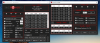
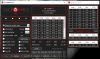
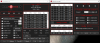
Recently I've noticed that it stopped working, but the PL1 and PL2 are not the issue here (yellow), but what limits me is "EDP Other" (Red) in CORE, GPU, and RING. My CPU will boost up to about 17W but nothing else. It usually would let me run it as high as I wanted (40W) until it crashes due to temperature. I downgraded my BIOS just in case since the newest BIOS blocks Undervoltage from being applied. I've tried removing IDPT and having it installed but nothing changes.
Laptop:
XPS 13 9370
I7-8550U
Windows 10 V2004 - Memory integrity is turned OFF
ThrottleStop 9.2/9.2.2
![[IMG]](images/storyImages/T49rT6E.png)
![[IMG]](images/storyImages/vg3Yiqb.png)
![[IMG]](images/storyImages/LUi5WyB.png)
![[IMG]](images/storyImages/OXGYLK0.png)
The ThrottleStop Guide
Discussion in 'Hardware Components and Aftermarket Upgrades' started by unclewebb, Nov 7, 2010.




![[MeMyself]](images/avatars/[MeMyself])

