 Problems? See this thread at archive.org.
It is possible that the U series CPUs ignore this setting. I do not have any documentation for this stuff. When a new feature helps some CPU somewhere then I keep it. @Krzyslaw likes this feature for his 10875H.
You just reminded me that I have not yet added TVB and V-Max reporting to the log file yet. I like your squiggly line graphs but I have a soft spot in my head for a TS log file full of numbers. A math geek at heart. After I add this to TS tomorrow, maybe you can run a log file for me then.
-
-
I also like this feature, it's still better to have it and not use it, than require it but not have it.
Also +100MHz is also a little performance boost - it's free, so no reason to complain joluke likes this.
 -
For me disabling TVB in FIVR removed all signs of TVB limit reason. So I am happy with that.
Maybe U cpus ignore this as @unclewebb said.
Also we need to remember that all 10875h are ugly brothers of 10980hk and maybe can have access to more stuff. -
@unclewebb I may have underestimated the V-Max Stress feature entirely. To your knowledge; does V-Max Stress apply strictly to CPU voltage control or is it a broader throttle limit that could also affect GPU power?
Here are my observations today:
Previously if I pushed my RTX2070 past ~1665MHz @ .768mV I would get Yellow (and occasionally Red) PL2 Limit reasons under Core both in benchmarks and gaming. PL2 is set to 4095. I could see 'Board Power Draw' in GPU-Z bouncing between ~110-115W when this happened. TDP for my RTX2070 is 115W. To avoid this Limit Reason showing up again I undervolted the card right at 1650MHz @ .762mV and would never see PL2 Limit again. Load temps peaked around 68C even after hours of gaming. This has been my 'ceiling' for months.
Upon ThrottleStop 9.2.9.4 installation I saw V-Max Stress box checked. So naturally, I unchecked.
I then accidentally de-selected my custom MSi undervolt curve and noticed something amazing on the stock/default voltage setting. The Board Power Draw was living in the 115-120W range consistently and PL2 Limit was NOT triggering anymore. The only change; V-Max Stress disabled.
I ran about 20 3DMark benchmarks with no undervolt and then higher undervolt values to verify the card's new power overhead. Not once did PL2 appear.
I then slowly upped my limits to 1840MHz @ .881mV and gamed for 1-2 hours to see if it would crash. My card has never run the core at this speed consistently and been able to maintain performance. It used to crash or downclock the GPU core!
Playing MW: Warzone the RTX2070 now lives in the 114-120W range ~1750-1840MHz with ZERO throttling. FPS are 20-25 higher overall! Granted, temps peak closer to 73C now but there is NO throttling of the core!
I seriously feel you have breathed new life into my laptop. Specifically the RTX2070 as PL2 Core seems tied between CPU Short Power Limit and the GPU's overall Wattage draw. I hope that all makes sense and would love if anyone else with V-Max Stress feature can verify this correlation?Last edited: Jan 5, 2021tilleroftheearth likes this. -
@4W4K3, great discovery! But where are the pics?
@unclewebb loves his screen snips! Please oblige him when you can!
-
Considering your test results, I think we both have.
Have you done any A-B-A testing where you go back and tick the V-Max box to see if throttling starts again like it used to? Have you done anything differently lately like checked the Disable and Lock Turbo Power Limits box when previously you did not have that checked?
In theory, the V Max setting should not have any control over your Nvidia GPU. With those kind of results, something must be going on. Hopefully you can do some more testing to try and isolate and confirm this. You are probably going to be too busy gaming. I will put V Max adjustment on the keeper list.
You know me too well.
-
I will continue testing this evening! I have to run to therapy
in a few minutes but managed this very lackluster screen grab to show the GPU-Z and TS Limits box after 30 minutes of WarZone play.
I can run V-Max enabled and get the PL2 to show up and hopefully get actual desktop screenshots to share this evening. The GPU performing better does seem too good to be true but I’ve literally never been able to game at anything over 1665MHz previous to 9.2.9.4! It is performing very consistently higher now! All other TS settings have remained the same to include D&L TPL box.
-
It is like a Christmas miracle. All young boys dream of a CPU running at its full rated speed, an all black Limit Reasons window and a GPU that has just found a new life. No hurries for updates. I am loving the moment. Maybe a few other goodies I have hiding in the Disable and Lock feature are helping the cause. Let's see what you can figure out.
-
Ok I will add my 2 cents here.
This resaults are very good. I have found out on Msi 10th gen laptop that disabling speedstep in bios and leaving only enabled speedshift in bios gave me around 900 point in fire strike combined test. This some crazy **** there as speedstep enabled + speedshift enabled both in bios gave me around 9.9K-1.2k. Only speedshift enabled 10.9K-11.1k in combined.
As for VMax in fivr I didnt pay attention to gpu clock on my 2080S but will check.
I have an idea that maybe all settings and disabled locks in fivr worked somehow like an asrocks BFB boost which gave higher cpu frequency which gave higher fps and utilization which gave the gpu ability to clock higher. I don't know, just blind idea which maybe needs correctionpressing likes this. -
Well now I am perplexed.
I ran 2 FS tests with 9.2.9.4 both Enabling and Disabling V-Max Stress and an identical custom undervolt MSi Curve. No PL2 Flag. Scores: 17582, 17583
I ran 2 FS tests with 9.2.9.4 both Enabling and Disabling V-Max Stress and an identical Default MSi Curve. No PL2 Flag. Scores: 16562, 16761
I ran 2 FS tests with 9.2.9.0 (I left V-Max On before the version switch, and it's not viewable in this version so "On") 1st Default Curve then Custom MSi Curve. No PL2 Flag. Scores: (D)16739, (C)16962
This is confusing as the last 2 tests are identical to how I ran my system for a few weeks/months trying to avoid PL2 Limit and was consistently seeing PL2 Flag in the Final test of FireStrike on Default.
Now my only theory is that because I have updated Nvidia drivers a week or so ago from "DCH" to "Standard" this limit may have been affected? Or the sensitivity to flag this Limit changed due to GPU driver? Literally nothing I do is triggering PL2 now in benchmarks or in game. It is the only OS/software change I can think of that is different from then to now. I crashed so many times trying to run a higher frequency on GPU, even with more voltage.
I ran DOZENS of 3DMark tests previous to this driver change that triggered the PL2 Flag in the final test of FireStrike. A more diligent me would revert drivers and continue testing, but I DDU and NVCleanInstall a custom version to delete telemetry and other components and I honestly do not have the energy to A-B-A test that driver as well.
We can all also laugh at me for not understanding how the TS Log feature works yet. I thought I was saving a Log each run, but when I view Log folder it is only a single file? At any rate, no Limits were ever flagged for anything today during all testing.
Here is my ashamedly scatter-brained logs from the dozens of tests I ran in the past where I notated (if you can decipher) each time PL1 or PL2 was triggered in FireStrike and TimeSpy 3DMark runs. Also probably my need for that therapy I mentioned HAHAHA!
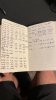
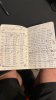
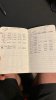
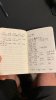
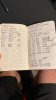
If this helped anyone I am both surprised and delighted. If not sorry for cluttering up the thread!Last edited: Jan 5, 2021dmanti, Papusan and tilleroftheearth like this. -
ThrottleStop 9.2.9.5
https://drive.google.com/file/d/1oW32KemxX6Ko8aNKUyY9KUa_YG9FtGwr/view?usp=sharing
New Features
- added reporting and control of Thermal Velocity Boost and V-Max Stress.
- added TVB and VMAX to the log file.
- fixed log file data writing so log file data gets written to the correct day.
- added a long term TS Bench test and updated the TSB user interface.
@4W4K3 - When programming, I just sit down and start writing code off the top of my head. I quickly lose track of what I have written let alone when I wrote it. It is all kind of a blur.
I remember finding some power limit that looked unnecessary so I think I added some code to the Lock & Disable function to take care of this problem. If anyone checks that box, I assume that less throttling will make them happy. Whatever I did might have changed when the power limits get tripped. It could be that or a GPU driver change or who knows. You could clear the Disable & Lock option, reboot, and do some more testing but why bother. If your computer runs better, be happy and leave it at that.
Edit - I had a look at your attachments. That looks like my programming planning book.
When my brain gets overloaded, I download some random thoughts onto what ever piece of paper is close by. This becomes a pile that I can go back in time with. My search feature is not that efficient. The good old paper and pen days. Maybe I should learn how to use a computer!Last edited: Jan 5, 2021FrozenLord, t456, cfe and 6 others like this. -
Hey, not sure if this has been confirmed here yet but I've just heard from intel support that the 11th gen processors are not affected by SA 00289 yet FIVR is still not available in TS. Do we think they have just disabled it across the board then regardless?
-
The 11th Gen U and G series that I have seen no longer allow software voltage control. This feature is not available. The voltage control register still exists but software cannot read or write voltage information to or from this register. Intel's fix is like cutting off a patient's arm because he has a problem with his fingernail.
I personally think this feature will magically return when the higher cost unlocked K series are released. The mobile H series could be included too. Intel's plan might be to set up a website where you can go to have this feature unlocked. Remember to have your credit card / PayPal info handy.Last edited: Jan 6, 2021Papusan, dmanti, FrozenLord and 1 other person like this. -
Hmm so looks like their idea of "not affected by it" does just mean, they have disabled the feature that would allow it to be exploited rather than any other person's understanding of "not affected by it" meaning it's been fixed. That's a shame as many people with the "cheaper" ones like in laptops would need it to keep the temps down. Should really leave it up to the user tbh if they want to take that "risk"
-
Hey hey it's me again! First of all I wish you all a happy new year! With the recent vacations I had some free time to mess around a little more with my Dell 5290.
After some digging, I figured that the settings at the top of the TPL window were actually modifying the MSR_PKG_POWER_LIMIT register. I would now really like to know a little more about the other two unique sets of turbo power limits. Could you please give me a little more detail on this matter? Or could you please give me some hints as to where I should look to find more information on this?
Thanks a lot! -
I have already told you what is important. I cannot give all of my secrets away. Dell uses the EC to enforce the TDP limit. Long term, this tells the CPU not to exceed whatever the rated TDP is. There is no easy way to fix this type of power limit throttling. Many Dell laptops do this type of throttling while many laptops from Dell's competition do not do this. If this is a problem, you need to shop elsewhere next time.FrozenLord, Papusan and tilleroftheearth like this.
-
Greetings, is this the right place to ask for help with what seems to be a CPU throttling problem? I've engaged Lenovo Premier Support but so far they have been unable to help me.
Problem Description
I have a Lenovo ThinkPad X1 Yoga 4th generation laptop. The CPU is an i7-10510U, integrated graphics only. Over recent weeks I've been seeing some extreme throttling, lasting what feels like about around 5 to 10 seconds, where the CPU speed is reported as 398.94 Mhz and the PC struggles to even draw the mouse cursor as I move it across the screen. During these episodes I see this:
I can't find the image upload button, so I uploaded it here:
https://www.mediafire.com/view/cj7r1fj1jzjrley/lenovo_throttle_2021-01-08.png/file
FID column is all 4.00, PL1 is showing red in both the Core and the GPU columns in the Limit Reasons window. Temp is 63degC. PKG power 4.9W
Background Info
I've examined Task Manager and there does not seem to be any processes maxing out the CPU during these episodes, so I started monitoring it with HWMonitor, and then more recently I switched to monitoring it with ThrottleStop. This Windows PC also has a Linux VM guest running under Virtualbox. These low performance episodes seem to frequently occur during periods of low stress, like light web browsing.
Since I switched to Windows 10 version 2004, I seem to have lost the ability to modify CPU performance settings under Control Panel, Power Options, Edit Plan Settings, Change Advanced power settings. At the moment I'm on the Balanced power plan. Now when I click on the Power icon in the system tray, it seems to be inconsistent about offering me a slider where I can choose "Best performance", but I always leave it on "Best performance" when I'm plugged in to AC power.
ThrottleStop Measurements
I took some ThrotteStop logs this morning and stopped them a few minutes after one of these episodes ended. I think it must have been at 11:21am:
https://www.mediafire.com/file/22duya2grrfhzcy/2021-01-08_evidence.txt/file
This happens frequently throughout the day. Most of the day the laptop is docked in a Lenovo Ultra dock, which has a 135W power brick. The laptop has its lid closed as I use two external monitors (4K, 1080) instead. The ambient temperature in my office right now is 28 deg C. Turning my room aircon seems like it may make it happen less often.
My Question
Seeing as the CPU temp is only 63 degrees during these episodes, I'm wondering if Lenovo have just misconfigured the thermal management. I should like my laptop to get a lot hotter, and run the fans faster and louder before it inflicts me with such bad performance. Can I do anything to fix it?Last edited: Jan 8, 2021 -
@Rohan2, Are you running any Lenovo control software on your computer? Anything that controls fan speed or anything like that. Some manufacturer's software like this is extremely buggy. Try uninstalling any Lenovo software that might be related to this.
Someone at Lenovo screwed up. The long term turbo power limit is being set, likely to 0 Watts. This causes constant power limit throttling.
Start by scrolling up to the top of this page and grab the latest version of ThrottleStop.
The 10510U has a 15W TDP rating but it can perform much, much better when this is increased. In the ThrottleStop TPL window, I would set the long term turbo power limit to 40W or maybe 45W and the short term limit to 50W. The CPU can handle this. Your cooling system is tapped out at 50W. You can go more conservatively if you want. Clear the Clamp boxes and check the Lock option in this section. You want to lock the power limit register so Lenovo cannot screw around with it. You should also check the FIVR Disable and Lock Turbo Power Limits option. Run another log file and see if this problem is still happening.
I used to have good luck with Lenovo. Sure they came up with some ridiculous throttling schemes but they were always nice enough to leave them unlocked so it was easy to overcome these limitations. Hopefully you have some luck sorting this out. Post some more screenshots of the FIVR and TPL windows.
www.imgur.com is not a bad site for hosting images. I do not think you need an account there. You can upload as a guest. -
Hi @unclewebb, no, I'm not intentionally running any Lenovo fan/thermal/power control software. When I look in the list of installed apps, there isn't anything that matches that description. This is however, using Lenovo's original system image, so there may well be some drivers I don't know about. The Lenovo tech made sure everything they thought was relevant was up-to-date.
I do have Lenovo Vantage installed, which does the automatic driver updates. In that app there is a "My Device Settings" area and there is a section called "Power Smart settings". Under that heading is "Intelligent Cooling" but there a no settings to adjust in there at all. Not even an off switch. Perhaps it's just window-dressing. I'll show you a screenshot, because it just directs the user to look at the WIndows battery-icon:
https://www.mediafire.com/file/n8desvckaqcy54a/lenovo_vantage_intelligent_cooling.png/file
Interestingly, right at the moment, clicking on the suggested icon does nothing at the moment. I suspect that will change after a reboot.
Here's what the TPL window shows, before I attempt any changes:
https://www.mediafire.com/file/jdu5rc1whc30k28/ThrottleStop_yqCBbboELy.png/file
Here's the FIVR window before I attempt any changes:
https://www.mediafire.com/file/ewx3e98mi1j3z7k/ThrottleStop_fivr_initial.png/file
At the moment in the TPL I'm seeing 51 in the top right hand corner and 51 beneath it, i.e. "Turbo Boost Long power Max" and "Turbo Boost short power max". On your advice I've changed them to 40 and 50 respectively. Is that what you were referring to?
I'll give your other recommended changes a go as well and let you know if it helps.
I've also uninstalled Lenovo Vantage for now, as well as Lenovo Vantage Service using the Uninstall apps part of Windows control panel. I also did this, "From Device Manager, expand the System devices category. Right-click System Interface Foundation V2 Device, and then choose Uninstall."
I thought it was interesting that TS has SpeedStep ticked, but not "Speed Shift - EPP" as I had heard that the latter was the more modern technology. Is that worth experimenting with?Last edited: Jan 8, 2021 -
Whenever a manufacturer comes up with a feature and names it "Intelligent Cooling", that automatically translates in my mind to unintelligent throttling. I avoid any manufacturer's software.
Windows is capable of managing Speed Shift values on most modern laptops. If Windows can handle the Speed Shift EPP value, there is no need to also check the Speed Shift EPP setting in ThrottleStop. You do not want two different programs writing different data to the same CPU register. Open the FIVR window. It will show you what EPP value the CPU is using in the monitoring table. Move the Windows power slider in the system tray back and forth and you can watch to see how EPP changes. That test will confirm if Windows is aware of Speed Shift EPP.
Yes. Those are your turbo power limits. Somewhere around 40W or 45W or 50W for the long term and 50W for the short term. If you want less heat and less performance, you can lower these to whatever you like.
Checking the FIVR Disable and Lock Turbo Power Limits box is the most important thing to try. Post another log file after you do that. Also remember to set the Lock option on the turbo power limits register. This is the box closest to where you set your turbo power limits.
![[IMG]](images/storyImages/3YxmLnd.png)
To summarize, your data and screenshots show that your computer is screwed up. It is setting one or both of the turbo power limits to 0. This results in extreme power limit throttling down to a hair under 400 MHz. Kind of pathetic in 2021 for CPUs to be running at that speed. Hopefully you can solve this problem with ThrottleStop.Last edited: Jan 8, 2021Papusan likes this. -
ThinkPad E14 user here. To stop the power limits being mucked up, disable Intelligent Thermal Thermal Service from Win+R > Services.msc
And set Lenovo Intelligent Thermal Solution service to Manual or disabled. As unclewebb said, the next most important thing is to go to TS > FIVR > and check "Disable and Lock Turbo Power Limits" - that gets rid of the default PL1-23W and PL2-29W limit for me.
You'll note that the Intelligent Thermal Solution changes a few things in the power slider: 1. Changes PROCHOT throttling offset. 2. Changes Fan profile. 3. (on some Lenovo Systems) modifies CPU PL1 Power Limit. By disabling that service, you set the PROCHOT limit and fan curve is set to the BIOS Default.
Lenovo changes the PROCHOT offset in CPU MSR Register 0x1A2, and the fan profile is changed in the Embedded Controller. Fortunately, both are fully accessible by normies like us. IIRC Lenovo also sets the default PL1/2 limits in MMIO address FED159A0 but I can't verify.
Where a register value of 00 = default, 05 = Quiet, 04 = Aggressive, 01 = Very aggressive -
For some reason I'm unable to edit values in TPL. For example, when I try to uncheck the the lock box nothing happens. I'm running the latest beta. Thanks.
Edit: I rebooted my pc and I am able to change values. However, I cannot uncheck the turbo boost long power max. The check persists during reboots.
Sent from my Pixel 4 XL using TapatalkLast edited: Jan 8, 2021 -
The long power max check box has always been enabled, all of the time. No reason to disable this. You can set the power limit as high as 4095 Watts. That should be more than enough. Why do you need to disable a power limit that you have full control of? I have seen some guides that recommend disabling the short power limit. Once again I ask why? Leave these limits checked and set the two turbo power limits appropriately.
If you ever use the Lock option to lock the power limit register, with the latest version of TS, you can unlock this in the TPL window and then you will have to reboot so the CPU can unlock this register. If you have a BIOS that locks the power limit register, you are out of luck. Unlocking it with ThrottleStop will not do anything if the BIOS immediately locks it when you reboot.
@Che0063 - Good to see that your Lenovo laptop can still be fixed. So many Dell laptops are locked down so you have to accept whatever performance they decide to give you. Not an enthusiast friendly brand anymore.Papusan likes this. -
Thank you. So would you suggest that I set both to 4095? This is for i7-6700hq ups 9550.
Sent from my Pixel 4 XL using Tapatalk -
You can if you want. Does your laptop have any power limit throttling issues or thermal throttling issues?
The 6700HQ has a 45W TDP rating. The max power consumption is probably somewhere around 60W. After that, whether you set these limits to 60W, 100W, 1000W or 4095W will make no difference. These are just power limits. Your CPU will not suddenly start consuming 4000 Watts if you set these too high. The CPU checks this limit when deciding whether to use turbo boost or not. If CPU power consumption is below this limit, the CPU gets to use full turbo boost. If the CPU is trying to run over this power limit, the CPU will reduce the CPU speed so it does not exceed this limit.4W4K3, Papusan, tilleroftheearth and 1 other person like this. -
@unclewebb
Hello, I have Acer Aspire E15 E5-575G with Intel i3 6100U @2.3 GHz. Normally I don't have problems with temperatures, but I have made undervolting that the system can better work. What I see till now that my laptop works better with option Shift Speed activated on value 84. I didn't change to much, only voltage of Core cache and integrated intel graphics (I have also 950M). I'we used Balanced mode and this thing is in middle.
When I deactivate Speed Shift option - PKG Power is not so still and varies from 0,8 - 1,5 W. But with Speed Shift 0,6 - 1,1 and goes much faster to 0,6.
I installed all the drivers for this laptop 1 hour before, till then PKG Power was minimum 1,5 W.
Can you please recommend me if I need anything else to change in this settings or I can leave it ?
https://ibb.co/r7gyVYB
https://ibb.co/Qd1f79M
https://ibb.co/XpXHDJM
https://ibb.co/25sb9jn
https://ibb.co/KFfqpGz
https://ibb.co/N96KdBs -
@Robert Pavic - When you undervolt the Intel GPU, you also have to undervolt the iGPU Unslice to the same value. If you also have a Nvidia GPU, I would not bother undervolting the Intel GPU. It will not help very much and it might cause instability.
Newer computers automatically enable Speed Shift in the BIOS. Your computer does not do this so you should check the box,
Enable Speed Shift when ThrottleStop starts.
The package power number that all software reports is not accurate. This number is not measured power consumption. It is only an estimate of power consumption that the CPU calculates. This number is used to manage the turbo boost feature which your CPU does not use. When idle, it might not be very accurate.
I would clear the BD PROCHOT box. Your CPU will slow down if it gets too hot whether this box is checked or not.
Your computer is running Prime95 at full speed. Everything looks good.Papusan and Robert Pavic like this. -
Do you happen to know whether Dell Power Manager uses these values when switching thermal profiles? I'm not convinced setting it to quiet or cool mode actually reduces the speed as its often up in the 2-3Ghz. I've just tested the windows slider and the EPP changes in TS but doesn't when using Dell Power Manager, looking to confirm whether it is working
-
Thank you for help. I did both things with Speed Shift enable at start, and BD PROCHOT cleared.
Should I change anything in TPL ? And I didn't ask, what does it mean in LIMITS: PL2 ? -
I have never used Dell Power Manager so I do not know what it does. Windows works OK for me. I never have a need for multiple layers of control software running on my computer. Keep life simple. Get rid of any software that does not do anything.
Your screenshot shows that when running Prime95 your CPU is only at a maximum of 12.3 Watts. There is no need to increase your power limits. Your CPU is running at its full rated speed with the multiplier steady at 23.00. That is max for your CPU.
PL1 is the long term power limit and PL2 is the short term power limit. Some CPUs trigger these messages when lightly loaded or when first booting up. Nothing to worry about. Your CPU is running great.Papusan, dmanti and tilleroftheearth like this. -
I will make this post here to warn other people about the possible problem that your Dell G3 notebook may have.
It is very simple but pay attention if your video cable is passing through the right place, in mine it came wrong and condemned it to die in my hand eventually. It came from the factory outside its proper location and because of that it kneaded every time I opened and closed the lid, what should i be able to do without any problem according to the manual. Eventually the cable peeled off and shorted the motherboard, killing it.
Although it seems like an isolated case just with me, I suggest that whoever owns a Dell Gaming notebook should pay attention to this because it will break while you work internally on the notebook. In my case, technical assistance didn't even let me explain, they just took the guarantee and said the amount to pay for the repair. This is where the problem lies, they acted as if it were a recurring thing. They didn't even want to try to know how the motherboard was, their first actions were to take my warranty and pass on the exchange value of the motherboard, as if they already knew the exact problem I had. It was all very strange and I am very convinced that it is indeed a recurring thing and that you should be careful not to lose your notebook forever.
I only know this forum for notebook so if it is not appropriate here I apologize. I just want to share it so that no one else gets ****ed in the hands of Dell.
(I used Google translator so try to ignore grammar mistakes.)
(I Will not comeback here because its a pain in the ass to write here using my cell phone)tilleroftheearth likes this. -
An update concerning my Lenovo X1 Yoga G4:
@unclewebb, I don't recall any 400Mhz episodes since I applied the changes you recommended. Thankyou for your expert help. Today, with 27 degrees ambient temperature, I can see that the Thermal light comes on momentarily in the Core column of the Limit Reasons window and PL1 and PL2 stay mostly unlit. This seems more sane.
Concerning the EPP feature I asked about, I can confirm that moving the battery icon slider in the system tray does indeed change the "Speed Shift EPP" value shown in the FIVR window. I've left the ThrottleStop "Speed Shift - EPP" checkbox unticked, as I'm content to let Windows control it.
@Che0063, I'll definitely try disabling the Lenovo Intelligent Thermal Solution service.
If this proves fruitful, I wonder if the Lenovo Premier Support people will have sufficient
access to the Lenovo engineering team to get this fixed. Let me know if there's something
specific I should ask them to change.
Thanks for the fan control info. Back when I was mastering some audio and needed a few minutes of total quiet, I experimented with the TPFanControl utility. I haven't used that tool for ages but perhaps I'll try loading that again if I need to tinker with fan speeds.Last edited: Jan 11, 2021 -
Here's the log of a full day's work with Lenovo Intelligent Thermal Solution service disabled and unclewebb's settings applied, that is, TBLPM at 40W, TBSPM at 50, with lock checked and "Disable and Lock Turbo Power Limits" checked.
https://www.mediafire.com/file/g95v6bwb7efyb8w/2021-01-12.txt/file
Subjectively, I didn't experience any slowdowns during that day. Ambient temperature in my office was around 27degC.
Are these temps healthy for my laptop? -
@Rohan2 - There is something wrong with your laptop. Even when idle, power consumption is over 20W. For comparison, my desktop CPU has 10 cores, idles at 5000 MHz and only consumes 1 Watt.
Open up the ThrottleStop C States window and post a screenshot. It seems like all of the low power C states are disabled. When idle, you should see the cores spending 99% of their time in the low power C7 state.
Whenever there is any load on your computer, the CPU temp is constantly in the 90°C to 100°C range. Your laptop is definitely not for me. Hopefully we can figure out why it is sucking so much power. Battery run time must be miserable.Papusan likes this. -
Here's the C States screenshot:
https://www.mediafire.com/file/981rnqvndxgsfue/ThrottleStop_c+states.png/file
I presume USB peripherals have no effect on the PKG power draw figure shown within ThrottleStop? I tried unplugging my audio interface, but it seemed to make no difference.
The laptop does have miserable battery runtime. I put it down to the higher-brightness internal 4K display panel, but your comments lead me to think it might be something else. I assume that the internal 4K screen would not have any power draw whilst the lid is closed and plugged into the dock.
Disabling C-states sounds like something I would be interested to try to reduce clicks and pops (due to latency spikes) while playing software instruments, but I don't think I every found an option to do that, so I don't think it was caused by me.
Perhaps I'll make some software changes (disabling Virtualbox etc) and see if anything will make the PKG power number go down.Last edited: Jan 13, 2021 -
Thank-you for the prompt response and I apologize for my own lack there of. Is FIVR control at all tied to the IME version? I recently updated the firmware separately from the BIOS simply because I could. I thought I'd outgrown such foolhardy behavior.
May I also say that Throttlestop is second to none, and your dedication to its continued support practically unheard of. -
@unclewebb Can you tell me how can I see wich Speed Shift EPP value is using my laptop ?
I'we tried to see that in FIVR and changing slider where battery performance is, but I don't see any number in FIVR setting for SpeedShift EPP. When I activate it in ThrottleStop then I can see it of course. I have seen in HWINFO that my laptop has this option called "SST". I'm trying to see diference when I activate it in ThrottleStop and when Windows is in controll. -
When Speed Shift is enabled and you move the Windows power slider back and forth, does the EPP value that the CPU is using change? Make sure when testing that Speed Shift EPP is not checked on the main screen of ThrottleStop. If Windows has no control over EPP then you will need to check and use the Speed Shift EPP option on the main screen.
If the BIOS does not activate Speed Shift automatically then instead of a number in the FIVR table, nothing will be displayed for Speed Shift EPP. As soon as Speed Shift is enabled, you will see SST in green on the main ThrottleStop screen. You might have to restart HWiNFO before this is updated.
Once Speed Shift is enabled, you need to reboot to disable it. This means that if the BIOS always enables Speed Shift, there is no easy way to disable Speed Shift.
I am not sure about that. Did you update your IME version and lose your ability to undervolt? For the last year I have been very careful not to allow any updates to interfere with CPU voltage control. Mostly good luck, not skill. With all of the updates, it is like walking through a field full of land mines, just waiting to break your computer.
The power number ThrottleStop displays is only for the CPU. Perhaps VirtualBox is a pig.Papusan likes this. -
It does not change. Here are the pictures of it.
https://ibb.co/JvbshZj
https://ibb.co/xFfdM4G
And what's the difference when is button TURN ON like on screenshoots ? My notification icon is currently green, and when I activate it, then is RED.
And in TPL - by SpeedShift there MIN MAX value should I leave it as default 1 - 255 or ? -
Your BIOS does not automatically enable Speed Shift Technology so you need to do that first in ThrottleStop before you can do any testing. ThrottleStop needs to show SST in green before you start testing. Now you can move the Windows power slider back and forth and watch the FIVR monitoring table to see if Windows has any control of the Speed Shift EPP value. If Windows has no control over EPP, then you need to check the Speed Shift EPP option on the main screen of ThrottleStop and set this to whatever value you like. If the Windows power slider can control the EPP value after you have enabled Speed Shift, then you do not need to check the Speed Shift EPP option in ThrottleStop.
The Turn On Turn Off button controls the Set Multiplier and Clock Modulation features. If you are not using those features then it does not matter what color the system tray icon is. I turn that icon off so I never have to look at it. Go in the Options window and turn on CPU temperature monitoring so at least you have something somewhat important to look at.
Speed Shift Min and Max values of 1 and 255 are fine. The 6100U has a maximum multiplier of 23 so you could set Speed Shift Max to 23 but it really does not matter. Setting the Max to 23, 123 or 255 all tell the CPU to use the maximum multiplier. I think the minimum multiplier for your CPU is 4. You can set Speed Shift Min to 1, 2, 3 or 4 and the CPU will use whatever the minimum multiplier is.tilleroftheearth likes this. -
Hello, im using a Dell G7 Notebook with 1060maxq 16GB of ram and i7 8750h.
Usually i let undervolted in -0.1v but it goes -0.140v and works nicely.
Im using GPU Tweak II to put the temperature limit of my GPU on 90~94ºC (cuz by default i guess that was around 83~84º since is a gamer hardware constantly i had higher temperatures than that which was giving me a lot of FPS Drop) and im using XTU to do the undervolt.
I already tried to do a lot of things so i can play in peace, currently im using Dell Power Manager to set in on "Lowest Temperature" so i can play nicely, which is good but i can do anything with the notebook (like streaming for example) since when i go out of the game or let something running on the background the processor just cant take it and goes t 798mhz (minimum clock possible).
I already tried:
=> Disable Turbo (works but the GPU became limited since turbo is disabled for CPU and GPU together)
=> Disable SpeedStep/Shift (works but the clock is locked on non-turbo clock 2.2GHZ but the GPU works with turbo)
=> Undervolt
=> Change Windows Energy Plan configuration (i had to put in 98%, since 99% or 100% it recognizes at full and let the turbo on which goes for the turbo clock of 3.8~4.2, in 98% it goes for 98% of normal clock which means that 2.0~2.1 ghz)
=> Using Throttlestop
Im not used to voltage and throttlestop but i saw A LOT OF VIDEOS and tried to configure in a lot of diferent ways BUT ALWAYS without fail it goes for minimum clock after a while playing (like 2~10min) and stays there...
The only thing that i need is set the clock to 3.0~3,2 since most of the work is made by GPU but i need some juice on processor to acompany that which im not getting hence the minimum clock, im just dont know what im doing wrong. -
You shouldnt need to temperature limit on anything if it gets hot it will throttle.
8750H can do -200mv in my case but if it can not do -140 set it to -130 or something Dont set it much higher than it can do.
Why do you want to lower performance you get minimum clock because you set pc to those i get 3.9Ghz on all cores all the time on 8750h if the temps get high you need to repaste and clean the fans when they get dusty they barely push air.
Check the limit reasons when it is throttling on throttlestop and gpuz.Last edited: Jan 14, 2021 -
@berkkocaturk - You have a MSI laptop with a 8750H. It probably runs great. MSI is enthusiast friendly. Even their 10th Gen laptops include options in the BIOS so one can unlock CPU voltage control.
His laptop is a Dell. This company is not so enthusiast friendly. Some Dell laptops have horrible throttling problems. Dell is not great at fixing these problems because most of the throttling that plagues users is by design.
Do yourself a favor and uninstall XTU.
That setting probably lowers the turbo power limits so your computer will throttle like crazy. Set the Dell Power Manager to a performance setting. You have changed a lot of different things and have not solved anything so you need to go back to default settings for everything.
If you need help with ThrottleStop, post lots of pictures of how you have ThrottleStop setup. It is impossible to help you with the information you have provided. Turn on the ThrottleStop - Log File option and go play a game for at least 15 minutes. Before you start logging data, go into the Options window and turn on Nvidia GPU monitoring. The log file will show me CPU and GPU temperatures, speeds and what type of throttling problems your laptop has. Attach a log file to your next post. It will be in your ThrottleStop / Logs folder. Make sure the screenshots you post of ThrottleStop have the same settings as when you are running the log file.Papusan likes this. -
Already repaste buddy and i keep the fans clean, i can play some games with a 2.2GHZ and relying on GPU but since is a Notebook not a desktop the video is make by integrated graphics and i cant change to dedicated (that im know of) so some games i need a little push on CPU in higher clocks to make company to the GPU.
When it throtlles and i look on the manage task i always see that the integrated graphics is using like 80%+ for some reason, when the thrtolle stops she goes back to 5%-... -
As @unclewebb wrote you need to share screenshots of throttlestop and gpuz windows probably.
You say that it is a repaste but it shouldnt get that hight especially gpu temps since the die is much bigger it has a lot of surface for heat transfer and maxq is using less power and creating less heat is your fans ramp up correctly can you feel the air pushing i feel like this is cooling issuePapusan likes this. -
All the things that i did was one by one, already unnistaled XTU, the Dell Powe Manager in on Ultra Perfomance, Windows plan energy is default, i will do the Screenshots and log file for 30 min here and will put in here, thank you all for the help <3
Edit: Also i just tried to update the drivers (its all up to date) and used CCleaner to clean up the registry entries.
![[IMG]](images/storyImages/T1.png)
![[IMG]](images/storyImages/T2.png)
![[IMG]](images/storyImages/T3.png)
![[IMG]](images/storyImages/T4.png)
Above the Log file. -
A) For speedshift to work you need to enable in tpl
1. Enable speed shift when TS starts
2. Speed shift
B) Why in FIVR you have set the minimum cache value of 30. For this cpu minimum should be 8.
By doing this you are forcing higher voltage in idle.
C) If you downclocked your cpu to 32 on 6 cores and you are reaching 100C than you probably have ****ed heatsink. And there is almost no contact betwean cpu die and heatsink.
My 8 core 16 thread cpu is not even reaching this temps even loaded by TS bench and taking over 100W and I didnt even modded my laptop bottom cover for better air flow. And you are throttled just by 35W.
Seriously I think there is no contact betwean die and heatsink. Quite often with dell ****.
Also buy some thick paste like phobya nanogrease extreem.
D) did you confirm for example with hwinfo that your UV even works?
E) NEVER BUY DELL AGAIN @PapusanPapusan likes this. -
When you post a log file, either attach it as a .txt file so I can download it or copy and paste the data to www.pastebin.com so the formatting is maintained. What you posted is very difficult to read.
My previous comment is 100% true. When your laptop gets to or gets near the thermal throttling temperature, this triggers the EC to drop the turbo power limit internally to 0 or very close to 0. The result is severe throttling so the CPU is left running at 800 MHz. No other manufacturer is doing this. Only Dell. They have replaced the extremely well designed thermal throttling mechanism that Intel created and have come up with their own horribly engineered throttling mechanism. Epic Fail.
The only way to try and avoid this severe throttling is by always making sure the CPU never gets above 90°C. Fix your thermal paste and use ThrottleStop to slow your CPU down to avoid any thermal throttling. As soon as you trigger thermal throttling, your laptop gets side swiped by ridiculously low power limits and there is nothing you can do about it. You can try locking the turbo power limits in ThrottleStop but this usually does not solve the problem. The reduced power limit is being generated internally and there is no easy way to stop this nonsense.
Another user had this exact same issue so they contacted Dell, got the usual run around and at the end of it all were told, it is by design. At that point, dumping it on EBay would be at the top of my things to do list. Follow @Papusan's wise advice.
Papusan likes this. -
A - Ok already tried but was getting throtled more often so i disable and then enable and tried out a bunch of setting but will leave as you say
B - I jus wanted to my notebook being between 2.2 and 3.2 was fine by me...but when i got PL1 the whole notebook appears like it was made in 2005 cuz it turns out SO SLOW....i repasted it on a store in my city that is the best at techs opinion (mine as well) they used a silve based i will try do it again.
C - I guess its a problem on Turbo Boost...when i disabled it i can go like 50~70 at 2.2 but when my gpu starts to heat up my processor unfortunately does the same and so it get like 90+ cuz of this.
I have a support Octo Support and my notebook stays out of the surface 5~10cm and in 40~60 degrees inclined with no obstacles behind since is where the air goes out in G7 7588 (my model)
Im using Asus Tweak so i can put my Gpu a little higher on temperature to play a bit cuz dell puts like 80-ºC which was giving me throttle like 5s out of 10s...
D - Yea its working im not using HWInfo tho, im using HwMonitor but its working alright.
E - Best advice auehaeaue, unfortunately i bought from dell my whole life but this new generation not the best way to go at my opinion, they tried so much to do things different from others that they ended up fu***ing the whole thing.
In my tests the best thing for me was like speedstep and shift off so my system stays on 2.2 and my GPU can use the TURBO, cuz if i disable the turbo, it disable for CPU and GPU but in some games i need more than 2.2ghz and with this clock i can play most of the games..but i cant stream them...
I was thinking in buy a monitor (simple one 60FPS) just to put the HDMI and my video can work with the GPU since my video on laptop is processed for the CPU (Intel Graphics)
This notebook was a disaster...so much problems that omg...not even worth it to have it...
I can have any problem by disabling the speedshift/speedstep on my bios but putting my notebook on a higher cache ratio that 2.2 (normal clock) on TS? -
Hi All,
Currently doing some optimisation in ThrottleStop for my i7-9750H. This is installed in a CyberPower Evo III (MAG clone as far as I know).
I have my battery saver profile set up pretty well for when I'm on battery and working but am now working on the performance profile and could do with some advice and feedback. I am getting some power and occasionally thermal throttling.
Some key settings:
- Speed Shift EPP is currently set to 110, ideally I want it lower but I have it set there after some cinebench testing to avoid thermal throttling.
- Speed Step unchecked
- My undeevolt is set to -100 on both Core and Cache (set this on Bios not in TS)
- "Disable and Lock Turbo Power" checked
- Long Power max is set to 65 by manufacturer
- Short Power max is set to 90 by manufacturer, I've set the time limit on this to 48 seconds down from manufacturer 96.
Some questions:
1 - My best cinebench r23 score has been 7000 multicore. This was achieved with a 0 Speed Shift value, but the CPU was constantly thermal throttling. I assume this isn't a good idea?
2 - With my current settings I get about 85C during cinebench run, but I do still get power throttling to get it below the 65W. These PL's seem quite high compared to some other values I've seen. Are they safe? Should I consider lowering them? Cinebench with these settings is 6727 but slightly lower temps.
3 - Thoughts on the settings in general? Anything I should consider changing?
Appreciate any advice! Essentially I just want to get the best balance of temps, performance under load and consistency.
The ThrottleStop Guide
Discussion in 'Hardware Components and Aftermarket Upgrades' started by unclewebb, Nov 7, 2010.


