Problems? See this thread at archive.org.
In my Dell's BIOS the features look like that:
XTU Interface, VarStoreInfo (VarOffset/VarName): 0x69D, VarStore: 0x1, QuestionId: 0x44E, Size: 1, Min: 0x0, Max 0x1, Step: 0x0
0x4101A One Of Option: Disabled, Value (8 bit): 0x0 (default) {09 07 04 00 30 00 00}
0x41021 One Of Option: Enabled, Value (8 bit): 0x1 {09 07 03 00 00 00 01}
OverClocking Feature, VarStoreInfo (VarOffset/VarName): 0x69C, VarStore: 0x1, QuestionId: 0x279F, Size: 1, Min: 0x0, Max 0x1, Step: 0x0
0x40FBA One Of Option: Disabled, Value (8 bit): 0x0 (default) {09 07 04 00 30 00 00}
0x40FC1 One Of Option: Enabled, Value (8 bit): 0x1 {09 07 03 00 00 00 01}
Overclocking Lock, VarStoreInfo (VarOffset/VarName): 0x5DC, VarStore: 0x1, QuestionId: 0x302, Size: 1, Min: 0x0, Max 0x1, Step: 0x0
0x3DDA1 One Of Option: Disabled, Value (8 bit): 0x0 {09 07 04 00 00 00 00}
0x3DDA8 One Of Option: Enabled, Value (8 bit): 0x1 (default) {09 07 03 00 30 00 01}
CFG Lock, VarStoreInfo (VarOffset/VarName): 0x52D, VarStore: 0x1, QuestionId: 0x301, Size: 1, Min: 0x0, Max 0x1, Step: 0x0
0x3DD80 One Of Option: Disabled, Value (8 bit): 0x0 {09 07 04 00 00 00 00}
0x3DD87 One Of Option: Enabled, Value (8 bit): 0x1 (default) {09 07 03 00 30 00 01}
Afaik: CFG Lock enables software to access certain registers that MacOS uses for power management, so probably not related to undervolting.
The others however should be there for you and did the trick on my device (I did however not check them individually, I.e. maybe not all of them are needed)
Keep in mind that 1) your Variable address might be different and 2) that locks need to be disabled, while features and interfaces want to be enabled.
And as a small hint, I tend to check my variable offsetting by looking for my CPU's multipliers.
Normally, the multiplier overrides are set to the Intel defaults for your CPU, so there are several variables containing more than just Enabled and Disabled, that allow you to check whether the tool you are using is looking in the right place.
In my case:
1-Core Ratio Limit Override, VarStoreInfo (VarOffset/VarName): 0x5D7, VarStore: 0x1, QuestionId: 0x271E, Size: 1, Min: 0x0, Max 0x53
2-Core Ratio Limit Override, VarStoreInfo (VarOffset/VarName): 0x5D8
3-Core Ratio Limit Override, VarStoreInfo (VarOffset/VarName): 0x5D9
4-Core Ratio Limit Override, VarStoreInfo (VarOffset/VarName): 0x5DA
-
-
Can you undervolt a Xeon E-2286m using throttlestop? Thanks in advance.
-
I did a look again through my bios, non of those names exist. They do exist on my Dell G7, my HP x360 though.. there are quite a few unnamed variables so maybe HP's business line leaves them untitled.. -
Hmmm, that's unfortunate.
Just as a crazy idea: you could check what you get for the x-core ratio limit overrides
On my Dell 5290 2in1 and a HP Envy x360 the variable locations were identical throughout the BIOS, but both did have the mentioned variables named in their BIOS.
IF the overrides are located at the positions I mentioned (which was the latest BIOS until one week ago), you could try simply using my variable addresses and adjusting them.
That is a gamble though ;-)ha1o2surfer likes this. -
This one only controls whether the package C states are locked. I guess Apple needs that but no one else does.
Yes you can but you will have to test your computer to see if voltage control is locked or not. It is probably locked. Download ThrottleStop 9.3 and post a screenshot of the FIVR window if you are not sure.
With Dell laptops, you can usually edit a couple of UEFI variables to unlock CPU voltage control. This trick is not for everyone and can brick your laptop if you are not good at following directions. -
I will look! Luckily, I'm willing to chance messing around with variables. Pulling the CMOS battery has always gotten me out of a pickle.
-
OHH I see now. I didn't read far enough into CFG Lock. Thanks!
-
Thanks for all that info, non of those exist in my bios :/ I uploaded my extracted image file with my bios variables.Attached Files:
-
-
I can't find any useful infrmation in that file.
Just to double-check: which specific device are you using? -
HP 830 G7
-
Hi Krzyslaw
I have bought MSI GE75 with 10875H and was wondering your settings?
Thanks for your help
-
I prefer to use Processor affinity in Task Manager. No need to reboot and you can test CPU threads/cores individually. Very useful for stress testing single core stability and avoiding Windows scheduler bouncing between cores.tilleroftheearth and berkkocaturk like this.
-
I am hoping someone can help me out, I have had some major issues the past two days. I had a couple BSOD's: WHEA_PROCESSOR_GENERIC_ERROR_SECTION, and then noticed in my event viewer issues like this "The speed of processor 1 in group 0 is being limited by system firmware. The processor has been in this reduced performance state for 71 seconds since the last report."
I have been using throttlestop since I got this machine (i9 10980hk), and so far have undervolted 60.5mV on core and cache, disable and lock turbo power limits checked, v-max and TVB unchecked, and speedshift set to 0, thats all I have done in throttlestop, and everything was running smooth until today when I got 3 of those BSOD's, then checking event viewer have noticed those kernel-processor-power issues stemming back months, can anyone help me to understand what is happening? any help is greatly appreciated -
Just a guess.
That BSOD error was what i was getting when i had a desktop that was overclocked and the voltage wasn't enough can you disable the undervolt to test or disable TS for a while to see it is from undervolt -60 is very low undervolt but it could happen.BayonetworK likes this. -
thanks man, yes I have removed the undervolt, which I know is not a large value (65mV), and kept everything else the same and have not had that error since, and ran a ton of stress testing/benchmarks, so I guess that must have been it, but why would my processor have an issue with such a small undervolt, I have the i9 10980hk, which is flagship level, so that sucks right?
-
What Windows power plan are you using; balanced, high performance or something else? Windows and ThrottleStop are fighting over control of your CPU. Try using High Performance. Maybe there will be less fighting and fewer complaints in the Event Viewer.
As for a BSOD with a mild undervolt, not much you can do about that. Intel has pushed their CPUs to the very edge of stability. I could overclock my Core 2 Duo E6400 almost 70%. Intel had a huge lead on AMD back then so they did not have to sell CPUs running on the edge of stability.
Times have changed. Now a 5% overclock for an Intel CPU is some sort of big deal. The 10th Gen HK are running on the very edge of stability. The voltage has to be high so they can run reliably at over 5000 MHz. The amount of undervolt headroom has been reduced to next to nothing. Sad times. Try setting your CPU core and cache offset voltages to -30 mV or -40 mV and test for stability. Intel's 14nm technology is long overdue for a replacement.pressing, BayonetworK, Papusan and 1 other person like this. -
Enjoy the future. All fight against each other...
"After all, the manufacturers are taking action against this connection in several places. In this way, more regulation options are also built in on the software side. The OEMs no longer rely solely on the power options provided by Windows; their own "Control Center" with more or less numerous and useful setting options are slowly becoming the standard"
Sense or nonsense - ultra-thin housing with RTX 3080 as in the Schenker XMG Pro 15
How to make your laptop go faster for freeLast edited: Mar 8, 2021Ashtrix and Spartan@HIDevolution like this. -
I actually have ultimate performance profile enabled, and always have, thats what is crazy about it, but thank you for your explaination, perhaps my processor, while being "flagship" simply does not have the headroom to undervolt? as soon as I removed the undervolt, everything seemed fine, so it must have been that. I have not tried an even lower undervolt yet, but will try that to see if that is stable.
-
Is this a known bug on TS 9.3? My C0% on the main screen is stuck on 100 and dont budge. But I'm not doing anything intensive and the C10 breakdown shows some cores in C2 state.
Attached Files:
-
-
I have done lots of testing on my 10th Gen desktop 10850K and I have never seen any C0% reporting issues. Here is an example of a mobile 10750H and everything looks OK.
Intel CPUs use shared monitoring timers. Some other monitoring software running on your computer might be interfering with ThrottleStop getting accurate C0 data from these timers. Try exiting any other monitoring software.
The timers used to calculate C0% are not officially documented by Intel so their functionality can change at any time without notice. ThrottleStop has been reporting extremely accurate C0 data since the first Core i was released in 2008 but that does not guarantee that it will continue to work correctly.
What antivirus or anti-malware program are you using? Are there any virtual machine options that might be blocking TS from accessing these timers? The Windows 10 Subsystem for Linux is known to cause issues with ThrottleStop. What version of Windows are you on? I am running Windows 10 20H2 19042.804.
I am never in a rush to get the latest updates so perhaps something has changed. Let me know if you get this figured out.FrozenLord and Papusan like this. -
Hm, no I don't have any other monitoring software opened. It was definitely fine before on the same laptop but I just noticed today of the issue. Like you said, likely a update that caused this.
I'll play around and keep you updated
Papusan likes this. -
Open a command prompt and check what version of Windows you are on.
The latest update looks like the typical Microsoft swamp. I might jump in head first in the name of science.
https://www.windowslatest.com/2021/...00802-march-update-is-crashing-pcs-with-bsod/
I have entered the swamp.
![[IMG]](images/storyImages/MqRN1ao.png)
Edit - I survived a trip to the Windows swamp.
An 8 Thread TS Bench test on a 20 thread CPU is showing 40% in the C0 state so that is still working for me.
![[IMG]](images/storyImages/SFOHRVH.png) Last edited: Mar 10, 2021tilleroftheearth and Papusan like this.
Last edited: Mar 10, 2021tilleroftheearth and Papusan like this. -
Windows 10 - KB4589212
https://www.windowslatest.com/2021/...-mandatory-windows-10-kb4589212-update-again/
Watch out for Intel microcode updates incoming.
Not sure if they will nuke CPU voltage control on mobile processors. They might.
tilleroftheearth and Papusan like this. -
10tg gen got E0 microcode - this is nothing new, it's available since last few months.unclewebb likes this.
-
It is a re-release. Microsoft is setting the trap for anyone they missed last year.
My 10th Gen desktop shows Microcode 0xE2
tilleroftheearth and Papusan like this. -
so I had an small undervolt that I believe was causing me a BSOD, so I removed the undervolt, then updated windows today, and then had a BSOD again, and then I checked event viewer and saw those kernel warning that I saw before when I had the undervolt, which are:
The speed of processor 4 in group 0 is being limited by system firmware. The processor has been in this reduced performance state for 71 seconds since the last report.
and this one as well:
Processor 5 in group 0 exposes the following power management capabilities:
Idle state type: ACPI Idle (C) States (3 state(s))
Performance state type: ACPI Collaborative Processor Performance Control
Nominal Frequency (MHz): 3096
Maximum performance percentage: 170
Minimum performance percentage: 35
what can be happening here? this is getting extremely frustrating, I have my power plan set to ultimate performance, SST set to 0, disable and lock turbo power limits unchecked, vmax/TVB unchecked, a very nice cooling pad, I just do not understand what is causing this to happen.
on a side note, my overclocked i7 5960x has never once given me this kernel warning and I have had it for years in my rig, but this supposedly insane i9 10980hk is getting throttled on a system reboot, such BS
after rebooting a few times to test a few things it seems that this throttling is occuring upon every single reboot, and about a minute or two after the system enters windows it starts that throttling kernel message. I read that its possibly the bios, but my GE66 has overclocking enabled, and I am not sure if there is something that I need to do (in the bios) to prevent this from happening, but I've never experienced this before with any other machine.
update: it occurs after every system reboot, yet after I ran CPU mark 3x, throttlestop's TS 5x, Cinebench r15 2x, and intel's processor diagnostic tool one time, there were none of these throttling reports in event viewer, so that must be strange? why would it not throttle durring that many intense tests, yet throttle upon reboot?Last edited: Mar 10, 2021 -
I am on Windows 10 Pro 20H2 19042.844. So I restarted and the C0% is back to normal. Very strange...
Got a quick question / suggestion.
In the monitoring table of the main page - is it possible to toggle between threads and logical processors?
Reason being I like to use it to monitor temps instead of opening HWInfo or HWMonitor - but its annoying to have to scroll up and down to see info for all cores.
Since I mainly care about temps - that is going to be same on the 2 threads on each core .Attached Files:
-
-
Double left mouse click on the monitoring table and you should be able to view all threads at the same time without having to scroll.
In the user interface where it shows Max temp, that is the maximum temperature anywhere on the entire CPU package. It might be the highest core temperature or it might be somewhere else on the package that is hot. This temperature data is also reported in the system tray if you have that feature turned on in the Options window. This is the only temperature data that is important. This temperature is the one that triggers thermal throttling.
Whether individual cores are running at 70°C or 80°C or 90°C does not make any real difference. One should only start getting concerned when an Intel CPU starts thermal throttling and reducing performance.
As I mentioned, some of what ThrottleStop does is not well documented. If it seems to mostly work for most people on most CPUs then I leave it as a feature. The C0 data has been very reliable over the years. I will double check the C0 calculation someday soon to see if there is anything that I might be able to do differently.
If some other software on your computer decided to start using a timer that TS was using, that might cause TS to bug out. There is no way for TS to get exclusive access to the timers within Intel CPUs. A bit of a design flaw on Intel's part. There might also be a bug within the timer at the hardware level.Papusan likes this. -
@BayonetworK, check this out.
See:
March Windows 10 update appears to cause blue screen of death when printing | Windows Central
Maybe related?BayonetworK likes this. -
after going through a few forums regarding my throttling issue, I noticed that BD PROCHOT does not necessarily detect the CPU overheating, but that is reserved for PROCHOT, so I may be experiencing throttling due to something else setting off that sensor, although I have temp readings from all the components and do not see anything getting hot at all (at least when idle) so my question is am I able to disable BD PROCHOT without causing any issues and see if that's my throttling problem? If BD PROCHOT is sensing a high temp from say my SSD, it would cause the throttling right? and disabling BD PROCHOT does not effect the PROCHOT sensor right?
-
2x yes
Also BD prochot could be triggered due to faulty battery. -
@unclewebb If I buy a new CPU with an included new PCH, so that I get one boot with Boot Guard disabled, allowing me to remove the MSR locks, would TS support undervolting & power limit changes on say an 1185G7?
Buying a 1185G7 with the upcoming $1400 stimulus check is seeming like an interesting idea. I found 3 sellers:
https://www.itosolutions.net/Intel-Core-i7-11th-Gen-i7-1185G7-Quad-core-4-p/fh8069004529803.htm
https://www.howardcomputers.com/accessories/detail.cfm?sku=33:INTEL99A3W0
https://www.alibaba.com/product-detail/12M-up-to-4-80-GHz_1600149875866.html
This mod has a large chain of "this should work" elements for a $450 expense though. -
Rookie Mistake. My recent Windows update seemed to go OK so I decided to update the BIOS at the same time. Now the Speed Shift EPP option is broken. EPP is ignored and the CPU runs at full speed all of the time. I tried going back to the previous BIOS but that did not fix anything.
I used to be able to boot up at the 50 multiplier and then I could use ThrottleStop to go up to the 53 multiplier. That is broken too. The default maximum multiplier for a 10850K is 52 so that is the upper limit now. It used to work. If I go into the BIOS and disable Speed Shift, I can boot up at 50X and use ThrottleStop to go up to 53 but this no longer works when Speed Shift is enabled.
Someone told me to get rid of SpeedStep and the Set Multiplier feature a while ago. Glad I did not listen. Not sure if Windows or the BIOS update are to blame. That is what I get for being the guinea pig.
A BD PROCHOT signal will throttle a CPU down to 800 MHz or less. It does not have to be temperature related. The vast majority of people with this kind of throttling problem have used ThrottleStop to disable the BD PROCHOT signal path with no ill effects. I have had way more people thank me for providing this feature. Virtually no one has ever complained.
The only ones that ever complain seem to be confused. They think ThrottleStop is dangerous and disabling BD PROCHOT is going to prevent a laptop from thermal throttling so it will overheat and cook itself to death.
Your CPU will still thermal throttle if it gets too hot whether BD PROCHOT is checked or not.
BD PROCHOT and PROCHOT are two different things.
The problem is not that the 11th Gen are locked. The last one I saw was unlocked so you could at least adjust the turbo ratio limits.
The problem is that you can no longer read or write voltage data to the CPU voltage control register. The register is still in the same location as always but any attempts at accessing it on an 11th Gen U or G7 results in it returning an error code. My best guess is that it will never be possible to undervolt one of these CPUs. Intel may have fused something at the hardware level. Have to wait for an 11th Gen H series if voltage control is important to you. Maybe those will be OK or maybe only the K series will get voltage control in the 11th Gen.
As far as I know, power limit changes are OK on 11th Gen as long as they are not locked by the BIOS. You still might end up with a situation where the EC is programmed to a hard limit of 15W and there is no way around this limit.Last edited: Mar 11, 2021BayonetworK, FrozenLord and Papusan like this. -
@unclewebb thanks for answering that question about BD PROCHOT, and I will disable it and see if it prevents the throttling. oh and under the limits section of throttlestop, it was showing (yellow) thermal under core, and (yellow) edp other under gpu and ring under idle, what should I take away from that? and should I change my prodchot value? it is set to 95. also, I have a bios update, which after reading your issue I will not go forward with just in case, I know that we have different machines, but I don't want to even take the risk something in throttlestop will break lol. hopefully you can fix that!
update: I ran cinebench r20 and pcmark cpumark 2x each, and thermal/edp other under core and ring both lit up to red, but thats it. is that to be expected? I have also read on the forum that increasing pp0 limit can eliminate edp other under ring, but I am still learning about that concept. my current pp0 turbo limit is 0.0010, and pp0 is zero'd out. is that worth increasing?Last edited: Mar 12, 2021 -
Frankly, I am not finding any decent information inside that file either.
My best run so far was using UEFITool and searching for variables' names, but either that file is not containing the desired variables or the data is somehow packaged in a way that neither IFRExtractor nor UEFITool recognizes.
On a similar note, I am not finding the usual variables (e.g. core multiplier overrides) either.
However, the file is more than twice as large as the BIOS files of my devices and is containing a rather longish "padding".
At least it's a padding according to UEFITool, but it's 17.123.381 bytes in size.
Funnily enough, this padding is neither zeroed / filled with repeating symbols, which I would have been typical for a padding, but rather contains data.
Searching for things like "CFG", "Lock", "Overclock" does yield hits in the padding:
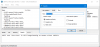
My assumption would therefore be that HP is using some special packaging for its BIOS files which might not be interpreted correctly by UEFITool.
If you want to play around with your BIOS, you could try dumping the installed BIOS.
Hopefully, the dump is structured in a standard way.
However, I think that this thread might not be the correct place for such shenanigans as we are quite far off topic already :-D
Or I could just be missing the trees for the forest here, and this laptop is using a different kind of BIOS that does not expose the usual values.
But that does seem rather unlikely to me.ha1o2surfer and unclewebb like this. -
Yellow boxes in Limit Reasons are just a record of some previous CPU throttling. It is normal after first booting up or after resuming from sleep to see some of these boxes yellow. Even after you use ThrottleStop to Clear them, some of these throttling reasons are extremely sensitive and will immediately go back to yellow. This is not important.
The important ones to look for are when boxes in the CORE column are glowing red. That means throttling is in progress. If THERMAL, PL1 or PL2 go red under CORE, you will also see EDP OTHER light up red under RING. It is whatever lights up under CORE that is the problem.
If you have thermal throttling issues, all you can do is try to improve cooling. Lots of enthusiasts become thermal paste engineers to try to maximize cooling.
The PP0 Power Limit at the bottom of the TPL window should almost always be set to 0 and left unchecked. Very few computers use this for throttling purposes. It is included in cases someone, somewhere needs it but very few do. My 10th Gen desktop CPU does not seem to use this at all. Not sure about 10th Gen mobile.
If you have EDP OTHER throttling issues, make sure the IccMax values are set sky high to 255.75.Papusan and BayonetworK like this. -
I was playing with my new 10875H and noticed that i am getting EDP other throttled no power limit throttling at all
What is this exactly I know that 45W TDP cpu pulling 130W is excellent
i am not trying to btpass the EDP other throttle
I just want to get information about it
![[IMG]](images/storyImages/Pgt09s.png)
-
once again thank you for the response, I am learning more just reading your responses than I have learned in years in the realm of overclocking/processor manipulation. and yes, that is my next step, to repaste my laptop, I believe that is the only way to remedy most of these issues, seeing as though it is only 3 months old, but I do believe they did a terrible job in the msi factory when pasting this machine. I will take that advice about the IccMax (currently value of 165) and raise it up to see if that helps at all. should I raise the values on both cache and core or just core?Last edited: Mar 12, 2021
-
Why not?
EDP OTHER is usually caused by one of the current limits. If you ever want to go further, increase IccMax to 255.75 for core and cache and try changing Power Limit 4 in the TPL window. Setting Power Limit 4 to 0 works on most CPUs. This tells the CPU not to use this power limit to throttle the CPU.
I would raise both and I would set them equally. ThrottleStop will probably do this for you automatically internally but it is always best to be 100% sure that these are set high so they do not cause throttling.
You can clear the Thermal Velocity Boost box in the FIVR window to get rid of TVB throttling in ThrottleStop.Papusan and BayonetworK like this. -
As a msi user for couple generations now i can easily tell you that a repaste with something good makes difference. Also on older models sanding the surface also made difference not in temps but core deltas were closer to each other.
Someone here has recommended me to change thermal paste to alphacool subzero or phobia nanogrease extreme (both 16W/mK)or thermal grizzly kryonaut and change thermalpads for (gelid gp extreme 12W/mK or ultra 15W/mK) Dont forget that you need to buy multiple sizes 1mm 0.5mm since sometimes some will be thicker if you dont put the right size it will be bad!
Intel is really pushing cpus this generation they do not have overhead
PL1 and 2 is set to 200 W and PL4 is 0 so thats not the issue.
I am having trouble with windows or system in general. I got some stability issues.
TVB is normally off
With the latest windows my task scheduler is broken i can not set TS to launch i can not set advanced options right and i get weird stability issues on this cpu just to compare i am using the same build on my old cpu 8750H which TS and system works perfect no stability issues there but even on that "Windows Task Scheduler" is giving me errors so windows might have done something
Also intel updated microcode in bios storage drivers in bios vbios drivers etc a lot but manufacturers are too lazy to just update their bios and windows doing microcode stuff is just terribleLast edited: Mar 12, 2021Papusan and BayonetworK like this. -
thank you for this advice, it's just what I was looking for bro. concerning repasting, have you heard anything about coolermaster mastergel maker nano? I saw that recommended on another forum and wondering if you have any input. changing the pads is something that I am nervous about considering I have never done that, so certain pads are .5mm and others are 1mm? I hope msi has a schematic for my machine so I can be sure to use the right sizes.
-
There is no schematic every time you take the cooler you also take all the thermal pads and they will get dirty some are squashed some are more flaky it is hard to describe with my English.
This was me replacing originals after a year some were still soft some were flaky there are also different color(I do not know why) and thickness(thickness is not related to color though) pads there and their application is not great it is the usual OEM stuff all manufacturers use the same cheap stuff generally.
https://i.imgur.com/iJmoa6c.mp4BayonetworK likes this. -
ah I see what you mean, thanks for that video. before I take on this project I will be sure to watch a ton of videos and practice on my old laptop so I can ensure I do not mess up lol
-
Did you try setting IccMax for core and cache to 255.75?
The Task Scheduler is still working OK for me after the recent Windows update. -
Interesting. So what you're saying is even on systems without the CFG and Overclock lock, undervolting still fails. There are still many mods with a single boot of Boot Guard bypass though (those horrid 22-22-22 RAM timings...)
Where did you get the BIOS image? Update images are compressed and incomplete. Extractor tools can't do much with these. You need a full image dumped from the flash chip. The FPT exec in the CSME tools can get a full BIOS dump. Download the right version for your system below:
https://www.win-raid.com/t596f39-In...gement-Engine-Drivers-Firmware-and-Tools.htmldmanti likes this. -
Here is what an 11th Gen U shows. ThrottleStop is not broken. Reading and writing voltage information to an Intel CPU goes through the same register since the 4th Gen Haswell days. This register still exists but any attempt to read or write voltage information to this register returns an error code. With 10th Gen CPUs, when this register was locked, you could still read voltage data from it. With 11th Gen U and G7, you cannot read or write anything to this register without it reporting an error.
Intel's fix for Plundervolt was to cut the patient's arm off even though he only had a sore finger. Disabling features costs nothing. Fixing things properly costs money. Easy to see what intel has chosen.
golovkin, BayonetworK, berkkocaturk and 4 others like this. -
Yes but i am getting power throttled on desktop with no load i do not understand what is going on this system acts so weird
![[IMG]](images/storyImages/zrcI0u.png)
Also under load too
![[IMG]](images/storyImages/MwmJLJ.png) Last edited: Mar 13, 2021
Last edited: Mar 13, 2021 -
As soon as I see the MSI logo my first thought is, are you using any MSI software like Dragon Center? Some of their software is bugged out and changes the power limits to keep your computer cool and quiet. Some of this wonderful stuff kicks in as soon as you start a game and usually ends after you exit a game.
I will assume that you have already checked the FIVR Disable and Lock Turbo Power Limits box. That one is a must, especially if you have any weird power limit throttling issues.
Next thing to do is look in the TPL window. The MSR Turbo Limits reported at the top are being updated in real time. Keep the window open for a minute and watch to see if the limits at the top are ever changing. Post a screenshot of that window just so I can see how you have it setup. You might have to set the power limits appropriately in that window and then try using the Lock option. This will prevent any other software from changing these power limits.
Edit - When troubleshooting, you can try checking the Disable Power Limit Control option in ThrottleStop and then press Apply. This stops ThrottleStop from updating the turbo power limits. Now if you see the real time power limits change at the top of the TPL window, you will know that you have some nasty software on your computer doing this to you. I deliberately added this new feature to catch MSI Dragon Center.
Last edited: Mar 13, 2021Papusan and tilleroftheearth like this. -
Dragoncenter and msi afterburner collided so I do not have msi dragoncenter installed on my system msi afterburner on gpu overclock works great.
I just put msi logo on TS folder myself it looks branded
FIVR disable limits are always checked . I did the disable power control but the weird power throttle continues when i restart the pc it is solved
And I can not reproduce the issue right now there was something that happened and both times it was solved with a restartLast edited: Mar 14, 2021 -
MSI Logo
https://drive.google.com/file/d/1sTr6x-eHkgtEyZ0yjqZDB43hKog3cgNf/view?usp=sharing
MSI Logo 2
https://drive.google.com/file/d/1I_F9E0zOafdzFVlYqBOWl5uy17869Ves/view?usp=sharing
I color matched your MSI logo to the same background color as ThrottleStop uses. Now everyone can have a MSI branded version of TS. They seem to be one of the few manufacturers that take their enthusiast customers seriously. All manufacturers should follow their lead and allow users to enable CPU voltage control in the BIOS.
If your computer ever bugs out and starts power limit throttling, take some screenshots including the TPL window. I hate computers that are gimped. That is probably why I wrote ThrottleStop.
Edit - @berkkocaturk - The second download has a little fancier MSI logo.
![[IMG]](images/storyImages/2tcdw38.png) Last edited: Mar 14, 2021Papusan, tilleroftheearth, t456 and 2 others like this.
Last edited: Mar 14, 2021Papusan, tilleroftheearth, t456 and 2 others like this.
The ThrottleStop Guide
Discussion in 'Hardware Components and Aftermarket Upgrades' started by unclewebb, Nov 7, 2010.