Problems? See this thread at archive.org.
When you undervolt, if you see a BSOD, that is usually a sign that you have gone too far.
The 8550U is already a low power CPU. They do not have as much undervolting headroom. If -100 mV is not stable then go back to -75 mV for the core and the cache. That is a more typical stable value for these CPUs.
I would not undervolt the Intel GPU. It can cause instability without saving much in the way of power. When playing a game, you are using the Nvidia GPU so no point in starving the Intel GPU.
The undervolt is still applied to the CPU whether you push Turn On or Turn Off. That old feature only applies to the Set Multiplier and Clock Modulation functions. You are probably not using either of these. There is no need to on most modern CPUs. Assume that button does nothing other than change the color of the system tray icon.
-
-
@ unclewebb
Sorry you have been waiting for such a long time from when you have send me beta TS 9.3.0.7 in private msg., but I got seriously ill again and I didn't have any strenght to even move from bed. I got again problems with some sort of pneumonia or what ever it is after this pandemia virus, but back to the TS topic, as I am feeling a bit better now and I could make some testings.
This is, a RDB feature in action.

coment about score list
Normaly my 10875h is scoring around 1972-1975 without rdb in CB15 so a little bit up.
1979 was best but windows was not very much usable as there was very little stuff in background.
1981 was on ucode E2
1982 was on ucode E6
1983 was on ucode EA
I did CB15 as here there ia no thermal throttle even with rdb as this test runs fast.
when in future I finish modding this laptop cooling, and do a bottom case mod I will made more tests with cb20 and so on. But due to lack of health and because of that no free money for hobby I needed to put it a side for now. So further hard mods are waiting for better times.
This is default voltage with RDB on 1,28V and power usage during short TS bench ( I am using bios trick so first add 32W to the TS value and than multiply by 2 for correct reading, so it drawed 144W !!!! at all core 4.43GHz
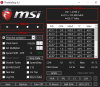
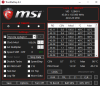
This is voltage with RDB off and -40mV undervolt (max for all cores on my lap) 1,16V and power usage during short TS bench, so only 106W
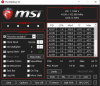
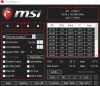
What I have noticed is that with RDB ON I could unvdervolt more to -100 on cache (stable on games and benchmarks), so I could compensate the thermalsLast edited: May 23, 2021Vasudev, Vistar Shook and seanwee like this. -
continuation:
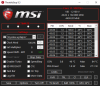
But still much more voltage is needed and the benfit is very little.
I could go down with cache and rdb to -120 but it was only stable in light apps and benchmarks, and crashed in games after few minutes.
After all tests I can say only one thing. RDB is good thing but only if you want to make some records in cinebench or 3dmark, as there are huge amounts of heat with that
any way, good to have such option for breaking records or testings.
@unclewebb
As for your new option with C-states on/off. This is good one. What I can tell you is that it is not only helping with ssd 4k, but also on optimus based systems it gives nvidia gpu a kick of few fps or if someone wants few hundred points more (depending on gpu) in fire strike graphics score.
But of course it makes everything run hotter by default.
Personally I have disabled c-states in bios ( but it would be nice to have it under TS).
My tip is to create few profiles with c-states off. and different values of Speed Step.
Thanks to that you can creat profiles for pro stuff, gaming when you will reach max of everything, and another profile with c-states off so you could benefit from better ssd speeds while making your cpu slow down via SST values to save power while doing some office work or watching movies.
Waiting for new version from you.
BRLast edited: May 23, 2021Vistar Shook, FrozenLord, seanwee and 2 others like this. -
Can you explain what "RDB" does or is? I feel like i missed something here and it isn't mentioned anywhere else.
ellalan likes this. -
Ring Down Bin
It is a new ThrottleStop feature. You can run the cache faster. Only practical when benching.
When Ring Down Bin is disabled, you can run the core and cache at the same speed but this requires a LOT of extra voltage to be stable.
When Ring Down Bin is enabled, the cache will always run 300 MHz less than the core. This setting is more practical. If the core is set to 50X, the Cache Ratio will only go up to a maximum of 47X.
![[IMG]](images/storyImages/NuE23Eg.png) Last edited: May 24, 2021Vistar Shook, FrozenLord and tilleroftheearth like this.
Last edited: May 24, 2021Vistar Shook, FrozenLord and tilleroftheearth like this. -
sounds interesting. Thermals aside is the increased voltage problematic for long term use?
Reading 1,42 V it seems a bit on the high side if you believe reddit on the desktop overclocking sub.Vasudev likes this. -
This is not for long term use. It is for benching. It is for people that hang out at HWBot where a difference of 0.01 seconds might be the difference between getting a gold cup or getting no cup.
ThrottleStop 9.3 already allows you to overclock the CPU cache. When you check the Overclock box in the FIVR window, this allows you to overclock both the CPU core and the CPU cache if you have an unlocked CPU.
I was doing some power limit throttling testing with Ring Down Bin disabled. With the core at 5000 MHz, I had the cache set to a maximum of 4700 MHz. That worked fine. When power limit throttling kicked in, the core would drop to say 4500 MHz but the cache only slowed down to 4500 MHz. Having Ring Down Bin disabled was allowing the core and cache to run at the same speed. This was causing instant lock ups during Cinebench. The core was 100% stable but the cache was not.
It would have taken a BIG increase in voltage to get the above situation stable. For 10th Gen CPUs, a difference of 300 MHz between core and cache works well. Some users with good CPUs might be able to run the cache within 200 MHz of the core. I rarely see anyone trying to run the cache within 100 MHz of the core or at the same speed as the core. Due to the increased voltage needed to get this stable, it is not practical for any use.
With Ring Down Bin enabled, if the core throttles down to 4500 MHz, the cache will automatically throttle down to 4200 MHz. No more crashing in Cinebench during low power limit testing. A stable CPU is one that can run stable at any speed or any power limit. That made me realize that having control of the Ring Down Bin setting separate from core overclocking would be a good feature to add to ThrottleStop so I did.
That is VID voltage. You cannot tell how much actual voltage is going to a CPU by looking at the VID number. If you think 1.42 V VID is bad, check this out. Anyone want to buy a gently used CPU? Probably not.
![[IMG]](images/storyImages/E2Fgum6.png) 4W4K3, Vistar Shook, Hillbrane and 3 others like this.
4W4K3, Vistar Shook, Hillbrane and 3 others like this. -
ThrottleStop 9.3.1 beta
https://www.techpowerup.com/download/techpowerup-throttlestop/
New Features
- added feature to disable all C states higher than C1.
- added access to Ring Down Bin setting.
- enabled Limit Reasons for Skylake X.
- fixed power plan list for languages other than English.
- changed system timers being used.ellalan, Vistar Shook, FrozenLord and 4 others like this. -
Just updated CB 15 score with RDB on, ucode EA. In addition I have disabled PowerThrottling option in regedit and tried setting SystemResponsiveness to value of 10 insted of 14 ( so in theory, I think, I moved 4% resources from being used by backround windows task to foreground aps?).
Thanks @unclewebb for new version of TS. Will test as soon as possible.
BRVasudev and Vistar Shook like this. -
The new disable C states feature will only work if the BIOS has originally enabled the C states. There are multiple different ways to enable and disable the C states.
I was helping one guy with his Acer laptop the other day. Someone at Acer decided to disable all of the C states which blocks Intel turbo boost from working correctly. He could not figure out why his laptop no longer ran at full speed when lightly loaded. Now he has a way to enable or disable the C states.
When the C states are disabled, you can still use ThrottleStop to enable C1E. This will keep power consumption and the temperatures down.
This ThrottleStop feature modifies whatever Windows power plan you are currently in. Keep that in mind. You can always use ThrottleStop to go back to your original setting.Vistar Shook, FrozenLord, Papusan and 2 others like this. -
Thanks @unclewebb for your continued development. Can indeed verify Ring Down Bin works. Cache Ratio now at 39, corresponding with cores at 3.9GHz. Of note, yes, this does significantly increase power consumption. Package Power up at 41W during a TS-Bench, up from 33W with Ring Down Bin enabled. My -80mV still worked. I fear the power consumption of a Prime95 run, with no undervolt, and Ring Down Bin disabled, on my "15W" CPU.
EDIT: Sorry, I didn't read. C-states applies on AC power only.Attached Files:
pressing and Vistar Shook like this. -
-
@Che0063 - Interesting to see that Ring Down Bin works on your 10th Gen U CPU. Running the core and cache at the same speed is not going to be a practical everyday setting for most people. It might be useful in certain situations when benching.
When ThrottleStop disables the C states, it leaves a choice of C0, the active state or C1 or C1E. The Disable Idle selection in Power Options might also disable C1 and C1E.
If C1 and C1E are both disabled, ThrottleStop will report C0% at 100.0 even when the CPU is idle doing nothing. It will be running at full speed and full power in C0 whether it has something to do or not. I prefer having C1 and C1E as options. Having all of the C states disabled except for C1E is not bad at all when you are plugged in.
I thought that would be best. Most people running on battery power want power consumption as low as possible so battery run time will be as long as possible.
Thanks for your feedback.
AS SSD Benchmark
https://www.majorgeeks.com/files/details/as_ssd_benchmark.html
Disabling the C states will make any SSD drive happy.
Edit - Here is an interesting comparison. The first pic is with the Power Options Idle Disable feature. This disables all idle states so the CPU is always in the C0 state. The CPU is running at full speed even though the CPU is not doing anything. Task Manager would show nothing running in this situation.
![[IMG]](images/storyImages/3RMAD5L.png)
Power consumption is sky high even though it does not need to be. That is why Intel created C states. With all available C states enabled, power consumption and temps are way down.
![[IMG]](images/storyImages/W4DSysd.png)
The final test is after using ThrottleStop to disable all of the C states except for C0, C1 and C1E. This is not bad at all. Way better SSD 4K numbers compared to having all of the C states enabled. When plugged in, maybe the extra power consumption will be worth it. This is a better compromise compared to Idle Disable.
![[IMG]](images/storyImages/eIYZkhM.png) Last edited: May 26, 2021Vistar Shook, FrozenLord, Che0063 and 1 other person like this.
Last edited: May 26, 2021Vistar Shook, FrozenLord, Che0063 and 1 other person like this. -
Awesome. The SSD 4K is far more better now. Great job!Vistar Shook and unclewebb like this.
-
I tought so. I will reenable C-states in bios and then check.
There is on/off - its obvious but C-States - AC?
thanks
EDIT. Site didn't reload for me. Yeah C-states AC means it works only while plugged.Vistar Shook likes this. -
Working nice, @unclewebb. Great job, as usual.
Papusan, ellalan, Vistar Shook and 1 other person like this. -
An I9-10900K reaching more than 260W?
So, tdp 125W, peak perf at 250W and peak measurements OTB over 300W...
Scary heat generation...
Vistar Shook and Mr. Fox like this. -
@unclewebb,
I noticed something different with respect to cache ratios under 9.3 vs 9.3.1.
https://imgur.com/lS9lP1X
All things being equal (exception: ThermalVelocityBoost is off, whereas in the pic with v9.3 I had it still ON), cache ratios have been fluctuating between 37 and 40 (but never reach 42), whereas previously they were mostly at 42.
Is this expected (37-40 ratios but never as high as 42)?Vistar Shook likes this. -
Yes, even much more than that when I bump it up to 5.5GHz on all cores. It will hit like 650W in Cinebench. My 7980XE would hit 1150W in Cinebench at 5.2GHz on all cores. The system labeled "Banshee" isn't designed or used for anything crazy. It's my work system. Some people might think running it at 5.2GHz on all cores as a "daily driver" clock speed is crazy, but it's not a big deal if you have a good thermal solution. Not a good candidate for air cooling.
The one named "Wraith" is my hotrod PC toy. I run it on chilled water when I am doing things like that. Both good examples of why running a crappy PSU with a low capacity isn't a great idea. The GPU and the rest of the system need to be nourished as well.
FYI - Intel changed their TDP specs a few years ago (I think maybe around Skylake if memory serves me correctly) to be the non-turbo value. The turbo spec doesn't have a published TDP. So, the 125W TDP doesn't take turbo clocks into consideration.Banshee is in the middle, between monitors. The water chiller for Wraith in visible in the extreme lower right corner of the photo.
Last edited: May 27, 2021Papusan, Vistar Shook, FrozenLord and 4 others like this. -
Thank you. It's a lot of fun to play with.
-
I am still wondering if there are any games or real world benchmarks or apps where improved 4K read and write times make a noticeable difference. Improved 4K bench numbers in AS SSD look good but it would be nice to hear from someone if they notice that their games run smoother or if their FPS numbers are higher when the C states are disabled.
I had a look at your screenshots but they do not include the main ThrottleStop window so I cannot see what speed or what load your CPU is running at. When lightly loaded, the CPU multiplier and cache ratio can be changing hundreds of times a second.
Your CPU has a locked maximum multiplier which constantly varies when lightly loaded based on how many cores are active. The maximum cache ratio is also going to vary based on what speed the CPU is running at. Your screenshots show a big difference in VID voltage which means that the CPU speed and load were not consistent during your testing.
For a fair comparison, make sure your CPU is loaded. The built in TS Bench test is an easy and convenient way to load the cores. No need to fully load all of your cores but some load is always good for a fair comparison.
Try clearing the new Ring Down Bin option. Maybe that can be used to maximize your cache speed if that is your goal.
@Mr. Fox - I am envious of your 5.218 second run in the TS Bench test. I need to do less programming and more benching to get back in the game. Your score makes me think that there is something wrong with my 10850K. I have got some work to do.Last edited: May 27, 2021Papusan, Vistar Shook and Mr. Fox like this. -
My 10850K does not perform nearly as well as my 10900K or 10900KF do. It's back in the retail box sitting on my shelf right now as a spare part. I haven't had but that one sample, but my impression is that 10850K is a lower bin quality (and lower-priced) version of the same CPU. I only base that on the comparison of that one sample I have against about a dozen 10900K and two 10900KF that I have binned. (That may not be accurate at all, just my gut impression based on a sample of one.)Papusan and Vistar Shook like this.
-
I'd say you are right there.
The 10850K was introduced when Intel could not manage to supply enough 10900K, which only makes sense if the 10850K is a lower binned version of the 10900K.
So 10850Ks (at least early ones) are probably not good enough to pass as 10900Ks.Papusan, Vistar Shook and Mr. Fox like this. -
I should probably qualify my word choice (see above) to say "overclock" because it performs the same at a given clock speed, but does not overclock as effectively, requires more voltage; which, in turn, pulls more watts and generates more heat... due to lower bin quality.
For modest overclocking or running stock, playing games, etc. the 10850K/KF is a smarter choice financially. I can't think of a good reason to pay extra for 10900K/KF if the primary purposes for the system are general computing, work, and gaming.Satanello, Papusan, Vistar Shook and 3 others like this. -
EDIT: nvm something else is fishy. after a reboot i can do TS stress test with 30W, after i opened my browser stress test is stuck at 15W even after closing FF again. I am confused wth
PSA intel pushed a microcode that apparently influences power draw on battery mode
on my HP Pavilion Gaming 17, i7 9750H the usual power limit on battery is 30W down from 45W
thanks to the advice here on this thread I copied "mcupdate_GenuineIntel.dll" from system32 right after buying the notebook showing code "0xCA"
after the current win10 updates the code shows "0xde" with the funny side effect that my CPU can't use its 30W on battery mode properly. During a TS stress test it pulls 15W... with several other programs it pulls Wattage in the 20s with very short 30W spikes.
after a .dll recovery everything is fine againLast edited: Jun 1, 2021 -
@Drabon - Thanks for the heads up. You never know when an update is going to try and ruin your day.
Good thinking that you kept a backup copy of your original mcupdate file. If you are ever in a bind, just do a search of C:\Windows
There are usually a few older mcupdate files hiding in various folders on your computer that you can use to restore your CPU to the previous microcode version. After that, take ownership of this file away from Windows so you do not have to worry about Windows Update doing anything bad without your permission.
berkkocaturk and Papusan like this. -
@unclewebb
I reinstalled Windows, my 7+ year old laptop plays 1080/60 stream from a browser no problem.
I uderstand Your disinterest in answering noobs, but You were dismissive AND disinformed.
If i wasnt so determined to boost my laptops performance (which this thread is ESSENTIALLY about) I would have quit after talking to gosu like u....
For anyone wondering...dont take the advice given as 100% truth. Human factor is real. My first post on this forum is no page 1300.
Also i guess this is being paid by users buying stuff, so i am not that surprised by the attitude.
Thanks to some who were helpful. Maybe 1 post.
Peace -
That's great news. Reinstalling Windows and using Streamlink solved your problem. Thanks for sharing.
That is where you are wrong. This is The ThrottleStop Guide thread. This thread is about helping users with any ThrottleStop questions. You should have started your own thread if you wanted to talk with others about running 1080p60 smoothly on a 7 year old Bay Trail CPU.
Are you serious? I have spent the last 10+ years answering user's questions in multiple forums around the world. I have joined forums in countries with languages that I do not understand. Why? To help out as many users as possible. I typically answer user questions 7 days a week / 365 days a year. Your complaint is beyond ridiculous. Go back and read the last 1300 pages and show me a list of all of the people that I have not helped. I go out of my way to help everyone. My multiple replies to all of your questions confirm that.
Who is getting paid? ThrottleStop is 100% free and all of the advice in this thread is also free. No forum pays me anything. I am definitely not getting rich providing free advice or free software. -
For achieving 1080 i didnt have to reinstall windows. Streamlink is amazing. When i reinstalled windows completely, i could play 1080 twitch stream in Edge browser (with multiple other tabs open).
Ok then isn't TS about boosting computers performance? It is, thats why i said "ESSENTIALLY".
I really appreciate people who go out of their way to help others. I am serious about that. Yet in my case You did not go out of Your way.
Your info came across as...well at least disincouraging if nothing else. Also turned You turned out to be plain wrong about my computers abilities. You should not have commented about that, if You wanted to stay on topic.
Just had a feeling all-together, when others chipped in soon after my post, that I am expected to buy new hardware.
Not a good feeling, especially on this kind of thread about helping people get the maximum out of their system. -
spotted the Karen...
Seriously, i went back and read all your posts and replies and no one gave false advise or wasn't helpful.
the audacity to come back here and **** on unclewebb, because "he didn't go out of his way" even though his very first reply was exactly about the thing you did in the end: an old slow system that might need a fresh install / new drivers for the graphics.
on other news my battery power problem seems to be persistent. Even after fiddling around with the .dll and now disabling the intel tuning platform. a few sec/min after restart i have full power after that 15W for a single program. if i have several programs open they seem to share the 30W power budget... I am open for suggestions.Last edited: Jun 2, 2021dmanti, FrozenLord, unclewebb and 1 other person like this. -
You're the Karen, my friend.
Not ****ting on unclewebb,
Just saying other inexpierenced users, please be careful who's opinion to trust.
Opionions are like...Drabon, who here has no regard for written word and probably thinks he will earn some points with unclewebb for calling out people, wrongly i might add. -
Did you block Windows from updating this? It is best to take ownership of the mcupdate file away from Windows.
Some computers will change the power limits based on whether the Nvidia GPU is active or not. I have never seen a situation where the power limits change based on how many programs are open. Watch Limit Reasons when testing to see if and when PL1 or PL2 are lighting up. It might be some other type of throttling that is causing your problem. Run a log file or post some screenshots if you would like me to have a look.Papusan likes this. -
i have taken ownership of the dll and TS shows the old microcode. i will run some more tests.
![[IMG]](images/storyImages/BxxgURH.png)
TS Bench running alone 15W being used
![[IMG]](images/storyImages/NwqxLNA.png)
TS Bench + CB 15 running together 30W being used and PL2 lighting up
https://pastebin.com/8yYEKTSR <-- here is the logLast edited: Jun 2, 2021Papusan and Vistar Shook like this. -
Good work.

Your first screenshot shows your CPU running at a low speed but none of the Limits are being triggered. It is at 14.3W but that is not because of a power limit being enforced. The CPU is just running slow.
When testing, open up the FIVR window and look in the monitoring table to see what Speed Shift EPP value the CPU is using. When using the Windows Balanced power plan, Windows 10 is usually in control of the EPP value. This can prevent your CPU from reaching full speed. Try using ThrottleStop to switch to the Windows High Performance power plan and see if that makes any difference. Check the High Performance box. When finished testing, check the Balanced box if that is what you normally use.
If this just started happening recently then perhaps there was a BIOS update that changed this. Most microcode updates are included in BIOS updates.
Edit - Make sure Speed Shift is checked in the TPL window and the Min and Max values are set appropriately.Drabon and Vistar Shook like this. -
oh wow the high performance mode did it. but why the hell did it change? I double checked the power plan and it was the same CPU speed, max performance as with A/C power... need to triple check and tinker around with the high performance profile.
thanks that solves the mystery. -
Some users questioned why I added the Windows power plan selector to ThrottleStop. After Microsoft decided to hide the High Performance power plan, I thought it would be a good idea to add this feature.
If anyone has a laptop that supports connected standby or modern standby, it is best to only use the Windows Balanced power plan when going to sleep. That seems to be the real reason why Microsoft hid the High performance power plan. It breaks connected standby mode and your laptop might turn into an inferno in your back pack or something bad like that.
https://docs.microsoft.com/en-us/windows-hardware/design/device-experiences/modern-standby
With Speed Shift EPP not checked in ThrottleStop, try switching back and forth between Balanced and High Performance while watching the Speed Shift EPP value in the FIVR monitoring table. The EPP value usually changes when switching power plans. It is not good to have both ThrottleStop and Windows fighting over control of EPP.
When using the Balanced power plan, Windows usually has better control over EPP than ThrottleStop does. Windows 10 seems to put up less of a fight over EPP when you switch to High Performance.
You are welcome. I enjoy troubleshooting these issues. It is always nice when my efforts are appreciated.
Papusan, tilleroftheearth and FrozenLord like this. -
I assume if the C States AC On/Off setting doesn't stick it means that my CPU is incompatible with that setting?
-
This setting only applies to the current Windows power plan that you are using. It can only be used to enable or disable the C states within that plan and only if the C states were originally enabled in the BIOS.
It also only works when plugged in. This feature does not do anything if you are on battery power.
When you check the C states box and press Apply, it will make a one time change to the Windows power plan. After a change is made, the C States box will be clear.
When C States is checked and Off is selected and you press Apply, does the C States monitoring table show all 0.0? When you check C States and select On and press Apply, do the C states in the monitoring table return to normal? That works for me.
Because this feature is making a change to the Windows power plan, this change should remain after a reboot whether you run ThrottleStop or not.
That is how this is supposed to work in theory. Tell me what you are trying to do and maybe there is a way to accomplish that. I tested this on a 4th and 10th Gen CPU running Windows 10. It will probably work on older CPUs and older operating systems. User feedback is always appreciated when I come up with something new.Papusan, tilleroftheearth and amihail91 like this. -
I got a new laptop,so I had to tune it. I noticed this new version of TS,with new options. The cpu is an i7 10750h btw (MSI GL65).
What are those new things? What should I check/uncheck for maximum performance?
![[IMG]](images/storyImages/0DtKN3o.png)
Anything else I should change? (I only changed Turbo time limit) , the cpu throttles coz of power in some benchs, any way to prevent it?:
![[IMG]](images/storyImages/0RXDLaN.png)
Thanks in advance -
Interesting to note on RB17 Pro 2019 Ring Down Bin OFF actually produces more stable results voltage wise - I can take the undervolt a lot further down before errors occur.
4W4K3 likes this. -
I always recommend checking the FIVR Disable and Lock Turbo Power Limits box.
The 10750H supports Thermal Velocity Boost.
https://ark.intel.com/content/www/u...0750h-processor-12m-cache-up-to-5-00-ghz.html
When this option is checked in ThrottleStop, the CPU will slow down 100 MHz when it gets to 65°C or 70°C. If you do not want that to happen, do not check the Thermal Velocity Boost box in ThrottleStop.
V-Max Stress does the same thing when the voltage gets too high. Checked or not checked might not make any significant difference on most laptops. For maximum performance, do not check V-Max Stress.
For stability, I would leave Ring Down Bin checked. This tells the CPU to always run the cache 300 MHz slower than the CPU core speed. On 10th Gen CPUs, if you try to run the cache and core at the same speed, it will take a lot of additional voltage and is rarely if ever worth it. For a wild suicide run, clear the box. For everyone else, leave Ring Down Bin checked.
Your screenshot shows a peak temperature of 86°C while power is at 38.0W. That is a good sign that your cooling is not going to be adequate to get maximum performance out of a 10750H. You will likely run into thermal throttling problems. These CPUs can run at over 70W when properly cooled.
If you want my opinion, turn on the Log File option and go play a game for at least 15 minutes. When done, exit ThrottleStop so it can finalize the log file. Attach a log file to your next post or copy and paste the log file data to www.pastebin.com
At default settings, the log file can be found in your ThrottleStop / Logs folder. If you cannot find the log, look in the Options window at the bottom left to see where the log file is located.
Perhaps when Ring Down Bin is not checked, the CPU voltage automatically goes up so this allows you to undervolt more to get back to normal. Just a wild guess. Nice to have options to play with so you can get the most out of your CPU.tilleroftheearth and amihail91 like this. -
Yes I see what you mean, this makes sense. Surely though if I am running the cache and core at same speed (vs 300mhz slower) with a bigger undervolt that = more performance overall?
-
In theory, a faster cache should improve performance. A difference of 300 MHz does not seem to make a significant difference in the majority of benchmarks. Sometimes the difference in performance is within the margin of error from one run to the next so it is not worth worrying about. If your CPU runs great with Ring Down Bin clear then leave it like that.
I am not sure what CPU model you have. On the non K CPUs, I am not sure how high you can run the cache speed compared to the core. The non K CPUs might still be limited regardless of whether Ring Down Bin is checked or not checked.
When Ring Down Bin is not checked, try doing some low power testing. If you have a CPU with a 45W TDP, set the turbo power limits lower than 45W and run an app that forces the CPU to do some power limit throttling. It was this scenario where I ran into problems. The CPU would throttle to a lower speed but the cache would try to run at the same speed as the CPU. The result was an instant crash in Cinebench unless I jacked the voltage way up.Charles P. Jefferies, Vasudev and tilleroftheearth like this. -
i tested RDB with my i7-9750H. There was a huge potential for heavy undervolt (up to -170mV on cache), but it didn't quite offset the increased power usage of the faster cache nor did increase performance by a measurable account (tested cinebench 15, 3dMark, TS bench).
So for me the end result was a slightly more power hungry system and nothing else.
Edit: judging by the FVIR window the cache was still capped at 42 no matter if RDB was enabled or not.Last edited: Jun 8, 2021 -
New microcode update available (for Linux, but it could be used also for Windows with proper tools).
Release microcode-20210608 release · intel/Intel-Linux-Processor-Microcode-Data-Files · GitHubVasudev likes this. -
Could someone with cpu (some 10th and 11th gen G cpus or any other) that has locked/greyed fivr window check in RWeverything MSR register 0x194 BIT 20? It is 0 or 1?
On my 8565U that has normal ability to UV when I changed in RWeverything MSR register 0x194 BIT 20 from 0 to 1 and restarted ThrottleStop I had everything greyed in fivr so I could not control voltage in any way.
Finded this by bling looking into MSRs.
BR
@unclewebbVasudev likes this. -
You have found the bit that completely locks out CPU voltage control. With the FIVR window open, if I use RWEverything to set that bit, ThrottleStop immediately shows this. The party is over.

ThrottleStop constantly updates and shows whether the lock bit is set or not. No need to restart ThrottleStop. A sleep resume cycle can usually be used to reset the lock bit as long as the BIOS is not setting it. You can leave the FIVR window open on the desktop and it will update its status.
If you have a BIOS that is locking CPU voltage control, it is likely setting this bit. Find where the BIOS writes to MSR 0x194, clear bit[20] and your problem will be solved.
Clearing this lock bit will not unlock voltage control on the 11th Gen U and G7 series. That is a separate problem.
Most recent microcode updates patch the various vulnerabilities and end up reducing CPU performance. You go first.
FrozenLord, Mr. Fox and tilleroftheearth like this. -
It never ceases to amaze me that there are still people living in 2021 that consider themselves tech-savvy, yet they are willing to play Russian Roulette with their laptop by applying firmware updates for no reason whatsoever other than the firmware is newer. I think that represents the apex of stupidity. Firmware updates should be avoided whenever possible.
-
Old Days - Computer users had to watch out for viruses and malware.
2021 - Watch out for forced updates from Microsoft and Intel. Sometimes the cure is worse than the disease.
Rolling back some updates is not a trivial matter. There are times when it might not be possible. Not worth the risk.
The ThrottleStop Guide
Discussion in 'Hardware Components and Aftermarket Upgrades' started by unclewebb, Nov 7, 2010.