Problems? See this thread at archive.org.
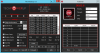
Hi, I'm using throttlestop 9.3 with setting:
core: -169.9
cache: -85
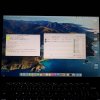
When I boot hackintosh with voltageshift.kext, the value is not match:
core: -174
cache: -87
I tried to other value in window 10:
core: -100.6
cache: -50.8
In hackintosh:
core: -102
cache: -52
-
ThrottleStop reports the voltage offsets correctly. Some programs like CPUID HWMonitor are using the wrong formula. Looks like Voltage Shift is doing the same thing.
Correct Formula = 174 / 1024 = 169.9 mV
Wrong Formula= 174 / 1000 = 174 mV
Correct Formula= 870 / 1024 = 85.0 mV
Wrong Formula= 870 / 1000 = 87.0 mV
ThrottleStop and HWiNFO64 report this correctly. Looks like Voltage Shift decided to follow CPU-Z or HWMonitor which are wrong. Computers are binary devices that use base 2 numbers like 1024. Base 10 numbers look nice to humans but in this situation, using a base 10 divisor is wrong.100won, Vistar Shook, FrozenLord and 2 others like this. -
Thanks Uncle, I checked Disable and Lock power limits (does it mean, it disables the limits ,and keeps them disabled (locked)? ) and unchecked V-Max.
Heres the logfile of 20-30 min of gameplay (I already was playing for like 30-40 min before starting the log) and and ambient temperature close to 30º C:
https://pastebin.com/GQYmtQZh -
Your log file shows a big problem. The PL2 turbo power limit has been reduced to 20W which makes it impossible to get the full rated performance out of your CPU. When gaming, you are losing about 900 MHz of CPU speed when the CPU is locked to 20W.
Are you using any manufacturer's software on your computer that has a cool and quiet kind of mode? Setting some laptops to quiet can reduce the power limits. This 20W throttling only happened for the first part of your log file. PL2 throttling ended at approximately 23:43:38. The CPU ran great after that until the log file ended at midnight. Log file data is stored in individual files, one file for each day.Last edited: Jun 10, 2021Vistar Shook and Mr. Fox like this. -
Only things I touched were the settings you recommended ,and uncapping the framerate in the game. Tbh I dont know if I did while it was logging ,or before. I was just websurfing and playing. The only running software besides webbrowser and TS were logitech gaming software, MSI's silent option and the nvidia's tray icon to see what programs are using the dGPU.
-
This is likely what caused your PL2 power limit to get stuck at 20W. For maximum CPU performance when gaming, I would not use that feature.Vistar Shook and tilleroftheearth like this.
-
So with my Precision 7550 and I7 10875H, if I can set the MSR 0x194, I can unlock voltage control and bypass plundervolt ? Do you know where this value is located in the UEFI nvram for Dell system ?
Also can I lock the turbo boost ? I would like the cpu to run up to 4.3GHz on all-core with single core turbo at 4.3GHz, is it possible ? I believe it will be more stable after undervolt (either software or hardware)
My 10875H is so close to run at 4.3GHz on all-core in bench, it just trigger power limit at 4.2GHz, I could disable power limit to bench at 4.3GHz 110+W but I prefer to bench at 4.3GHz below 100W with undervolt Vistar Shook likes this.
 -
You need to clear bit 20 of that register. Here is a guide that explains how to modify a UEFI variable to accomplish that.
https://brendangreenley.com/undervo...hermals-battery-life-and-speed/#cpu-undervolt
If you unlock MSR 0x194 you can set the turbo ratios to whatever you like. If the turbo ratios are locked and you want to limit your CPU to the 43 multiplier, go into the TPL window and set Speed Shift Max to 43.FrozenLord, dmanti and Vistar Shook like this. -
If you're messing around with UEFI variables anyway, look for IMON Offset (two variables, one is the symbol, you want minus, and one the offset, feel free to start with 10000 for -10.0A).
This tricks your CPU into thinking that it is using less power than it is, which allows you to work around power limits.
However, if your CPU is thermally limited, this will not help at all.
/update: sorry, just realized that you are able to disable power limits.Last edited: Jun 12, 2021Vistar Shook likes this. -
Thanks for the link, it worked
I think it should be on the FP since it work on many Dell laptop and maybe Alienware...
This laptop is one of the best "sleeper" out there hehe
-preview.png) unclewebb likes this.
unclewebb likes this. -
@TheQuentincc - Most modern computers never use clock modulation throttling so you probably do not need to check the Clock Mod option in ThrottleStop.
Why not run Cinebench R20?
https://www.techpowerup.com/download/maxon-cinebench/
It uses AVX instructions that the newer processors support. R20 will give a new CPU a better work out compared to R15.
You are welcome. Glad it worked for you. I will add that link to the first post so it is easier to find. Good idea.
-
R15 is more of an habit for me, same for the clock mod, I'm using TS since C2D
I'm gonna try CBR20, in any case undervolting is still necessary on intel, I can apply an offset of at least -150mV...
I'm still blow away by the improvement intel made on the 14nm node, at 3.2GHz, it nearly have the same power consumption (36w vs 34w) as my old undervolted (-170mV) I7 6820HQ while running twice as much core, it's crazy for me. -
@unclewebb
this might be a bit different than what TS was intended for but wish to get your input on this. recently got a bunch of 1Us with dual sockets. CPU0 and 1 on socket 0 and 1, by default TS (latest beta 9.3.1) can somewhat control multiplier on CPU1 and not CPU0.
surprisingly by changing the affinity in task manager to CPU 0 (in which windows only allow TS to be either CPU 0 or 1, not both) TS can now control frequency on both until the machine restart that is.
we have tried using shortcut to start TS with affinity that doesn't seem to work. do you know of a way around this to get it to start with the right affinity so it can control both. -
@ole!!! - I have never owned or had access to a dual CPU system for ThrottleStop development. I am not sure how to make ThrottleStop work correctly on a 1U system with dual sockets. Without access to hardware for testing purposes, it is difficult for me to guess at what I need to change.
Can you show me some CPU-Z and ThrottleStop screenshots? Click on the About Tab in CPU-Z and press the Save Report (.TXT) button. Maybe that will help me understand how the cores are organized. Show me some examples of how ThrottleStop is partially controlling the multiplier.
When ThrottleStop is only controlling one CPU, try running the Dump program.
https://drive.google.com/file/d/1bRg0L3IbGHmjS8znEXdO4cq2LVtzhviT/view?usp=sharing
This might show if there is a difference in how the registers are set in each CPU.
Most of ThrottleStop was written with only a single CPU in mind. Writing to one thread of some CPU registers will change the value for each thread and each core of the CPU. This is not going to work correctly on a dual CPU system unless I get lucky and find what values are not being written to both CPUs.Last edited: Jun 16, 2021FrozenLord, dmanti, ole!!! and 1 other person like this. -
Hey @unclewebb !
I'm a little unsure where to find Throttlestop help, so I hope yall dont mind me asking a quick question.
I've been able to clear all limits in Throttlestop except for TVB. Now I understand that there is the Thermal velocity boost option in 9.3 FIVR window, but when I uncheck it, nothing happens and I still get the TVB limit whenever any of my cores go above 70 degrees Celsius. I really don't want to be limited by that temperature, so is there anything else that can cause the TVB limit?
Or is my cpu simply not supported with that feature? I have an i7-8565U.
Thank you in advance!! -
https://ark.intel.com/content/www/u...-8565u-processor-8m-cache-up-to-4-60-ghz.html
I looked up the i7-8565U and was a little surprised to find out that it does support the Thermal Velocity Boost feature. With my desktop CPU, when the Thermal Velocity Boost box in ThrottleStop is cleared, this type of throttling goes away. Does TVB still light up red in Limit Reasons when this box is clear? A yellow box is OK. Red is bad. Does TVB show up in the log file at 70°C or greater? Show me a log file or some screenshots.
If you are still getting TVB throttling when that box is clear then I do not know how to fix that problem.Last edited: Jun 16, 2021Vasudev likes this. -
This is really interesting, TVB does not show up in the log file, but it keeps popping up in the limit reasons. I thought a yellow meant it was previously red? Only concerning thing I see in the logs is the power status change which I understand from one of your previous posts is due to my manufacturer's battery setting.
![[IMG]](images/storyImages/HPqfti.png)
https://imagizer.imageshack.com/v2/1600x1200q90/923/wzjslL.png
https://imagizer.imageshack.com/v2/1600x1200q90/923/08UHm3.png
https://imagizer.imageshack.com/v2/1600x1200q90/923/u27xDV.png -
TVB will be red in Limit Reasons when TVB throttling is in progress. Maybe run the TS Bench test to load a few threads of your CPU and try to get the temps up to 80°C. If TVB is not constantly red at this temperature then I would says that your computer is not TVB throttling.
All of the throttling that I am seeing is because you set the turbo ratios in your Game profile to only 30. If you are deliberately throttling your CPU more than 1000 MHz, there is no reason to be concerned about 100 MHz of TVB throttling.
With 10 threads of Prime95 warming the cores and with Thermal Velocity Boost checked, I get constant TVB in red in Limit Reasons and the CPU has dropped from 5000 MHz to 4900 MHz. With the Thermal Velocity Boost box not checked, this throttling goes away and the CPU gets back up to 5000 MHz with no more TVB throttling messages in Limit Reasons.
![[IMG]](images/storyImages/9kfzSg0.png) Last edited: Jun 16, 2021Vasudev likes this.
Last edited: Jun 16, 2021Vasudev likes this. -
Yes, I'm deliberately capping my CPU at 3000 MHz to get a balance of temperature and performance. Wow, I didn't realize TVB throttling is only 100MHz. I don't think I need to worry about this then.
Thank you for all the help!!Vasudev likes this. -
here are the screenshot and CPUz and TS.
partial control likely due to power limit or bio limitation. normally I can only control frequency by setting PL1/PL2 during a workload but if I set TS to 15x or 1.5ghz, it'll affect that specific CPU to all cores during a benchmark such as CBR15.
the strange thing is, idle/normal usage CPU can and will go up to 2.6 or even 3.2ghz on multiple core which seemingly controlled by the bios within CPU specs. setting PL1/PL2 to 200w while having 15x in TS will still result in 1.5ghz all core hence what I meant by partial control.Attached Files:
Last edited: Jun 17, 2021 -
-
@unclewebb couldnt upload more than 3 files in a post, hence this 2nd post.
uploading the CPUz report as well as dump files (2) created during a CBR15 run while TS controlling CPU0, or CPU1.Attached Files:
-
-
@ole!!! - I think there is a fundamental problem here. ThrottleStop is a 32 bit application so it can only individually access 32 threads. A single CPU with 14 cores and 28 threads should be OK. When you have two of these CPUs, that is 28 cores and 56 threads. ThrottleStop might have some access to some cores and threads on the second CPU but there is no way for a 32 bit app to individually access all 56 threads.
ThrottleStop would require a major overhaul to create a 64 bit version to be able to access all 56 threads. I do not have any plans for that at the moment.
You might be able to do some trick like you were probably already doing where you run 2 instances of ThrottleStop. Run one instance on CPU0 and the second instance on CPU1. Normally ThrottleStop does not allow you to run 2 instances so you have to trick it and call the second version ThrottleStop2. I have never tried doing this so no idea about what problems you might run into.
With the 32 bit limitation, I am not sure what else you can do.
If you click on the Mod heading in the monitoring table, ThrottleStop should show you the ID of each thread. This might help you keep track of what CPU you are working on.Last edited: Jun 18, 2021 -
sorry I forget to mention this. task manager only allows me to assign throttlestop to individual CPU so I am using two instances. basically two different version of TS and .exe file name change. which still exhibit the issue I mentioned (its with two instances).
does TS have some sort of cli command or some kind that can auto start to a specific CPU? -
Try running two versions of ThrottleStop 9.3.1. Name them ThrottleStop.exe and ThrottleStop2.exe or whatever you like. Use TS 9.3.1 for both instances. Older versions might make it appear that they are working when really they are not.
Click on the Mod column heading on the main monitoring table so it shows the ID values instead. Can you show me a single screenshot that includes both ThrottleStop instances? You can double click on the monitoring table to show more individual threads. Not sure if this feature will work on a 14 core CPU.
If ThrottleStop originally starts up on CPU0 and you use Task Manager to try and force it over to CPU1, I do not think this is going to work. I think ThrottleStop will still only be able to access the threads on CPU0.
ThrottleStop does not have any cli commands. There is no way to start it on the second CPU. ThrottleStop is 32 bit software. It can only run on one of the first 32 threads.Last edited: Jun 18, 2021ole!!!, FrozenLord and tilleroftheearth like this. -
Hi folks, I have a MacBook Pro 2014 with an i7 4980HQ processor, I have Windows 10 installed using BootCamp. I would like to undervolting CPU via using Offset, but if I change the value, the offset still remains 0. Can you please help me what the problem may be. Thank you.
https://imgur.com/a/R8lJFbc -
It appears that CPU voltage control and the turbo ratio limit sliders are all locked out. Use ThrottleStop 9.3. Open the FIVR window and at the top, the new version is probably going to show that the FIVR is Locked.
It is possible to modify some UEFI variables to unlock CPU voltage control on Dell laptops but I do not know if there are any similar tricks when you have a Mac. Apple goes out of their way to prevent enthusiasts from having too much fun. You might have to search for a Mac specific forum to see if unlocking voltage control on a Mac is possible. -
Yes, i downloaded latest version and sliders are locked. In MacOS, there is a Volta application that allows CPU undervolting and TDP reduction, so I thought it was possible to undermine the CPU in Windows as well. Thanks.
-
Volta will not work if Apple has locked the CPU voltage control register. BootCamp did not lock that register so it must be something that your Mac has done.
-
Hello all, I was wondering if you could help me with modifying my UEFI/BIOS to re-enable undervolting on my Alienware 13r3 (Intel(R) Core(TM) i7-6700HQ CPU @ 2.60GHz).
So far I have extracted a ROM file from the BIOS executable, got a PE32 file and worked out that "Overclocking lock" is in the "Setup" varstore. I've used RU.efi to open the BIOS up and can see the "Setup" varstore (which is 0x01, and the GUID matches so I am confident that I am in the right area).
According to my PE32 file, the Overclocking lock's variable is 0x5AF. This is from the following:
0x3210F One Of: Overclocking Lock, VarStoreInfo (VarOffset/VarName): 0x5AF, VarStore: 0x1, QuestionId: 0x17D, Size: 1, Min: 0x0, Max 0x1, Step: 0x0 {05 91 D7 02 D8 02 7D 01 01 00 AF 05 10 10 00 01 00}
0x32120 One Of Option: Disabled, Value (8 bit): 0x0 {09 07 04 00 00 00 00}
0x32127 One Of Option: Enabled, Value (8 bit): 0x1 (default) {09 07 03 00 30 00 01}"
In the Setup Varstore I am presented with a big grid of hex numbers...but which one is 0x5AF?!
Is it row 5 column A (as highlighted in the image below). Or is it row A and column F? Or is it both r0-c5 and rA-cF? Or none of these?
5A is at 01 (enabled) which makes sense, however AF is 00 (disabled). 5-0 is also at 1.
I realise that this is probably a bit of a basic question, but any help would be greatly appreciated!
And I am aware that what I am doing is risky AF. But, tally ho!
Cheers!
Last edited: Jun 21, 2021 -
Feel free to look in the top left corner where (imho) you can see the current cursor position.
You're at 0x005a.
0x5af is shorthand for 0x05af (i.e. leading 0 is omitted)
So I'd say that you need to go down several pagesLast edited: Jun 21, 2021 -
Thanks bud. I managed to work out that I could go down a page (doh) and so found 05AF. Weird thing is, my value for this is already set at 00 (but I cant undervolt). The CPU lock is set at 01, but my understanding is that it isnt required for undervolt (and just for installing mac os on a windows machine).
I did also check out XTU Interface and Overclocking Feature. Bizarrely these are both set at 04, I thought it had to be either 00 or 01. I havent edited either yet in case it bricks the system, not wholly confident I'm in the right place now. Back to the drawing board I guess. -
I prefer to look at the core multipliers to verify that I am looking at the correct addresses.
These values should be set (by default) to your CPU's multipliers and are quite easy to check, as the numbers are very different from the usual 0s and 1s. -
Thank you. I've already found a couple of mistakes, the bios dump is different from the ROM i took. So need to be careful.
What are the core multipliers called in your PE32 file? I'll check for mine (but searching core multiplier yields npothing) -
Based on a HP laptop with a quad core CPU (8650u):
1-Core Ratio Limit Override, VarStoreInfo (VarOffset/VarName): 0x5D7, VarStore: 0x1, QuestionId: 0x2723, Size: 1, Min: 0x0, Max 0x53, Step: 0x1
2-Core Ratio Limit Override, VarStoreInfo (VarOffset/VarName): 0x5D8, VarStore: 0x1, QuestionId: 0x2724, Size: 1, Min: 0x0, Max 0x53, Step: 0x1
3-Core Ratio Limit Override, VarStoreInfo (VarOffset/VarName): 0x5D9, VarStore: 0x1, QuestionId: 0x2725, Size: 1, Min: 0x0, Max 0x53, Step: 0x1
4-Core Ratio Limit Override, VarStoreInfo (VarOffset/VarName): 0x5DA, VarStore: 0x1, QuestionId: 0x2726, Size: 1, Min: 0x0, Max 0x53, Step: 0x1
5-Core Ratio Limit Override, VarStoreInfo (VarOffset/VarName): 0x6D9, VarStore: 0x1, QuestionId: 0x2727, Size: 1, Min: 0x0, Max 0x53, Step: 0x1
6-Core Ratio Limit Override, VarStoreInfo (VarOffset/VarName): 0x6DA, VarStore: 0x1, QuestionId: 0x2728, Size: 1, Min: 0x0, Max 0x53, Step: 0x1
7-Core Ratio Limit Override, VarStoreInfo (VarOffset/VarName): 0x6DB, VarStore: 0x1, QuestionId: 0x2729, Size: 1, Min: 0x0, Max 0x53, Step: 0x1
8-Core Ratio Limit Override, VarStoreInfo (VarOffset/VarName): 0x6DC, VarStore: 0x1, QuestionId: 0x272A, Size: 1, Min: 0x0, Max 0x53, Step: 0x1
There should be several values directly next to each other (VarStoreInfo-wise). -
Thank you! Im fairly sure I have the right numbers but my overclocking lock and all the rest are already set to 0. I dont have the XTU option. CFG lock is there and set to 1, perhaps when Im feeling brave I'll try that. But if it doesnt work then who knows how theyve disabled the undervolt. Oh well!
-
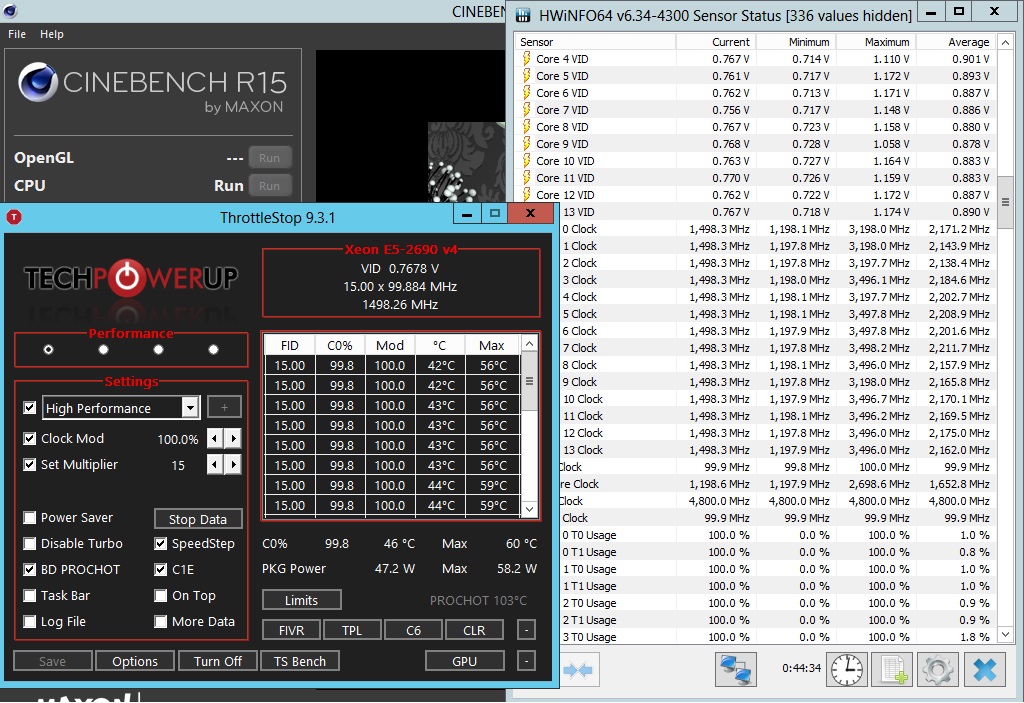
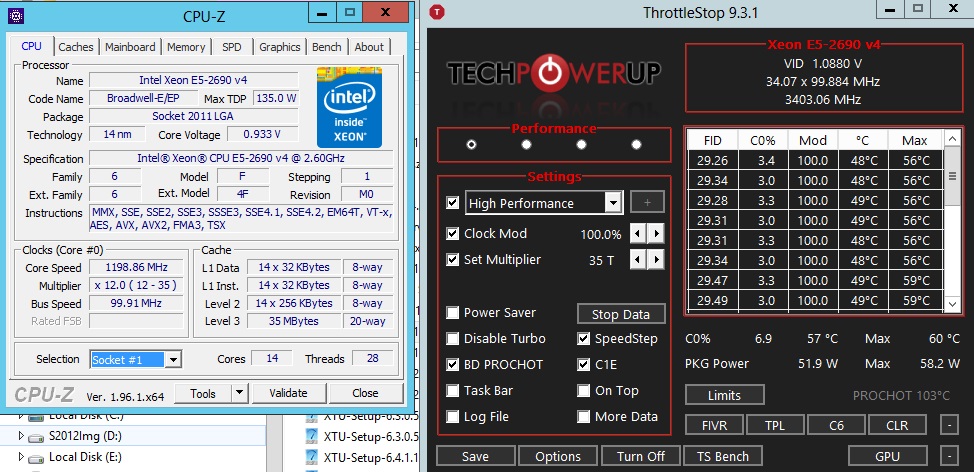
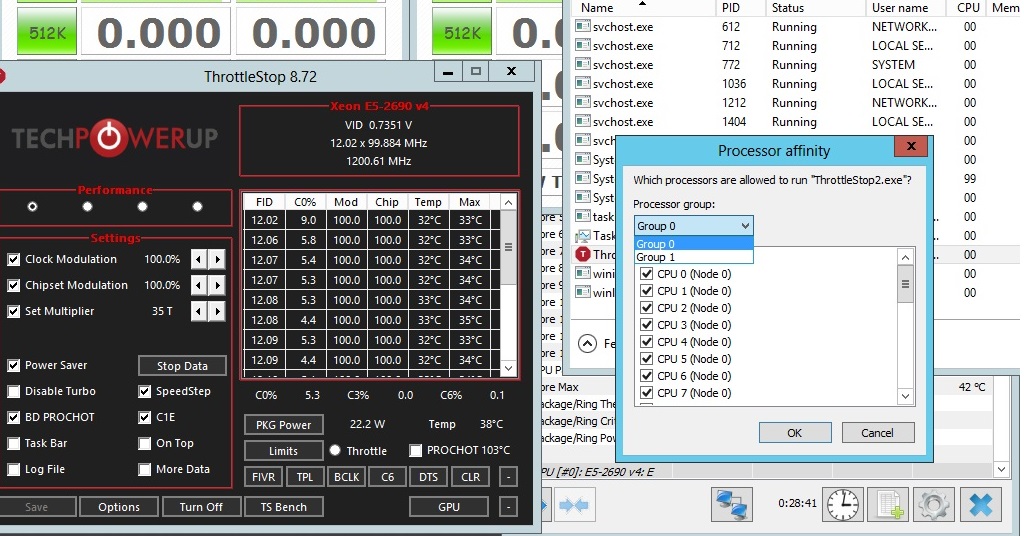
hey sorry took awhile, been busy with other stuff. heres a picture showing core ID, in two different TS. heres also a video showing TS A and TS B working on individual CPUs. one of the CPU meter is showing wrong usage% but you can tell from it's temperature reflecting correctly on that same meter.
video:
https://streamable.com/rddt2q
FrozenLord likes this. -
@ole!!! - It looks like the two instances of ThrottleStop are accessing the two CPUs individually. It appears to be working better than I imagined. Not too bad considering that I have never had access to one E5-2690 v4 let alone two of them.
To start ThrottleStop on the appropriate CPU you could open a command window and try running a couple of commands like this.
start /node 0 ThrottleStopA.exe
start /node 1 ThrottleStopB.exe
You would have to use the full path with quotes around the path to access each instance of ThrottleStop. I am not sure if there are any node options like this in the icon itself to handle what node to run an app on.
Does each instance of ThrottleStop show all 28 threads? The ID column in the main monitoring table should go from 00 to 27 on the first CPU and from 32 to 59 on the second CPU.
A 20 thread full load TS Bench test on a 28 thread CPU would result in the CPU spending at least 71.4% (20/28) in the C0 state plus a few more percent for any background tasks. Both of your TS Bench tests show that so the C0% appears to be correct.
Limit Reasons should work correctly. Open that when TS Bench testing and exit HWiNFO to avoid interference. When running 20 threads of the TS Bench, the first CPU shows a multiplier of approximately 25.8 and when you run the same test on the second CPU, it shows a multiplier of 26.3. That seems reasonable. There is likely some power limit or current limit throttling happening during this test. It would be interesting to see if anything is lighting up red in Limit Reasons when the CPU is running the TS Bench test.
Show me the FIVR and TPL windows so I can learn some more. Are the PL1 and PL2 power limits unlocked? Have you tried increasing them? Many motherboards from this era were locking the power limits in the BIOS.
During your testing, both CPUs seem to hit a wall just a hair under 90W during the TS Bench test. The maximum power values are identical for both CPUs. That looks like a power limit to me. The CPU multiplier reported by ThrottleStop also drops a little after the first few seconds during your first TS Bench test. That is another sign of some sort of throttling.
Edit - I noticed a bug. ThrottleStop only has access to 8 of the 14 cores in the turbo ratio limits window. I might fix that someday but this might not matter. The CPU could be locked or the maximum turbo ratio might be fixed. A FIVR screenshot will show more.
When testing, does adjusting the Clock Mod value on the left side of ThrottleStop show up in the monitoring table when it is set to show the Mod column? It should work. Does it change the clock modulation value for all 28 threads? Maybe.
Clear the Power Saver box and try adjusting the Set Multiplier value down to 8 or 12 or whatever the minimum value is. When you run the TS Bench test, what does ThrottleStop report for the multipliers?
Edit - Almost forgot. When idle, what does the C States window show?Last edited: Jun 24, 2021ole!!!, FrozenLord and tilleroftheearth like this. -
yea TS is an amazing tool, using computer just isn't the same without it. I've been searching that /node 0 and 1 thing for awhile now and surprisingly couldn't find it anywhere, but it was so simple all along lol.
next I'd just need to find out how to do node + affinity together.
LOL I just realized TS only shows up to max 0-21 IDs so 22 threads. 2nd TS show from 32 to 53, so theres stuff missing in between.
yea in these tests I am purposely limiting PL1/PL2 to ~100w. It does work and seems the only thing that works. even the multiplayer is hit/miss, along with Cstates and the only way to turn cstate off is via bios. HPE bios is terrible man.
adjusting multiplier no luck, even if I set them to 8 or 12, only real way to limit them is I put PL1/2 to say 30w and all core runs only at 800-900mhz due to power limit.
it really sucked because was hoping for some voltage adjustment, running close to 1.2v on some single core turbo boost @ 3.5ghz seems absurd, especially on these XCC silicons.
FVIR, Cstate, TPL and clock mod windows. Clock mod screenshot seems to not work, but I can feel the delay/lag on the system so probably is working.Attached Files:
jc_denton and tilleroftheearth like this. -
-
The start command has both a node and an affinity option. Why do you need the affinity option? The node option should be good enough to allow ThrottleStop to access each CPU.
If you look a little closer, ID 14 and ID 15 are missing in the monitoring table. Instead of 22 threads being displayed, TS is only showing 20 threads. This actually makes sense. I was using a 10850K (10 cores - 20 threads) when programming ThrottleStop. It appears that TS was only programmed to display 10 cores and 20 threads of data. Let me know if you really need to see some more numbers in that table and I will see what I can do.
Adjusting the turbo power limits is the preferred way to manage an Intel CPU. No need to force a CPU to slow down. Let the CPU decide based on power consumption whether it should slow down or not.
I would not check the Power Saver box. Intel CPUs save power when they enter one of the low power C states. Your C states are working correctly. The C states monitoring table is only capable of showing 10 of the 14 cores. I am confident that all 14 cores are using the low power C states.
TS 9.3.1 has a new feature that allows you to toggle the C states on or off without having to reboot. In the C States window, check the C States - AC box, select the Off option, press Apply and you should see the C states monitoring table change to 0.0.
This trick makes a one time change to whatever Windows power plan you are currently using. This setting is not saved by ThrottleStop. The disabled C states will remain in effect whether ThrottleStop is started or not. Check the C States - AC box and select the On option when you need to re-enable the C states. If you disable the C states in the bios, this ThrottleStop feature will probably not do anything.
If you want to do some multiplier testing, use Set Multiplier and set that to 12. Run another Dump file and I can check to see if 12 is being written to each of the cores. I am not a big fan of slow CPUs so I prefer to leave Set Multiplier set to the maximum value. If you disable all of the C states including C1E, the CPU multiplier should be steadier. Power consumption and temps might go up quite a bit when all of the C states are disabled.
It looks like this CPU uses some sort of FIVR but adjustment of the voltages has been completely disabled. I guess Intel does not want users screwing around with their server CPUs. They might have been forced to neuter this feature to keep the Plundervolt police happy.
I disagree. Look at your Clock Mod screenshot. You have set the Clock Mod request to 25.00% and the Mod column in the monitoring table shows 25.0 from top to bottom. Clock modulation is working. The reduced C0% while TS Bench testing and the reduced power consumption both confirm that clock modulation throttling is slowing the CPU down internally. The reported multiplier is higher because power consumption is under 90W. The CPU is not being forced to power limit throttle.
You can use clock modulation to slow the CPU down internally but I would avoid doing this. Enabling the C states is the best way to reduce power consumption.ole!!! and tilleroftheearth like this. -
I had a quick question about c-states from anyone who cares to answer. If I disable c-states in the c-section, but continue to leave C1E checked, does that mean that my laptop (i-9 10980HK) will disable all but the first c-state? in other words, would it benefit me performance wise if I am on ac-power and disable the c-states? just trying to understand the c-state concept a little better. thanks in advance.
-
When a CPU is actively working on something, it will be in the C0 state. When it has nothing to do, it will go into the C1 state. If you leave C1E enabled, it will go into C1E when it has nothing to do. This will save power and reduce idle and light load temps.
Run a simple SSD benchmark test like AS SSD.
https://m.majorgeeks.com/files/details/as_ssd_benchmark.html
Enable and disable the C states and do some testing. You will probably see a significant improvement in your 4K read and write times when the C states are disabled. The access time will also be significantly reduced when the C states are disabled. Do some game benchmark testing and see if it makes any difference in real world applications.
When on AC power, it is not such a bad idea to disable some C states. You get to choose which ones you want or don't want.Last edited: Jun 27, 2021dmanti and BayonetworK like this. -
completed the CPU meters for dual CPU finally got it working. works well with throttlestop though both were intended for single desktop CPU, many thanks to you ( @unclewebb ) and the creator SilverAzide from rainmeter forum. https://streamable.com/451ne3
question, I checked the cstate window, I dont see the AC box you mentioned. also, I noticed that with power saver box checked, the server CPUs suffer quite a bit performance hit especially on workload that span across both CPU, however the same box checked on 1680v2 single CPU in the P570WM laptop doesnt have any effect at all.
strange thing is, C1E seems to have no effect on the dual xeons while on P570WM having it off give a complete cstate off, hence a performance boost. im wondering if window is the cause, or because dual CPU is QPI vs DMI. -
TS 9.3.1
If the CPU has one of the deeper C states available like C3, C6 or C7; the C1E will barely be used whether it is enabled or not. The CPU realizes that there are better C states to be in so C1E residency time is next to nothing.
When doing some C1E testing, I would use that new feature pictured above to disable the rest of the C states. That will make it easier to see if C1E works or not.
C1E Disabled
C1E Enabled
Enabling C1E reduces power consumption significantly because all of the deeper C states are not available. The multipliers are steady at their max in the first screenshot when C1E is disabled but they randomly float all over the place when C1E is enabled.
Easy to prove that C1E works on this CPU. When the rest of the C states like core C7 are available, having C1E checked or not makes no noticeable difference.
Not sure if the TS disable C State feature will work on either of your CPUs that you are testing.BayonetworK, etern4l, ole!!! and 1 other person like this. -
what are the benefit of other cstates over C1?
-
Saves power
-
When Core C7 and Package C3 are enabled, reported power consumption goes from 2.2W down to 1.5W.
When the CPU is forced to run slow, power consumption goes down to only 0.8W.
Very efficient for a high performance 10 core CPU. Intel does not get enough credit for how well their C states work.
The power consumption when measured at the wall is a difference of about 5W when comparing C1E enabled vs C7 enabled. Even if you have a large office and are paying the power bill for a 101 computers, that 5W difference is only going to save you $5 per year. Most companies have bigger things to worry about.dmanti, etern4l and tilleroftheearth like this. -
TS working fine on Windows 11 22000.51
Seems like mostly just cosmetic changes, no changes under the hood that would affect TSLast edited: Jun 29, 2021FrozenLord, Drabon, tilleroftheearth and 2 others like this. -
TS is not working for me on 22000.51. It was working in Windows 10 right before upgrading.
This is on a Dell G3 3590 with the current BIOS and the UEFI CFG Lock updated to allow undervolting.
![[IMG]](images/storyImages/TdTHsDu.png)
-
Try disabling Intel VMX or Intel Vd-t or Virtualisation in your BIOS - that fixed it for me.
On my ThinkPad, I've disabled virtualisation all the time, fearing windows might try to patch my CPU-microcode. IIRC Plundervolt is somehow related to virtualisation, or so. When I re-enabled it to run Hyper V (To test the leaked Windows 11) I had the same issue with you, where voltage read exactly 0.3799v yet FIVR-control did not say 'Locked". I had a heart attack when I thought the plundervolt patch finally snuck its way into my system, but then after I disabled Virtualisation in the BIOS everything returned to normal.
Whilst I updated Windows EDIT (to Windows 11, not 10) on both devices in my signature, neither of them had undervolt affected in any way.afrazier, tilleroftheearth and unclewebb like this. -
If you ever see the default turbo ratios or overclock ratio being reported completely wrong and if you ever see 0.3799 in the voltage table, these are both signs that ThrottleStop is being blocked from reading and writing voltage information to and from the CPU.
Windows Subsystem for Linux (WSL2) can cause this problem. You will likely need to disable this and reboot if it is enabled.
If you are not running WSL2 and if you are not trying to run ThrottleStop in a VM then this advice should get ThrottleStop working correctly.
The ThrottleStop Guide
Discussion in 'Hardware Components and Aftermarket Upgrades' started by unclewebb, Nov 7, 2010.