Problems? See this thread at archive.org.
@Webbmaster - The only way to make your CPU run faster is to find a way to make it run cooler. Have you redone the thermal paste yet? When you are trying to run a CPU at 80W in a laptop, your options are limited. You could try moving to the North Pole but you might get in trouble for contributing to global warming.
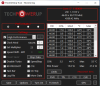
The maximum Turbo Ratios for the 11800H when overclocking are 50, 50, 49, 49, 49, 48, 47, 46. ThrottleStop shows what the default values are. The maximum overclock allowed is +4 bins so just add +4 to all of the default values that are listed. It is OK to set all of the turbo ratios to 50 but the CPU will ignore anything greater than what I have listed.
In the FIVR window, I like setting IccMax for the core and the cache to the maximum value, 255.75.
If you clear the Thermal Velocity Boost box, that will let you run 100 MHz faster. Unless you can find some better cooling, there is not much point in doing this trick. An extra 100 MHz when lightly loaded and not overheating will look good though.
There is usually no need to check the Clock Mod box. The last few generations of laptops rarely if ever use this type of throttling. No point in wasting CPU cycles fighting against a throttling method that is no longer being used.
Checking the Speed Shift EPP box might not be necessary either. When using the Windows High Performance power plan, Windows usually sets EPP to 0 automatically. Try clearing this box and then watch the EPP value that the CPU is using. The FIVR monitoring table has this info. Change power plans and if Windows is in control of EPP, you should see EPP change in the FIVR table.
That seems to be fairly typical for the 11th Gen mobile CPUs that I have heard about so far. It requires lots of voltage to keep all 8 CPU cores stable so there is not as much room to undervolt.
-
-
As a different thing to try: do you have access to static voltage?
I.e. set a static voltage instead of the Offset.
I did try undervolting a 8250u and it would reliably fail after -125mV, but setting it to 1.00V seems to work perfectly fine despite being way lower than those -125mV.
I would assume that this is either caused by idling (as the offset gets subtracted even for idle voltage) or that high loads will cause the voltage to jump and the VRMs are not able to handle it.
Hence, I would give overriding the voltage a try.
Yet a different approach (can be used with static voltage as well) is to check what the maximum stable clock rate is, when thermally limited.
Reasoning for that: Your CPU will need more voltage to run higher frequencies, e.g. could need more than 1.2V for those 5GHz or it crashes.
If your laptop is however unable to actually cool those 5GHz, and the CPU will throttle down to 4.4GHz under load, then I would simply limit frequency to this maximum value and see how low your undervolt can go.
After all, the PC will crash at 5GHz if it only gets the voltage for 4.9GHz, but will not be able to use either speed if it is thermally limited to 4.4GHz. -
@unclewebb: TS is a really great CPU application, I use it on my MacBook Pro 2014 in Windows 10 running via BootCamp, do you think it's possible to create its port for MacOS X? Thanks
-
It is throttled by temperature so you can replace the paste with liquid metal but it is a risk and a hassle although you already get around 80W of cpu power before it throttles that is great.
You can try to change temp throttle on your bios from 5 (95C) to 0 to let your cpu run until 100C but my msi ge75 does not do that I have set it to 2 (98C) because over 100C it will shut down instantly.
Maybe think about getting a cooling pad. -
On the low power U series, when you offset undervolt too much, you usually lose stability when lightly loaded. Voltage is already low so when you offset it another -125 mV, your computer will crash. Using a fixed static voltage just might work.
I would also look into running the CPU at maximum speed by using the Windows High Performance power plan. Power consumption should not be too bad because the CPU will be using the low power C states when it is lightly loaded of idle.
Increasing Speed Shift Min can be used to prevent the CPU from running too slow. When the offset voltage is near the max possible, U series CPUs are more likely to crash at 400 MHz than 3500 MHz so best not to let them run slow.
Thanks for the positive feedback. I like using TS too. There are a lot of useful features packed into a small foot print.
Unfortunately, the last Apple computer I used was an Apple II which was released 44 years ago. Without access to any Apple hardware and with zero familiarity with MacOS X, there is no chance that ThrottleStop will ever be ported to a Mac.Vasudev and berkkocaturk like this. -
It doesn't change anything.
-
Are you using the Windows High Performance power plan or are you using the Windows Balanced power plan? It looks like you are using Balanced.
-
thank you - I think I did all proper? Appreciated it very much all you guys-men here!
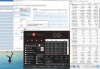
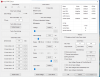
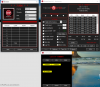
Could you look trough pls, and I checked in cinebench23 and prime 95 for stability with -70mv seems ok. And I dont know exactly about TS bench - is it seems ok?
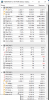
in HWinfo - in prime95 frequency seems little lower 43x but temperature were until 91C, VID is not that low, CPU package was going till 81.8W - I dont know where to loo and what to fix...little lsot.
Anything to push somewhere may be and I used coolerpad for this beast)
Attached Files:
-
-
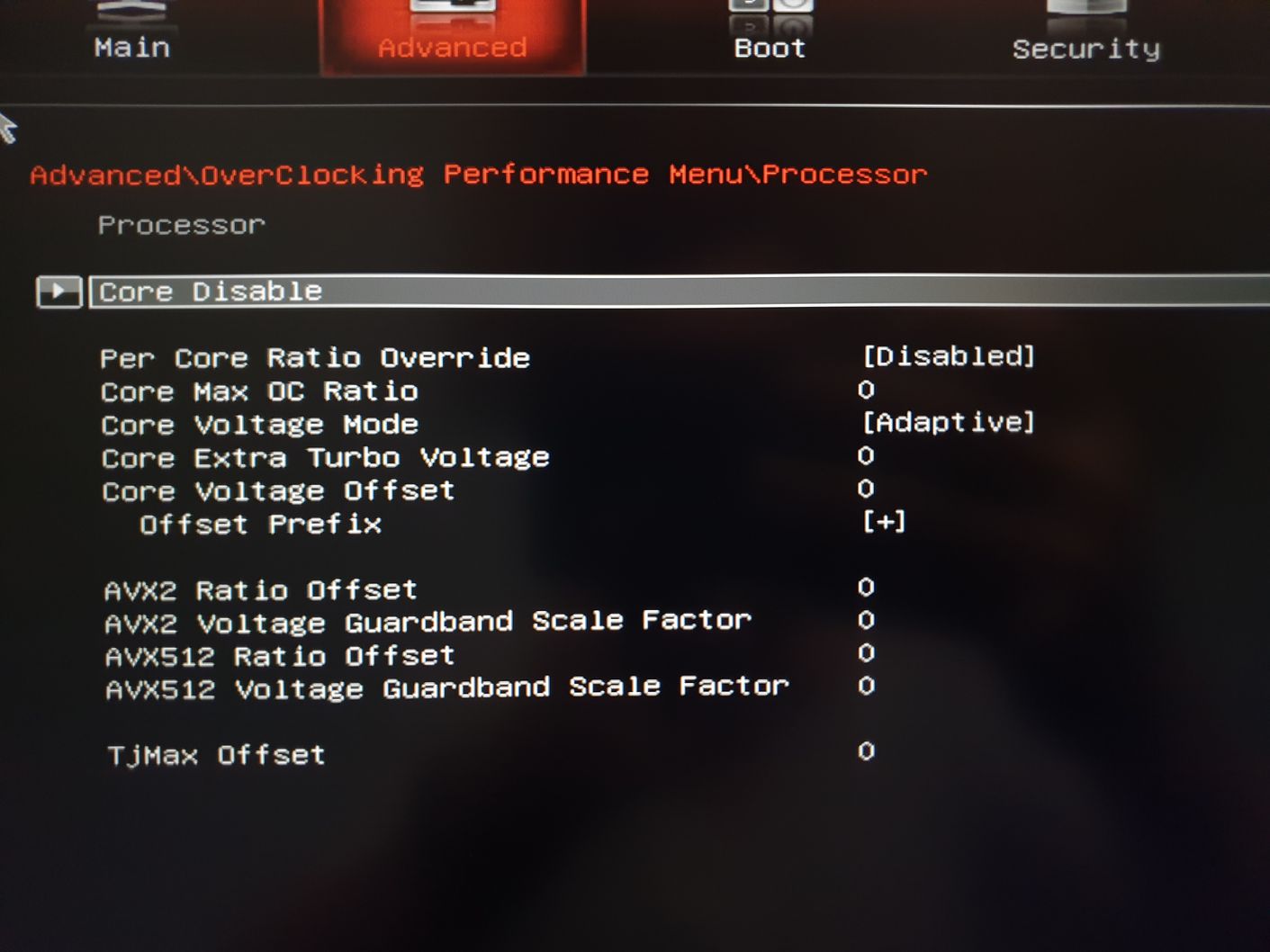
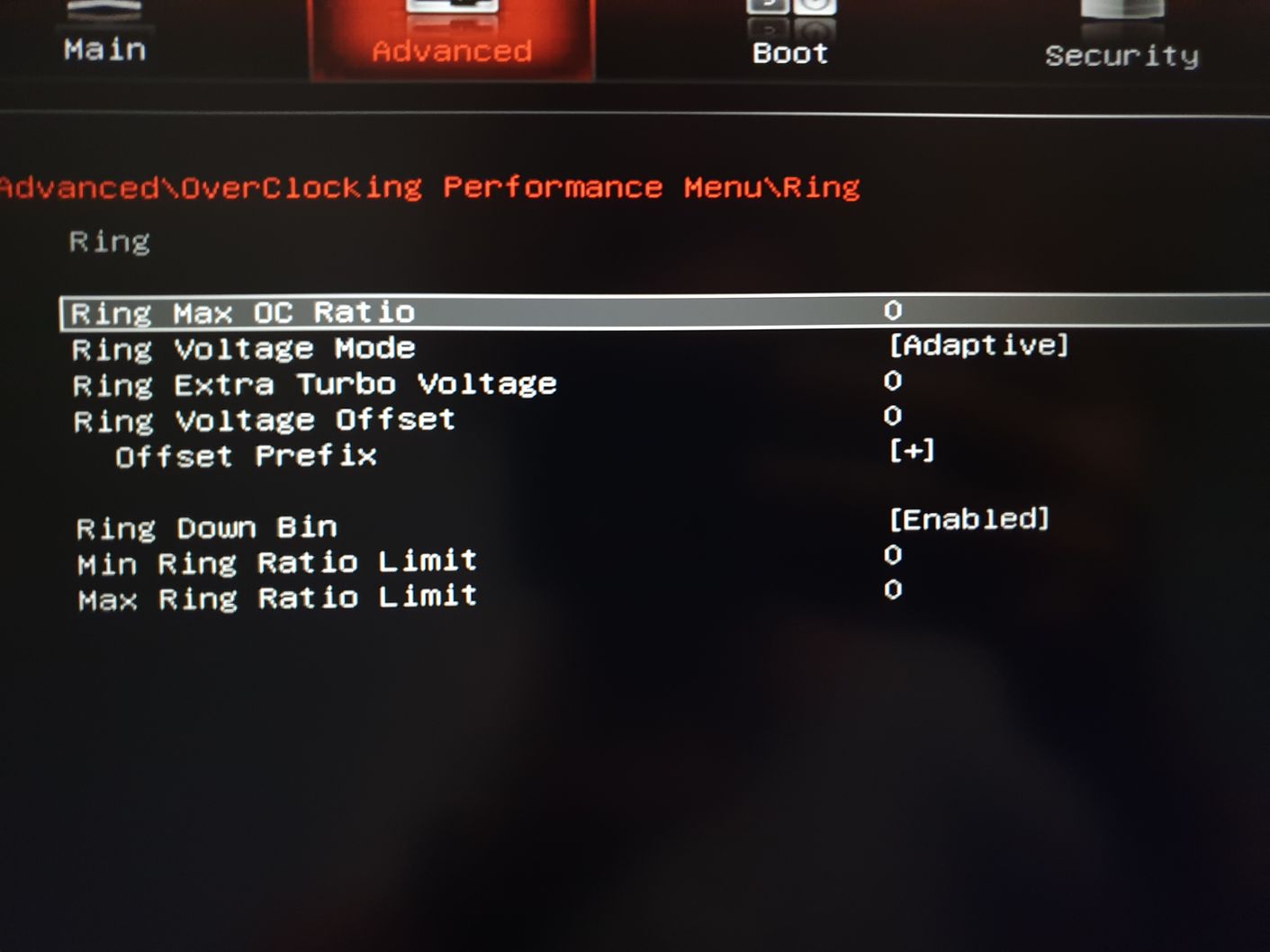
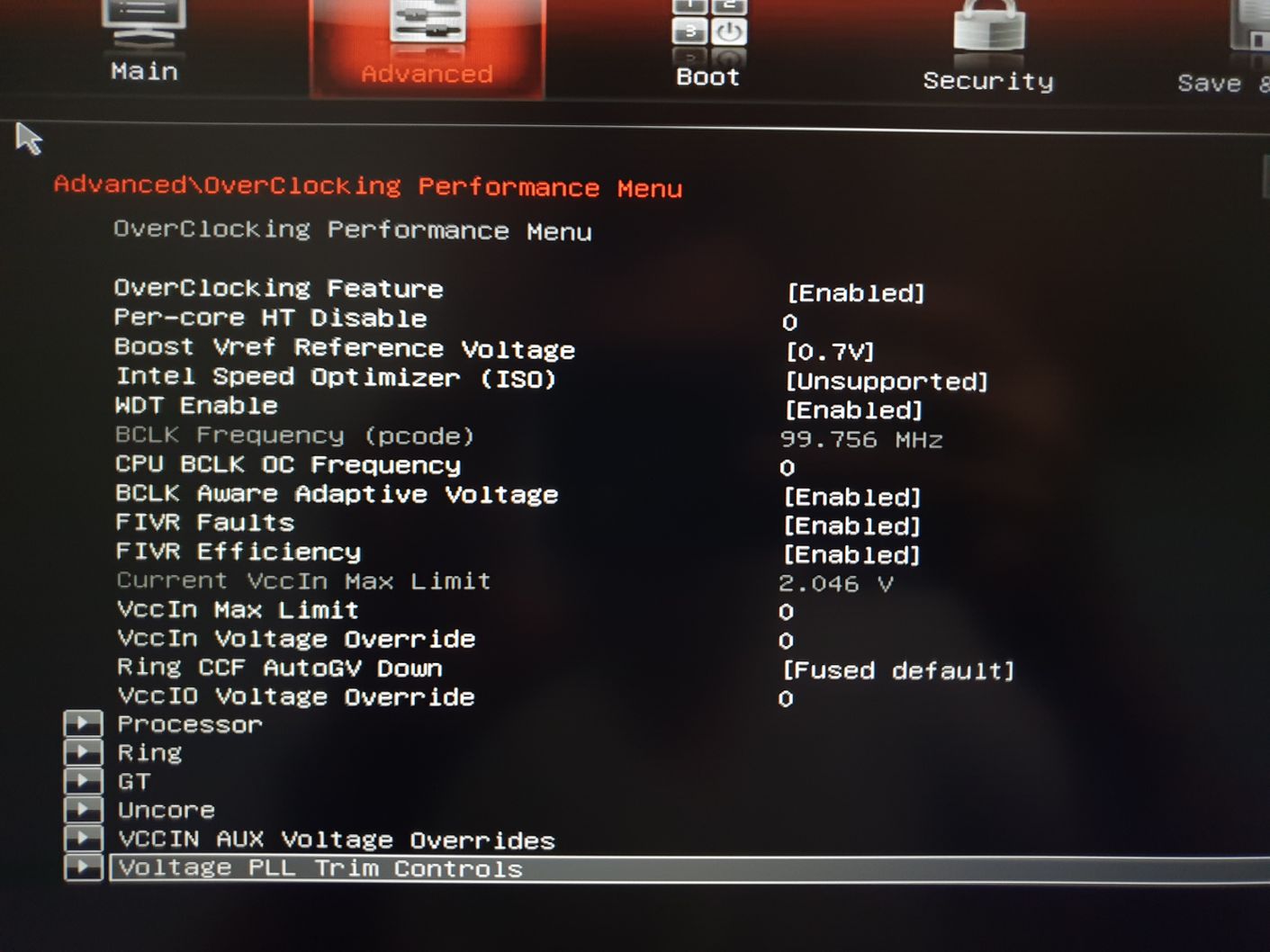
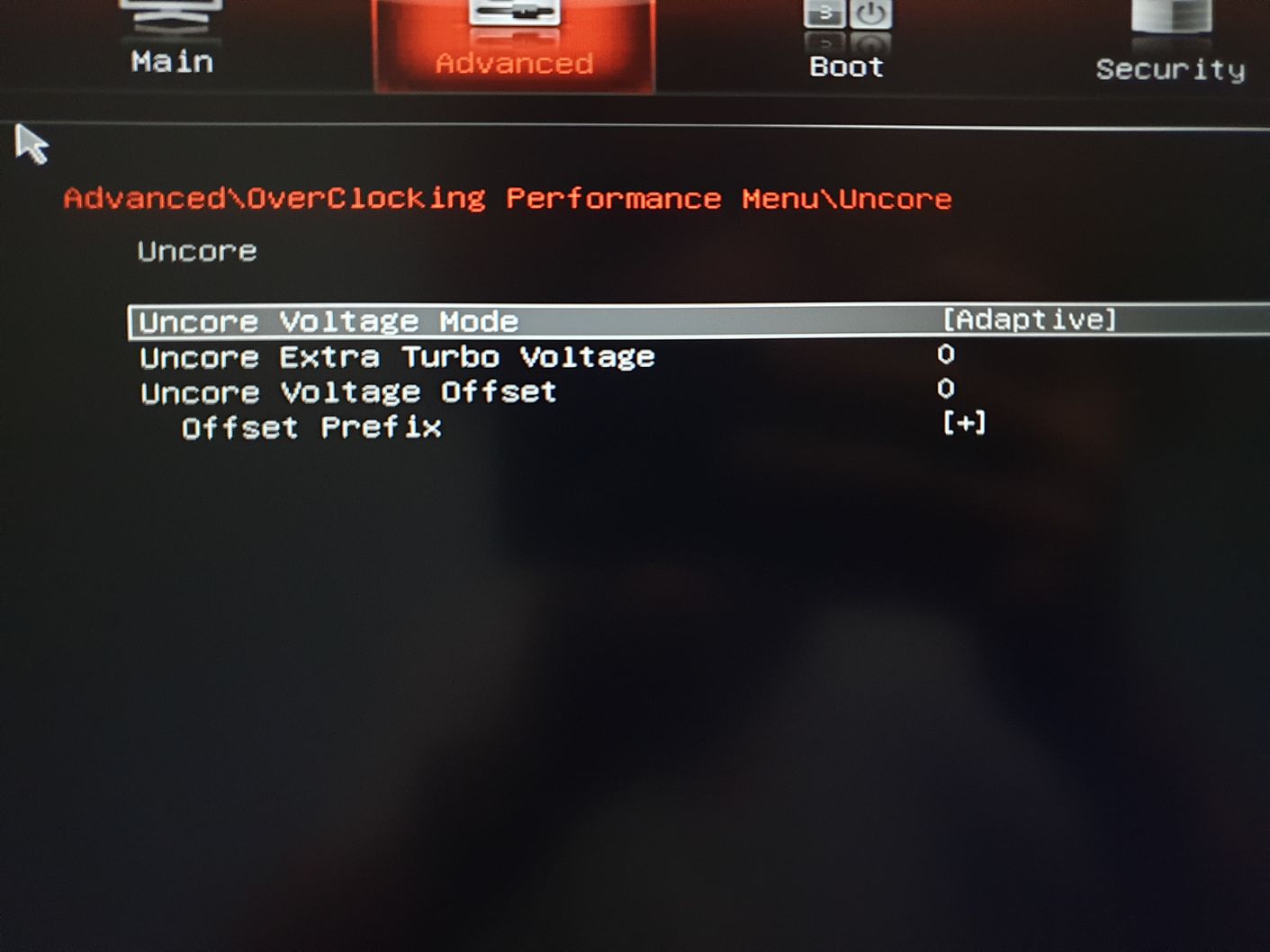
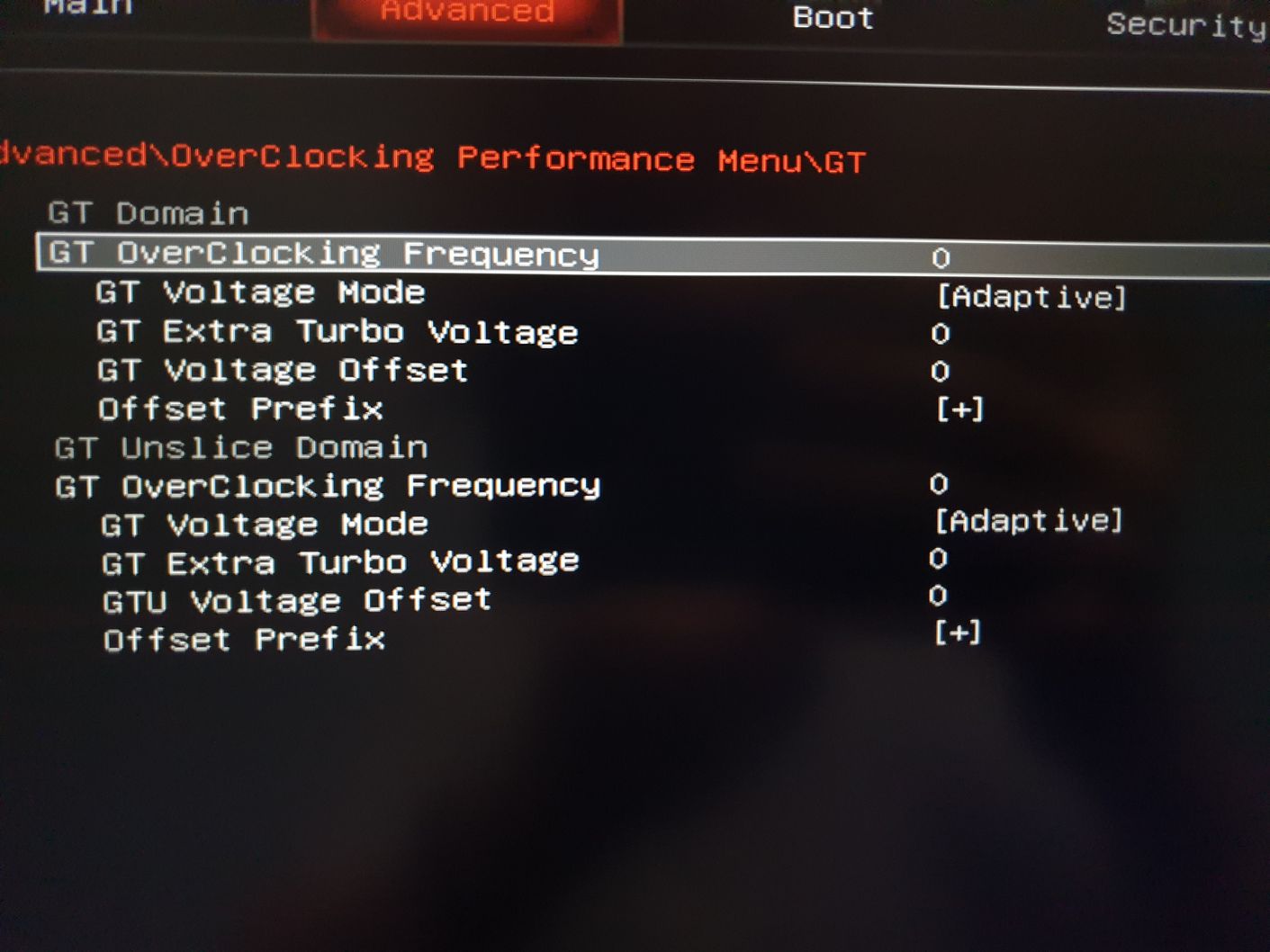
I think I have it - MSI overclock page in bios is pretty detailed for laptops: but where to start - initial voltage?
and may be anything to change in bios additionally?
And finally what to do in Throttlestop after bios change?
In previous post - attached some hwinfo voltage during prime95 execution Appreciate your insights - thank you!Attached Files:
-
-
Some general questions - now I suppose to put Throttlestop program in AutoStart manually?
And if on the screen TURN ON in the bottom row - it working when it says in upper status bar Monitoring or just monitoring?
and I need to have TURN off on the screen to work?
the meaning of VR current in Limit Reasons if yellow...
and PROCHOT 95C could be changed in bios as temp throttle Till 99C would be ok? if TJunction =100C by INTEL manuals
in TS bench if I choose 960Mb test - from 46x going down till 41 :-( because of T and 95C limit?
Still could try then -80mv etc cool it down a little bit if it will be stable? -
@unclewebb
Just thought I would highlight that for Windows 11 you only have to disable " Virtual Machine Platform" in Windows features in order for Throttlestop to access CPU registers again. The thread is quite long so I don't know if anyone highlighted this in a previous page, but users do not have to disable virtualization in the bios or disable Windows Subsystem for Linux. They only have to disable "Virtual Machine Platform" in Windows Features in order for Throttlestop to work again.
I tested this on an Alienware X17 R1 running Windows 11 build 22000.194
AWCC OC Controls and Throttlestop work if you disable "Virtual Machine Platform" in Windows Features. Having this feature enabled prevented Windows programs from accessing CPU and GPU registers.Almighty1, unclewebb, tilleroftheearth and 1 other person like this. -
I was wondering the same right after I took the screenshot. Then I tried with "High Performance" profile, but it doesn't change anything either.
-
@unclewebb
Just an fyi I have also started a thread on reddit to keep track of these different issues in Windows 11 and what fixes them. You can use it as a reference if people are having trouble getting Throttlestop to work and method X isn't working. It seems the issues are quite diverse so while my solution is relevant if people are toying around with WSL, it may not be relevant to others who have never touched WSL.
FYI: (Alienware X17) Windows 11 Disable "Virtual Machine Platform" to get AWCC OC controls and Throttlestop to work again. : Alienware (reddit.com)unclewebb likes this. -
Thanks @werdmonkey4321 for keeping up to date on Windows 11 and ThrottleStop compatibility issues.
I added a link to your post above to the first post in this thread so it will be easy for users to find this important information.tilleroftheearth and werdmonkey4321 like this. -
@Webbmaster
For stability tests try low loads too cpu dynamicly scales voltage when you set an offset when under load it might work but when you run 2 core 4 core load or power saving load it already lowers the voltage and then you also put an offsett on throttlestop which might make it too low and unstable
for example
4.4 Ghz 1.25V Stock
4.4Ghz 1.2V stable -50mV
2.5Ghz stock 0.8V
2.5Ghz undervolt 0.75V might crash
In fact when i run all core test like cinebench i can set the voltage lower at throttlestop and it doesnt crash when the test is going with all cores but as soon as cores start finishing it crashed
if the cpu is overheating you can only lower voltage or increase cooling but if the cpu is throttling at 80W that is actually good and if you are not going liquid metal i would not touch it at all...
I have msi laptop too and set prochot to 98 i have known from experience even if intel doesnt mind it laptop will shut immediatly if it exceeds 100C and when you set it to 99 it can still move over 100C so 98 seems the bestLast edited: Oct 5, 2021 -
The Intel specified thermal throttling temperature is usually 100°C and the thermal shut down temperature is closer to 125°C. This gives the CPU plenty of opportunity to cool down so it does not just randomly shut down. The Intel hardware works fantastic.
Some laptop manufacturers decided to re-engineer Intel thermal throttling and thermal shut down. They decided to move the shut down temperature down to 100°C. If the thermal throttling temperature is left at the Intel default of 100°C, that creates a problem where the computer will randomly shut down without the CPU having a chance to cool down a little first. Just another bad design idea by laptop manufacturers that do this.
If the shut down temperature is set to 100°C, now the throttling temperature has to be set lower than that. Usually setting thermal throttling to 95°C to 98°C will allow enough headroom to avoid random shut downs at high temperatures without reducing maximum performance too much.Gumwars likes this. -
@unclewebb
Talking about Sandy Bridge, do you know whether the iGPU frquency can be manually adjusted? E.g. to lower the turbo frequency?
Thanks! -
It should be possible to lower the iGPU MHz but ThrottleStop does not have any ability to do this.
A future TS feature? Maybe!
You can use RW Everything to set Memory Mapped location 0xFED15994. This value controls the maximum iGPU MHz. This can be adjusted in steps of 50 MHz. The default for my CPU is 0x18 hex which is 24 decimal.
24 X 50 MHz = 1200 MHz
The screenshot shows I have set this to 0x10 hex which is 16 decimal so the iGPU is being limited to,
16 X 50 MHz = 800 MHz.
The GPU-Z render test is useful to put a simple load on the GPU so it runs at full speed.
Last edited: Oct 4, 2021noric, FrozenLord and tilleroftheearth like this. -
I don't have an AW, but even with "Virtual Machine Platform" off, I can't get Throttlestop to work unless I disable "Memory Integrity" from Windows Security->Device Security->Core Isolation. I'm hoping for a more targeted fix.
Edit: This lets me adjust CPU Core and Intel GPU, but changes to CPU cache don't seem to cause any change. -
ThrottleStop runs correctly on my Windows 10 - 20H2 computer with Memory Integrity enabled. Your CPU might have some different security features enabled or perhaps the Windows 10 version you are using is more secure.
I did find one bug. The 10 core CPUs use Turbo Groups. When Memory Integrity is disabled, I only need to fill in Turbo Group 1 and the CPU understands that I want the 50 multiplier whether 1, 2, 3, ... or all 10 cores are active.
When Memory Integrity is enabled, the CPU no longer understands the above setting. ThrottleStop is still setting the turbo ratio registers exactly the same so this has to be a bug at the CPU level. The 10 core CPUs typically use four different Turbo Groups. To trick the CPU, I need Turbo Group 4 to contain the 50 - 10 entry. The Core Count values for the first three turbo groups do not seem to matter so I just set them to zero.
Other than that, ThrottleStop seems to work 100% correctly on my computer with Memory Integrity enabled.
Microsoft wants to improve the security of their operating system. ThrottleStop needs direct access to the CPU's registers. A secure operating system does not allow that. I cannot fix what Microsoft decides to break in the name of security. If you need to run ThrottleStop, you will have to manually disable whatever needs to be disabled. Thanks Microsoft for letting us disable Memory Integrity and the Virtual Machine Platform.
After you get Memory Integrity and Virtual Machine Platform disabled, delete the ThrottleStop.INI configuration file and reboot. Post some ThrottleStop screenshots so I can see the problem that you are having. I do not know what CPU model you have and I cannot see how you have ThrottleStop setup.FrozenLord and berkkocaturk like this. -
https://www.reddit.com/r/windowsins.../?utm_source=share&utm_medium=web2x&context=3
@unclewebb It may interest you to know that this user has disabled VBS and Windows Defender Credentials to get TS working again. -
1. Thank you - ok - I see, I could try it on same Cinebench ONe core test not muiltiple - did you tried? Or recommend best for one core testing ?
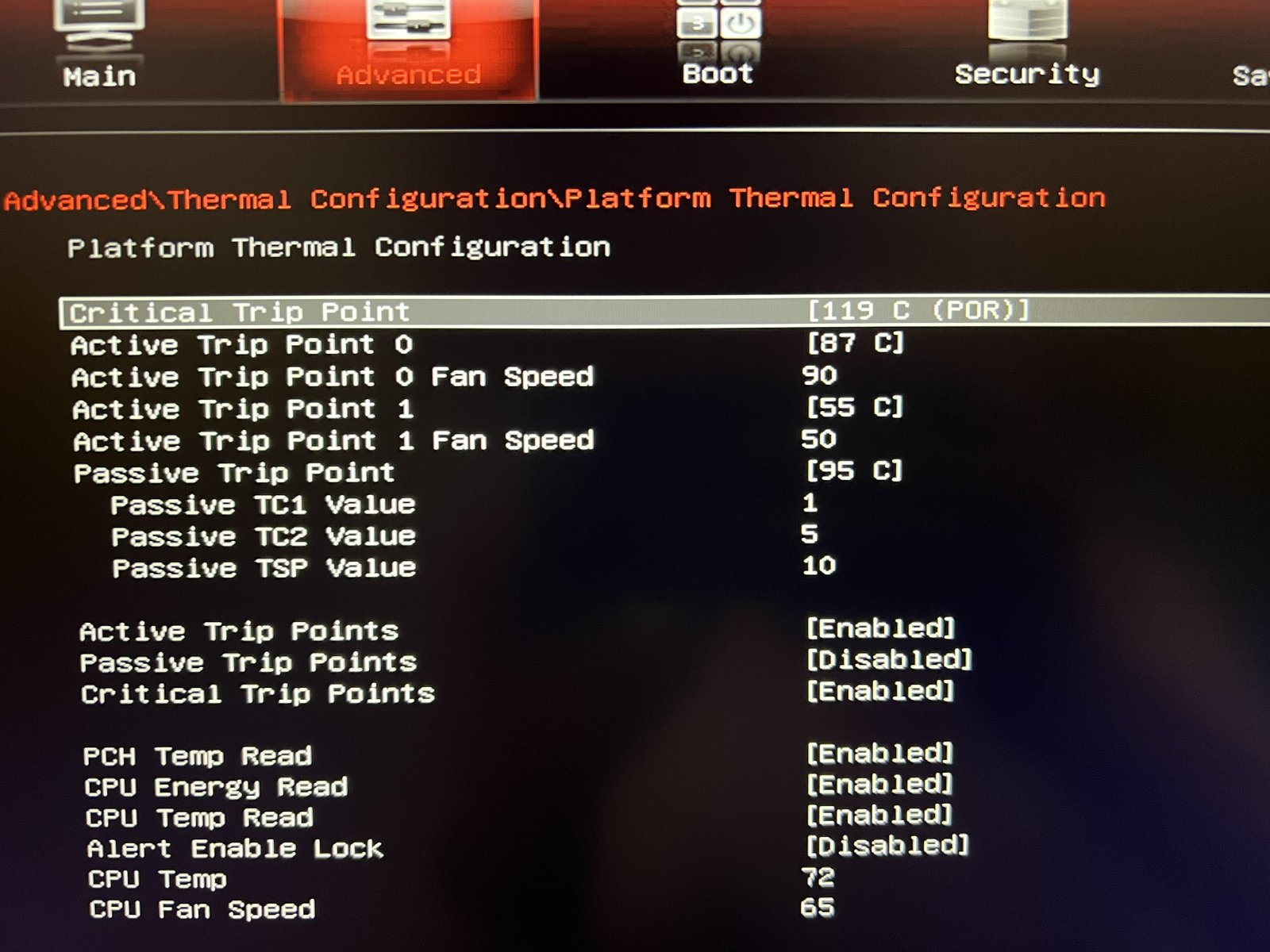
2 and still cant find prochot in MSI overclock BIOS menu on MSI Ge76... Found something close but there is only like 5 change (for 95) and then 8-for 103 something etc.
3. Tried it seems -80mv still working for me on single and multiple pressure in cinebench...
BUT (new?) PROBLEM - (attached screenshot) it made CPU dropping frequency till 3.94 from 4.6Ghz and even without HIGH temperature limit (85-89C)?!
And voltage is dropped and good as it is 1.1174V or doesnt work?
After I changed FIVR menu setting after Throttlesetup author recommendations. Did something wrong with it and it needs adjustment in bios or in Throttlestop?
PS. and read but dont understand - do I need to TURN ON or OFF setting - which is around with Options and TS Bemnc on the bottom? Monitoring with green or red with 1 number.Attached Files:
-
-
1- Try TS bench 4 core and 2 core 1 core test for some time click size infinite and do it for some time you can also game which is a light load too.
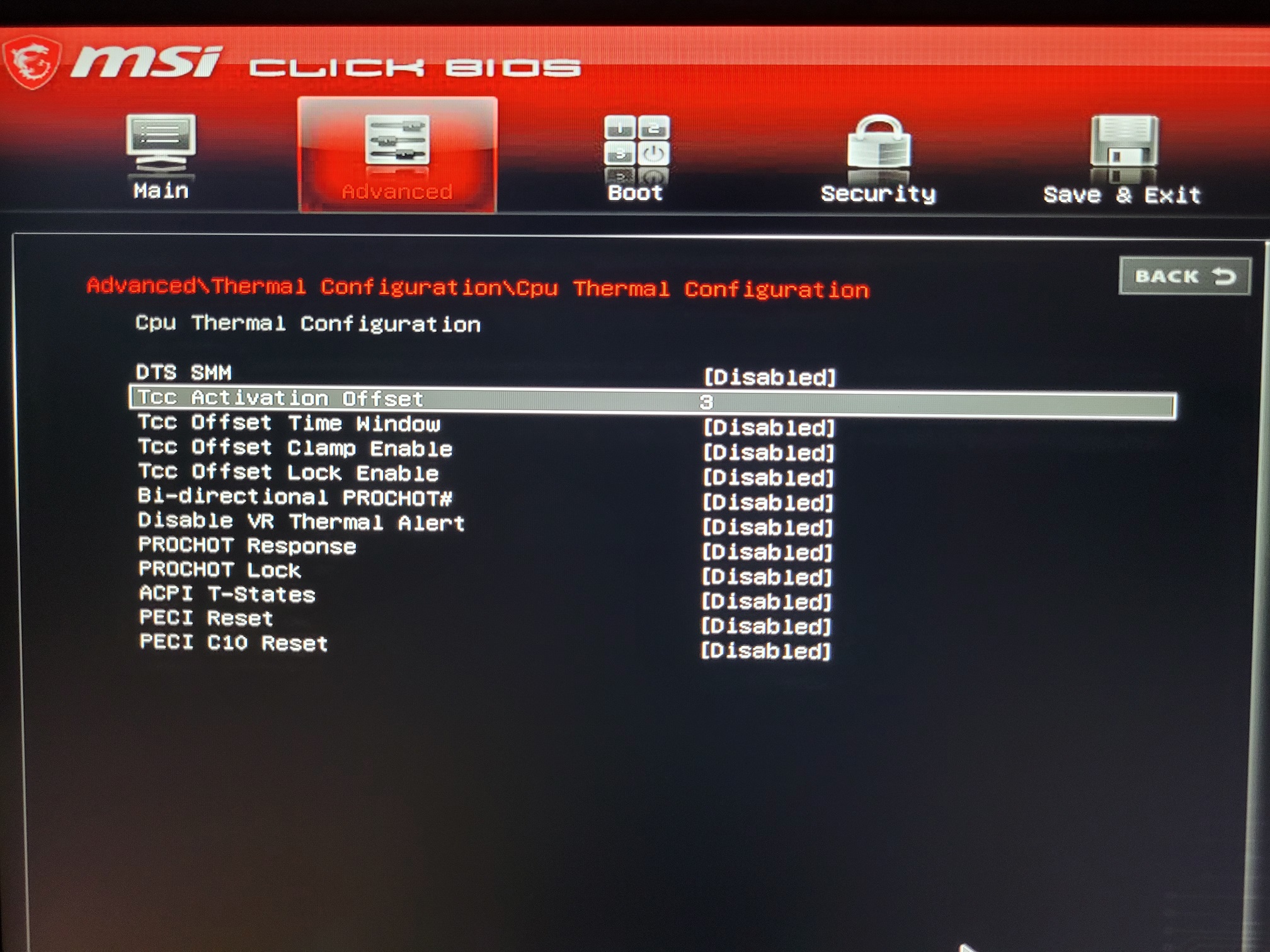
2- I have uploaded a picture of the setting on my bios it is named Tcc activation. It works by you substract it from intel throttling temp(100C) So if you set Tcc=3 100-3=97C is the PROCHOT temp. Sorry for my english hope you understand it.
3- Can you disable V-max stress it is a throttling method when the cpu voltage is high it throttles. Also can you select Speedshift on main throttlestop page and on TPL click on speedshift so it is enabled by throttlestop SST shows that it is enabled but just to be sure.
Are you on low battery?
Your screenshot you use all your memory and i am not sure what work you are doing and what throttling is happening. Unclewebb is wiser on this subject.Attached Files:
Last edited: Oct 5, 2021Webbmaster likes this. -
-
Some interesting info about Memory Integrity and other security features Microsoft wants to force onto Windows 11 users. If gaming performance is important, leave this junk disabled.
https://www.tomshardware.com/news/windows-11-security-gaming-application-performance-benchmarks -
I updated to Windows 11 once again and throttlestop broke. I got it work again by fully disabling hyper V using this command:
bcdedit /set hypervisorlaunchtype off
Despite this however this is not a feasible solution for many people as turning off Hyper-V breaks WSL2, as well as other security features. You can turn Hyper-V back on using
bcdedit /set hypervisorlaunchtype auto
It's just still so odd to me that having Hyper-V enabled breaks throttlestop in Windows 11 because it worked just fine in Windows 10 with all the related features like HVCI and VBS enabled too. -
The cache offset reads as 0 despite being having an offset specified. See attached image. The Core and iGPU offset displays correctly with Memory Integrity off, but display as 0 when it's on.
The CPU is a Tiger Lake-H i9-11900H.
This is on a clean Windows 11 Pro installation.Attached Files:
-
-
Tried number 1 - seems ok. Will try more.
Same time I found that without TS with more natural Voltage CPU give me more 200 points in Cinebench 23 for example.
With TS - Voltage dropping till 0.900V approx form 1.1V something.
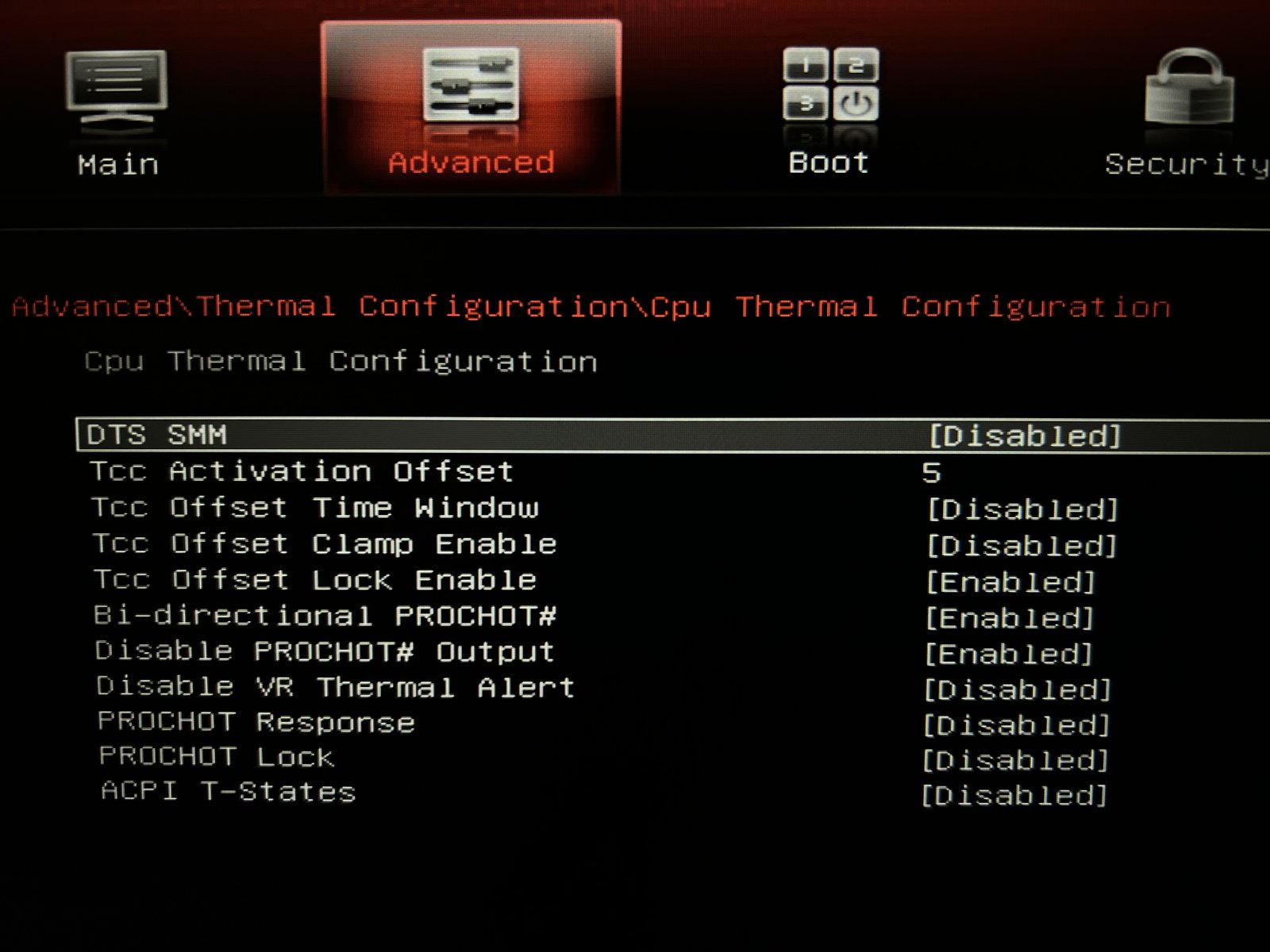
2. Couldn't change this TCC OFFset.... tried disabled some menu as on your screenshot ... still doesnt let me change it.
In other sub-menu (2 screenshot) - tried change Passive Trip shot - 95C - doesnt give me 98- there seems fixed positions as 95C, 103C !?!?!?!?!?!?
3. Didnt find V-max sorry- where is it?
Speedshift tried - but with this CPU suppose to go down from 4.60Ghz 0 in my case with Cinebench R23 till 39-40x :-( yes - temperature around 95-96 but it starting going down before 95c!
4. Let me know pls - what I suppose tp do with this switch TURN ON or TURN OFF? red or green icon is more proper and working!?Attached Files:
-
-
Select Tcc offset and click on num lock then just write a number there is no menu on it.
Those are not related to the actual PROCHOT on my experience only the one that says Tcc is the throttle related.
It is on TS FIVR screen.
green sst is proper but enable speedshift in TS window and TPL window -
I have Virtual Machine Platform disabled (as well as "Memory Integrifty" - Off, as someone else mentioned), This worked for me in Windows 10, but unfortunately it doesn't seem to work in Windows 11. Have tried the latest version of Throttlestop (9.4) as well as deleting the .ini file and re-configuring, but still no go... :/
-
Update - just managed to get throttlestop working but I had to disable/remove... everything. i.e. apart from Windows Subsystem for Linux, also:
- Hyper-V
- Virtual Machine Platform
- Windows Hypervisor Platform
- and lastly... Windows Sandbox.
I just installed the official Windows 11 build today over my Windows 10 which was working fine with Throttlestop with all the above enabled :/ ...Not liking Windows 11 much at the moment :/
My laptop is a Dell XPS 7590 with i9-9980HKunclewebb and FrozenLord like this. -
For those of you disabling all that stuff.
Why not setup a 2nd boot item that boots the same OS but with Hyper-V disabled?
That way you can have both. VM capability on boot when you need it, and none of it when you don't?
A quick and easy tool to handle this for you is EasyBCD and it's free.
EasyBCD - NeoSmart Technologies -
You can just toggle Hyper-V off using a command to re enable Throttlestop, and when you do need hyper V use a command to reenable it and reboot. This way you don’t have to uninstall anything either.Compusmurf likes this.
-
DoorsO, your command earlier is exactly what my 2nd boot item does. During the day when I need the VM stuff, I boot from option 1, nights/weekends when I'm not using my machine for work related, I boot option 2 which is just pretty much the same as doing
bcdedit /set hypervisorlaunchtype off
I'm setup Windows VM (hypervisor on)
Windows NO VM (hypervisor off)
I can just pick at boot which way it runs or default to HV on after 7 seconds.
Oh and also, if you have MSI laptop or a laptop that allows you to UV in the bios, find your safe UV, set it in the bios and have it enabled no matter which way you boot. You won't see the numbers in Throttlestop with hypervisor on, but it's there.DoorsO likes this. -
Where is the rest of your FIVR screenshot?
Check out the Turbo Ratio Limits section to determine if ThrottleStop has full access to the CPU registers. It should show the default turbo ratios. If you see some odd looking numbers that do not look like turbo ratios then ThrottleStop is not working correctly. You will need to keep disabling more Windows 11 features. After you do that, exit ThrottleStop, delete the ThrottleStop.INI configuration file and reboot. The screenshot shows maximum turbo ratios of 172, 133 and 1. That is a big red flag that ThrottleStop is not working correctly.
Make sure to delete the ThrottleStop.INI file when testing. This seems to get corrupted when Windows 11 is blocking ThrottleStop.
TS Broken
TS Working Correctly
![[IMG]](images/storyImages/tEPpdUZ.png)
@Merlinux - Thanks for your screenshots.Last edited: Oct 6, 2021tilleroftheearth likes this. -
Yeh there are workarounds (mine will be to use VMWare), but they are annoying either way (requiring a reboot just to use HyperV or Sandbox which most of the time I just needed for 5-10 minutes to test something). Really it should just all work together like it did in Windows 10...
Looking at the new Windows 11 and just based on its subtle yet noticeable GUI changes, M$ looks more and more like it's going the way of Apple and Samsung, trying to lock-down and simplify it's OS to minimize what can go wrong by restricting (or hiding) what people can play with, which is becoming frustrating... Intel also isn't helping with it's "Security Advisories"
From what I've read there are some issues with Windows 11 running Hyper-V and running VirtualBox...
https://www.bleepingcomputer.com/ne...ndows-11-issues-with-virtualbox-intel-killer/
Will be interesting if the resolution of these issues will somehow have an impact on Throttlestop working again while having HyperV, Sandbox, WSL2 etc enabled.
Love Throttlestop btw, it's helped me a lot in preventing my fans from spinning up every few minutes while just doing simple tasks on my Dell XPS 7590 i9 laptop.
Big Thanks to @unclewebb for all your hard work on this app.unclewebb likes this. -
At some point I somehow ended up in a permanent low-power state and after power cycling the machine, the offset for the cache started reading correctly. The voltages also now read as "Default" again instead of a numerical value which is consistent with the W10 behavior that I had.
I guess all is well now. Too bad I don't remember doing anything to fix this.
Edit: actually not all is well. Something (EDP Other) is keeping my CPU limited to 20W and I don't know what it is or what causes it.
Edit 2: It seems the Windows "Power Mode", which is apparently different than the "Power Plan", likes to set itself to "best power efficiency" or "best performance" on its own.Attached Files:
Last edited: Oct 7, 2021 -
-
One issue I did notice just now with this method is that if HVCI, or memory integrity, is enabled, then even with forcehypervisortype set to off, it will not actually shut off Hyper-V unless HVCI/Memory Integrity is disabled as well.
A bit annoying to have to toggle memory integrity on and off before switching modes now but oh well. I see a lot of people bashing VBS/HVCI for the performance hit which is fair but isolating the kernel in a virtual machine does miracles for security.Last edited: Oct 7, 2021 -
As soon as I click on the memory icon in RW Everything, I get a bsod with the "WHEA_UNCORRECTABLE_ERROR" code. Tried to disable execution prevention in the bios and Windows Defender but it's still a bsod.
This is on Win8.1 x64. I've tried RW Everything versions: 1.7 x64 portable, 1.6.9 x64 portable, 1.7 x86 portable, 1.7 x64 non-portable.
Any advice? -
In Windows 10 I must disable Memory Integrity under 'Core Isolation' for RWEverything to launch. Also mandatory is Java Runtime Environment. Is there an equivalent Wind 8.1 settings?
-
Been playing with this now.
XPS 9570 Dell running older bios so i can undervolt.
Clean install of Win11.
Core isolation and VBS were disabled by default.
Throttlestop worked perfectly, no other adjustments needed.
Then i tried one by one adding services to see what breaks it.
Firstly Windows Sandbox kills it on its own. Turbo ratios are all over the shop in FIVR.
Then i tried adding WSL. WSL-1 works.
WSL2 does not as it needs the virtual machine services.
So for me at least to use Throttlestop properly i need to not have Virtual Machine Platform or Windows Sandbox installed.
Which is a pain because i use these quite often! -
I used to have a computer that did the exact same thing. I was never able to figure out why. It is some bug in RW Everything. I guess you will have to wait until I add adjustable iGPU MHz to ThrottleStop. Not sure when or if but maybe someday.
I have been using ThrottleStop for a few days with Memory Integrity enabled. Overall, ThrottleStop mostly seems to work but I did find another problem. The register that contains core Limit Reasons data is blocked when memory integrity is enabled. Why? This register is not dangerous in any way. You can view the Limit Reasons info or you can write to this register to clear the Limit Reasons info but other than that, there is nothing dangerous about allowing a user to access this register. Who makes these decisions?
All I can think of is that someone, somewhere decided that it would be a good idea not to let consumers know why their computer is throttling. Less complaints. Memory integrity is back to disabled so I can see Limit Reasons data and run RW Everything whenever I want.
Thanks for the update.FrozenLord, 4W4K3 and tilleroftheearth like this. -
I think I did, -82mv seems work for all 16 cores and 2 cores in ts bench.
Do I need to input some number for Speedshift EPP - _____ SST ?
PS.
Disable FIVR efficiency.
Disable FIVR Faults
in bios by recommendationsAttached Files:
-
-
Speedshift 0 is the fastest one
on battery or power saving profile you can set it at 128 up to 256 which is lowest performance one but on high performance use 0 -
Could` NOT put in Autostart task the Throttlestop program! Starting each time manually.
Doing as some guide said - but in the apply end - getting "not parameters or etc missed'?!
ps. May be it would be easier for users to add this function into program settings? -
-
It would be easier if I added this feature to ThrottleStop but I always avoided doing this because some people have been known to enter some unstable settings. I didn't want ThrottleStop being the cause of people getting stuck in a BSOD boot loop.
The method outlined in the second post of this thread is fairly simple if you are computer literate. It has always worked well for me. Some of the other guides on the internet do not work properly.chumley, FrozenLord and tilleroftheearth like this. -
Are you getting an error when setting it on task scheduler
If you follow the guide it should work sometimes you can not select the option "run with the highest priviliges" it is an ownership issue in windows but it will give you a warning so are you getting a warning?
Also on conditions there is AC or battery selection please uncheck those or TS will not start on battery!! -
highest privileges doesn't make a difference
tried all steps again - nothing. (w10, w11) -
@Webbmaster - I have not tried using the Task Scheduler in Windows 11. I have never had a problem using the Task Scheduler to start ThrottleStop in any version of Windows from Vista up to and including Windows 10.
Are you sure you deleted the previous task and tried creating a new task while following the guide exactly? Just looking at your settings I can already see one thing that you did not do. Go back and double check everything.
Do you have Administrator privileges on the account that you are using? Your Task Scheduler screenshot looks almost identical to Windows 10. It does not look like Microsoft made any significant changes. No need to. The Task Scheduler has always worked well.
Hopefully you can get this working. I have no plans to install Windows 11 in the near future. I am sure it is new and improved but so far it does not have any features that I need. I am in no hurry to upgrade. -
Tried it all by steps... new one. same thing was in W10.
Will try more - which step I did wrong already?!
Btw - is it any sense for Throttlestop work on battery?
And Throttelstop when laptop is idle and it shows as 1.1648V for 4589.40Mhz i7-11800H - is it good IDLE- voltage ?
And working too and useful right?Last edited: Oct 13, 2021
The ThrottleStop Guide
Discussion in 'Hardware Components and Aftermarket Upgrades' started by unclewebb, Nov 7, 2010.